



40 AI Prompts for Amazon A+ Content and Product Listings
Creating Amazon A+ content often starts with existing product photos. With image to image AI, you can explore new ecommerce product scenes for feature panels, lifestyle modules, comparisons, usage steps, bundles, and brand-story images. These 40 prompts help you build visuals that answer one shopper question at a time.
TL;DR
Choose one of these 40 Amazon A+ content prompts, replace the bracketed fields with approved product information, and use your product photo as a reference for image-to-image generation. Change one variable at a time, and review the resulting visuals before adding final claims, prices, or labels.
What Makes an Amazon A+ Content Prompt Useful
An effective A+ content prompt starts with the shopper question the module needs to answer. When working with an AI image to image generator, specify the product view, setting, composition, and space for listing copy.
- Module job: Decide whether the image explains a feature, use step, comparison, bundle, or brand story.
- SKU accuracy: Use approved product references and verified specifications for the item being shown.
- Hierarchy: Give the product one clear focal position and keep supporting elements subordinate.
- Copy space: Reserve a deliberate area for exact listing text instead of asking the image model to invent small type.
- Review path: Check the output against the brief, marketplace requirements, and final copy before upload.
Put Your Amazon A+ Content Prompt Checklist to Work
Upload an approved product photo to Pollo AI's AI image to image generator and describe the changes you want using a prompt from this guide. Compare the generated image with your original product reference before adapting it for an A+ content module.
Turn Product Photos into Amazon A+ Content Images
Upload a product photo to Pollo AI's image-to-image generator and use your prompts to explore lifestyle scenes, feature visuals, and listing image variations.
Create A+ Content Images
How to Structure an Amazon A+ Content Prompt
To transform product images with text prompts, identify what should change and what should stay recognizable. Describe the desired setting, camera angle, lighting, composition, and copy space based on the purpose of the listing module.
General Prompt Template:
[Module type] for [PRODUCT]. Use the supplied reference for [identity and specifications]. Show [approved feature or use moment] in [setting]. Arrange [product, supporting objects, and copy space] with [composition and light]. Keep exact listing copy editable.
40 Amazon A+ Content Prompts to Copy and Adapt
Each example serves a specific listing purpose. Replace the bracketed variables with your product details, then use the adapted prompt with a reference photo in an AI image generator. Review the output before incorporating it into your listing.
#1. Core Examples
1. A clean main product presentation
General Prompt Template:
[Module type] for [PRODUCT]. Use the supplied reference for [identity and specifications]. Show [approved feature or use moment] in [setting]. Arrange [product, supporting objects, and copy space] with [composition and light]. Keep exact listing copy editable.
| Prompt | Output Image |
|---|---|
| Create a wide Amazon A+ main product module for a matte white desk lamp on a pale gray background. Center the lamp in a clean front three-quarter view with a soft shadow and a broad empty band above it for approved headline copy. Preserve the lamp's base, stem, shade, switch, and white finish. | 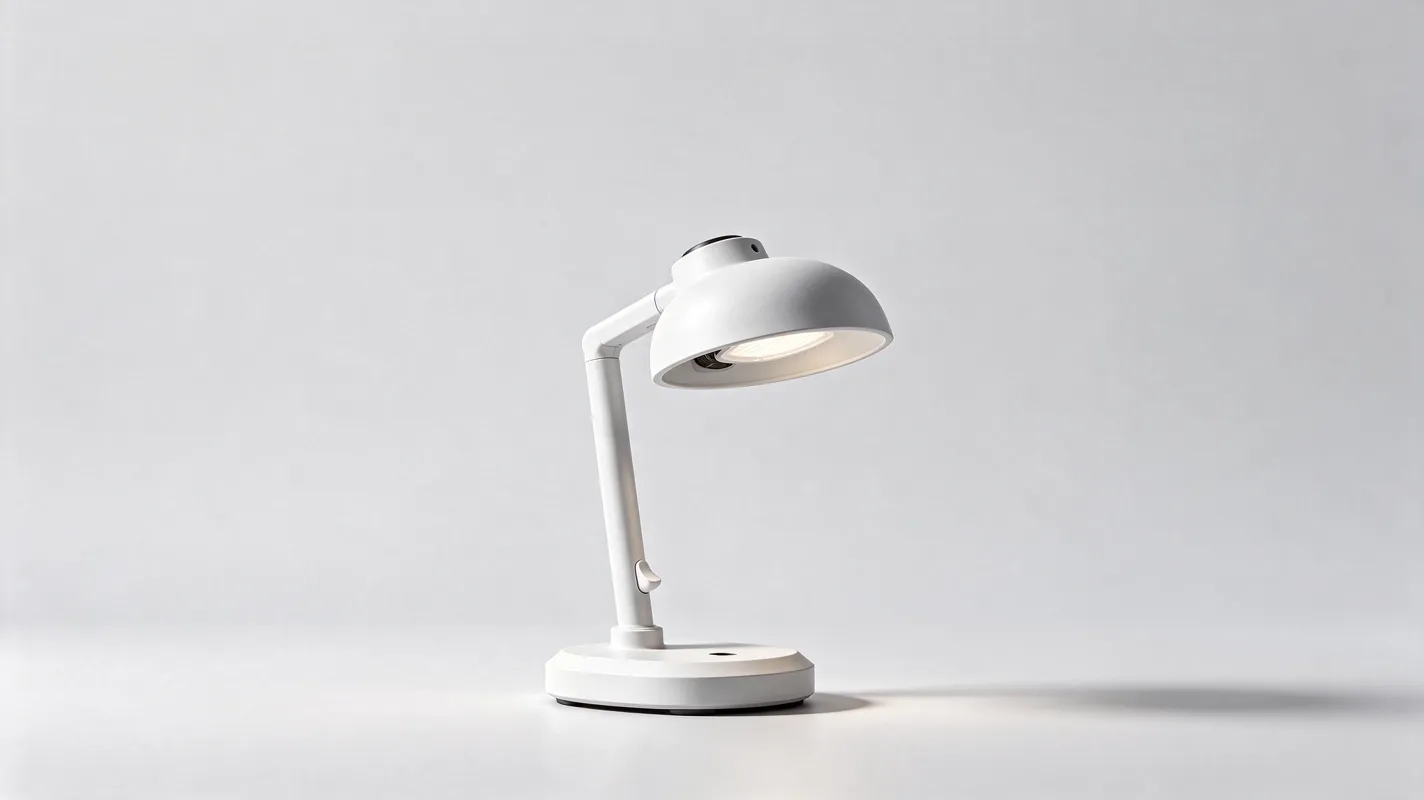 |
Tip: Give the module one job and one focal point. The listing copy should explain the feature after the image structure is approved.
2. One approved feature shown in context
Prompt: Create an Amazon A+ content concept for [PRODUCT] built around one approved feature shown in context. Use the supplied product reference for the exact SKU and make a focused shot with one clear action and a readable ending answer [CUSTOMER QUESTION]. Arrange the product, supporting objects, and reserved copy space in a clear hierarchy. Keep specifications, prices, benefits, and legal wording editable rather than generating small type inside the image.
Category focus: Core Examples. Example slot: 2.
Tip: Give the module one job and one focal point. The listing copy should explain the feature after the image structure is approved.
3. A lifestyle use scene
Prompt: Create an Amazon A+ content concept for [PRODUCT] built around a lifestyle use scene. Use the supplied product reference for the exact SKU and make a focused shot with one clear action and a readable ending answer [CUSTOMER QUESTION]. Arrange the product, supporting objects, and reserved copy space in a clear hierarchy. Keep specifications, prices, benefits, and legal wording editable rather than generating small type inside the image.
Category focus: Core Examples. Example slot: 3.
Tip: Give the module one job and one focal point. The listing copy should explain the feature after the image structure is approved.
4. A fair comparison layout
Prompt: Create an Amazon A+ content concept for [PRODUCT] built around a fair comparison layout. Use the supplied product reference for the exact SKU and make a focused shot with one clear action and a readable ending answer [CUSTOMER QUESTION]. Arrange the product, supporting objects, and reserved copy space in a clear hierarchy. Keep specifications, prices, benefits, and legal wording editable rather than generating small type inside the image.
Category focus: Core Examples. Example slot: 4.
Tip: Give the module one job and one focal point. The listing copy should explain the feature after the image structure is approved.
5. A three-step usage panel
Prompt: Create an Amazon A+ content concept for [PRODUCT] built around a three-step usage panel. Use the supplied product reference for the exact SKU and make a focused shot with one clear action and a readable ending answer [CUSTOMER QUESTION]. Arrange the product, supporting objects, and reserved copy space in a clear hierarchy. Keep specifications, prices, benefits, and legal wording editable rather than generating small type inside the image.
Category focus: Core Examples. Example slot: 5.
Tip: Give the module one job and one focal point. The listing copy should explain the feature after the image structure is approved.
6. The complete verified bundle
Prompt: Create an Amazon A+ content concept for [PRODUCT] built around the complete verified bundle. Use the supplied product reference for the exact SKU and make a focused shot with one clear action and a readable ending answer [CUSTOMER QUESTION]. Arrange the product, supporting objects, and reserved copy space in a clear hierarchy. Keep specifications, prices, benefits, and legal wording editable rather than generating small type inside the image.
Category focus: Core Examples. Example slot: 6.
Tip: Give the module one job and one focal point. The listing copy should explain the feature after the image structure is approved.
7. A restrained brand story image
Prompt: Create an Amazon A+ content concept for [PRODUCT] built around a restrained brand story image. Use the supplied product reference for the exact SKU and make a focused shot with one clear action and a readable ending answer [CUSTOMER QUESTION]. Arrange the product, supporting objects, and reserved copy space in a clear hierarchy. Keep specifications, prices, benefits, and legal wording editable rather than generating small type inside the image.
Category focus: Core Examples. Example slot: 7.
Tip: Give the module one job and one focal point. The listing copy should explain the feature after the image structure is approved.
8. A compact mobile crop with copy space
Prompt: Create an Amazon A+ content concept for [PRODUCT] built around a compact mobile crop with copy space. Use the supplied product reference for the exact SKU and make a focused shot with one clear action and a readable ending answer [CUSTOMER QUESTION]. Arrange the product, supporting objects, and reserved copy space in a clear hierarchy. Keep specifications, prices, benefits, and legal wording editable rather than generating small type inside the image.
Category focus: Core Examples. Example slot: 8.
Tip: Give the module one job and one focal point. The listing copy should explain the feature after the image structure is approved.
#2. Feature Benefit Panels
9. A clean main product presentation
General Prompt Template:
[Module type] for [PRODUCT]. Use the supplied reference for [identity and specifications]. Show [approved feature or use moment] in [setting]. Arrange [product, supporting objects, and copy space] with [composition and light]. Keep exact listing copy editable.
| Prompt | Output Image |
|---|---|
| Create a wide Amazon A+ feature-benefit module for a stainless-steel French press with a black handle. Place the product on the left beside three simple visual callouts showing the mesh filter, heat-resistant glass, and one-cup serving size. Use a white background, soft shadow, clean hierarchy, and open space on the right for exact approved copy. Keep the product geometry and materials accurate. | 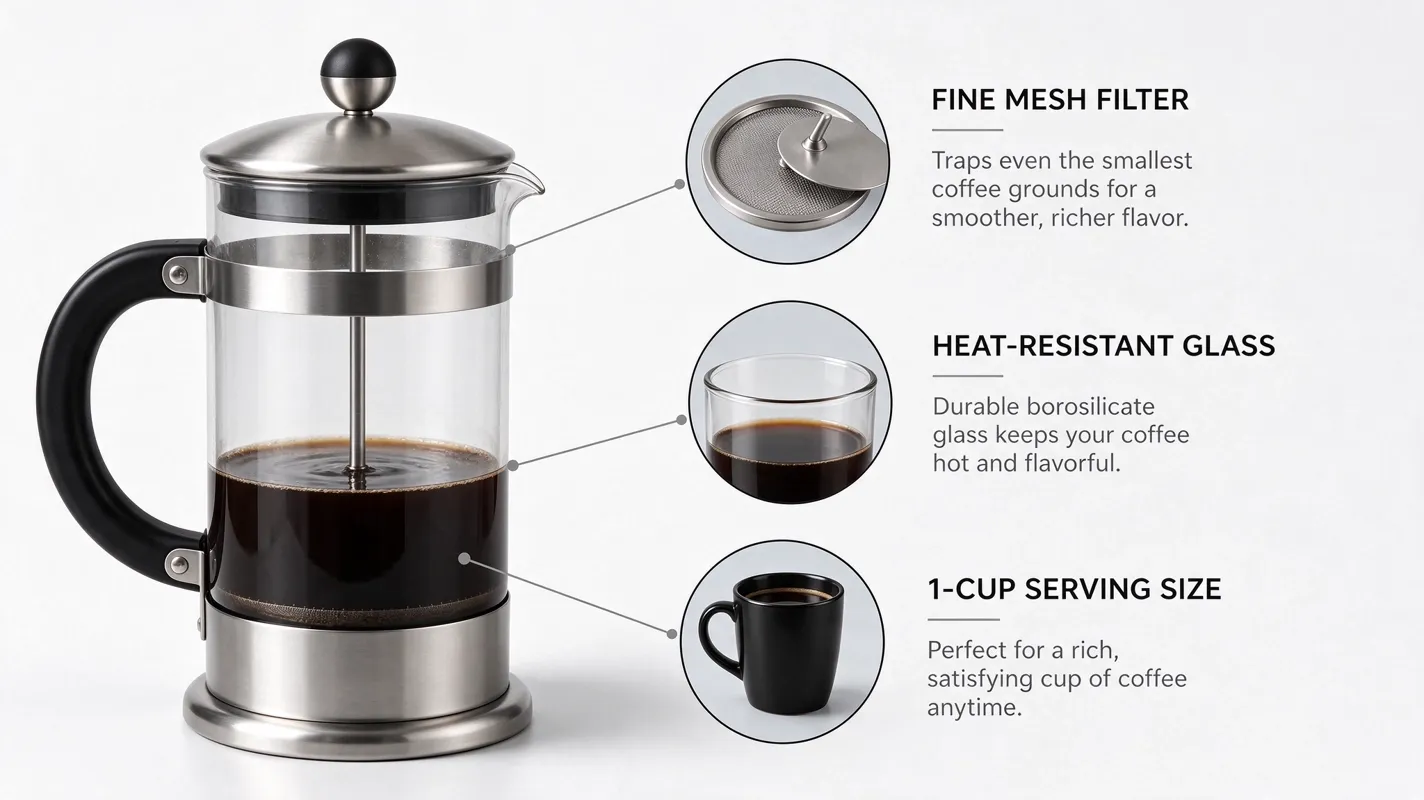 |
Tip: Give the module one job and one focal point. The listing copy should explain the feature after the image structure is approved.
10. One approved feature shown in context
Prompt: Create an Amazon A+ content concept for [PRODUCT] built around one approved feature shown in context. Use the supplied product reference for the exact SKU and make a feature demonstration with one clear input, action, and result answer [CUSTOMER QUESTION]. Arrange the product, supporting objects, and reserved copy space in a clear hierarchy. Keep specifications, prices, benefits, and legal wording editable rather than generating small type inside the image.
Category focus: Feature Benefit Panels. Example slot: 10.
Tip: Give the module one job and one focal point. The listing copy should explain the feature after the image structure is approved.
#3. Lifestyle Modules
11. A lifestyle use scene
General Prompt Template:
[Module type] for [PRODUCT]. Use the supplied reference for [identity and specifications]. Show [approved feature or use moment] in [setting]. Arrange [product, supporting objects, and copy space] with [composition and light]. Keep exact listing copy editable.
| Prompt | Output Image |
|---|---|
| Create a wide Amazon A+ lifestyle module showing a white air purifier beside a reading chair in a bright living room. Keep the product on the right third of the image, with daylight through a window and clear space on the left for approved copy. Preserve the purifier's grille, control panel, white finish, and scale. | 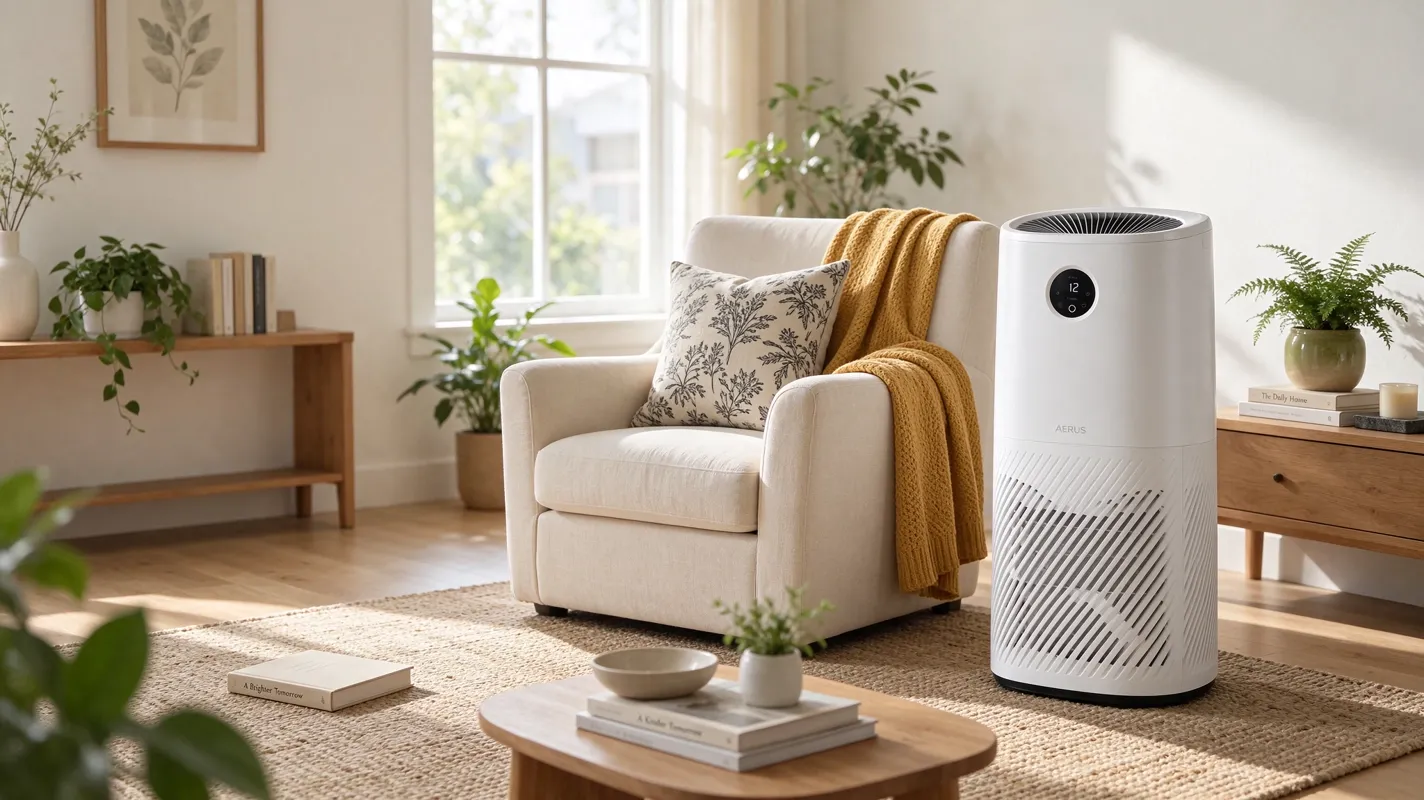 |
Tip: Give the module one job and one focal point. The listing copy should explain the feature after the image structure is approved.
12. A fair comparison layout
Prompt: Create an Amazon A+ content concept for [PRODUCT] built around a fair comparison layout. Use the supplied product reference for the exact SKU and make a focused shot with one clear action and a readable ending answer [CUSTOMER QUESTION]. Arrange the product, supporting objects, and reserved copy space in a clear hierarchy. Keep specifications, prices, benefits, and legal wording editable rather than generating small type inside the image.
Category focus: Lifestyle Modules. Example slot: 12.
Tip: Give the module one job and one focal point. The listing copy should explain the feature after the image structure is approved.
13. A three-step usage panel
Prompt: Create an Amazon A+ content concept for [PRODUCT] built around a three-step usage panel. Use the supplied product reference for the exact SKU and make a focused shot with one clear action and a readable ending answer [CUSTOMER QUESTION]. Arrange the product, supporting objects, and reserved copy space in a clear hierarchy. Keep specifications, prices, benefits, and legal wording editable rather than generating small type inside the image.
Category focus: Lifestyle Modules. Example slot: 13.
Tip: Give the module one job and one focal point. The listing copy should explain the feature after the image structure is approved.
14. The complete verified bundle
Prompt: Create an Amazon A+ content concept for [PRODUCT] built around the complete verified bundle. Use the supplied product reference for the exact SKU and make a focused shot with one clear action and a readable ending answer [CUSTOMER QUESTION]. Arrange the product, supporting objects, and reserved copy space in a clear hierarchy. Keep specifications, prices, benefits, and legal wording editable rather than generating small type inside the image.
Category focus: Lifestyle Modules. Example slot: 14.
Tip: Give the module one job and one focal point. The listing copy should explain the feature after the image structure is approved.
15. A restrained brand story image
Prompt: Create an Amazon A+ content concept for [PRODUCT] built around a restrained brand story image. Use the supplied product reference for the exact SKU and make a focused shot with one clear action and a readable ending answer [CUSTOMER QUESTION]. Arrange the product, supporting objects, and reserved copy space in a clear hierarchy. Keep specifications, prices, benefits, and legal wording editable rather than generating small type inside the image.
Category focus: Lifestyle Modules. Example slot: 15.
Tip: Give the module one job and one focal point. The listing copy should explain the feature after the image structure is approved.
#4. Comparison Modules
16. A compact mobile crop with copy space
General Prompt Template:
[Module type] for [PRODUCT]. Use the supplied reference for [identity and specifications]. Show [approved feature or use moment] in [setting]. Arrange [product, supporting objects, and copy space] with [composition and light]. Keep exact listing copy editable.
| Prompt | Output Image |
|---|---|
| Create a wide Amazon A+ comparison module for three ceramic food containers in 500 milliliter, 800 milliliter, and 1200 milliliter sizes. Arrange the three containers in equal columns on a light gray background with visible size differences and no invented text. Leave a clean header area for verified comparison copy. | 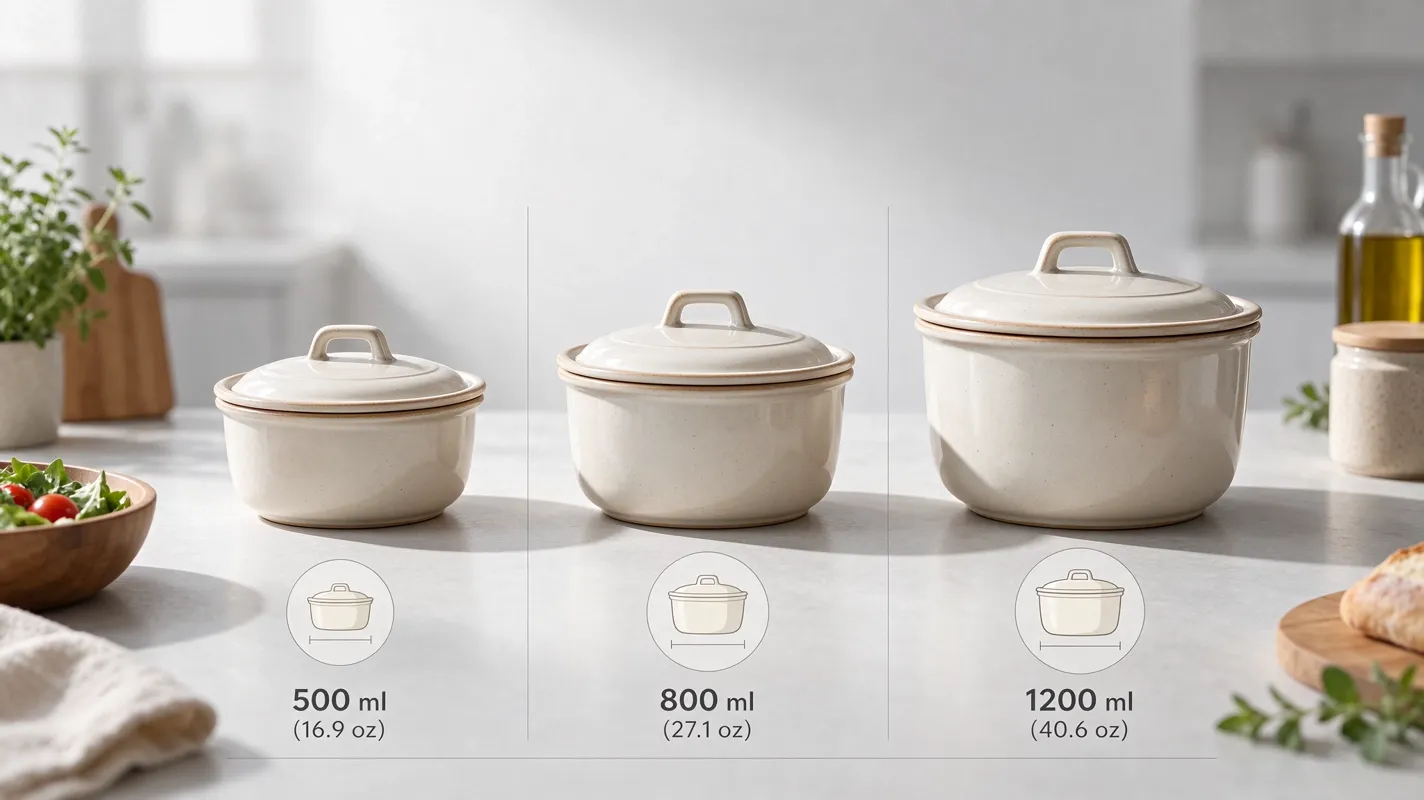 |
Tip: Give the module one job and one focal point. The listing copy should explain the feature after the image structure is approved.
17. A clean main product presentation
Prompt: Create an Amazon A+ content concept for [PRODUCT] built around a clean main product presentation. Use the supplied product reference for the exact SKU and make a focused shot with one clear action and a readable ending answer [CUSTOMER QUESTION]. Arrange the product, supporting objects, and reserved copy space in a clear hierarchy. Keep specifications, prices, benefits, and legal wording editable rather than generating small type inside the image.
Category focus: Comparison Modules. Example slot: 17.
Tip: Give the module one job and one focal point. The listing copy should explain the feature after the image structure is approved.
18. One approved feature shown in context
Prompt: Create an Amazon A+ content concept for [PRODUCT] built around one approved feature shown in context. Use the supplied product reference for the exact SKU and make a focused shot with one clear action and a readable ending answer [CUSTOMER QUESTION]. Arrange the product, supporting objects, and reserved copy space in a clear hierarchy. Keep specifications, prices, benefits, and legal wording editable rather than generating small type inside the image.
Category focus: Comparison Modules. Example slot: 18.
Tip: Give the module one job and one focal point. The listing copy should explain the feature after the image structure is approved.
19. A lifestyle use scene
Prompt: Create an Amazon A+ content concept for [PRODUCT] built around a lifestyle use scene. Use the supplied product reference for the exact SKU and make a focused shot with one clear action and a readable ending answer [CUSTOMER QUESTION]. Arrange the product, supporting objects, and reserved copy space in a clear hierarchy. Keep specifications, prices, benefits, and legal wording editable rather than generating small type inside the image.
Category focus: Comparison Modules. Example slot: 19.
Tip: Give the module one job and one focal point. The listing copy should explain the feature after the image structure is approved.
20. A fair comparison layout
Prompt: Create an Amazon A+ content concept for [PRODUCT] built around a fair comparison layout. Use the supplied product reference for the exact SKU and make a focused shot with one clear action and a readable ending answer [CUSTOMER QUESTION]. Arrange the product, supporting objects, and reserved copy space in a clear hierarchy. Keep specifications, prices, benefits, and legal wording editable rather than generating small type inside the image.
Category focus: Comparison Modules. Example slot: 20.
Tip: Give the module one job and one focal point. The listing copy should explain the feature after the image structure is approved.
#5. How-to-Use Panels
21. A three-step usage panel
General Prompt Template:
[Module type] for [PRODUCT]. Use the supplied reference for [identity and specifications]. Show [approved feature or use moment] in [setting]. Arrange [product, supporting objects, and copy space] with [composition and light]. Keep exact listing copy editable.
| Prompt | Output Image |
|---|---|
| Create a wide Amazon A+ how-to-use module for a blue electric milk frother. Show three numbered visual steps from pouring milk into the steel cup, pressing the round power button, to holding the finished foam beside a coffee mug. Use a clean white background, consistent product scale, and empty space for exact step labels. | 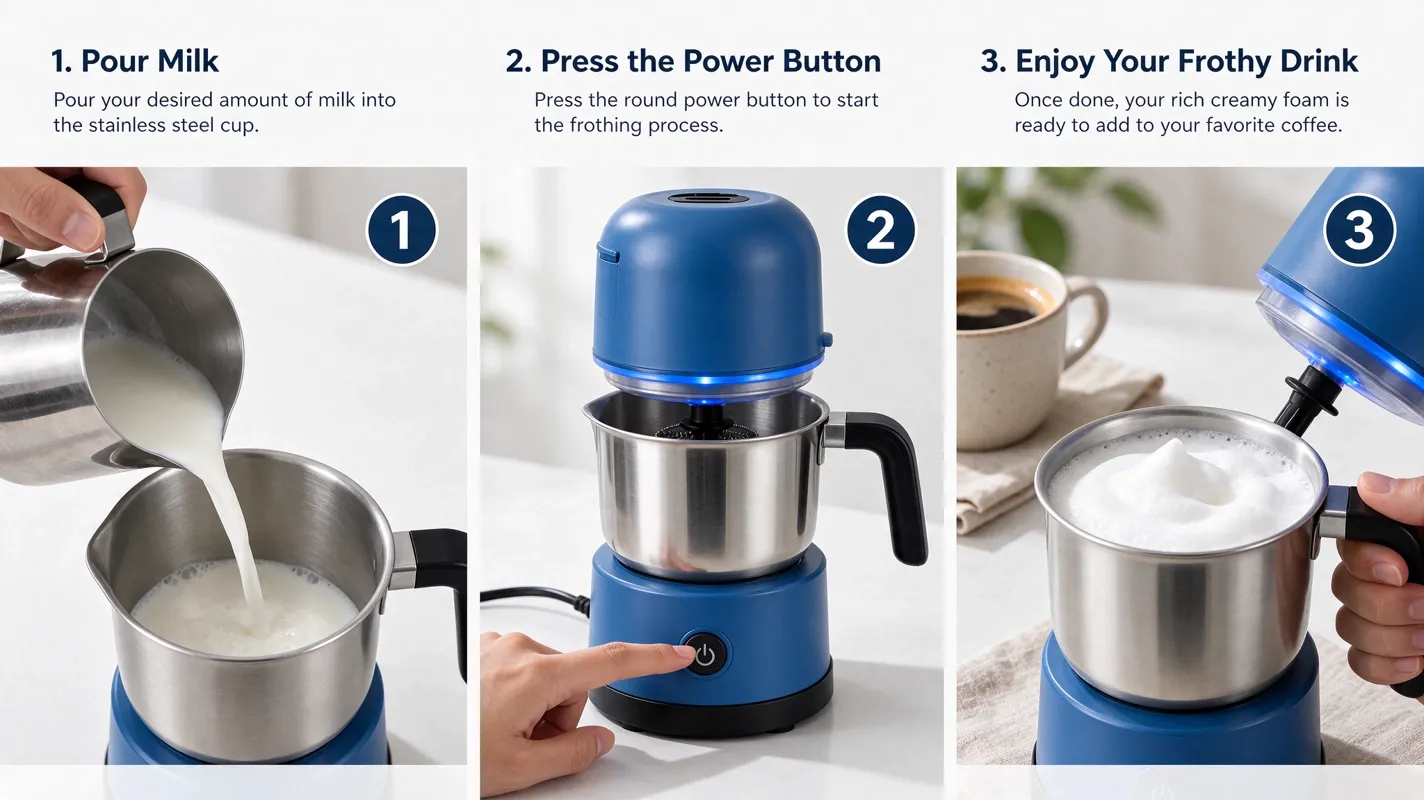 |
Tip: Give the module one job and one focal point. The listing copy should explain the feature after the image structure is approved.
22. The complete verified bundle
Prompt: Create an Amazon A+ content concept for [PRODUCT] built around the complete verified bundle. Use the supplied product reference for the exact SKU and make a focused shot with one clear action and a readable ending answer [CUSTOMER QUESTION]. Arrange the product, supporting objects, and reserved copy space in a clear hierarchy. Keep specifications, prices, benefits, and legal wording editable rather than generating small type inside the image.
Category focus: How-to-Use Panels. Example slot: 22.
Tip: Give the module one job and one focal point. The listing copy should explain the feature after the image structure is approved.
23. A restrained brand story image
Prompt: Create an Amazon A+ content concept for [PRODUCT] built around a restrained brand story image. Use the supplied product reference for the exact SKU and make a focused shot with one clear action and a readable ending answer [CUSTOMER QUESTION]. Arrange the product, supporting objects, and reserved copy space in a clear hierarchy. Keep specifications, prices, benefits, and legal wording editable rather than generating small type inside the image.
Category focus: How-to-Use Panels. Example slot: 23.
Tip: Give the module one job and one focal point. The listing copy should explain the feature after the image structure is approved.
24. A compact mobile crop with copy space
Prompt: Create an Amazon A+ content concept for [PRODUCT] built around a compact mobile crop with copy space. Use the supplied product reference for the exact SKU and make a focused shot with one clear action and a readable ending answer [CUSTOMER QUESTION]. Arrange the product, supporting objects, and reserved copy space in a clear hierarchy. Keep specifications, prices, benefits, and legal wording editable rather than generating small type inside the image.
Category focus: How-to-Use Panels. Example slot: 24.
Tip: Give the module one job and one focal point. The listing copy should explain the feature after the image structure is approved.
25. A clean main product presentation
Prompt: Create an Amazon A+ content concept for [PRODUCT] built around a clean main product presentation. Use the supplied product reference for the exact SKU and make a focused shot with one clear action and a readable ending answer [CUSTOMER QUESTION]. Arrange the product, supporting objects, and reserved copy space in a clear hierarchy. Keep specifications, prices, benefits, and legal wording editable rather than generating small type inside the image.
Category focus: How-to-Use Panels. Example slot: 25.
Tip: Give the module one job and one focal point. The listing copy should explain the feature after the image structure is approved.
#6. Bundle and Included Items
26. One approved feature shown in context
General Prompt Template:
[Module type] for [PRODUCT]. Use the supplied reference for [identity and specifications]. Show [approved feature or use moment] in [setting]. Arrange [product, supporting objects, and copy space] with [composition and light]. Keep exact listing copy editable.
| Prompt | Output Image |
|---|---|
| Create a wide Amazon A+ bundle module showing a black instant camera, one camera strap, two battery cells, and one pack of film arranged neatly on a pale blue surface. Keep every included item visible and separated, use soft studio light, and reserve the top-left area for approved bundle copy. | 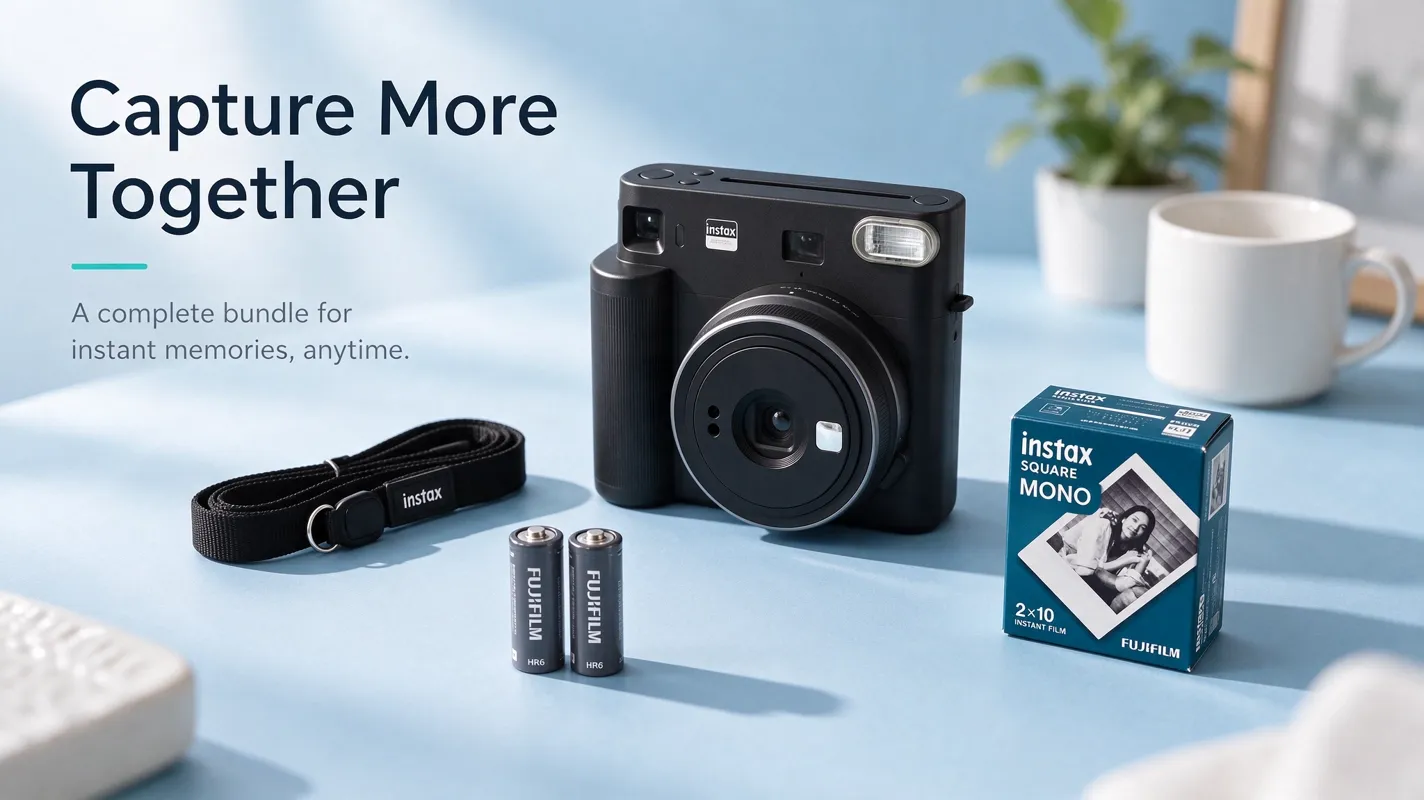 |
Tip: Give the module one job and one focal point. The listing copy should explain the feature after the image structure is approved.
27. A lifestyle use scene
Prompt: Create an Amazon A+ content concept for [PRODUCT] built around a lifestyle use scene. Use the supplied product reference for the exact SKU and make a complete bundle presentation that keeps every included item visible answer [CUSTOMER QUESTION]. Arrange the product, supporting objects, and reserved copy space in a clear hierarchy. Keep specifications, prices, benefits, and legal wording editable rather than generating small type inside the image.
Category focus: Bundle and Included Items. Example slot: 27.
Tip: Give the module one job and one focal point. The listing copy should explain the feature after the image structure is approved.
28. A fair comparison layout
Prompt: Create an Amazon A+ content concept for [PRODUCT] built around a fair comparison layout. Use the supplied product reference for the exact SKU and make a complete bundle presentation that keeps every included item visible answer [CUSTOMER QUESTION]. Arrange the product, supporting objects, and reserved copy space in a clear hierarchy. Keep specifications, prices, benefits, and legal wording editable rather than generating small type inside the image.
Category focus: Bundle and Included Items. Example slot: 28.
Tip: Give the module one job and one focal point. The listing copy should explain the feature after the image structure is approved.
29. A three-step usage panel
Prompt: Create an Amazon A+ content concept for [PRODUCT] built around a three-step usage panel. Use the supplied product reference for the exact SKU and make a complete bundle presentation that keeps every included item visible answer [CUSTOMER QUESTION]. Arrange the product, supporting objects, and reserved copy space in a clear hierarchy. Keep specifications, prices, benefits, and legal wording editable rather than generating small type inside the image.
Category focus: Bundle and Included Items. Example slot: 29.
Tip: Give the module one job and one focal point. The listing copy should explain the feature after the image structure is approved.
30. The complete verified bundle
Prompt: Create an Amazon A+ content concept for [PRODUCT] built around the complete verified bundle. Use the supplied product reference for the exact SKU and make a complete bundle presentation that keeps every included item visible answer [CUSTOMER QUESTION]. Arrange the product, supporting objects, and reserved copy space in a clear hierarchy. Keep specifications, prices, benefits, and legal wording editable rather than generating small type inside the image.
Category focus: Bundle and Included Items. Example slot: 30.
Tip: Give the module one job and one focal point. The listing copy should explain the feature after the image structure is approved.
#7. Brand Story Modules
31. A restrained brand story image
General Prompt Template:
[Module type] for [PRODUCT]. Use the supplied reference for [identity and specifications]. Show [approved feature or use moment] in [setting]. Arrange [product, supporting objects, and copy space] with [composition and light]. Keep exact listing copy editable.
| Prompt | Output Image |
|---|---|
| Create a wide Amazon A+ brand-story module showing a craftsperson shaping a walnut cutting board in a bright woodworking studio, with one finished cutting board standing in the foreground. Use warm natural light, a calm editorial composition, realistic wood grain, and clear space for verified brand-story text. | 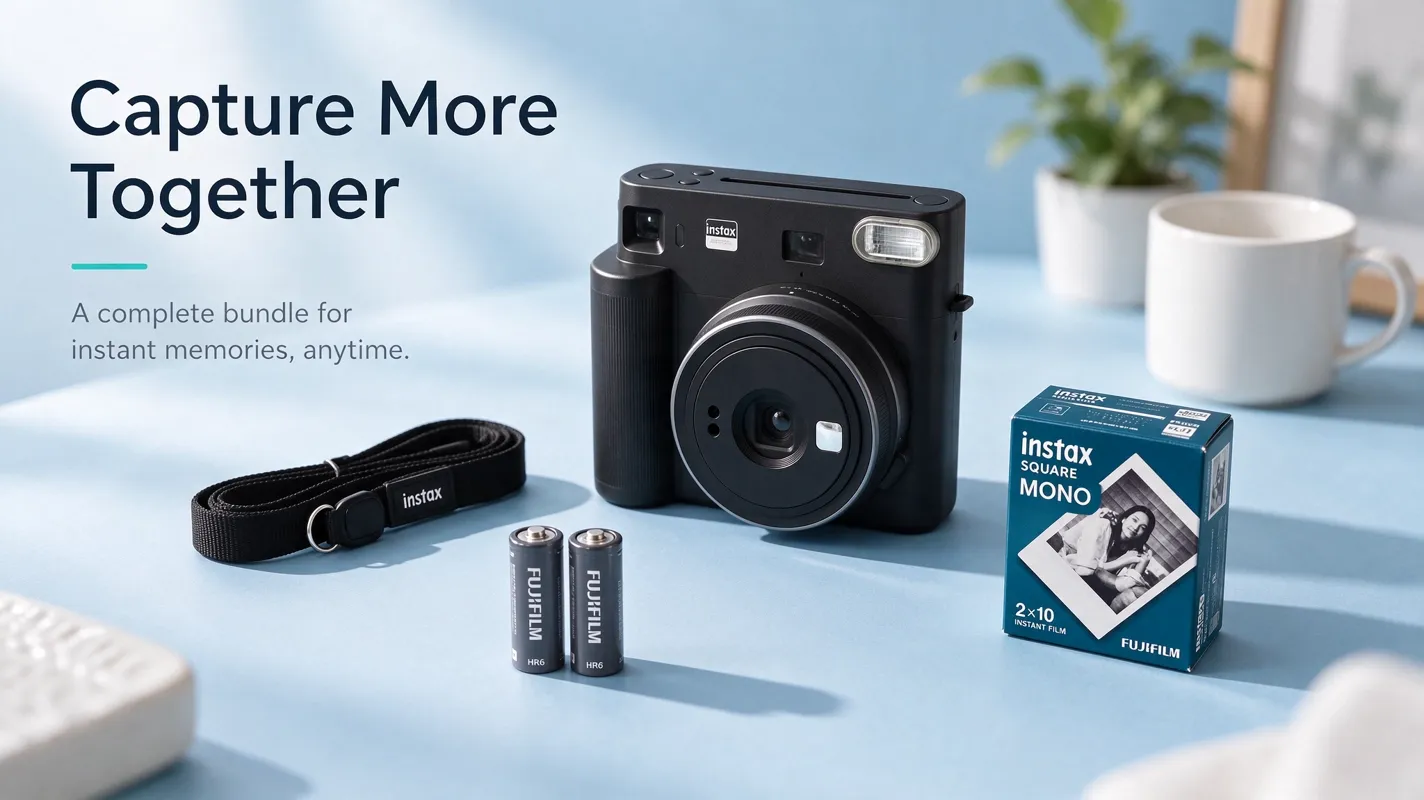 |
Tip: Give the module one job and one focal point. The listing copy should explain the feature after the image structure is approved.
32. A compact mobile crop with copy space
Prompt: Create an Amazon A+ content concept for [PRODUCT] built around a compact mobile crop with copy space. Use the supplied product reference for the exact SKU and make a focused shot with one clear action and a readable ending answer [CUSTOMER QUESTION]. Arrange the product, supporting objects, and reserved copy space in a clear hierarchy. Keep specifications, prices, benefits, and legal wording editable rather than generating small type inside the image.
Category focus: Brand Story Modules. Example slot: 32.
Tip: Give the module one job and one focal point. The listing copy should explain the feature after the image structure is approved.
33. A clean main product presentation
Prompt: Create an Amazon A+ content concept for [PRODUCT] built around a clean main product presentation. Use the supplied product reference for the exact SKU and make a focused shot with one clear action and a readable ending answer [CUSTOMER QUESTION]. Arrange the product, supporting objects, and reserved copy space in a clear hierarchy. Keep specifications, prices, benefits, and legal wording editable rather than generating small type inside the image.
Category focus: Brand Story Modules. Example slot: 33.
Tip: Give the module one job and one focal point. The listing copy should explain the feature after the image structure is approved.
34. One approved feature shown in context
Prompt: Create an Amazon A+ content concept for [PRODUCT] built around one approved feature shown in context. Use the supplied product reference for the exact SKU and make a focused shot with one clear action and a readable ending answer [CUSTOMER QUESTION]. Arrange the product, supporting objects, and reserved copy space in a clear hierarchy. Keep specifications, prices, benefits, and legal wording editable rather than generating small type inside the image.
Category focus: Brand Story Modules. Example slot: 34.
Tip: Give the module one job and one focal point. The listing copy should explain the feature after the image structure is approved.
35. A lifestyle use scene
Prompt: Create an Amazon A+ content concept for [PRODUCT] built around a lifestyle use scene. Use the supplied product reference for the exact SKU and make a focused shot with one clear action and a readable ending answer [CUSTOMER QUESTION]. Arrange the product, supporting objects, and reserved copy space in a clear hierarchy. Keep specifications, prices, benefits, and legal wording editable rather than generating small type inside the image.
Category focus: Brand Story Modules. Example slot: 35.
Tip: Give the module one job and one focal point. The listing copy should explain the feature after the image structure is approved.
#8. Mobile-Friendly Copy Space
36. A fair comparison layout
General Prompt Template:
[Module type] for [PRODUCT]. Use the supplied reference for [identity and specifications]. Show [approved feature or use moment] in [setting]. Arrange [product, supporting objects, and copy space] with [composition and light]. Keep exact listing copy editable.
| Prompt | Output Image |
|---|---|
| Create a mobile-friendly Amazon A+ module with a compact red lunch bag centered in the lower half of a white background. Leave the entire upper half clear for readable approved copy, use a front three-quarter view, soft shadow, and preserve the zipper, handles, red fabric, and proportions. | 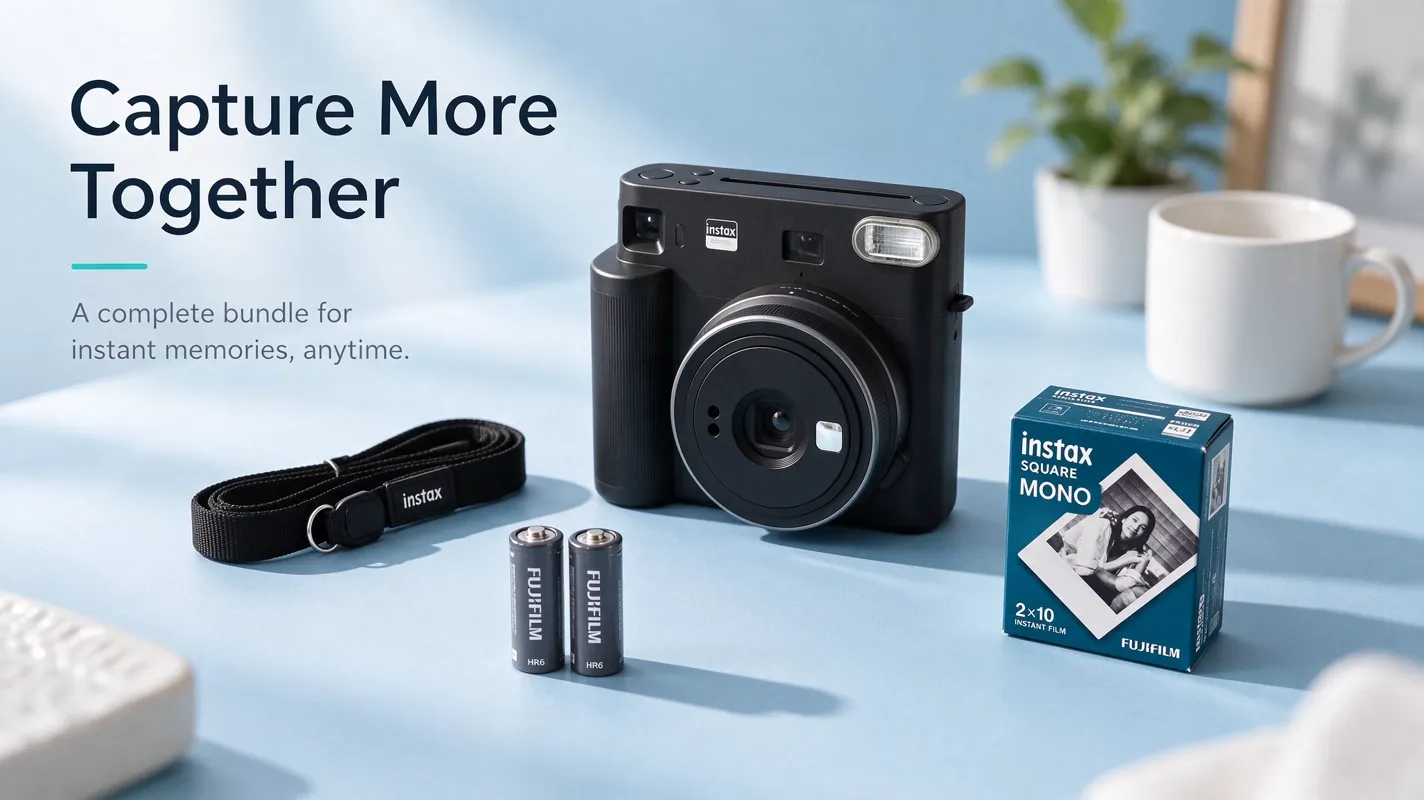 |
Tip: Give the module one job and one focal point. The listing copy should explain the feature after the image structure is approved.
37. A three-step usage panel
Prompt: Create an Amazon A+ content concept for [PRODUCT] built around a three-step usage panel. Use the supplied product reference for the exact SKU and make a focused shot with one clear action and a readable ending answer [CUSTOMER QUESTION]. Arrange the product, supporting objects, and reserved copy space in a clear hierarchy. Keep specifications, prices, benefits, and legal wording editable rather than generating small type inside the image.
Category focus: Mobile-Friendly Copy Space. Example slot: 37.
Tip: Give the module one job and one focal point. The listing copy should explain the feature after the image structure is approved.
38. The complete verified bundle
Prompt: Create an Amazon A+ content concept for [PRODUCT] built around the complete verified bundle. Use the supplied product reference for the exact SKU and make a focused shot with one clear action and a readable ending answer [CUSTOMER QUESTION]. Arrange the product, supporting objects, and reserved copy space in a clear hierarchy. Keep specifications, prices, benefits, and legal wording editable rather than generating small type inside the image.
Category focus: Mobile-Friendly Copy Space. Example slot: 38.
Tip: Give the module one job and one focal point. The listing copy should explain the feature after the image structure is approved.
39. A restrained brand story image
Prompt: Create an Amazon A+ content concept for [PRODUCT] built around a restrained brand story image. Use the supplied product reference for the exact SKU and make a focused shot with one clear action and a readable ending answer [CUSTOMER QUESTION]. Arrange the product, supporting objects, and reserved copy space in a clear hierarchy. Keep specifications, prices, benefits, and legal wording editable rather than generating small type inside the image.
Category focus: Mobile-Friendly Copy Space. Example slot: 39.
Tip: Give the module one job and one focal point. The listing copy should explain the feature after the image structure is approved.
40. A compact mobile crop with copy space
Prompt: Create an Amazon A+ content concept for [PRODUCT] built around a compact mobile crop with copy space. Use the supplied product reference for the exact SKU and make a focused shot with one clear action and a readable ending answer [CUSTOMER QUESTION]. Arrange the product, supporting objects, and reserved copy space in a clear hierarchy. Keep specifications, prices, benefits, and legal wording editable rather than generating small type inside the image.
Category focus: Mobile-Friendly Copy Space. Example slot: 40.
Tip: Give the module one job and one focal point. The listing copy should explain the feature after the image structure is approved.
How to Write Your Own Amazon A+ Content Prompt
Start with the output and the viewer's reason to care. Name the subject, then add the action, setting, composition, camera or viewpoint, lighting, style, and the detail that must remain accurate. Finish with the state where the shot, image, module, or template should stop.
How to Get Better Results From Amazon A+ Content Prompts
Answer one customer question
A feature panel, comparison, and how-to module serve different jobs. Give each image one clear answer.
Keep the SKU visible
Do not let decorative props, alternate variants, or invented accessories make the product ambiguous.
Treat copy as a design layer
Use generated imagery for composition and atmosphere, then place exact benefits, specifications, and compliance language in the approved layout.
FAQs
Can AI-generated images be called marketplace-compliant automatically?
No. Review the image against current marketplace requirements, the approved product reference, and the final listing copy.
Where should exact listing copy go?
Add it in a design or publishing workflow where spelling, prices, claims, and required disclosures remain editable.
What should every module answer?
It should explain one feature, use case, comparison, included item, or brand reason that helps the shopper evaluate the product.
Conclusion
A useful A+ content prompt starts with the shopper’s question and ends with a layout that leaves verified copy easy to add and review.