



How to Create Muscle Growth Videos With Kling AI
Kling AI’s Image to Video is powerful enough to create vivid muscle growth videos by uploading your targeted subject image.
However, not many people know how to do this. So, we have written this detailed guide to show you how to create muscle growth videos step by step with Kling AI.
How to Make Muscle Growth Videos Using Kling AI
Simply follow these steps to create vivid muscle growth video using Kling AI:
Step 1: Upload an Image
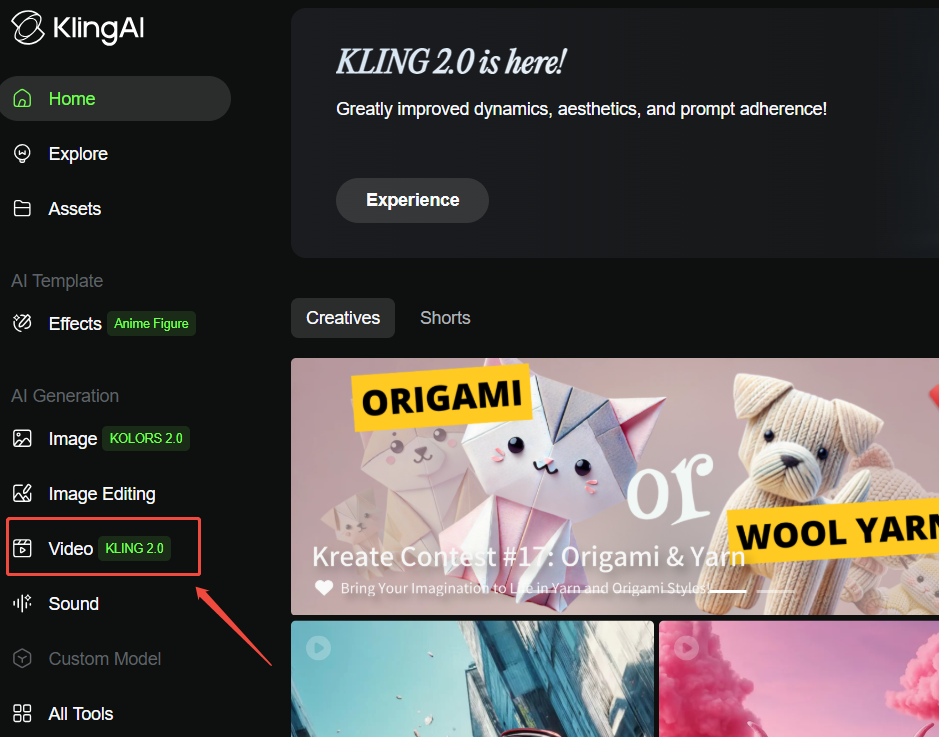
Visit Kling AI official website and click the video button on your left side to use the Image to Video feature.
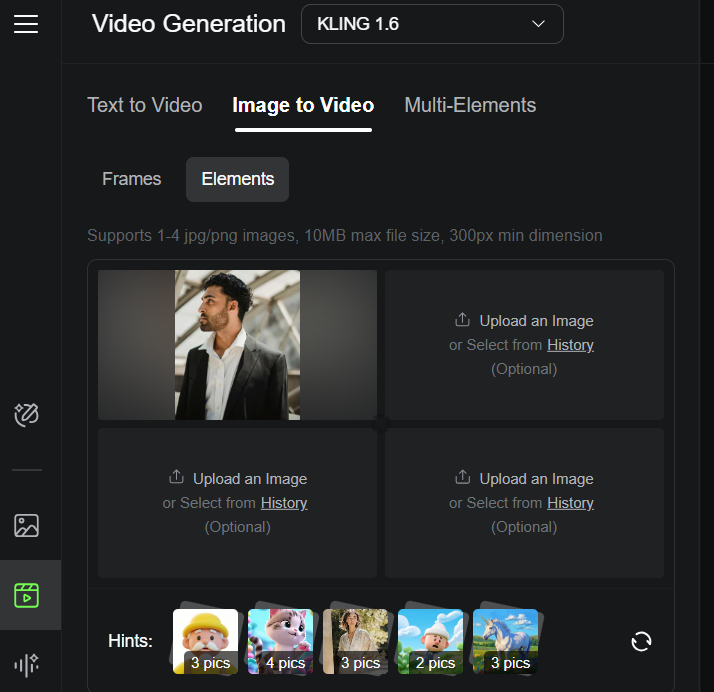
Select Elements generation mode and then upload your targeted image.
Step 2: Input Text Prompt
For this muscle growth video you can write a text prompt like, “take off the man’s shirt to reveal muscular body with abs.”
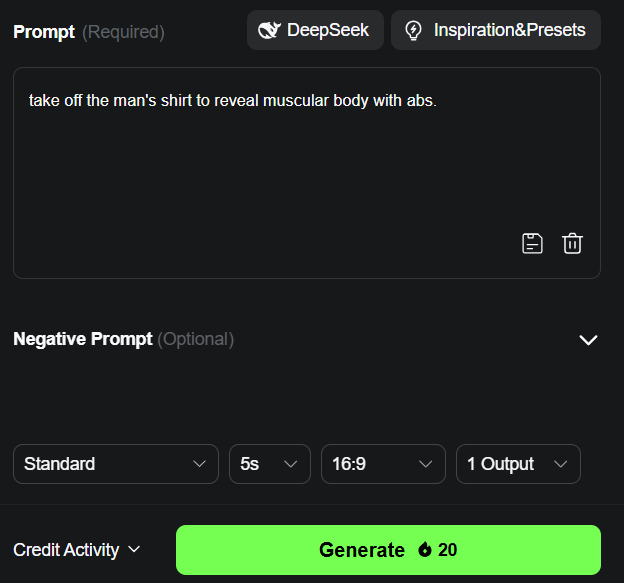
Choose your preferred video length, aspect ratio and the video output number. You are now free to click the Generate button.
Step 3: Download Your Final Video
After the generation process is done, you can directly download the video to your own device. See a video example here:
Select Pollo AI’s Muscle Generator for an Easy Generation
Pollo AI makes the process of generating AI muscle growth videos easy. You don't need to consider using what type of text prompt or tweak with other complex settings. All you have to do is click to upload an image and then simply hit on the red Create button. Then you can wait for your video to be generated within minutes. Pretty cool, isn't it?
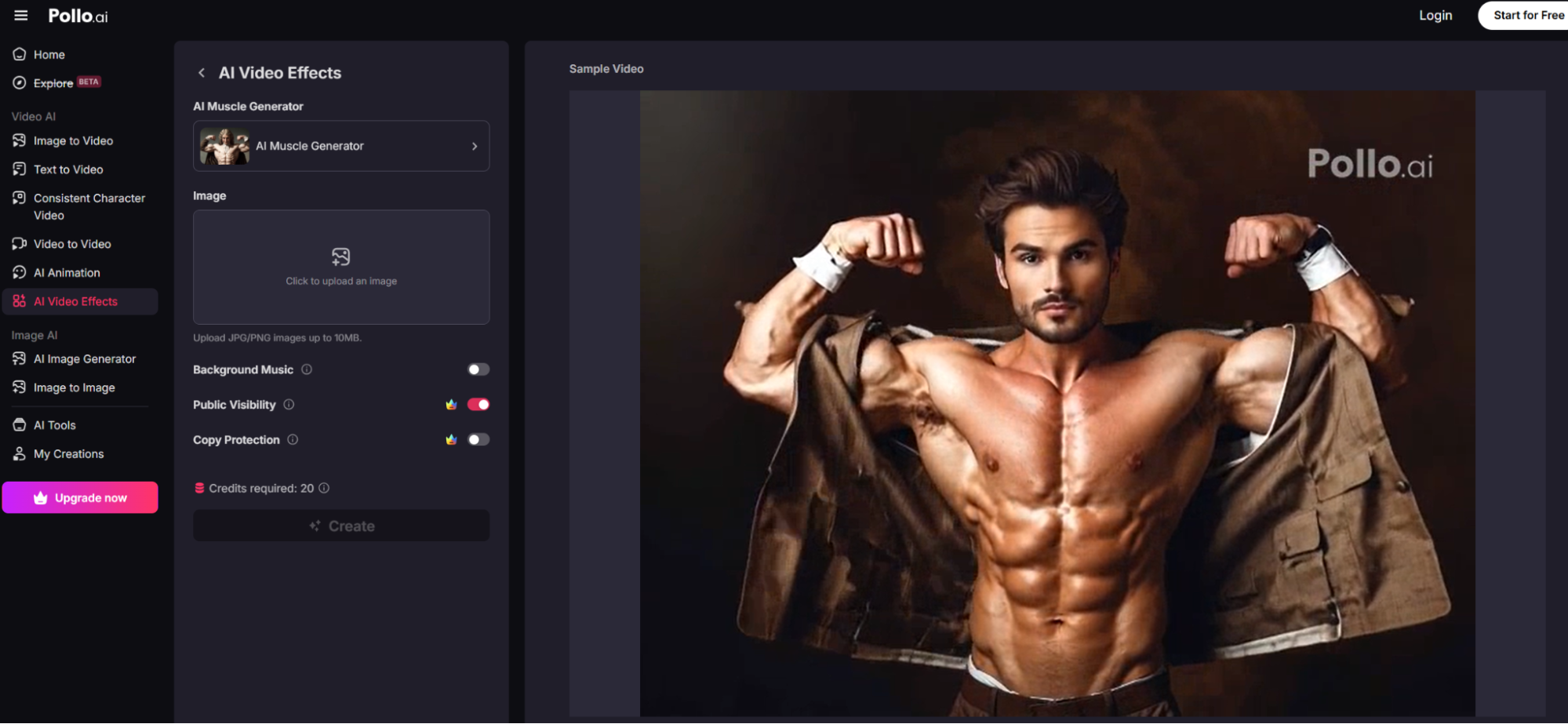
Some of its main highlights include:
Easy to Use
Kling AI can indeed create muscle growth videos but it doesn't have a direct effect for it. So, your text prompt has to be detailed in order to get the best results.
However, Pollo AI will not stress you. All you need to do is to upload your image and watch as the magic happens. It doesn't take more than a few clicks and the results are just too fantastic.
High-Quality Video Outputs
The videos Pollo AI generates are just so vivid. If you don't pay attention, you wouldn't even realize you are watching an AI generated video. If you are looking to connect with your audience, these videos will help get people commenting.
Quick Generation Time
Pollo AI has fast servers which will help you generate your AI videos quickly. Usually it takes only a few minutes for the ultimate videos to be finished.
Conclusion
Kling AI can make muscle growth videos but it can be complicated and cost a rather long time for the final video to be finished.
This is one of the many areas Pollo AI is superior to Kling AI. It has a dedicated AI muscle generator that will help you generate the video you want within minutes. So if you want to make the most engaging muscle videos effortlessly, using Pollo AI should be your number one choice.