



Best Seedance 2.5 Use Cases: Where This AI Video Model Works Best
Seedance 2.5 is a next-generation AI video model built to solve a major industry pain point: keeping longer videos coherent. While traditional AI tools often struggle with drifting faces and warping logos after just five seconds, Seedance 2.5 delivers true scene continuity, richer reference control, and practical editing flexibility.
To see how it performs in real workflows, we tested it through Pollo AI, a multi-model AI video platform where creators can access frontier models, manage assets, compare outputs, and move from idea to finished video in one place.
The results were clear: Seedance 2.5 is not just for generic clips. It excels in three specific areas: premium product videos, one-shot 30-second ads, and visually consistent campaign variants.
What Is Seedance 2.5?
Seedance 2.5 is ByteDance's next-generation video model after Seedance 2.0. Built for complete scenes rather than just short clips, it moves AI video closer to a traditional creative process through three major upgrades:
- 30-Second Generation: Instead of stitching short fragments together and hoping they match, you can generate a cohesive 30-second narrative with a beginning, middle, and end.
- 50 Multimodal References: It handles complex creative briefs effortlessly. By processing product shots, packaging, and brand colors all at once, it becomes highly reliable for brand-controlled work.
- Controllable Edits: Better prompt accuracy and local editing mean you no longer have to "reroll and pray." You can fix specific details while keeping what already works.
These capabilities make Seedance 2.5 the ideal model for workflows where continuity, reference fidelity, and controlled revisions actually matter.
Create Videos with Seedance 2.5 on Pollo AI
Turn your ideas and references into coherent product videos, 30-second ads, and campaign variants.
Try Pollo AI Free
Best Use Case 1: Premium Product Videos That Cannot Afford Visual Drift
Seedance 2.5 is especially strong for product videos because it can combine long camera movement with tighter product reference control.
This is one of the places where generic AI video often fails. Product work has almost no tolerance for "close enough." A perfume bottle cannot become slightly taller halfway through the video. A sneaker logo cannot become decorative noise. A skincare label cannot melt during a macro shot.
Seedance 2.5's 50-reference workflow gives the model more to hold onto. You can feed it product angles, packaging, material close-ups, brand colors, lifestyle references, and camera examples. That makes the product feel less like something the model is inventing from text, and more like an object it is being asked to preserve while directing the scene.
A strong workflow might look like this:
- Add front, side, and close-up product images.
- Include packaging, logo, and material references.
- Define the 30-second structure: macro reveal, slow orbit, hand interaction, texture shot, final hero frame.
- Use local editing to refine the background or lighting without losing the product's identity.
For e-commerce teams, this is where Seedance 2.5 can save real production time. You are not just making "a nice AI clip." You are creating a product film that can actually support a launch page, marketplace listing, ad test, or social campaign.
Example Prompt | Illustrative Preview |
|---|---|
| Cinematic product video of a luxury skincare serum bottle. Start with a macro close-up of the glass texture, then move into a slow product orbit on a marble surface. Keep the bottle shape, label placement, logo, and brand colors consistent. Premium beauty commercial style, soft studio lighting. |
Testing note: In Pollo AI, keeping product photos, packaging, and brand colors in one asset flow made Seedance 2.5 much easier to guide than writing a long prompt full of visual details. For clean product showcases, the AI product video generator fit best; for function-led shots, product demo videos made more sense.
If you want to replicate this level of control for your own products, check out our Seedance 2.5 prompt guide for the exact formulas and negative prompts we use to prevent visual drift.
Best Use Case 2: One-Shot 30-Second Ads With a Real Beginning and Ending
Seedance 2.5 is a strong fit for one-shot narrative ads because 30 seconds is finally enough time to carry a full commercial beat.
Most AI video models can generate a cool moment. But an ad needs more than a moment. It needs a hook, a setup, a reveal, and some kind of payoff. When those pieces are generated separately, the edit usually feels patched together. In our recent Seedance 2.5 vs Kling 3.0 vs Veo 3 comparison, Seedance showed impressive stability in maintaining character features across longer narrative arcs, significantly reducing the visual drift common in extended generations.
Seedance 2.5 gives creators enough runtime to write a scene instead of a fragment.
A simple 30-second ad structure could be:
- 0-6 seconds: show the problem or visual hook.
- 6-14 seconds: introduce the product or idea.
- 14-23 seconds: show the benefit in motion.
- 23-30 seconds: land the final reveal or brand moment.
This is especially useful for founder-led clips, product launch teasers, short social ads, and UGC-style content where the viewer needs to understand the message quickly. You are not trying to make a full film. You are trying to make a half-minute that does not fall apart before the CTA.
Example Prompt | Illustrative Preview |
|---|---|
| Create a continuous-style short commercial for a smart travel mug. A commuter picks up the mug in the kitchen, steps into a cold morning, and smiles as steam rises from the hot coffee. Keep the same character, mug design, outfit, and lighting consistent. Natural UGC-style ad with cinematic polish. |
Testing note: In Pollo AI, starting with a clean ad brief helped Seedance 2.5 follow the scene timing more naturally than a loose "cinematic commercial" prompt. We used the AI UGC video generator for creator-led outputs and script to video ads when the message was already written.
When writing prompts for full 30-second generations, keeping your character descriptions tight and front-loaded is crucial. Unlike older models that start melting or changing the subject's face after 5 seconds (see our full Seedance 2.5 vs Kling 3.0 vs Veo 3 comparison for the exact drift benchmarks), Seedance will strictly follow your character tags if you structure them correctly.
Best Use Case 3: Campaign Variants That Still Feel Like the Same Brand
Seedance 2.5 is especially useful for campaign variants because it can work from many references while keeping the creative direction consistent.
Real brands almost never need only one video. They need the master version, the product version, the regional version, the vertical version, the short cut, the seasonal cut, and the paid ad version. The hard part is not making more videos. The hard part is making more videos that still feel like the same campaign.
This is where Seedance 2.5's reference system becomes practical. A team can keep the same product references, character direction, lighting style, and visual mood, then change only the pieces that need to change. (To understand exactly how its 50-image multimodal reference engine works behind the scenes, read our full breakdown in What is Seedance 2.5.)
For example:
- Swap the background for a different market.
- Change packaging for a regional SKU.
- Adjust the spokesperson's style.
- Keep the product and camera language consistent.
- Build cutdowns without losing the original look.
That is a much more useful workflow than regenerating from scratch every time. Seedance 2.5 gives the model enough context to understand the campaign as a system, not just a one-off prompt.
Example Prompt | Illustrative Preview |
|---|---|
| Create three campaign variants for the same wireless headphones: urban street, morning gym, and airport lounge. Keep the headphone design, logo placement, color, material, and premium lighting consistent across all scenes. Same brand identity, different environments. |
Testing note: In Pollo AI, reusable brand and character references made it easier to create multiple variants without rebuilding every prompt from zero. The reference to video workflow worked well for keeping visual systems consistent, while the AI avatar generator helped extend campaigns into more human-led versions.
Why These Use Cases Matter Most
Seedance 2.5 matters most when the video has to stay coherent, controlled, and reusable.
Use Case | Why Seedance 2.5 Fits |
| Premium product videos | It needs to preserve product details while the camera moves |
| One-shot narrative ads | It can support a complete 30-second commercial beat |
| Campaign variants | It can use many references while keeping brand identity stable |
That is the real shift. Seedance 2.5 is not just about better-looking AI video. It is about reducing the number of places where AI video usually breaks in real work.
Unleash Seedance 2.5's Full Potential with Pollo AI
Seedance 2.5 provides the core generation power: longer 30-second scenes, stronger reference consistency, and more controllable edits. Pollo AI makes those strengths easier to use in a real production workflow.
That connection is important because stronger generation still depends on better inputs. Seedance 2.5 can do more with a clear brief, organized references, and room for revision. Pollo AI helps create that working environment before and after generation.
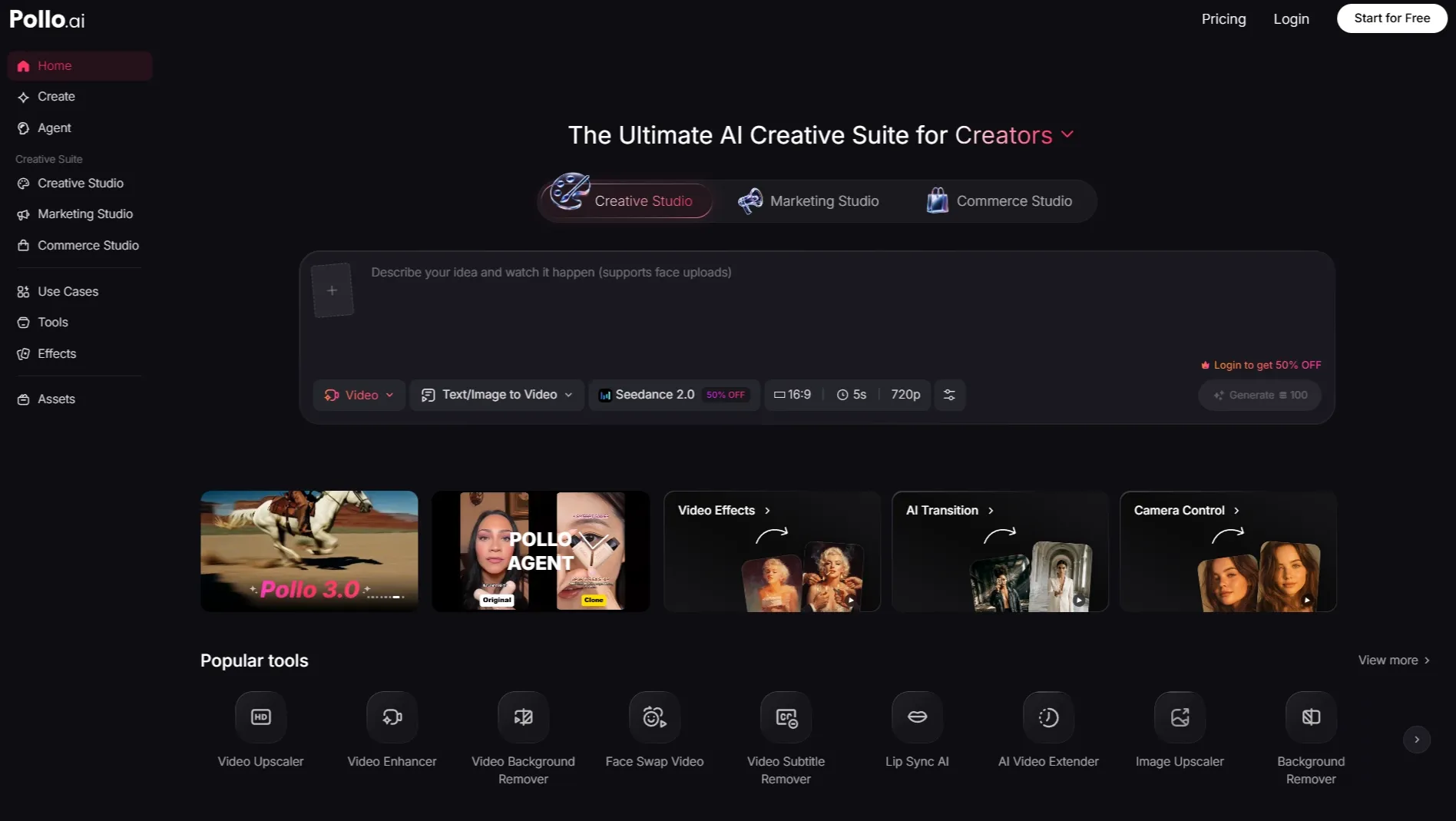
In practice, Pollo AI supports Seedance 2.5 in three useful ways:
- Cleaner creative setup: Instead of starting from a blank prompt, tools like URL to video ads and AI promo video maker can help turn product pages, campaign ideas, or scripts into clearer briefs before generation for Seedance 2.5. For more complex jobs, Pollo Agent can help organize rough ideas, links, and creative notes into a more complete setup before generation.
- Better reference management: Since Seedance 2.5 can use many visual references, Pollo AI makes it easier to organize product shots, brand assets, character images, and style examples before generation.
- Smoother revision and finishing: After generating a longer Seedance 2.5 video, creators can compare outputs, refine details, and use tools like AI video enhancer to polish the result before publishing.
That keeps Pollo AI in the right role: not competing with Seedance 2.5, but helping creators apply it to real production jobs with less setup friction.
If you want to see what 30-second AI video can actually do, start with one real brief, gather your references, and build the workflow in Pollo AI.