



Seedance 2.5 Prompt Guide: Stop Guessing, Start Directing
Let us be honest: when Seedance 2.5 does not deliver the result we expected, the issue is often not the model itself, but a prompt that is too vague. I have done it too: type "cinematic, ultra-realistic, beautiful lighting," hit generate, then wonder why the subject starts drifting by the middle of the clip.
I tested these Seedance 2.5 prompt patterns on Pollo AI, a multi-model AI video platform where you can run leading video models, use scenario-based video apps, and refine the result with built-in video tools. The pattern was pretty clear: Seedance 2.5 rewards direction, not decoration.
So this guide is not about memorizing fancy prompt words. It is about briefing the model like a director: what stays, what moves, what changes, and what the shot needs to achieve.
TL;DR
If you only remember one thing, make it this: tell Seedance 2.5 what to keep, what to move, and what to change.
Master formula: [Video type] + [subject in frame] + [locked details] + [action or motion] + [setting] + [camera movement] + [final look]
Below, I break that formula across four workflows: text to video, image to video, video to video, and multimodal blending.
Scenario 1: Text to Video - The Blank Canvas Problem
When you start from a blank prompt box, it is weirdly easy to start describing the vibe. The safer move is to give Seedance 2.5 a tiny story it can actually follow.
My usual shortcut is three beats: problem, change, payoff. That gives a 30-second scene enough shape without stuffing it with plot.
Bad Prompt | Good Prompt | Video |
|---|---|---|
| Make a beautiful video about a sleep lamp. Too vague. The model may produce a glowing object, but it has no reason to build a real scene. | Create a vertical story ad for a smart sleep lamp. The scene starts in a messy bedroom at 1:30 a.m., where a tired young designer is still working on her laptop. The smart sleep lamp turns on with a soft amber glow, the room becomes calmer, and she finally closes the laptop and falls asleep. Keep the lamp shape, warm light color, and bedside position consistent throughout the clip. Use a slow handheld close-up at the beginning, then a gentle tracking shot across the room, ending with a quiet top-down shot of the peaceful bed. Realistic home lighting, soft shadows, cozy lifestyle commercial. |
Why this actually works:
- The prompt gives the model a reason to move forward: late-night stress turns into sleep. That beats asking for "cozy" and hoping the model guesses the story.
- The lamp is protected before the scene gets pretty, so it does not quietly turn into random set dressing halfway through.
- The camera plan is simple: close-up, tracking shot, top-down ending. It feels directed without becoming chaotic.
Pollo AI workflow tip: For a full story-style result, the AI story video generator is a useful shortcut because it packages the story-video workflow into an actual video output. If the goal is an ad, script to video ads can turn a script into a more complete ad flow without making you build every scene beat from scratch.
If you want to see how these exact prompt structures translate into real-world projects, check out our guide on the Seedance 2.5 use cases for examples of narrative ads and campaign variants.
Scenario 2: Image to Video - Bringing Stills to Life
A product photo or character image gives Seedance 2.5 a stronger starting point, but there is one annoying risk: the model may "improve" the image by changing the thing you actually needed to keep.
So I write the protection line first. Boring, yes. Also extremely useful. The pretty lighting comes after the product is locked.
Bad Prompt | Good Prompt | Video |
|---|---|---|
Turn this product into a cool skincare ad with water. It sounds usable, but it does not protect the bottle, label, logo, or color. 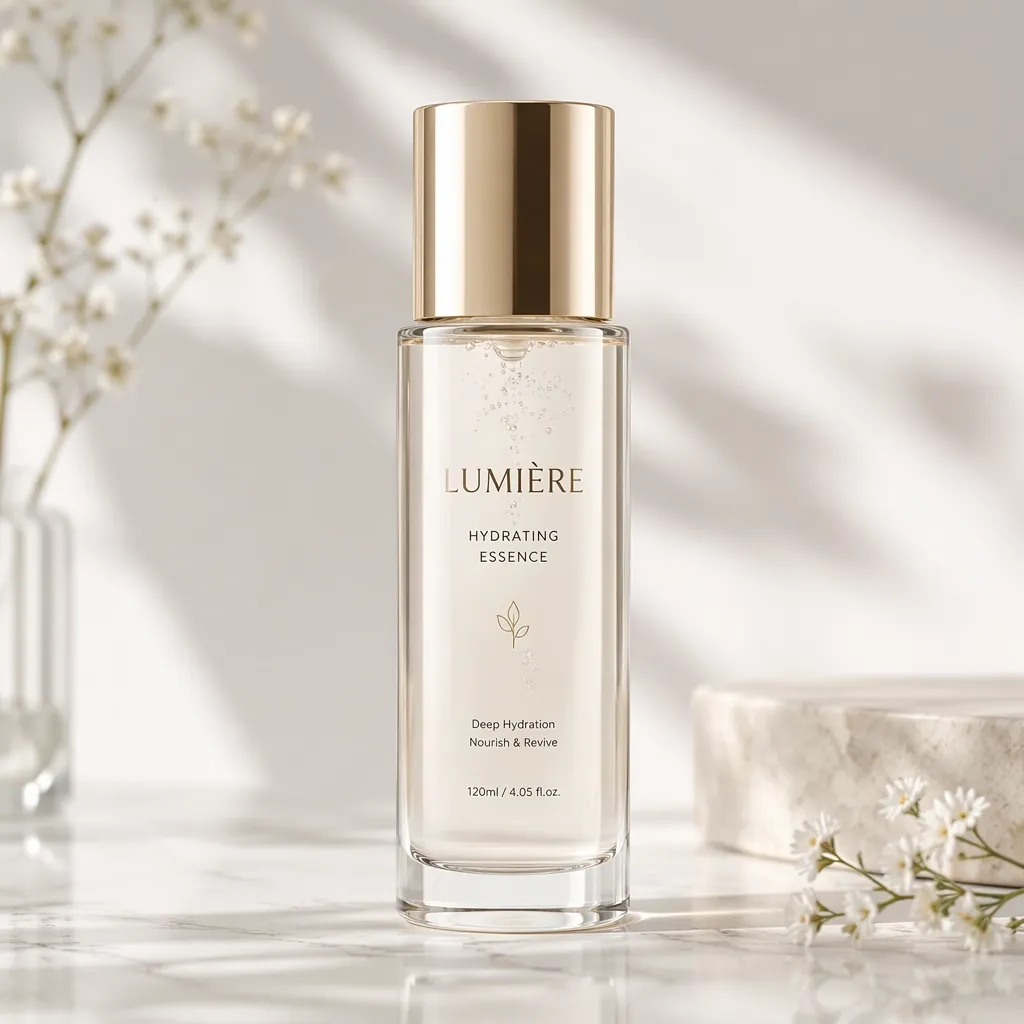 | Use the uploaded product image as the hero product. Keep the bottle shape, white label, black cap, logo placement, and product color exactly unchanged. Place the bottle on a wet stone surface with soft mist moving behind it. Over the clip, show a slow macro push-in from the cap to the label, tiny water droplets sliding down the bottle, and a subtle 120-degree product orbit near the end. Clean dark background, soft side lighting, realistic reflections. Premium skincare ad, no extra text. |
Why this actually works:
- It names the packaging details before asking for atmosphere, which is the right order for ecommerce work.
- The motion is small and specific: droplets slide, mist moves, camera pushes in. That is more useful than "make it dynamic."
- The scene upgrades the product without rewriting the product. That is the whole game with image-to-video prompting.
Pollo AI workflow tip: If the job is a product-first video, Pollo AI's AI product video generator is often the faster route because the workflow is already shaped around product visuals, commercial framing, and a finished product-video output.
Scenario 3: Video to Video - The Preserve vs. Transform Method
When the reference video already has good movement, do not make Seedance 2.5 reinvent the whole thing. Tell it what to keep and what to swap out.
The most useful word here is "only." It sounds tiny, but it stops the model from copying the wrong parts of the reference.
Bad Prompt | Good Prompt | Video |
|---|---|---|
Make this video futuristic. Too broad. The model may change the camera speed, warp the subject, and lose the original flow. | Use the reference video only for the camera timing and forward tracking movement. Replace the original street scene with a futuristic indoor sneaker launch event. A single white sneaker floats above a circular display platform. Keep the camera speed and forward movement from the reference video, but do not copy the original people or buildings. The sneaker design must stay consistent, with clean stitching and clear sole shape. High-end sportswear launch video, smooth motion, controlled reflections. |
Why this actually works:
- "Only for camera timing" draws a clean boundary. The model knows motion is the thing to preserve.
- The new target is concrete: an indoor sneaker launch event, not just the foggy word "futuristic."
- The sneaker details are locked, so the style change does not eat the product.
Pollo AI workflow tip: If the clip is close but one detail is wrong, Pollo AI's AI video editor helps you keep working on the existing result instead of throwing away the whole generation.
Scenario 4: Multimodal Blending - Put All References in One Brief
For multimodal prompts, I would not split every reference into its own row like a checklist. In real work, you usually paste several materials together: product image, mood board, setting reference, maybe a motion clip. The prompt should explain how they work together.
The clean structure is simple: one references cell, one combined prompt cell, and one blank video cell for the final output.
References | Prompt | Video |
|---|---|---|
Image 1: backpack product photo 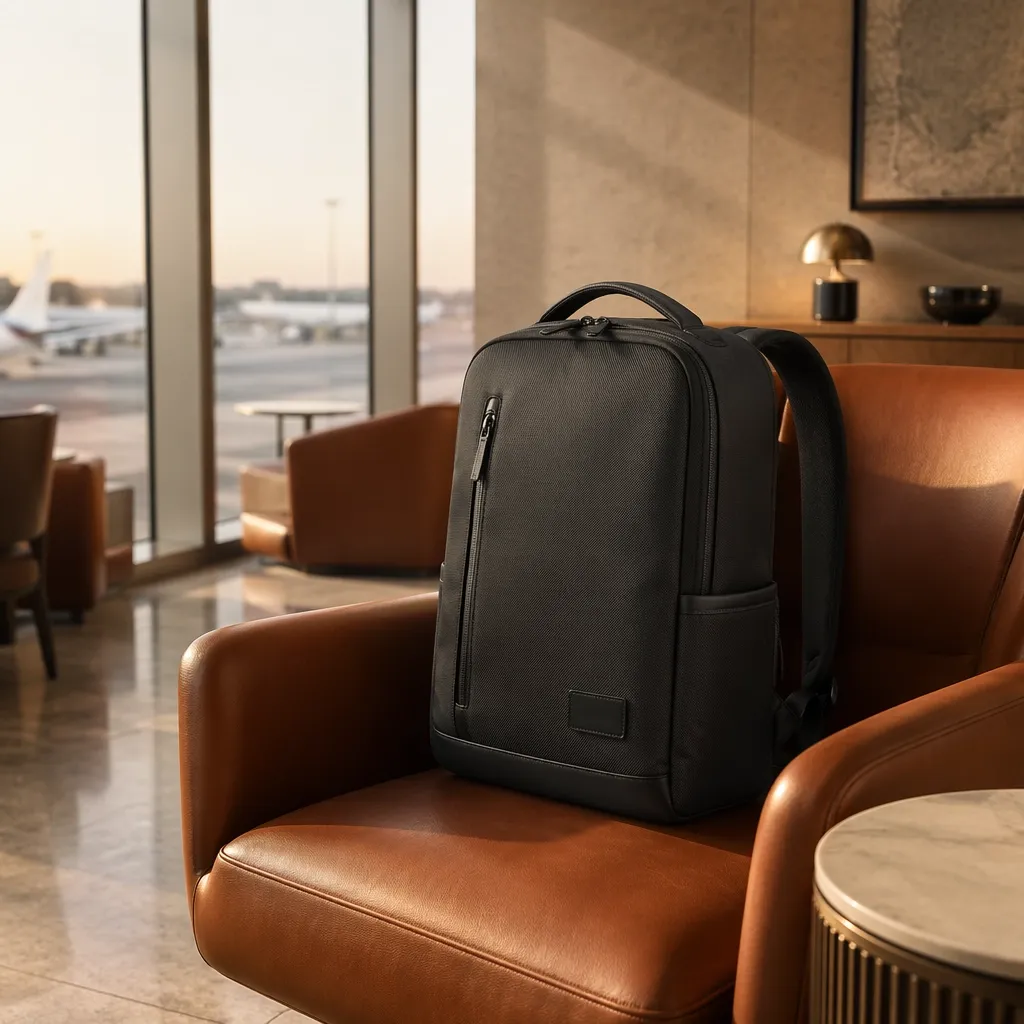 Image 2: details 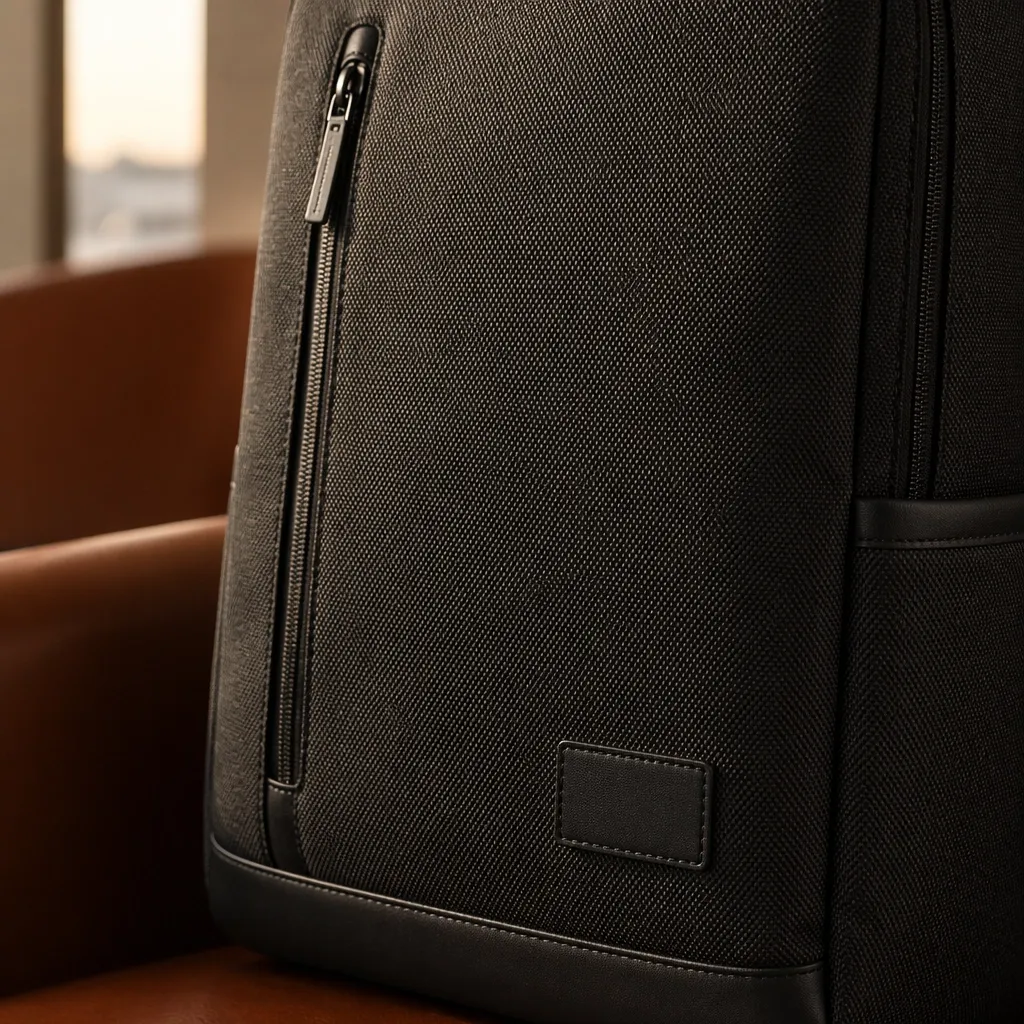
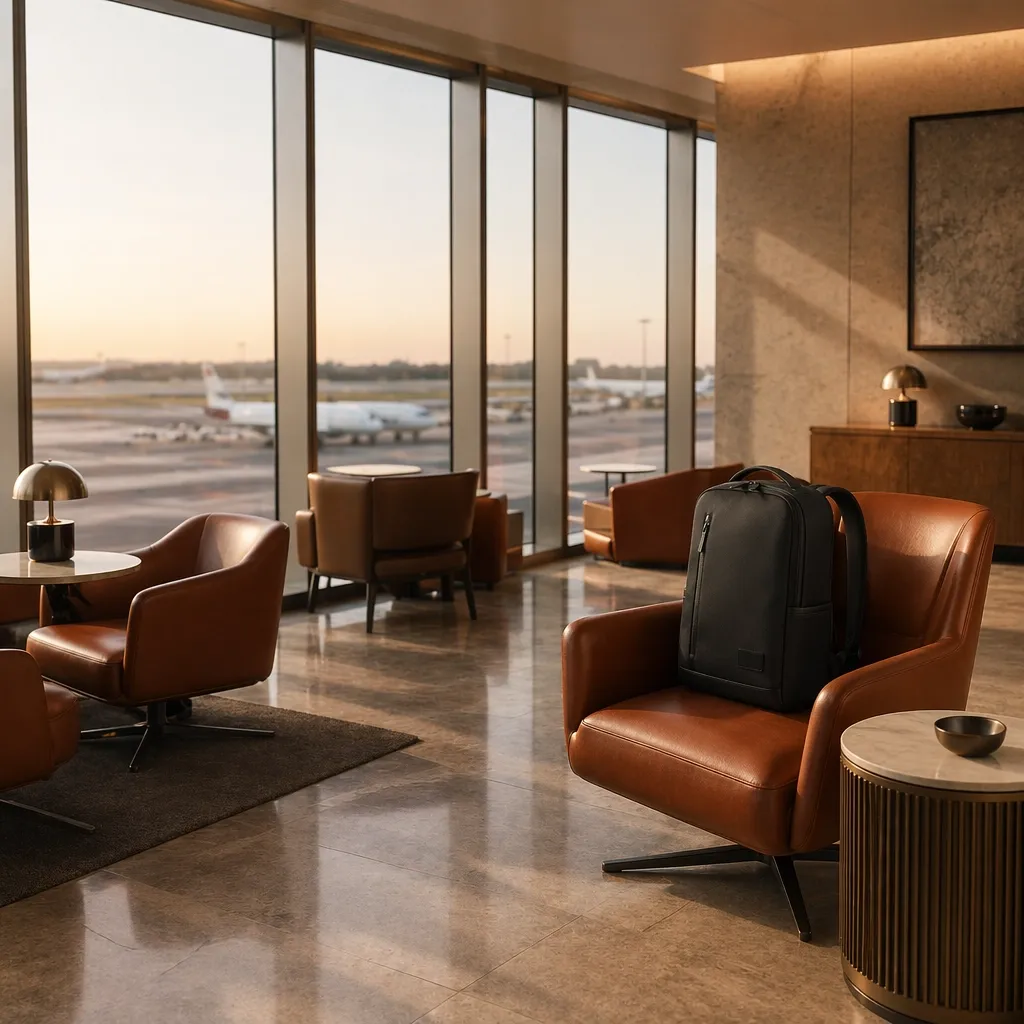
| Create a vertical product story for a luxury travel backpack. Use Image 1 for the backpack design, Image 2 for the brand color palette, Image 3 for the airport lounge setting, and Video 1 only for the slow tracking camera movement. The backpack starts on a leather chair, a traveler picks it up, walks past a large window, and places it beside a suitcase. Keep the backpack shape, logo patch, zipper placement, and fabric texture unchanged. Soft morning airport light, realistic walking motion, clean commercial framing, premium travel brand mood. |
This is more natural because the materials belong to one creative brief. The product reference controls the bag, the mood reference controls the feeling, the setting reference controls the world, and the video reference controls motion. That is much closer to how a real production brief works.
If you aren't familiar with how this new reference engine processes visual data versus text weights, we highly recommend reading What is Seedance 2.5to understand its full capabilities.
The Creator's Cheat Sheet: Words That Actually Work
I still keep a small word bank nearby, but I would not turn it into a dictionary. These are the phrases I reach for when a Seedance 2.5 output feels flat or a little lifeless.
For Camera Movement
- controlled orbit shot - good for product showcases
- macro pan - good for texture details
- rack focus - useful when the subject needs to feel more premium
For Texture and Lighting
- soft side lighting - safer than vague cinematic lighting
- wet stone surface - strong for skincare and luxury products
- realistic reflections - useful for glass, metal, and tech
For Natural Motion
- gentle hair movement
- cloth swaying naturally
- water droplets sliding
- steam rising slowly
Make Seedance 2.5 Easier to Use with Pollo AI
Quick word on Pollo AI here: it is an AI video platform where you can run models like Seedance 2.5, upload the assets you already have, and clean up the clip after it is generated. I would not treat it as a magic button. I would treat it as the workspace around the model.
That sounds less fancy, but it is exactly where Seedance 2.5 benefits. The model likes a clear brief. Pollo AI makes it easier to keep the brief clear instead of juggling a prompt, product images, reference clips, and finishing tools in separate places.
- Got a product photo? Start there. Let the image carry the bottle, label, color, or character face. Use the prompt for the motion: mist moves, camera pushes in, hand opens the box, light changes. That usually beats describing the product from scratch.
- Got multiple references? Do not dump them in and hope for the best. Use reference to video when you want each asset to have a job: one for the product, one for the mood, one for the camera rhythm.
- Got a clip that is close? Save it. If it looks soft, try video enhancement. If it ends too soon, use the video extender. This is the boring part of video making, but it saves a lot of good takes.
So yes, the prompt still matters. But once Seedance 2.5 gives you a usable shot, Pollo AI helps with the next practical question: how do I turn this into a cleaner, longer, more usable video without starting over?
Conclusion: Seedance 2.5 Works Best When You Direct the Scene
The best Seedance 2.5 prompts sound human because they are specific. They do not try to impress the model with style words. They just explain the shot clearly.
If you start from text, give the model a small story. If you start from an image, protect the subject before adding motion. If you start from video, separate what to preserve from what to transform. If you use multiple references, treat them as one creative brief.
Once you write that way, Seedance 2.5 feels less like a random generator and more like something you can actually direct. And inside Pollo AI, the prompt becomes the start of the process, not the whole process.
Seedance 2.5 rewards highly structured, cinematic prompts. But if you find this workflow too rigid for quick social media memes, or if you need a specific anime aesthetic that Seedance struggles with, don't force it. You can easily pivot to one of the top Seedance 2.5 alternatives right inside your Pollo AI dashboard.
Turn Your Seedance 2.5 Prompts into Videos with Pollo AI
Put your carefully written prompts to work and generate more controlled, consistent AI videos.
Create Videos on Pollo AI