



Ugly-Comic Lion Trap VIDEO Breakdown (Prompts Included)
AI Generated Video
Recreating this ugly-comic lion trap video works best when the storyboard is used as a role and action map, not as a visible layout in the final video. Generate the 12-panel reference sheet first, then use an unnumbered version or a clear storyboard-to-video prompt so the final animation becomes one full-screen cinematic scene without panel borders, numbers, captions, or grid lines.
Step 1
Open pollo.ai, select Image Generation, paste the image prompt below and click Generate. Set GPT Image 2.5 as the default image model. Adjust the aspect ratio according to your video needs; multiple sizes including 16:9 and 9:16 are supported.
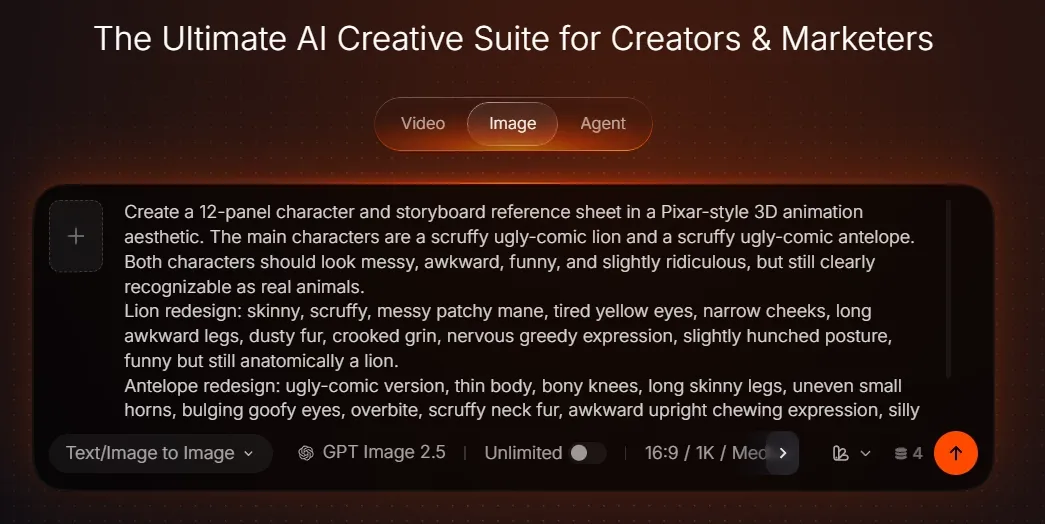
Image Generation Screen
Image Prompt: 12-Panel Lion and Antelope Storyboard
PROMPT HEADER:
Create a 12-panel character and storyboard reference sheet in a Pixar-style 3D animation aesthetic. The main characters are a scruffy ugly-comic lion and a scruffy ugly-comic antelope. Both characters should look messy, awkward, funny, and slightly ridiculous, but still clearly recognizable as real animals.
LION DESIGN:
Redesign the lion as skinny, scruffy, and ugly-comic. Give it a messy patchy mane, tired yellow eyes, narrow cheeks, long awkward legs, dusty fur, a crooked grin, a nervous greedy expression, and a slightly hunched posture. The lion should be funny but still anatomically recognizable as a lion.
ANTELOPE DESIGN:
Redesign the antelope as an ugly-comic version with a thin body, bony knees, long skinny legs, uneven small horns, bulging goofy eyes, an overbite, scruffy neck fur, and an awkward upright chewing expression. The antelope should feel silly but still clearly recognizable as an antelope.
STORYBOARD LAYOUT:
Arrange 12 clear panels on one clean storyboard sheet, 4 columns x 3 rows. Each panel must show a distinct action and composition. Only the panel numbers are allowed as text. No captions, subtitles, labels, watermark, or extra written words.
IMPORTANT TRAP RULE:
The trap is a hidden pit in dry savanna ground, covered with branches and green leaves, with colorful delicious fruit placed on top. The trap location must remain the same in Panels 7 to 12.
The leaf-covered trap must stay visible when the antelope eats on it. The trap does not open when the antelope stands on it. The trap only opens when the lion steps on it in Panel 12.
PANEL LIST:
PANEL 1:
Lion full-body front view, skinny scruffy body, messy mane, greedy nervous expression.
PANEL 2:
Lion full-body side view, lanky legs, hunched posture, dusty fur, thin tail.
PANEL 3:
Lion head close-up, crooked sneaky smile, tired eyes, messy mane, sly expression.
PANEL 4:
Lion paws holding a wooden shovel and a bundle of green leaves, preparing a trap.
PANEL 5:
Antelope full-body front view, goofy upright pose, thin legs, bony knees, scruffy fur.
PANEL 6:
Antelope head close-up, bulging eyes, uneven horns, overbite, silly chewing face.
PANEL 7:
Lion digging a deep pit trap in the dry savanna ground, looking around sneakily.
PANEL 8:
Lion covering the pit with branches and green leaves, carefully hiding the hole.
PANEL 9:
Lion placing colorful delicious fruit on top of the leaf-covered trap, then hiding behind a bush.
PANEL 10:
Antelope standing directly on the covered trap, happily eating the fruit; the trap does not collapse, and the lion watches in shocked confusion from behind the bush.
PANEL 11:
Antelope calmly walks away after eating all the fruit, completely unharmed; lion steps out, confused and suspicious, staring at the leaf-covered trap.
PANEL 12:
Lion gently tests the trap with one paw, the leaf cover suddenly breaks, and the lion comically falls into the pit; antelope watches nearby with a calm goofy expression.
SETTING AND STYLE:
Use a warm African savanna with golden grass, dusty ground, acacia trees, dry bushes, blue sky, and warm sunset lighting. Use stylized Pixar-like 3D animation, polished character modeling, expressive animal facial comedy, cartoon physics with readable animal anatomy, clear silhouettes, funny poses, vibrant cinematic lighting, and clean panel composition.
NEGATIVE PROMPT:
missing panel numbers, wrong panel order, missing trap, trap changing location, trap opens under antelope, antelope falling into trap, lion not falling, missing leaves, missing fruit, extra animals, human characters, realistic gore, injury, horror style, crowded panels, mixed identities, low quality, blurry, watermark, subtitles, captions
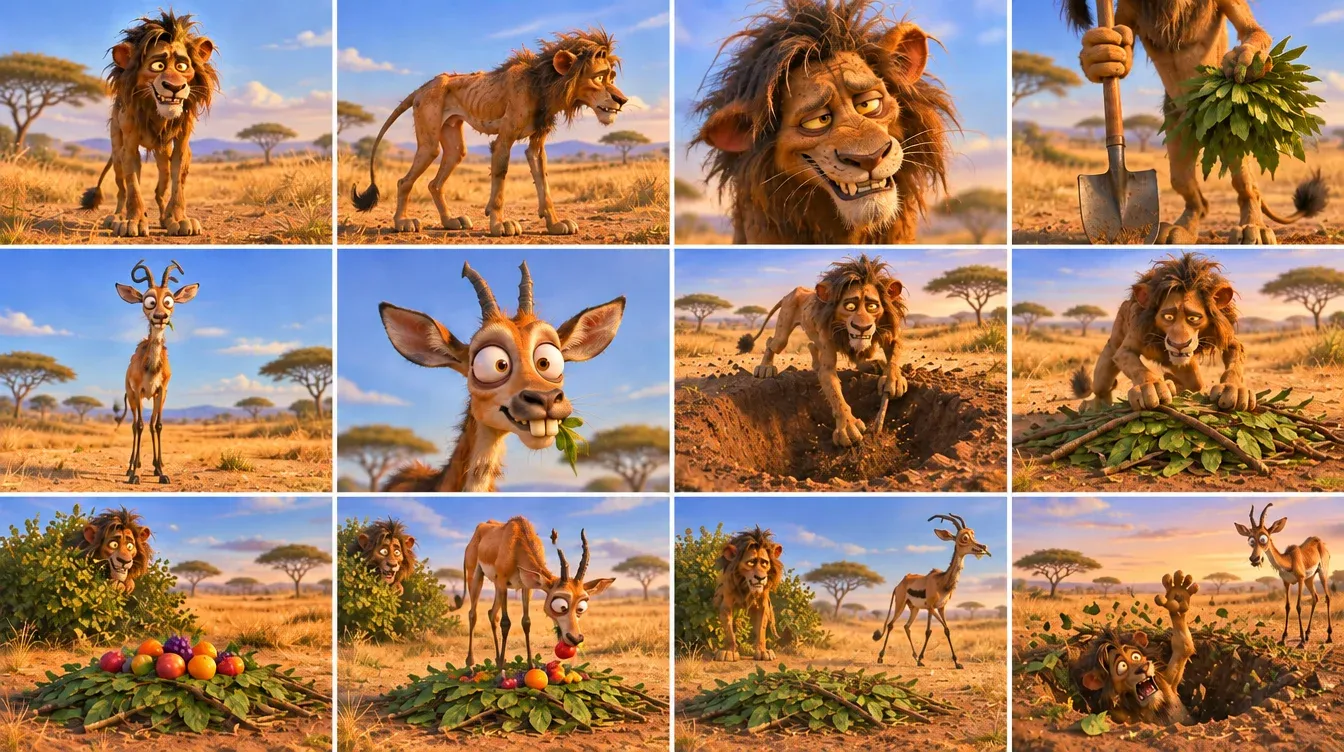
AI generated storyboards
Step 2
Once your image is ready, go to Video Generation. Upload your prepared image or pick assets from your Creations library. Select reference-to-video mode and paste your video prompt. You can also upload a video for motion reference.
Note: Add @your-image for image reference and @your-video for video reference inside the prompt. Pick any of these models: Seedance 2.5, Seedance 2.0, MiniMax H3 or Wan 3.0. Click Generate after confirming all settings.
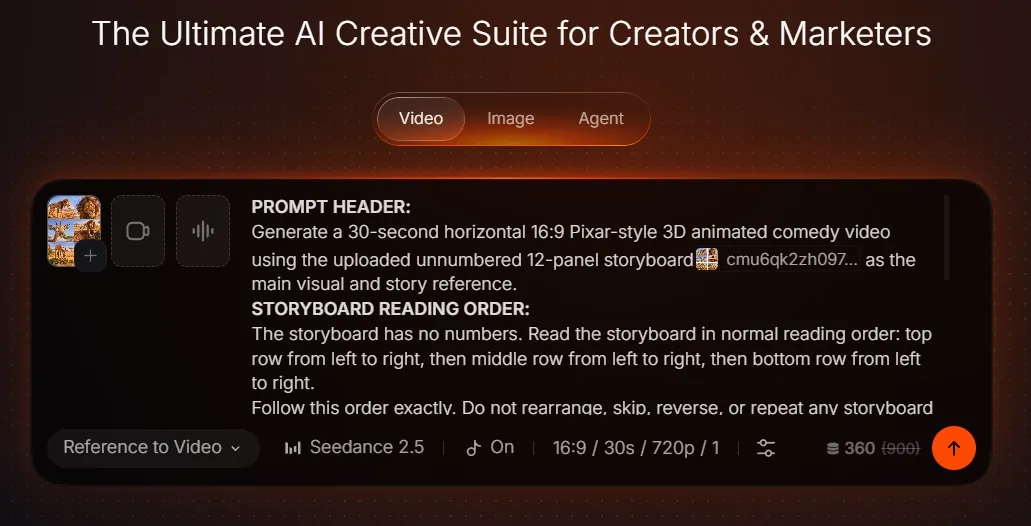
Video Generation Screen
Video Prompt: Storyboard-to-Video Lion Trap Comedy
PROMPT HEADER:
Generate a 30-second horizontal 16:9 Pixar-style 3D animated comedy video using the uploaded unnumbered 12-panel storyboard as the main visual and story reference.
STORYBOARD READING ORDER:
The storyboard has no numbers. Read the storyboard in normal reading order: top row from left to right, then middle row from left to right, then bottom row from left to right.
Follow this order exactly. Do not rearrange, skip, reverse, or repeat any storyboard moment.
REFERENCE ROLE MAP:
Use the first six storyboard cells only as character design references:
- Top row left cell.
- Top row second cell.
- Top row third cell.
- Top row fourth cell.
- Middle row left cell.
- Middle row second cell.
These first six cells define the lion and antelope designs, faces, body shapes, props, and comedy style.
Use the final six storyboard cells as the actual story action:
- Middle row third cell begins the action.
- Then continue to the middle row fourth cell.
- Then bottom row left cell.
- Then bottom row second cell.
- Then bottom row third cell.
- Then bottom row fourth cell.
FINAL VIDEO RULES:
Do not copy the storyboard sheet itself. The final video must be one clean full-screen cinematic animation, not a storyboard layout.
Do not show panel borders, white grid lines, numbers, labels, captions, subtitles, or any on-screen text.
CHARACTERS:
The lion is a skinny, scruffy, ugly-comic lion with a messy patchy mane, dusty fur, narrow cheeks, tired yellow eyes, long awkward legs, and a greedy nervous expression.
The antelope is a goofy ugly-comic antelope with a thin body, bony knees, skinny legs, uneven small horns, bulging eyes, an overbite, scruffy neck fur, and a silly calm expression.
Preserve both character designs consistently from start to finish. Do not swap their identities, body shapes, expressions, or roles.
SCENE:
Set the video in a warm African savanna with golden dry grass, dusty ground, acacia trees, dry bushes, distant hills, blue sky, and warm sunset light.
There is one hidden pit trap fixed in the same place on the ground, covered with branches and green leaves, with colorful fruit placed on top.
STORY ORDER:
0–4 SECONDS:
The lion digs a deep pit in the dusty ground with a wooden shovel, moving clumsily and sneakily.
4–8 SECONDS:
The lion covers the pit with branches and green leaves, hiding the hole.
8–11 SECONDS:
The lion places colorful fruit on top of the covered trap, then hides behind a bush.
11–18 SECONDS:
The antelope walks in, stands directly on the covered trap, and happily eats the fruit. The trap shakes slightly but does not collapse.
18–22 SECONDS:
The antelope finishes eating and calmly walks away unharmed. The lion steps out, confused and suspicious.
22–26 SECONDS:
The lion circles the same covered trap and carefully taps it with one paw, trying to test it.
26–30 SECONDS:
The lion steps fully onto the trap. The leaf cover suddenly breaks and the lion drops into the pit with a funny harmless cartoon fall. The antelope stands nearby calmly, unimpressed.
End with the lion dazed inside the open pit and the antelope safe outside.
TRAP CONTINUITY RULE:
The trap stays in the exact same place throughout the video. The antelope never falls. The trap only opens when the lion steps onto it at the end.
ANIMATION STYLE:
Use polished Pixar-like 3D animation, ugly-comic animal designs, expressive facial comedy, cartoon physics, smooth motion, clear silhouettes, warm cinematic savanna lighting, vivid colors, clean camera movement, and consistent character design.
AUDIO:
Use a playful comedy score, savanna wind, shovel digging, leaves rustling, fruit plops, antelope chewing, tiny trap creaks, lion confused grunts, a sudden wooden snap, a comic falling whistle, and a soft dusty thud.
No dialogue and no narrator.
NEGATIVE PROMPT:
storyboard grid, panel borders, white borders, visible numbers, labels, captions, subtitles, on-screen text, watermark, reversed order, skipped storyboard moments, trap changing location, trap opens under antelope, antelope falling, lion avoiding the trap, missing trap, missing fruit, extra animals, human characters, identity drift, blurry, low quality
Final Summary
Create a Pixar-style 3D animated comedy where a skinny scruffy lion builds a fruit-covered pit trap for a goofy antelope, only to fall into the trap himself. The workflow starts with a 12-panel character and storyboard reference sheet, then uses that sheet to generate a 30-second horizontal 16:9 animated video.The most important rule is trap continuity. The hidden pit stays in the exact same place from the moment the lion digs it. The antelope can stand on the leaf-covered trap and eat the fruit safely, but the trap only opens when the lion tests it and steps onto it at the end.