



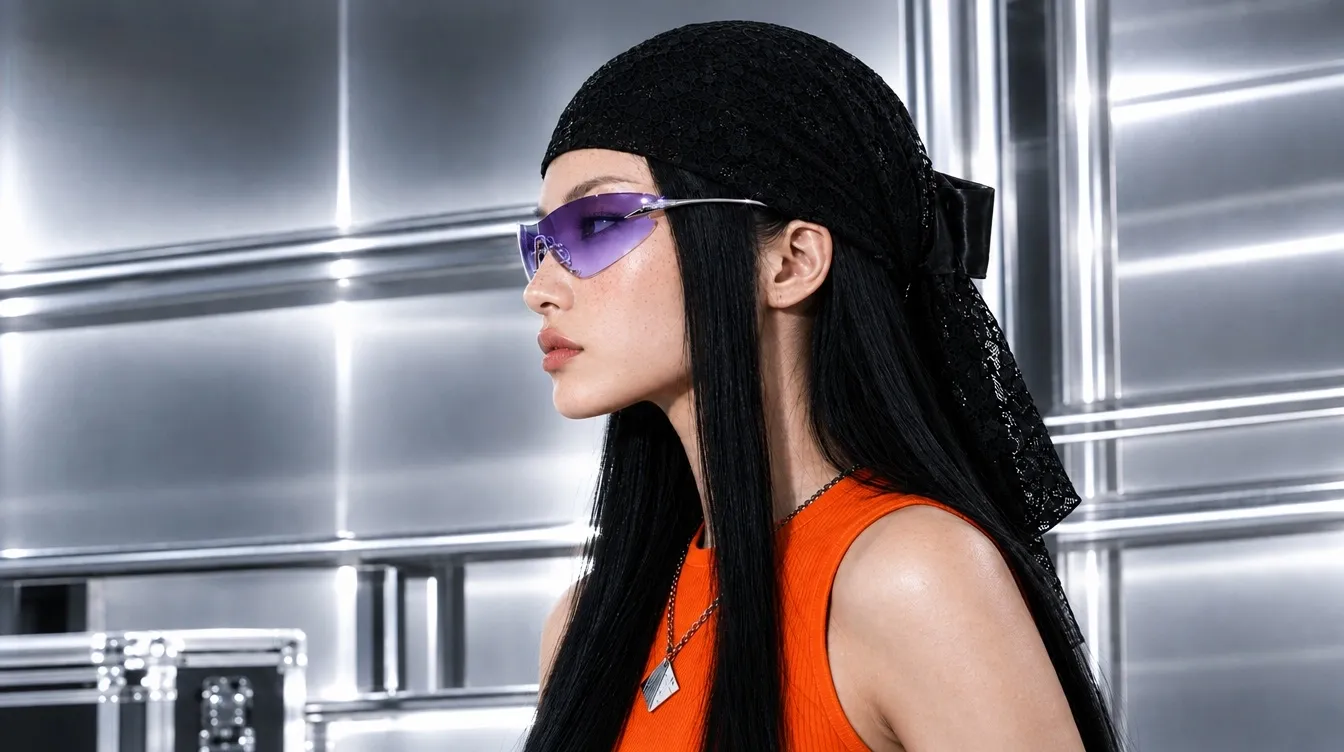
Kling 3.0 AI Image Model
Kling 3.0 builds narratively linked storyboards with stable characters, cinematic framing, and crisp 2K/4K output. Try Kling 3.0 on Pollo AI for free!
Unlock Unlimited Creativity with Kling 3.0
Key Features of Kling 3.0 Image Model
- Storyboard Image Sequencing: Create cohesive, narratively linked image sequences for comics and storyboarding.
- Ultra-High Definition 2K/4K Output: Generate ultra-detailed 2K/4K visuals for professional-grade displays.
- Enhanced Narrative Storytelling: Transform prompts into emotional, story-driven scenes with cinematic depth.
- Superior Feature Consistency: Ensure stable character and object identity across your entire visual narrative.
Storyboard Image Sequencing
For AI image generation, Kling 3.0 can produce multi-image storyboard groups for visual storytelling. This feature allows you to produce a sequence of pictures that are thematically and narratively linked, all while retaining the core characteristics of a reference image. It’s the ultimate tool for creating comic panels, developing film storyboards, or illustrating step-by-step sequences with perfect continuity.
| Reference | Prompt | Output Images |
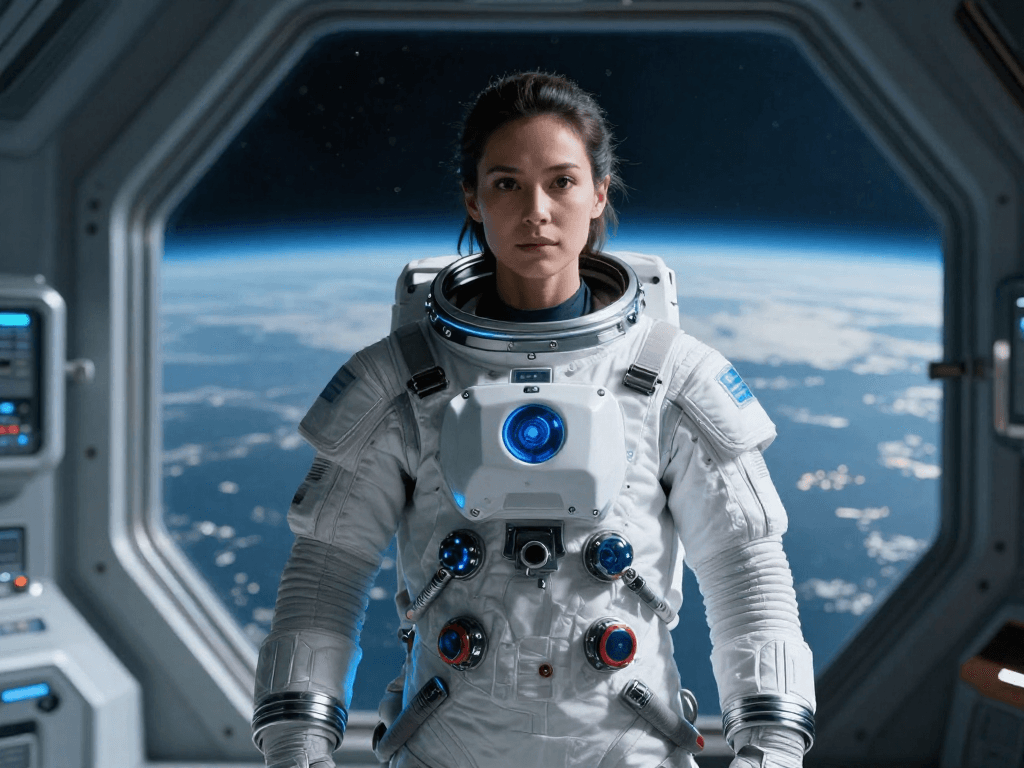 | Generate a three-panel storyboard. Panel 1: The astronaut from the reference image cautiously enters a dark, alien cave. Panel 2: She discovers glowing crystals and reaches out to touch one, her face filled with wonder. Panel 3: She exits the cave, holding a crystal that illuminates her path forward. | 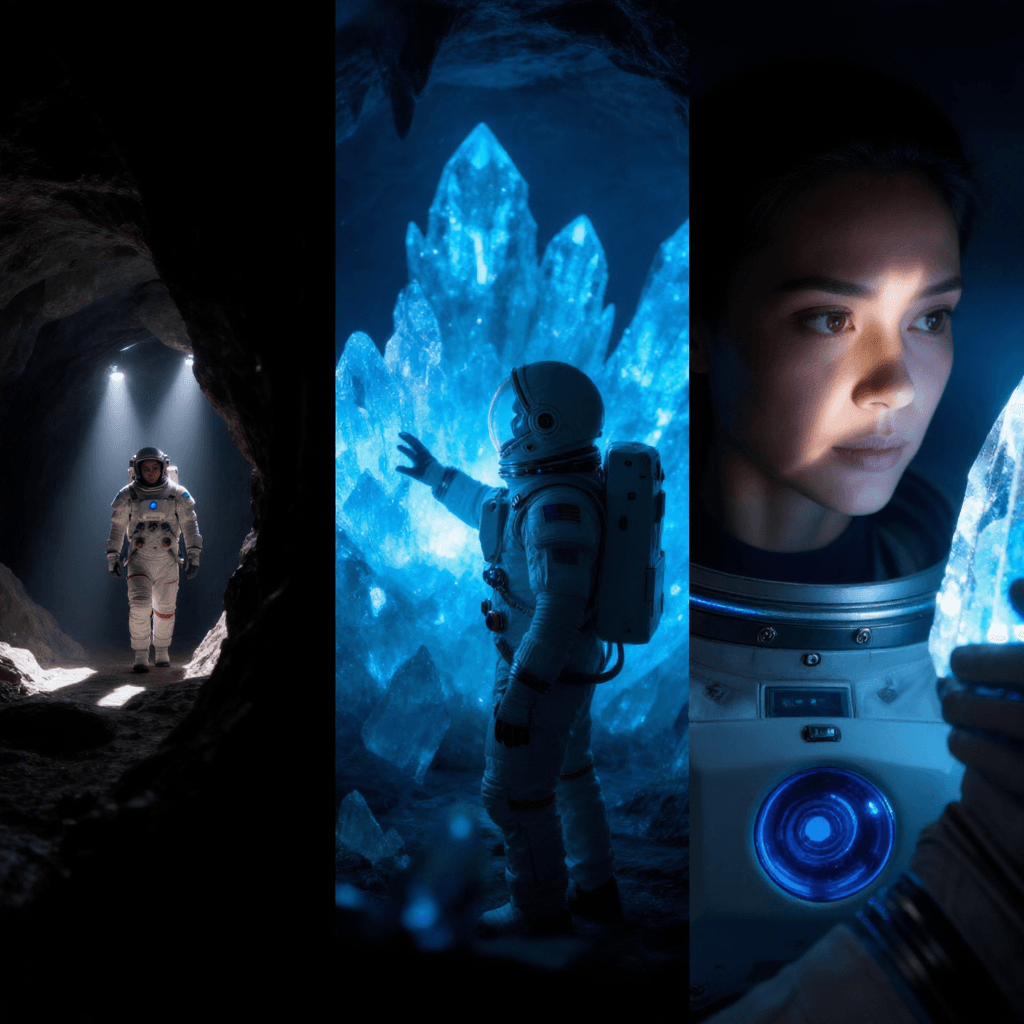 |
Ultra-High Definition 2K/4K Output
Why settle for standard definition? Kling 3.0 allows you to generate images directly in ultra-high resolutions like 2K and 4K. This leap in quality means every detail of your creation is rendered with breathtaking clarity, from the subtle textures of fabric to the complex patterns of a landscape. These high-resolution outputs are ideal for professional projects, digital art, and prints where quality cannot be compromised.
| Prompt | Output Image |
| A hyper-detailed macro photograph of a peacock feather, showcasing the iridescent colors and the intricate, microscopic structures, set against a dark background, 4K UHD. | 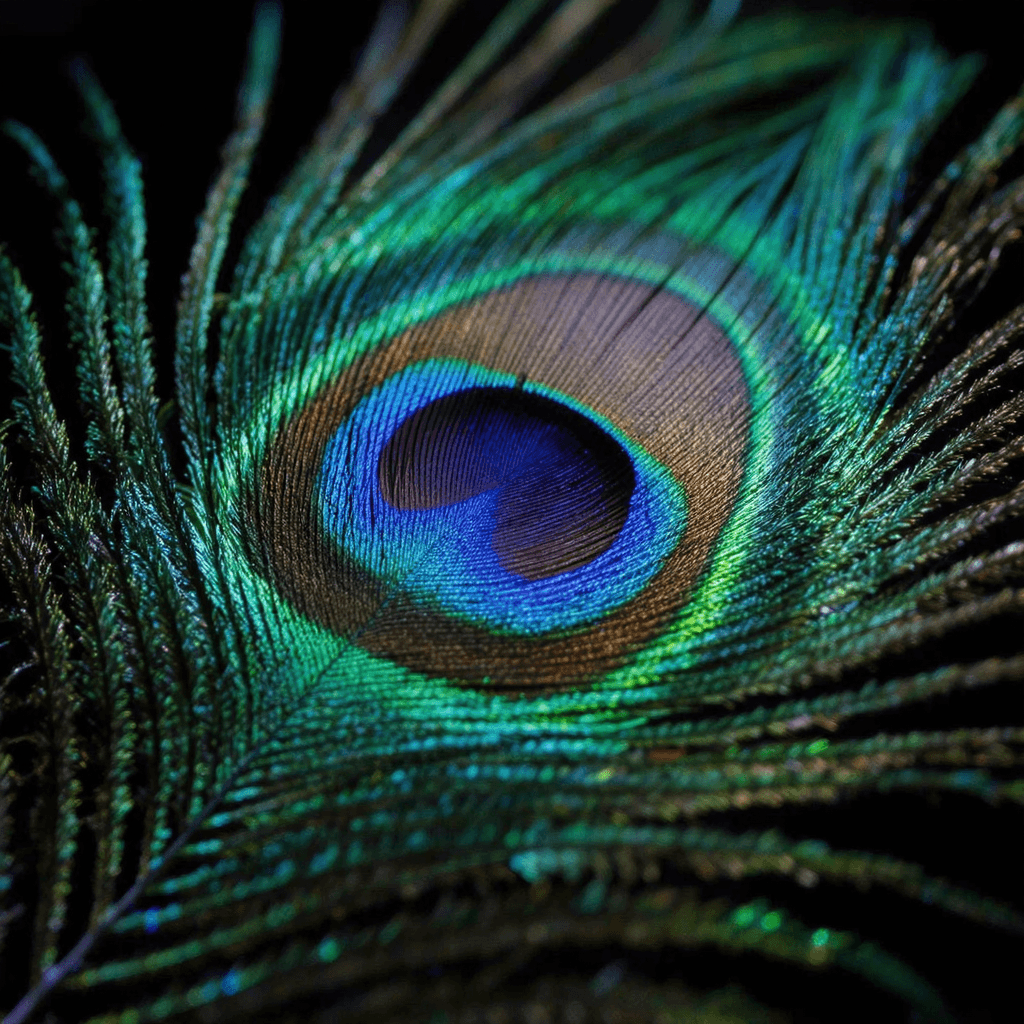 |
Enhanced Narrative Storytelling
A picture is worth a thousand words, and Kling 3.0 is a master storyteller. This model excels at interpreting prompts to create single, powerful images that are rich with narrative depth and emotional weight. It understands how to compose a scene, use lighting, and direct character posture to tell a compelling story within one frame, making your creations more engaging and impactful.
| Prompt | Output Image |
| A single, powerful image showing an old, weathered fisherman in a small wooden boat, looking out at a calm sea as the sun sets. His expression is one of peaceful contentment after a long life at sea. The mood is serene and deeply reflective. | 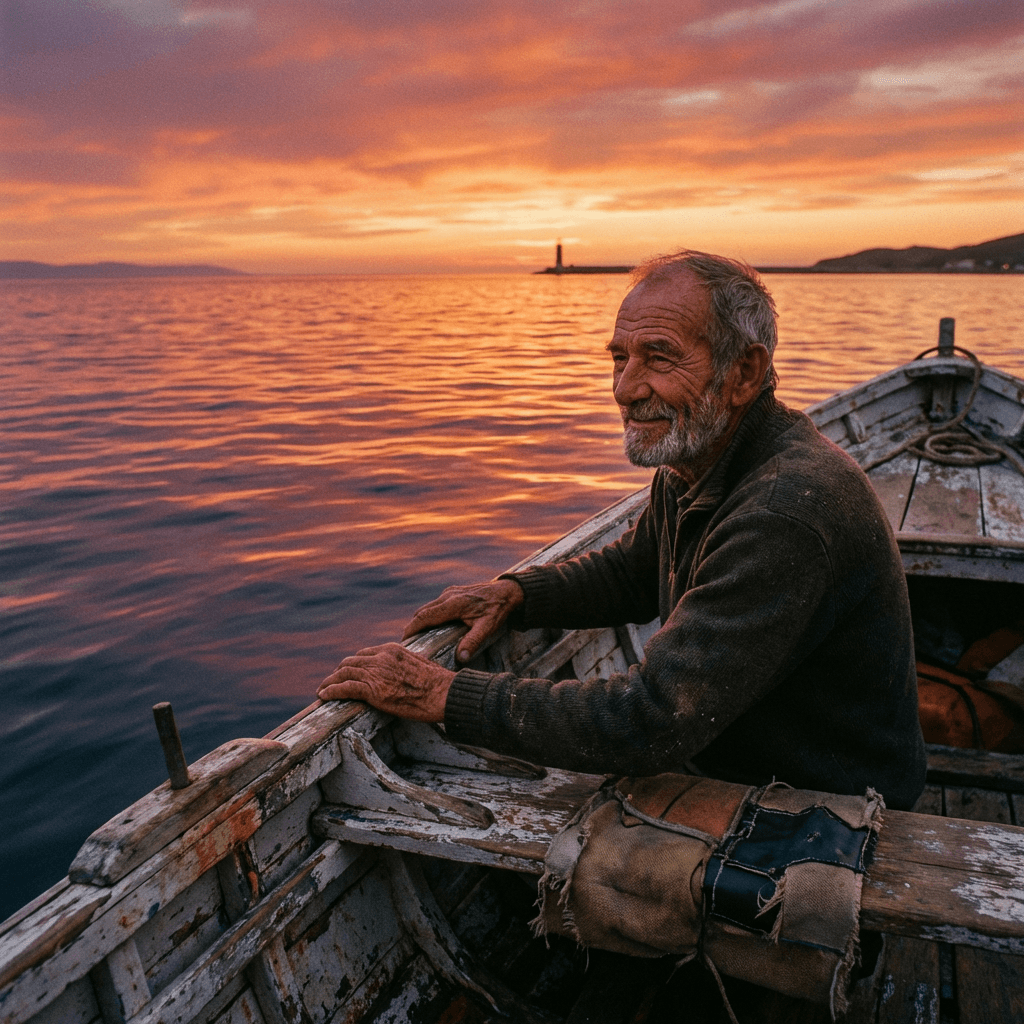 |
Superior Feature Consistency
Consistency is key in storytelling. Kling 3.0 has been further enhanced to maintain the highest level of detail consistency for subjects across multiple generated images. When you create a storyboard or a series of images featuring the same character, crucial details—like their clothing, facial features, scars, or accessories—remain perfectly stable and recognizable, eliminating jarring inconsistencies.
| Reference | Prompt | Output Images |
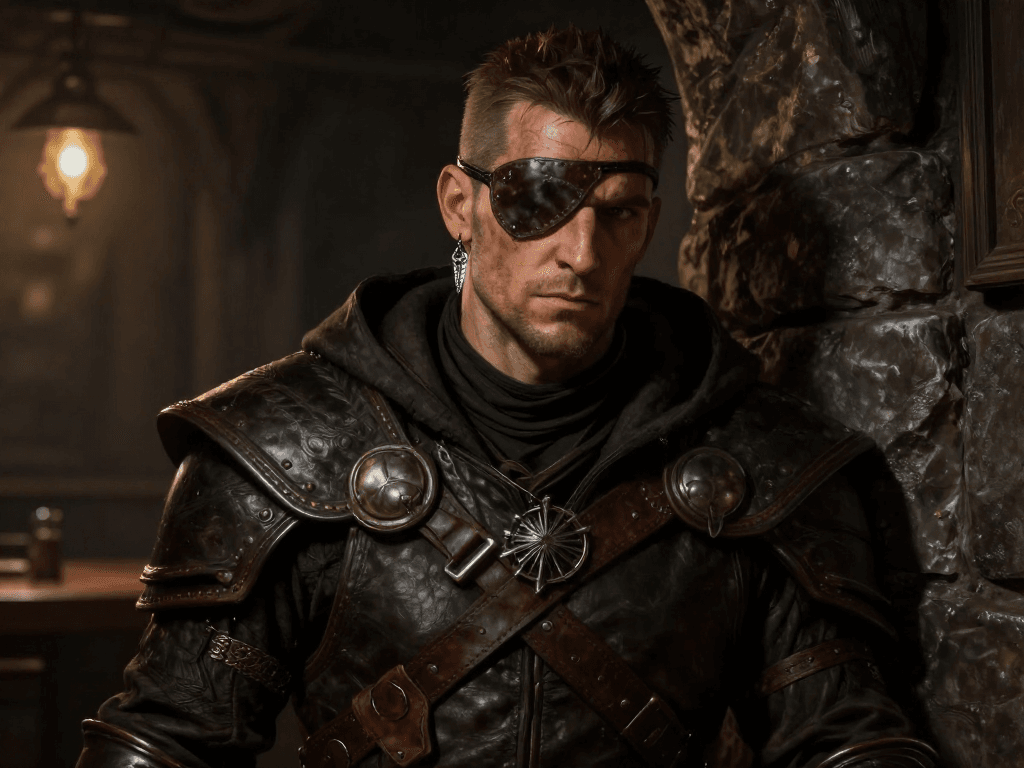 | Generate a two-panel storyboard from the reference. In the first, he is silently lock-picking a door in a dimly lit corridor. In the second, he is celebrating with a drink in a rowdy tavern. Ensure his eyepatch and silver earring are clearly visible and consistent in both scenes. | 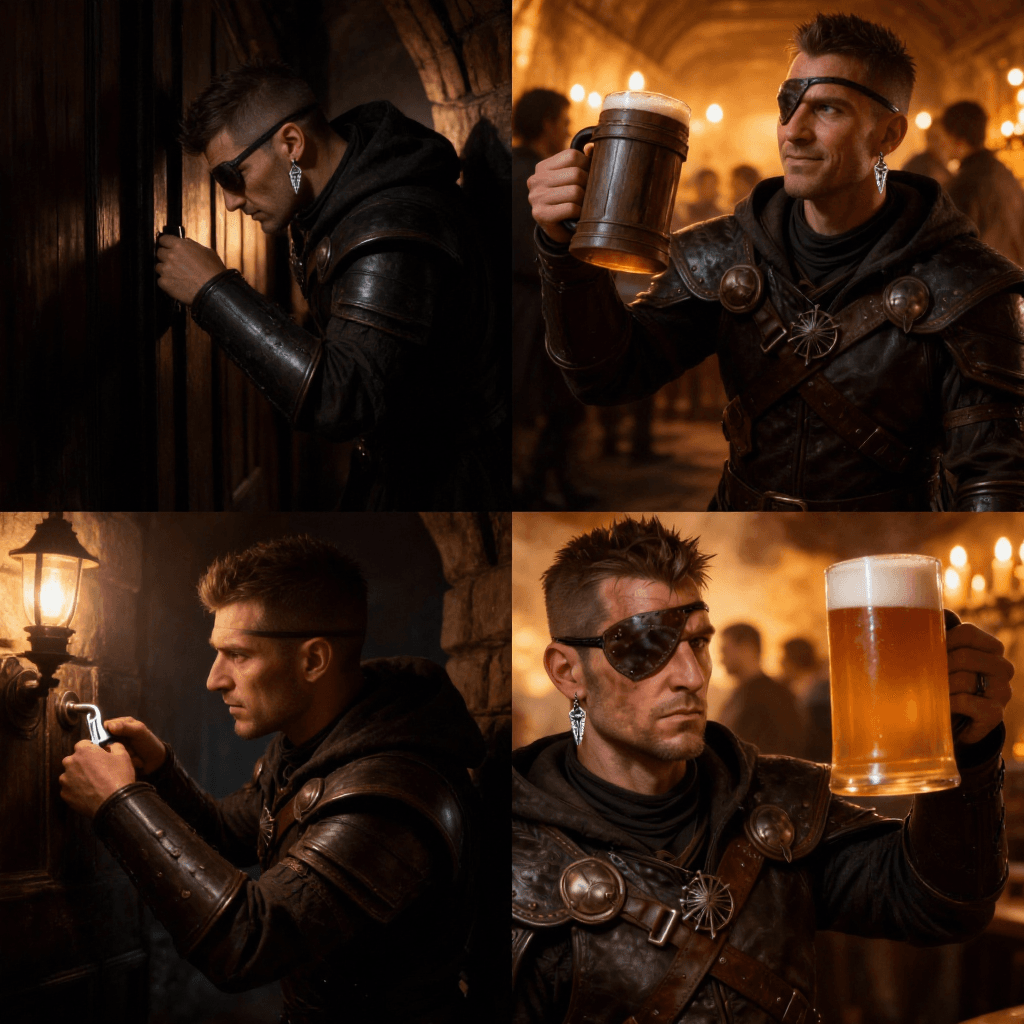 |
How To Use Kling 3.0 AI Image Model for Free
Choose the Kling 3.0 Image Model
Go to the Pollo AI image generator and pick the Kling 3.0 image model from the dropdown.
Input Details
Type in a description of the image you want to create and/or upload a reference image.
Generate Your Image(s)
Configure your video settings and click the arrow icon to start rendering your image.










 5000+ reviewsTrustscore 4.4
Loved by 10M+ Creators and Marketers Globally
Thousands of satisfied users have shared their Pollo AI experiences on Trustpilot, rating us as "Excellent." See what they love about our platform.
Liz Cassidy Dec 15, 2025Richard QuickOct 15, 2025armourdudeNov 19, 2025
 DuduJan 14, 2026
 Ray WarnesDec 30, 2025
 lawless clanNov 22, 2025
Discover Other AI Image Models on Pollo AI
FAQs
What is the Kling 3.0 AI Image Model?
Developed by Kuaishou, Kling 3.0 is an AI image model for high-quality, narrative-driven creation, with 2K/4K output and cohesive multi-image storyboards. Developers can access its text-to-image and image-to-image capabilities through the Kling 3.0 image API.
Why choose the Kling 3.0 AI Image Model?
Choose Kling 3.0 for its superior image quality and unique storytelling capabilities. If you need ultra-high-resolution images for professional use or want to create a series of consistent, narratively linked images (like comic panels or storyboards), Kling 3.0 is the ideal tool.
Can I access the Kling 3.0 AI Image Model for free?
Yes. Pollo AI provides limited free credits to try the Kling 3.0 model. Once your free credits are used up, you will need to subscribe to a paid plan to keep generating. Just sign up for an account to get started!
What types of images can I generate with the Kling 3.0 Image Model?
Kling 3.0 can generate a wide range of images in any style, but it excels at creating visuals with strong narrative elements, character-focused scenes, and sequential art. Its high-resolution output makes it perfect for detailed illustrations, photorealistic scenes, and concept art.
Do I need any technical experience to use this model?
Not at all. Kling 3.0 is designed to understand natural language prompts. You can describe complex scenes, emotions, and sequences in plain English to achieve professional-grade results without any technical expertise.
