QuillBot's text-to-speech tool emphasizes simplicity, helping users create voiceovers for presentations, educational videos, and accessibility. For creators needing more than basic voiceovers, Pollo AI creates natural voices and builds polished audio in one creative suite. Try Pollo AI’s AI voice generator for free now!
Create your own influencer. Then jump into any trend with Recast.
Kling 4.0
Up to 10 keyframes. Unlimited for 10 days with Ultra.
Pollo Recast
Recreate viral videos. Remix new versions.
Pollo Recast Challenge
One upload in. Your viral video out. Unlimited rewards await.
Pollo Agent x DeepSeek V4.1 FLASH
Faster completion at a much lower cost.
Pollo Agent x Gemini 4 Argon
Smarter reasoning. All through Pollo Agent.
WIN iPHONE DUO
Capture a city in one minute. Join the challenge now.
Pollo MCP
End-to-end content creation. Up to 4 Videos/ 20 Images for FREE.
Key Features of QuillBot AI Voice Generator
Text-to-Speech Conversion: Instantly transforms written text into natural-sounding spoken audio.
Multiple Voice Profiles: Offers a selection of different voice types and accents to suit various content styles.
Pacing Control: Allows users to adjust the reading speed of the generated voiceover.
Multi-Language Support: Generates audio in several languages, aiding in localization and accessibility.
Audio Download: Enables users to download the generated audio files for use in external projects.
Pronunciation Adjustment: Provides basic tools to correct the pronunciation of specific words or names.
Text Editor Integration: Seamlessly integrates with QuillBot's existing text editing and paraphrasing tools.
Character Limits: Operates within specific character limits per generation, depending on the user's subscription tier.
Text-to-Speech Conversion
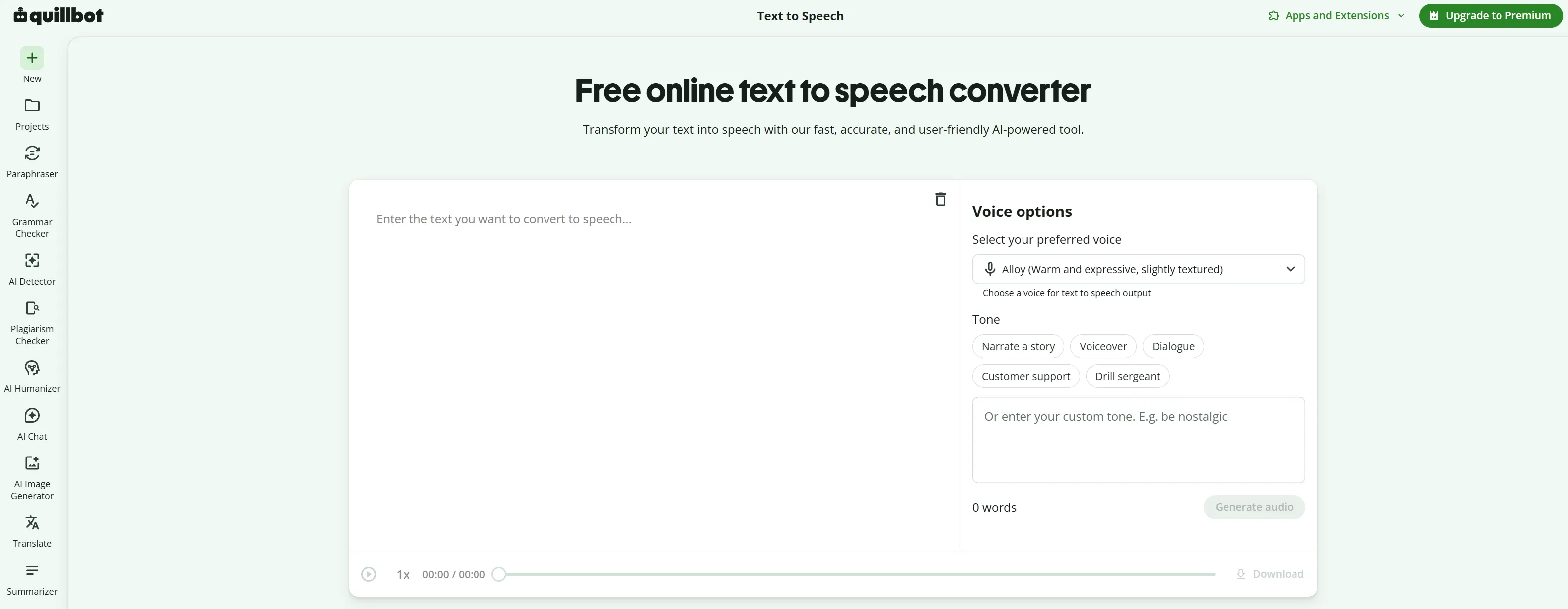
The core functionality of the QuillBot AI voice generator is its ability to convert text into speech. Users simply paste their script into the interface, and the system processes it into an audio file. This feature is particularly useful for creating quick voiceovers for slide decks or reading long documents aloud for accessibility. The interface is clean and intuitive, requiring no technical expertise to operate.
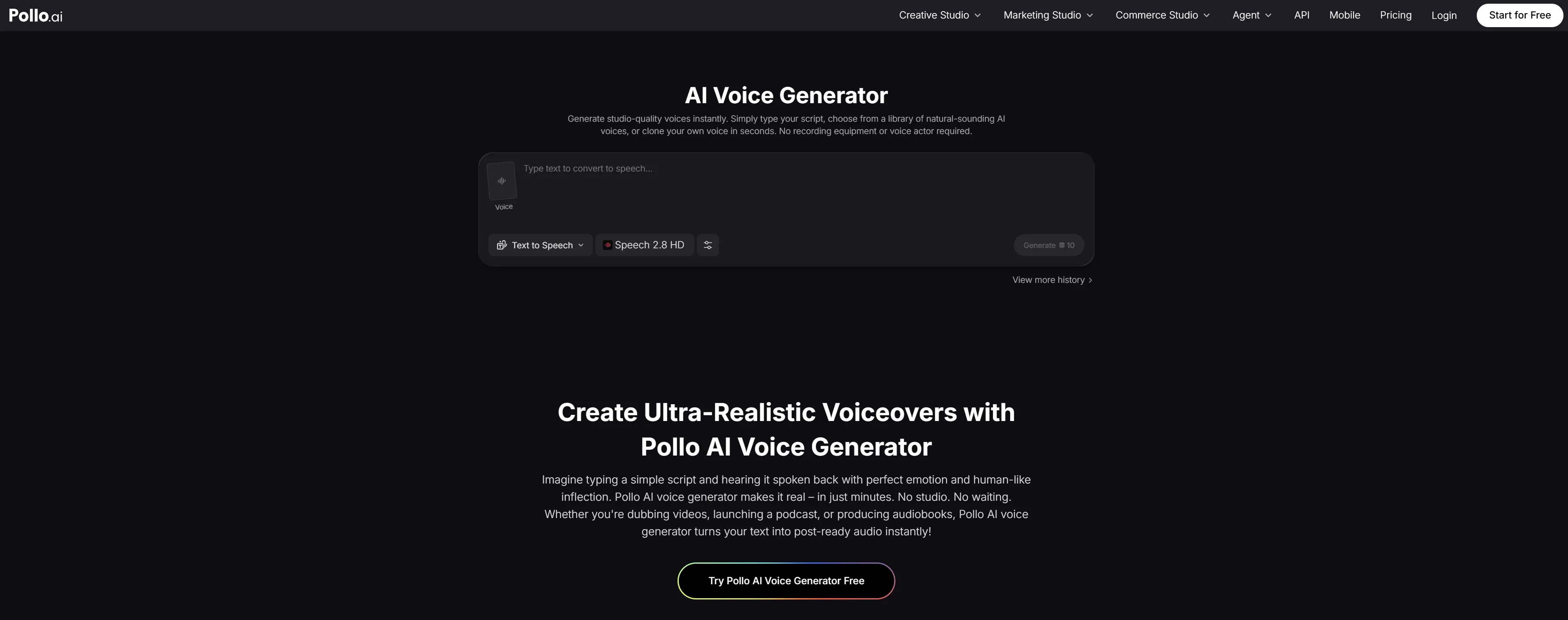
While Quillbot provides a functional utility for basic narration, Pollo AI offers a more professional and nuanced approach through its specialized text to speech capabilities. Unlike standard tools, Pollo AI integrates elite models such as Minimax Speech 2.8 to deliver audio with human-like emotional inflection and rhythm.
Multiple Voice Profiles
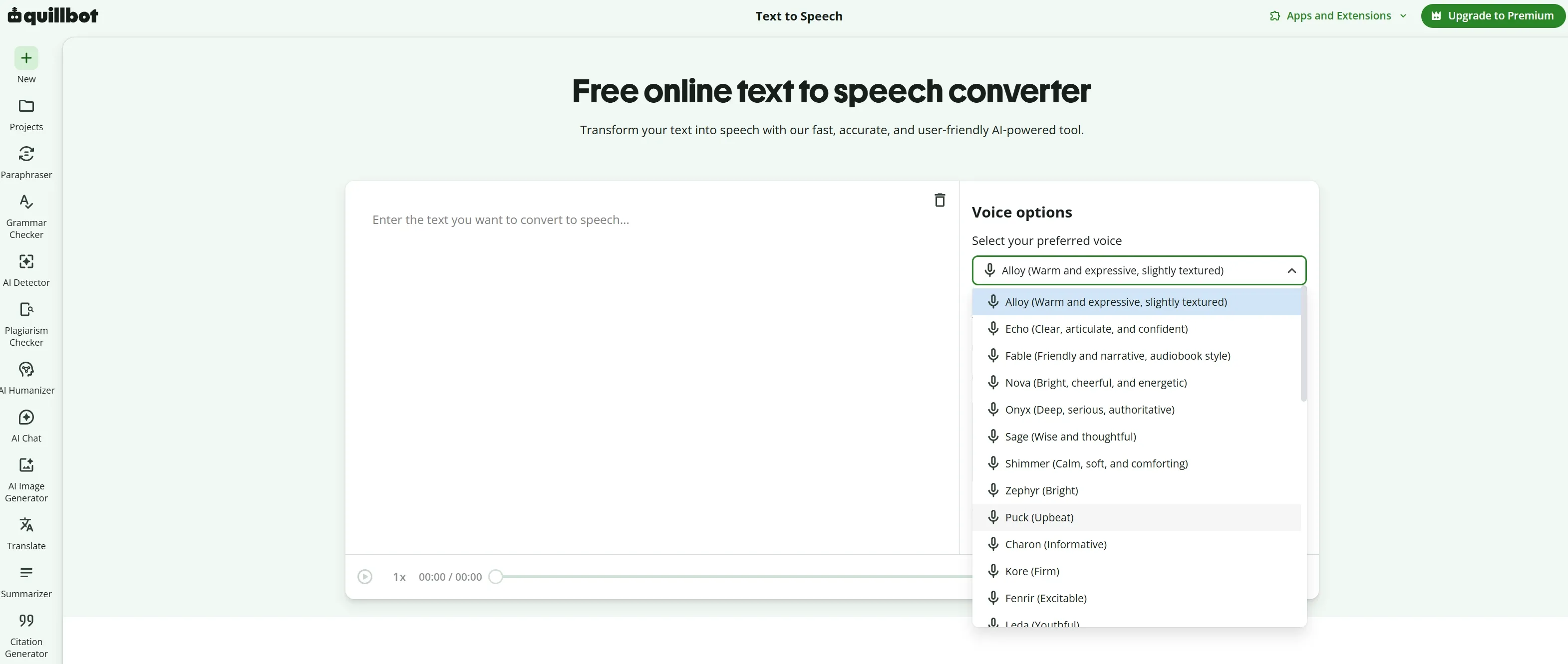
To provide variety, QuillBot AI voice generator includes a selection of voice profiles. Users can choose from different genders and regional accents, allowing them to match the tone of the voiceover to the context of their project. While the selection covers basic needs, it does not offer the extensive, highly emotive character voices found in more specialized audio platforms.
Pacing Control
Users have the ability to adjust the speed at which the text is read. This pacing control is essential for ensuring the audio fits within specific time constraints, such as a short social media video or a timed presentation slide. The adjustments are straightforward, offering a simple slider to increase or decrease the tempo.
Multi-Language Support
QuillBot AI voice generator supports multiple languages, making it a helpful tool for users who need to produce content for international audiences or require translation assistance. This feature broadens the tool's utility beyond English-speaking users, although the quality and naturalness of the voices may vary across different languages.
Audio Download
Once the audio is generated, users can easily download the file, typically in MP3 format. This allows the audio to be imported into third-party video editing software or presentation tools. However, this necessitates a fragmented workflow where the user must manually sync the audio with their visual content elsewhere.
Pronunciation Adjustment
QuillBot AI voice generator offers basic pronunciation adjustment features, allowing users to correct how the AI interprets specific words, names, or acronyms. This ensures that the final audio output is accurate and professional, particularly when dealing with technical jargon or unique brand names.
Text Editor Integration
A significant advantage of the QuillBot AI voice generator is its integration with the broader QuillBot ecosystem. Users can draft, paraphrase, and refine their scripts using QuillBot's writing tools before immediately generating the audio. This creates a smooth workflow for the text preparation phase of content creation.
Character Limits
QuillBot AI voice generator operates with character limits that dictate how much text can be converted at one time. Free users face stricter limits, while premium subscribers enjoy higher capacities. This structure is common among SaaS tools but can be a bottleneck for users needing to generate long-form audio, such as audiobooks or extensive podcast episodes.
QuillBot AI Voice Generator Product Positioning & Background
QuillBot was founded in 2017 by Rohan Gupta, Anil Jason, and David Silin, initially gaining massive popularity as an AI paraphrasing and writing assistant. The company was later acquired by Course Hero in 2021, further solidifying its position in the educational technology sector. The introduction of the AI voice generator represents an expansion of its utility suite, targeting students, educators, and casual creators who need quick, accessible text-to-speech capabilities.
QuillBot AI voice generator market positioning remains firmly rooted in productivity and writing assistance, rather than professional media production. The business model relies on a freemium structure, offering basic access for free while reserving higher limits and advanced features for premium subscribers.
Use Cases of QuillBot AI Voice Generator
Educational Presentations: Teachers and students use the tool to add voiceovers to video presentations and educational videos, making learning materials more accessible.
Content Accessibility: Website owners and content creators convert articles and blog posts into audio format, catering to visually impaired users or those who prefer listening.
Drafting and Proofreading: Writers use the text-to-speech function to listen to their drafts, helping them identify awkward phrasing or grammatical errors that might be missed when reading silently.
Simple Social Media Voiceovers: Casual creators generate quick AI voiceovers for short-form videos on platforms like TikTok or YouTube Shorts, where basic narration is sufficient.
QuillBot AI Voice Generator: Pros and Cons
Pros
Cons
Free access without payment or sign-up
No built-in video editor or scene builder
Simple text-to-speech workflow
Limited pronunciation and delivery controls
Supports different voices, tones, and accents
No clearly published voice cloning feature
Useful for videos, podcasts, and presentations
Downloaded audio requires manual editing
Supports multiple input languages
Not designed for full-length video production
Where Pollo AI Goes Further
Pollo AI's AI voice generator, part of Creative Studio, combines multiple voice models, 100+ voices, voice cloning, and controls for pacing, pitch, and emotion. Generated audio can connect with AI avatars, video projects, and sound effects. With Pollo Agent, creators can turn scripts into full-length, publish-ready videos without assembling separate audio and visual assets manually.
Feature Comparison: QuillBot vs ElevenLabs vs Pollo AI
Integrated video, image, avatar, voice, and audio studio
Best For
Quick narration from prepared text
Expressive voice production, voice design, and speech applications
Complete creator, marketing, and social video workflows
Voice Controls
Voice, tone, accents, and personalities
More advanced voice design and speech controls
Voice generation connected to video, avatars, and scene structure
Agent Capability
No full-video production Agent
No comparable video-production Agent in the cited TTS workflow
Pollo Agent handles structure, visuals, pacing, and sound with no manual stitching required
Effort Required
Low for simple audio
Medium when advanced controls are needed
Low for finished video workflows because the Agent handles production structure
Why Creators are Switching QuillBot to Pollo AI
Step 1
Agent-Driven Narrative Flow
The Pollo Agent understands global context, ensuring that visuals, voiceovers, and sound effects are perfectly synchronized for professional narratives.
Step 2
Creative Studio with Multiple Voice Models
Inside Creative Studio, Pollo AI offers multiple voice models like Eleven v3 and MiniMax Speech 2.8 and 100+ voices for varied accents, and tone.
Step 3
From Voiceover to Finished Video
Connect audio with AI avatars, video, and sound effects to create publish-ready content in one workflow.
I’ve been using Pollo AI mainly for short videos and quick image-to-video tests. The interface is straightforward and it works well even with simple prompts, which is a big plus compared to tools that need long, complicated instructions. The results can be really impressive, and it’s honestly been fun to experiment with. I’d love a bit more consistency on faces when there’s movement, but overall it’s been a solid experience for what I needed.
Awesome website. loads of options and a great way to learn how to work with 'AI' my reasoning for 5 stars is based upon price, versatility and ease of use. Also I would like to add, Pollo AI runs a lot of promos on different AI products as well. I rate their customer service at 5 stars, when I purchased my first subscription my computer crashed the following weekend and I lost all my data and info passwords you name it I lost it, contacted pollo by email they responded quickly and found my info/username and account, and I was able to restore my account.
I have been using Pollo AI for short videos. It is easy to use and works well with simple prompts. Other generators seem to need long drawn out complicated explanations to get even close to what I want.
i tried 220 online img to vid in 2 months, and this is the best online video.I will subscribe for a year; there are many reasons. But freedom is the most important.
QuillBot AI voice generator is primarily used to convert written text into spoken audio for presentations, accessibility purposes, and simple video voiceovers.
Does QuillBot offer voice cloning?
No, QuillBot currently focuses on standard text-to-speech using pre-set voice profiles and does not offer voice cloning capabilities.
Can I adjust the emotion of the voices in QuillBot?
QuillBot offers basic pacing controls but lacks advanced features for fine-tuning the emotional inflection of the generated voices.
Can QuillBot AI voice generator create voiceovers for videos?
Yes. QuillBot AI voice generator can create downloadable voiceovers for YouTube videos, advertisements, tutorials, and social media clips. The generated audio must be combined with video footage and other sound elements in a separate editing workflow.
Does QuillBot AI voice generator support multiple languages?
Yes. QuillBot AI voice generator states that it can generate speech in the language used in the input text. The page does not publish a complete language list, so users should test pronunciation and accent suitability for important localization projects.
Can users download QuillBot audio?
Yes. After generating the voiceover, users can download the output audio file. This makes QuillBot practical for narration drafts, presentations, podcasts, and video projects that already have an external editing workflow.
From Voiceovers to Full Audio-Visual Production
Combine narration, avatars, and sound effects in one seamless creative workflow.








 Liz Cassidy


