



Create Camera Orbit Video to Showcase Object from Photo
Upload an image of a cherished object—like a vintage watch, a crafted sculpture, or a sleek gadget—and see it transformed into a stunning video where the camera zooms in and smoothly orbits, revealing every detail of your targeted object.
Support Three Different Camera Orbit Ways
Our camera orbit video effect supports 3 different camera orbit ways: orbit, orbit dolly and orbit dolly fast. Each mode delivers smooth, cinematic rotations around your object, maintaining focus while showcasing details from varied angles.
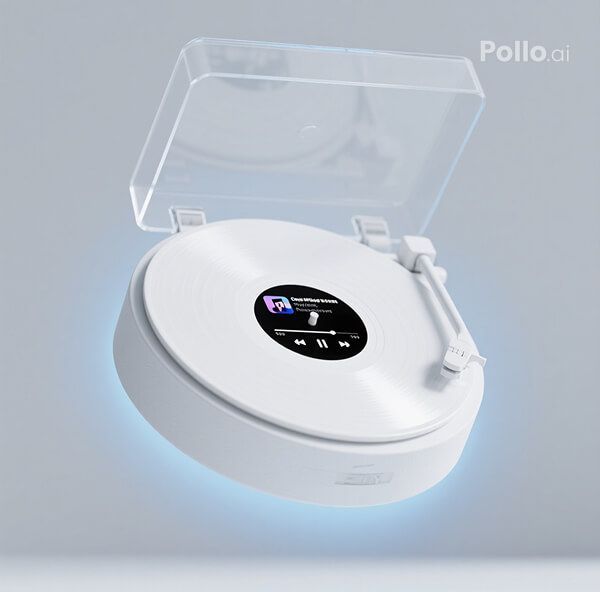
Genuine Object Display
The final video truly captures your object’s essence! Our AI preserves the textures, colors, and fine details of your original object, ensuring the orbiting effect showcases an authentic, high-quality representation that celebrates your object’s unique qualities.
How to Use Our Camera Orbit Video Effect?
With only three steps, you can easily create videos from images with Pollo AI.
Step 1
Upload an image of a single object.
Step 2
Select from 3 different camera orbit modes.
Step 3
Preview and then download your final camera orbit video.
Discover Other Popular Video Effects
FAQs
How do I create a camera orbit video with this tool?
It’s a snap! Just upload a clear image of your object—think a watch, sculpture, or gadget—via the platform’s interface. And then select from 3 different orbit modes. Our AI will generate a video with the camera zooming in and orbiting around it in just minutes, ready for you to download or share.
Will the video accurately show my object’s details?
Our AI preserves your object’s textures, colors, and intricate details, ensuring the orbiting video showcases a genuine, high-fidelity version of your original object that highlights its unique features.
What types of images work best for the camera orbit effect?
You’ll get better results with sharp, well-lit photos of a single object against a simple background. High-contrast images with clear details help our AI create a smooth, visually striking orbit video.
Is the camera orbit video effect free to use?
Absolutely, it’s free! You can create your orbiting video without any cost through our free plan. However, in order to unlock more video generation credits, it is recommended to upgrade to one of our paid plans.
