Create Action-Packed Fight Scenes with Pollo AI
Pollo AI video generator reimagines your photo as a cinematic video, where your subject faces a white, heavyset police officer in a sudden, high-octane brawl, bursting with raw energy.
Explosive Fight with Raw Intensity
Pollo AI animates your subject in a fast-paced clash against a police officer, with dynamic punches and dodges, rendered in high-quality detail for visceral impact.
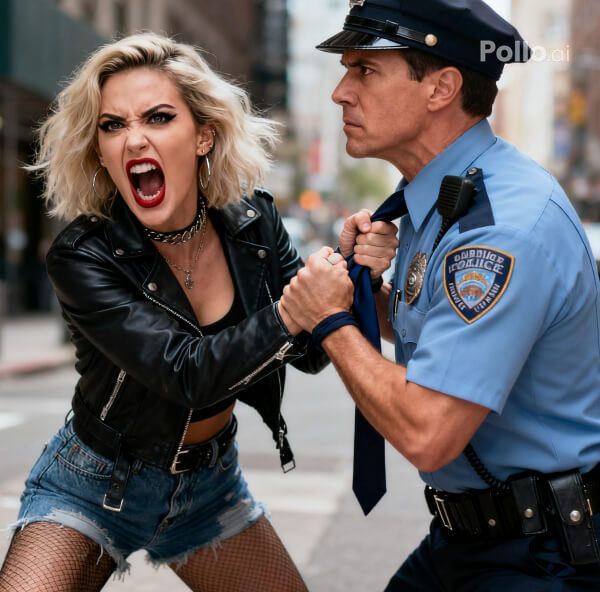
Cinematic Chaos in Gritty Detail
The scene erupts with realistic movements and gritty textures, as Pollo AI crafts a high-energy video, capturing every strike and struggle with cinematic flair. Amplify the intense action with Pollo AI’s Video Enhancer to sharpen the gritty details and fluid strikes.
How to Create Your Arrest Gone Wrong Video with Pollo AI
With only three steps, you can easily create videos from images with Pollo AI.
Step 1
Select a clear single-person photo and upload.
Step 2
Let Pollo AI animate the Arrest Gone Wrong effect.
Step 3
Review and save your chaotic arrest clips.
Discover Other Popular Video Effects from Pollo AI
FAQs
What is Pollo AI’s Arrest Gone Wrong Effect?
Pollo AI’s Arrest Gone Wrong Effect transforms your photo into a cinematic video of a sudden, high-energy fight scene with a police officer, full of chaos.
How does Pollo AI animate the fight scene?
Pollo AI crafts dynamic punches and dodges, blending your subject with a police officer in a fast-paced, high-quality video with realistic motion.
Why is Pollo AI’s Arrest Gone Wrong intense?
Pollo AI’s gritty textures and rapid movements create a visceral, action-packed video, amplifying the raw energy of the chaotic fight scene.
Can Pollo AI’s Arrest Gone Wrong feel cinematic?
Yes, Pollo AI’s high-frame-rate animation and dramatic lighting craft a video that feels like a thrilling action movie sequence, full of intensity.