AI Videos From ChatGPT: Using Pollo AI for Text-to-Video Generation
We can use ChatGPT to craft scripts, but it still can’t generate AI videos, which I always find frustrating. So, I’m here to show you how to overcome this hurdle using Pollo MCP. No more opening multiple windows to get the job done, because Pollo AI can help set up text-to-video generation in ChatGPT! Want to produce and iterate videos in conversation? Then read on!
TL;DR
To start generating AI videos from ChatGPT, all you need is to connect it to Pollo MCP. Just click on this link to add the Pollo plugin to your ChatGPT account. After that, you can enjoy making text-to-video generation requests within your chats and manage your scripts, visuals, audio, and other video production assets in the same conversation.
Generating AI Videos in ChatGPT? Connect Pollo MCP
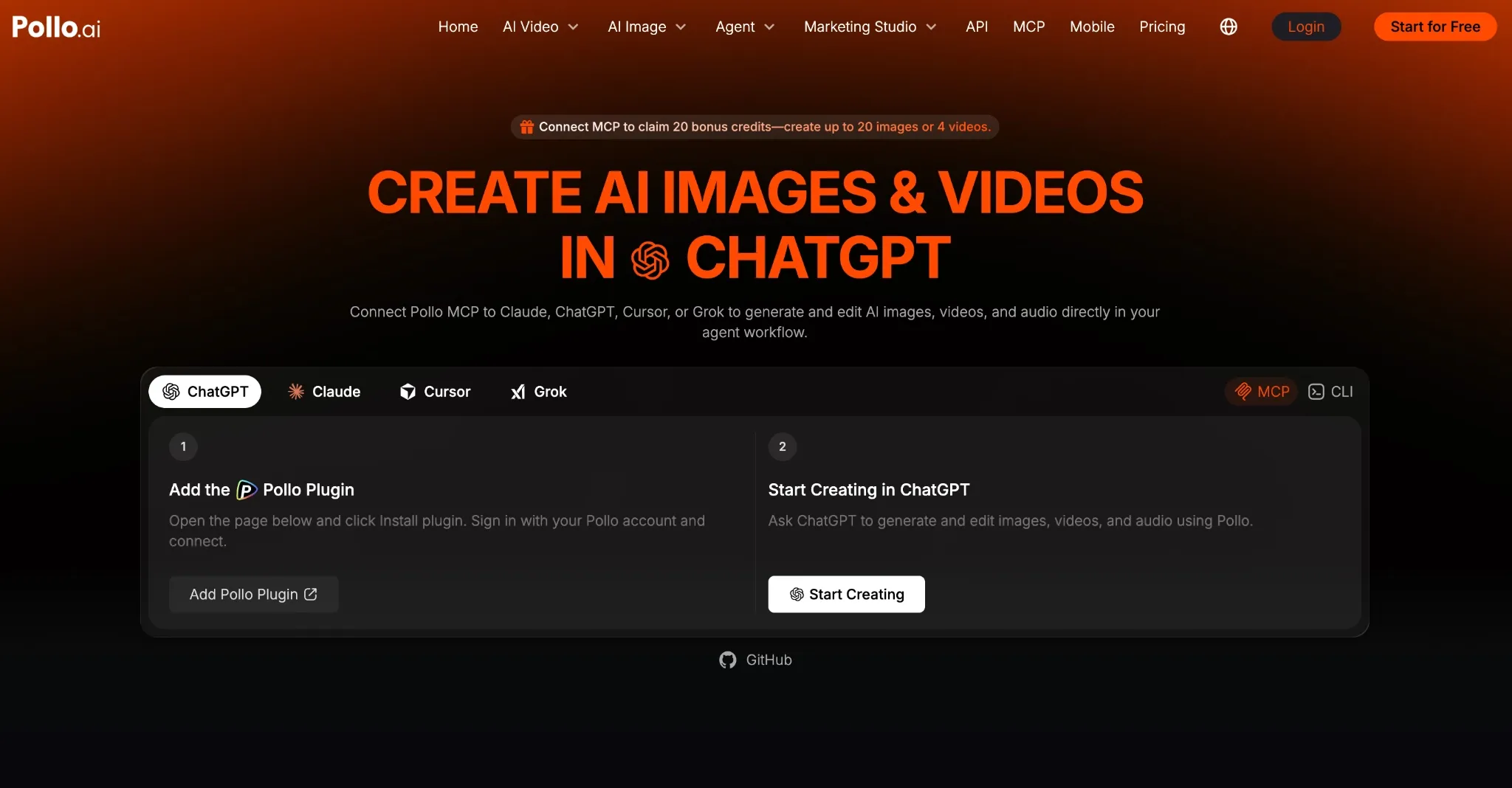
I’ve always found it handy that ChatGPT can turn any rough idea into a polished prompt. Instead of trying to vaguely describe character identity, location setup, outfit details, camera behavior, lighting, pacing, etc., I can simply let it handle the technical scene building in seconds.
In fact, I sometimes find it useful for basic storyboarding, be it rendering rough character sketches, unique environments, etc. But that’s about the full extent of what we can use it for, because generating actual footage means exiting ChatGPT and doing it elsewhere.
Luckily, Pollo MCP is the perfect solution to this. With one simple plugin, you can connect the two and give ChatGPT full access to Pollo AI’s native creative suite. This includes the dozens of leading AI video models it hosts, such as Seedance 2.5, Wan 3.0, MiniMax H3 Max, etc.
From that point, you can let ChatGPT manage all the production work. All you need to provide is a short line, and the LLM will convert it into a structured prompt, which will turn into a finished clip instantly, all within the same chat thread.
This is an excellent way to preserve context rather than constantly moving between chat tool and video generator, don’t you think? Plus, the whole process can be tedious and time-consuming, so it helps eliminate the need for manual intervention.
But what I think you’ll find most valuable is that you won’t need to weigh the strengths of different models anymore. You can rely on ChatGPT to automatically suggest the most suitable option based on style, duration, format, and even credit budget. Super useful, right?
Generate AI Videos with Pollo MCP
Go from rough ideas to scripts, prompts, and finished AI videos with Pollo AI, all in one ChatGPT conversation.
Generate AI Videos in Pollo MCP
How To Connect Pollo AI to ChatGPT with Pollo MCP?
If you’re worried that setting up this connection is technical or complex, relax. I’m happy to say that linking Pollo AI to ChatGPT will only take seconds, if not minutes.
Step 1: Open the Plugins Directory in ChatGPT
To get started, make sure you have a ChatGPT account and a Pollo AI account. First, sign in to ChatGPT, then click on this page and select Install the Pollo MCP plugin.
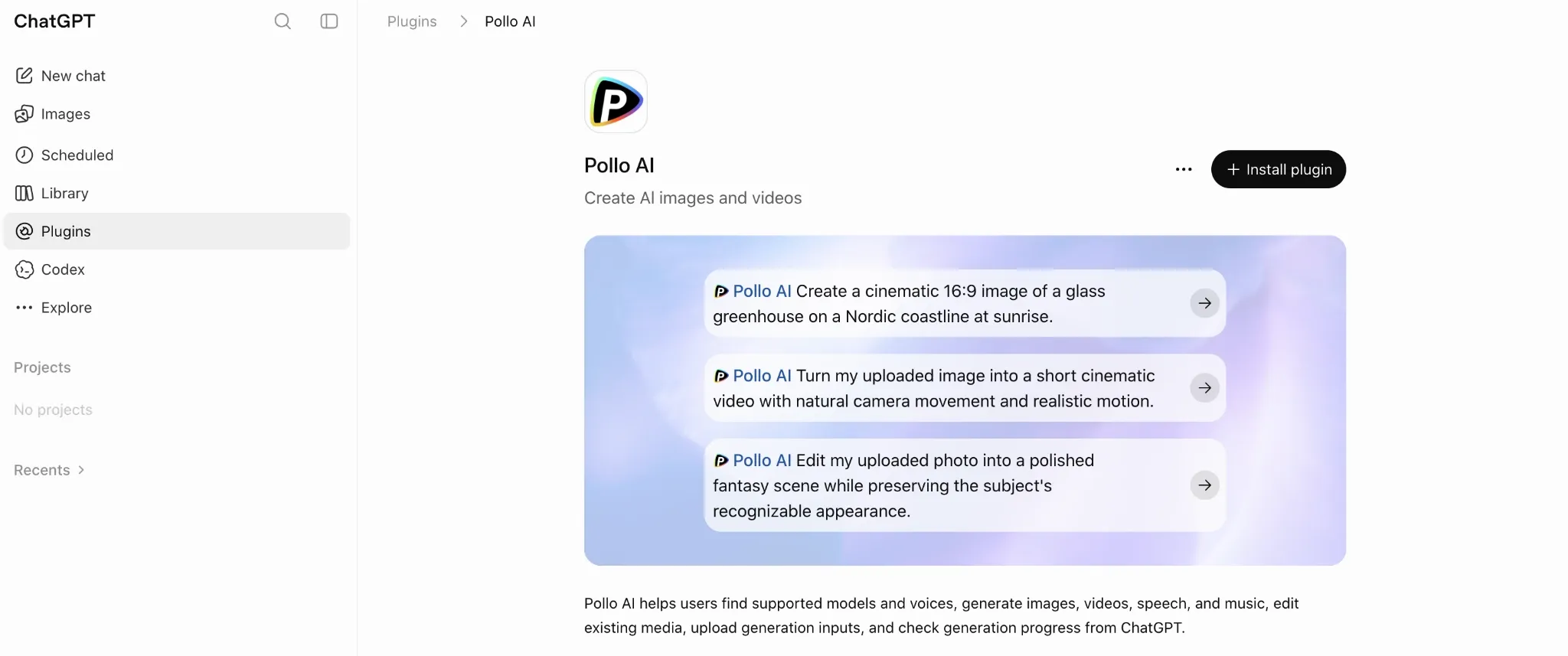
Step 2: Authorize Pollo AI Access
After that, you will be redirected to the Pollo AI login page. From there, you’ll need to sign in to your account and authorize access. This should only take you a few seconds.
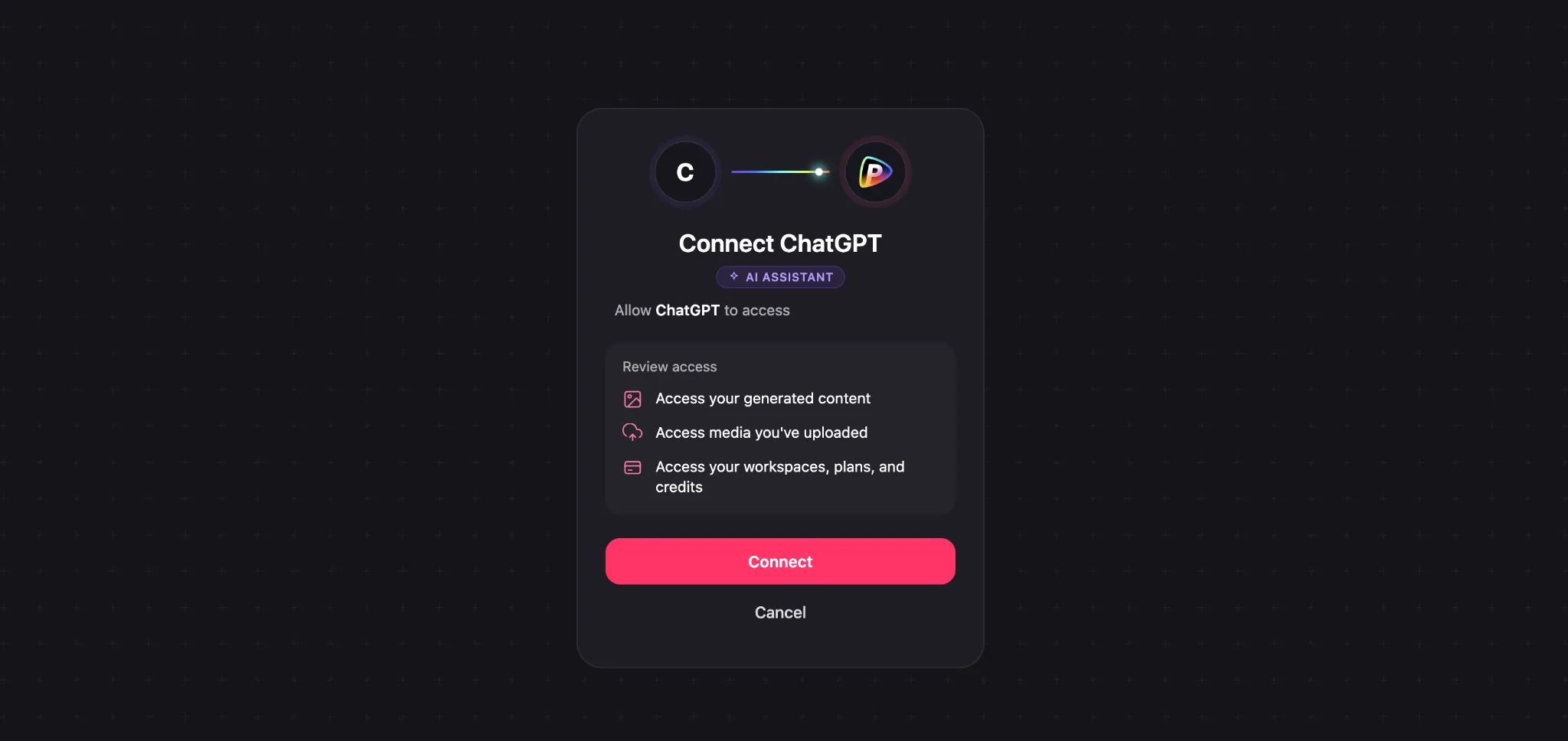
Step 3: Generate Videos in ChatGPT
Once that’s done, you’re all good to go! You’ll be free to initiate video requests, generate outputs, and even iterate them within your chats, all using casual, plain language.
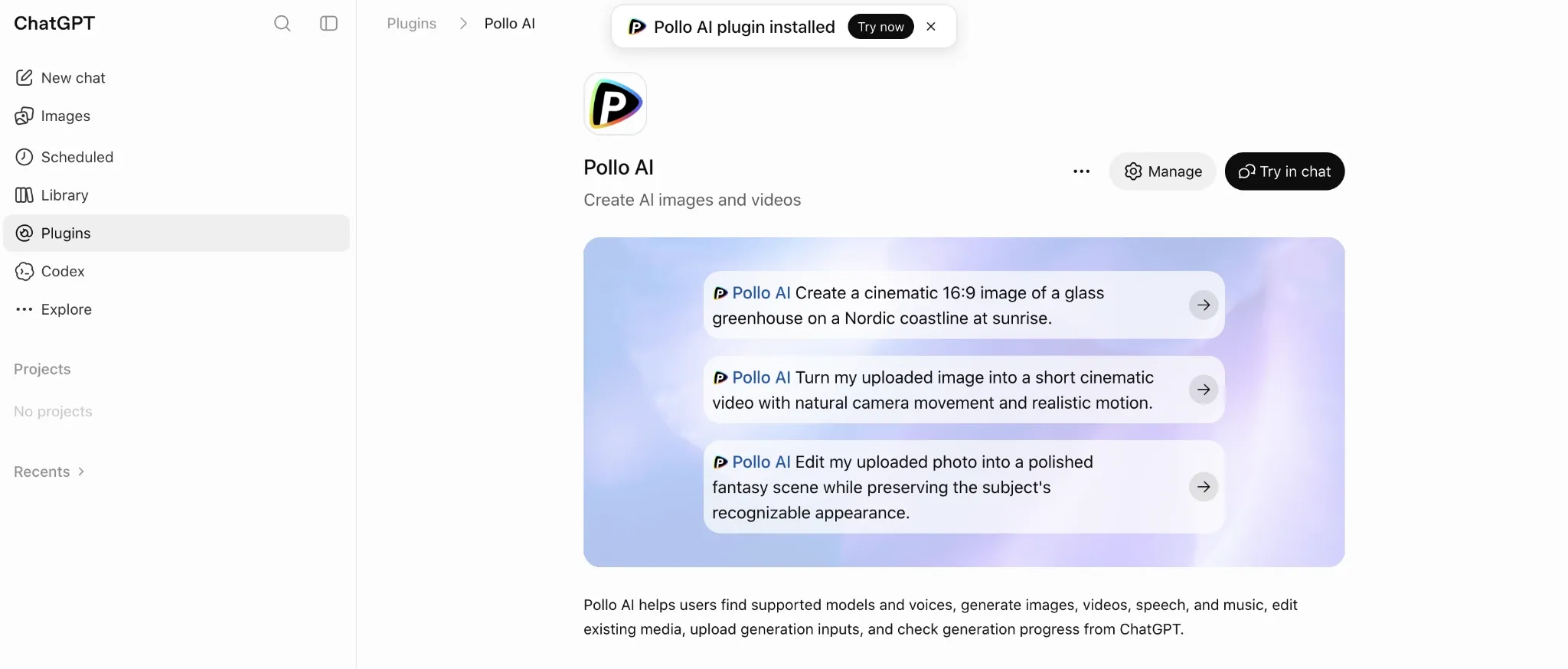
Just keep in mind that every video generation request you make will still consume Pollo AI credits. For an uninterrupted ChatGPT workflow, be sure to subscribe to a paid Pollo AI plan.
Using Pollo AI within ChatGPT: Case Example with Result
Once connected, Pollo MCP can give you a direct path from text-to-video within ChatGPT. In one long chat thread, you can cover the script, video, narration, and successive edits, with ChatGPT remembering all your past references, set brand rules, and previous creations.
In fact, here’s an example of a video I generated via ChatGPT using Pollo AI. As you can see, you can quickly go from raw idea to structured brief to final video in a flash:
| Ref Image | Initial Idea | Generated Prompt | Generated Video |
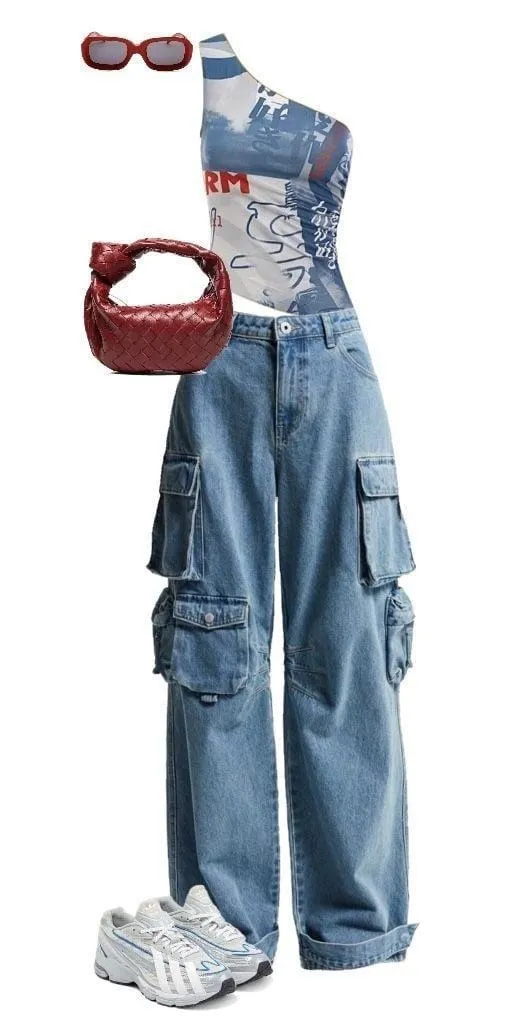 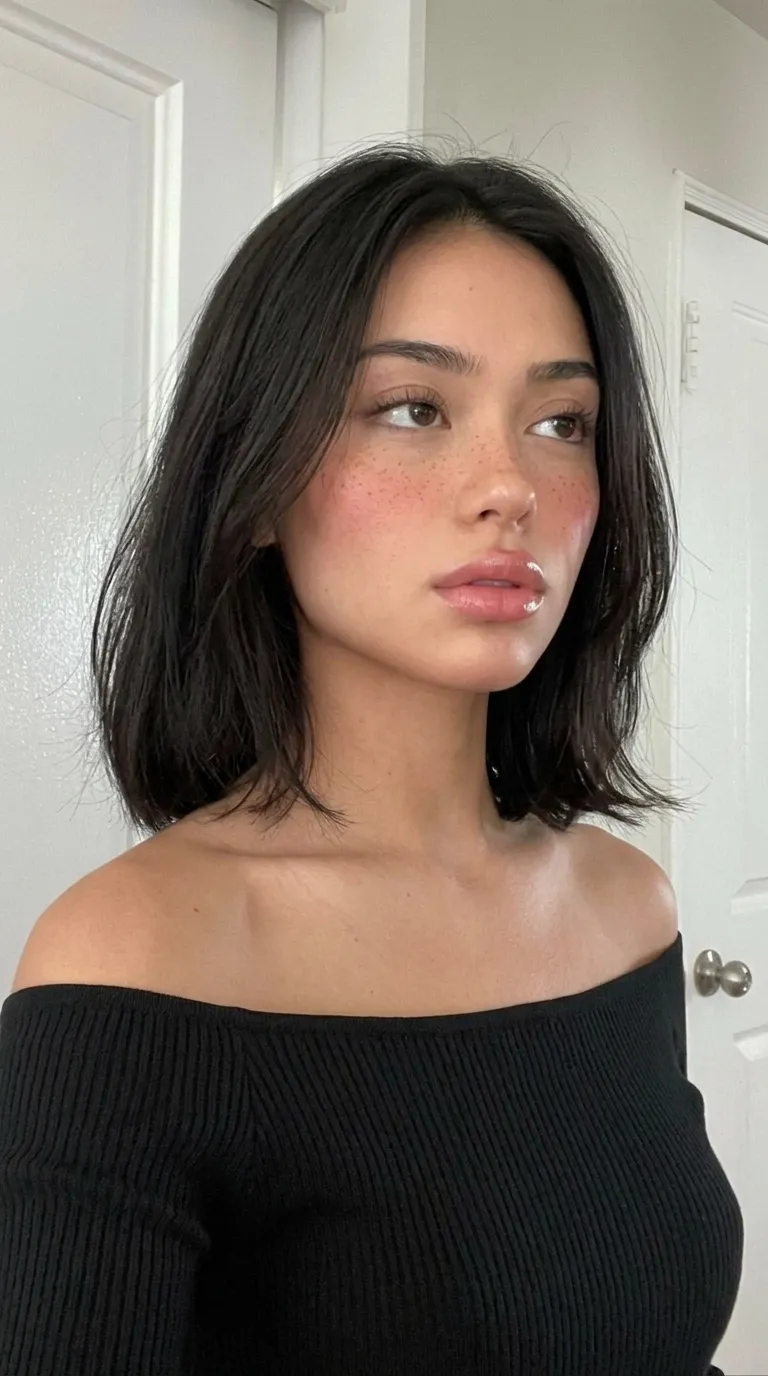 | Create an AI video prompt for a 15-second UGC-style fashion try-on video with short dialogue using these provided images. | 9:16, 24fps, 15s. Create a vertical 9:16 fashion try-on ad in a sunny modern bedroom. The freckled, dark-haired mixed-race girl holds a hanger displaying a blue-and-white asymmetrical top and blue cargo pants, excitedly saying, “Okay guys, I just got this top and have to try it on!” Jump cut to her wearing the outfit, showcasing the fit: “These cargo pants are insane!” She adds red retro sunglasses, a red woven handbag, and silver-white sneakers, posing to reveal the back cut and baggy silhouette. She approaches the camera, lowers her glasses, laughs, and says, “Obsessed with this vibe!” Upbeat urban music. No text, logos, subtitles, or watermarks. |
My favorite part of this setup is that I can keep working on my creations within the conversation thread, review results, and ask ChatGPT to refine them with simple follow-up instructions. In essence, I can make ChatGPT my creative coordinator with Pollo AI handling the production!
Connecting ChatGPT with Pollo AI: Other Practical Use Cases
All in all, I’m confident that this setup can work well to shorten the distance between an idea and a first draft for any creative professional. In fact, some key areas it can prove valuable include:
- Product Advertising: You can brainstorm hooks and test video concepts for specific product lines via separate chat for organized creative planning over an extended period.
- Informational Videos: It’s easier to summarize dense information and generate visuals with a consistent style/narrative flow since you can produce it all in one unified thread.
- Cinematic Concepts: Instead of copying prompts back and forth between separate apps, you can edit scripts, build storyboards, and render scenes in a single space.
- Brand Campaigns: Produce brand videos and explore multiple creative directions with all your logos, color schemes, templates, and other brand assets available in one thread.
Conclusion
Want to do more than just generate prompts, briefs, and scripts on ChatGPT? Using Pollo MCP, you can connect a path directly to Pollo AI and start enjoying text-to-video generation within your chats. All it takes is a few simple clicks to streamline your video production workflow today!