



Dress Up Game Fashion Claw VIDEO Breakdown (Prompts Included)
AI Generated Video
AI Generated VideoThis Dress Up Game Fashion Claw Part 1 video can be recreated quickly on Pollo AI. Follow the workflow below, use the provided references, and paste the prompts to rebuild the same viral AI video style.
Step 1
Open pollo.ai, select Image Generation, paste the image prompt below and click Generate. Set GPT Image 2 as the default image model. Adjust the aspect ratio according to your video needs; multiple sizes including 16:9 and 9:16 are supported.
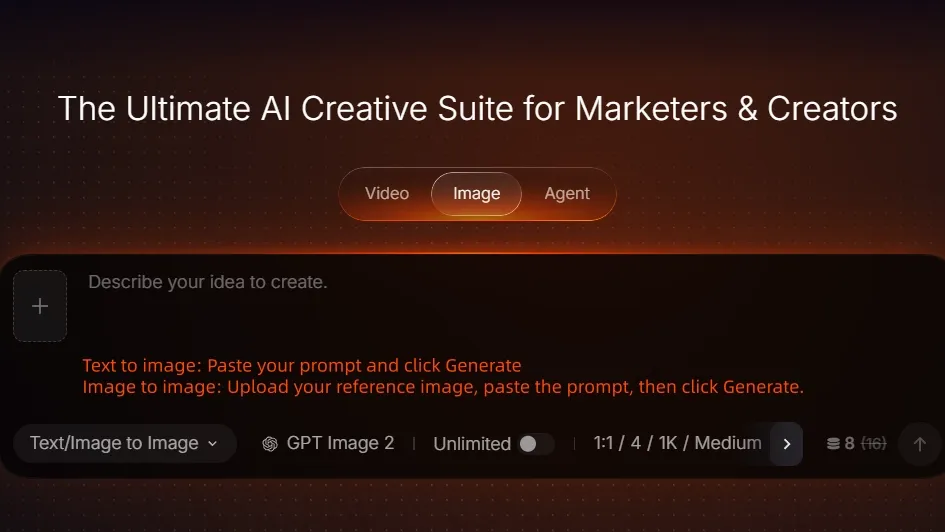
Image Generation Screen
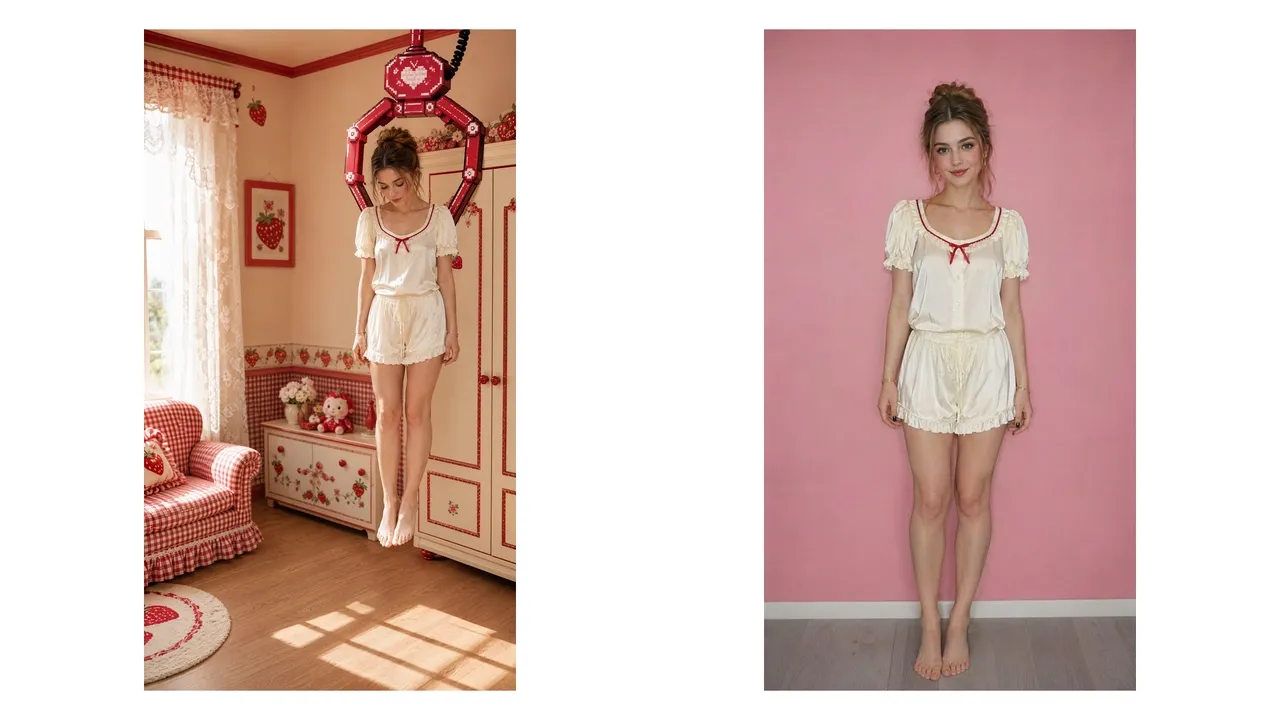
AI Generated Image
Image Prompt
Create a vertical 9:16 ultra-realistic live-action first-frame image for a cute “dress-up game” video. Fixed slightly high-angle full-body wide shot. Scene: a bright strawberry-themed Lolita dressing room with warm cream walls, cherry-red trim, a white lace curtain on the left, a red gingham armchair, an ivory wardrobe with red trim on the right, warm wooden floor, and soft natural sunlight casting a window-shadow pattern on the floor. The palette is cream, strawberry red and pale pink. Clean, cozy, sweet, bright, never dark. The main subject is a young woman with fair skin, a soft pretty face, hazel-green eyes, light natural makeup, and warm medium-brown hair styled in a loose romantic updo with a soft center part, volume at the crown, and a few loose face-framing strands. No bangs, no braids, no black hair. She wears cream satin sleepwear: a short-sleeve pajama blouse with softly puffed sleeves, ruffled sleeve hems, a low square neckline edged with narrow dark-red piping, a cream neckline ruffle, a tiny dark-red bow at the center chest, and small front buttons; matching cream satin ruffled shorts with a drawstring waist. She is barefoot. Important composition: this is the true opening moment of the video. The room is already visible, and the girl is NOT standing centered yet. A giant cherry-red pixel-art arcade claw is holding/carrying her from above the shoulders as both the claw and the girl enter together from the right side of the frame, moving toward the center. Position them slightly right of center, with part of the entry motion implied. The claw is made of glossy cherry-red pixel-style metal segments with burgundy outlines, cream highlights and cute heart-like details. The girl looks sleepy and limp: head lowered, eyes mostly closed, shoulders relaxed, arms hanging naturally at her sides, knees straight, feet close together. She appears as if she is being gently placed into the game world. Retro game overlay is minimal or absent at this first-frame stage; if any interface appears, keep it extremely subtle and not dominant. Focus on the environment, the claw, and the sleepy girl entering. Photorealistic skin, fabric and hair texture, stable anatomy, polished social-media aesthetic, cute and premium. No extra people, no dark mood, no camera movement blur, no centered standing pose, no final outfit, no headbow, no socks, no shoes.
Create Dress Up Game Fashion Claw Video on Pollo AI
Upload your fashion reference and prompt to generate a dress-up game fashion short with claw-machine styling.
Start Creating Free
Step 2
Once your image is ready, go to Video Generation. Upload your prepared image or pick assets from your Creations library. Select reference-to-video mode and paste your video prompt. You can also upload a video for motion reference.
Note: Add @your-image for image reference and @your-video for video reference inside the prompt. Pick any of these models: Seedance 2.5, Seedance 2.0, MiniMax H3 or Wan 3.0. Click Generate after confirming all settings.
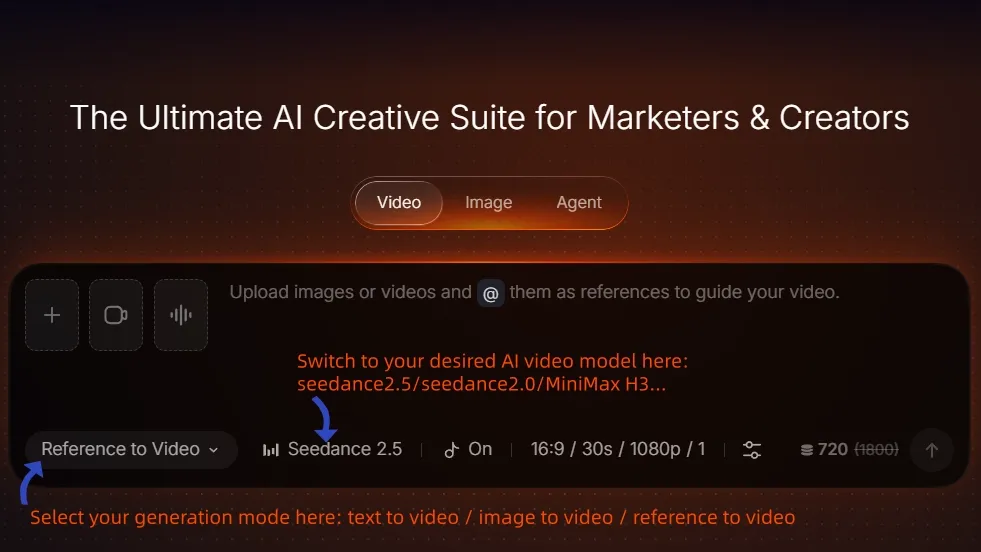
Video Generation Screen
Video Prompt
Create a 15-second vertical 9:16 ultra-realistic live-action “dress-up game” video. Use the uploaded REFERENCE VIDEO as the absolute master for camera, room layout, claw movement, UI layout, EXACT inventory icon content/order, transformation timing, editing rhythm and ending performance. Use the uploaded GIRL IMAGE only for the new protagonist’s identity and INITIAL sleepwear. Preserve her exact face, fair skin, hazel-green eyes, soft makeup, natural body proportions and warm medium-brown loose updo with center part, crown volume and loose face-framing strands. No black hair, no bangs, no braids. She remains the same brunette girl throughout.
INITIAL OUTFIT: match the uploaded girl image exactly: cream satin short-sleeve pajama blouse with puffed sleeves, ruffled hems, square neckline with thin dark-red piping, cream neckline ruffle, tiny dark-red chest bow and small front buttons; matching cream satin ruffled shorts with drawstring waist; barefoot.
SCENE/CAMERA: reproduce the bright strawberry-themed Lolita dressing room from the reference video: warm cream walls, cherry-red trim, white lace curtain left, red gingham armchair, ivory wardrobe with red trim, warm wooden floor and natural sunlight. Fixed slightly high-angle full-body vertical wide shot. No camera movement.
0.0-2.8s: Match the reference opening. The room is visible first with the center mostly empty. A giant cherry-red pixel-art arcade claw and the sleepy brunette girl enter together from the RIGHT side, moving horizontally toward center. The claw holds her around the shoulders. She looks sleepy: head lowered, eyes mostly closed, arms hanging naturally, feet together. Once centered, the claw releases her with a few red hearts and retracts upward.
2.8-5.8s: She slowly raises her head, yawns, rubs both eyes, then stretches both arms overhead in one continuous natural action. A cream progress bar with a cherry-red pixel border appears near the bottom and rapidly fills left-to-right.
5.5-12.1s: Reproduce the REFERENCE VIDEO UI as closely as possible. Show “DRESS UP” upper left, three red hearts, one red close button upper right, and EXACTLY FIVE square inventory slots stacked vertically along the left edge. The inventory must be treated as one locked five-item panel copied from the reference video, not as independently generated clothing suggestions.
CRITICAL UI RULE: there are ONLY FIVE slots. No sixth slot. No duplicates. No repeated dress icon. No repeated cardigan icon. No shuffled order. The five icons are fixed before dressing begins and NEVER change. Do not generate a new icon based on what she is currently wearing. Do not copy the same garment into multiple slots.
The ONLY allowed top-to-bottom inventory is:
SLOT 1 = WHITE BLOUSE: one ivory-white Lolita blouse icon.
SLOT 2 = STRAWBERRY DRESS: one cream strawberry-print suspender Lolita dress icon with red bow and full bell skirt.
SLOT 3 = RED CARDIGAN: one cherry-red cropped knitted cardigan icon.
SLOT 4 = SOCKS + SHOES: one combined icon showing white ruffled socks and red Mary Jane shoes.
SLOT 5 = HEADBOW: one cream-white and strawberry-red lace headbow icon.
These five slot categories are UNIQUE and mutually exclusive. Slot 1 can never show a cardigan or dress. Slot 2 can never show a blouse or cardigan. Slot 3 can never show a blouse or dress. Slot 4 can never show clothing other than socks+shoes. Slot 5 can never show a dress or blouse. Keep the exact same five icons, same positions and same order for every frame after the UI appears.
MOST IMPORTANT ONE-TO-ONE BINDING: the selected left-side slot and the garment appearing on the girl MUST always match. The UI icon is the miniature preview of the exact same garment that appears on her body. Never generate the UI and worn outfit as two separate designs.
6.4-7.5s- SELECT SLOT 1. Highlight ONLY slot 1. Her pajama top instantly becomes the exact white blouse represented by slot 1. Pajama shorts remain. At every frame where she is wearing the white blouse + pajama shorts, SLOT 1 must visibly remain the selected/highlighted item. Do not highlight slot 2, 3, 4 or 5.
7.5-8.6s- SELECT SLOT 2. Highlight ONLY slot 2. Pajama shorts disappear and the exact strawberry suspender dress represented by slot 2 appears over the blouse. Slot 1 blouse remains underneath.
8.6-9.8s- SELECT SLOT 3. Highlight ONLY slot 3. The exact cherry-red cardigan represented by slot 3 appears over the blouse and dress.
9.8-10.9s- SELECT SLOT 4. Highlight ONLY slot 4. The exact white ruffled socks and red Mary Jane shoes represented by slot 4 appear together.
10.9-12.1s- SELECT SLOT 5. Highlight ONLY slot 5. The exact cream-and-red lace headbow represented by slot 5 appears on top of her existing brown updo. Do not recolor or replace her hair.
Every transformation is one crisp instantaneous hard swap with a tiny red-heart/cream-sparkle burst and menu click. No dissolve, crossfade, transparent clothing, fabric growth or body morph. Previously equipped pieces remain unchanged. The girl stays in the same floor position.
12.1-15.0s: She wears the full cumulative outfit from slots 1-5. Large red-and-cream pixel text “COMPLETE!” appears with hearts and strawberries. She smiles, makes one small joyful bounce, lightly lifts both sides of the bell skirt, then finishes with a cute V-sign near her face and slight head tilt.
STRICT NEGATIVES: no six-slot inventory, no duplicate icons, no duplicate strawberry dresses, no two cardigan icons, no wrong slot order, no icon changing mid-video, no mismatch between highlighted slot and worn garment, no independent redesign of UI thumbnails, no missing headbow slot, no face drift, no hair change, no extra people, no camera movement, no malformed hands/feet, no dark lighting. Audio: playful retro-game music, claw-machine sounds, menu clicks and sparkle chimes, no dialogue.
Final Summary
Create a polished dress up game fashion claw part 1 sequence from a generated or referenced image. Keep the reference look, camera movement, visual style, audio direction, and continuity rules consistent.
Want to bring your Dress Up Game Fashion Claw Part 1 video to life in minutes? Upload your references, paste the prompt, and create your own cinematic AI video with Pollo AI.