



Digital Circus VIDEO Breakdown (Prompts Included)
This Digital Circus video is simple to recreate with Pollo AI. Follow the workflow below, upload the prepared visual assets, and use the exact prompts to rebuild the same AI video effect quickly.
Step 1
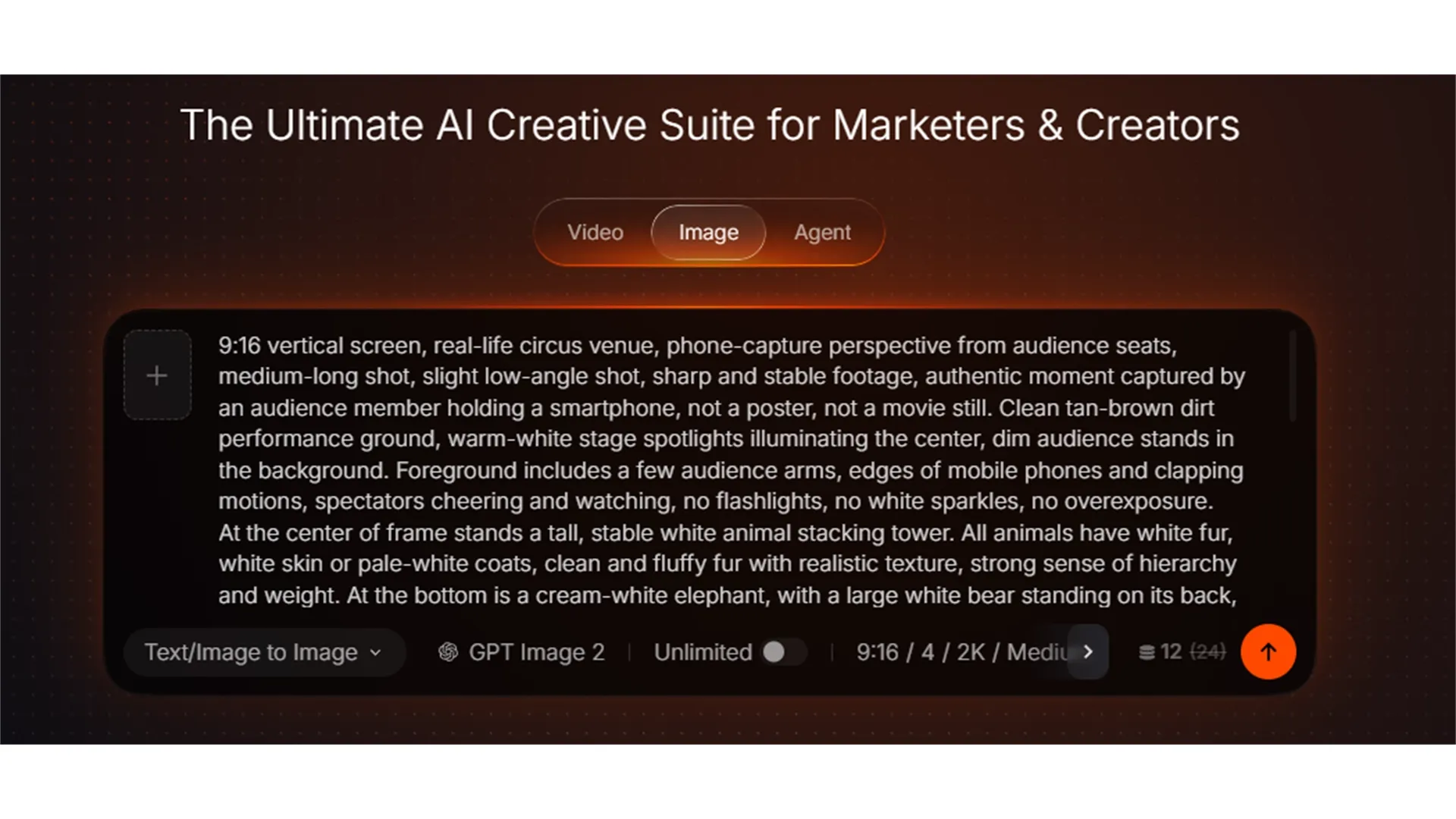
Open pollo.ai, select Image Generation, paste the image prompt below and click Generate. Set GPT Image 2 as the default image model. Adjust the aspect ratio according to your video needs; multiple sizes including 16:9 and 9:16 are supported.
Screenshot example
Stop Switching Tools. Start Creating.
Join 10M+ creators using Pollo AI to generate scroll-stopping videos and images — all in one place, with every top model.
Start Creating Free
Image Prompt
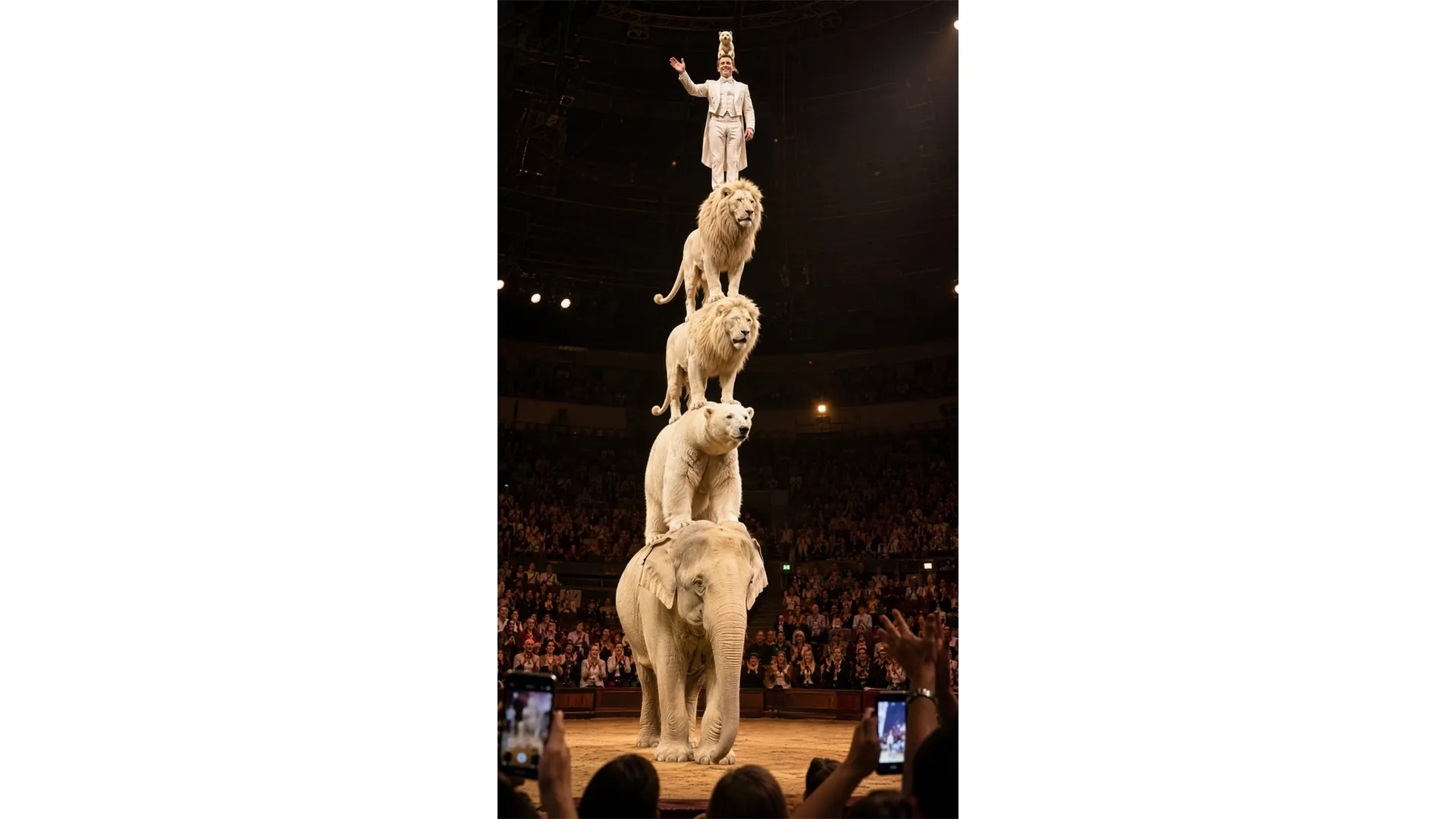
9:16 vertical screen, real‑life circus venue, phone‑capture perspective from audience seats, medium‑long shot, slight low‑angle shot, sharp and stable footage, authentic moment captured by an audience member holding a smartphone, not a poster, not a movie still. Clean tan‑brown dirt performance ground, warm‑white stage spotlights illuminating the center, dim audience stands in the background. Foreground includes a few audience arms, edges of mobile phones and clapping motions, spectators cheering and watching, no flashlights, no white sparkles, no overexposure.
At the center of frame stands a tall, stable white animal stacking tower. All animals have white fur, white skin or pale‑white coats, clean and fluffy fur with realistic texture, strong sense of hierarchy and weight. At the bottom is a cream‑white elephant, with a large white bear standing on its back, above the bear stands a white male lion, and another white male lion stands on top of that, forming a realistic high‑difficulty balancing circus stacking tower.
At the very top stands a Caucasian European‑American magician in pure‑white suit, white dress shirt and white waistcoat, steady posture with feet firmly planted, greeting the audience gracefully. A small white mink stands steadily on top of the magician’s head, fluffy realistic fur, does not block the magician’s face, acting as the final balancing point atop the tower.
Slightly off‑to‑the‑side below the animal tower is another white mink, leaning forward with raised front paws, climbing upward along the animal tower, creating upward dynamic motion as if climbing from bottom to peak. Overall realistic, humorous, thrilling, strong on‑site atmosphere. Subtle highlights and shadows on white fur under spotlights, clear movement relations, distinct layering.
Negative Prompt
Asian faces, black hair, black clothes, camera flash, white light spots, phone flashlight, overexposed audience, animal merging, wrong animal count, collapsed stacking tower, distorted structure, magician not in white suit, magician in wrong position, missing white mink, oversized white mink, mink covering face, discolored animals, grey animals, cartoon style, plastic texture, over‑smoothed skin, motion blur, close‑up, cut shot, subtitles, watermark, logo, poster aesthetic, movie‑still aesthetic
Step 2
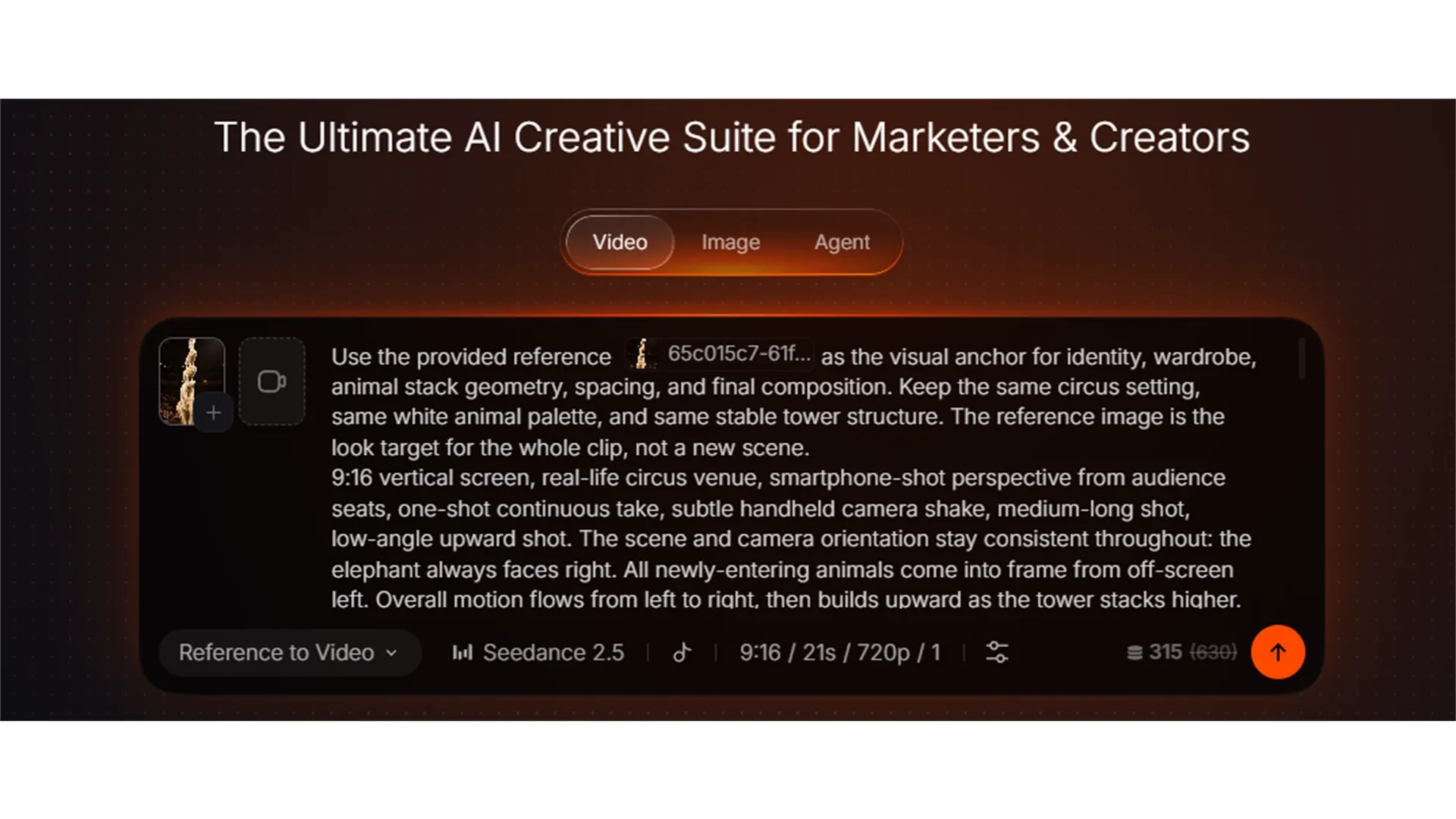
Once your image is ready, move on to video generation. Select Video Generation, upload your finished image or pick it from your creations library as source material. Choose either text to video or reference to video mode, then paste the provided prompt below.
Note: For reference to video mode, you must @ your reference image inside the prompt. You may pick any of these models:Seedance 2.5, Seedance 2.0, Minimax H3, or Wan 3.0. All work well.
Screenshot example
Video Prompt
Use the provided reference @image1 as the visual anchor for identity, wardrobe, animal stack geometry, spacing, and final composition. Keep the same circus setting, same white animal palette, and same stable tower structure. The reference image is the look target for the whole clip, not a new scene.
9:16 vertical screen, real‑life circus venue, smartphone‑shot perspective from audience seats, one‑shot continuous take, subtle handheld camera shake, medium‑long shot, low‑angle upward shot. The scene and camera orientation stay consistent throughout: the elephant always faces right. All newly‑entering animals come into frame from off‑screen left. Overall motion flows from left to right, then builds upward as the tower stacks higher. Warm‑white stage spotlights illuminate the center, dim audience stands in the background. Foreground shows a few audience members’ arms, edges of mobile phones, clapping and waving motions, spectators cheering and watching continuously. No flashlights, no white light spots, no overexposure, no harsh glares. No background music; only diegetic live‑scene audio: audience applause, cheers, gasps, animal footsteps, fur rustling sounds, and venue ambient noise.
0‑1s: The frame steadily shows a cream‑white elephant standing facing right. Beside it stands a Caucasian European‑American magician wearing a pure‑white suit, white dress shirt and white waistcoat, gentleman‑like expression, facing the audience. Front‑row audience clap, hold up phones, lean forward to watch, lively atmosphere.
1‑5s: A white polar bear runs quickly into the frame from off‑screen left, leaps and lands onto the elephant’s back. Clean, sharp movements with realistic weight. Camera tilts slightly upward, keeping both elephant and bear within the medium‑long shot.
5‑9s: Two white male lions charge in sequentially from off‑screen left. Each takes a short running start then leaps swiftly onto the back of the animal layer below, building the tiered circus stacking tower higher. The first lion lands on the polar bear’s back; the second lion lands on the first lion’s back. Stable structure, fluffy realistic fur, the tower grows taller. Foreground audience become more excited, clapping, waving, standing to watch, without obscuring main subjects.
9‑14s: The magician walks in front of the elephant, plants one foot firmly on the tip of the elephant’s trunk. The elephant sharply lifts its trunk and thrusts upward, launching the magician into the air. Invisible wire rigging aids the movement and must not be visible. The magician completes two fluid, realistic, clean backward somersaults in mid‑air with clear landing trajectory. Camera pans slightly upward, keeping him and the animal tower centered in frame at all times.
14‑17s: The magician lands firmly on the back of the topmost white male lion, feet planted solidly, body dips slightly then regains balance. Louder cheers and gasps erupt from the audience. Foreground phones show more noticeable minor shaking, no camera cuts.
17‑23s: A white mink dashes into frame from off‑screen left, rapidly climbs upward across the elephant’s back, polar bear’s back, and the two white lions’ backs. It then climbs onto the magician and leaps to land steadily on top of the magician’s head. Fluffy mink fur, light‑weight yet grounded realistic climbing motions, no floating, no teleportation.
23‑26s: Final stable composition holds for closing shot: cream‑white elephant at the bottom, polar bear and two white lions stacked tier‑by‑tier upward, white‑suited magician standing on the top lion’s back, white mink perched steadily on the magician’s head. Foreground audience keep cheering. Maintain medium‑long shot and authentic audience‑phone‑capture aesthetic. The last 2 seconds perfectly match the reference end‑frame image, clip ends on a stable frame.
Negative Prompt
Asian faces, dark‑skinned faces, camera flash, white light spots, phone flashlight, overexposure, harsh bright glares, camera cuts, close‑ups, violent camera shake, reversed entry direction, animals entering from right side, chaotic movement directions, animals appearing from wrong side, animal merging, incorrect animal count, discolored polar bear, discolored white lions, magician not in white suit, magician in wrong position, unnatural trunk‑launch motion, visible rigging wires, failed aerial somersaults, wrong landing position, mink appearing too early, missing mink, oversized mink, mink covering face, collapsed animal tower, distorted structure, cartoon texture, plastic texture, movie‑poster aesthetic, subtitles, watermarks, logos.
Final Summary
The essence of this prompt set lies inusing a single reference image to anchor the entire video’s visual DNA — all animal species, costumes, positioning, lighting, and color palettes are fixed in the image prompt, while the video prompt unfolds a 26‑second continuous long‑take narrative atop that foundation. The action progresses from an elephant standing right, a polar bear leaping onto its back, two white lions stacking upward, to the magician being launched by the elephant’s trunk into two fluid backward somersaults, and finally a white mink climbing all the way to the top of the magician’s head — every movement follows a clear “enter from left, move right, then build upward” physical logic. Combined with realistic handheld camera feel, live on‑site ambient audio, and genuine audience reactions, the result completely avoids CGI gloss or movie‑poster stylization. The negative prompt precisely rules out common AI pitfalls such as skin‑tone mismatches, flash glare, overexposure, structural collapse, and cartoonish textures. If you want to turn this breathtaking circus moment into a repeatable vertical short video, simply upload your character and scene reference images to any AI video tool that supports long prompts (e.g., Pollo AI), paste the video prompt above, and generate your own unique “white stacking tower” spectacle in minutes.
Want to recreate this look in minutes? Upload your references, paste the prompt, and generate your own viral video with Pollo AI.