



How to Design Stunning Miniature Buildings Using AI
Miniature buildings carry an artistic "tilt-shift" aesthetic that instantly catches the eye on social media feeds.
For designers and artists, these tiny structures provide a way to experiment with architectural styles, lighting, and materials in a controlled, creative environment.
The miniature building video maker on Pollo AI is designed to help you generate these high-detail models using only text descriptions.
This guide will show you how to turn your structural ideas into professional, miniature-scale visuals that stand out.
Visualizing Scale with the Pollo AI Miniature Tool
Pollo AI miniature building video maker is a specialized engine that focuses on architectural precision and model-like textures.
By describing a building style—such as a modern glass skyscraper or a rustic wooden cottage—the AI generates a video that emphasizes the "model kit" feel, complete with realistic shadows and macro-photography lighting.
This tool is ideal for creators who want to build a specific aesthetic for their channel or for those looking for a way to visualize architectural concepts without building physical prototypes.
How to Design Miniature Buildings on Pollo AI?
Step 1: Describe Your Architectural Subject
To begin, type the name of the building you want to create, or you can describe the look and style of the building with simple words.
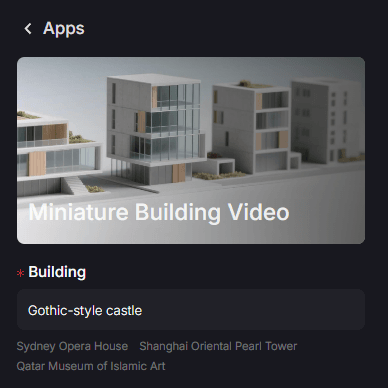
Step 2: Set the Ratio and Other Settings
Select the aspect ratio that fits your platform.
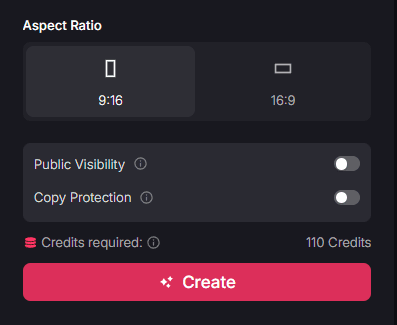
The 9:16 vertical ratio is perfect for showing off fine details on mobile platforms like TikTok, while 16:9 works best for widescreen portfolio displays.
Step 3: Create and Download
Click "Create" to generate. Once the process is finished, you can download your high-definition model video and share it with your community.
Target Users: Who Benefits from Miniature Visuals?
The ability to generate professional-grade miniature architecture is a valuable asset for several creative niches.
- Architects and Designers: Rapidly visualize different building styles and materials to see how they interact with light and shadow before moving to more complex 3D software.
- Photography Enthusiasts: Use the tool to create a "tilt-shift" aesthetic for your video feed, providing a unique visual style that is different from standard landscape content.
- Hobbyists and Model Makers: Get inspiration for your physical builds by seeing how different colors and textures look on a finished model.
- Social Media Creators: Build a themed account around "Tiny Architecture" or "Small Worlds" to attract followers who appreciate high-detail, satisfying visuals.
Summary: Precision Design Without Physical Constraints
The miniature building video maker provides a streamlined way to turn large-scale architectural dreams into beautifully detailed, small-scale visual assets. It allows you to explore design and lighting with professional precision, making the art of model-making accessible to anyone with a creative vision.
If you enjoy miniature landscapes and themed videos, you should also try miniature world AI to create even more content-rich miniature world scene videos.
For more creative inspiration, explore the Pollo AI apps to see how our full suite of AI tools can help you build a professional brand today.