



How to Create AI Music Video for FREE (Full Tutorial)
High-quality music videos are the primary drivers of engagement on platforms like YouTube and TikTok. For independent artists, AI-generated visuals offer a revolutionary way to create cinematic music videos without a massive budget.
This technology on Pollo AI allows you to post more frequently and experiment with different aesthetics, which is the key to going viral and building a dedicated fan base.
Leveraging AI to visualize your music ensures your visual content is as professional and engaging as your audio. Let’s explore how you can use these tools to elevate your music brand.
What Does the AI Music Video Generator Do?
The AI music video generator is a creative tool on Pollo AI that translates musical themes and rhythms into vivid, moving imagery.
By analyzing the audio or lyrics, the AI produces high-quality video sequences that match the mood of the track, allowing for a seamless integration of sound and sight.
Some popular uses of the AI music video generator include:
- Official Lyric Videos: Replace static text with dynamic, thematic backgrounds that tell a visual story alongside your music.
- Social Media Promos: Generate 15-second "viral-ready" clips from your track to build hype for an upcoming release on Reels or TikTok.
- Long-form Music Visualizers: Create aesthetic, atmospheric loops for Lo-fi, chill, or ambient music channels on YouTube.
- Creative Content Marketing: Differentiate your music in a crowded market by using surreal, AI-generated art styles that grab attention.
How to Make an AI Music Video on Pollo AI?
Step 1: Upload Your Music Source
Visit the AI music video generator and provide your audio track by simply pasting a link. Then select your preferred aspect ratio — 9:16 or 16:9.
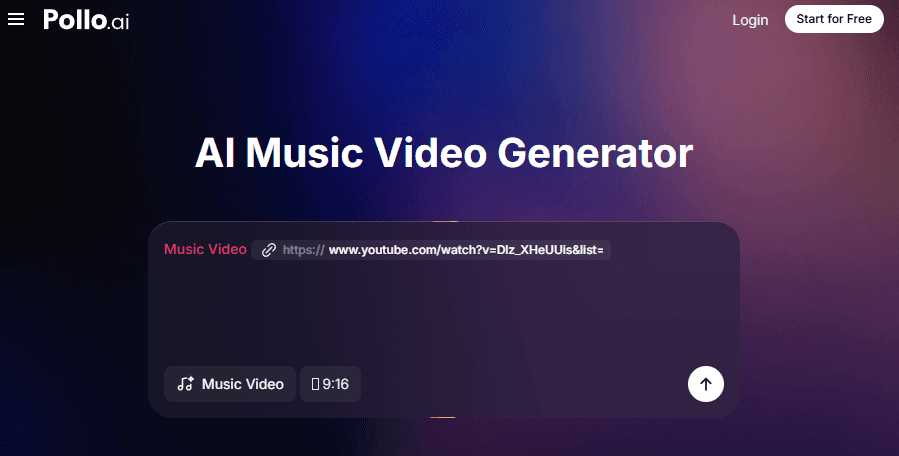
Step 2: Refine with a Custom Prompt
Chat with your AI creative producer, give the AI more direction. Enter your description of the environment or the "vibe" you want the video to reflect.
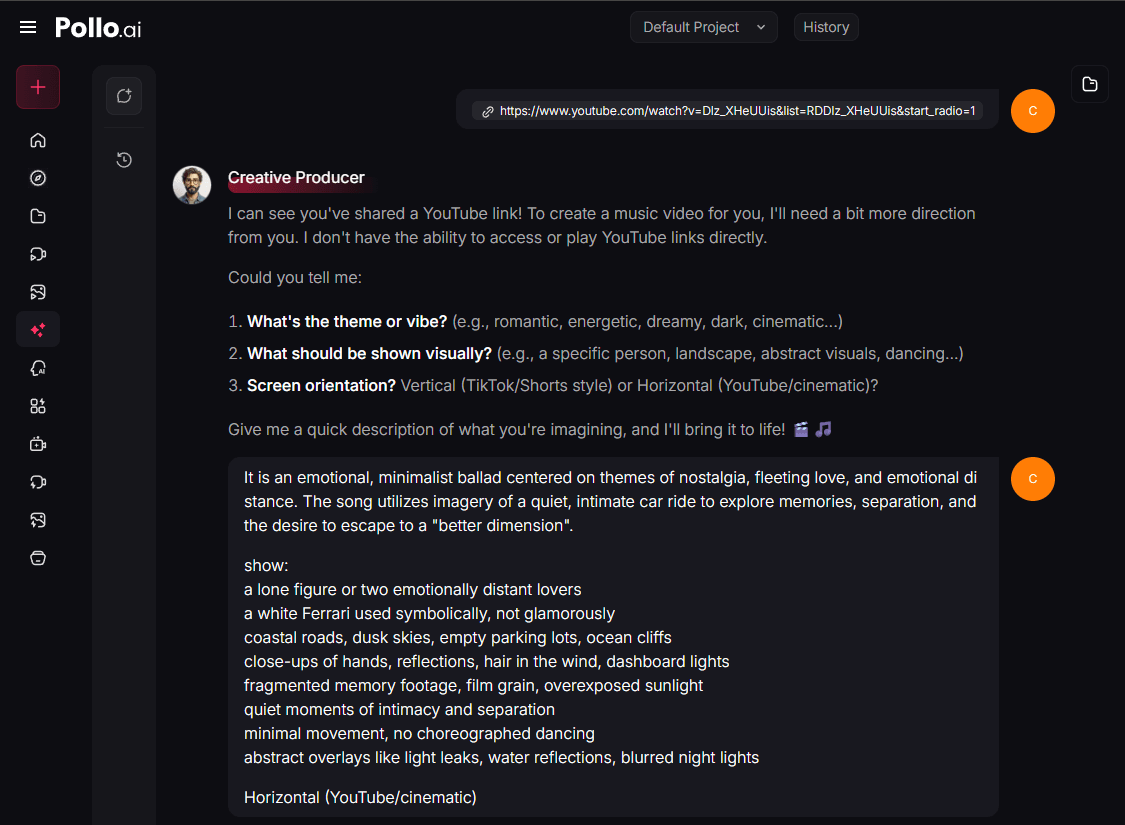
Step 3: Generate and Share
Click "Create" and watch the AI transform your music into a visual masterpiece.
Once the rendering is finished, download the video and share it across your social platforms to boost your engagement.
Key Features and Benefits of the AI Music Video Generator
The AI music video generator of Pollo AI makes it easy to create cinematic visuals from your audio files or links. Here’s what makes it stand out:
Automated Audio-Visual Sync
The tool intelligently analyzes your music to ensure the visuals flow with the rhythm. This automated process creates a professional-grade music video that feels cohesive and engaging without any manual editing.
Link and File Flexibility
Whether your music is already online or still a raw file on your computer, the generator supports both link and direct file inputs. This allows for a fast and flexible workflow regardless of where your music is hosted.
Diverse Artistic Presets
Choose from a vast library of artistic styles to match your unique sound. From hyper-realistic cinematography to stylized animation, you can experiment with unlimited looks to find the one that helps your content go viral.
High-Resolution Social Exports
Generate videos in crisp high definition that are optimized for modern social media formats. The output is ready for instant sharing on platforms like YouTube and TikTok, helping you grow your followers with professional-quality visuals.
Final Thoughts: Scaling Your Music Brand with Pollo AI
Visual storytelling is now an essential part of any music career. By using the AI music video generator, you can turn your songs into visual masterpieces that capture the world's attention and drive massive follower growth.
To take your content even further, Pollo AI offers specialized tools like the AI lyric video generator for perfectly synced text, and the AI singing video maker to create realistic vocal performances.
Additionally, tools such as the AI instrument playing video and AI narrative music video generators provide the perfect visual depth to keep your audience hooked across every platform.