



How to Get Higher CTR on YouTube: 6 Proven Tips for 2026
As a YouTube creator, you actively strive for that Silver/Gold play button, as you should! But even if your videos are next-level, you can’t hit that milestone if no one clicks on them.
You’ve got to convince people that your videos are worth their time, even before they watch a single frame. This is the art behind a good click-through rate (CTR) on YouTube.
However, the algorithm has become more nuanced in the content it recommends to audiences, so you need to place more care than ever into your video’s packaging for a good CTR.
Yet, many creators often fail to grasp how this YouTube metric works, its impact on growth, and how to take it up a notch. So, let’s look into all that and even explore how Pollo AI can aid you.
What Does YouTube Click-Through Rate Mean?
Your click-through rate (CTR) measures the percentage of people who saw your video thumbnail on their YouTube feed, searches, suggested lists, etc, and clicked on it.
Keep in mind that this metric doesn’t apply to clicks from external links. It’s only limited to your video's performance within the platform itself, so don’t forget that.
Now, why is your CTR so important? This comes down to how it is one of the main signals that YouTube uses to decide whether your video is worth pushing to more viewers.
If your video has a high CTR, this shows YouTube that it is enticing and relevant to current viewers. Then, the algorithm pushes it to a wider audience to test its appeal further.
But if not, then you need to redesign your video titles and thumbnails. Simply put, CTR tells you whether or not you are convincing people to watch or not.
How Do You Determine Your Click-Through Rate?
That’s easy. You can calculate it by simply dividing the number of thumbnail clicks/total impressions, then multiplying that by 100 for the percentage.
For example, if your uploaded video was seen 2000 times across people’s feeds and got 80 clicks, then your CTR is at 4%. That sounds low, right? Not at all.
In fact, this is actually considered to be average. For most creators, their CTR is around 4%-5%, with YouTube stating that 2%-10% is acceptable.
A lot of creators get confused with CTR because these benchmarks aren’t universal. They can vary significantly depending on your niche, content type, video age, and other factors.
So here’s a good rule of thumb for you: Always consider the number of impressions next to the CTR for a clear picture. Still confused? Then, let’s put it this way.
If your video was pushed to 500K users with a CTR of 4%, then you’re doing way better than a video with 10% CTR that’s only been seen by your subscribers.
Just don’t make the mistake of thinking that a good CTR guarantees you’ll be in the algorithm’s good graces. This is just one signal that YouTube looks at.
The algorithm will also factor in your video’s average view duration, audience retention, and watch time to determine if it actually satisfies viewers.
So, always put in extra effort to create quality video content that viewers will find valuable. You can even test out new visual concepts by using Pollo AI’s image-to-video tool.
Now that you know all about YouTube CTR, we can get into the heart of the subject. How do you boost your click-through rate to the next level? We’ve got a few solid ideas about that.
#1. Give Your Thumbnails a Proper Makeover
Your thumbnails will be the first thing that viewers see while browsing their YouTube feed, so you need to make a good first impression (pun intended).
Looking at the best-performing YouTube channels, you will notice that most of them use thumbnails that present clear faces and have short but impactful texts.
For example, @JonYoushaei follows this exact thumbnail structure, and it has helped build hype worth millions of views across his YouTube channel.
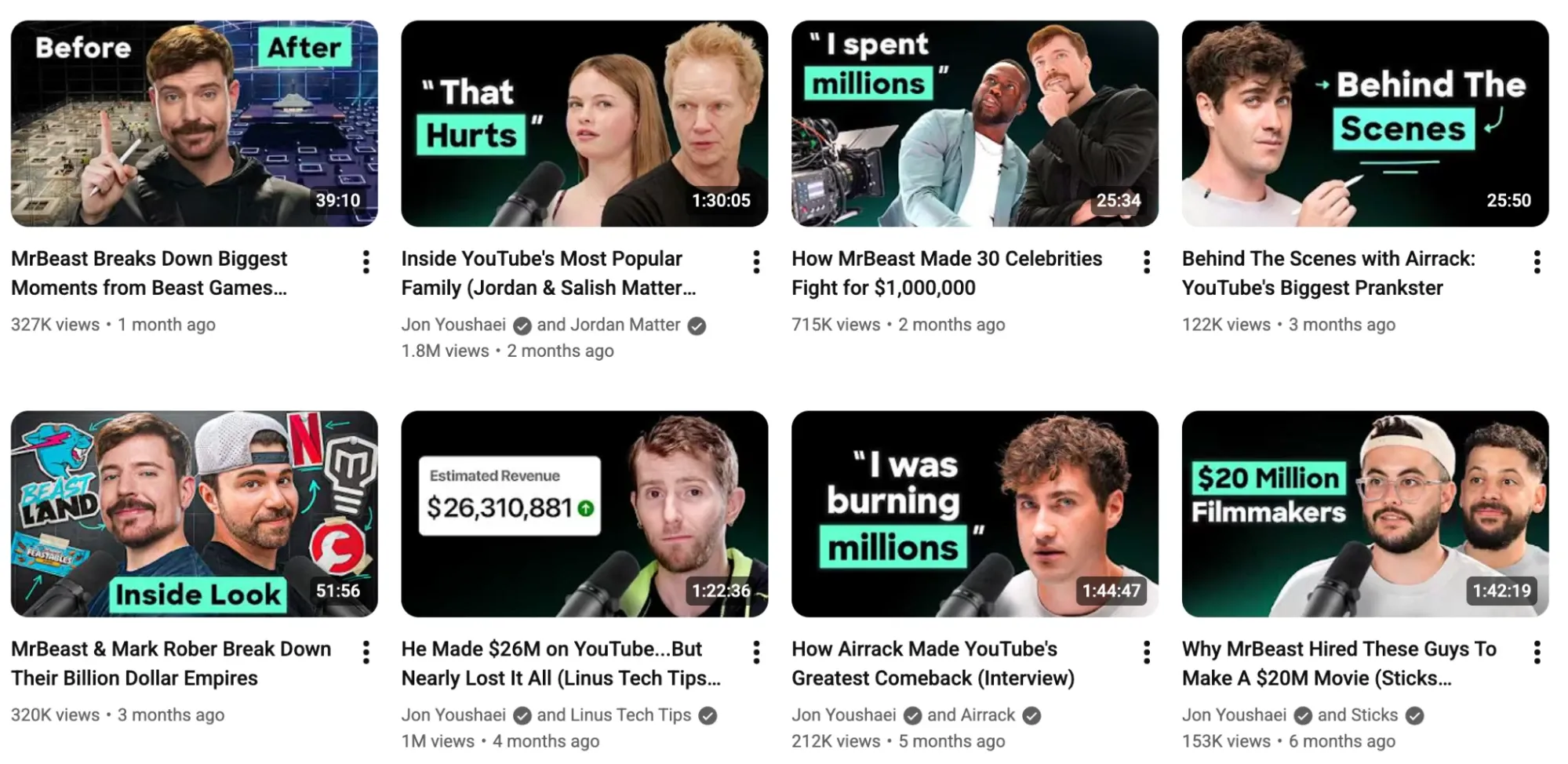
To nail the right thumbnail design, you should think bold but keep it simple. This means no dark or cluttered designs. You can use Pollo AI’s text-to-image generator to test out new ideas.
As for the texts, keep them short, no longer than 3-4 words. Focus on impactful quotes, sound bites or statements that can trigger curiosity or even heated debate.
#2. Create a Signature Thumbnail Style
If you look at all the top YouTube creators, they have a signature thumbnail style that audiences can instantly spot, should it land anywhere on their feed.
For example, @DiaryofaCEO uses black backgrounds with bold lettering in red blocks to emphasize the subject matter and an urgency for viewers to watch.
The key is to be consistent with one particular thumbnail style, so take some time to think about your font style, color choice, face placement, etc.
The right choice will impact viewer loyalty, and this compounds over time. So, try to settle on one that best suits your particular niche, content style, and YouTube channel.
And don’t be afraid to pivot if something isn’t working. You can A/B test your thumbnails via YouTube Studio to see what thumbnails resonate best with audiences.
#3. Use More Compelling Video Titles
As crucial as thumbnails are, they can’t give your video the context it needs to convince viewers to click. Even if the thumbnail looks great, you still need to convey value.
In a sense, your video title is like a personal salesman who helps seal the deal. For starters, you must implement keywords to optimize your video for YouTube SEO.
Without the right keywords, YouTube’s algorithm will struggle to understand what your video is about and the audience it should match it to.
Once you know what keywords to use, focus on crafting a title that sparks curiosity and stays relevant to the subject. A good example of a channel with enticing titles is @JayShettyPodcast.
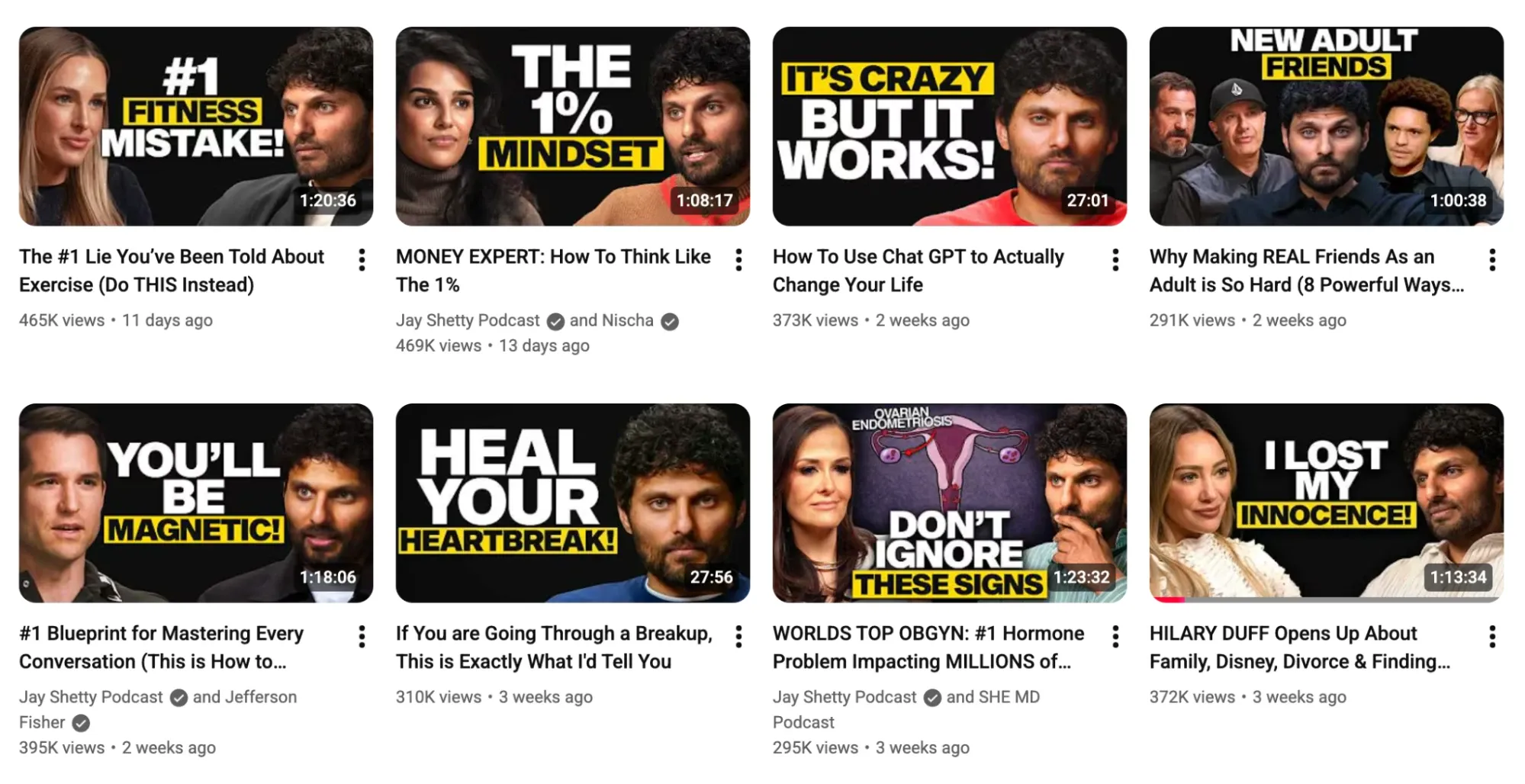
Just don’t clickbait because the algorithm will notice people dropping off. And if you want to retain viewers, try adding a compelling intro. You can use Pollo AI YouTube intro maker for this.
#4. Leverage Trigger Words on Video Titles
Ever scrolled through YouTube and come across videos with a dramatic title that uses trigger words like “Hack”, “Exposed”, “Cheat Code”, “Secret”, etc?
You’ll be surprised how effective some of these words can be at encouraging viewers to click. But the trick is not to overuse them or make them sound like clickbait.
You need to ensure that you use these words intentionally, so only put them in your titles if your video content will reveal truly valuable information.
Otherwise, people will feel tricked, and they will simply exit. If this happens, the algorithm will take that as a bad sign and stop recommending your videos to others.
So, if you plan on using such words, consider the content first. You can also explore what other similar channels have used in their most viral videos for ideas.
#5. Always SEO-Optimize Your Video Descriptions
Have you been optimizing your YouTube video descriptions? Not many creators truly consider how impactful placing the right keywords in their descriptions can be.
And while it’s true audiences won’t see it while browsing their feeds, they will see it in the search results page. To be specific, they will see the first two lines of the video description.
You need to use this small piece of ‘real estate’ to explain what value viewers will get by watching your video. But try to keep it short and to the point.
For example, “In this video, I will reveal 6 proven ways to take your YouTube click-through rate to the next level”. This covers the keywords and purpose of the video well enough.
Make sure those first two lines grab attention. After that, you can add timestamps and even include any extra information you want to highlight underneath.
#6. Create YouTube Playlists to Auto-Boost CTR
Creating video playlists is an underrated way to boost CTR. Think about it! When you watch a YouTube video and see another queued up on the same topic, 7/10 times you will click on it.
And this applies to almost everyone else on YouTube. It’s hard for viewers to resist clicking on a video that serves as a follow-up to Part 1, Part 2, Part 3, etc.
The key here is creating a binge-worthy video series/playlist around specific topics in your niche that viewers seem to be most interested in. You can see this in action with @ChrisHeria.
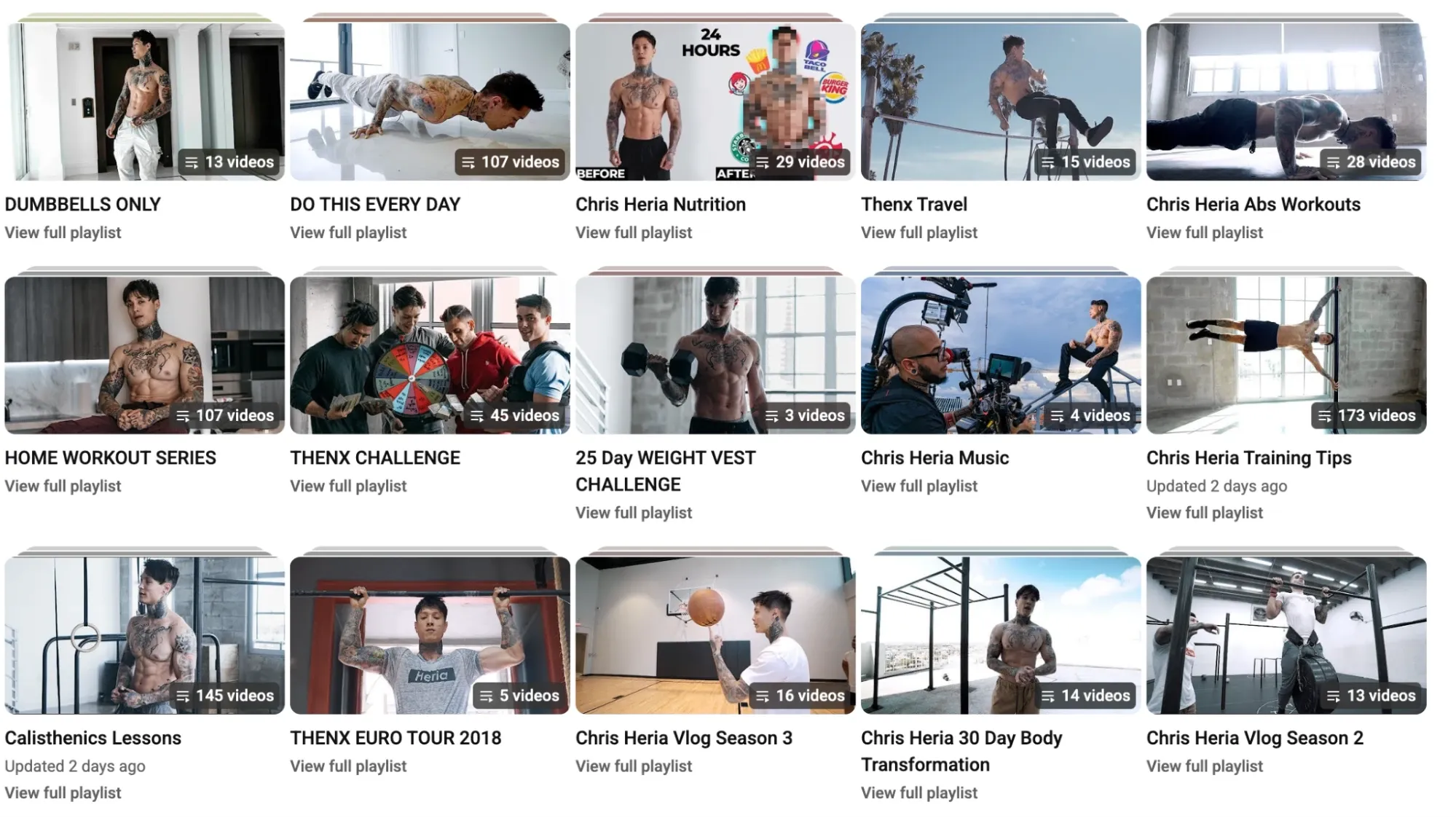
As more viewers click on the follow-up videos, the algorithm will take notice and push your content to more people. From there, the cycle repeats, leading to higher CTR.
Always start the playlist with your most popular video. But don’t make the mistake of grouping random videos. If the next video isn’t related, then viewers will simply leave.
Conclusion
To improve your click-through rate, you first need to ask yourself: Is my video packaging good enough? Most of the time, it is your video thumbnails and titles that need work.
Head to YouTube Studio and check your analytics to see what your CTR stats are. Use that as the baseline, then make changes to your channel using the various tips we’ve laid out.
After a month or so, check those stats again and repeat this process. Remember, you can also rely on Pollo AI to help speed up the creation of YouTube thumbnails, videos, intros, outros, etc.