



How To Make Cinematic AI Car Videos That Look Realistic
What if you could showcase cars without a film crew? Sounds impractical, but it can be done! From vintage cars to showroom vehicles to futuristic supercars, you can create cinematic clips of them on display or in motion. All it takes is a few clicks with the right AI car video generator.
In this step-by-step tutorial, we’ll give you a clear guide on how to use Pollo AI to start creating AI car videos that look just as impressive as any studio-shot footage. Ready to get started?
TL;DR
Pollo AI is the best tool for making cinematic AI car videos that look like real footage. Using this AI car video generator, you can upload images of the car, input a prompt describing the scene, and it will render a campaign-worthy clip in minutes, no manual editing needed. You can also explore other powerful features via Pollo Agent, Marketing Studio, Creative Studio, and more.
Best AI Car Video Concepts That Capture Buyer Attention
Creating automotive content with AI means you can showcase cars in so many different ways without any creative or financial restrictions. In fact, here are some popular ways to do so:
- Immersive Cinematic Journeys: Be more imaginative with your ad campaigns by creating AI car videos shot across unique environments and terrains; you can showcase what the vehicle can truly do on a journey through creative storytelling.
- Custom Feature Spotlights: Create personalized AI car videos on certain vehicle features; you can target specific customer segments that are hesitant to convert and may need an extra push to make a confident purchasing decision.
- Realistic Driving Simulations: Simulate a vehicle’s performance using AI car videos to explain complex controls, capabilities, and efficiency; give your customers the chance to see the vehicle’s strengths and limits practically.
- Vehicle Customization Videos: Use AI videos to explore how cars look in different colors, modifications, packages, etc, giving your customers a chance to compare the options available; they can choose one that best suits them, which guarantees satisfaction.
How To Create AI Car Videos with Pollo AI: Step-by-Step
Say goodbye to expensive and time-consuming shoots. With this AI car video generator, it only takes minutes to turn an idea into a cinematic car sequence, and this is how you can do it:
Open the AI Car Video Generator
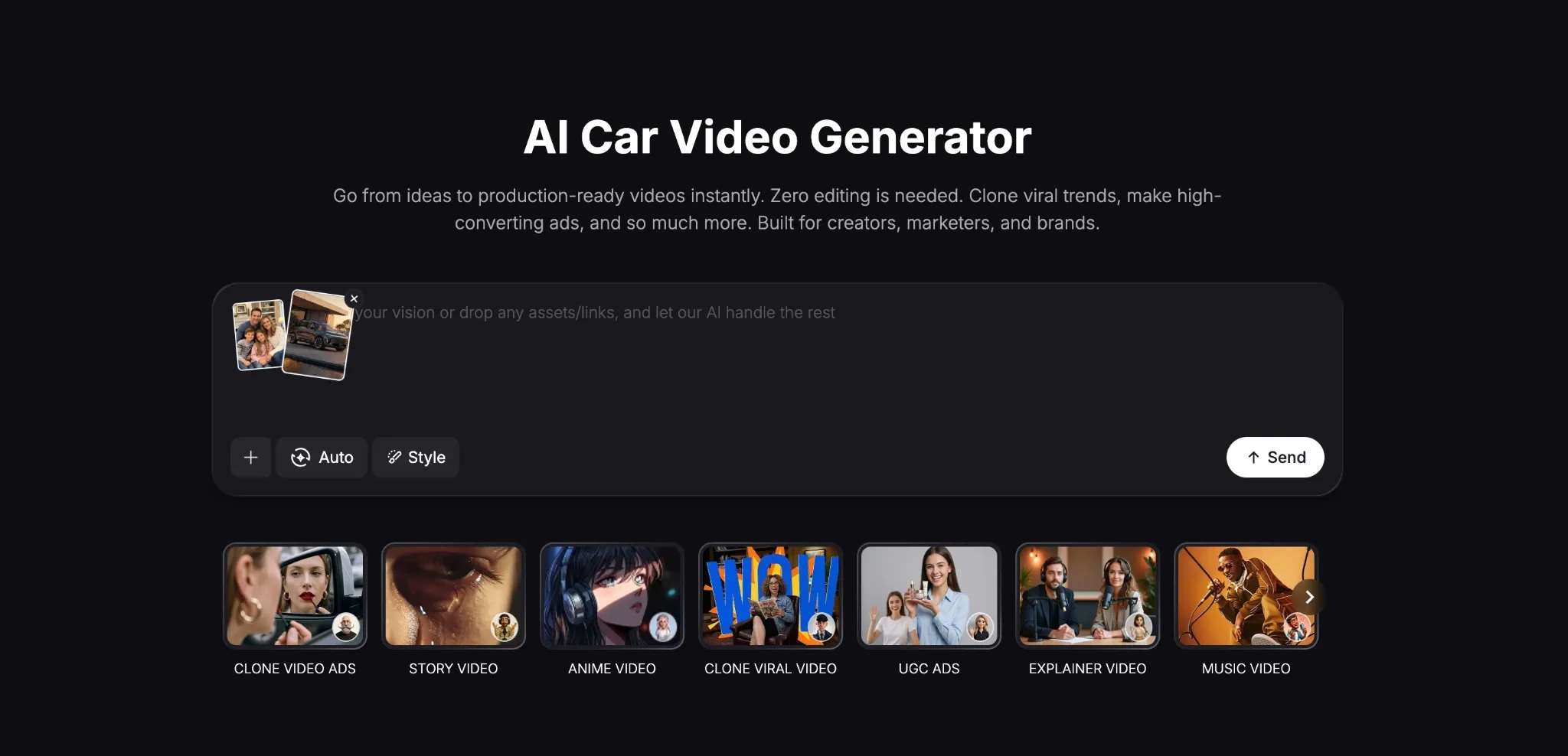
Head to the AI car video generator page and upload an image of the car you want to showcase.It can be a conceptual image or a picture of a real vehicle. If you’re crafting a story around it, you can upload subject imagery. For this, we aimed to create a cinematic family car commercial.
Paste Your Script/Scene Prompt
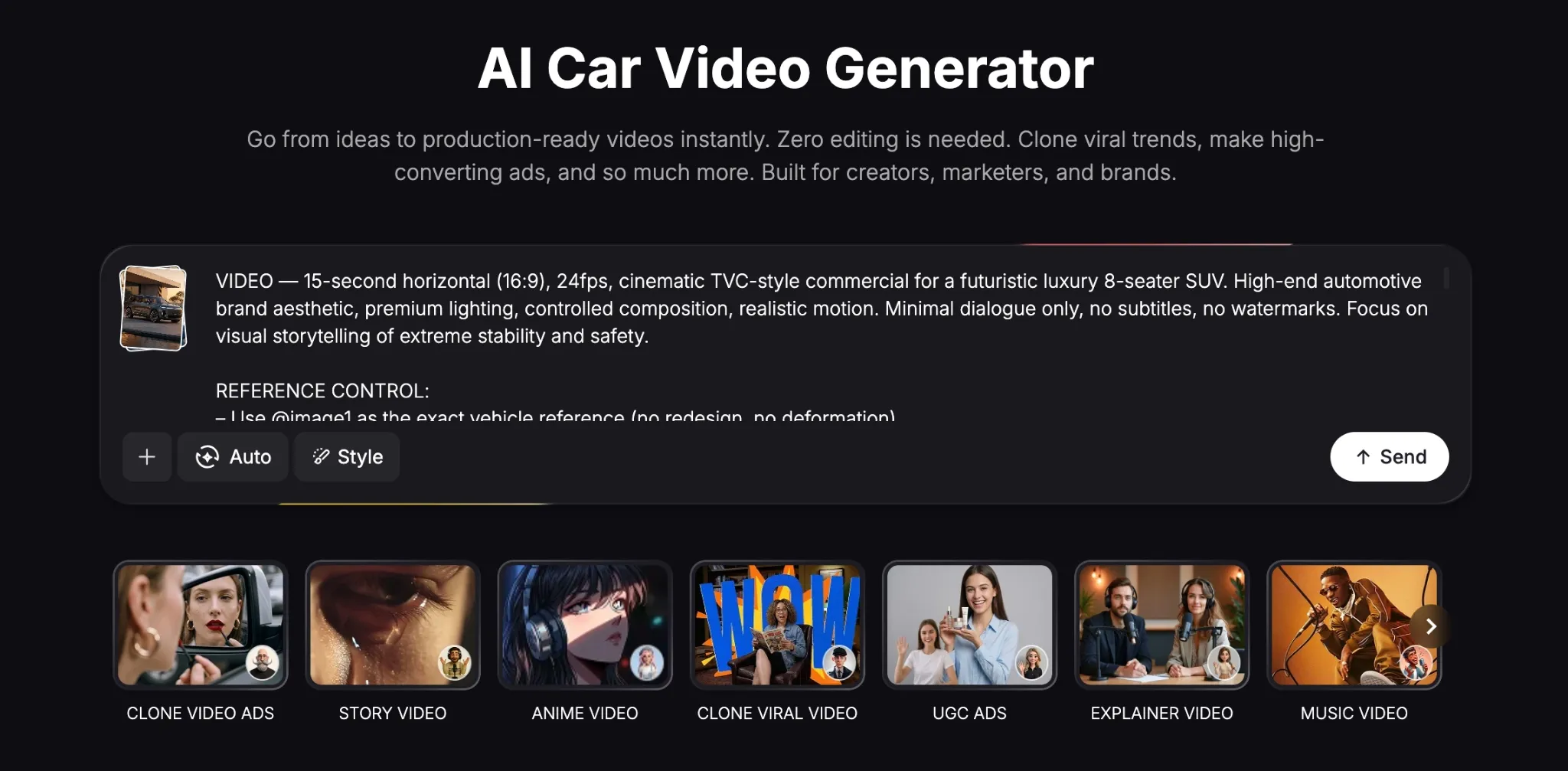
The next step is to describe the car video you want to create. You can paste a finished script or describe it via prompt, scene-by-scene. The key is to be as descriptive and detailed as possible, so be clear about the setting, environment, characters, visual style, etc, as you can see below.
Review the Visual Brief
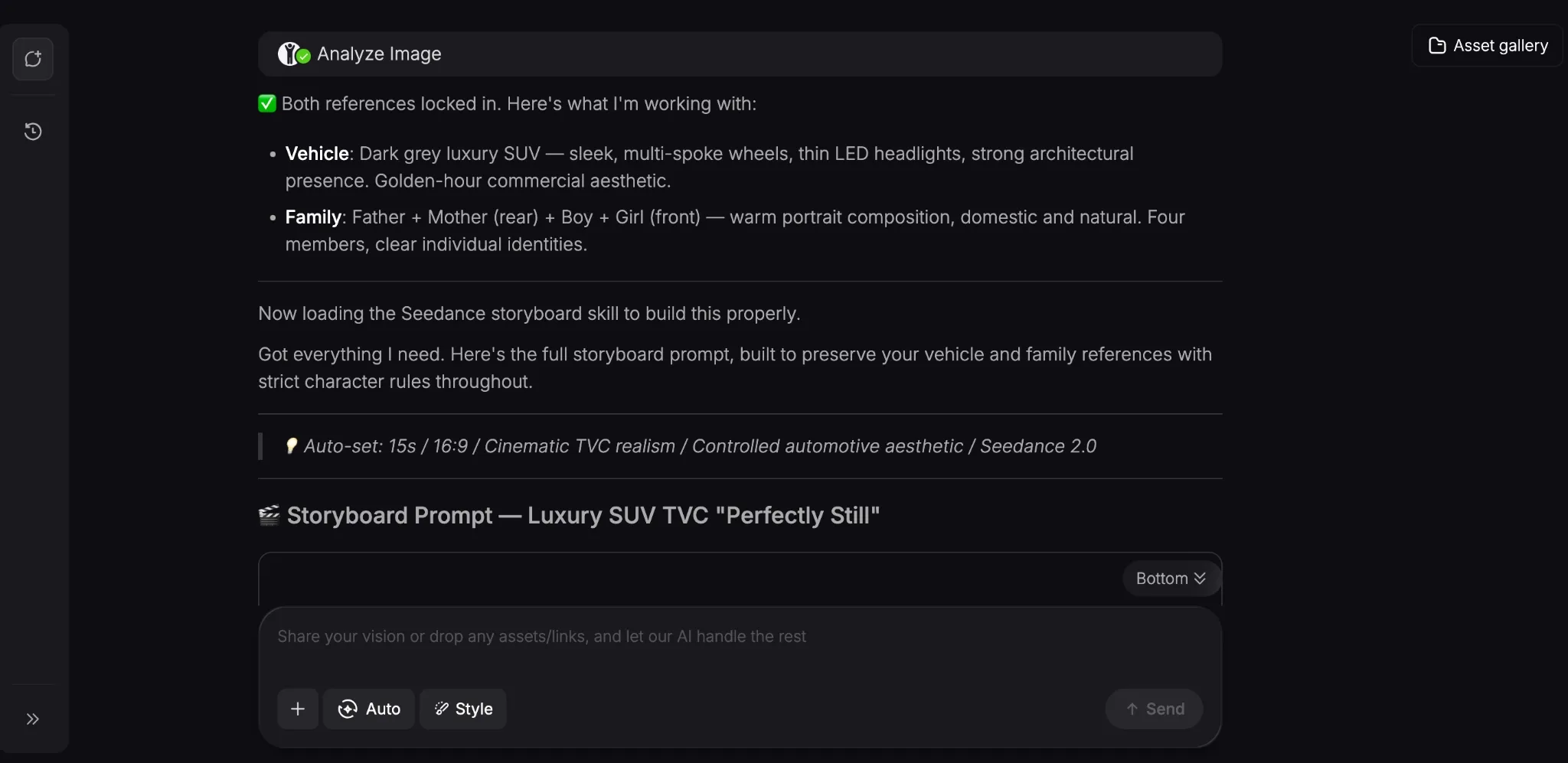
Once you click ‘Send’, the AI video agent will analyze your request and generate a detailed creative brief based on your instructions. In minutes, it will start to generate your video. You will also be given a few alternative options to consider on how to edit or improve the video afterwards.
Cohesive Video Creation Starts Here
Join 10M+ creators using Pollo Agent to generate post-ready videos with every top model.
Try Pollo Agent for Free
Download Your AI Car Video
Once your video is generated, you can preview it. If you’re satisfied with it, you can download it and use it in your car promotion campaign. But if you want to refine it further, just describe the changes you want via prompt and repeat the process until you’re happy with the output.
For our sample test, this was what the AI tool delivered:
For a luxury 8-seater SUV commercial, this was made fairly well. The car was rendered quite realistically, its motion on the road, and even the sound effects made it feel like real footage.
Even the cast of characters in the SUV looked and sounded relatively lifelike. But most importantly, the visual storytelling feels just as immersive as we hoped it would.
Practical Use Cases for Creating AI Car Videos with Pollo AI
AI car videos are becoming the norm for many automotive companies, dealers, and showrooms, so let’s quickly break down some of the top reasons why they are so valuable:
- Training and Onboarding: Whether you represent a car showroom or dealership, you can use AI tutorial videos to show car technical/maintenance procedures for new staff.
- Car Concept & Design: Using AI car videos can help you visualize unique car designs and prototypes across various environments, speeding up the design process.
- Customer Testimonials: Instead of written testimonials, you can use them to create video testimonials, showcasing real-world experiences with it to boost buyer confidence.
- Automated Inventory Videos: Promoting hundreds of cars in a showroom may not be cost-effective, but you can create unique AI car videos for each one at little to no cost.
Discover Other Unique Video Creation Tools on Pollo AI
Creating cinematic AI car videos is just the start with Pollo AI. Here, anything is possible, no matter what sort of creative or commercial content project you have in mind.
In fact, it’s the ultimate AI creative suite for marketers, creators, sellers, and brands, with multiple production workflows available for different users.
For instance, if you want to create images, videos, avatars, and audio, you can use Creative Studio to access top-tier AI models like Seedance 2.0, Veo 3.1, Kling, and GPT Image 2.
Are you a marketer looking for a quick way to create ready-to-use ads? If so, you can use the Marketing Studio to produce product tutorials, demos, unboxing videos, and more in minutes.
And if you represent a brand? You’ll have access to multiple tools to create sales-ready content like product shots, virtual try-ons, and more in just a few simple clicks.
But the true standout is Pollo Agent. Here, you can create viral-worthy content with zero manual editing. It automates the full production process to deliver publish-ready content in minutes.
Plus, if you need more tailored tools, there are 200+ specialized workflow apps that you can use for numerous creative tasks. So, don’t waste any time exploring Pollo AI in its entirety!
Conclusion
Perfect for car dealers, designers, content creators, etc, you can use Pollo AI to turn any automotive concept into a realistic car design and cinematic experience. Just follow this tutorial to start putting the AI car video generator to work!