



How to Do Keyword Research to Rank Number 1 on YouTube
Want to know a fun little fact? Around 70% of what we watch on YouTube is recommended to us by the platform’s algorithm, which is the homepage, searches, suggested videos, etc.
This huge percentage tells us that to gain visibility as a creator, you need the algorithm on your side. But how does it know who to show your content to? YouTube SEO, that’s how.
The keywords that you use in the titles, description, tags, etc, are the signals that YouTube’s algorithm uses to understand who your videos are meant for.
By refining these signals, the higher your chances of popping up in the right searches and being recommended. So, let’s look into how you can rank #1 on YouTube and how Pollo AI can help.
What Does YouTube SEO Entail?
To put it simply, YouTube SEO is the practice of using keywords to optimize and improve how your videos rank in searches and recommendations.
Compared to before, YouTube’s new integration with Gemini AI has improved the algorithm’s semantic search capabilities. Now, it doesn’t just look at text metadata.
It can also analyze your video frame by frame, looking at context, audio, tone, on-screen text, visual elements, etc. So what does this mean?
If you place keywords in titles and descriptions, but they aren’t visible on screen or mentioned in your video, then YouTube’s algorithm may consider your video to be irrelevant.
Basically, you can’t go around stuffing keywords and expect your videos to be automatically ranked and recommended to others. That alone won’t work.
What’s more? YouTube now prioritizes viewer satisfaction. So, while keyword relevance is important, it also checks signals like engagement, watch time, retention, CTR, etc.
Picture this. When people search for something like “Skating Tips”, “how to do an ollie”, or “best way to kickflip”, YouTube must make the decision on which videos show up first.
To ensure that it delivers the best suggestions, YouTube will analyze your video, text metadata, as well as metrics like how long people stay to watch, if they binged your other videos, etc.
Both your keyword research must be on point, and your videos must satisfy what audiences are searching for. One without the other means your videos will be suppressed.
Sounds like a lot, right? Well, this is why you should never slack on producing quality video content, so keep that in mind and check out Pollo AI’s image-to-video tool for extra help.
Having said that, let’s get back on track to the main topic at hand: How do you find the right keywords to use?
How Should You Conduct Keyword Research for YouTube SEO?
What you need to understand is that there are three main types of keywords to consider: Short-Tail keywords, Medium-Tail keywords, and Long-Tail keywords.
- Short-Tail Keywords: These are broad search terms related to your video topic/subject, like “YouTube SEO”, “SEO Keywords”, “SEO Optimization”, etc. They often generate the highest amount of traffic, but they have low conversion rates.
- Medium-Tail Keywords: These tend to be slightly longer and a little more specific, like “Fashion SEO Keywords” or “YouTube SEO for 2026 Fashion”. Such terms are often moderately competitive but slightly easier to rank.
- Long-Tail Keywords: These are much longer and very specific, like “How To Rank Highly on YouTube SEO for Fashion”. Because the keywords are extremely niche, there’s very low search traffic, but they also have high-converting search intent.
Having said that, there are a few ways to nail the perfect keywords and increase your chances of ranking at the top on YouTube.
#1. Use YouTube’s Autocomplete Feature
There’s no better starting point than YouTube itself, and the search bar will usually have the keywords you want. Simply start by typing in your topic and see what results appear.
YouTube will share the searches people are actively making now. So, take note of those top suggestions, but keep in mind that these are broad search terms.
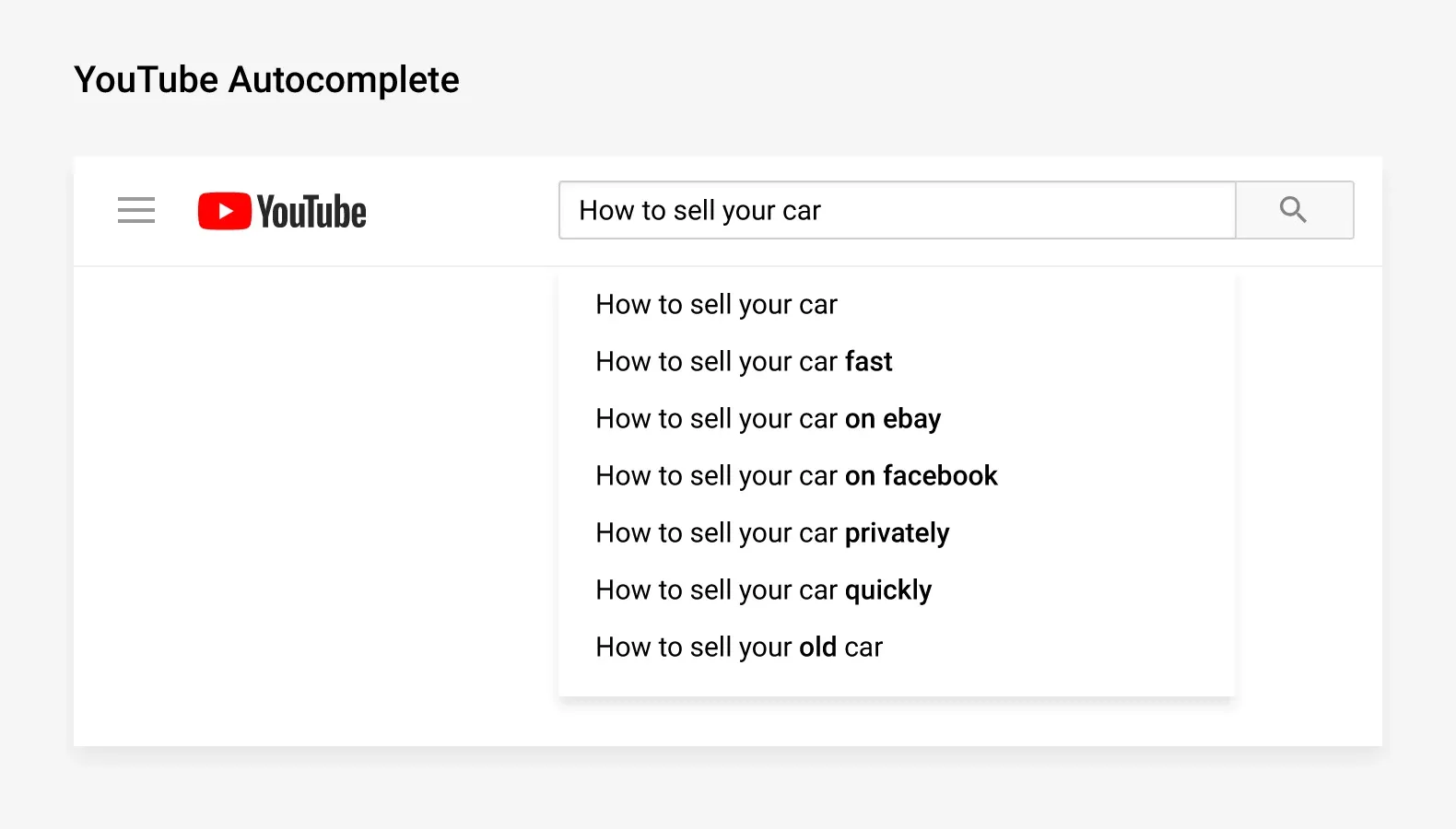
This means competition will often be extremely high. You will need to narrow them down, so let these suggestions serve as a starting point.
Use them to understand what people care about, then you can layer in niche variations that turn them into medium or long-tail keywords for a better chance of visibility.
#2. Check Your Competitors' Keywords
It’s always a good idea to see how other YouTube creators in your niche are optimizing their videos. So, for each search result, be sure to click on some of them.
You will get to see the top 3-5 videos that are ranked at the top. Check their titles, descriptions, tags, etc, to see what keywords and variations they are using.
You can also click on their channels to see what keywords are in their most popular videos. As long as those videos are relevant to your niche, they can work for you too.
Just don’t make the mistake of copying their titles or descriptions. But if you want to clone their video content, such as Shorts, then you can use a tool like Pollo Agent.
#3. Leverage Google’s Related Searches
At the bottom of the first page of any Google search, you will see the section for ‘People Also Search For’. This is a great place to find high-traffic keywords and related terms.
By using these medium and long-tail keywords, you can instantly boost your video’s chances of ranking highly on Google search pages dramatically.
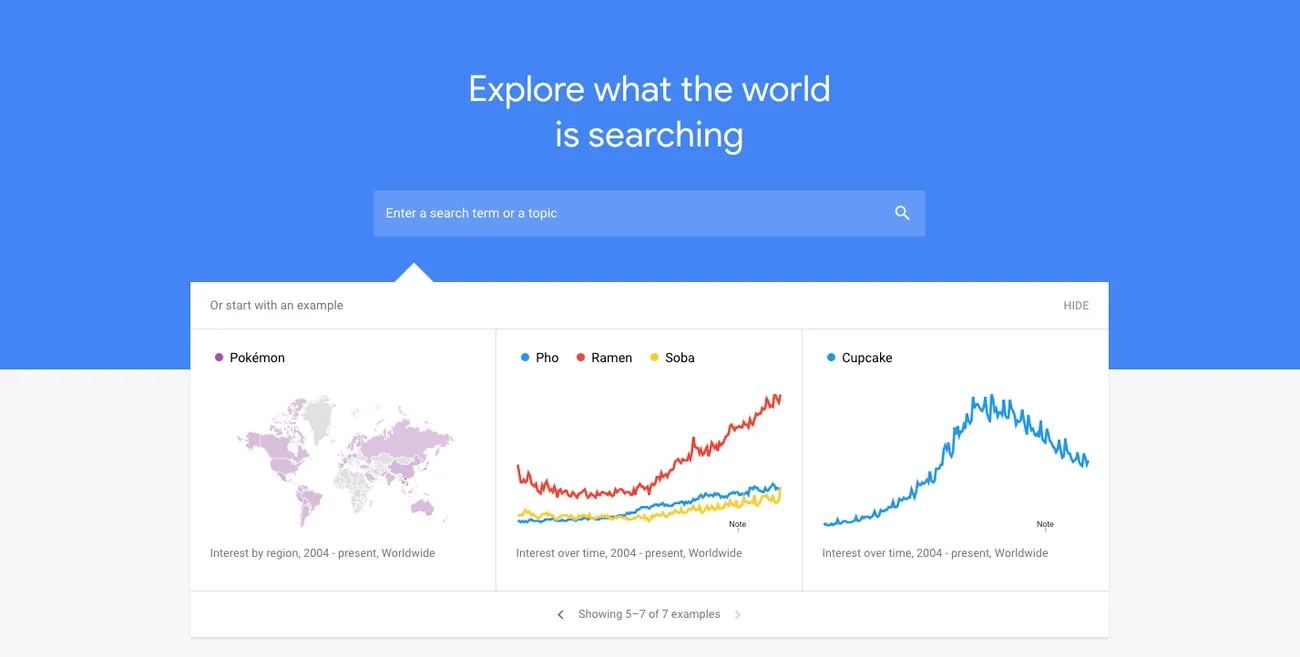
Another alternative to consider is the Google Trends site. From there, you can see live data on what keywords related to your niche are being searched for.
You can specify regions, categories, or even filter the results to focus on "YouTube Search’ only. This way, you can see what’s making waves now and what could be popular tomorrow.
#4. Filter Keywords Based on Search Volume
Once you’ve identified viable keywords, you need to narrow down that list based on search volume. Remember, some keywords have high traffic but also high competition.
As a growing channel, you will be better off carving a path in a smaller niche than trying to battle it out with established channels using high-traffic keywords.
You should look at how often these keywords are searched for per month, the level of competition, and their likelihood of going viral.
Take some time to use keyword research tools like Ahrefs to check for this information, then choose the keywords with moderate traffic and lower competition.
#6. Review Your YouTube Channel’s Keyword List
Ever wondered what keyword searches your viewers are making? If you head to YouTube Analytics, you can see just what your viewers often look for across the platform.
With this information, you will clearly see which keywords to use. It also helps you identify the types of videos that audiences seem most interested in.
For example, if it looks like viewers are searching “YouTube SEO Tips”, you can use Pollo AI’s explainer video maker to create and publish a video.
Just keep in mind that YouTube’s viewer search only looks back at the past 28 days. You should combine that data with other tools like Google Trends for comprehensive insights.
#7. Segment Your Content with Keyword Timestamps
Do you structure your videos with chapter titles? If not, then you should start because the algorithm also checks for keywords in timestamps to recommend videos.
In fact, these titles help Google identify and link to specific segments of your video on search pages. So, make sure to label these chapters using searchable keywords.
But that’s not the only benefit of this. Sometimes, audiences can’t watch an entire YouTube video, so they prefer to use timestamps and fast forward to the most relevant parts.
By simply improving user navigation with these chapters, you can turn new viewers into loyal subscribers and fuel your YouTube channel’s growth in the process.
#8. Cluster Keywords To Build Subject Authority
To get on the YouTube algorithm’s good side, it pays to build topical authority. This means becoming the go-to channel in your niche, and you don’t do this by posting disconnected videos.
Instead of focusing too much on videos with individual keywords, you should create a content series that touches on various subtopics within the main topic.
For each of these videos, you can use different but related keywords, creating a cluster that pulls in a lot of traffic from varied searches. But don’t just do this a few times.
You should be consistent with this strategy across multiple subjects. If you keep it up, YouTube’s algorithm will see you as a trustworthy authority on these topics.
Conclusion
YouTube’s algorithm may be taking a different approach to ranking and recommending videos, but effective keyword optimization is still an important part of that.
Even if you create valuable video content, it won’t count for much if YouTube can’t place it in front of the right audience. So, take your keyword research very seriously.
And if you need help creating videos for YouTube, you can explore Pollo AI to discover various tools like the YouTube intro maker that can deliver stunning results in minutes!