



How to Use Pollo 2.0 AI Video Generator: Complete Step-by-Step Guide with Examples
Pollo AI is the established leader for creators experimenting with AI video. The latest model, Pollo 2.0 pushes the boundaries even further, delivering a richer, faster, and more versatile creative experience that is not only the most powerful but also the most cost-effective on the market.
This guide walks you through each step of generating high-quality AI videos using the Pollo 2.0 model. But first, what makes Pollo 2.0 such a game-changer? To understand the powerful new capabilities at your fingertips, let's see how it compares to our previous models.
How does Pollo 2.0 compare to previous Pollo versions (1.5 and 1.6)?
If you’ve used earlier versions of Pollo AI (1.5 or 1.6), you’ll notice Pollo 2.0 is a major evolution. While Pollo 1.5 set the standard for speed and basic quality, and 1.6 improved motion consistency and visual fidelity, Pollo 2.0 brings a suite of upgrades that redefine what’s possible:
Key upgrades include:
- Audio generation (1.5 and 1.6 were video-only)
- Video extension capabilities (new in 2.0)
- Flexible 1-10 second duration (vs fixed durations in earlier versions)
- Consistent character technology (significantly enhanced from 1.6)
- Multi-style generation (expanded from limited styles in 1.5/1.6)
- 2x faster generation than Pollo 1.6
- More cost-effective than previous versions
Other features include:
- Consistent Characters – Maintain character appearance across multiple videos and scenes.
- Advanced Prompt Understanding – Turn complex creative concepts into vivid, accurate animations.
- Multi-Style Video Generation – Produce videos in diverse artistic aesthetics (e.g., Ghibli-inspired, Pixar-style, and more).
Now, let me walk you through how to use Pollo 2.0 step-by-step, with practical examples so you can start making stunning AI videos today.
Step-by-Step Guide to Using Pollo 2.0
Before we begin, we recommend watching our quick video tutorial for a visual walk‑through of the process.
1. Access Pollo 2.0
Sign in to Pollo AI image to video and choose the Pollo 2.0 model from the model dropdown. New users get starter credits for free generations. Upgrade to paid plans anytime for more.
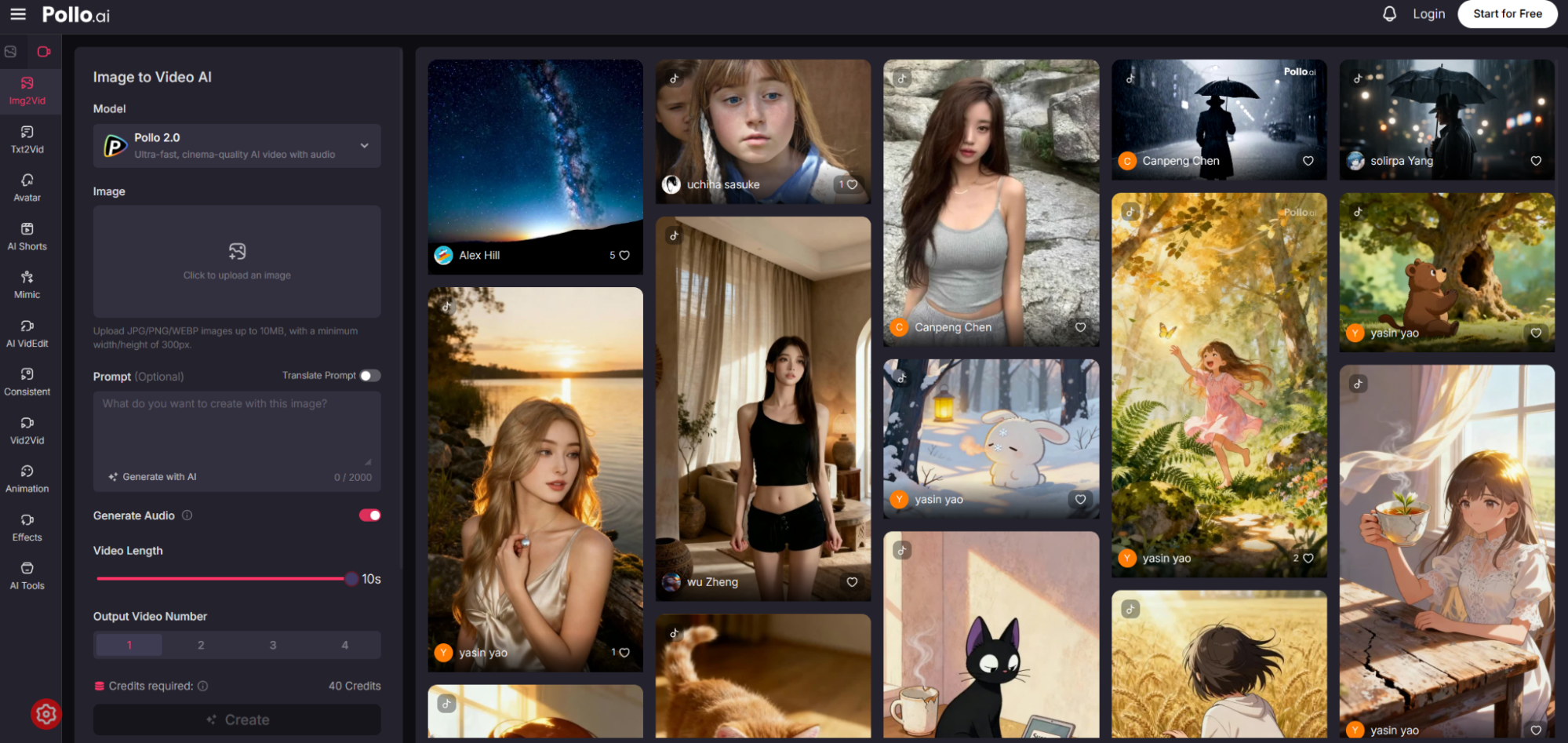
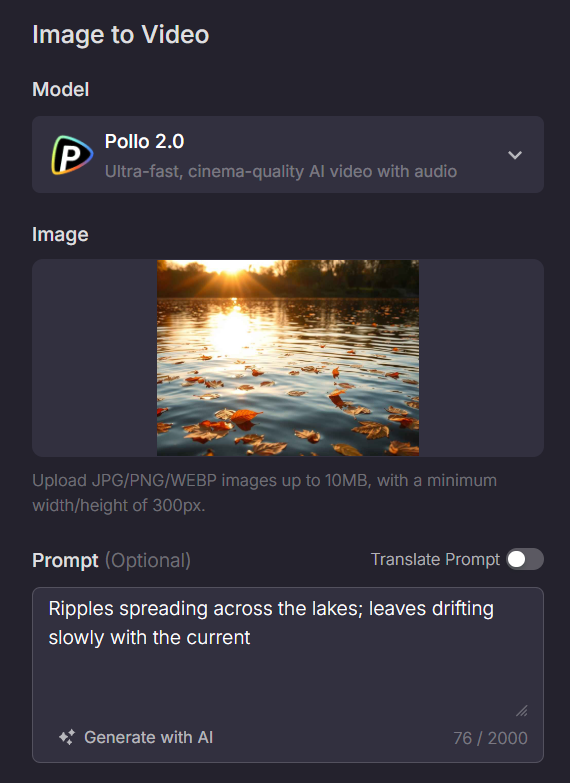
2. Upload Image and Write Prompt (Optional)
Upload your reference image (JPG, PNG, or other supported formats). You can also choose to write a descriptive prompt to guide the animation and movement. If you do not have an image, you might choose to use our text to video AI instead.
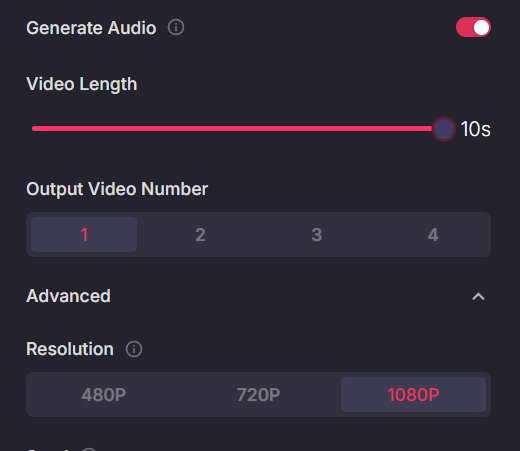
3. Set duration and basic options
Once your input is ready, adjust the following generation settings:
- Generate Audio: Decide whether to include integrated audio. Selecting this option will add relevant background music (BGM) and sound effects (SFX) to your video.
- Duration: Choose any video length between 1 and 10 seconds. You are not limited to fixed durations.
- Output Resolution: Select your preferred video quality from 480P, 720P, or 1080P.
- Output Number: Specify how many video variations you want to generate. You can select between 1 and 4 different outputs from a single request.
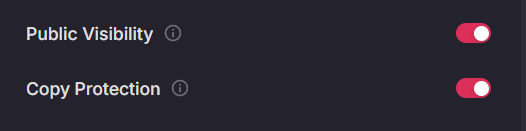
4. Privacy Settings (Paid Feature)
- Public Visibility: Control whether your generated videos are visible to other users.
- Copy Protection: Enable protection to prevent unauthorized copying of your videos.
5. Hit 'Create' and Start Creating
Click the 'Create' button to start generating your video. Processing time might be 2 minutes and vary based on your selected settings and server load.
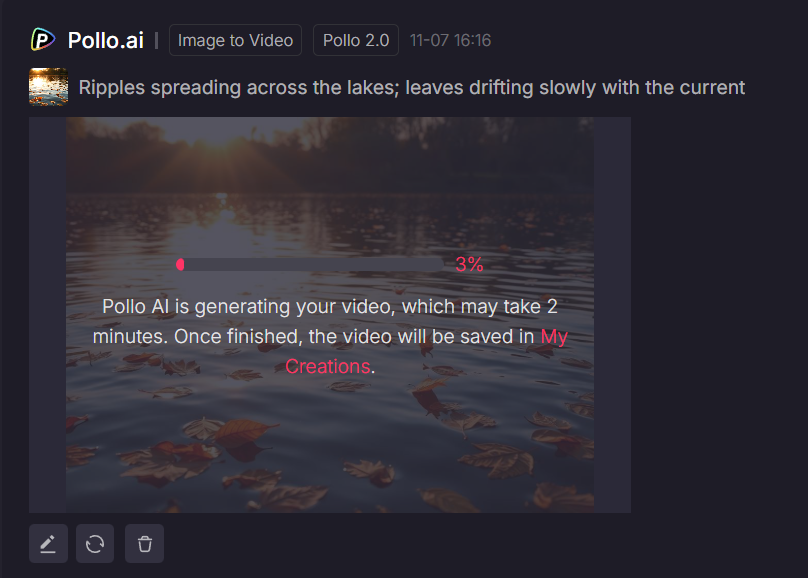
6. Customize Further Using More Tools
After generation, you can upscale for higher quality, edit with simple text prompts, transform video style or even completely regenerate.
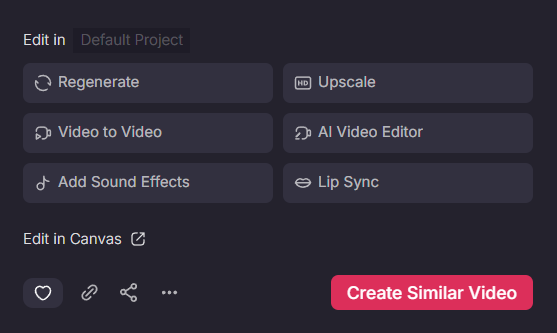
Example Video:
How to Extend Video With Pollo 2.0?
1. Access AI Video Extender
Pick Pollo 2.0 as the model on the Pollo AI video extender.
2. Upload Video to Extend
Upload the video you want to lengthen. Supported formats include MP4 and other common video types.
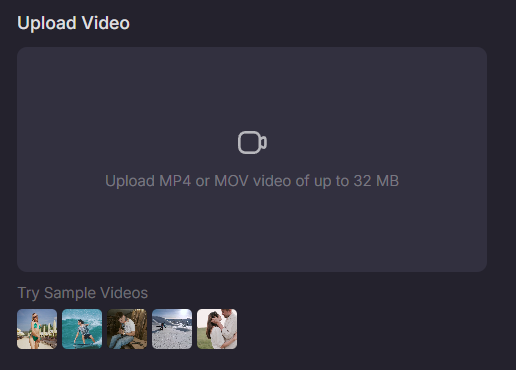
3. Add Extension Prompt (Optional)
You can enter a descriptive prompt to guide how the video should continue or evolve.
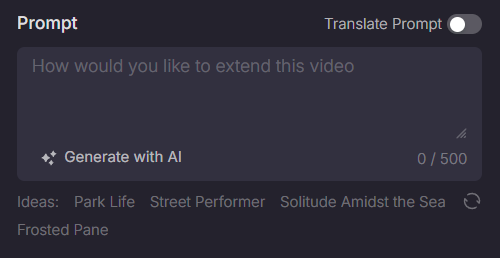
4. Hit Create
Pollo AI will seamlessly extend your video with smooth transitions and realistic motion, maintaining the original style and quality.
How to Ensure Character Consistent Throughout Video with Pollo 2.0?
1. Access AI Consistent Character Video Generator
Choose Pollo 2.0 as the generation model on the Consistent Character Video page.
2. Upload Reference Images
Upload one or multiple images that represent your desired characters, objects, or scenes. Pick the element to keep consistent across the video.
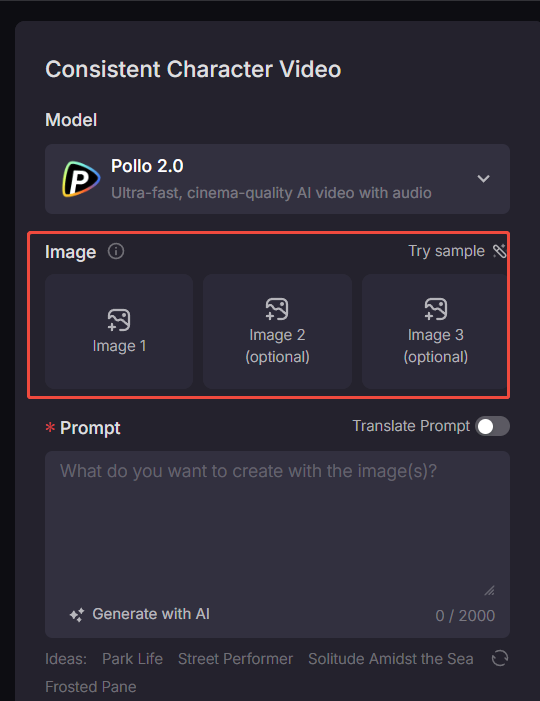
3. Enter Prompt and Hit Create
Write a prompt to guide the generation and click Create to tet Pollo AI generate a dynamic, visually coherent video that brings your idea to life.
Why Should You Choose Pollo AI for Video Generation?
1. Access to the World’s Most Advanced AI Models
Stay ahead of the curve with instant access to the latest AI video and image generation models, including Pollo 2.0 and:
- Veo 3, Vidu Q2, Kling 2.5 Turbo, and Wan 2.5 – top-tier video models with native audio support, smooth motion dynamics, and cinematic realism.
- Nano Banana, Seedream, and Flux Kontent – high-performance image models for generating vibrant, detailed visuals.
Plus, explore advanced AI video editing models like Runway Aleph.
With Pollo AI, you’re not limited to one style or engine — you can mix, match, and experiment with the best-in-class models to suit your creative vision.
2. Professional & Entertainment Video Effects
Elevate your storytelling and capture audience attention with a library of one-click video effects.
These include professional effects including Dolly Zoom, Dolly Right, Rolling Push-In Shot, and more.
Boost your social media presence with fun, viral effects like AI Kissing, or quirky effects such as Into the Mouth, and other trending animations that add personality to your content.
3. Essential Creative Enhancement Suite
Beyond its newest features, Pollo AI offers a robust set of AI tools for any creative need.
- Video & Image Upscaler: Transform low-resolution content into crystal-clear, high-definition visuals
- Background & Object Removal: Seamlessly eliminate unwanted elements for cleaner compositions
- Smart Enhancement Technology: Automatically optimize visual quality across images and videos
- Ghibli AI & Anime Upscaler: Craft stunning anime-inspired artwork with enhanced resolution capabilities
4. Compete Set of AI Video Generators
Experience the full spectrum of AI-powered video creation:
- Text to Video AI: Transform written concepts into dynamic visual narratives
- Image to Video AI: Breathe life into static images through intelligent animation
- AI Short Video Generator: Produce short-form video content for TikTok and Instagram Reels
- AI Video Editor: Revolutionize editing workflows with natural language commands
- AI Avatar Generator: Create professional spokesperson videos with digital presenters
- Consistent Video Generator: Ensure seamless character and style continuity across scenes.
Conclusion
Pollo 2.0 isn't merely an update – it's a paradigm shift that democratizes professional-quality video creation, making it faster, more affordable, and more creatively versatile than ever before. As the boundaries between imagination and creation continue to blur, Pollo 2.0 stands as a powerful testament to the rapid evolution of AI technology and its potential to revolutionize digital content creation.