



How to Get Free Credits in Kling AI
Kling AI offers free video credits to the public. However, most users have no idea how to get those free credits.
Don't worry; we've got you. Let us walk you through how you can easily get these free credits and use them smartly. As a bonus, we're also sharing how you can make the most out of these free credits. Let's begin!
How to Acquire Free Credits in Kling AI
Kling AI offers free credits so you can test out its features without spending money right away. Here are some of the best ways to get free Kling AI credits:
Method 1: Login Free Credits
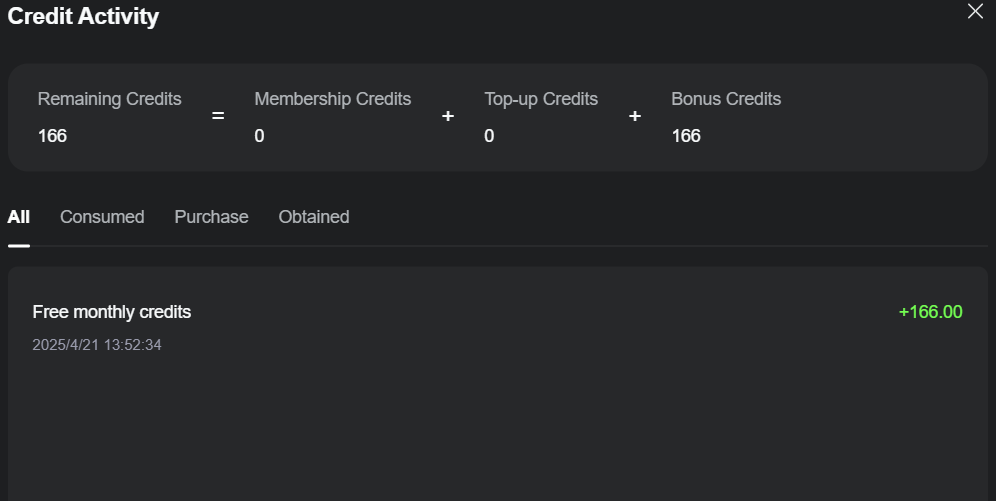
By simply logging into Kling AI, users can unlock 166 free monthly credits to jumpstart video generation projects. It is a straightforward way to dive into AI video creation without any upfront cost.
Method 2: Bonus Credits
Kling AI offers exciting chances to earn bonus credits through 2 distinct programs: the milestone bonus and the publishing bonus:
Milestone Bonus
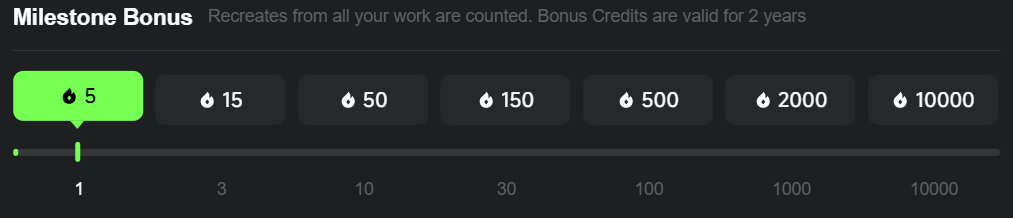
Its milestone bonus counts all the recreates users have received from their works. When you have hit a specific milestone, you will earn the corresponding bonus credits.
Publishing Bonus
The publishing bonus policy gives you 680 free credits for every short that you have published. Every short must pass the review to be eligible and notice that similar or repeated content does not qualify.

Notice: Bonus credits earned from milestone bonus are valid for 2 years, while publishing bonus are valid for only 1 month.
What Can Free Kling AI Credits Be Used For?
Free credits in Kling AI are super versatile. Here are some cool things you can do:
- Effects: Use your free credits to craft videos packed with stunning effects in Standard Mode only.
- Text to Video & Image to Video: Transform text prompts or static images into AI-generated videos using Standard Mode, with only one output each time.
- Sound Generation: Create custom audio by inputting sound prompts, letting your free credits guide the production of unique soundscapes.
- AI Virtual Try-On: Experiment with up to 4 outputs per session to see how outfits or accessories look on a virtual model, a fun way to visualize styles using your free credits.
- Lip Sync: Sync audio with your videos for realistic talking scenes, making your clips feel lifelike, such as having your animated man deliver a speech.
- Extend: Extend video using the same mode as your original Kling AI video and with only 5 seconds extension time.
What Can't Free Kling AI Credits Be Used For?
However, there are still some limitations:
Removing Watermarks
If you're creating videos using Kling AI, your visual content will include a watermark when you use free credits. To remove watermarks and make your projects look fully professional, you'll need to upgrade to a premium plan or use some other tools.
Using Professional Mode
Professional mode, exclusive to paid accounts, offers advanced editing and customization tools not found in free plan. It is ideal for users seeking detailed control over video generation.
Top Tips for Using Free Credits
These detailed tips are for you:
- Start Small: Use your free credits for simpler tasks like text-to-video projects first. This helps you get a feel for the platform without using up all your free credits too quickly.
- Plan Projects Around Free Credits: Since free credits are limited, planning your video projects around what you can achieve in a month is a better choice. Use them to experiment and test out features smartly.
- Use Better Prompts: You should always take a moment to write clear and detailed prompts when creating videos. This way, you'll get the best results without wasting extra credits on revisions.
Try Kling AI for Free on Pollo AI
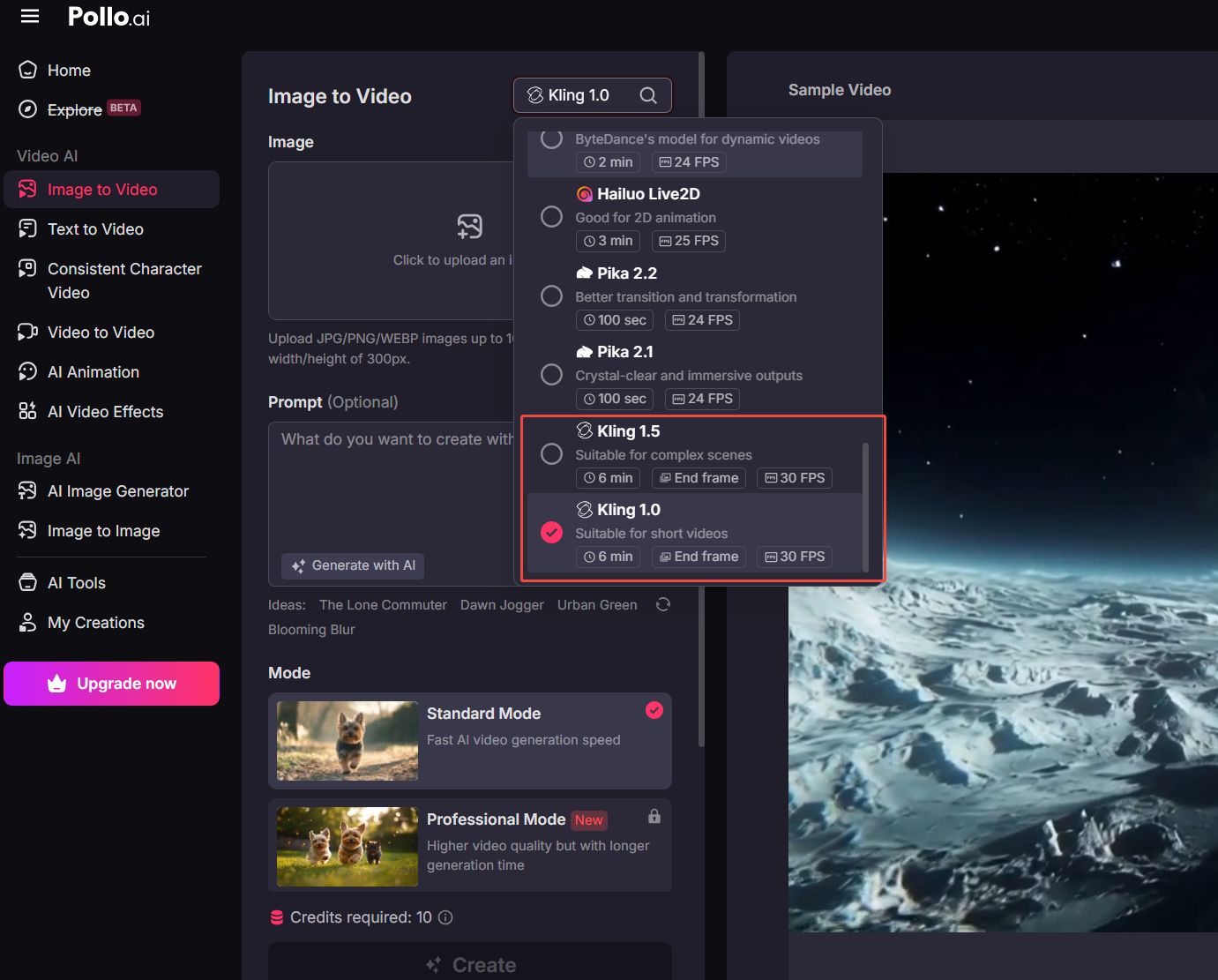
Pollo AI has a free plan where you can try Kling AI's models without spending any money. Here are the different Kling models available in Pollo AI:
- Kling 1.0: Set a new standard in video creation with its ability to generate high-quality 10-second video clips in mere minutes.
- Kling 1.5: Added 1080p HD outputs, motion brush features and enhances the features of its predecessor.
- Kling 1.6: 195% improvement in image-to-video creation capabilities compared to Kling 1.5, with a smart understanding of any text prompts.
- Kling 2.0: The latest video model from Kling AI. This new model features improved prompt understanding, enhanced character motion dynamics, etc.
Conclusion
Kling AI's free credits provide an excellent opportunity to try out some of the most creative features of it. While they don't include advanced features like watermark removal, they're perfect for testing and learning the platform better.