



Pixella Review: I Spent 14 Days Testing This AI Image Generator and Here’s What I Found
Pixella is worth trying if you need an AI image generator for social graphics, marketing visuals, image edits, and quick design tasks. I liked how it combines generation, enhancement, and basic editing in one accessible workflow, but it feels better for individual assets than connected campaign production.
Pixella Review: TL;DR
Pixella is worth trying if you need a simple AI image generator for social visuals, marketing graphics, photo edits, and image enhancement.
It is easy to use, but generated details, template originality, and consistency across multiple assets still need review. For a broader AI Image workflow, Pollo AI is the best Pixella alternative to consider.
Review Criteria | Verdict |
|---|---|
| AI Image Generation | Useful for creating quick visual concepts from prompts. |
| Image Editing | Practical for changing backgrounds, objects, and visual styles. |
| Image Enhancement | Helpful for enlarging and preparing images for digital use. |
| Design Templates | Good for social graphics and simple branded materials. |
| Ease of Use | Accessible for beginners without professional design experience. |
| Best Fit | Marketers, creators, freelancers, and small businesses. |
What Is Pixella?
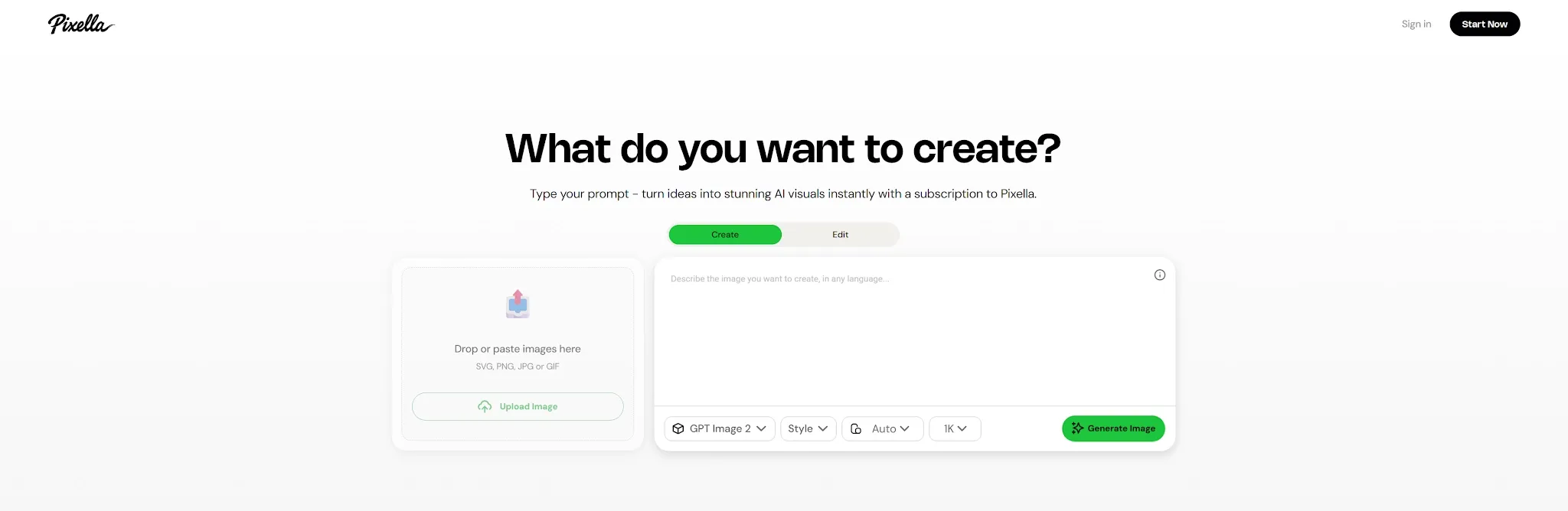
Pixella is an AI image generator and online design platform for users who want to create, edit, and improve visuals without learning traditional design software.
It combines text-to-image generation with background removal, image editing, resizing, upscaling, logo creation, and template customization. Instead of focusing only on AI art, Pixella helps users turn generated or uploaded images into usable social graphics, business visuals, and marketing assets.
That makes Pixella different from a basic prompt-based generator. The platform does not stop after producing an image; it also gives users several practical tools for preparing that image for a specific purpose.
In my evaluation, Pixella felt strongest when the task had a clear output, such as a social post, logo concept, presentation graphic, or edited photo. It felt less complete when I needed several connected assets for the same campaign.
How I Tested Pixella
I tested Pixella around the tasks it appears designed to handle: generating images from prompts, editing existing visuals, removing backgrounds, enlarging images, and preparing graphics for social or business use.
I focused on how quickly a beginner could understand the workflow, whether the tools reduced common production steps, and how much review the final output still required. I also considered whether the platform could maintain a consistent style across multiple assets.
Pixella performed best when I worked on one image at a time. The limitations became clearer when I needed several outputs to preserve the same subject, product details, lighting, and visual direction.
What Are Pixella’s Best Features?
Pixella’s strongest features are AI image generation, prompt-based editing, image enhancement, and template-supported design.
1. AI Image Generation
Pixella lets users create images from text prompts and adjust elements such as style, aspect ratio, and visual direction. Reference images can also be used as part of its image-generation and editing workflow.
This is useful for marketers and creators who need social visuals, blog graphics, presentation illustrations, campaign concepts, or stylized backgrounds without relying entirely on stock images.
I found the workflow most helpful during early visual exploration because it made it easy to compare several creative directions before choosing one to refine. However, a strong individual result does not guarantee that later generations will preserve the same subject, composition, or brand style.
Pixella is useful for finding a visual direction, but brand-sensitive images still need careful review.
2. AI Image Editing and Background Removal
Pixella includes prompt-based image editing and background tools for users who want to modify an existing visual instead of generating a new one from scratch. These tools can support changes to objects, backgrounds, colors, and the overall appearance of an uploaded image.
This approach is practical when the original composition already works but one part of the image needs to change. A marketer could remove a distracting background, replace an object, adjust a visual style, or prepare a subject for a different layout.
The main limitation is precision because an AI edit may affect details outside the intended area. Product labels, faces, textures, lighting, and surrounding objects should therefore be checked carefully before the image is published.
3. Image Upscaling and Resizing
Pixella AI also provides image upscaling and resizing tools for preparing visuals for different digital formats. Its upscaler is designed to enlarge low-resolution images and improve their clarity, while the resizer helps adapt one asset to different dimensions.
These features are useful when a small generated image needs to become a presentation graphic, social post, banner, or larger marketing asset. Resizing also makes it easier to adapt one creative concept for square, vertical, and landscape placements.
However, increasing resolution does not automatically repair every weakness in the source image. Fine text, facial details, product edges, and small decorative elements can still appear artificial after enhancement.
Upscaling can improve usability, but it cannot fully correct a weak original image.
4. Templates and Brand Asset Creation
Pixella AI combines its AI tools with templates and basic design functions, including logo creation and layout customization. This helps users move from an isolated image to a more complete social graphic or business visual without opening another design platform.
Templates are particularly useful for creators and small businesses that need content quickly but do not have an in-house designer. A generated image can be placed into a social post, presentation layout, promotional graphic, product poster, or simple branded design.
The tradeoff is originality because templates can push different users toward similar visual structures. The strongest results will come from changing more than the text and image, including the spacing, typography, colors, hierarchy, and overall composition.
What Are Pixella’s Pros and Cons?
Pixella offers a convenient image workflow, but it does not replace every professional design or marketing tool.
Pros:
- Combines image generation and editing
- Accessible for beginners
- Useful for social and business visuals
- Includes resizing and background tools
- Helpful for fast visual concepts
- Reduces the need to switch platforms
Cons:
- Generated details can be inconsistent
- Complex compositions may be difficult to control
- Template-based designs can feel familiar
- Upscaling cannot repair every image problem
- Campaign-wide consistency may require more work
- Individual tools can feel loosely connected
Where Does Pixella Fall Short?
Pixella becomes less convincing when users need precise creative control, consistent subjects, or a complete marketing workflow.
Generated Details Still Need Review
Pixella can create polished-looking images quickly, but small visual errors may remain in faces, hands, lettering, logos, product packaging, and repeating patterns.
An image can look convincing at first glance while revealing distorted details at full size. This becomes especially important when the visual represents a real product or will be used in a paid advertisement.
The issue is not only visual quality. An incorrect label, changed product shape, or distorted logo can make an otherwise attractive image unsuitable for publication.
Templates Can Limit Originality
Pixella’s templates reduce the difficulty of starting from a blank page, but lightly customized layouts may still look similar to content made by other users.
This may be acceptable for simple internal graphics or routine social posts. It becomes more limiting when a campaign needs a recognizable visual identity or must stand out in a competitive feed.
A template provides structure, but it does not replace decisions about art direction, typography, composition, and brand personality.
Consistency Across Multiple Assets Can Be Difficult
Creating one appealing image is easier than producing several images that preserve the same product, character, color system, and visual tone.
This matters when marketers need a group of social posts, ad variations, or campaign images that should clearly belong together. Small differences between generations can weaken the overall identity.
Pixella can speed up individual production tasks, but users should not assume that every new output will automatically match the previous one.
It Is Not a Complete Marketing Workflow
Pixella provides useful generation, editing, and enhancement tools, but the workflow remains focused mainly on individual image assets.
A full campaign may also need multiple hooks, platform-specific variations, short-form videos, UGC ads, product demonstrations, product visuals, and connected image and video content.
Pixella can contribute visuals to that campaign, but marketers may still need other tools to turn those visuals into complete, testable creative sets.
Go Beyond Single Image Assets
Create consistent campaign visuals, product images, and social ads with leading AI models in one workflow.
Try Pollo AI for Free
Is Pixella Right for You?
Pixella is right for you if you need a straightforward AI image generator for social graphics, visual concepts, logo ideas, image edits, and enhanced photos.
It makes the most sense for social media managers, creators, freelancers, small businesses, educators, and marketers who want to complete everyday visual tasks without advanced design software.
Skip it if you require precise professional compositing, strict subject consistency, complex manual editing, or a complete campaign-production workflow.
The simple conclusion is this: Pixella is useful for creating individual visual assets quickly, but less complete for managing connected marketing campaigns.
How Does Pixella Perform Across Real Use Cases?
Pixella performs best when the task has a clear visual output and does not require extensive manual control.
Use Case | My Take |
|---|---|
| Social Media Graphics | Good for creating quick concepts and platform-ready layouts. |
| Marketing Visuals | Useful for early drafts, but brand details need review. |
| Logo Concepts | Helpful for ideation, not a replacement for full identity design. |
| Image Editing | Practical for simple object and background changes. |
| Image Upscaling | Helpful for digital reuse, but fine details may remain imperfect. |
| Presentation Graphics | Strong fit when users need clean visuals quickly. |
| Campaign Asset Sets | Possible, but consistency may require additional work. |
My Personal Take on Pixella
I like Pixella AI because it brings several common image tasks into one accessible platform. Users can generate a visual, edit parts of it, remove the background, resize the result, and prepare it for a simple design without learning complex software.
Its strongest advantage is convenience rather than one unique feature. The combination of generation, editing, enhancement, and templates can reduce the number of tools needed for everyday image production.
However, I would not treat every output as publication-ready. Details still need checking, templates need meaningful customization, and larger campaigns require more consistency than a single generated image can provide.
My take is simple: Pixella is practical for quick image creation and routine visual tasks, but it becomes less suitable when the work demands deep control or a connected marketing system.
Why Is Pollo AI a Better Pixella Alternative?
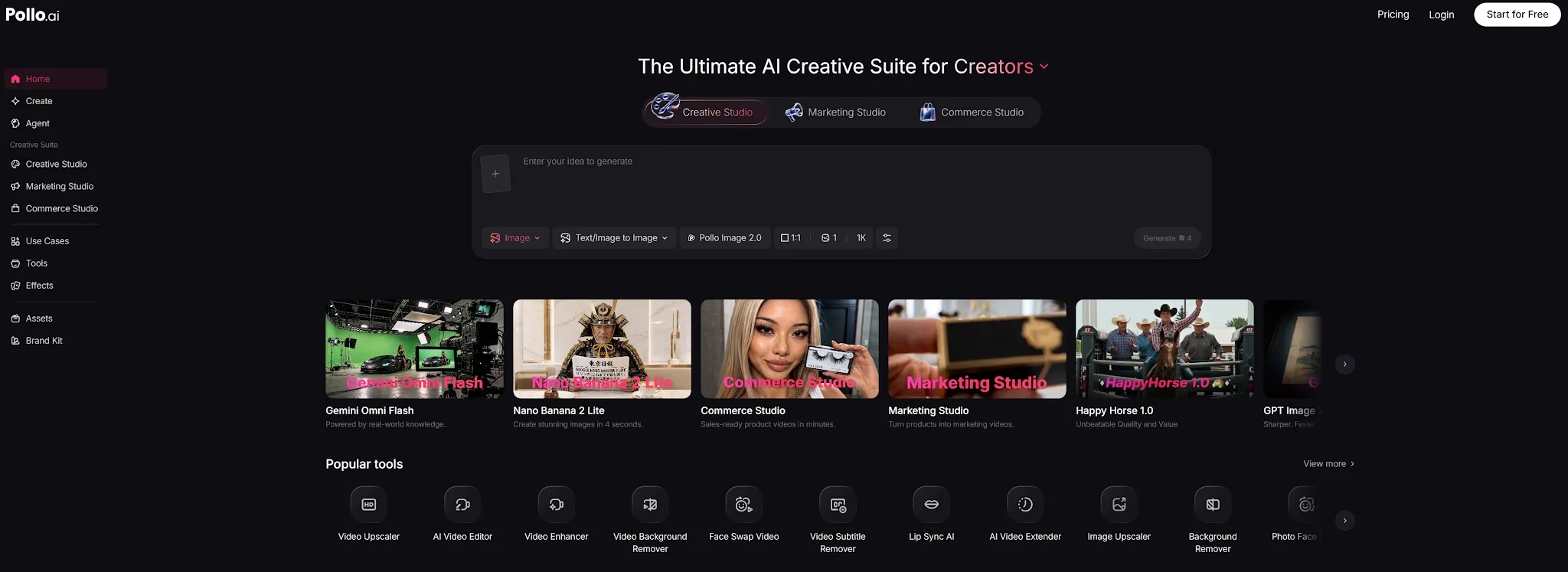
Pollo AI is a better Pixella alternative if you want to turn individual image concepts into a broader marketing content workflow.
Pixella is useful for creating graphics, editing images, and preparing template-based designs. Marketing teams, however, often need those images to become social ads, video creatives, UGC content, and multiple campaign variations.
Commercial-Grade AI Image Generation
Pollo AI supports both text to image generation and image to image AI, helping users create new visuals from prompts or transform existing images into different styles and compositions.
Its advantage is not limited to generating attractive concepts. Pollo AI is designed to create true-to-life, design-ready visuals for advertisements, posters, social campaigns, editorial graphics, character designs, and other commercial uses.
It also supports stronger subject consistency, which helps users maintain the same character, product, clothing, or visual identity across multiple assets. This makes it easier to produce cohesive campaigns instead of treating every image as an isolated result. Pollo AI helps users generate design-ready images that elevate a brand.
Specialized Generators and LoRA Style Control
Beyond basic text-to-image and image-to-image tools, Pollo AI offers more than 100 specialized generators for characters, manga, chibi art, clothing, avatars, posters, memes, floor plans, CAD concepts, textures, product scenes, and other visual tasks.
Users can begin with a generator designed around their intended output instead of building every prompt from scratch. This makes the platform accessible to beginners while still giving experienced creators room to refine the final result.
Pollo AI also provides access to more than 2,000 commercial-grade LoRA models. These models give users more precise control over illustration styles, character appearance, fashion direction, visual texture, and overall creative tone.
Creative Studio With Leading Image Models
Pollo AI’s Creative Studio is built for creators who want to make images, videos, avatars, and audio in one place. For Pixella users, the biggest advantage is access to multiple leading image models without switching platforms. These include Nano Banana 2, Seedream 5.0, and GPT Image 2.0. Different models can be selected for realistic images, poster typography, illustrations, prompt accuracy, image editing, or subject consistency.
This flexibility matters because no single model performs best across every visual task. Users can compare outputs, choose the most suitable model, edit the result, and continue developing the asset within the same workflow.
So the difference is clear: Pixella is useful for quick image generation and template design, while Pollo AI is better for commercial-grade visuals, consistent subjects, precise style control, professional editing, and broader model choice.
Generate and Edit Images in One Workflow
Pollo AI does not stop after image generation. Its AI photo editor lets users change styles, remove objects, replace backgrounds, adjust lighting, and add new elements with a simple written instruction.
This makes the workflow more practical for real production. A user can generate an image, correct unwanted details, change the background, and prepare several related assets without moving between separate tools.
Final Verdict: Is Pixella Worth It?
Pixella is worth trying if you need an accessible AI image generator for social visuals, image editing, background removal, resizing, and enhancement. Pixella is less suitable when a project requires precise control, consistent campaign assets, or connected image and video production.
My verdict is simple: Use Pixella for fast image creation and practical edits. Use Pollo AI when you need to develop those image ideas into social ads, video creatives, and broader marketing campaigns.