



What is MiniMax H3 Max: Discover the New Fal.ai Variant Built for Speed
I always get frustrated when I have to wait ages for an AI video to be generated. Even if the visual quality is fantastic, when the render speed is slow, my productivity takes a hit, making it impractical for daily use. At least, that’s how I felt until MiniMax H3 Max hit the scene with its lightning-fast capabilities, so let’s take a deep dive into this new AI video model, shall we?
TL;DR
Developed by fal.ai, MiniMax H3 Max is a speed-optimized derivative of the MiniMax H3 video model with stronger prompt control and aesthetic performance. Based on our tests, it can render 5s clips in under 15s, 10s clips in under 19s, and 15s clips in under 30s at up to 768p. You can access MiniMax H3 Max on Pollo AI to enjoy rapid testing and high-volume production now!
MiniMax H3 Max vs MiniMax H3: At a Glance
If I were to sum up what MiniMax H3 Max is, it’s a performance-tuned version of MiniMax H3 built for faster generation. But what I find so interesting about this model is that it doesn’t just execute faster but also preserves strong prompt adherence and visual quality at the same time.
Now, we’re about to look into what the new MiniMax H3 Max model brings to the table, but first, let’s take a minute to quickly see how it compares to the base model, MiniMax H3;
| Feature | MiniMax H3 | MiniMax H3 Max |
| Core Focus | Broad multimodal generation and editing | High-speed video generation |
| Text to video | Yes | Yes |
| Image to video | Yes | Yes |
| Reference inputs | Image, video, and audio supported | Supports image referencing only |
| Maximum resolution | Up to 2K resolution | 480p / 768p |
| Max duration per clip | 4–15 seconds | 5–15 seconds |
| Rendering speed per clip |
|
|
| Key Benefit | Wide multimodal control and high video resolution | Very low latency and high capacity for video iteration |
What Can MiniMax H3 Max Do: Detailed Feature Breakdown
When MiniMax H3 came out, I remember dealing with blurriness and distortions, especially across wider shots, which made it tricky to nail proper cinematic sequences. But what used to push me over the edge at times was waiting almost 10m for an AI-generated video; it was quite tedious.
So, when I heard about MiniMax H3 Max, I wanted to see what it could do. Is it an improvement over the base model? If so, by how much? Let’s take time to explore its core features to find out:
Unified Scene Generation
MiniMax H3 Max is post-trained on MiniMax H3, so it still shares a lot of similarities, such as its capacity for unified scene generation. You can blend text prompts with other reference inputs like images, with an optional end frame to give you better control over the output.
The only thing that I was disappointed to see was that it doesn’t yet support audio and video referencing. Putting that aside, I was eager to see how it fares with image to video, so here’s a quick sample test of a cookie commercial that it generated for me:
Prompt:
The cookie splits and explodes at center frame, thick glossy chocolate filling stretching between the flying halves as crumbs blast past the camera. Pieces shatter and tumble through a deep purple void with warm motion-blur trails. A whole cookie rockets toward the lens trailing molten chocolate. Two halves collide head-on, chocolate smashing into a glossy bridge. In extreme close-up the cookie snaps apart, filling stretching into thin threads that snap free in slow motion. The cookie rotates slowly inside a warm-lit vortex with crumbs spiraling around it. Thick chocolate drizzles onto a bed of crumbs and splashes upward in a crown shape. Packaging orbits into frame beside a whole cookie and cracked half, then settles with scattered crumbs.
| Ref Image | Output |
|---|---|
 |
As you can see, MiniMax H3 Max seems to have a strong capacity for maintaining temporal consistency. Based on the image reference, it did well to keep the shapes intact and the visual details stable, even across dynamic frames. So, I must say that this is a solid result.
Lightning-Fast Generation Speed:
The biggest selling point of this new release is undoubtedly its speed. As I said before, MiniMax H3 wasn’t exactly fast; it really took its time. And when you compare it to what MiniMax H3 Max can do on paper, it’s almost like the base model is standing still.
Of course, I wanted to see this in action for myself, but I also knew that generating a basic video is not enough. I needed to challenge MiniMax H3 Max, especially for quality, so I tried to see how fast it could render a daily vlog of a Korean woman doing household chores.
Prompt:
15-second handheld home-video vlog, 7-shot montage. Extra-photorealistic phone footage with natural shake, slight tilt, window light, and subtle grain. A woman (use Image1 only for face and hairstyle) does laundry alone on a quiet, sunny morning. She wears an oversized cream linen shirt, grey knit shorts, and a loose cotton apron in a cozy laundry nook with an open washer, overflowing basket, drying rack, and warm sunlight. She untangles wet clothes, shakes out a shirt, checks a collar stain, hangs it, saying “Good enough,” finds a mismatched sock, struggles with a heavy bedsheet and laughs, then finishes hanging the laundry and quietly enjoys the sunlight. Natural casual Korean dialogue (except “Good enough”).
| Ref image | Output |
|---|---|
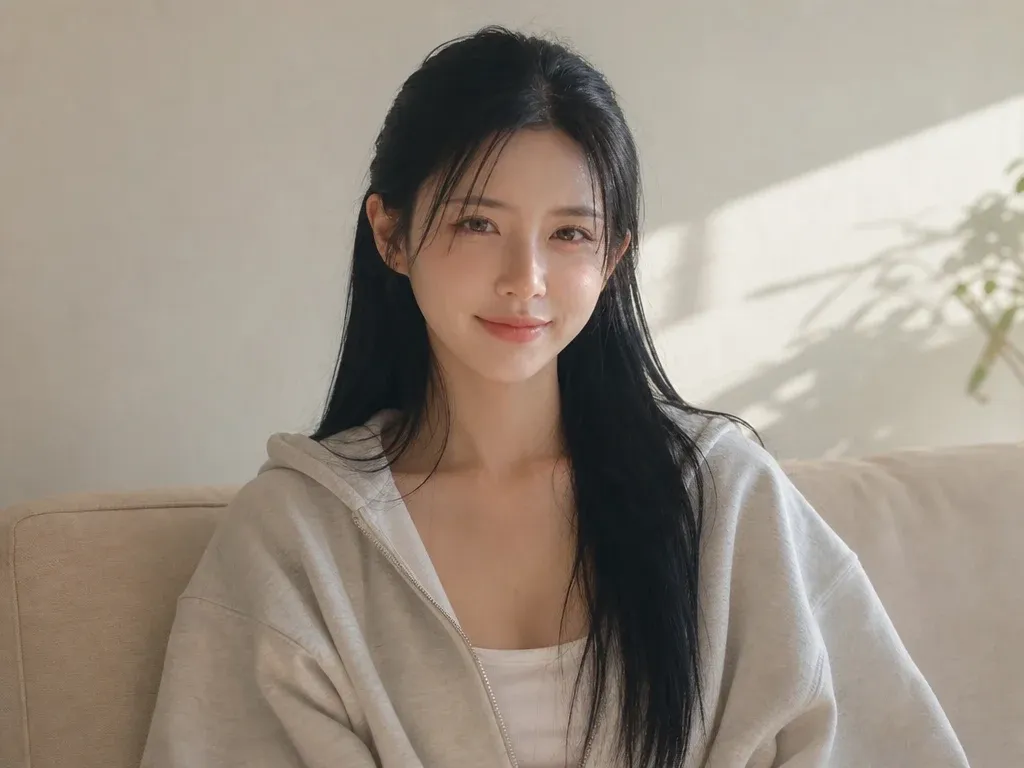 |
The fact that it only took about 30s for MiniMax H3 Max to generate this, with native audio included, is such a great effort! I even ran a few model comparison tests using the same prompt for HD; Seedance 2.5 came at 5m49s, while Wan 3.0 came at 7m24s; it was pure dominance!
Stronger Prompt Adherence:
I spent a lot of time using MiniMax H3, and while the prompt following wasn’t bad, there were times when it failed to faithfully abide by my instructions in the intended order and form. Either certain beats I included would be inaccurately rendered or left out entirely from the final result.
So, when I heard that MiniMax H3 Max made improvements here, on top of faster rendering, I was a little doubtful. But I was hoping to be proven wrong, so I gave it a spin by crafting a script to video sequence, and this is what it produced:
| Prompt | Output |
|---|---|
Create a 15-second cinematic street culture montage in 16:9, filmed at 30 fps with the imperfect immediacy of real handheld nightlife footage. The mood is an early 2000s underground car meet shot on a compact digital camera. 0–1s: Blue hour, woman with long black hair in white cropped tank, black overshirt, dark trousers and sunglasses leans against dark sports coupe; strong red taillights. 1–2s: Quick details of trunk, decal, alloy wheel, then three men in dark streetwear; coupe pulls away at night with blooming taillights. 2–3s: Woman beside car lifts hand into hair under mixed dusk and red light. 3–4s: She raises cigarette; second woman nearby; direct flash; high-angle taillights. 4–6s: Rear tracking of coupe accelerating; woman by taillight with cigarette; whip pan and overexposed flash. 6–7s: Inverted flash, man by blue sports car, back to woman waist-up. 7–8s: Profile close-up of woman, then coupe on highway. 8–9s: Follow car at night; woman lowers sunglasses into lens with flash. 9–10s: Man under red taillight glow, close taillamp detail, transition to daylight. 10–13s: Three men in dark streetwear walk past parked coupe; analog glitch, cut to black. |
Frankly, I was surprised that it nailed it after just two tries. Even in an incredibly dynamic scene like this, made of multiple shots, characters, and environments, MiniMax H3 Max steered the composition in the direction I wanted with relatively accurate time control. Super impressive!
Improved Visual Quality:
Anyone who has used MiniMax H3 will likely know just how unstable the outputs can be at times. In my experience, it fared okay with close-ups and medium shots, but whenever I had to render a sequence with wider character shots, I often faced blurry faces or poor scenery detail.
So, to hear that MiniMax H3 Max slashed generation time while also ensuring better aesthetics, I was perplexed. Naturally, I was itching to see how it performs, especially with realistic videos. You can check out the prompt I used and what it produced below:
| Prompt | Output |
|---|---|
| A continuous 15-second cinematic action shot. An extraordinarily beautiful ancient Chinese female swordswoman with a high ponytail and long legs, wearing a stylish white and ice-blue flowing silk Hanfu with dynamic side slits, sprints athletically across dark gray tiled roofs in ancient Chang'an at sunset. Three black-masked assassins chase her closely as roof tiles shatter. She leaps into mid-air, drawing her glowing silver sword in slow motion while her silk dress flutters. One assassin strikes; their weapons collide with bright orange sparks and shockwaves. She parries, executes a mid-air backflip, and lands lightly in a graceful low crouch on a lower roof, eyes locked on her enemies. |
I think we can all agree that MiniMax H3 Max stepped up here. The clip presented no artefacts, instability, or loss of detail of any kind, despite being a wide shot, action sequence with several background characters and so many rapid movements. Great consistency all around!
Native Stereo Audio:
Like the base model, I was glad that MiniMax H3 Max still offers native stereo audio, which means that the picture and sound are generated together in a single pass. At least with music and sound effects, I typically had little to complain about with MiniMax H3.
But precise lip-synced dialogue was never exactly reliable, so I wondered if MiniMax H3 Max would show better consistency this time around. And the best way I knew to put this to the test was to see how well it synchronizes a character’s vocal performance with music.
| Prompt | Output |
|---|---|
| Continuous 15s 16:9 live-action shot, no cuts. Young woman with platinum blonde hair, wispy bangs, two low side buns, dramatic black eyeliner, pale makeup, fitted black sleeveless crop top and layered thin black necklaces. Confident alternative punk look. Still extreme fisheye at face height with strong barrel distortion. Dim intimate bedroom: rough aged walls, muted blue bedding, lived-in details fading into darkness. Cold cyan-green light near camera, high ISO noise, soft low-res texture, imperfect white balance. She starts extremely close, mouthing a song, leans back revealing torso, leans in, looks up exposing neck, rolls head sideways, returns with a soft pout, then approaches playfully and ends with a wide teasing smile into the lens. Realistic inertia, independent hair/necklace motion. Moody underground alt-pop ~100 BPM with intimate female vocal; sync mouth and shoulders to the rhythm. |
If I had to give this video output a rating, I’d say it’s a strong 8.5/10. I barely saw any obvious lip misalignment with the track’s rhythm, and the timing was quite excellent. Even her facial/body expressions matched the vibe of the song, making the performance even more convincing.
Faster Video Editing:
You know how you can generate a video, notice a mistake or something you want to change, then realize you have to wait minutes to reiterate? That tedious feeling can be heavy. But with MiniMax H3 Max, I was relieved to see that I can now make video editing almost instantly.
In fact, I tried using MiniMax H3 again, and it took me about 7m11s to edit and regenerate a 15s video. When I switched over to MiniMax H3 Max, the entire sequence was refined and ready in just under 30s! I can’t help but be impressed; it’s such a dramatic improvement from the original.
What Is MiniMax H3 Max Best Suited to Create?
At 15s max duration per clip, I wouldn’t suggest MiniMax H3 Max for extended storytelling. But seeing how fast and visually consistent it is, I find that it’s the ideal choice for generating short clips and prototyping visual concepts. For this reason, I think these are the best ways to use it:
| Video Type | How to Use MiniMax H3 Max | Why Is It a Good Fit? |
|---|---|---|
| Short social-media videos | Create quick visual scenes, transitions, character moments, stylized clips, and narrative hooks. | Its fast generation speed makes it easier to test multiple concepts, openings, and visual styles. |
| Product ads | Animate product images with camera pushes, rotations, dramatic lighting, floating effects, and unique style compositions. | Marketers can rapidly generate and compare different promotional concepts. |
| Storyboards and cinematic concept shots | Explore unique camera movements, lighting, color palettes, environments, and action before full production begins. | Short clips can work well as visual experiments, mood films, teasers, and creative references. |
| E-commerce videos | Turn product images into short product videos for online stores, product pages, and campaigns. | Offers image to video generation, turning static product assets into engaging content. |
| Character-focused clips | Create short scenes featuring stylized characters, fantasy subjects, fashion concepts, or imaginative narratives. | The model can combine character descriptions, action, setting, style, camera direction, and audio in one prompt. |
Try MiniMax H3 Max Free on Pollo AI Now
Power Your Next Video With MiniMax H3 Max on Pollo AI.
Start Creating Free
What are MiniMax H3 Max Limitations?
Now, I’ve sung a few praises for MiniMax H3 Max so far, but I also have to be honest and say that it isn’t perfect, not by a long shot. In quite a few tests, I still faced issues with inconsistent motion, especially when complex choreography was involved.
In those cases, I either had to simplify the scene or regenerate a few times to get a passable result. I also have to point out that while MiniMax H3 Max shows a great improvement in prompt adherence, it doesn’t always guarantee exact execution.
And by this I mean that it’s not as flexible or intuitive as other AI video models in interpretation, especially when it comes to text to video. I saw that it won’t always steer the composition exactly how you expect, which forced me to edit and reiterate certain tasks multiple times.
But for me, the biggest frustration is the limitation on resolution and duration. With only 480p and 768p for MiniMax H3 Max, it doesn’t particularly suit final production, only prototyping. And with just 15s max to work with, I find that it’s not enough to build proper story arcs.
How To Start Creating with MiniMax H3 Max? Head to Pollo AI
Now that you know what MiniMax H3 Max is all about, I’m sure you want to give it a test drive. For this, I strongly recommend Pollo AI. Why? Because it doesn’t just give you access to MiniMax H3 Max; it’s built to be the ultimate AI creative suite for marketers and creators that has everything you need to produce pro-level images and videos.
For starters, it comes integrated with several top-tier AI video models, including Kling 3.0, Seedance 2.5, and Veo 3.1. In just this one place, I can switch between all these options, making it easier to generate cinematic scenes and animations, then iterate until I get the best possible result. Super convenient, right?

And on the days when I only have rough ideas in mind, I simply turn to Pollo Agent. As an iterative agent, this tool automates structure, pacing, visuals, etc. I can use it to create viral social videos, product ads, story videos, posters, logos, and other marketing assets in minutes. I can also edit videos and images using simple commands without starting from scratch.
Plus, there’s the Pollo AI Marketing Studio, where I can create branded content like UGC video ads, clone viral videos, testimonial videos, and more. It’s literally the one-stop shop for video production. Just sign up for an account and explore Pollo AI at no cost via the free trial plan!
FAQs about MiniMax H3 Max
What is MiniMax H3 Max?
Post-trained and powerfully optimized by fal.ai, MiniMax H3 Max is an AI video model variant of MiniMax H3 that emphasizes faster video generation, alongside better prompt following and improved aesthetics. Feel free to access it on Pollo AI and start testing its capabilities today!
What is MiniMax H3 Max’s biggest advantage?
Speed. MiniMax H3 Max is incredibly fast at rendering high-fidelity videos, even compared to AI video models like Seedance 2.5 and Wan 3.0. After extensive tests, we found that for 5s videos, it only takes 15s; for 10s videos, it takes around 19s; and for 15s videos, it only needs 30s!
What types of inputs does MiniMax H3 Max support?
You can only use text and image inputs with MiniMax H3 Max. If you want broader reference support, then you will need to turn to the original MiniMax H3 model. With the base model, you’ll be free to upload image, video, and audio references.
What resolutions does MiniMax H3 Max support?
You can generate videos in 480p and 768p resolution using MiniMax H3 Max. If you want higher resolutions, you can use the base MiniMax H3 model, which supports output up to 2K. Just keep in mind that it will be significantly slower to generate if you do.
Does MiniMax H3 Max follow detailed prompts?
Yes. This new model variant from fal.ai offers even better prompt control, helping you build directed shots with fewer attempts needed to get everything right. But for more predictable compositions with MiniMax H3 Max, I recommend using reference frames to guide the shots.
Is MiniMax H3 Max suitable for pro-level video production?
Given how MiniMax H3 Max doesn't compromise visual detail for fast iteration, it’s perfectly suited for rapid concept development. I’d recommend using it to produce drafts and storyboards for cinematic sequences, brand ads, or social content, especially since it’s capped at 15s.