




Seedream 4.0 AI Image Generator
Seedream 4.0 merges up to 10 images into cohesive visuals in minutes, unifies generation and editing, and supports up to 4K output. Try Seedream 4.0 on Pollo AI for free!
Key Features of Seedream 4.0 AI Image Generator
Limitless Artistic Styles : Instantly apply a vast range of aesthetics, from watercolor to cyberpunk.Efficient Batch Processing : Upload multiple images to generate numerous variations in a single run.Precise Prompt-Based Editing : Refine details, change lighting, or swap elements with simple text commands.Consistent Visual Identity : Maintain uniform character features, styles, and branding across all creations.Effortless Image Fusion : Combine up to 10 images into one stunning masterpiece.Accurate In-Image Text : Render clean and correct text in multiple languages, including English and Chinese.Ultra-Fast 4K Output : Produce professional, high-resolution images in seconds, perfect for any use.
Endless Creative Styles
With Seedream 4.0, you can explore an expansive library of artistic styles without limits — all accessible in just a few clicks. Whether you want to reimagine a photo as a dreamy watercolor painting, give it a futuristic cyberpunk edge, or try countless other aesthetics, you have the freedom to experiment endlessly.
 |  |
 |  |
Scale Your Creativity with Batch Generation
Accelerate your creative process by working in bulk. For AI image generation, Seedream 4.0 can process multiple reference images and produce several outputs in a single run, saving valuable time.
Maintain visual harmony across images with advanced reference‑consistency controls — perfect for brand assets, cohesive series, or storytelling projects that require the same style and tone across every piece.
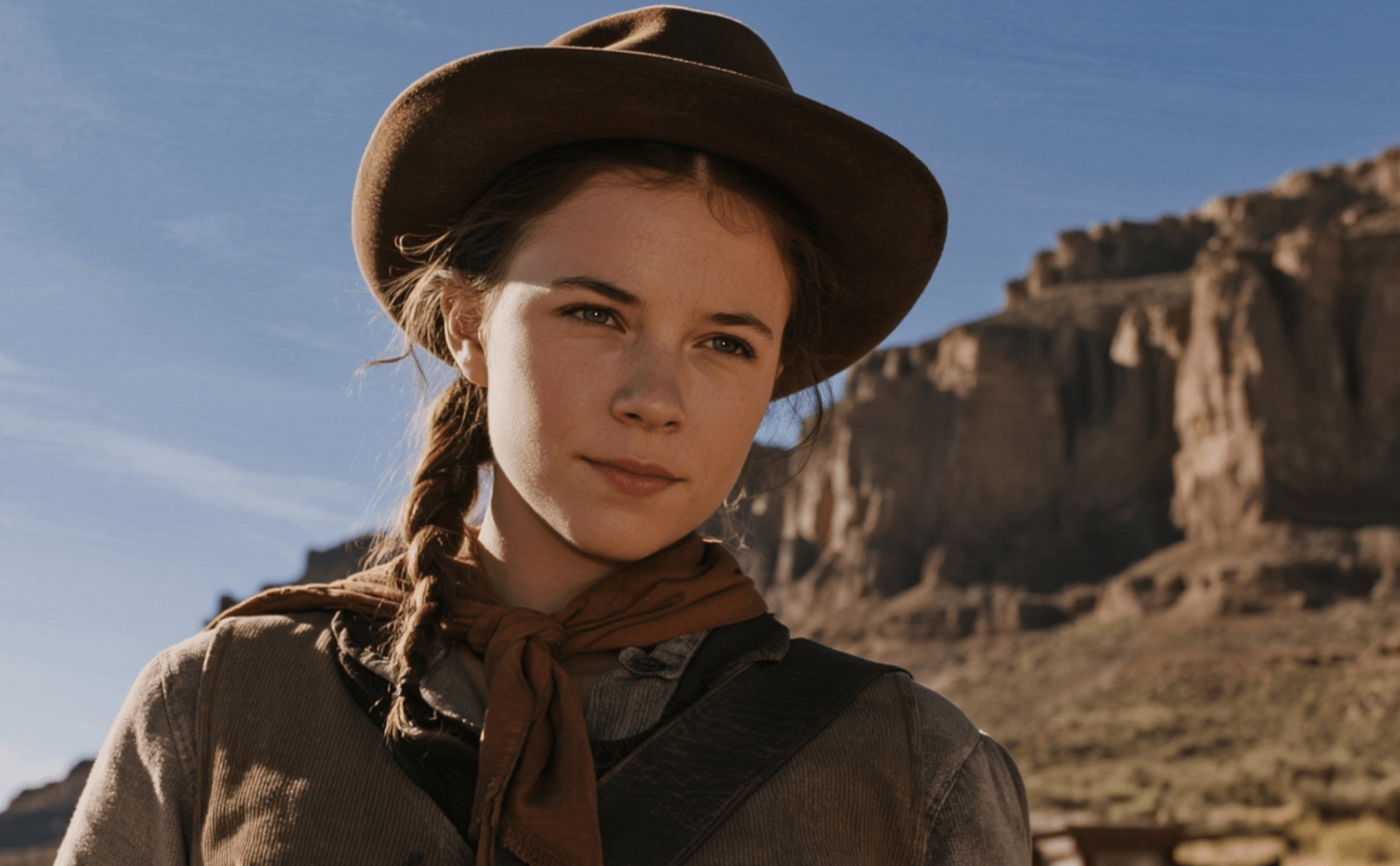 (Please generate three images from different views: a 360-degree overhead view. An elevated view, and a back view. Don't change the AI's appearance and outfit.) | 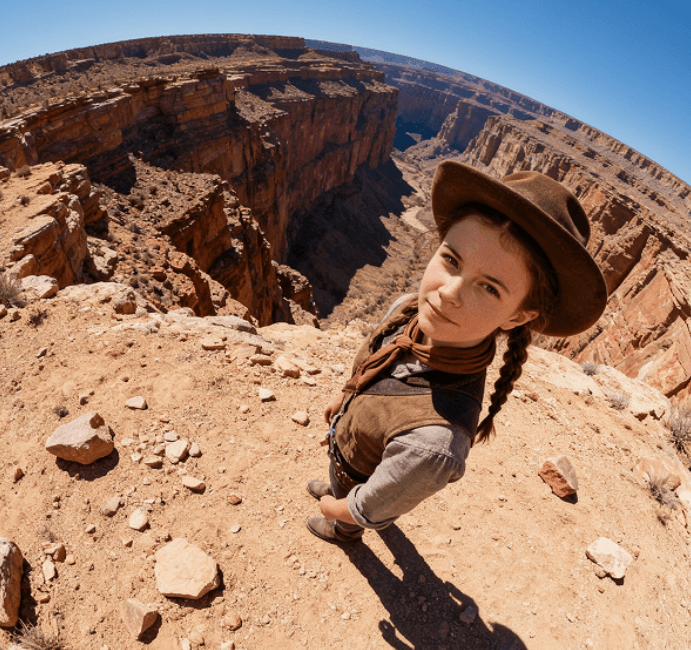 (Output 1) |
 (Output 2) |  (Output 3) |
Prompt-Based Image Creation and Editing
Bring your imagination to life with natural language prompts. With Seedream 4.0, simply type a sentence — from a detailed scene description to a quick idea — and watch as the AI transforms your words into vivid, high‑quality images.
Need a tweak? Just describe the change you want, whether it’s adjusting lighting, refining details, or replacing entire elements, and the system will update your image instantly with precision.
| Prompt | Generated Image |
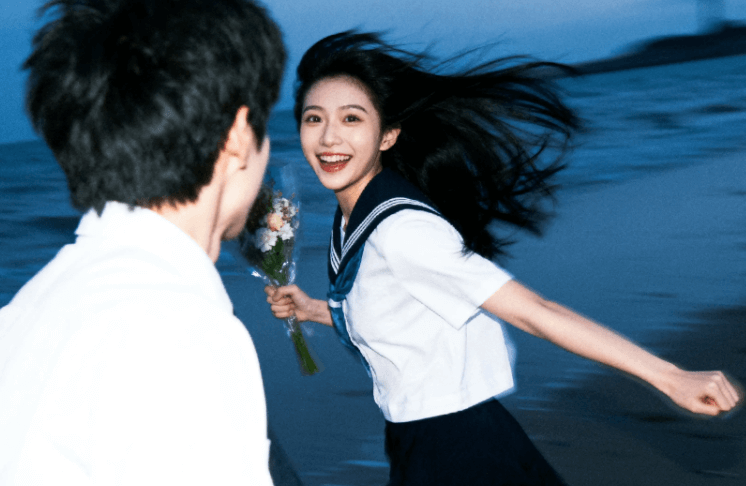 (Remove the boy in the picture) | 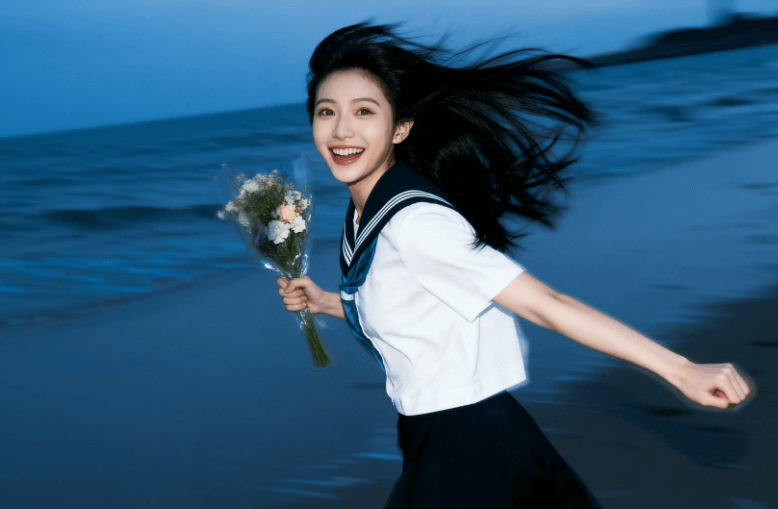 |
Consistent Visual Identity Across Multiple Creations
Using Seedream 4.0 AI image generator, you can maintain stable character traits, style features, and thematic elements across generated images, even when using several reference photos.
| Prompt | Generated Image |
 (Change the sports while keeping the person's identity) | 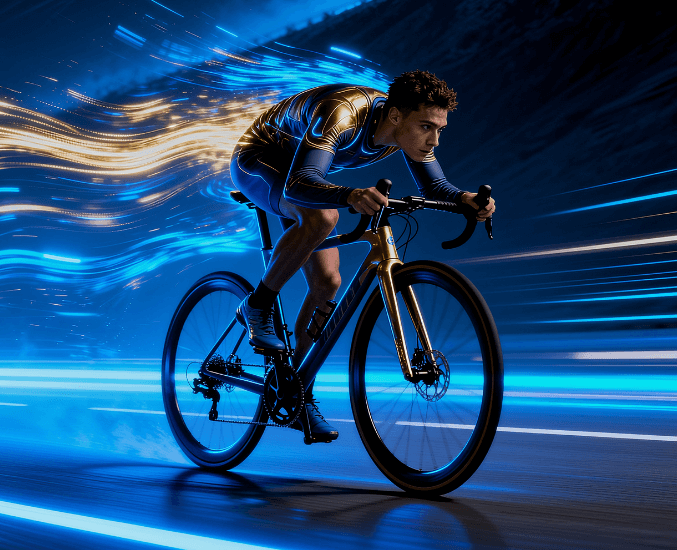 |
Endless Creative Styles
Seedream 4.0 lets you upload up to 10 images and seamlessly blend them into one cohesive, high-quality image — perfect for consistent styles, creative compositions, and impactful visuals in seconds.
Advanced Text Rendering Accuracy
Unlike many AI image generators that struggle with text, Seedream 4.0 excels at precise, natural text reproduction directly within images. Whether it’s English, Chinese, Japanese or Spanish, the model captures the correct characters, spacing, and visual style with impressive fidelity.
| Prompt | Generated Image |
 (Refer to this logo,create a visual design for an outdoor sports brand named "GREEN". The products include packaging bags) | 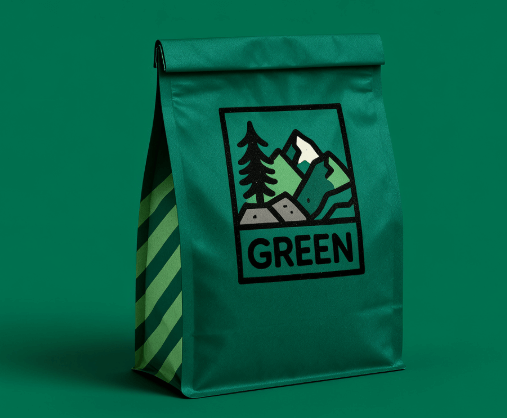 |
Ultra‑Fast, High‑Resolution Generation
Seedream 4.0 delivers exceptional image quality without the wait. It supports creating ultra‑clear content at up to 4K resolution, making it suitable for professional design, printing, and large‑scale displays.
How to Use Seedream 4.0 AI Image Model on Pollo AI
Select the Seedream 4.0 Model
Go to the AI image generator and scroll the drop-down menu for Seedream 4.0.
Describe Your Image
Input your detailed text prompt and set your desired image configurations.
Generate Your Image
Click on ‘Create’ and wait for the image generation process to be completed.










 5000+ reviewsTrustscore 4.4
Loved by 10M+ Creators and Marketers Globally
Thousands of satisfied users have shared their Pollo AI experiences on Trustpilot, rating us as "Excellent." See what they love about our platform.
Liz Cassidy Dec 15, 2025Richard QuickOct 15, 2025armourdudeNov 19, 2025
 DuduJan 14, 2026
 Ray WarnesDec 30, 2025
 lawless clanNov 22, 2025
Explore Seedream AI's Models
FAQs
What is Seedream 4.0?
Seedream 4.0 is ByteDance’s next-generation AI image generation and editing model. It combines ultra-fast speed, high-resolution outputs, and powerful multi-modal capabilities to create and manipulate images using natural language prompts or reference photos.
How to use Seedream 4.0 AI image generator?
To use Seedream 4.0 AI image generator, start by navigating to Pollo AI image generator and selecting Seedream 4.0 from the model drop-down menu. Next, enter a detailed text prompt describing your desired image and customize settings like batch mode. Finally, click 'Create' to generate the image in seconds!
How does Seedream 4.0 compare to other AI image models?
Seedream's research shows that it outperformed Qwen, Gemini-2.5 and more AI image models in terms of prompt adherence, alignment, and aesthetics.
Is Seedream 4.0 suitable for bulk or batch processing?
Yes, the platform supports batch input and output, allowing you to upload multiple reference images and generate many consistent, high-quality variations at once. This boosts productivity for creators working on series, brand assets, or campaigns requiring stylistic uniformity.
Can I commercially use images created with Seedream 4.0?
Yes. All subscription plans include a commercial license, allowing you to freely use generated images in commercial projects, marketing materials, branding, or product designs without additional fees or restrictions.
