



Uncanny Annabelle Doll Transformation with Pollo AI
Pollo AI transforms your photo into a cinematic video, reimagining your subject as an eerie Annabelle doll with heavy makeup and glassy eyes, moving subtly under a wooden texture with creepy sound effects, ideal for a haunting Halloween vibe.
Creepy Puppet Face and Makeup
Pollo AI shapes your subject’s face into a childlike form, adorned with thick red blush, dark eyeliner, and a smeared red smile, paired with large glassy eyes and spooky sound effects, creating an unsettling, Halloween-ready cinematic video.
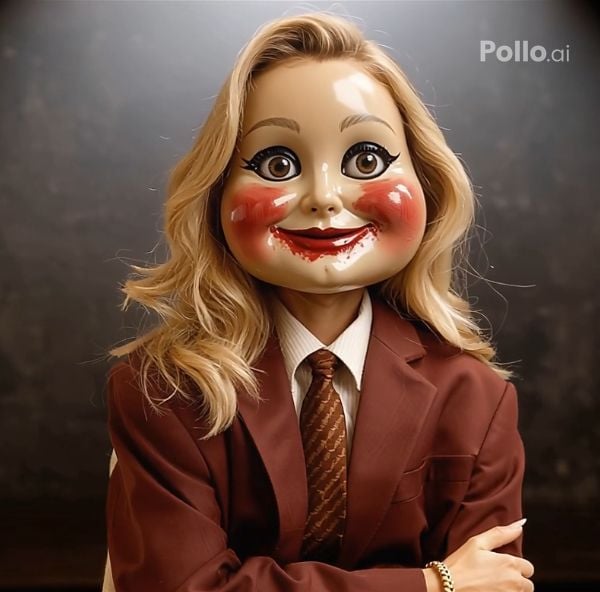
Flawless Blend of Face and Doll Texture
Pollo AI seamlessly merges your subject’s facial features with a wooden doll texture, their body stiffening into an eerie, doll-like pose, delivering a chillingly lifelike transformation. Enhance the terrifyingly authentic details with Pollo AI’s AI Face Enhancer to highlight every haunting nuance.
How to Create Your Become Annabelle Video with Pollo AI
With only three steps, you can easily create videos from images with Pollo AI.
Step 1
Select and submit a clear single-person photo.
Step 2
Let Pollo AI animate the Annabelle transformation.
Step 3
Review and save your creepy puppet videos.
Try Other Popular Video Effects From Pollo AI
FAQs
What is Pollo AI’s Become Annabelle Effect?
Pollo AI’s Become Annabelle Effect transforms your photo into a cinematic video of a subject as an eerie Annabelle doll with heavy makeup and a wooden texture, ideal for Halloween.
Can I try Pollo AI’s Become Annabelle for free?
Yes, Pollo AI’s Become Annabelle Effect is free to try! Upload a single-person photo and use limited credits to craft an eerie video, with paid plans for more access.
How does Pollo AI animate the doll-like face?
Pollo AI crafts a childlike face with adult-like features and heavy makeup, moving subtly under a wooden texture, paired with creepy sound effects for an uncanny video.
Why use a spotlight in Pollo AI’s Become Annabelle?
Pollo AI’s single spotlight enhances the eerie, Halloween-ready atmosphere, highlighting the doll’s creepy pose in a shadowy, cinematic setting.
