



Hilarious Pet Interview Freeze-Frame Moment
Pollo AI creates a fun video where a reporter crouches beside your pet, extending a microphone in a playful interview setup. The camera zooms in, and your pet delivers a surreal thumbs-up with hyper-realistic fur, pausing on this charming scene.
Fun Pet Interview with Playful Thumbs-Up
See how your pet stars in a hilarious video posing for a mock interview with a reporter’s microphone! The camera zooms to capture its human-like, furry thumbs-up, blending vivid fur textures and natural lighting for a quirky, heartwarming scene full of charm.
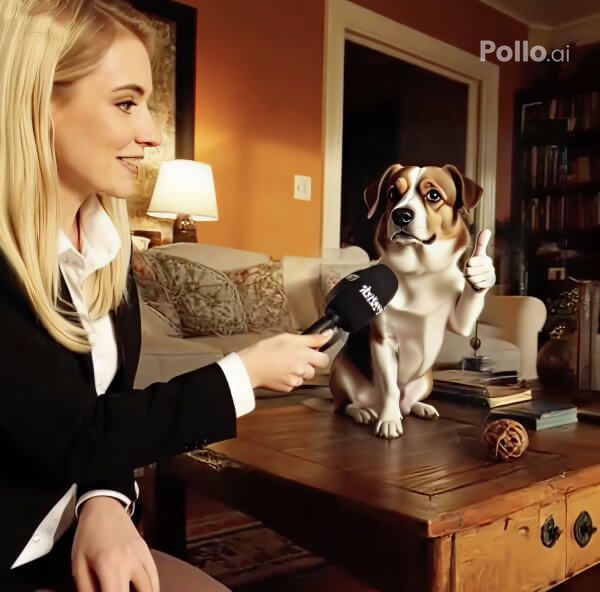
Trendy Pet Video with Viral Appeal
This 5-second meme clip turns your pet’s photo into a social media hit. With a playful interview vibe set in the original backdrop, it delivers a trendy, laugh-out-loud video that boosts engagement and spreads fun online.
How to Create Your Pet Interview Video with Pollo AI?
With only three steps, you can easily create videos from images with Pollo AI.
Step 1
Upload a clear single-animal subject photo.
Step 2
Generate your pet interview video with a click.
Step 3
Preview and download your trendy pet meme clip.
Discover Other Popular Video Effects
FAQs
What does the Pet Interview effect do?
Pollo AI’s Pet Interview effect turns a single-animal photo into a 5-second video. A reporter interviews your pet, zooming in as it gives a furry thumbs-up, set in its original background with hyper-realistic details for a fun, surreal effect.
Can I try the Pet Interview effect for free?
Yes, Pollo AI’s Pet Interview effect is free to try! Upload a single-animal photo, and our AI crafts a hilarious interview video, ready for instant download and sharing.
Will my pet’s features stay the same?
Yes, Pollo AI preserves your pet’s facial features, fur, and body exactly as in the uploaded photo, adding only the playful interview animation and thumbs-up gesture.
Can I use a photo with multiple animals?
No, the Pet Interview effect works best with a single-animal photo to ensure accurate rendering of the interview setup and thumbs-up animation for a seamless result.
