



Dynamic Orbital Zoom Adventure with Pollo AI
Pollo AI spins your photo into an ultra-realistic 8K video, with the camera orbiting smoothly around the center while zooming in. Subjects and backgrounds move naturally, creating a distortion-free, movie-like spectacle.
Smooth Cinematic Orbital Motion
Pollo AI crafts a fluid, vertical-axis camera rotation with a steady zoom-in, enveloping your subjects in a dynamic, high-resolution 8K video that feels straight from a blockbuster film.
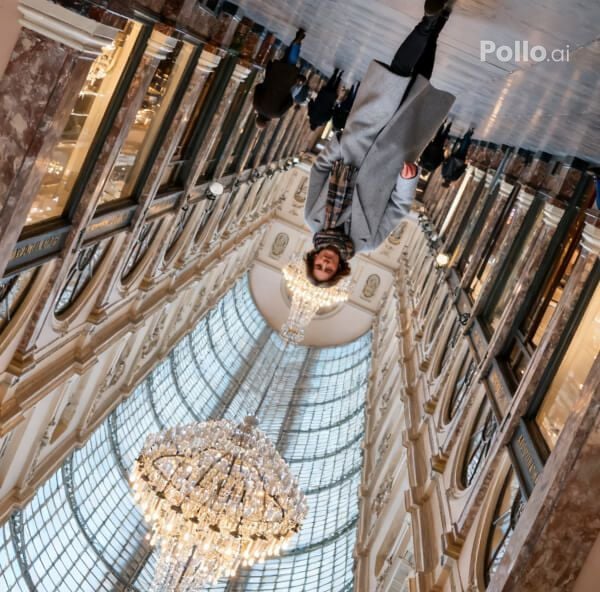
Natural Scene with Zero Distortion
Every element in your photo—subjects, objects, or backgrounds—moves organically without warping. Pollo AI’s precise rendering ensures a lifelike, high-resolution 8K video with cinematic clarity.
How to Create Your Rolling Push-In Shot with Pollo AI
With only three steps, you can easily create videos from images with Pollo AI.
Step 1
Submit a clear photo of any subject.
Step 2
Let Pollo AI animate the orbital zoom.
Step 3
Save or share your rolling push-in Shot.
Discover Other Popular Video Effects
FAQs
What is Pollo AI’s Rolling Push-In Shot Effect?
Pollo AI’s Rolling Push-In Shot transforms any photo into an 8K cinematic video, with smooth orbital camera motion and a zoom-in for a dynamic, movie-like experience.
Can Pollo AI’s Rolling Push-In handle multiple subjects?
Yes, Pollo AI’s Rolling Push-In Shot supports any number of subjects or objects, ensuring all move naturally in the 8K video without distortion or loss of detail.
How does Pollo AI ensure distortion-free motion?
Pollo AI’s advanced rendering keeps every element—subjects, props, or backgrounds—sharp and undistorted during the orbital zoom, delivering a seamless, high-resolution 8K video.
What makes Pollo AI’s Rolling Push-In cinematic?
Pollo AI’s precise camera control and ultra-clear 8K resolution create a fluid, immersive video, with natural motion and lighting that evoke a blockbuster film aesthetic.
