



Hitchcock-Style Dolly Zoom with Pollo AI
A single photo unfolds into a gripping video by Pollo AI video generator, with the camera pulling back while zooming in, distorting the background dramatically. Your subject stays centered and motionless, facing the lens with a gentle breeze adding to the eerie, cinematic feel.
Classic Hitchcock Zoom for Uneasy Perception
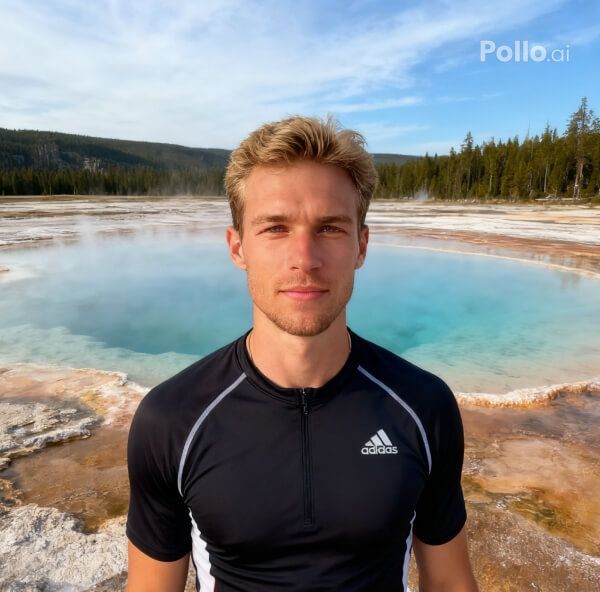
The effect recreates Hitchcock’s iconic zoom, warping normal visual perception to evoke a sense of unease. Background distortion surges as the camera retreats, creating a tense, psychological atmosphere in high-quality.
Smooth Lens Shift with Natural Realism
The zoom transitions fluidly from telephoto to wide angle, keeping your subject steady while the background deforms realistically. Pollo AI’s gentle breeze and soft lighting craft a natural, immersive video full of cinematic depth. Want a even better video output? Try our video enhancer to produce HD content.
How to Create Your Dolly Zoom Video with Pollo AI
With only three steps, you can easily create videos from images with Pollo AI.
Step 1
Choose and upload a clear single-person photo.
Step 2
Let Pollo AI apply the dolly zoom distortion effect.
Step 3
Save and share the Hitchcock-style zoom-in clip.
Discover Other Popular Video Effects from Pollo AI
FAQs
What defines Pollo AI’s Dolly Zoom Effect?
Pollo AI’s Dolly Zoom recreates Hitchcock’s technique in a 4K video, pulling the camera back while zooming in to distort the background, creating a suspenseful, cinematic scene.
Can I try Pollo AI’s Dolly Zoom for free?
Yes, Pollo AI’s Dolly Zoom is free to try! Upload a photo and use limited credits to create dramatic videos, with paid plans for unlimited access.
How does Pollo AI’s Dolly Zoom enhance video realism through environmental dynamics?
Pollo AI’s gentle breeze subtly moves the subject’s hair or clothing, amplifying realism and tension during the dolly zoom. This dynamic touch makes the 4K video feel vivid, immersive, and cinematically alive.
What backgrounds suit Pollo AI’s Dolly Zoom best?
Detailed, expansive backgrounds—like urban streets or natural landscapes—amplify Pollo AI’s Dolly Zoom distortion, creating intense, psychological impact in the final 4K video.
