



Generate Immersive Selfie Videos With Pollo AI
Elevate your selfies with Pollo AI “take a selfie” video effect—you upload a single photo, and it instantly morphs into a realistic video where you reach out, seize the camera, and guide it to shadow your every step. Your expression stays relaxed, turning static photos into dynamic, immersive stories that draw viewers right into your world.
High-Quality “Take a Selfie” Video Generation
You drop in your original photo, and Pollo AI delivers hyper-realistic “take a selfie” motion: watch the subject lean in, control the lens, and move naturally, creating AI videos so lifelike they will fool your friends into thinking they were there.
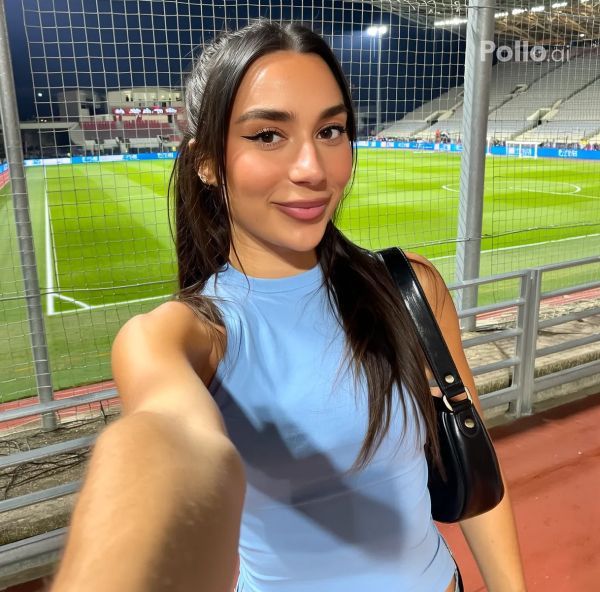
Spontaneous Vibes That Captivate
You infuse your clips with genuine flair—relaxed smiles and intuitive twirls that sync perfectly with your surroundings, making each video a spontaneous adventure that keeps audiences hooked. Want a more immersive experience? Try Pollo AI Lip Sync AI to turn your original video into a lifelike clip with lip sync animations.
How to Use “Take a Selfie” Effect in Pollo AI?
With only three steps, you can easily create videos from images with Pollo AI.
Step 1
Select your target photo and upload to Pollo AI.
Step 2
Click Create to generate your AI selfie videos.
Step 3
Preview and then download the final AI video.
Discover Other Popular Video Effects from Pollo AI
FAQs
What types of photos work best with the Pollo AI “take a selfie” video effect?
You can use any clear, well-lit photo of a single person, preferably with a visible face and upper body. Front-facing shots with neutral or simple backgrounds yield the most realistic “take a selfie” results, but Pollo AI’s tech adapts to various settings for stunning videos.
Can I customize the movements in my selfie video?
While Pollo AI automatically generates natural, spontaneous movements, you can’t directly control specific gestures. Our “take a selfie” video effect intelligently crafts motions that match your photo’s vibe and background for a seamless, authentic look.
How long does it take to create a selfie video with Pollo AI?
It’s lightning-fast! Upload your target photo, and Pollo AI’s advanced algorithms generate your realistic selfie video in just a few minutes, ready to share or download instantly.
Will the “take a selfie” video effect work with group photos or pets?
Currently, the video effect is optimized for single-subject human portraits. For best results, use a photo featuring one person.
