AI Time Lapse Video Maker

AI Time Lapse Video Maker

Turn prompts or photos into cinematic time lapse videos with dynamic light and motion, without filming or editing.

Show the Passage of Time Without Long Shoots

Can’t spend days filming one scene? Pollo AI’s AI timelapse video maker turns prompts or photos into videos of gradual change. Visualize blooming plants, imagined construction, or a city shifting into night. Create compelling content for social posts, lessons, and campaigns without recording hours of footage or assembling individual frames.
Show the Passage of Time Without Long Shoots
  • No Design Skills

    Describe your scene and its transformation. AI handles the animation without complex editing timelines.

  • Skip Long Shoots

    Show hours, seasons, or imagined years passing without setting up a lengthy camera shoot.

  • Cinematic Light and Motion

    Bring scenes to life with shifting daylight, moving clouds, and evolving shadows.
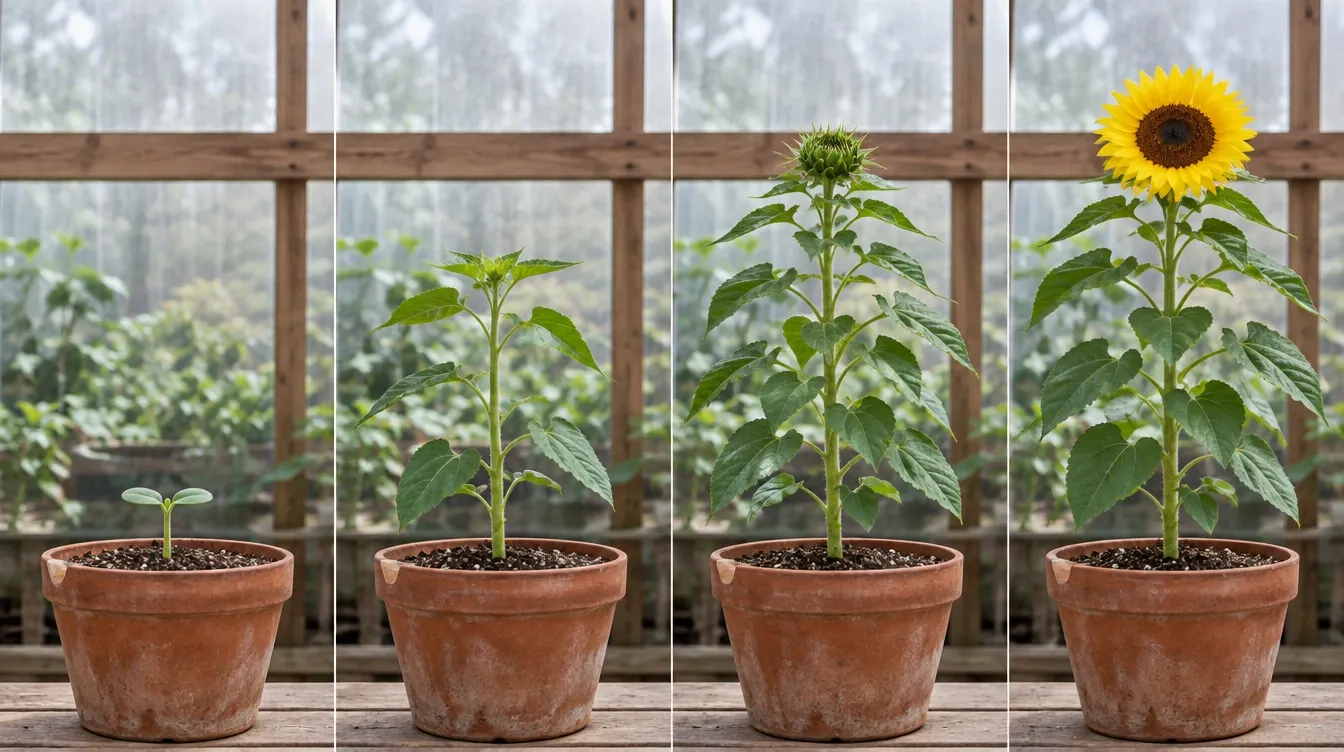
Show Gradual Transformations in Seconds

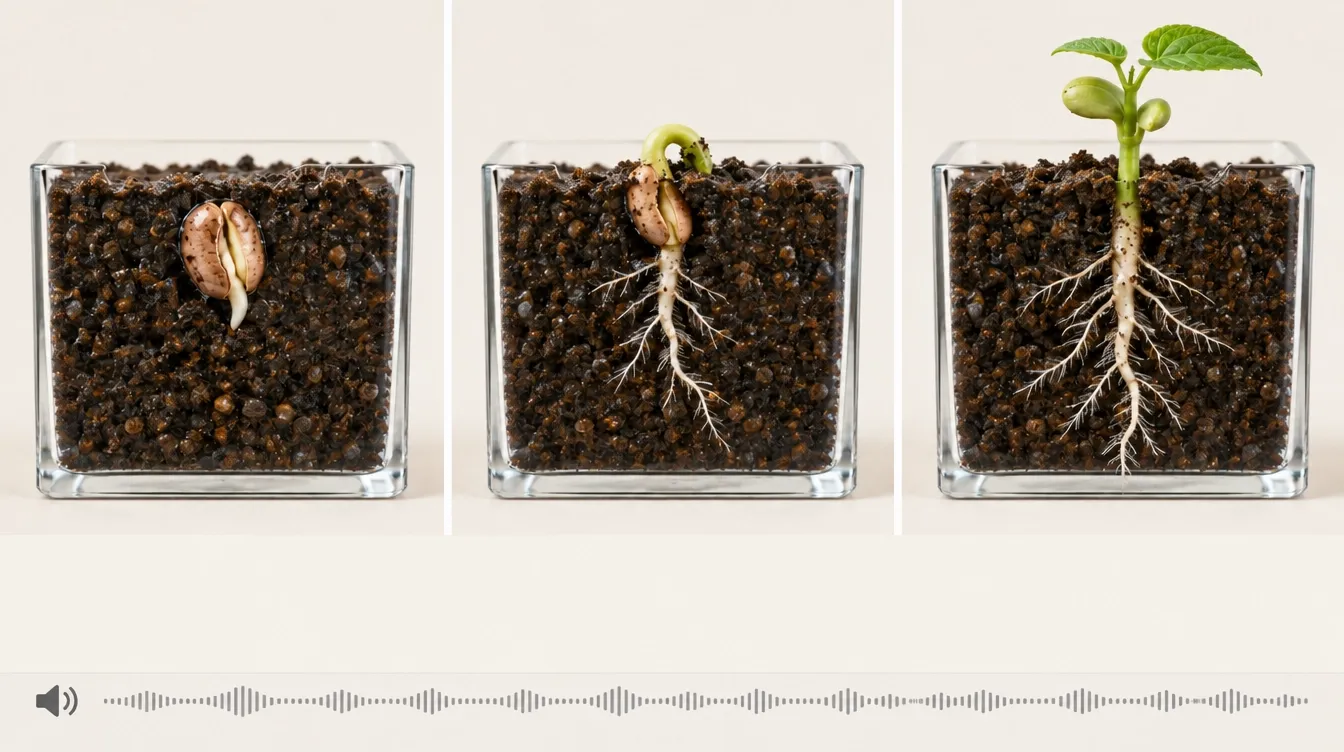
Show a seedling growing, a flower opening, or an imagined building taking shape. Turn slow processes into short AI videos that reveal the transformation, giving your audience a complete visual progression without days of filming or animation skills.

Show Gradual Transformations in Seconds

Create Cinematic Day-to-Night Transitions

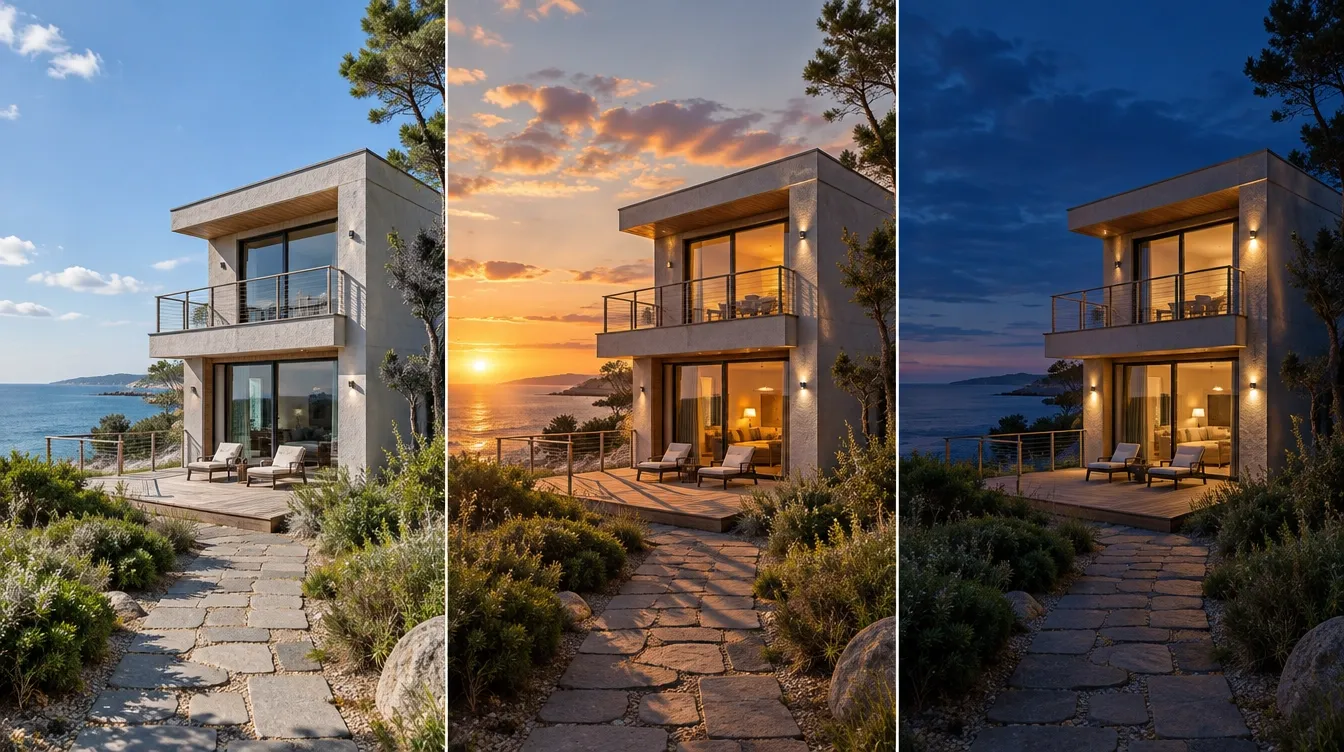
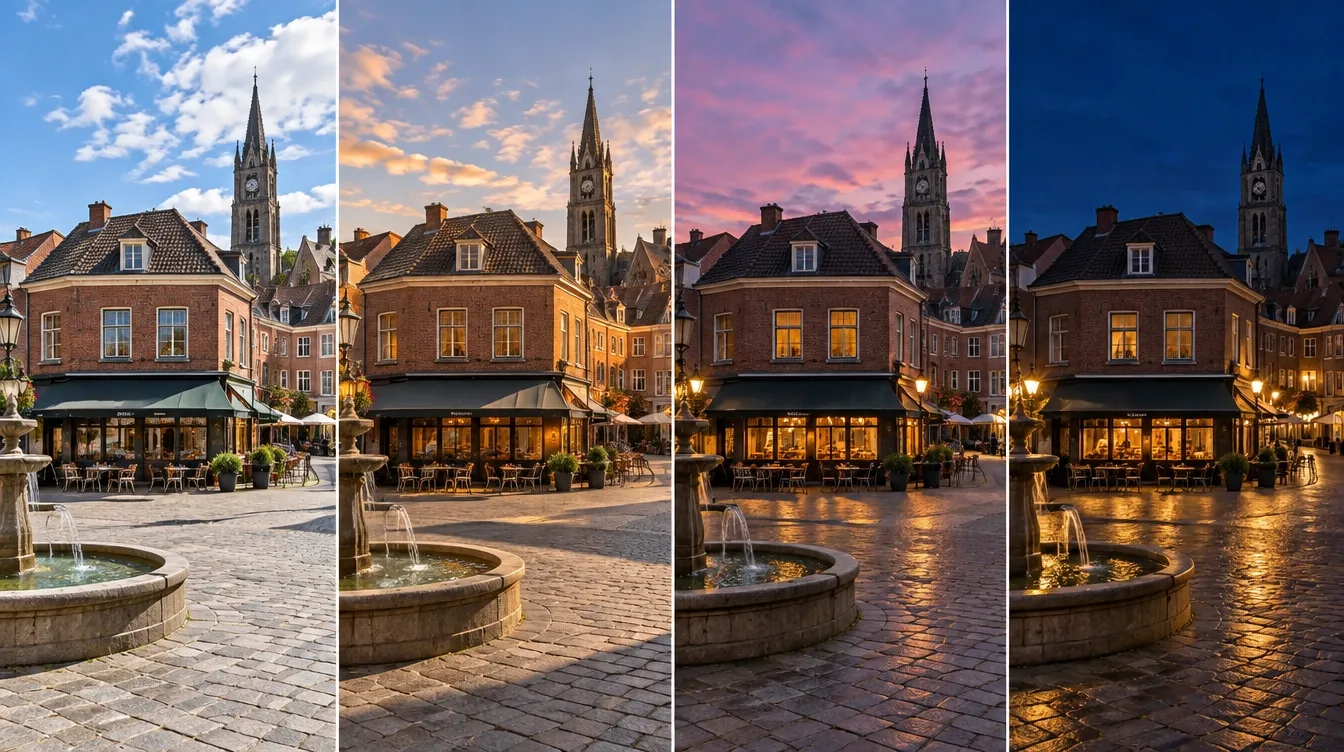
Take your scene from bright afternoon to glowing twilight with moving clouds, shifting sunlight, and lengthening shadows. These environmental changes make time’s passage visible, adding atmosphere to your travel content, city scenes, and property visuals without waiting for sunset.

Create Cinematic Day-to-Night Transitions

Keep Your Scene Anchored as Time Passes

Use a reference photo to establish your subject and composition, then describe a fixed camera view. Guide the AI toward a recognizable setting as lighting or surroundings change, helping viewers follow the transformation without distracting shifts in perspective.

Keep Your Scene Anchored as Time Passes

Explain Your Time Lapse With AI Narration

For lessons and process explainers, complement your time lapse with AI voiceovers in Pollo AI. Explain what changes at each stage and why it matters, helping your audience understand the sequence without recording narration yourself.

Explain Your Time Lapse With AI Narration

Create AI Time Lapse Videos for Your Field

Turn Everyday Scenes Into Reveals
Social Creators

Turn Everyday Scenes Into Reveals

Turn a quiet street, changing sky, or blooming garden into an AI time lapse video. Bring that visual hook into your Instagram videos to refresh your content.

Make Gradual Processes Easier to Explain
Educators

Make Gradual Processes Easier to Explain

Visualize plant growth, seasonal changes, or imagined historical development in seconds. Build educational videos that give your learners a clear visual starting point.

Help Buyers Picture the Possibilities
Property Marketers

Help Buyers Picture the Possibilities

Create a day-to-evening property scene that helps customers picture the space. Add that to your real estate videos for listing presentations and development pitches.

Build a Story Around Transformation
Brands

Build a Story Around Transformation

Make the transformation the hook in your marketing videos, giving your campaign a visual story beyond a static reveal.

How to Make a Timelapse Video With Pollo AI

Step 1

Enter your scene and transformation, or upload a reference photo to guide your time lapse video.

Step 2

Let Pollo AI generate your time lapse video, bringing the requested changes and atmosphere to life.

Step 3

Preview your finished time lapse video, then download the result, ready to publish on your preferred platform.

The All-in-One AI Video Creation Platform

Go from basic scripts to high-converting content. Seamlessly transition between automated AI agents, presenter-led avatars, sound design, and tailored video apps.

Animate Photos Into Motion

Bring your still images to life with cinematic motion and depth. Create captivating short video stories from your photos for a new level of visual storytelling.

Try Image to Video Free

Refine Your Raw Footage

Streamline your editing process effortlessly. Instantly swap faces, adjust colors, remove objects, and add effects with one click.

Try AI Video Editor Free

Create Professional Video From Any Concept

The ultimate multi-modal video generator. Combine text, images, or audio to produce complete, production-ready video content in minutes.

Try AI Video Generator Free

Generate Realistic AI Voiceovers & SFX

Elevate your visuals with studio-quality audio. Generate natural-sounding speech and custom sound effects to perfectly match your video's mood.

Try AI Voice Generator Free

Accelerate Video Creation With Video Apps

Deploy purpose-built video apps for instant results. Generate video slideshows, music videos, and social shorts in just seconds.

Explore All Video Apps

Create Videos With No Editing Required

Go from a simple idea to a finished video instantly. Describe your vision, and let the Pollo Agent automate the full production process for flawless results.

Try Pollo Agent Free

TRUSTED BY LEADING BRANDS WORLDWIDE

Sony
Mercedes-Benz
Coca-Cola
Microsoft
Nike
P&G
Lancôme
Zoom
Pollo AI creators using text to video tools

10M+Users

Using Pollo AI to Create and Inspire

Loved by 10M+ Creators and Marketers Globally

Thousands of satisfied users have shared their Pollo AI experiences on Trustpilot, rating us as "Excellent." See what they love about our platform.
  • Liz Cassidy
    Dec 15, 2025
    Easy to use, great results for short videos
    I’ve been using Pollo AI mainly for short videos and quick image-to-video tests. The interface is straightforward and it works well even with simple prompts, which is a big plus compared to tools that need long, complicated instructions. The results can be really impressive, and it’s honestly been fun to experiment with. I’d love a bit more consistency on faces when there’s movement, but overall it’s been a solid experience for what I needed.
  • Richard Quick
    Oct 15, 2025
    Awesome website
    Awesome website. loads of options and a great way to learn how to work with 'AI' my reasoning for 5 stars is based upon price, versatility and ease of use. Also I would like to add, Pollo AI runs a lot of promos on different AI products as well. I rate their customer service at 5 stars, when I purchased my first subscription my computer crashed the following weekend and I lost all my data and info passwords you name it I lost it, contacted pollo by email they responded quickly and found my info/username and account, and I was able to restore my account.
  • armourdude
    Nov 19, 2025
    I have been using Pollo AI for short…
    I have been using Pollo AI for short videos. It is easy to use and works well with simple prompts. Other generators seem to need long drawn out complicated explanations to get even close to what I want.
  • Dudu
    Jan 14, 2026
    I'm just amazed by the level of quality…
    I'm just amazed by the level of quality output that Pollo AI can produce from a simple image. The motion, the realism, It's too good!!
  • Ray Warnes
    Dec 30, 2025
    A fabulous journey
    I find Pollo easy to use, it gives me great results and I'd recommend it to anyone. It has been a wonderful experience for me.
  • lawless clan
    Nov 22, 2025
    i tried 220 online img to vid in 2…
    i tried 220 online img to vid in 2 months, and this is the best online video.I will subscribe for a year; there are many reasons. But freedom is the most important.
  • Istvan Lajos
    Dec 10, 2025
    Thanks
    Thanks, This is the Best A.I. site in the net! I can try it with free coin, and if I like it I subscribe.And alwas have free limited oportunities.You are the Best.
  • Santiago Saenz
    Nov 20, 2025
    Amazing
    I use it for multiple angles and they always have revolving deals that help so much its a great tool
  • Gen Zee
    Dec 14, 2025
    Great and accurat to propmt
    Great and accurat to propmt, wonderfull experience till now as compared to other ai sites.thank ypu.
  • 萱兒
    Dec 23, 2025
    It replaced Pixverse V4.5 Fusion
    Since Pixverse axed the best ever Fusion V4.5, i was upset. And now I found Pollo AI perform better. TQ
  • Norma Ponce
    Mar 21, 2026
    AI Chicken is excellent
    AI Chicken is excellent, easy to use, and delivers unbeatable results.
  • Sarah Stokes
    Mar 20, 2026
    Fabulous so glad I used it amazing
    Fabulous so glad I used it amazing
  • Sudipta Saha
    Mar 20, 2026
    Perfect image editor
    Perfect image editor
  • Luiz Guyz
    Mar 19, 2026
    Excelent app the videos os Very good
    Excelent app the videos os Very good
  • Swishadoptme Swishadoptme
    Mar 18, 2026
    Very cool experience
    Very cool experience
10M+ creators love Pollo AIView more

AI Time Lapse Video Maker FAQs

What is an AI time lapse video maker?

An AI timelapse generator creates the appearance of time passing from a prompt or reference image. Instead of recording a scene over hours, you describe changes such as a sunset, plant growth, or an imagined transformation.

How to make an AI time lapse video?

Describe your subject, its starting state, and how it should change. Add a reference photo if you have one, then generate and preview your video. For clearer results, focus on one main transformation per scene.

What is the best AI time lapse video maker?

Pollo AI is the best AI time lapse video maker if you want to create time-lapse scenes and turn them into complete video stories. For projects needing narration, additional scenes, or a finished sequence, Pollo Agent brings those production steps into one workflow.

Can I create a time lapse from one photo?

Yes. You can animate a photo and describe changes such as moving clouds or shifting daylight. The resulting video is an AI interpretation of your scene, rather than a recording of events that actually happened.

Is this the same as speeding up a video?

An AI timelapse generates visual changes from your instructions or image. Speeding up a video compresses footage you have already recorded. Choose AI generation when you want to visualize a transformation without capturing the entire process yourself.

What should I include in my time lapse video prompt?

Specify the subject, starting appearance, final appearance, and camera position. For example: “A fixed view of a city skyline transitioning from afternoon to night, with drifting clouds, lengthening shadows, and windows gradually lighting up.”

Create Your AI Time Lapse Video Today with Pollo AI

Create cinematic time lapse videos effortlessly with shifting light, moving clouds, and gradual transformations.