AI Tri-Fold Brochure Maker

Turn copy, images, and brand style into a polished tri-fold brochure with a clear six-panel flow.

Create a Brochure People Can Follow and Use

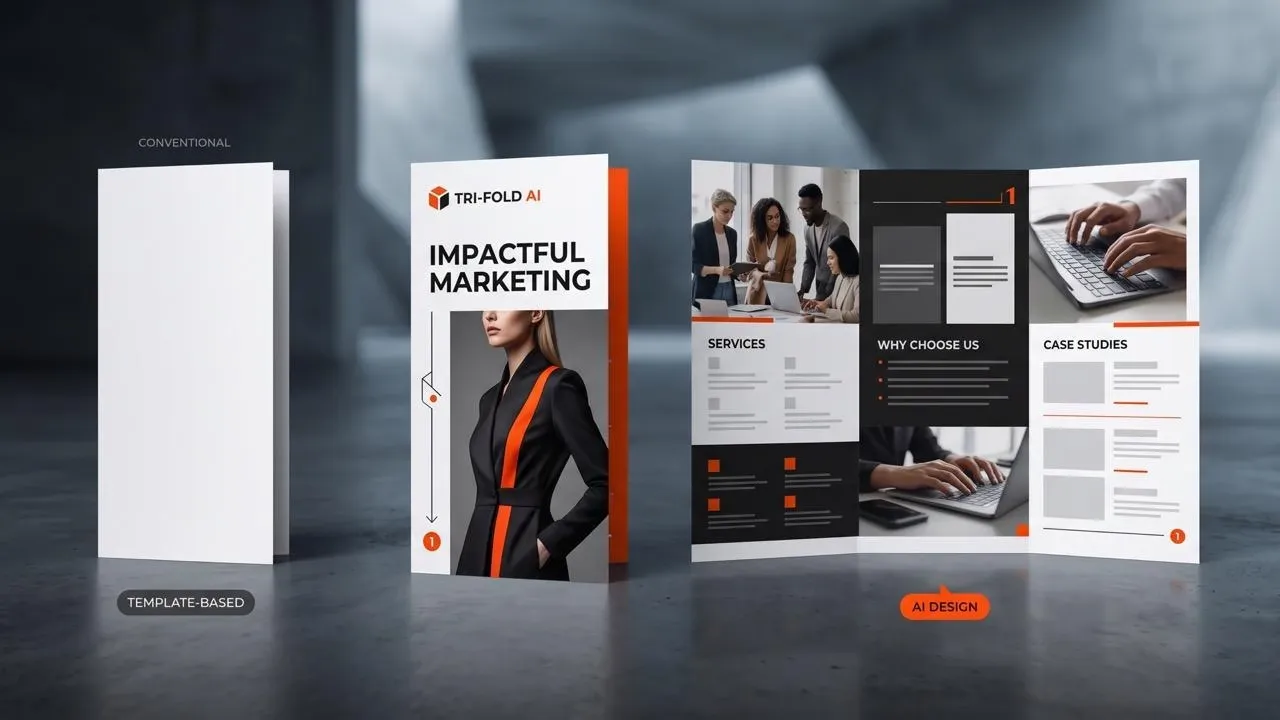
Turn a long business brief into a piece people can hold, scan, and act on. Our AI tri-fold brochure maker organizes your copy, images, and brand style into a polished six-panel design with a natural fold sequence for service handouts, sales leave-behinds, event guides, and compact digital sharing.
Create a Brochure People Can Follow and Use
  • Put the Whole Offer Into a Six-Panel Handout

    Bring services, benefits, images, and contact details into one piece prospects can carry.

  • Make the Story Work as Readers Open the Fold

    Give the cover, inside spread, and closing panel a connected reading purpose.

  • End With a Reason to Respond

    Move readers from the offer to a clear contact, booking, visit, or request.
Assign the Cover, Inside Spread, and Closing Panel

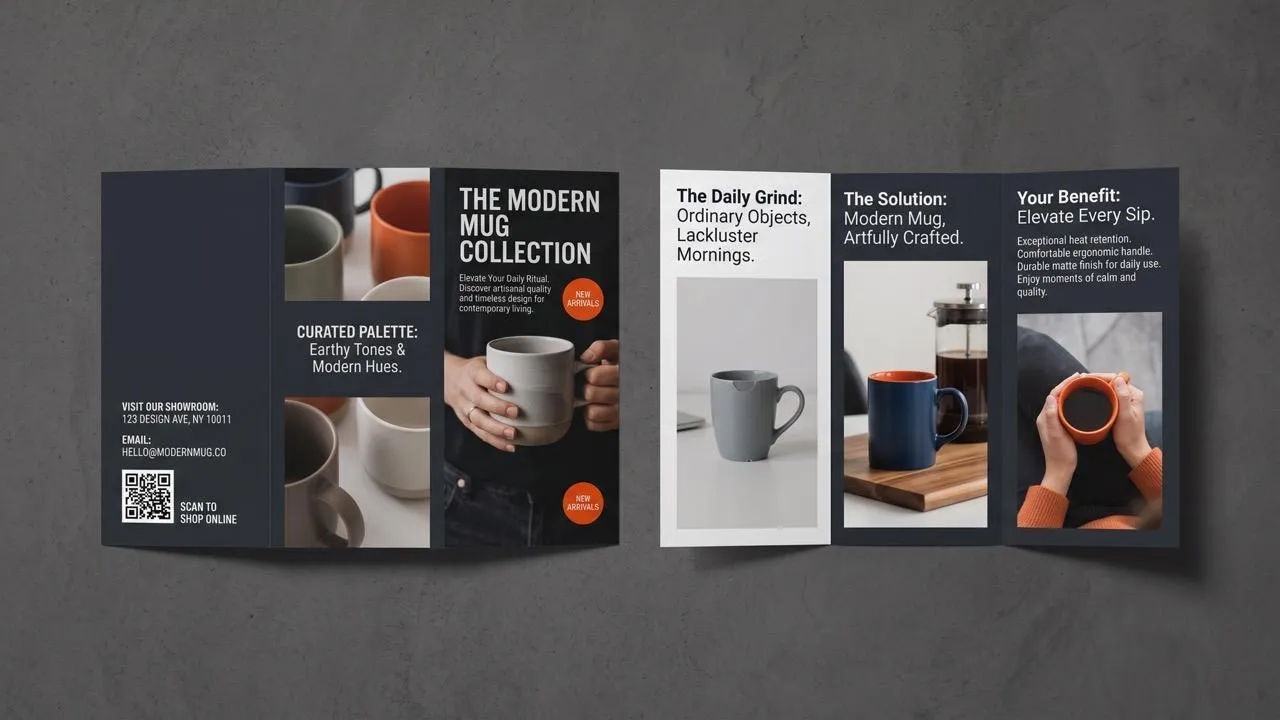
Turn your main message into a natural tri-fold brochure layout with a clear cover, reveal, inside spread, and closing panel. The maker gives each fold a distinct role, so readers can follow the story as they open the brochure.

Assign the Cover, Inside Spread, and Closing Panel

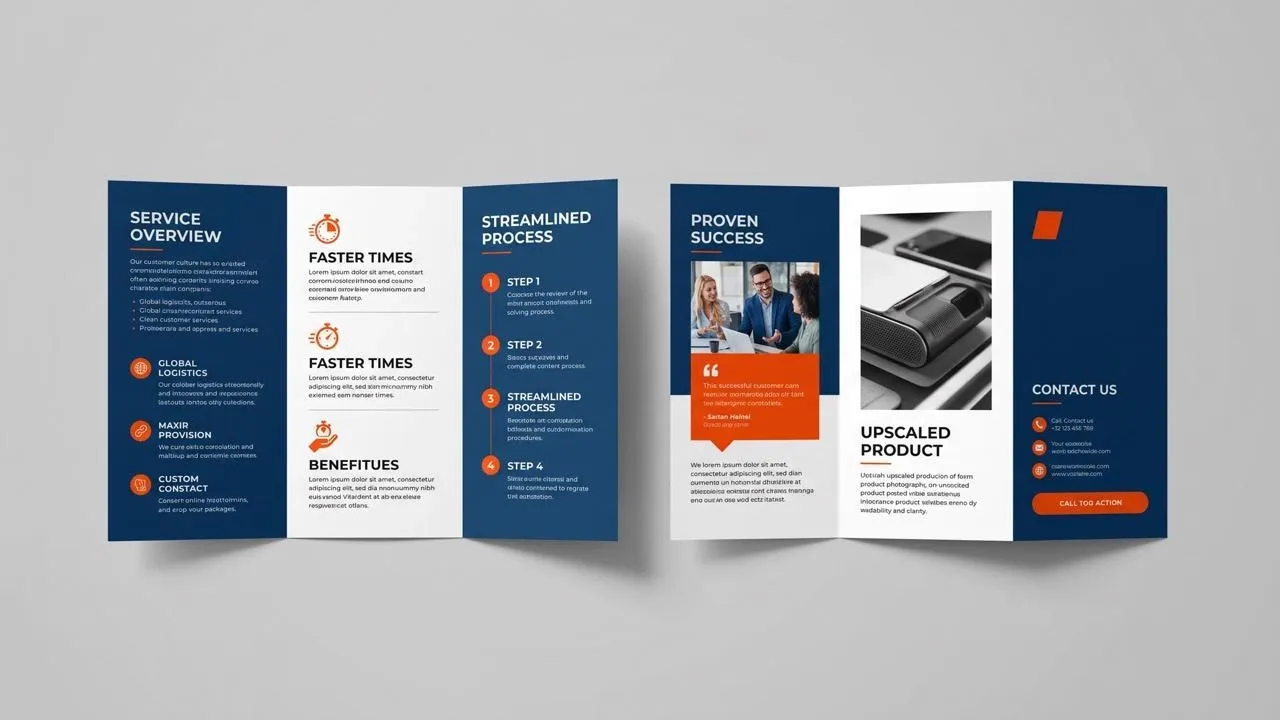
Fit Services and Benefits Without Tiny Text

Arrange service details, benefits, and supporting images across the six-panel brochure size without making one fold carry everything. If a product photo lacks detail, upscale the image so the finished design stays crisp.

Fit Services and Benefits Without Tiny Text

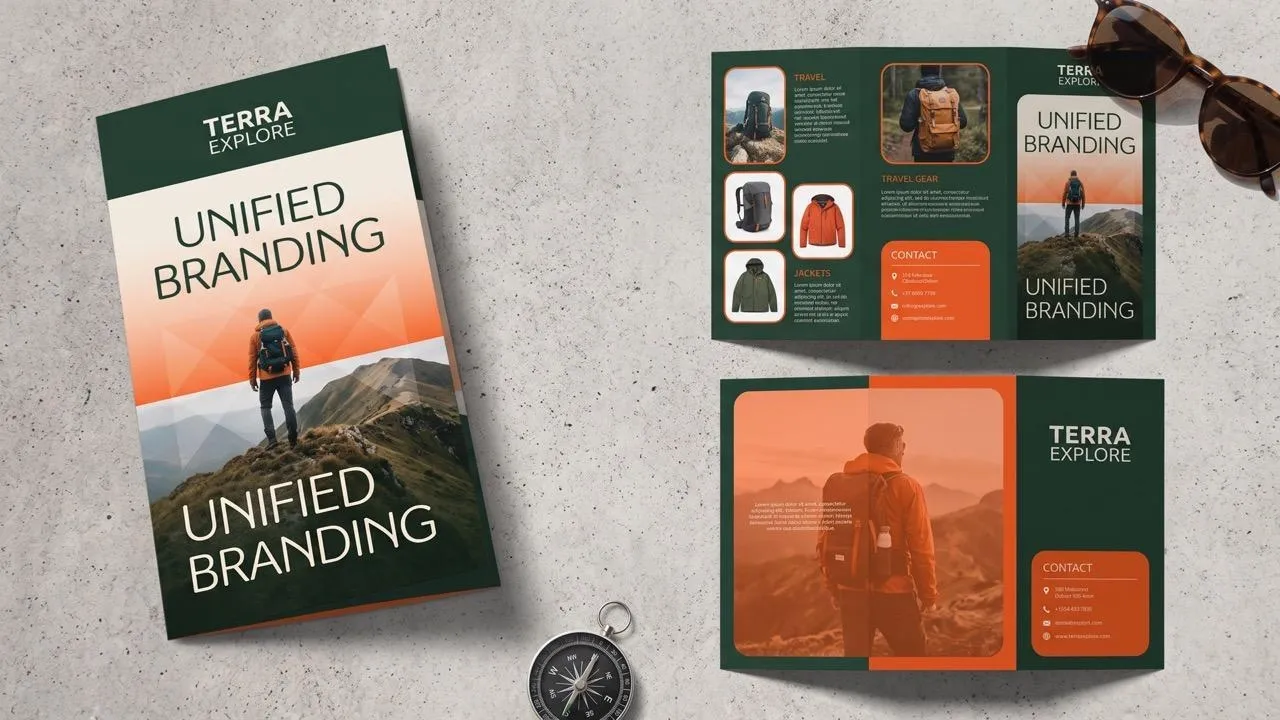
Make the Six Panels Feel Like One Brand

Apply your colors, imagery, typography, and tone across the cover, inside spread, and back panel. When a logo needs a clean edge, use background removal for logos so the brochure reads as one brand.

Make the Six Panels Feel Like One Brand

Turn the Last Panel Into a Response

Shape the final panel around the response you want, such as calling, booking, visiting, or requesting details. The maker gives that contact cue enough visual weight to turn the brochure into a practical sales handout.

Turn the Last Panel Into a Response

Who Uses This Tri-Fold Brochure Maker?

Service Brochure Handouts
Small Business Owners

Service Brochure Handouts

Turn your services, offers, and contact details into a brochure customers can scan at meetings or counters, supported by clear product photos when physical goods matter.

Product and Service Brochures
Sales & Product Marketing Teams

Product and Service Brochures

Build your sales leave-behind around proof and next steps, using image enhancement when an product or evidence image needs clearer detail.

Event Tri-Fold Brochures
Event & Visitor Services Teams

Event Tri-Fold Brochures

Organize your schedule, venue details, and highlights into one portable guide, then give the main announcement more visibility with an event poster.

Client Brochure Concepts
Creative Agencies & Designers

Client Brochure Concepts

Create polished six-panel concepts that help clients picture the final handout, with clear folding flow, image placement, and brand treatment for each account.

How to Create a Tri-Fold Brochure Concept

Step 1

Enter your copy, upload the images, and make optional photo edits before generation if the sources need cleanup.

Step 2

Let the maker organize the cover, inner panels, and back into a brochure direction.

Step 3

Choose the design with the strongest panel flow and download it for your next production step.

The End-to-End AI Visual Workspace

Go from a single idea to a polished asset. Combine generation, editing, and specialized apps to create any visual you need, without switching platforms.

Create Studio-Quality Art

Go from simple text prompts to studio-quality art in seconds. Generate hyper-realistic visuals and pristine typography for any professional project.

Try AI Image Generator Free

Co-Create Visuals via Chat

Create images conversationally, from first idea to final render. Use simple, natural language to generate, refine, and perfect your visuals in a step-by-step chat.

Try Chat to Image Free

Transform Photos With Precision

Evolve your visuals with absolute precision. Transform image styles and enhance cinematic lighting while preserving the exact layout of your original.

Try Image to Image AI Free

Master Image Post-Production

Elevate your workflow with a complete AI photo editing suite. Instantly retouch details, reimagine scenes, and transform raw assets into flawless masterpieces.

Try AI Photo Editor Free

Access Niche Art Generators

Unlock hundreds of specialized image generators. Instantly generate detailed DnD maps, vibrant chibi characters, and custom gaming logos for your brand.

Explore All Image Generators

Speed Up Routine Design Tasks

Streamline your daily workflow with dedicated visual utilities. Instantly change backgrounds, erase distractions, and sharpen images in a single click.

Explore All Image Tools

TRUSTED BY LEADING BRANDS WORLDWIDE

Sony
Mercedes-Benz
Coca-Cola
Microsoft
Nike
P&G
Lancôme
Zoom
Pollo AI creators using text to video tools

10M+Users

Using Pollo AI to Create and Inspire

Used by 10M+ Creators and Marketers

Thousands of satisfied users have shared their Pollo AI experiences on Trustpilot, rating us as "Excellent." See what they love about our platform.
  • Liz Cassidy
    Dec 15, 2025
    Easy to use, great results for short videos
    I’ve been using Pollo AI mainly for short videos and quick image-to-video tests. The interface is straightforward and it works well even with simple prompts, which is a big plus compared to tools that need long, complicated instructions. The results can be really impressive, and it’s honestly been fun to experiment with. I’d love a bit more consistency on faces when there’s movement, but overall it’s been a solid experience for what I needed.
  • Richard Quick
    Oct 15, 2025
    Awesome website
    Awesome website. loads of options and a great way to learn how to work with 'AI' my reasoning for 5 stars is based upon price, versatility and ease of use. Also I would like to add, Pollo AI runs a lot of promos on different AI products as well. I rate their customer service at 5 stars, when I purchased my first subscription my computer crashed the following weekend and I lost all my data and info passwords you name it I lost it, contacted pollo by email they responded quickly and found my info/username and account, and I was able to restore my account.
  • armourdude
    Nov 19, 2025
    I have been using Pollo AI for short…
    I have been using Pollo AI for short videos. It is easy to use and works well with simple prompts. Other generators seem to need long drawn out complicated explanations to get even close to what I want.
  • Dudu
    Jan 14, 2026
    I'm just amazed by the level of quality…
    I'm just amazed by the level of quality output that Pollo AI can produce from a simple image. The motion, the realism, It's too good!!
  • Ray Warnes
    Dec 30, 2025
    A fabulous journey
    I find Pollo easy to use, it gives me great results and I'd recommend it to anyone. It has been a wonderful experience for me.
  • lawless clan
    Nov 22, 2025
    i tried 220 online img to vid in 2…
    i tried 220 online img to vid in 2 months, and this is the best online video.I will subscribe for a year; there are many reasons. But freedom is the most important.
  • Istvan Lajos
    Dec 10, 2025
    Thanks
    Thanks, This is the Best A.I. site in the net! I can try it with free coin, and if I like it I subscribe.And alwas have free limited oportunities.You are the Best.
  • Santiago Saenz
    Nov 20, 2025
    Amazing
    I use it for multiple angles and they always have revolving deals that help so much its a great tool
  • Gen Zee
    Dec 14, 2025
    Great and accurat to propmt
    Great and accurat to propmt, wonderfull experience till now as compared to other ai sites.thank ypu.
  • 萱兒
    Dec 23, 2025
    It replaced Pixverse V4.5 Fusion
    Since Pixverse axed the best ever Fusion V4.5, i was upset. And now I found Pollo AI perform better. TQ
  • Norma Ponce
    Mar 21, 2026
    AI Chicken is excellent
    AI Chicken is excellent, easy to use, and delivers unbeatable results.
  • Sarah Stokes
    Mar 20, 2026
    Fabulous so glad I used it amazing
    Fabulous so glad I used it amazing
  • Sudipta Saha
    Mar 20, 2026
    Perfect image editor
    Perfect image editor
  • Luiz Guyz
    Mar 19, 2026
    Excelent app the videos os Very good
    Excelent app the videos os Very good
  • Swishadoptme Swishadoptme
    Mar 18, 2026
    Very cool experience
    Very cool experience
10M+ creators use Pollo AIView more

FAQs

What Is an AI Tri-Fold Brochure Maker?

An AI tri-fold brochure maker turns copy, images, and brand direction into a six-panel visual concept, replacing the blank-layout stage rather than a full publishing workflow.

What Is the Best AI Tri-Fold Brochure Maker?

Pollo AI's AI tri-fold brochure maker is the best AI tri-fold brochure maker because it turns copy and images into a cohesive six-panel design with clear folding logic, scannable sections, and a focused contact panel.

Can I Try the AI Tri-Fold Brochure Maker for Free?

Yes. You can add your copy, images, and brand style to generate a tri-fold brochure design in Pollo AI for free.

How Do I Plan a Tri-Fold Brochure Layout?

Plan a tri-fold brochure layout by assigning the cover, inside spread, offer, proof, and contact details a clear panel role.

What Size Is a Tri-Fold Brochure?

Common tri-fold sizes vary by region and printer, so use the flat dimensions, fold positions, bleed, and safe area supplied by your print provider.

Does the Maker Export an Editable Six-Panel Document?

No. The maker creates a six-panel brochure visual rather than an editable tri-fold brochure template, so exact folds, print settings, and final copy still belong in your publishing workflow.

Build a Clear Tri-Fold Brochure Faster on Pollo AI

Create a six-panel brochure that carries your message clearly from cover to final call to action.