



FlexClip Review: I Tried It for My Projects, Here's What Happened
AI video editors promise to save hours. The real test is whether they actually reduce editing work or just move the work into another timeline.
I tested the FlexClip tools that matter most in real editing work: auto editing, auto cut, subtitles, background removal, voiceovers, translation, long video to shorts, and final timeline polish.
My short verdict: FlexClip is a helpful AI video editor for quick fixes and simple social videos, but it still leaves too much final production work when I need polished ads, product videos, or brand-ready content.
FlexClip Review: TL;DR
FlexClip is useful for AI-assisted video editing, especially removing filler sections, adding subtitles, changing backgrounds, and turning long videos into shorts. But if I need a stronger AI video editor for production-ready videos, I would choose Pollo AI.
| Category | My Take |
| Best for | Quick AI edits, auto subtitles, simple trims, background removal, voiceovers, social shorts |
| Not good for | Finished ad production, complex product videos, multi-scene brand content, deep creative control |
| Biggest strength | Beginner-friendly AI editing tools inside a browser editor |
| Biggest weakness | AI helps with tasks, but final structure and polish still depend on manual editing |
| Who it fits | Creators, educators, small businesses, marketers, and teams repurposing simple content |
| Better alternative | Pollo AI for prompt-based AI video editing, plus stronger video generation for publish-ready outputs |
What Is FlexClip?
FlexClip is an AI-powered online video maker and editor for creating browser-based videos with templates, simple editing tools, stock assets, and AI shortcuts.
Its most useful editing pieces are auto edit, AI auto cut, auto subtitles, video background removal, AI voice tools, translation tools, and long videos to shorts. These features make FlexClip feel more practical for post-production than for only template-based video creation.
The appeal is clear: FlexClip lowers the editing barrier. I could see users using it to clean up talking videos, assemble media, add captions, replace backgrounds, create voiceovers, and export simple social videos without learning advanced software.
What Are FlexClip's Key Features?
AI Auto Editing From Media
FlexClip's AI video editor can auto compose a video from uploaded photos and clips. It recognizes media and matches assets with effects and animations, and generates text that fits the theme.
I like this for simple event recaps, family videos, general promos, and quick social content. But I would still review the order, wording, pacing, and template choices before calling the result finished.
AI Auto Cut For Faster Cleanup
FlexClip's auto video editor can detect unwanted sections and filler words, then remove them with AI. This is one of its most practical editing features because trimming talking footage manually can be tedious.
I would use it for interviews, tutorials, webinars, educational clips, and creator videos. Still, I would not export without checking the cuts, because AI trimming can remove pauses that are useful for rhythm or clarity.
Auto Subtitles And Subtitle Editing
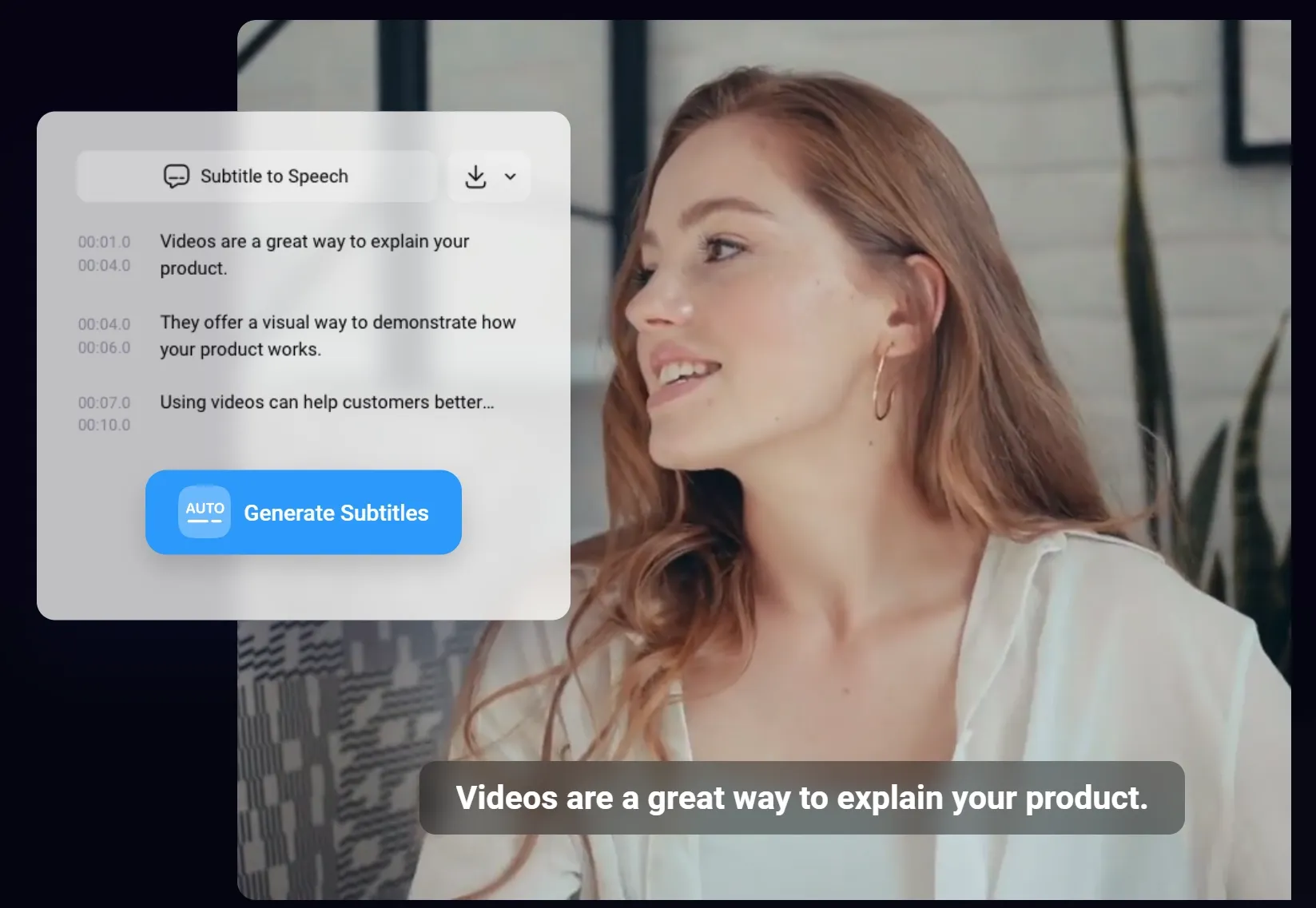
FlexClip's auto subtitle tool can generate subtitles and let users split, merge, style, align, and adjust captions. It also supports subtitle translation and formats such as SRT, SUB, and VTT on related translation pages.
This is a strong everyday editing feature. Subtitles matter for TikTok, Reels, Shorts, tutorials, product explainers, and ads. I liked that FlexClip treats captions as editable video elements, not just plain transcript text.
AI Background Removal And Scene Replacement
FlexClip's AI video background remover can recognize a video subject, remove the background, and let users replace it with colors, stock visuals, AI images, or other scenes.
This is useful for product promos and tutorials. The limit is that background removal is only one part of visual polish. Lighting, edges, product focus, and final scene design still need review.
AI Voiceovers, Dubbing, And Translation
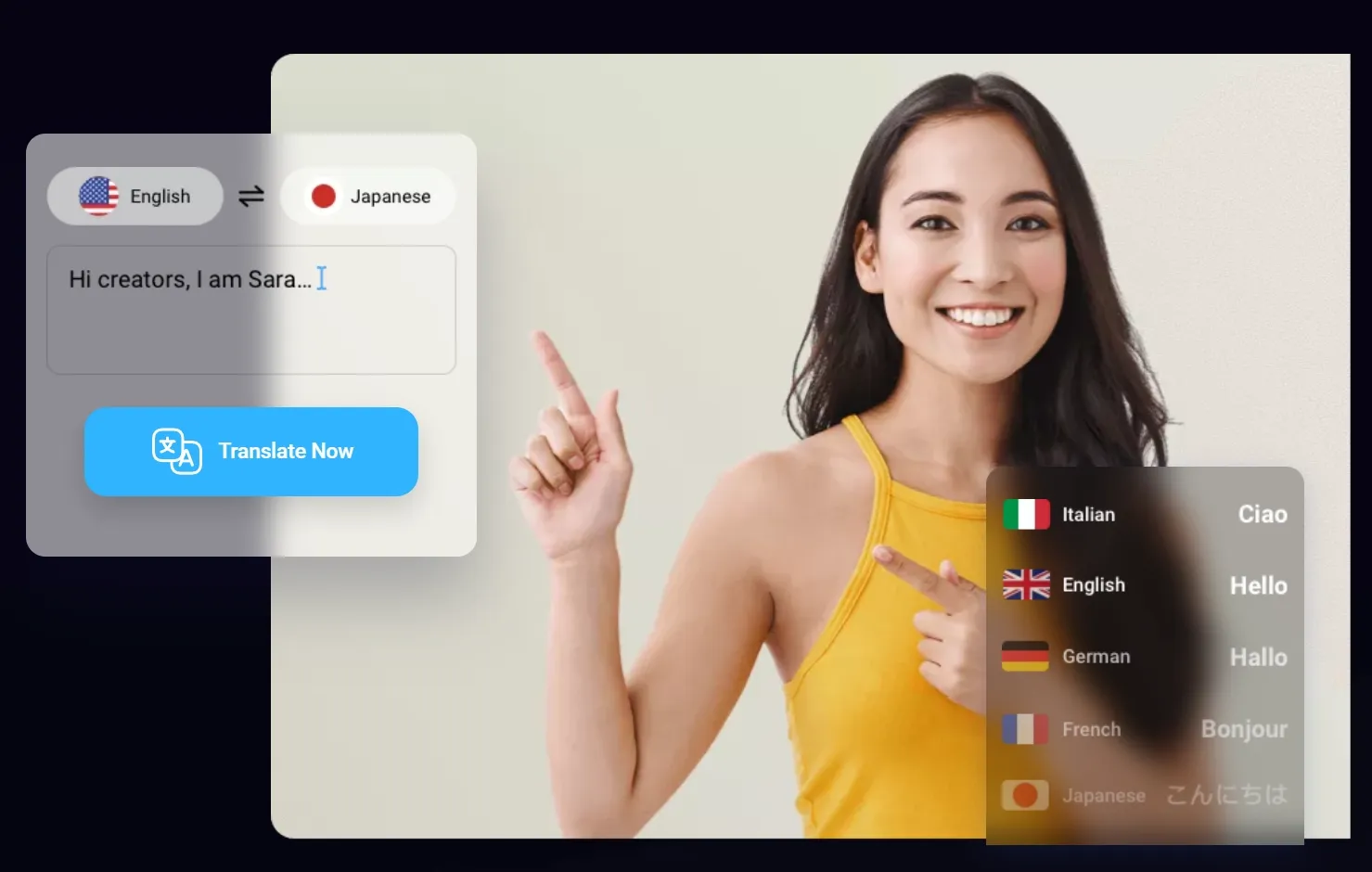
FlexClip has AI voice and translation tools for generating narration, translating audio, creating localized subtitles, and producing dubbed audio. Its voice pages mention large voice libraries and language support.
These tools make FlexClip more useful as an editing workspace. I can add narration, translate content, and make videos more accessible. But for polished brand videos, I would still review tone, pronunciation, timing, and emotional fit.
FlexClip Pricing And Plan Limits
FlexClip is free to try, but serious editing depends on plan limits, export quality, AI credits, stock assets, cloud space, and watermark rules.
| Plan Or Credit Area | Officially Listed Details I Checked |
| Free plan | 720p HD downloads, free trial for AI tools, 1 stock video per project, 1 stock audio per project, up to 12 saved online projects, video length up to 10 minutes |
| Plus plan ($11.99/mo) | 1080p Full HD downloads, 300 AI credits bonus per month, 5 stock videos per project, 5 stock audio tracks per project, unlimited online projects, unlimited video length, 30GB cloud space, Brand Kit, custom fonts, up to 100 custom templates |
| Business plan ($19.99/mo) | 4K Ultra HD downloads, 800 AI credits bonus per month, unlimited stock videos, unlimited stock audio, unlimited projects, unlimited video length, 100GB cloud space, 1TB video hosting space, Brand Kit, custom fonts, up to 200 custom templates |
| AI credits (Depends on your usages) | FlexClip's pricing page also lists AI credit subscriptions and credit packages for AI features |
My pricing takeaway is simple: casual users can stay on the free plan and use the AI trials when needed. If you need to edit videos every week, a monthly plan first because it includes recurring AI credits. Credit packages make more sense as a top-up when you only need extra AI usage for a short production push.
What Are FlexClip's Pros And Cons?
Pros:
- Easy browser-based editor for beginners.
- AI auto edit can assemble media quickly.
- AI auto cut helps remove filler words and unwanted sections.
- Auto subtitles are editable and useful for social videos.
- Subtitle translation and AI dubbing help with localization.
- AI voice tools help add narration without recording.
- Long video to shorts is useful for repurposing existing content.
Cons:
- AI edits still need human review.
- Auto generated structure can feel generic.
- Auto cuts may need manual correction.
- Background removal still needs visual cleanup.
- Voiceovers and translations need timing and tone checks.
- It is stronger for task-level editing than full video production.
- Product videos and ads still require stronger brand control.
For each task, I looked at speed, control, output polish, brand readiness, and whether the AI reduced editing work enough to matter.
Where FlexClip Falls Short
FlexClip falls short when the project needs more than isolated AI editing shortcuts.
It Still Leaves Too Much Final Editing Work
FlexClip can auto edit, cut, caption, translate, and remove backgrounds, but those tools do not automatically create a finished story. I still need to judge the structure, pacing, hook, visuals, music, and CTA.
That matters for story videos. A video can have clean captions and trimmed pauses but still feel flat if the message, rhythm, and visual flow are not strong.
Auto Editing Can Feel Generic
FlexClip's AI video editor is helpful for turning media into a shareable video quickly. But auto composed videos can feel template-driven when the project needs a sharper creative direction.
For simple recaps or casual videos, that is fine. For product launches, paid ads, or client work, I would want stronger control over scene logic, product emphasis, and emotional pacing.
AI Auto Cut Needs Careful Review
AI auto cut is useful, but I would not trust it blindly. Removing filler words and unwanted sections can make videos tighter, but it can also create abrupt jumps or remove natural pauses.
For creator videos and tutorials, rhythm matters. I would use FlexClip's auto cut as a first pass, then review the edit manually before publishing.
Turn Ideas to Polished Videos Instantly
Join 10M+ creators using Pollo AI to generate publish-ready videos — ready in seconds, no editing skills needed.
Try Pollo AI Video Generator Free
Background Removal Is Only Part Of Visual Polish
FlexClip's AI video background remover can save time, especially when I need to isolate a person or object without a green screen. That is useful for tutorials, promos, and presentations.
The catch is that a removed background does not automatically create a polished scene. Edges, lighting, shadows, placement, and brand design still decide whether the final video looks professional.
It Is Better At Editing Assets Than Producing Finished Campaigns
FlexClip is strongest when I already have footage, images, scripts, or a long video to repurpose. It helps improve assets and package them faster.
But if I start with a marketing goal, product story, or ad concept, I need more than scattered editing tools. I need editing support that connects with campaign structure, product messaging, and final delivery.
How Does FlexClip Perform Across Real Use Cases?
FlexClip performs best when the editing task is clear and contained.
| Use Case | How FlexClip Performs | Where It Helps | Where It Struggles |
| Social media captions | Good | Auto subtitles, styling, alignment, and caption editing save time | Caption accuracy and pacing still need review |
| Talking-head cleanup | Good | AI auto cut can remove filler sections and tighten footage | Cuts can feel abrupt without manual checking |
| Presentation videos | Good | Captions, background removal, voiceovers, and trims are practical | Final clarity depends on manual structure and pacing |
| Product promo editing | Mixed | Background removal, voiceovers, subtitles, and templates help | Product story, CTA, and brand polish need stronger workflow |
| Localized videos | Useful | Subtitle translation, audio translation, and AI voices reduce manual work | Tone, pronunciation, and timing need human review |
| Marketing ads | Mixed | Helpful for assembling and polishing ad assets | Not enough for fully finished, high-converting campaign videos |
| Brand storytelling | Limited | Can polish pieces of the video | Needs stronger scene planning, visual continuity, and final direction |
The pattern is clear: FlexClip is good at saving time on editing tasks, especially subtitles, cuts, backgrounds, voiceovers, and shorts. But when I compare it fairly with Pollo AI's own AI video editor, FlexClip feels more task-based while Pollo AI feels more flexible for prompt-driven visual editing.
Why Is Pollo AI A Better FlexClip Alternative?
Pollo AI is better because its editor works more like a prompt-based video transformation tool, while FlexClip is strongest at timeline help: subtitles, cuts, background cleanup, voiceovers, translation, and shorts.
It Edits The Video Content, Not Just The Timeline
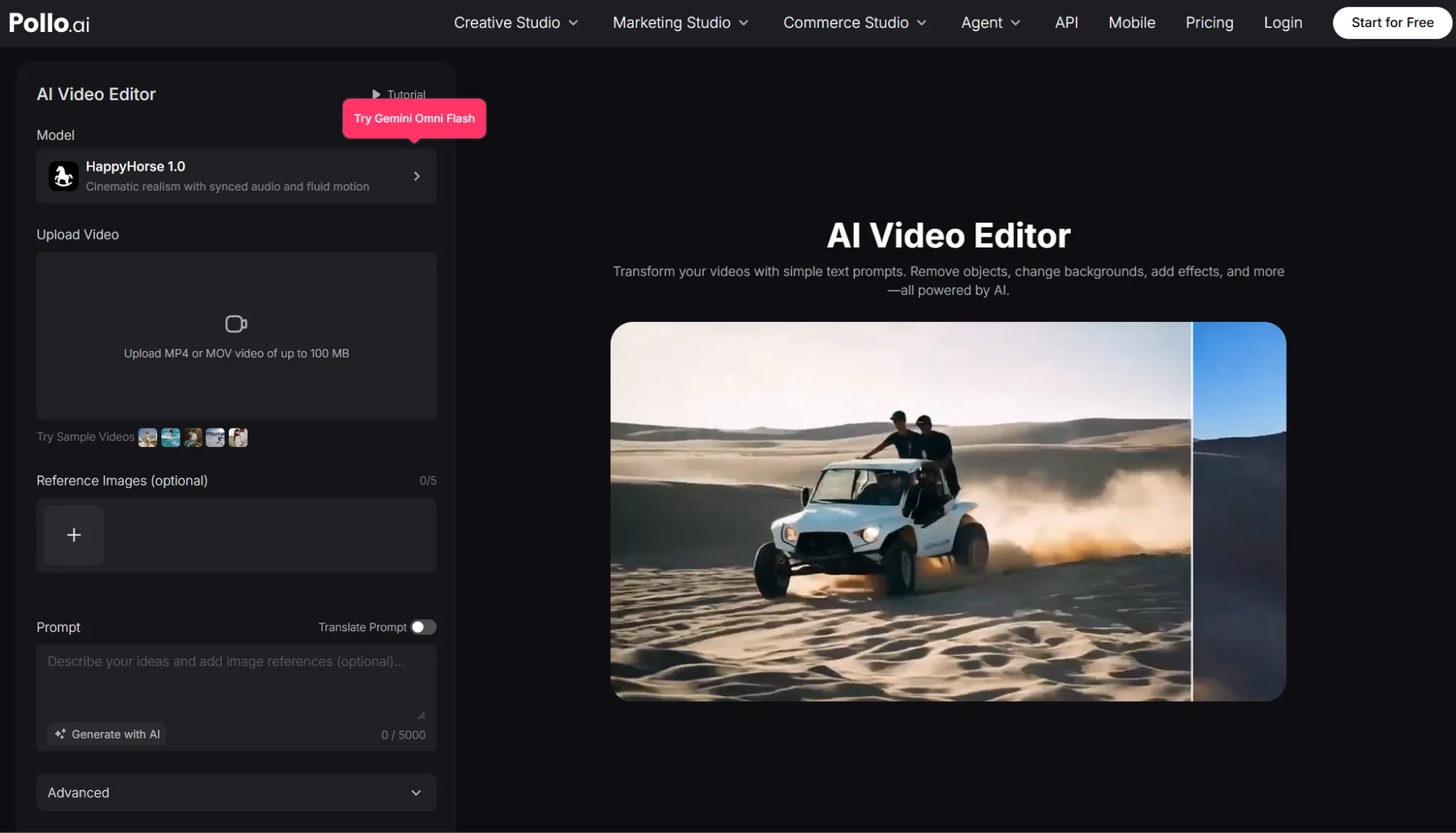
Pollo AI competes here too, with its own AI video editor – one that focuses on transforming the shot itself. I used the background-change style edit on a product-style clip that looked too busy, and the workflow felt more direct than rebuilding the scene with separate timeline tools.
Compared with FlexClip, this felt better for visual polish. FlexClip helped me trim, caption, and prepare the clip, but Pollo AI was more useful when the problem was the look of the shot itself, not the timeline around it.
It Gives More Visual Control From Text Prompts
Pollo AI is stronger when the problem is visual direction. Instead of switching between separate tools to remove objects, alter backgrounds, add rain or sparks, change day to night, or refresh a subject's outfit, I can describe the edit and wait for the polished results directly on the same page.
I especially liked the camera angle adjustment. I tried turning a standard product-style shot into a wider view, and it felt easier than cropping, resizing, or faking movement in a timeline. The clip looked more open while still keeping the subject clear.
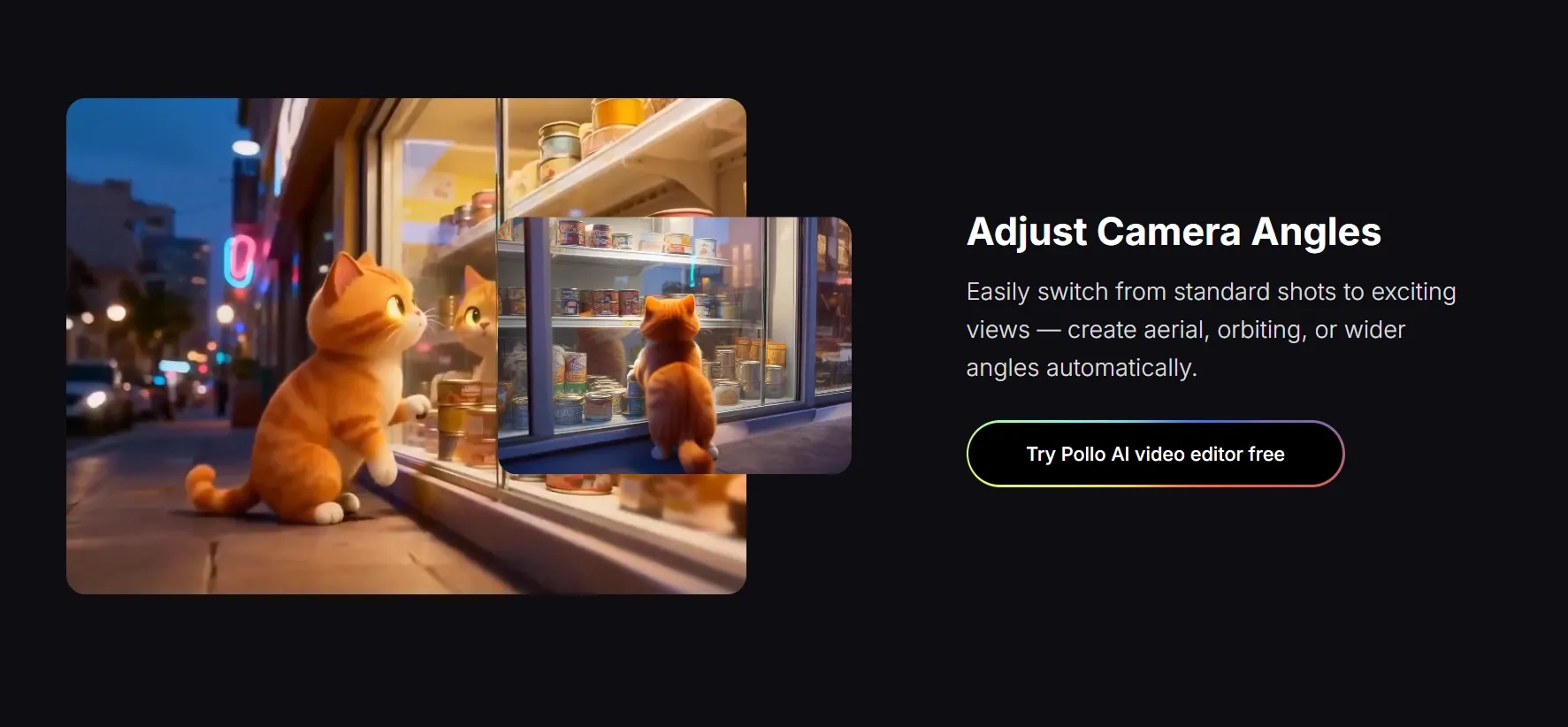
With Pollo AI, the edit felt more like giving direction than making cuts. That's useful when raw footage needs to look polished and intentional before it goes out as an ad, product demo, or social post.
It Fits Product And Campaign Footage Better
For product videos, the difference is important. FlexClip can clean up footage and remove backgrounds, but product content often needs more: fewer distractions, a cleaner setting, a more convincing camera feel, and stronger scene mood.
Pollo AI was better for that layer because the edit changed the scene instead of only decorating the footage around it. The result felt more useful for product demos, launch videos, ads, or social posts where the shot needs to look deliberate.
It Adds A Generation Advantage After The Editing Comparison
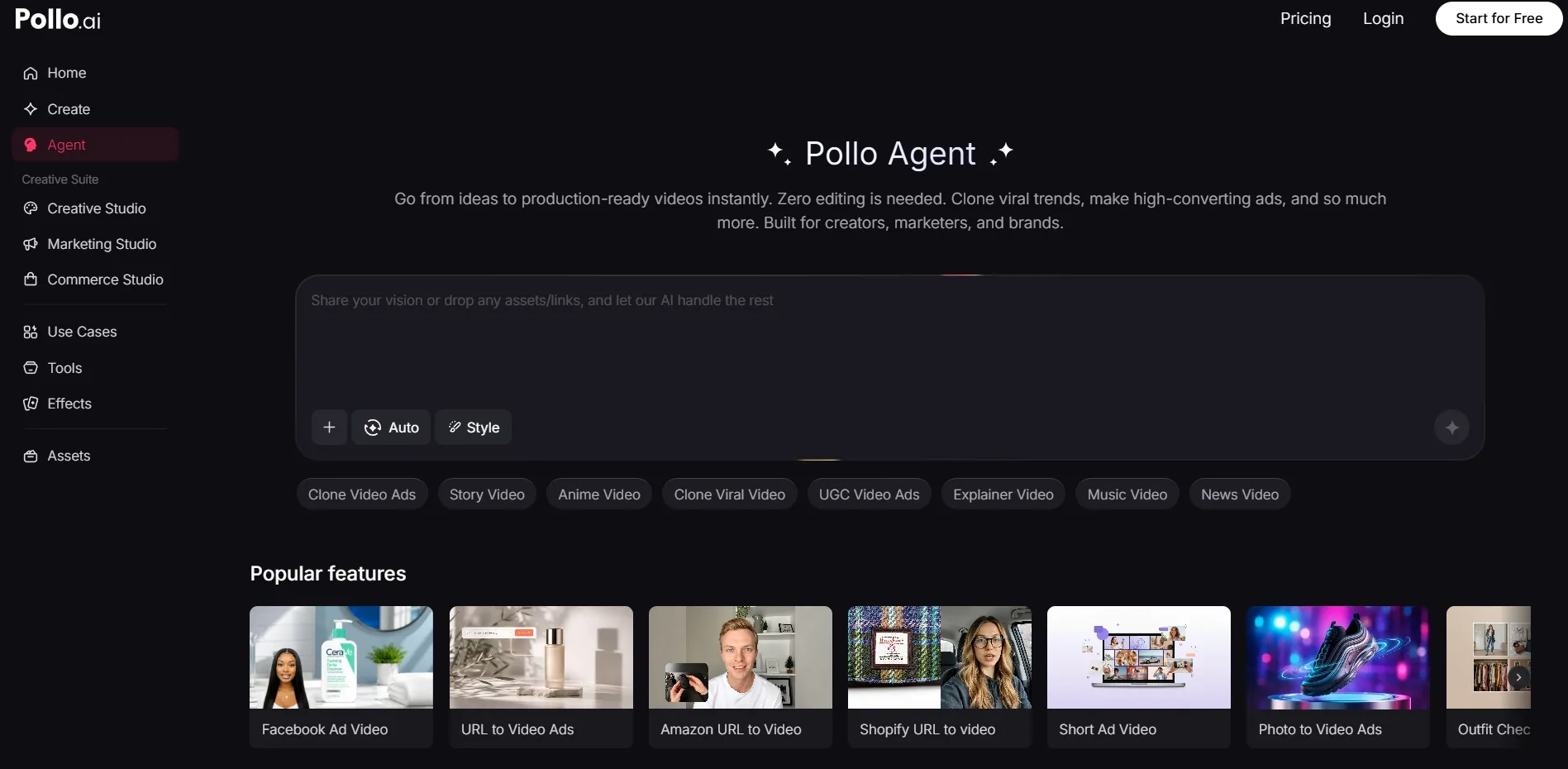
After that fair editing comparison, Pollo AI has another advantage: it can continue beyond editing. Its AI video generation, image to video, Marketing Studio, Commerce Studio, Creative Studio, and Pollo Agent give me more ways to create finished content from the edited idea.
Pollo Agent matters here because it is designed to create production-ready videos with SFX, consistent characters, and polished scenes. So Pollo AI does not only fix footage; it also gives me a stronger path toward publish-ready video.
It Gives Marketers More Room To Finish Campaigns
FlexClip is good when a marketer already has source footage and needs captions, cuts, translations, and basic polish. Pollo AI is better when the clip needs a stronger visual hook, cleaner product scene, more dramatic atmosphere, or a campaign-ready version after the edit.
That makes Pollo AI the better alternative for marketers, ecommerce sellers, social creators, and teams that need more than timeline cleanup.
| Need | FlexClip | Pollo AI |
| Prompt-based visual edits | More limited and tool-by-tool | Stronger for changing the actual video scene with text prompts |
| Objects and backgrounds | Helpful for background cleanup | Can erase unwanted objects, remove extra elements, and alter complex backgrounds while keeping the subject intact |
| Mood, style, and effects | Better for templates, filters, and timeline assembly | Can change weather and atmosphere, add effects like rain or sparks, and apply styles such as anime, cyberpunk, or film grain |
| Subject and camera changes | Not the main strength | Can modify subject appearance and create wider, aerial, or orbiting camera angles |
| After editing | Still mostly depends on timeline assembly | Adds AI video generator, image to video, diverse Studios, and Agent workflows as an extra advantage |
My Personal Take On FlexClip
I like FlexClip most as an AI-assisted editor for people who want to move quickly. Auto subtitles, auto cut, background removal, voiceovers, translation, and long video to shorts are genuinely useful.
But I would not describe FlexClip as the strongest AI video editing option overall. Its AI features reduce repetitive work, while Pollo AI's AI video editor gives me more prompt-based control over the actual visuals.
If I were editing simple social clips, tutorials, classroom videos, talking-head content, or quick promos, I would use FlexClip. If I needed stronger visual edits and then wanted to generate publish-ready videos, I would choose Pollo AI.
Final Verdict
FlexClip is worth trying if you want a beginner-friendly AI video editor. It is especially useful for trimming footage, adding subtitles, removing backgrounds, creating voiceovers, translating content, and repurposing long videos into shorts.
Its biggest weakness is that it improves pieces of the editing workflow, but it does not always solve the full creative direction. The final structure, message, pacing, and polish still depend heavily on the user.
My verdict: use FlexClip for quick AI video editing; use Pollo AI when you need stronger prompt-based video editing first, plus publish-ready AI video generation as the extra advantage.
Try Pollo AI today if you want an all-in-one creative suite for AI video editing, image to video, product visuals, effects, and production-ready video generation.
FAQs
Is FlexClip good for AI video editing?
Yes. FlexClip is good for captions, trimming, background cleanup, voiceovers, and short-form repurposing. For stronger visual edits and publish-ready videos, Pollo AI is the better choice.
What are the main limitations of FlexClip?
FlexClip helps with editing tasks, but the final creative direction still depends on the user. Pollo AI gives a stronger path from rough footage to finished video.
Is FlexClip or Pollo AI better for AI video editing?
FlexClip is good for quick timeline help. Pollo AI is better for prompt-based visual editing, scene polish, camera feel, product shots, and more finished creative results.
What is the best FlexClip alternative?
Pollo AI is the best FlexClip alternative. It offers stronger prompt-based editing plus AI video generation, image to video, Studios, and Agent workflows for publish-ready videos.