



GPT Image 2 Review: I Tested GPT Image 2 for 2 Weeks Across 5 Use Cases and I Found the Results Shocking
While marketing demos always look perfect, the real-world results are often a completely different story.
GPT Image 2, OpenAI’s newest image model, promises near-perfect text rendering and photorealism. But can it really handle the messy, complicated prompts we actually use every day? Does it live up to the promise?
To find out, I spent the last two weeks pushing GPT Image 2 to its absolute limits. Here is my honest, unfiltered review of GPT Image 2, tested across five distinct scenarios.
TL;DR: Is GPT Image 2 Worth It?
GPT Image 2 is absolutely worth it for professional creators and marketers who prioritize precision over artistic chaos.
I find it a massive leap forward for text rendering and realistic layouts, but it definitely sacrifices some of the artistic flair found in older models.
If your work depends on clean marketing assets or accurate UI mockups, it is incredible; however, if you are looking for wild, abstract art, you might find the results a bit too grounded.
| Feature | GPT Image 2 Performance |
| Best At | Text rendering, UI mockups, photorealistic human faces |
| Worst At | Highly stylized abstract art, chaotic fantasy scenes |
| Speed | ~15 seconds per generation (Standard tier) |
| Pricing | Included in ChatGPT Plus ($20/m) or Pro ($200/m) |
| Who It's For | Marketers, designers, and creators needing precise control |
You can read the full overview of GPT Image 2 to get more detailed information.
How I Tested GPT Image 2
I ran GPT Image 2 through 5 standardized test scenarios, each with 3–5 prompt variations ranging from simple to deliberately adversarial.
Every image was generated fresh—no cherry-picking, no upscaling, no post-processing. I scored each test out of 10 based on prompt adherence, technical quality, consistency across runs, and practical usefulness for real creative work. Let me show you exactly what I found.
Test 1: Human Faces & Micro-Expressions
I needed portrait-quality images of people showing subtle, specific emotions. Not just "happy" or "sad". I hoped it could show me micro-expressions like "a 40-year-old woman trying to hide her exhaustion during a work meeting" or "a teenage boy pretending to be confident but visibly nervous."
To know if GPT Image 2 can generate believable skin texture and emotional nuance, I used these three prompts and here are the results I got.
| Prompt | Image Output |
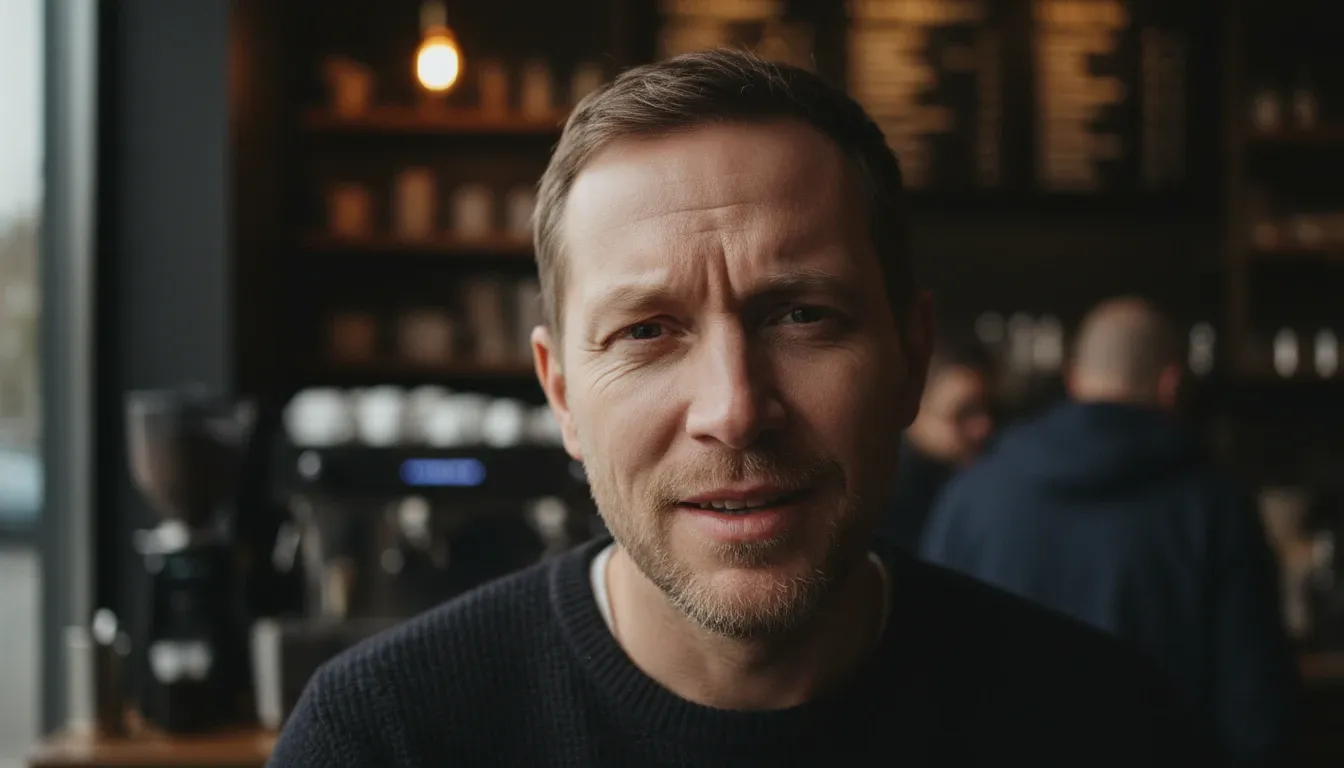
| A tight close-up portrait of a 40-year-old man with subtle crow's feet, looking slightly confused but amused. He is standing in a dimly lit coffee shop. Natural skin texture, visible pores, cinematic lighting. |
 |
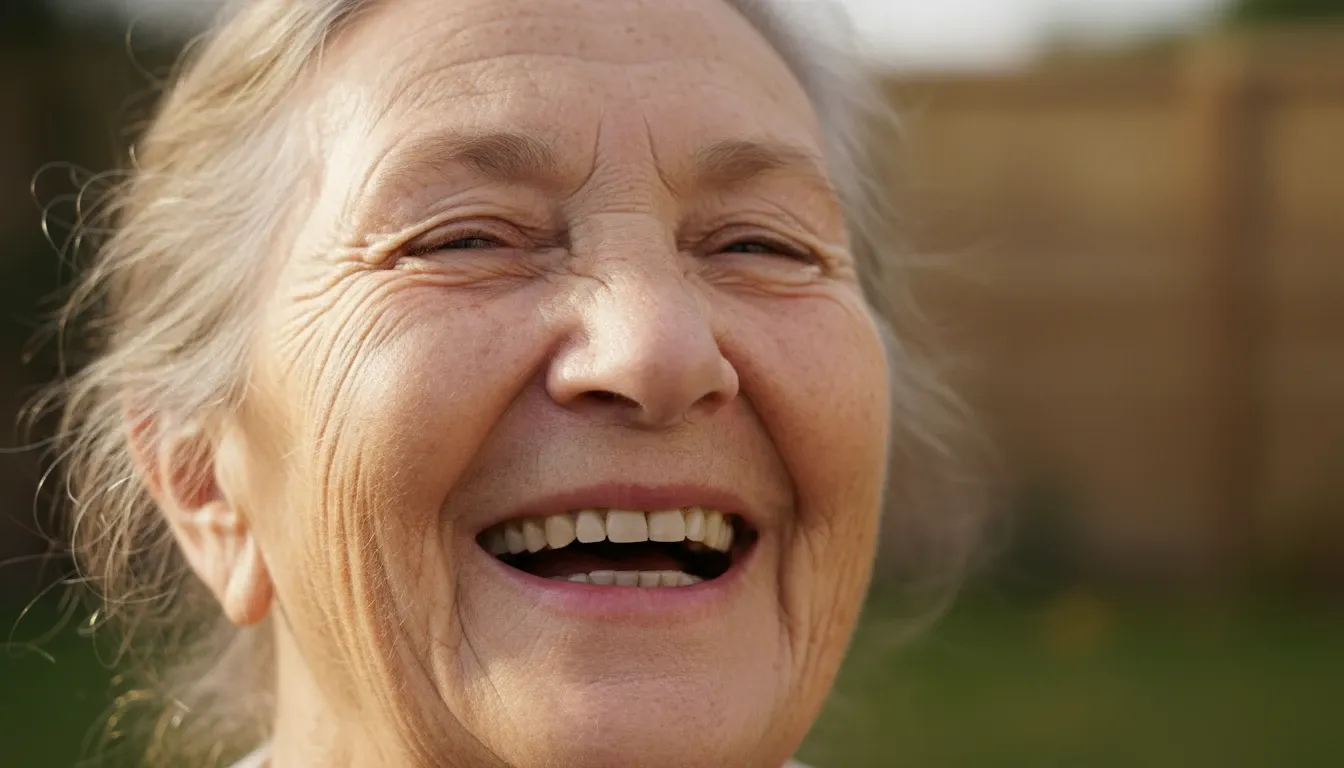
| Close-up of an elderly woman laughing, deep wrinkles around her eyes, sunlight catching the fine hairs on her face. High-resolution skin texture, no smoothing. |
 |
| A professional young woman in a boardroom, looking determined but slightly tired, with subtle dark circles under her eyes and a slight tilt of the head. Soft office lighting. |
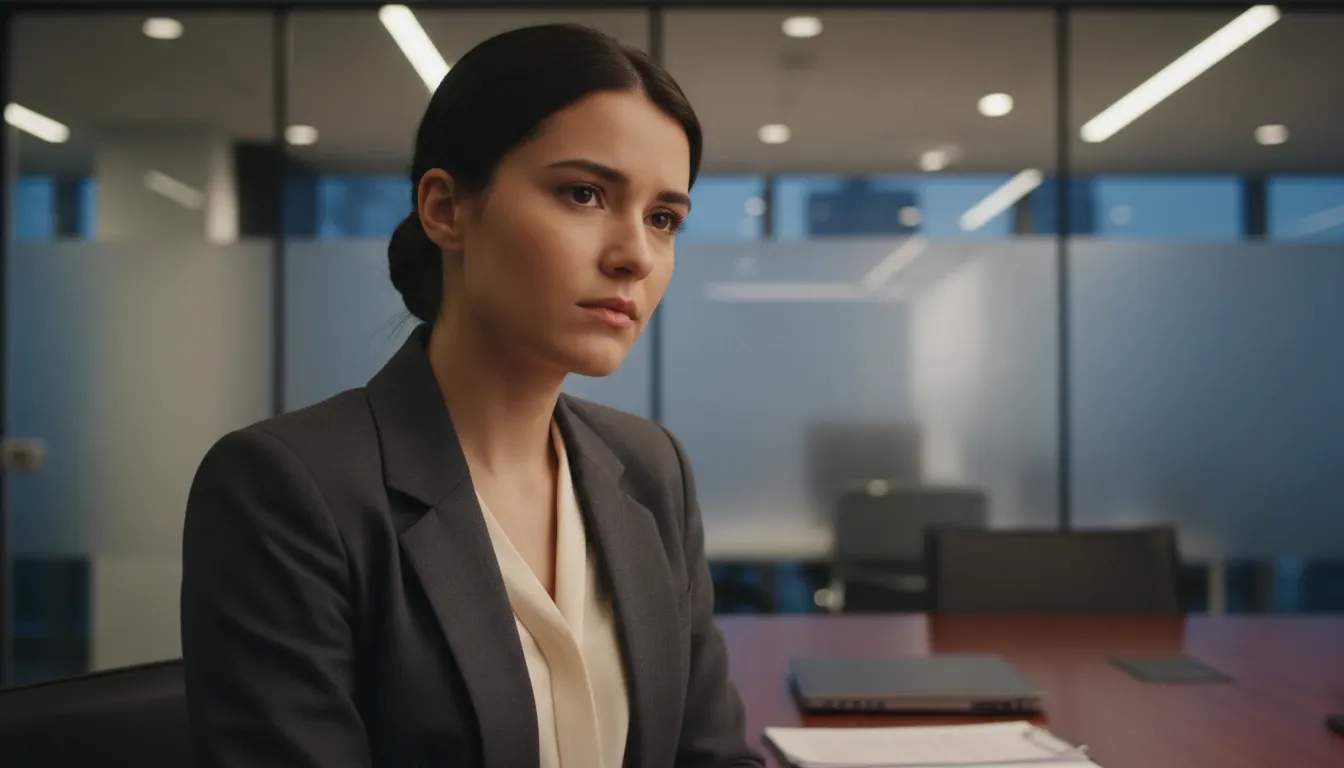 |
The output across all three prompts left me genuinely astonished. I was impressed by how GPT Image 2 nailed the subtle amusement in the eyes while maintaining realistic skin imperfections like pores and fine hairs.
To my eye, it didn't look like a plastic mannequin at all, and even the "tired" look I requested in the third prompt felt authentic rather than exaggerated.
I also noticed how the lighting wrapped around the faces naturally, and the background blur felt to me like it came straight from a real camera lens.
Score: 9.5/10
Test 2: Text Rendering
This time, I wanted to see if the model could generate a realistic storefront sign without turning the lettering into alien hieroglyphs. So I used prompts that included symbols, numbers and words.
| Prompt | Image Output |
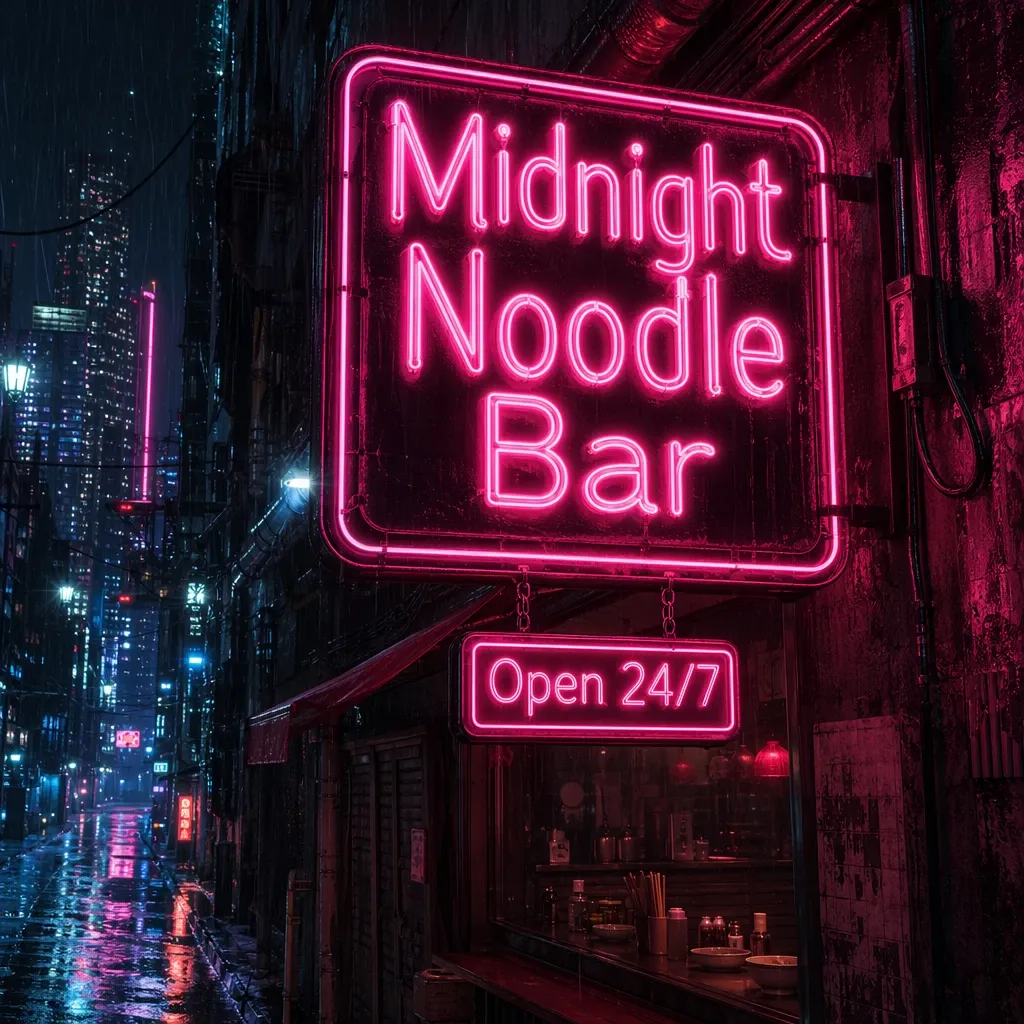
| A neon sign in a rainy cyberpunk alleyway that clearly reads 'Midnight Noodle Bar' in bright pink letters, with a smaller sign below reading 'Open 24/7'. |
 |
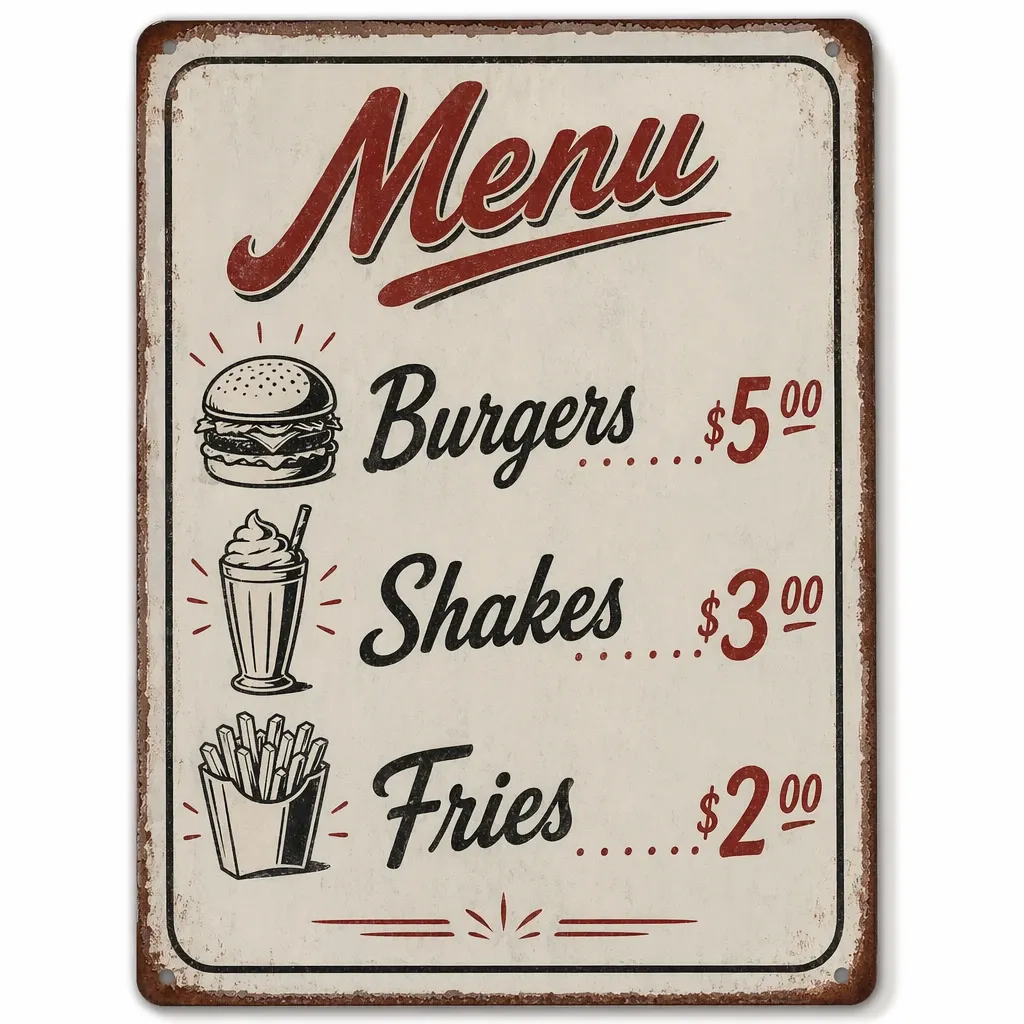
| A vintage 1950s diner menu board listing 'Burgers $5.00', 'Shakes $3.00', and 'Fries $2.00' in a classic script font. |
 |
| A clean, modern bookstore storefront with the name 'The Paper Architect' in elegant serif typography on the glass window. |
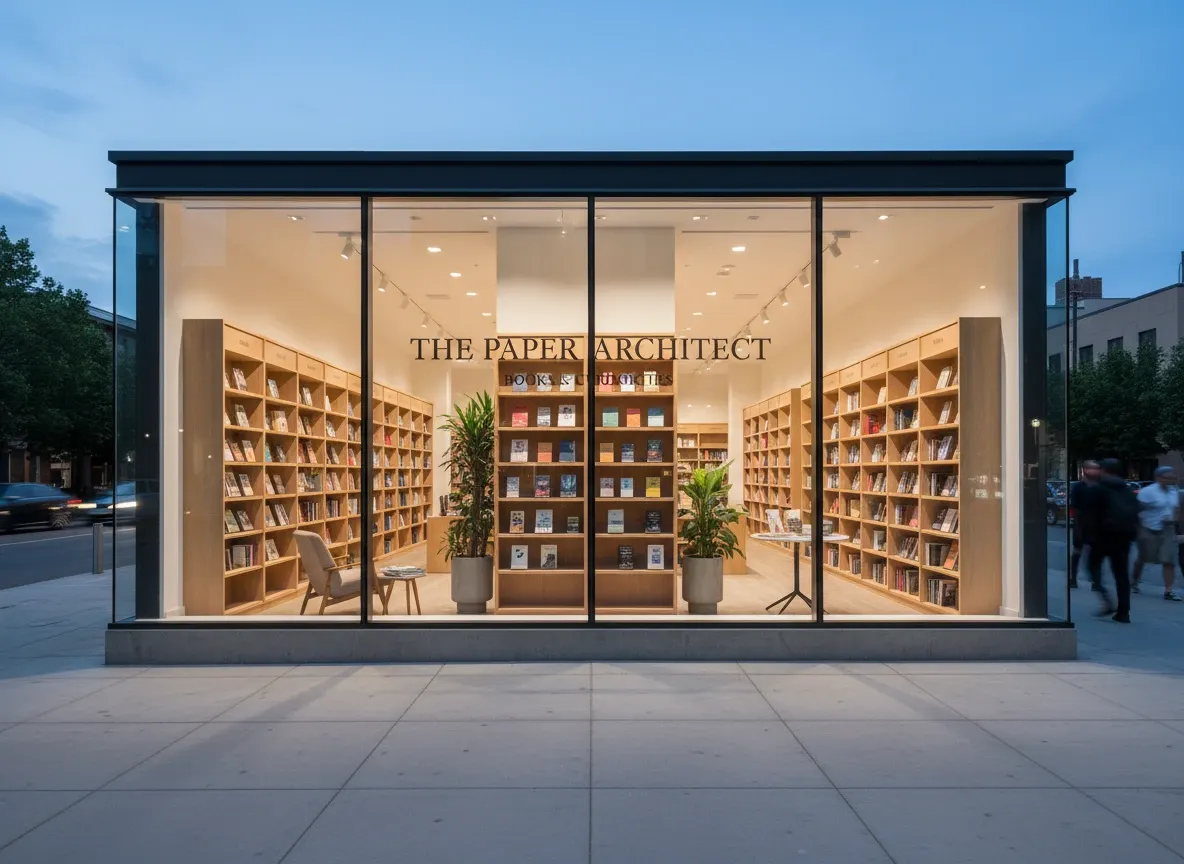 |
Based on the results above, I thought GPT Image 2 indeed handled the spelling perfectly just as what OpenAI promoted.
It actually spelled everything right in every single test I ran. I watched as the model perfectly rendered 'Midnight Noodle Bar', the specific prices on the diner menu, and the elegant 'The Paper Architect' without a single typo.
I also noticed how the neon glow reflected accurately in the puddles. And in my opinion, the serif typography on the bookstore window looked professionally designed.
Though I did find that the font choices can sometimes feel a bit rigid, I still thought it deserved a high score in text rendering.
Score: 9/10
Test 3: Seamless Pixel-Level Editing
Precise modifications are usually where most models fail. So I wanted to see if GPT Image 2 could handle this kind of iterative design without ruining the entire composition.
To test this, I ran four separate editing tasks that required the model to isolate and modify specific details while keeping the rest of the environment identical.
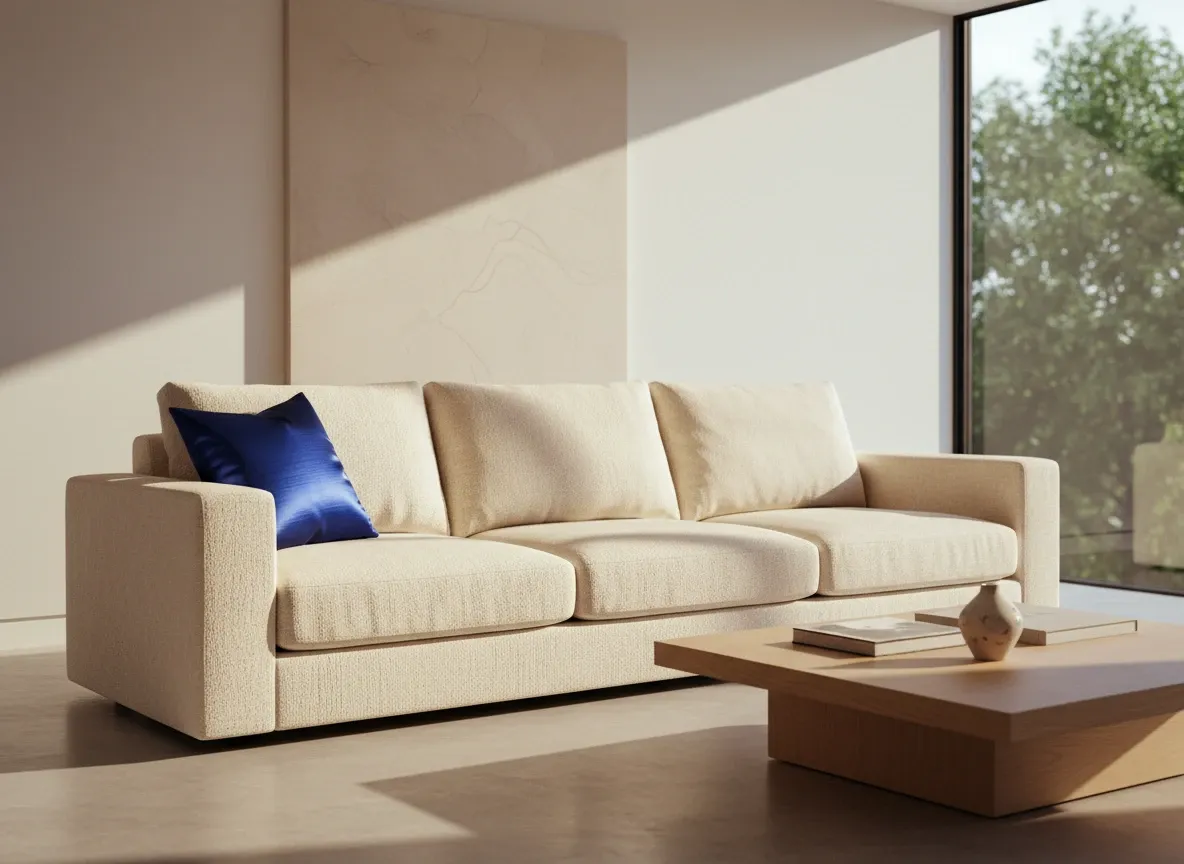
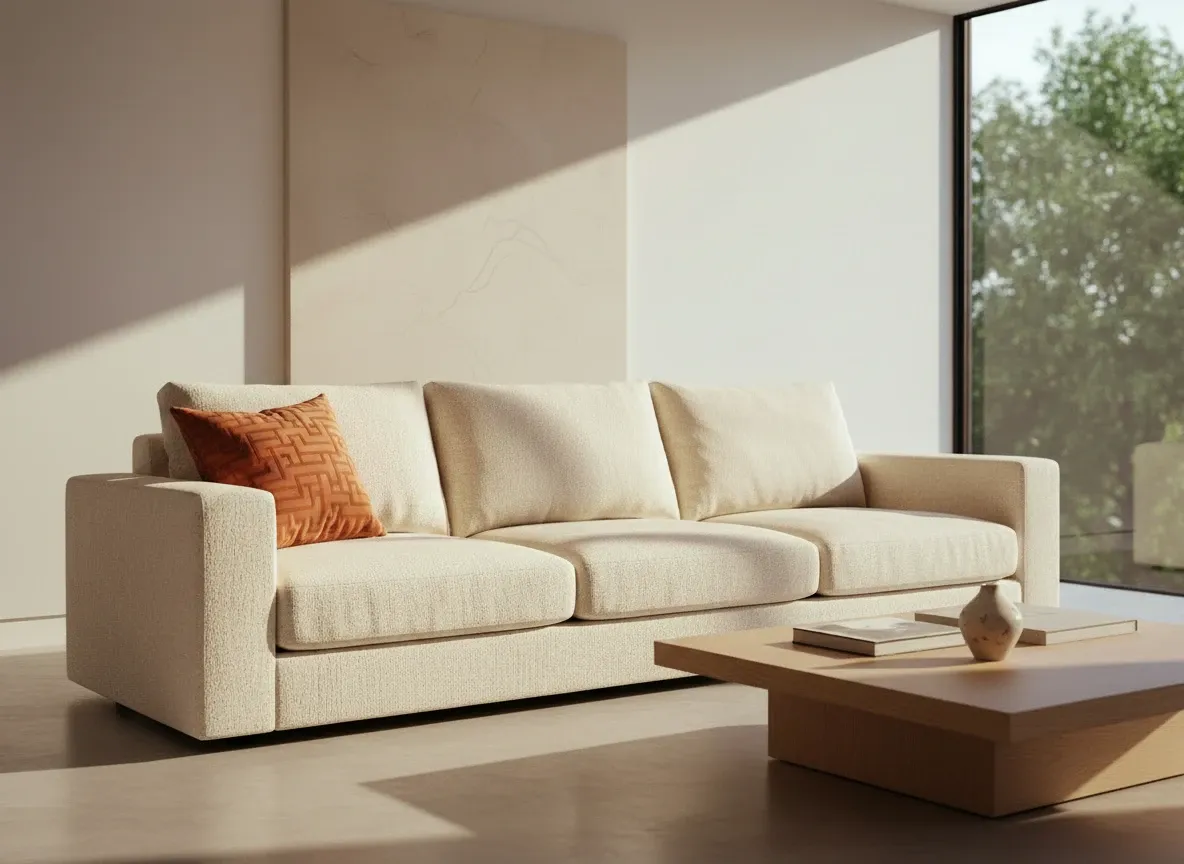
Prompt: Change the blue silk pillow on the left side of the sofa to a burnt orange velvet pillow with a geometric pattern, keeping all other elements, lighting, and shadows identical.
| Image Input | Image Output |
 |
 |
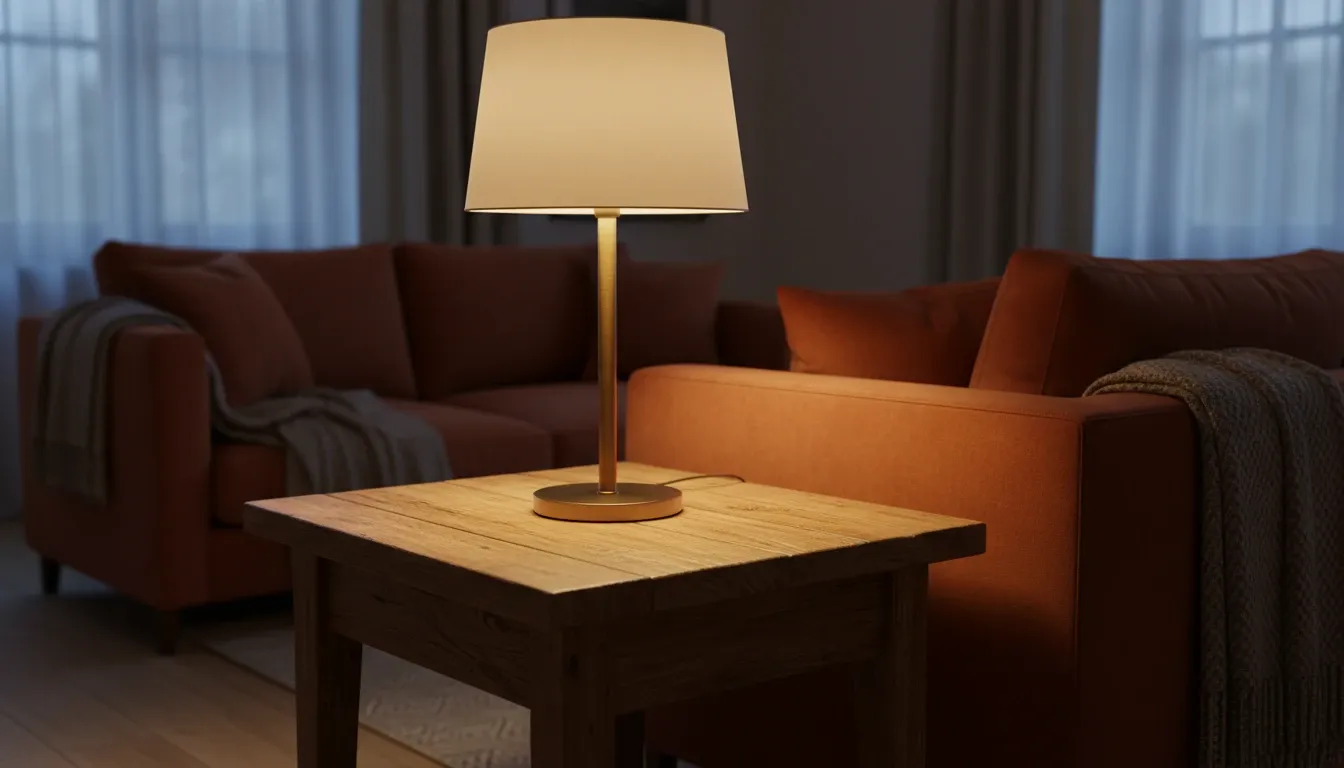
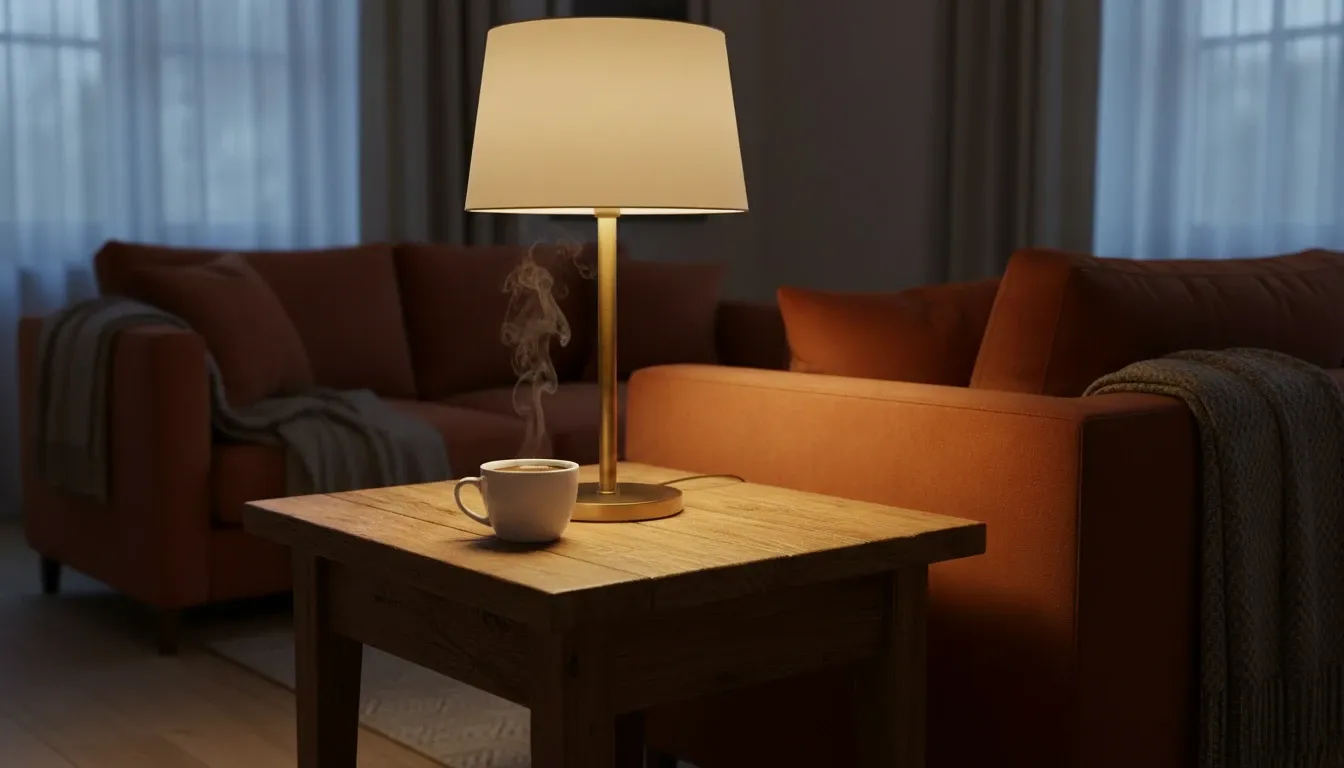
Prompt: Add a small, steaming cup of black coffee to the empty wooden side table, ensuring the steam looks natural and the lighting matches the lamp next to it. Image Input Image Output
| Image Input | Image Output |
 |
 |
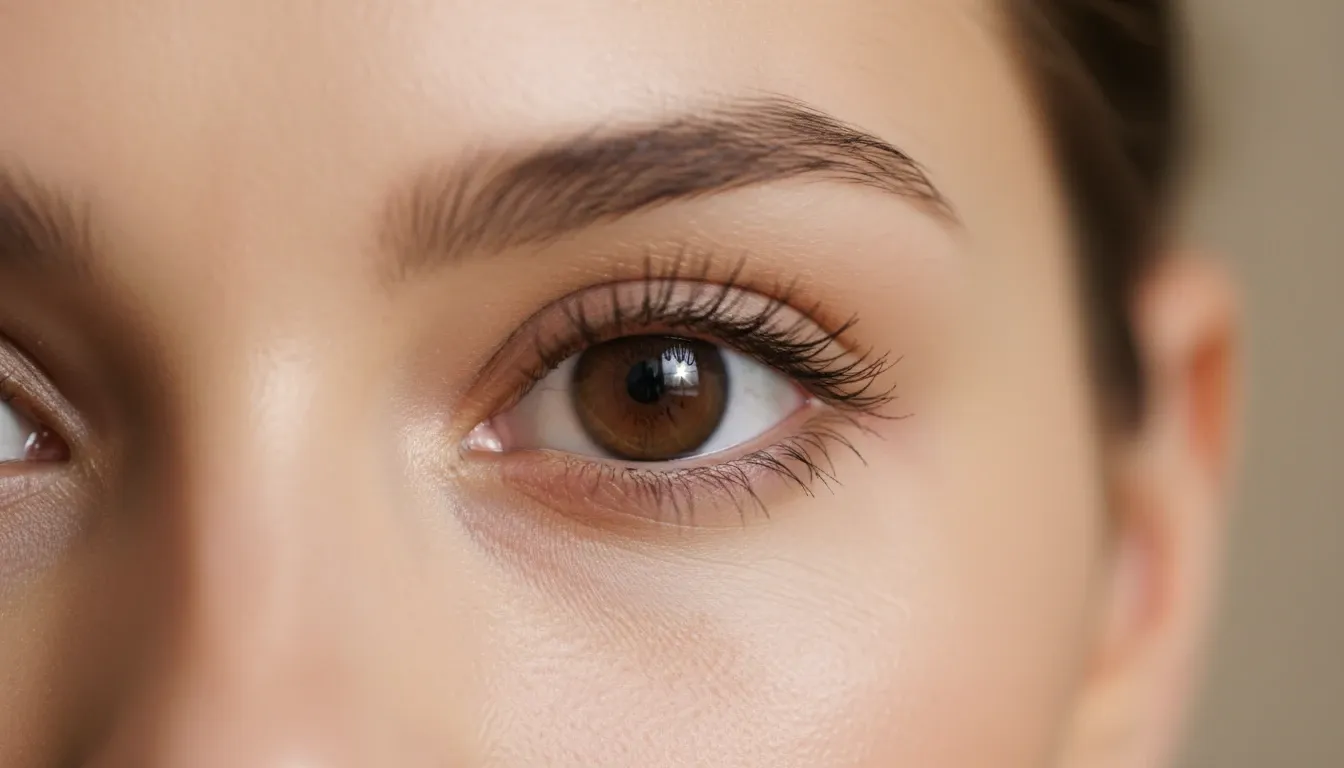
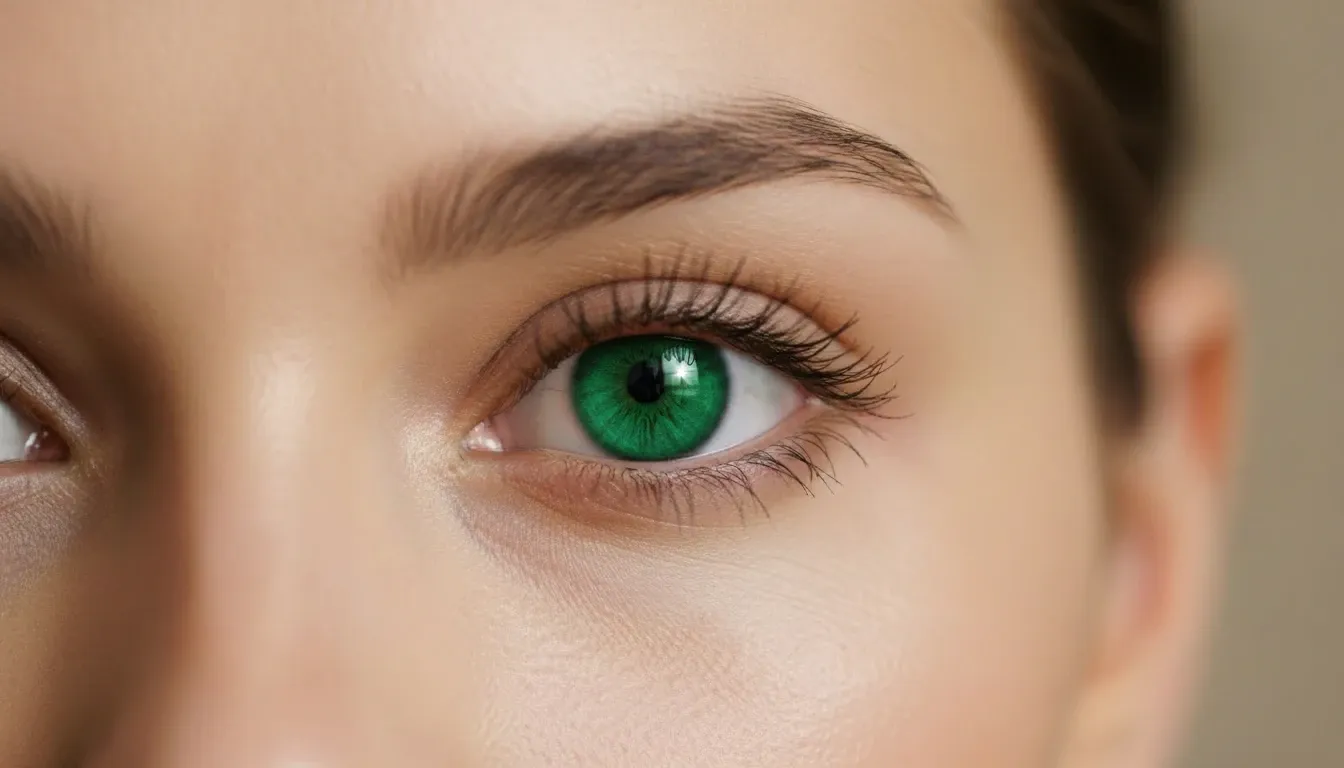
Prompt: Change the color of the model's eyes from brown to a piercing emerald green, keeping the catchlight and reflections exactly the same. Image Input Image Output
| Image Input | Image Output |
 |
 |
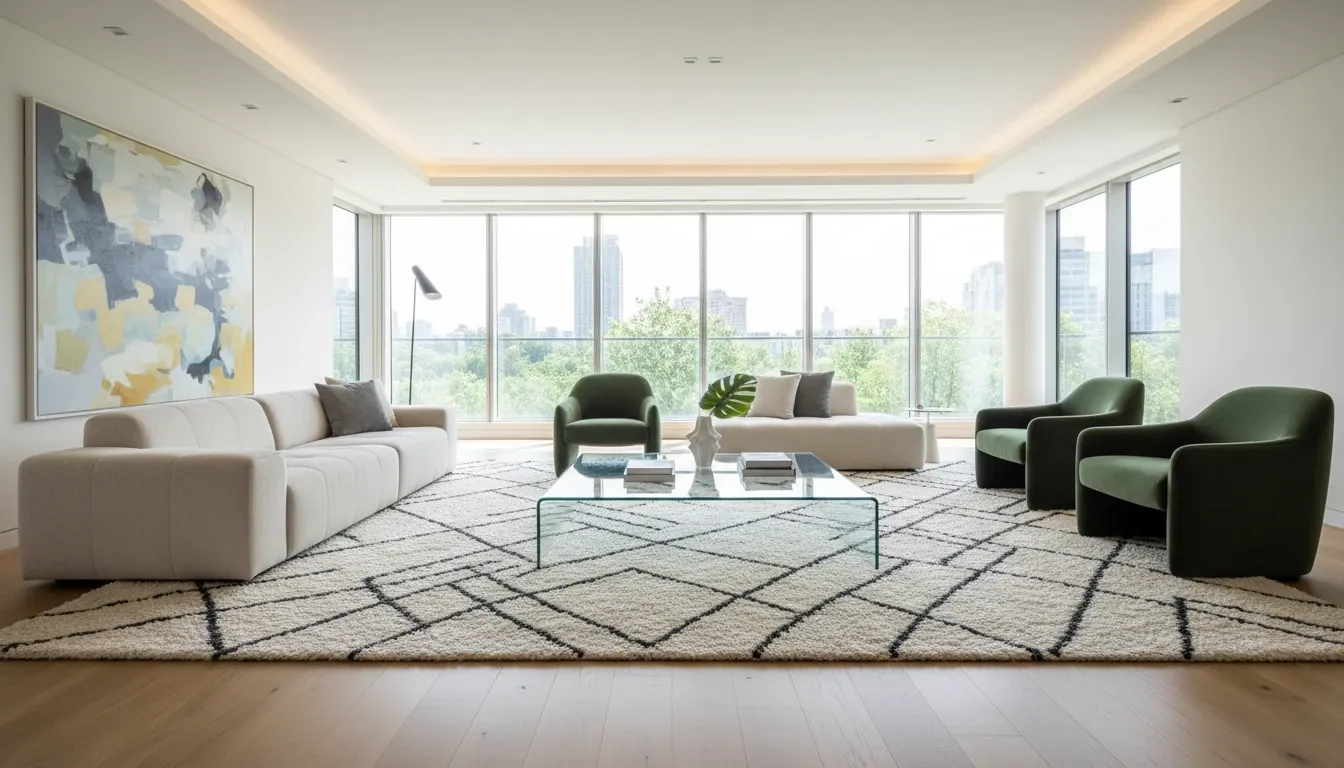
Prompt: Replace the modern glass coffee table in the center of the room with a rustic, dark oak wood table, maintaining the same reflections on the floor and the surrounding rug. Image Input Image Output
| Image Input | Image Output |
 |
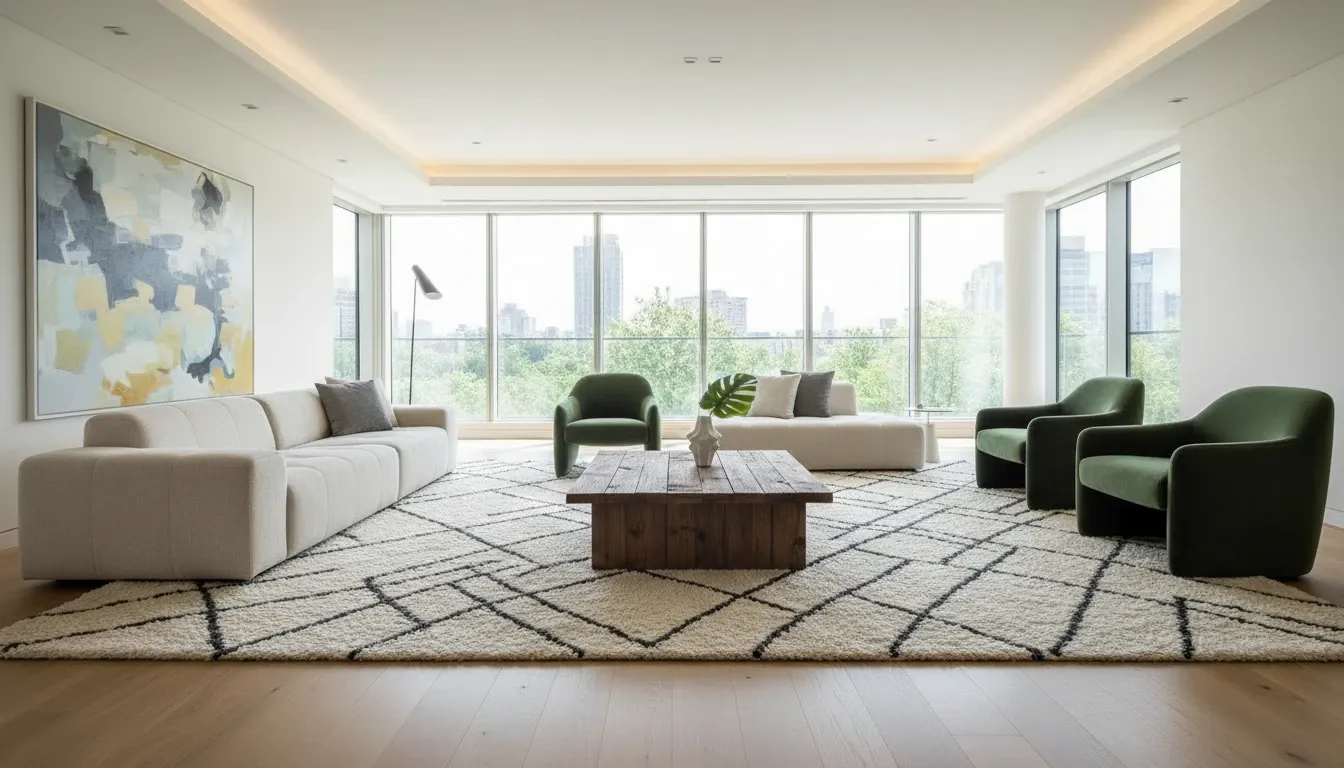 |
I was floored by the consistency. And I would say that its ability to isolate and modify specific details while keeping the lighting and environment intact is light-years ahead.
As you can see, GPT Image 2 swapped the pillow, added the coffee cup, and even replaced the entire table seamlessly, perfectly matching the shadows and the existing lighting.
The eye color change was particularly impressive because it didn't look like a flat layer; it retained the natural depth of the iris.
I bet that if I had not shown you the process, you would definitely think I got these outputs in Photoshop.
Score: 9.5/10
Test 4: Hard World-Knowledge Realism
I also tested if the model possessed a deep "common sense" by challenging it with specific, non-famous architectural and environmental styles.
Instead of letting it default to generic visuals, I pushed it to render specific textures and structural logic to see if it understood how materials age and interact with their surroundings.
| Prompt | Image Output |
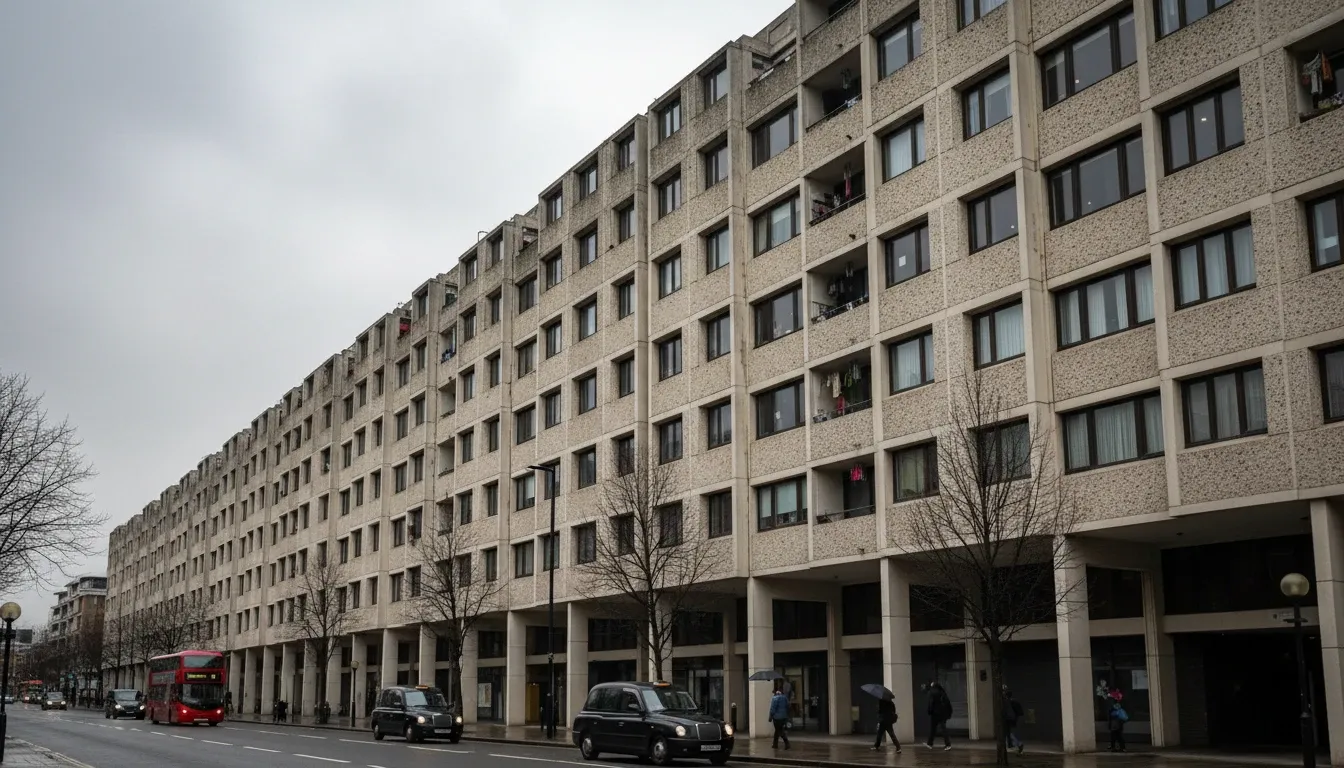
| A street view of a traditional Brutalist apartment complex in London on a gray, overcast day. Concrete textures, small windows, and weathered stains on the walls. |
 |
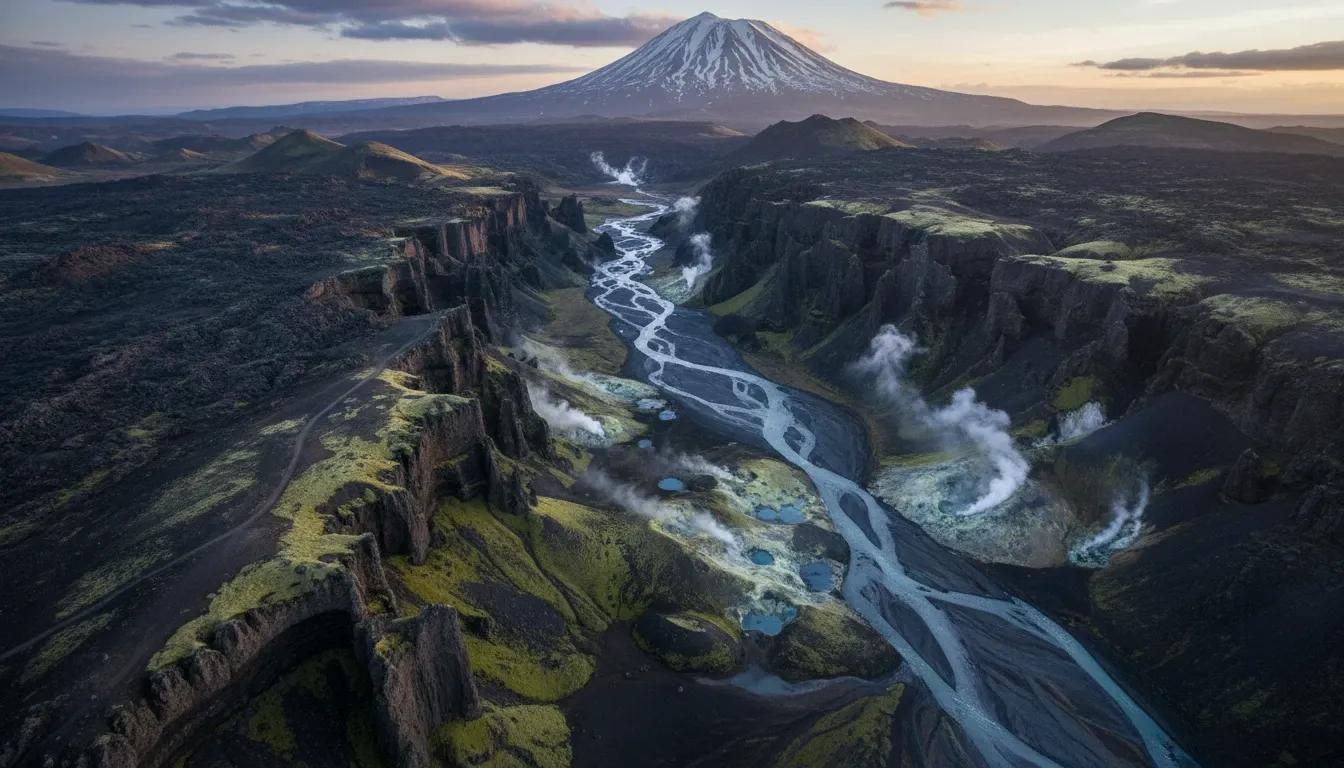
| A high-altitude shot of a volcanic landscape in Iceland, featuring black basalt columns, steaming geothermal vents, and patches of neon-green moss. |
 |
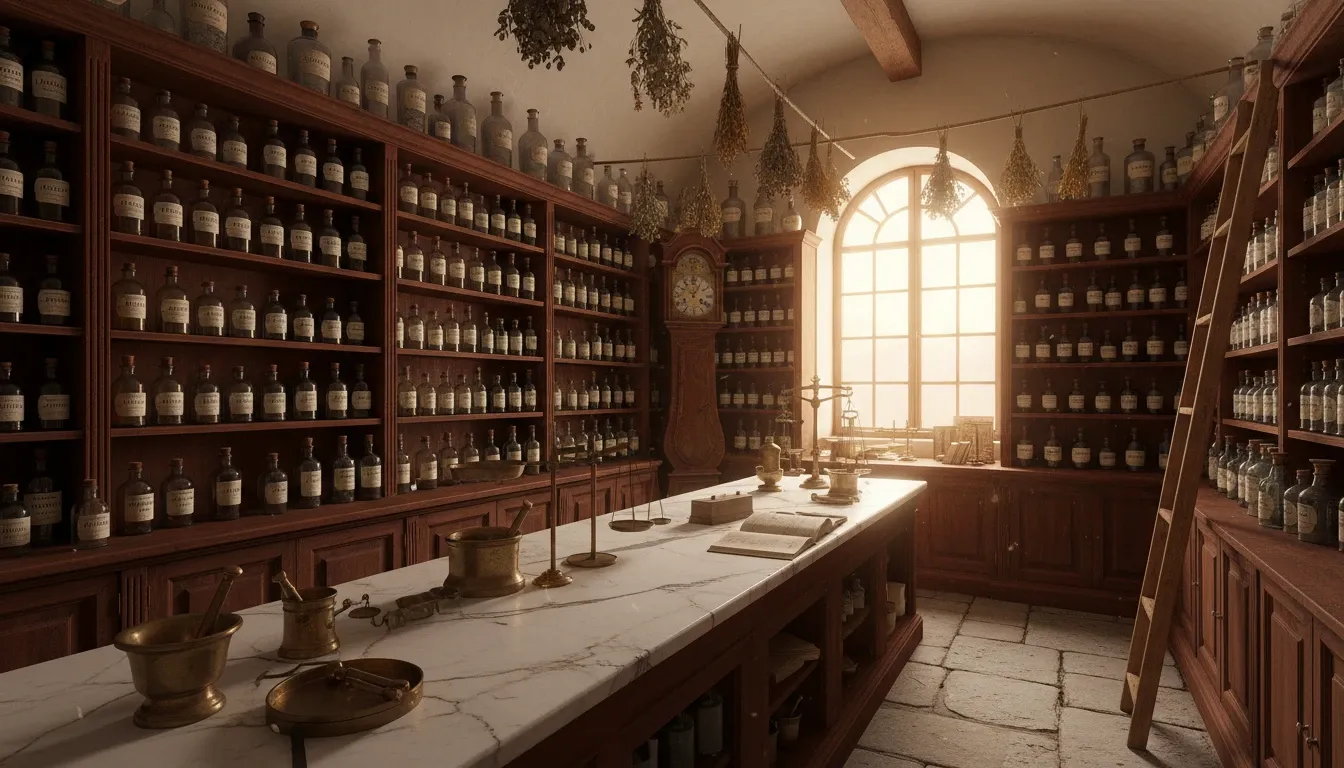
| An interior of a 19th-century French apothecary, with dark wood shelves, hand-labeled glass bottles, and a marble countertop showing slight cracks and wear. |
 |
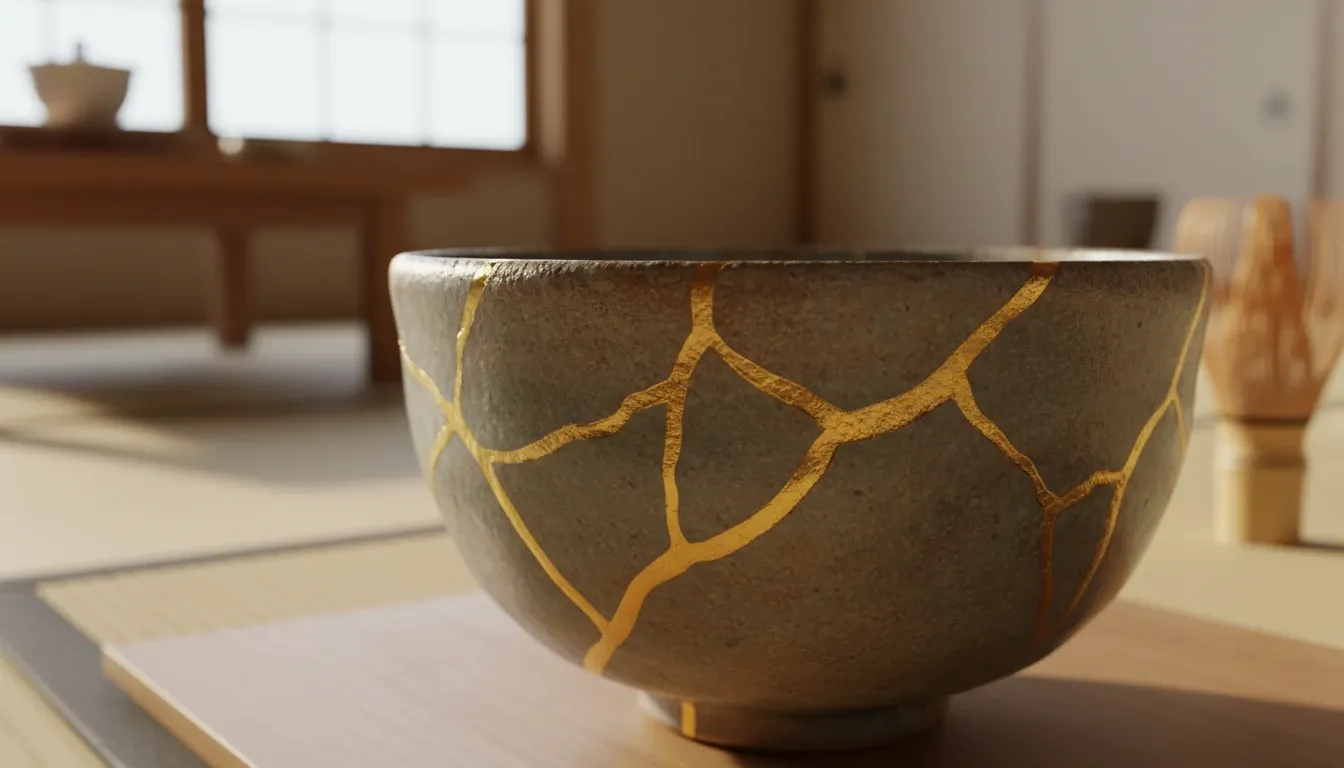
| A detailed shot of a traditional Japanese Kintsugi bowl, where the gold-filled cracks are slightly raised and catch the soft light of a tea room. |
 |
| The engine bay of a classic 1960s muscle car, showing the specific layout of a V8 engine with weathered chrome parts and period-accurate wiring. |
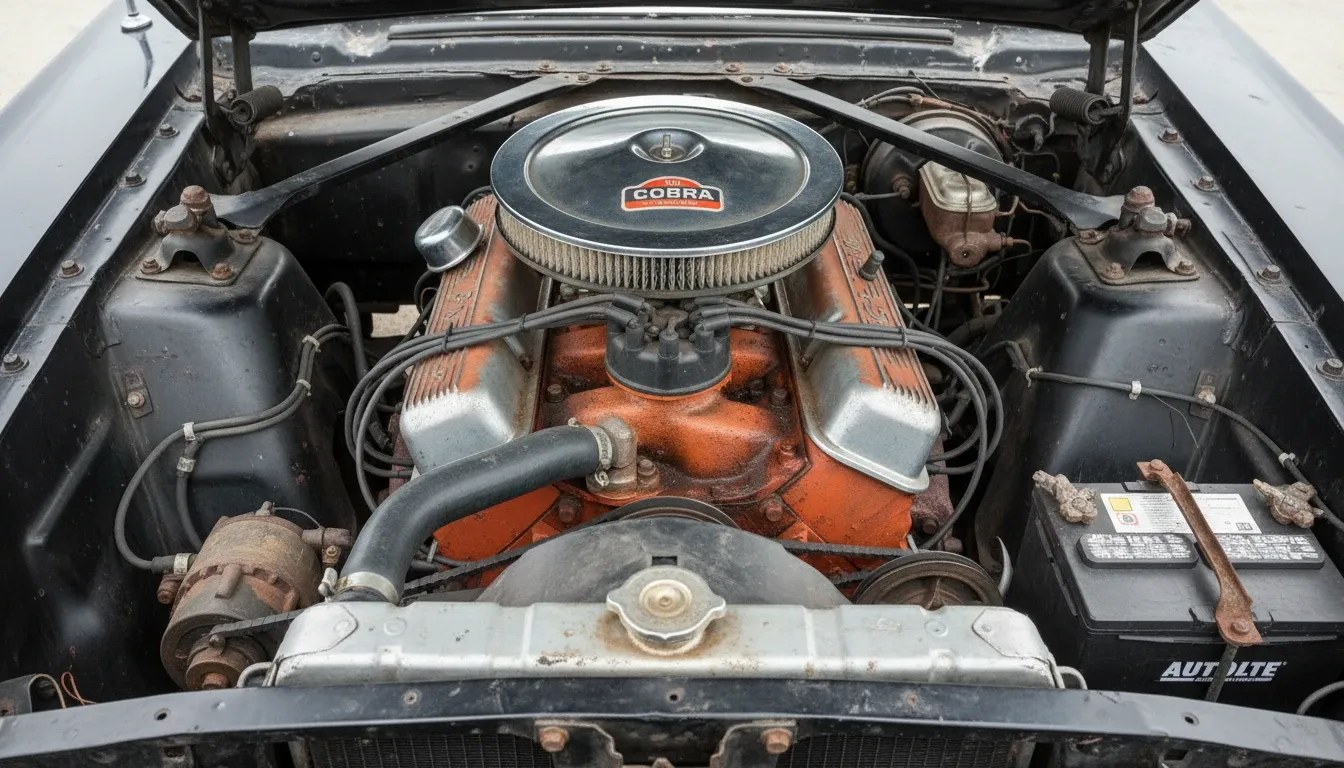 |
I did not only get building or scenario images from GPT Image 2, but also the vibe just as I had envisioned.
For example, in the first result, the weathering patterns on the walls looked exactly like the real-world rain damage I've seen in London, proving to me that the model has an incredible grasp of hard world-knowledge realism.
The Kintsugi bowl and the V8 engine bay were particularly noticeable because they required specific technical knowledge. The model correctly placed the gold-filled cracks in the ceramic and accurately laid out the engine components.
I was absolutely struck by the fact that it understands the "physics" of how materials age in specific climates—all without me needing to explicitly handheld it through the prompt.
Score: 9/10
Test 5: Extreme Instruction Following
Pushing GPT Image 2 into a "nightmare prompt" scenario was the only way to truly test its breaking point. So I threw five separate laundry lists of distinct and potentially conflicting requirements at it.
Because extreme instruction following is where most AI models typically lose their way, I specified exact placements, localized lighting, and hyper-specific textures for multiple objects to see which details would be dropped.
| Prompt | Image Output |
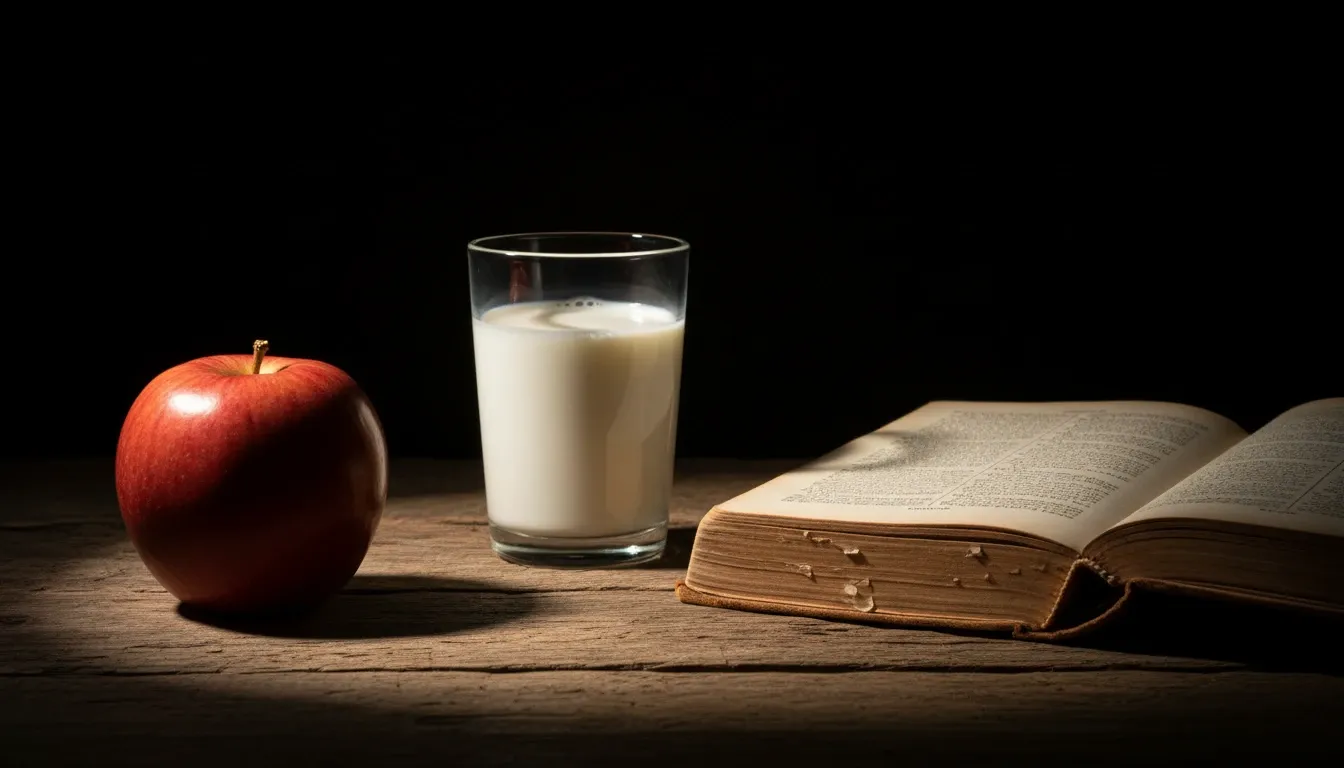
| A wooden table with a red apple on the left, a half-filled glass of milk in the center, and an open book on the right. A single beam of light hits only the apple. The background is pitch black. The book's pages are yellowed, and the milk has a small bubble on the surface. |
 |
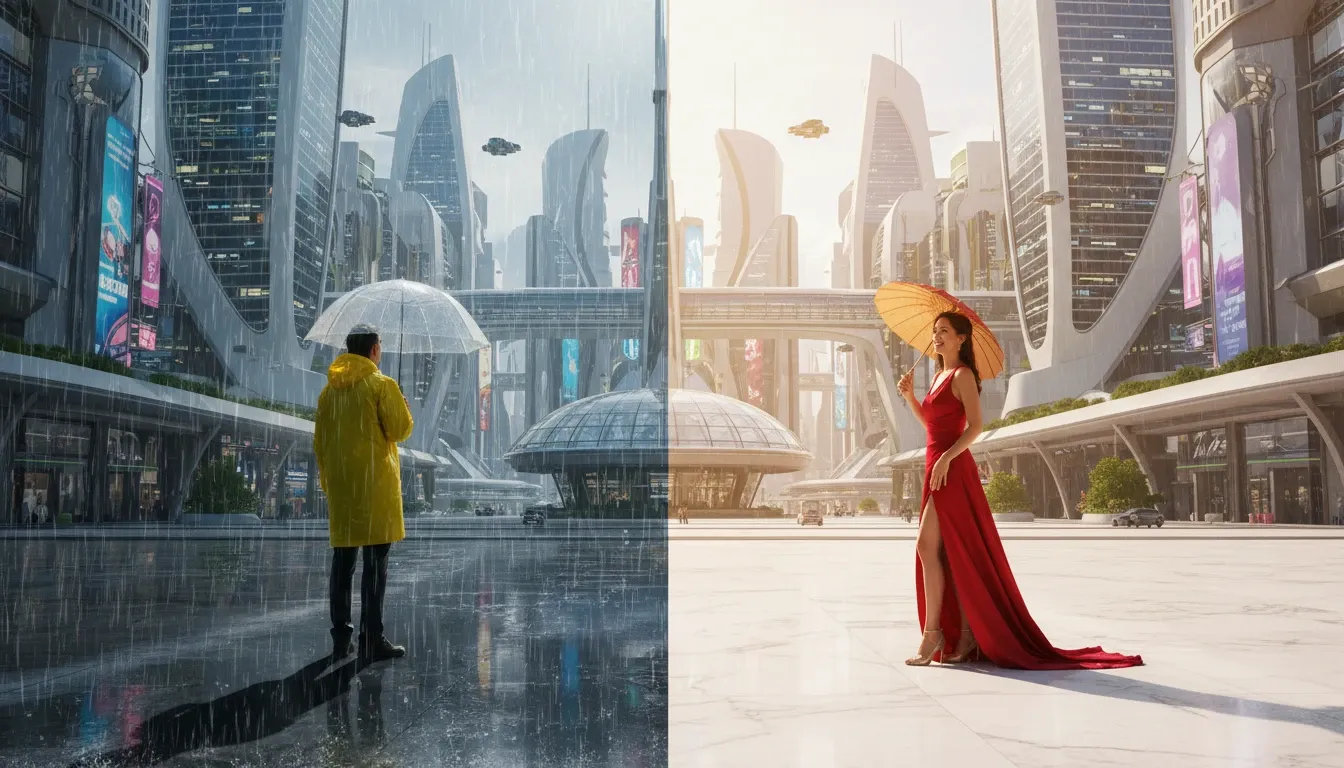
| A futuristic city square where it is raining on the left half of the image but sunny on the right half. A man in a yellow raincoat stands in the rain, and a woman in a red dress stands in the sun. The shadow of the man should fall toward the center. |
 |
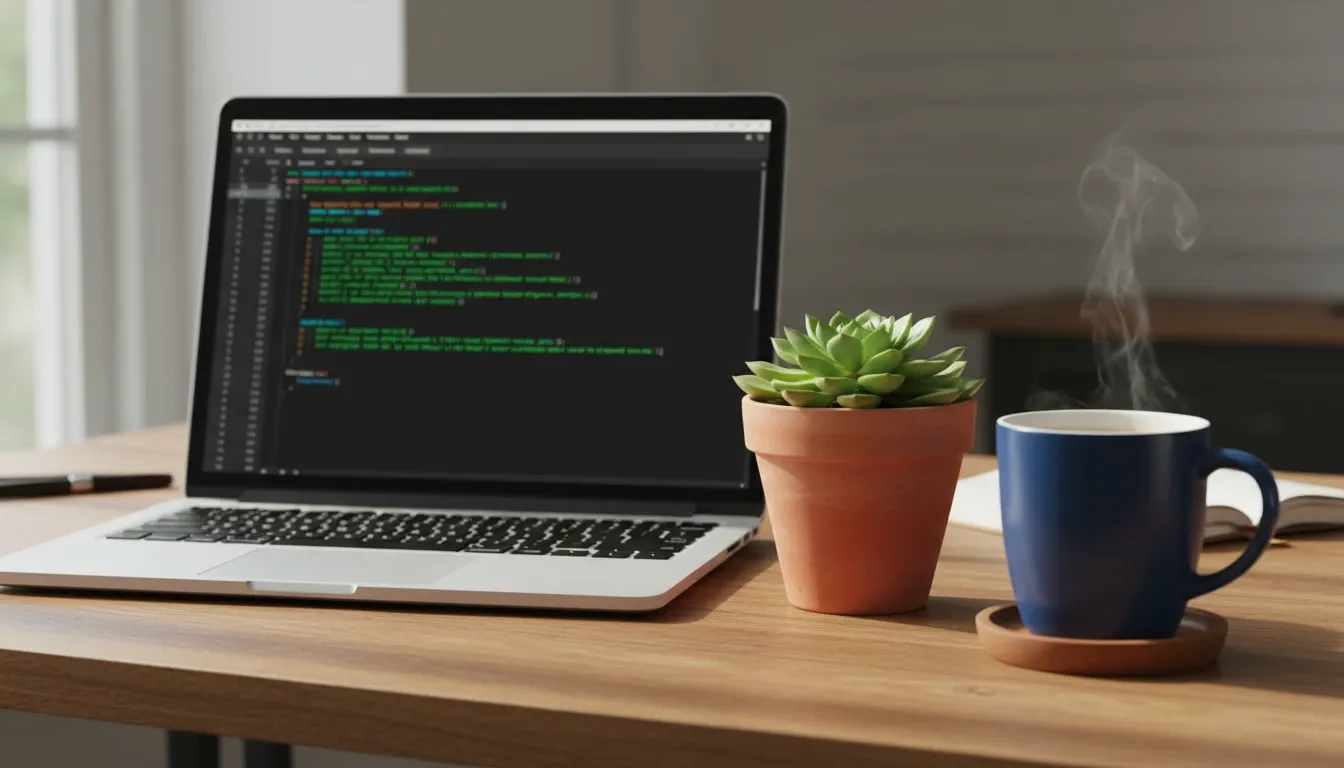
| A desk with a laptop, a coffee mug, and a succulent. The laptop screen shows a code editor with green text. The coffee mug is blue with a white handle. The succulent is in a terracotta pot. The mug must be placed exactly 2 inches to the right of the succulent. |
 |
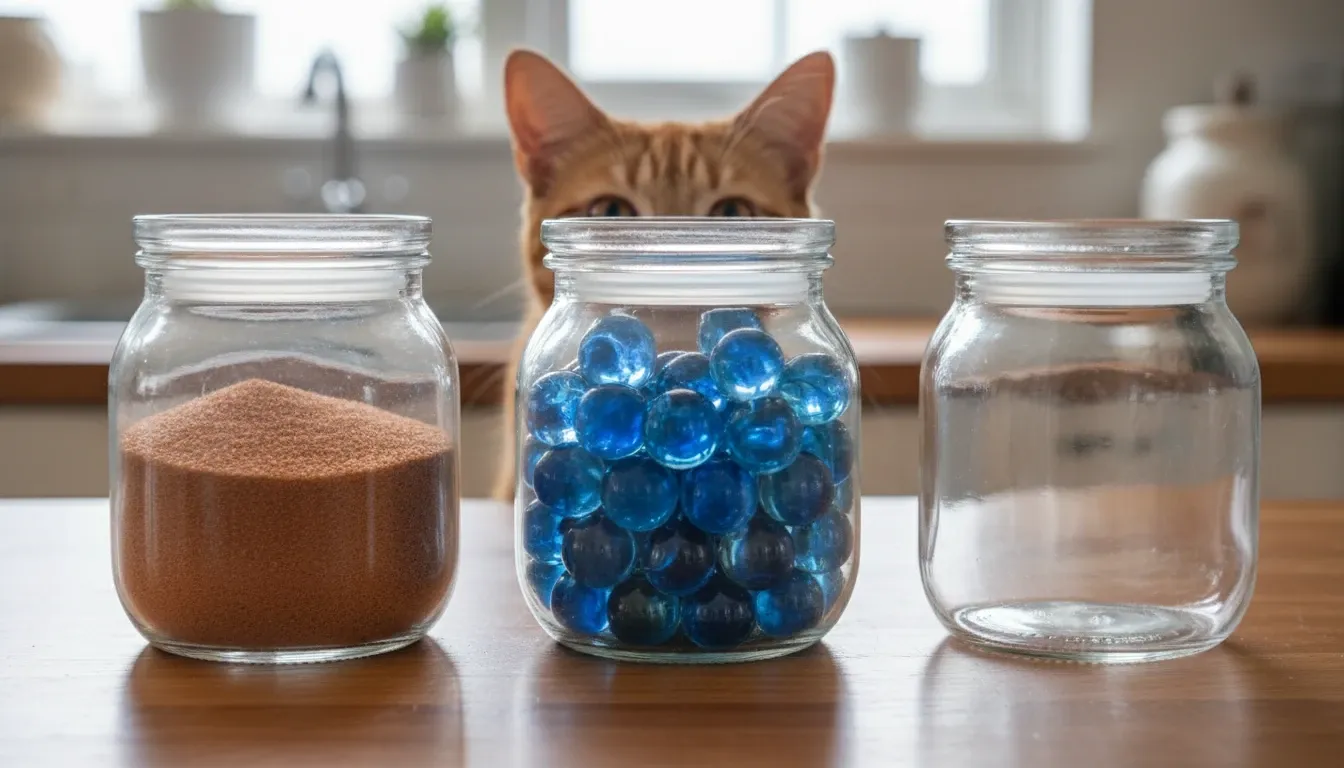
| A kitchen counter with three jars: one filled with blue marbles, one with red sand, and one empty. The blue marble jar must be in the middle. A cat is sitting behind the jars, but only its ears are visible above the lids. |
 |
| A workspace where a person is drawing a picture of a cat on a tablet, while a real cat sits next to them looking at the tablet. The tablet screen must show the drawing in progress, and the person must be wearing a green ring on their left thumb. |
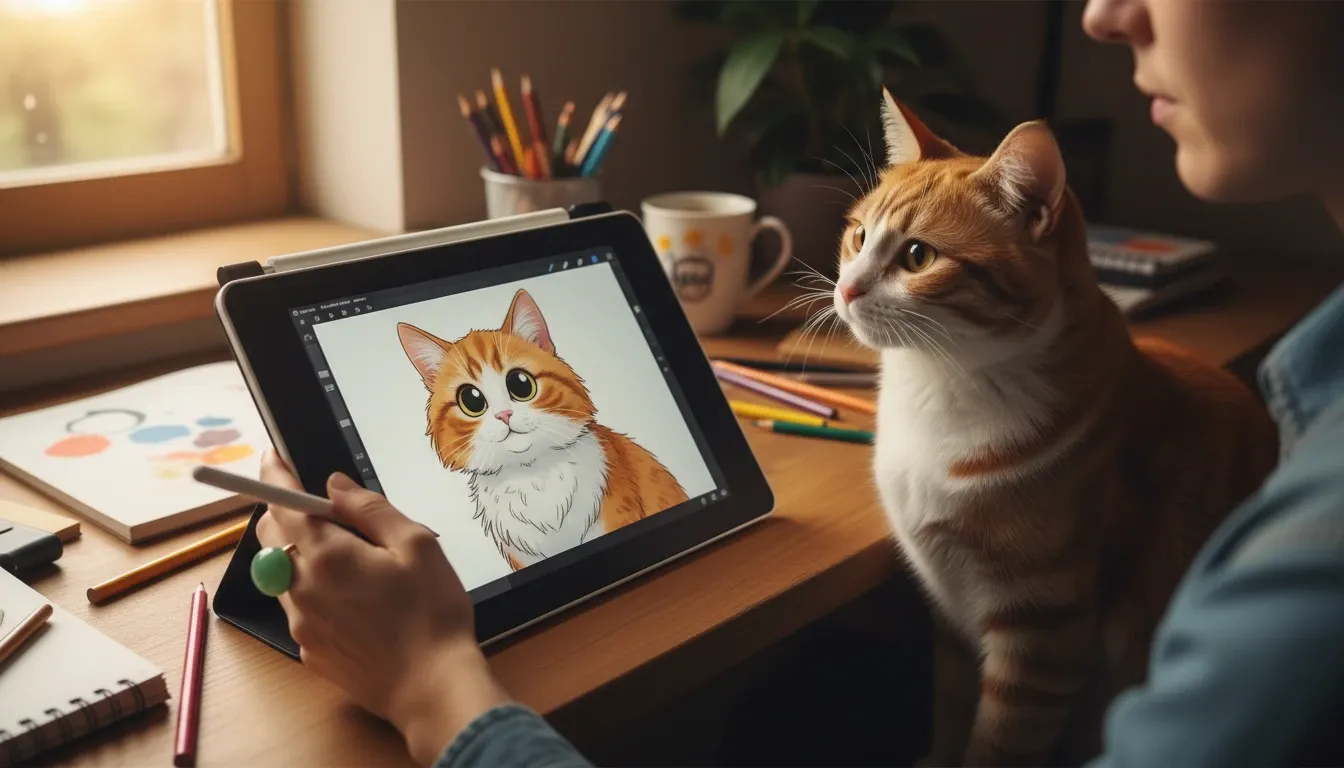 |
In my opinion, the outcomes were self-evident for GPT Image 2’s instruction following ability.
It captured nearly every detail with remarkable precision across all five prompts, from the tiny bubble on the milk’s surface and the localized lighting on the apple, to the highly specific "cat ears".
Even the "green ring on the left thumb" in Prompt E was rendered perfectly, which is a detail most models would simply ignore.
This exceptional level of adherence to the prompt is arguably the model’s greatest strength, and I believe it makes GPT Image 2 an indispensable tool for users who want their exact vision translated into pixels without compromise.
Score: 10/10
What Real Users Are Saying
The feedback is heavily divided. While professionals love the accuracy, casual users miss the artistic chaos of older models.
Looking through Reddit and Twitter, the sentiment is clear. Users on r/OpenAI are praising the model's ability to follow complex instructions. One user noted, "It finally understands exactly where I want objects placed in the frame."
But others feel it has lost its soul. A common complaint is that GPT Image 2 prioritizes realism so heavily that it struggles to produce truly inspiring or abstract art.
My Personal Take
I think if GPT Image 2 is the best AI image generator on the market depends heavily on what you are trying to do.
In my opinion, it is a genius at commercial work, but it still can't do raw, chaotic creativity.
If I need a product mockup, a realistic portrait, or an image with text, I am reaching for GPT Image 2 every single time. It saves me hours of Photoshop work.
But if I want to generate a wild, abstract fantasy landscape, I find myself missing the unpredictable nature of older models.
You can check out the GPT Image 2 vs Nano Banana 2 to better understand GPT Image 2's real-world applications.
All in all, it is the ultimate tool for professionals, but it might bore the artists.
How to Access GPT Image 2 Right Now
You can use GPT Image 2 through official access or Pollo AI.
OpenAI is currently A/B testing the model within ChatGPT Plus, meaning you might have it one day and lose it the next. The said ChatGPT Pro tier promises full access, but that is a steep price for most users.
If you want guaranteed, easy access without playing the A/B testing game, Pollo AI will offer a seamless way to use GPT Image 2 and other top-tier models.
It is a comprehensive generation platform that brings the industry's most powerful AI models into a single, streamlined workspace.
With GPT Image 2 already available on Pollo AI, you can integrate its advanced capabilities into your creative workflow today.
The platform also gives you the flexibility to switch between other top-tier models like Nano Banana 2 and Seedream 5.0. That means you can always have the best tools at your fingertips regardless of the project's requirements.
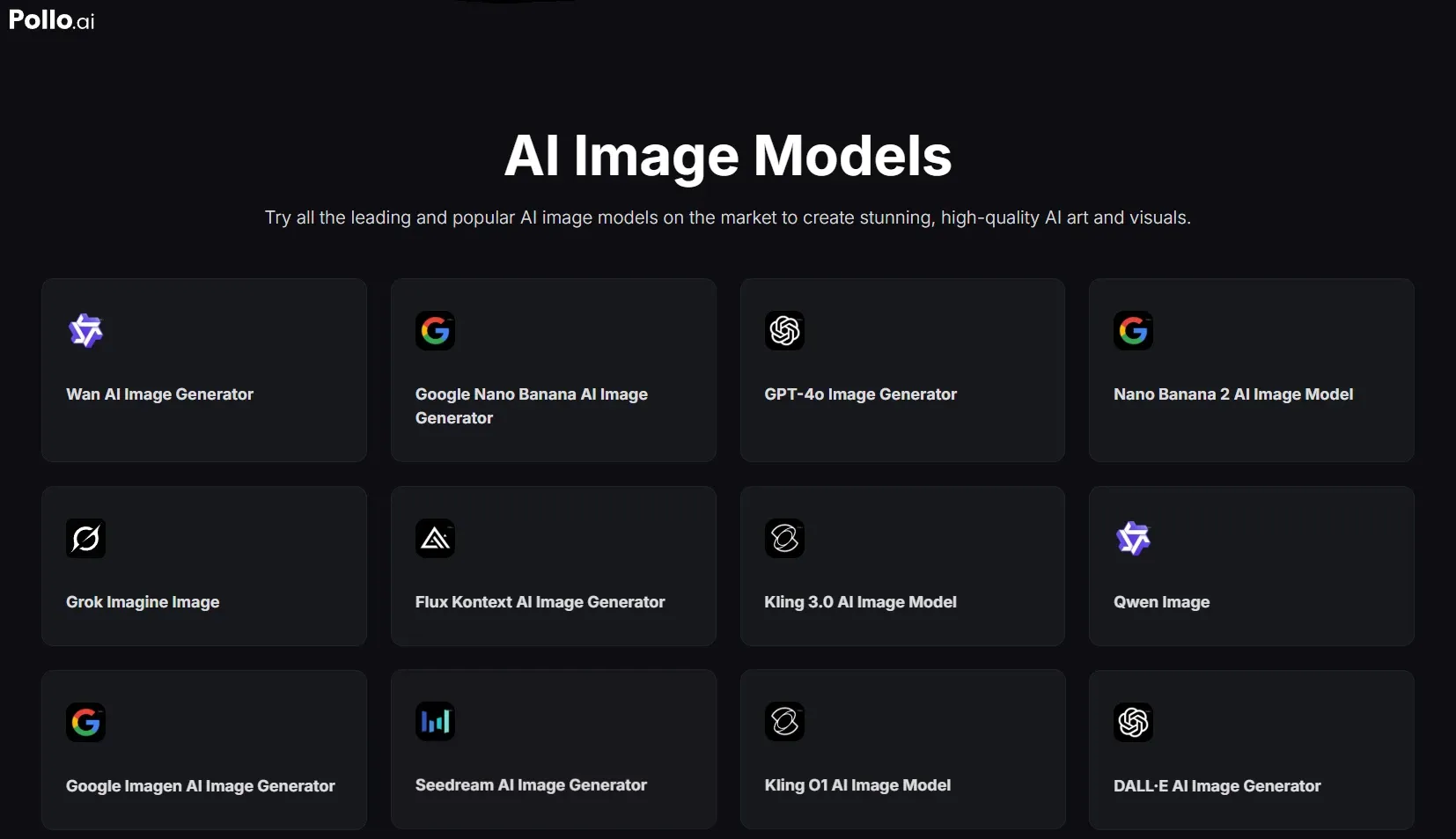
Beyond serving as a model hub, the platform features Pollo Agent, which is designed to transform your raw ideas into publish-ready content.
You will have even more sophisticated ways to create because GPT Image 2 will also be integrated into Pollo Agent.

Best of all, you can have free access for GPT Image 2 on Pollo AI. So you can stress-test GPT Image 2’s full potential without any upfront cost.
Instead of sitting on the sidelines, you can master today’s best models now and be perfectly positioned when the second GPT Image 2 goes live.
Final Verdict
GPT Image 2 is a massive step forward for AI utility. It fixes the most frustrating parts of AI image generation—spelling errors and ignored prompt details.
While it might not be the most "fun" model to play with, it is undeniably the most useful for real-world applications.
If you are a marketer, designer, or content creator, this is the upgrade you have been waiting for.
FAQs
What is the difference between GPT Image 2 and DALL-E 3?
GPT Image 2 focuses heavily on photorealism, accurate text rendering, and precise prompt adherence, making it better for commercial use. DALL-E 3 is generally considered more "creative" and better at stylized or abstract art.
Can GPT Image 2 spell words correctly?
Yes, it has near-perfect text rendering capabilities, allowing it to generate readable signs, documents, and UI elements with minimal errors.
Is GPT Image 2 free to use?
No, it is currently being tested within paid tiers like ChatGPT Plus and the said ChatGPT Pro. But you can use GPT Image 2 through Pollo AI to get a free trial.
Can I use GPT Image 2 for commercial API development?
Currently, the model is primarily available for manual testing via ChatGPT and platforms like Pollo AI. While a full API release is expected, most developers are currently using it to prototype high-fidelity assets before official enterprise-level integration becomes widely available.
Does GPT Image 2 support multiple aspect ratios?
Yes, it is much more flexible than earlier models. During my testing, I found it could handle everything from standard 1:1 squares to cinematic 16:9 and vertical 9:16 formats without stretching or distorting the subjects, which is a huge win for social media creators.
Is subject consistency improved for multi-shot projects?
Significantly, GPT Image 2 is much better at maintaining a character’s features or a product’s design across different prompts. I noticed that if I described a character in detail once, the model could replicate them in different poses with about 80-90% consistency.