



What Is GPT Image 2? Everything You Need to Know After 6 Hours of Testing
I tested GPT Image 2 in the kinds of situations I actually care about, including product visuals, ad creatives, structured layouts, and iterative design workflows. I was not just looking for good-looking outputs. I wanted to see whether the results could be used directly in real projects.
This article focuses on how GPT Image 2 behaves in practice, where it fits into real workflows, and what kind of effort it requires to get strong results.
Quick Verdict (TL;DR)
GPT Image 2 performs best when you need precise, structured visuals that follow instructions closely. It stands out in tasks where layout, text, and composition matter as much as the visual itself.
It also shows clear improvements in image quality and editing responsiveness, which makes it feel more stable in iterative workflows. However, it rewards clarity. The more structured your prompt is, the better the result becomes.
In practical terms, it works well for marketers, product teams, and creators who need usable assets, especially for landing pages, ads, and structured content.
What Is GPT Image 2?
GPT Image 2 is OpenAI’s latest image generation model designed to produce visuals with a strong focus on accuracy, text rendering, and structured composition.
From what I have tested, it behaves differently from earlier models. Instead of loosely interpreting prompts, it focuses on executing them. When prompts include layout, hierarchy, and text instructions, the outputs reflect those constraints much more clearly.
There are also signs that the model is being optimized not just for generation quality, but for resolution flexibility and output scalability.
In my testing, this translated into sharper outputs with better detail retention, especially in structured and product-focused visuals.
This suggests the model is being positioned not just as a creative tool, but as a production-oriented image system.
Key Features: What GPT Image 2 Does Best
1. Precise Prompt Execution
GPT Image 2 follows detailed instructions with a high level of consistency.
When I tested prompts that included layout instructions, object placement, and text requirements, the outputs stayed aligned with the structure I defined. This is particularly useful in scenarios where visual clarity matters more than artistic variation.
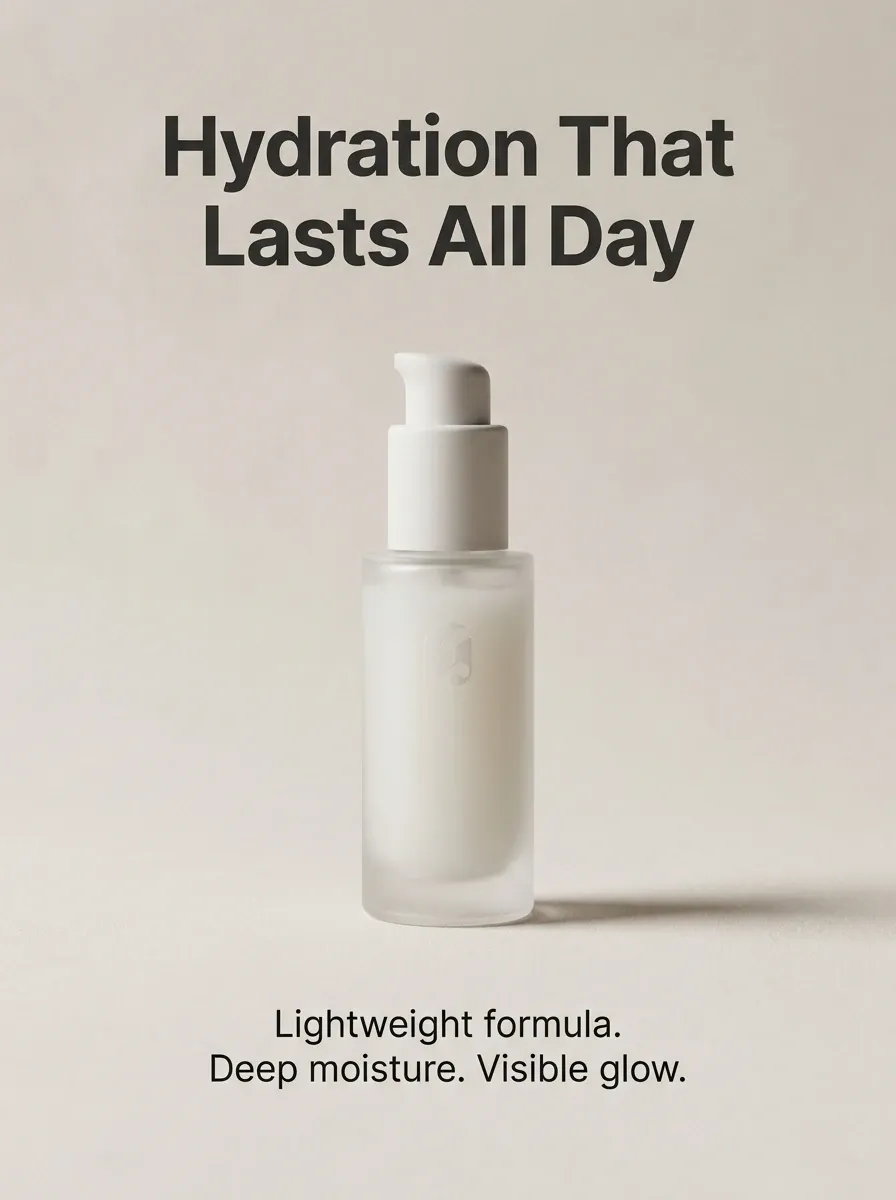
For example, when creating a landing page hero image, I asked for a centered product, a headline at the top, and supporting text below. The output followed that structure closely enough to be used as a working draft.
This behavior also explains why some internal comparisons position it strongly against models like Nano Banana Pro. It is not trying to be more creative. It is trying to be more accurate.
| Prompt | Image |
| Create a clean product hero image. Center a sleek skincare bottle on a soft neutral background. Add headline at top: “Hydration That Lasts All Day”. Add text below: “Lightweight. Deep moisture. Visible glow.”
Use soft studio lighting. Keep it minimal, balanced, and premium. |
 |
2. Text Rendering That Actually Works
Text generation inside images is significantly more usable compared to earlier models.
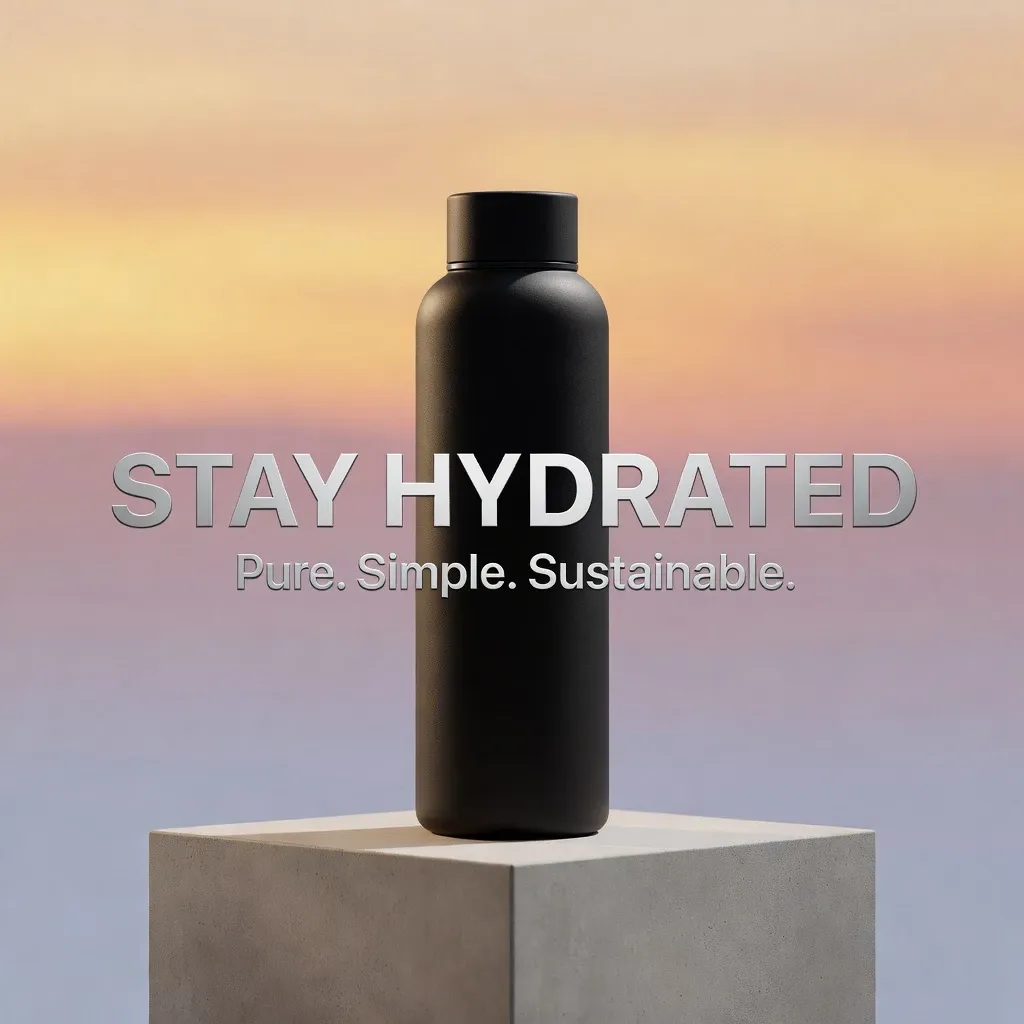
In my tests, short phrases such as headlines, labels, and call-to-action text were generally clear and readable. Medium-length text worked in many cases, although longer sentences still required adjustment.
This improvement is consistent with broader model updates focused on image quality and clarity. It enables more practical use cases, such as:
- Generating ad creatives with embedded messaging
- Building UI mockups with labels already in place
- Creating simple infographic visuals without manual text overlays
For teams working on marketing or product interfaces, this reduces the number of steps between idea and usable asset.
| Prompt | Image |
| A high-quality professional product photography shot of a sleek, matte black reusable water bottle sitting on a minimalist concrete pedestal. The background is a soft gradient of sunrise colors. Integrated into the image, there is clear and bold 3D text that reads "STAY HYDRATED" as the main headline. Below it, in a smaller but legible font, it says "Pure. Simple. Sustainable." The lighting is cinematic, highlighting the texture of the bottle and the clarity of the typography. |
 |
3. Stronger Layout Understanding
GPT Image 2 demonstrates a clear understanding of layout and composition.
When I tested structured prompts such as split layouts, grid-based designs, or infographic-style compositions, the outputs respected the intended structure more consistently than most models.
This is particularly useful for:
- Comparison visuals for social media
- Feature highlight sections on landing pages
- Structured storytelling visuals
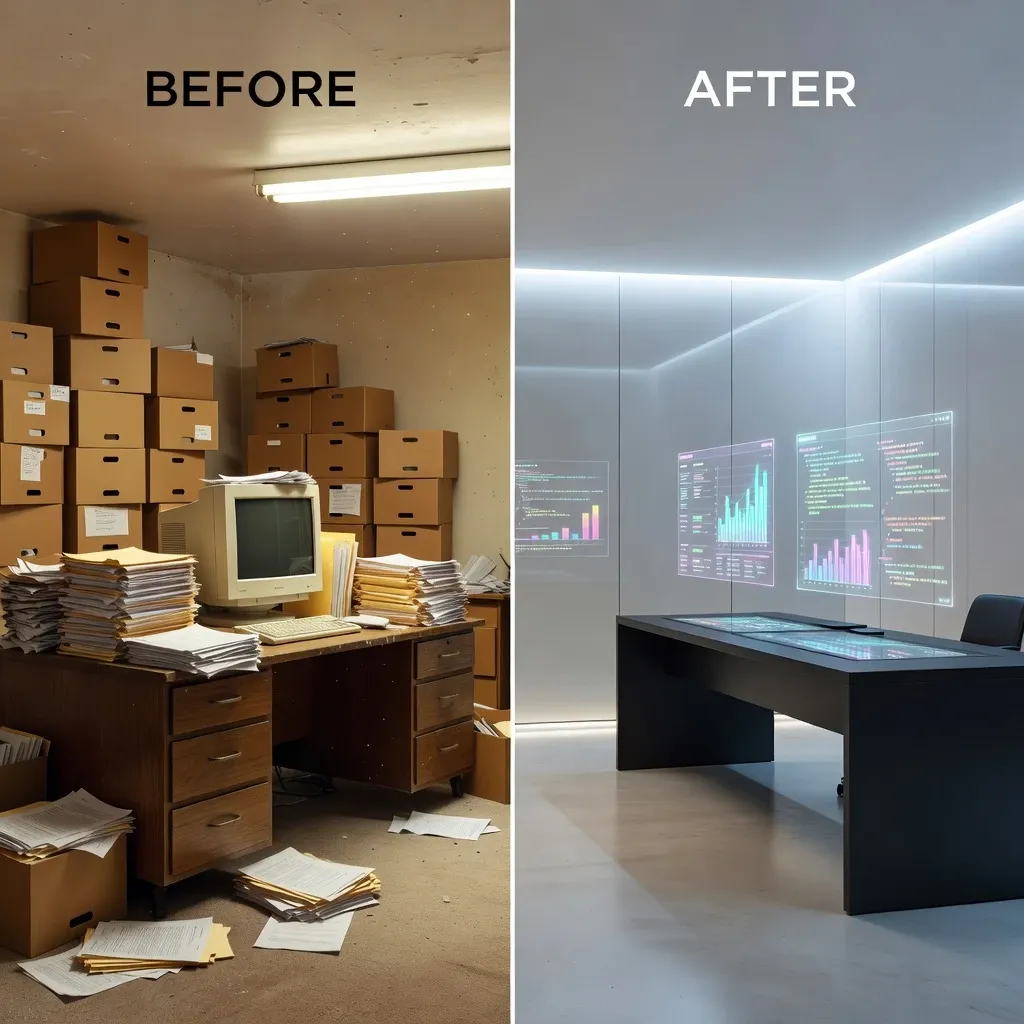
In one test, I generated a two-column comparison layout with labeled sections. While not perfect, the structure was clear enough to be directly refined instead of rebuilt.
| Prompt | Image |
|
A professional split-screen comparison layout. The left side shows a cluttered, traditional paper-based office with the text label "BEFORE" at the top. The right side shows a modern, minimalist digital workspace with holographic displays and the text label "AFTER" at the top. A clean vertical white line separates the two sides. The composition is perfectly symmetrical, demonstrating a clear contrast in lighting and atmosphere between the two halves. |
 |
4. Faster and More Responsive Editing Behavior
Another noticeable improvement is how GPT Image 2 responds to iterative changes.
Based on both testing and model update notes, there are clear improvements in editing performance. When I adjusted prompts slightly, the outputs updated in a more controlled and responsive way.
| Prompt | Image |
| A professional studio shot of a high-end wireless headphone, minimalist design, matte white finish, sitting on a wooden desk. Soft natural lighting. |
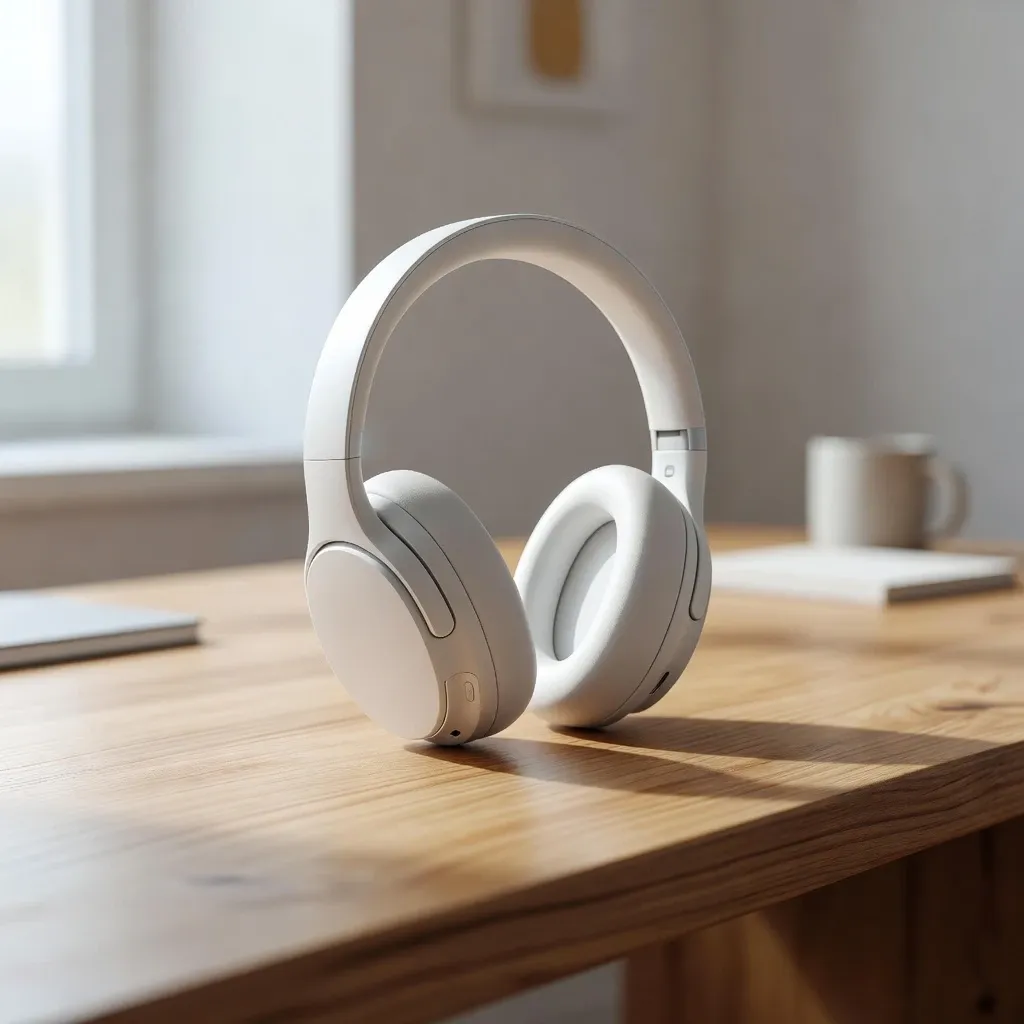 |
| Keep the exact same headphone design and composition, but change the finish from matte white to polished rose gold. Add a small glowing blue LED indicator on the side of the earcup. |
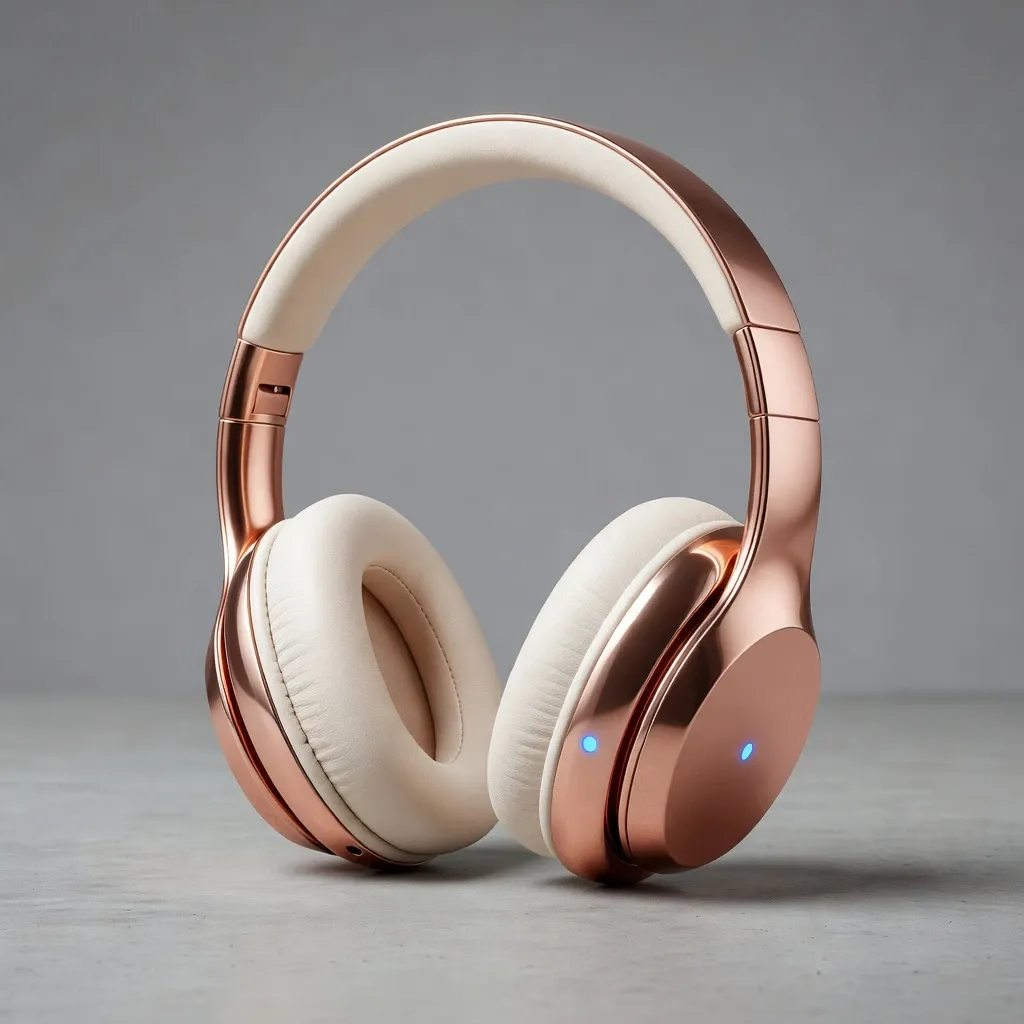 |
This matters in real workflows. For example:
- Adjusting messaging in an ad without changing the layout
- Refining product positioning while keeping composition stable
- Iterating quickly across multiple variations
This makes the model feel less like a generator and more like a system you can actively guide.
5. Higher Resolution and Output Flexibility
GPT Image 2 appears to support more flexible resolution settings compared to earlier models.
From available technical notes, the model can handle a wide range of aspect ratios and resolutions, including high-resolution outputs approaching 4K within defined limits. In testing, this translated into sharper images with better detail retention, especially in product-focused visuals.
Where GPT Image 2 Feels Less Flexible
1. Clear Prompts Are Essential
The model performs best when prompts are well structured.
If the prompt lacks clarity, the output tends to be average. When the structure, intent, and constraints are clearly defined, the results improve significantly.
2. Creative Exploration Requires Iteration
For more abstract or artistic ideas, it often takes several iterations to achieve the desired outcome.
The model responds better to guided direction than open-ended exploration, which can slow down purely creative workflows.
3. There Is a Learning Curve
To fully utilize GPT Image 2, users need to think more intentionally about prompt structure and visual planning.
Once this adjustment is made, the model becomes much more effective. However, it is less intuitive for users who prefer minimal input and immediate results.
How Does GPT Image 2 Compare to Other Models
GPT Image 2 emphasizes precision and usability, while other models focus more on creativity or stylistic expression.
| Model | Prompt Accuracy | Text Rendering | Creativity | Consistency | Primary Strength |
| GPT Image 2 | High | High | Medium | High | Structured, usable visuals |
| GPT Image 1.5 | High | Medium | Medium | High | Fast, precise, production-ready |
| DALL·E 3 | Medium | Medium | High | Medium | Balanced generation |
| Nano Banana 2 | Medium | Medium | High | Medium | Creative exploration |
From what I have seen, GPT Image 2 is not trying to compete on artistic output alone. Instead, it is positioned as a model that delivers more reliable and usable results, especially in structured scenarios.
Is GPT Image 2 Right for You
GPT Image 2 is a strong fit if your work involves structured visuals, especially in marketing, product design, or content creation, where clarity and usability matter.
It is particularly useful when:
- Visuals need to include text and layou
- Outputs must be close to final assets
- Iteration speed matters
GPT Image 2 may be less suitable for purely artistic or experimental workflows.
My Personal Take
What stands out to me is how controllable GPT Image 2 feels.
I can guide the output in a way that feels closer to directing a process rather than generating random variations. This makes it especially useful for production workflows.
At the same time, it clearly prioritizes structure over exploration. That trade-off is intentional, and depending on your use case, it can either be a strength or a limitation.
How to Use GPT Image 2 in Real Workflows with Pollo AI
GPT Image 2 becomes much more useful when it’s part of a full workflow. That’s where Pollo AI comes in.
Pollo AI is a multi-model platform for image and video generation, bringing together models like Nano Banana, and Seedream in one place. You can switch models freely depending on your goal.
How It Works
1. Choose a model
Open the AI image generator page and select GPT Image 2.
2. Enter your input
Describe your idea, upload an image, or combine both.
3. Generate and refine
Create results and adjust with simple prompt changes.
Go Beyond Generation with AI Photo Editing
What makes Pollo AI’s workflow more flexible is the AI photo editor.
Instead of using traditional tools, you can simply describe what you want to change. You can edit any part of the image using natural language, without needing selection tools or editing skills.
Whether it is adjusting a product detail, changing the background, or refining a specific area, you just state the requirement, and the system applies it directly.
This turns editing into a continuation of prompting, rather than a separate step.
Turn Images into Complete Videos with Pollo Agent
If a single image is not enough, Pollo AI also extends the workflow into full video creation through Pollo Agent.
You can start from a link, a piece of text, or an image, and the system turns it into a structured video automatically. For marketers, this is especially useful when turning product pages, campaign ideas, or ad concepts into ready to use video content.
Pollo Agent also works well when you want to clone video ads, using existing video ads as references to generate similar structures and styles. Instead of building everything manually, the system handles the structure for you.
It automatically plans:
- Pacing
- Script structure
- Scene transitions
- Visual flow
You are getting a complete video that is already usable for ads, social content, or campaign distribution without any additional editing.
Final Verdict
GPT Image 2 is one of the most practical models for real-world visual creation.
Its strength lies in producing accurate, structured outputs that can be used directly. While it is less focused on artistic generation, it offers strong control and reliability for production use cases.
When GPT Image 2 is combined with a platform like Pollo AI, the value becomes more complete, allowing you to move from image generation to editing and even full video creation within a single workflow.
FAQs about GPT Image 2
1. What is GPT Image 2 used for?
GPT Image 2 is designed for generating structured, usable visuals from text prompts. It works especially well for tasks like product images, ads, UI mockups, and content that requires clear layout and text.
2. How is GPT Image 2 different from GPT Image 1.5?
GPT Image 2 builds on the strengths of GPT Image 1.5, with better control over layout, text placement, and overall structure. It feels more reliable when you need precise, production-ready outputs.
3. Does GPT Image 2 support text inside images?
Yes. It handles short and structured text much better than most image models, making it suitable for ads, labels, and UI-style visuals.
4. Do you need detailed prompts to use GPT Image 2?
Yes. GPT Image 2 performs best when prompts are clear and structured. The more specific your instructions, the more accurate and usable the output will be.
5. Can I use GPT Image 2 for free on Pollo AI?
You can try GPT Image 2 with a free trial, experiment with different prompts, and explore the workflow before upgrading to a higher plan.