



Haiper AI Video Generator Review: Personal Insight
As someone who is passionate about the powers of AI technology, I like to get my hands on a range of new AI tools as they emerge and test them out, passing my insight onto you. Today, I’ll be sharing all I know about the Haiper AI video generator.
For those who aren’t familiar, this is quite a popular and powerful video generation tool with a lot of clever features tucked away under the hood. Read on to learn my thoughts about it, including pros, cons, key features, and other important information.
Introducing Haiper AI Video Generator
Haiper AI was actually made by a team of tech experts who formerly worked at some pretty big businesses, including Google Deepmind, as well as the social media platform, TikTok, and leading academic laboratories.
After digging into this brand a bit, I learned that the Haiper company started in 2021, and it quickly gained attention. It racked up more than $13 million in funding, with the investment firm, Octopus Ventures, leading the way. In 2024, after a few years of development efforts, the Haiper AI video generator was released and gained its first users of many more to come.
Haiper AI supports multiple generation apps. It has some similarities with other AI video generators I’ve tried in the past, like Kling AI and Runway AI, but it has a few distinctive features, like its “repainting” feature to modify specific parts of a video by changing colors and styles, etc.
My Using Experience With Haiper AI Video Generator
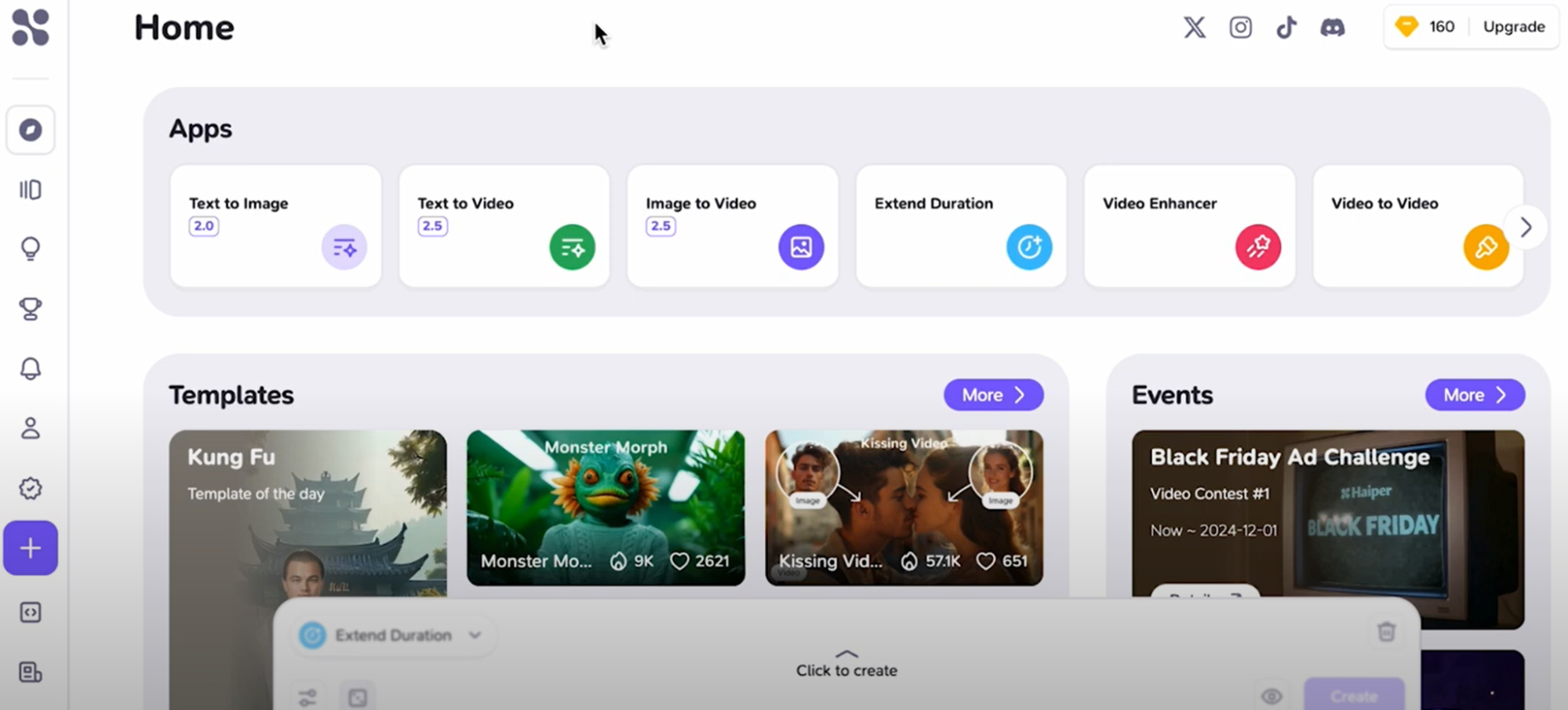
On Haiper AI’s interface, I simply chose its image to video app. It felt intuitive, and I was excited to turn my image into a short AI video.
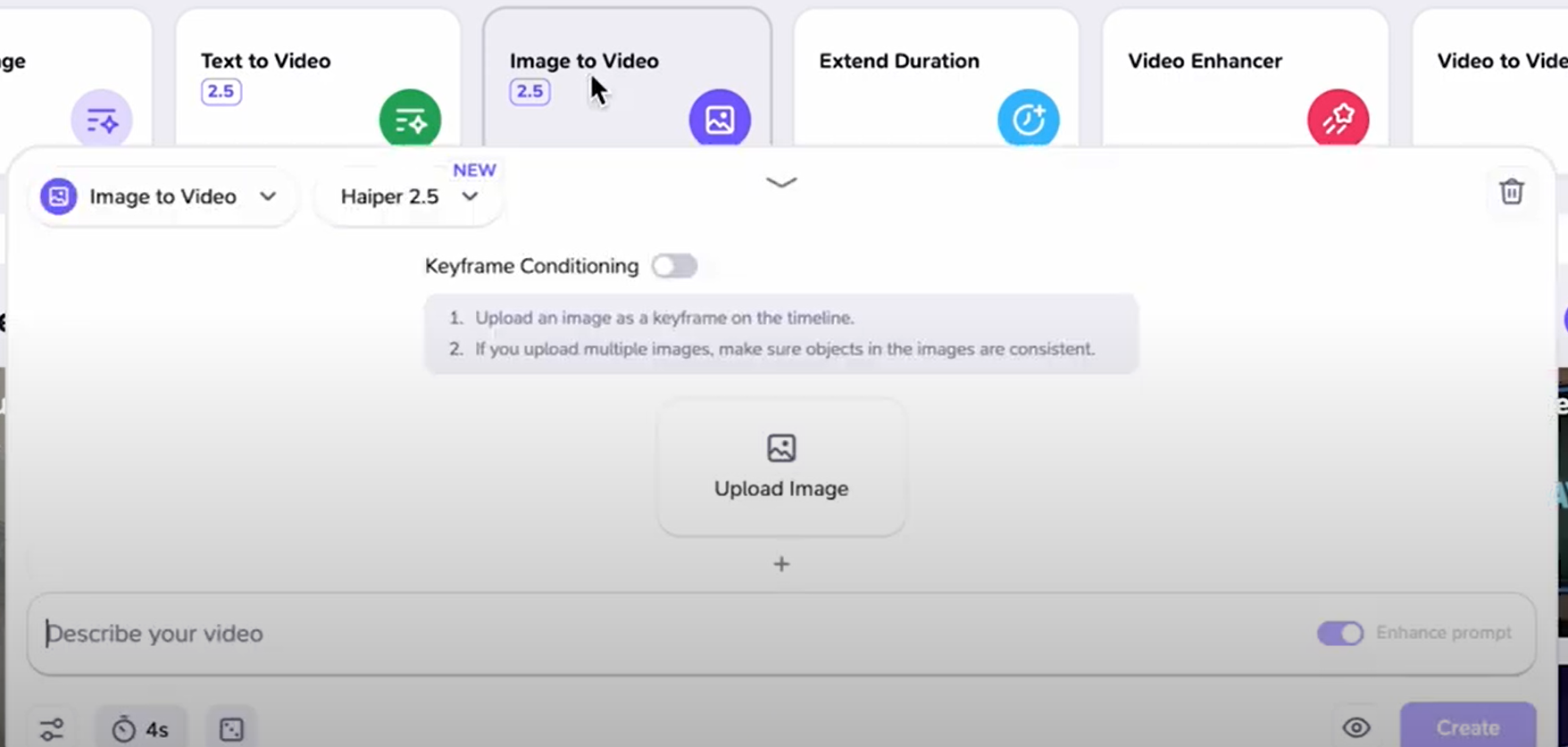
I noticed that this platform offers 2 different model versions, and I went with the new one, Haiper 2.5, just to see what it could do.
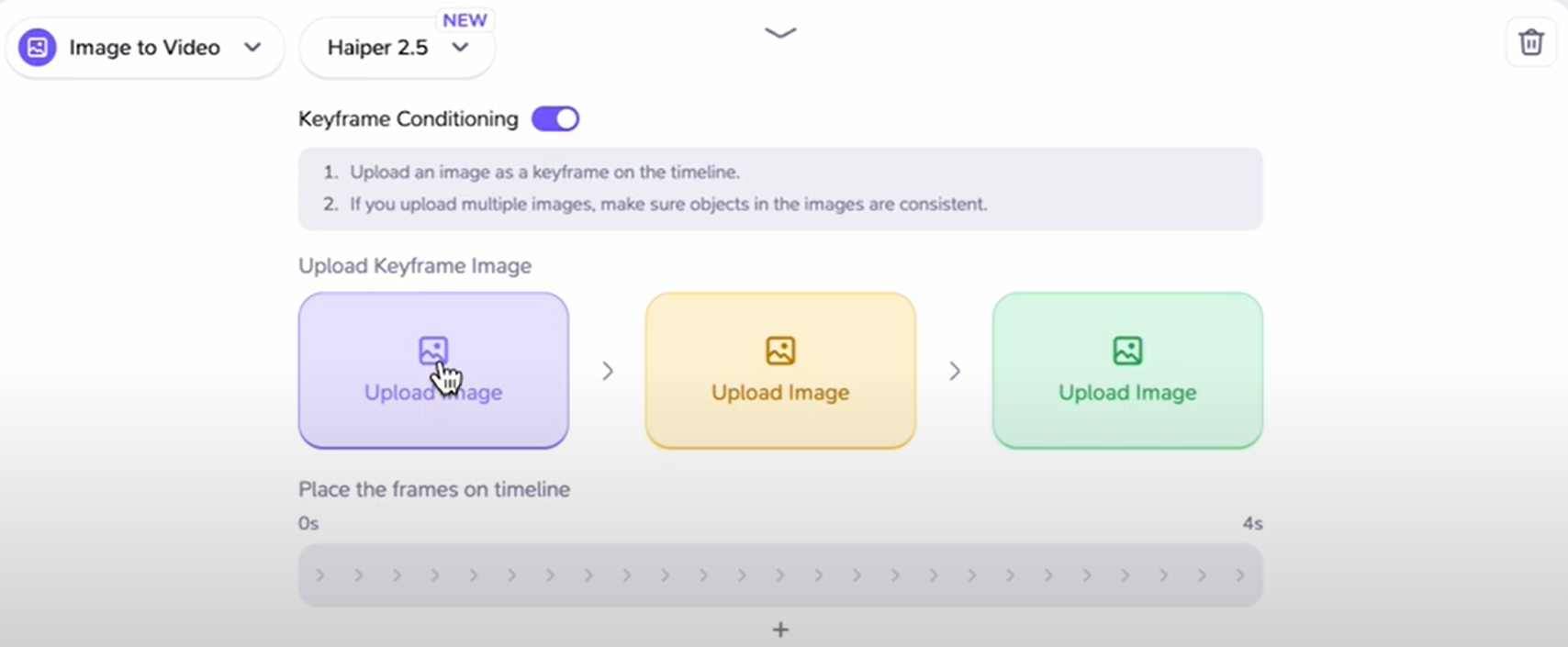
There was this neat option called Keyframe Conditioning, which allows me to upload extra images to act as keyframes in the video. I can even place them on a timeline to control the flow. It sounded awesome, but I decided to keep things simple this time and skipped it.
Instead, I focused on the basic settings. I chose a 4-second video duration and left the seed setting as is, since I wasn’t sure what to tweak there.
Uploading my image was a breeze—just click the upload button and select the file. Then came the fun part: according to my uploaded image, I wrote a prompt: “The dog walked out of the screen.” With everything set, I hit the create button and waited to see what Haiper AI would come up with. Let me share the result here:
| Image | Output |
 |
The output is not bad, right? The dog just walks out of the screen with quite fluid motion, and its appearance just remains the same. However, it stands still for about 2 seconds before starting to move, which could be seen as a downside, especially since the entire video is only 4 seconds long.
Here is my second try, with the text prompt: “The two individuals hug each other.” Other settings remained unchanged. See the video result:
| Image | Output |
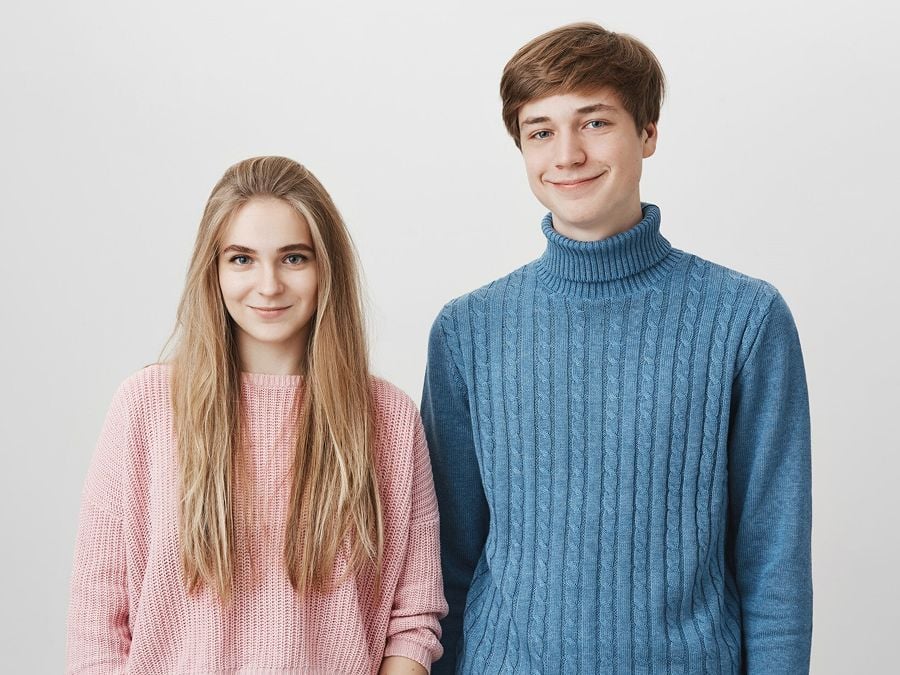 |
Although the final video accurately captures my text prompt instructions, I noticed that their facial expressions and line of sight still come across as somewhat unnatural, and the hug seems awkward and lacks genuine closeness. On a positive note, the individuals began moving earlier this time, which is definitely an improvement.
All in all, Haiper AI is still a good choice for my casual video creation projects and sharing.
Other Key Features of Haiper AI
Next, I will share with you some other main features of this platform:
- Text to Video: This allows me to type in a prompt which describes the video I want to make, and then Haiper AI will create it for me.
- Text to Image: With my input text prompt as guidance, Haiper AI will generate an AI image automatically.
- Extend Duration: By uploading a video and specifying the desired additional length, Haiper AI intelligently adds frames, extending clips from a few seconds up to longer durations.
- Video Enhancer: Using advanced AI algorithms, this feature sharpens blurry footage, reduces noise, and boosts visual clarity, delivering professional-grade results.
Pros and Cons of the Haiper AI Video Generator
Here’s what I love about the Haiper AI video generator:
- Intuitive Dashboard: I definitely appreciate the beginner-friendly design of this tool, since I can get access to all of its main features simply.
- Multifunctional: This AI video generator lets me work with either text or image inputs, making AI videos however I like.
- Good Quality Output: In most cases, the results of working with the Haiper AI video generator are quite impressive, with realistic and detailed motions.
- Free to Try: With its free plan, I get access to most of its core features, allowing me to create videos from text input or animate static images.
Next, a few things I didn’t like so much:
- Under Development: Technically, the Haiper AI video generator is still in the beta phase of development, so it’s not 100% finished or complete.
- Short Video Duration: Haiper AI only supports the creation of very short clips, up to 6 seconds, which wasn’t always enough to express my ideas completely.
Tips and Tricks for Using the Haiper AI Video Generator
In my experience, I’ve found that these are a few of the best practices to employ when using the Haiper AI video generator:
- For images, I got best results when using those with high quality in resolution. If I used blurry input, the video results were a bit mixed.
- I prefer to use simple text prompts with this video generator, as it struggles to interpret some of my more complex instructions. For instance, a simple prompt like “a man walks forward in a park” yields better results compared to a more elaborate one, such as “A man in a casual jacket strides confidently through a bustling city street at dusk, surrounded by glowing neon signs and passing pedestrians,” which may be more challenging for the AI to understand.
- I recommend using all the customization options available to fine-tune the videos you make with this tool.
A Better Way to Generate AI Videos: Pollo AI
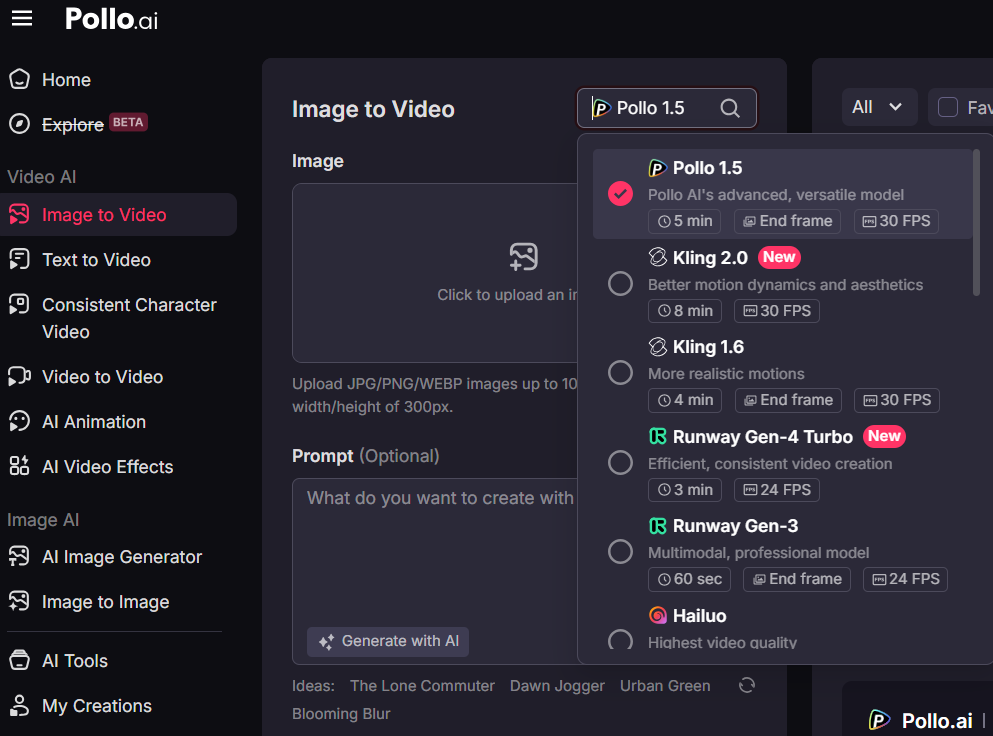
If you are tired of using Haiper AI, then Pollo AI is for you. Pollo AI is an all-in-one AI video generator, with frequent technical updates. Besides, since it integrates multiple top video models such as Runway, Kling AI, PixVerse AI, Hailuo AI, it supports video generation up to 10 seconds, with other more customization options.
Pollo AI supports text to video AI generator and image to video AI. Based on image-to-video technique, it provides AI avatar generator and AI product avatar for you to generate lifelike avatar videos up to 120 seconds long!
Plus, it offers video effects for making fun and interesting AI videos, as well as AI video tools like the AI Face Enhancer.
What’s more, Pollo AI Shorts enables you to create viral-worthy short-form videos for different social media platforms. If you are looking for a more accessible and versatile way to generate AI videos, Pollo AI is indeed a great option!
Conclusion
Haiper AI remains a solid option for my casual video project; however, due to its limitations in video generation length and complex prompt comprehension, I prefer to choose a more advanced generator for a smoother creation experience.
If you're looking to explore more effective ways to generate AI videos, I highly recommend checking out Pollo AI!