



How to Clone Burning Handshake Viral Video
A handshake should be quick and ordinary—until the person across from you is literally on fire. Burning Handshake turns that surprise into a clip people want to replay. Here’s how to make it.
Viral Video Example
How to Clone This Viral Video
Step 1: Open the Burning Handshake effect
Open the Burning Handshake effect and use its creation panel. The effect is already set up, so you only need to bring the right source photo.
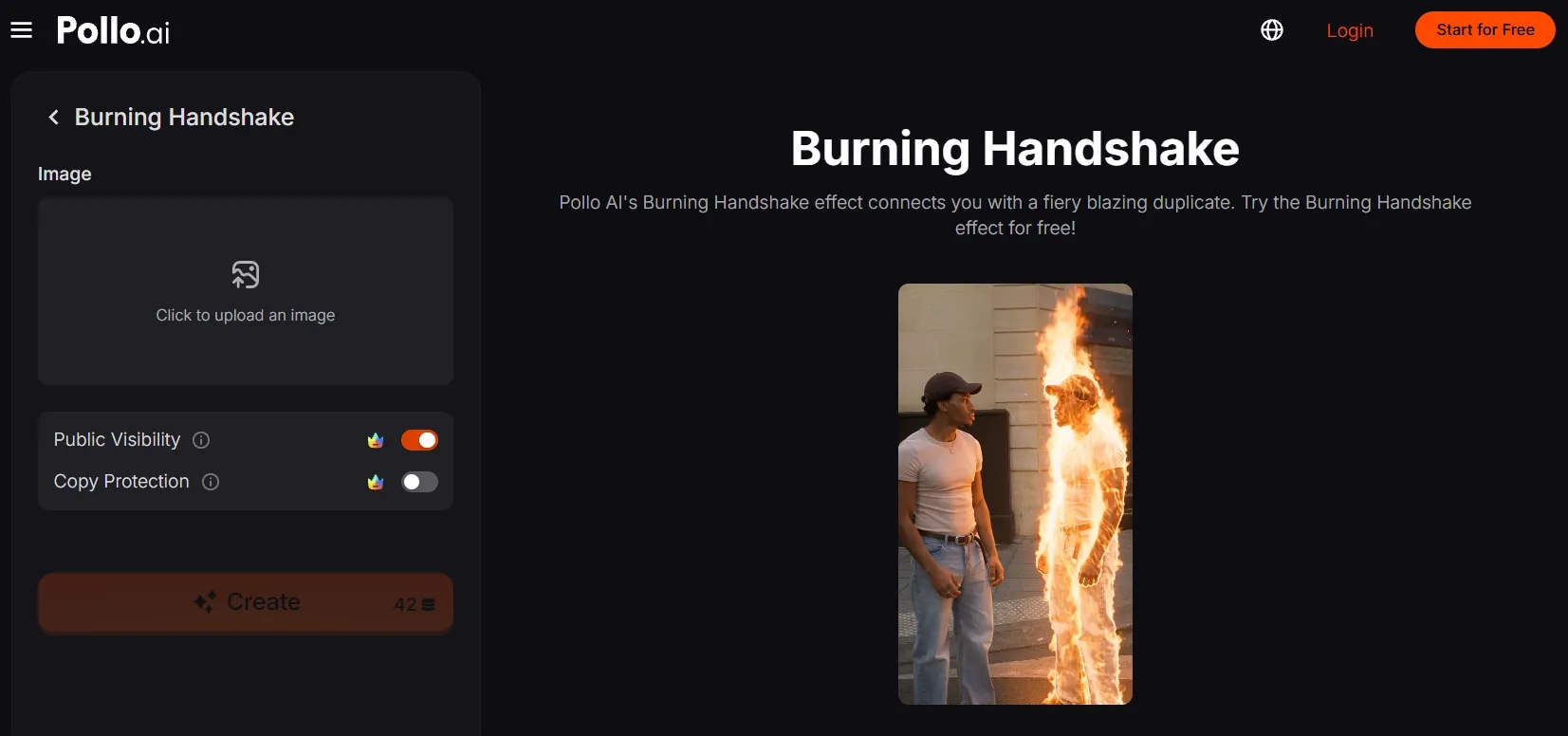
Step 2: Upload your main subject
Choose and upload a sharp, full-body photo of one person. A clear face, visible hands, and an uncluttered outline give the effect more to work with when it creates the flaming double.
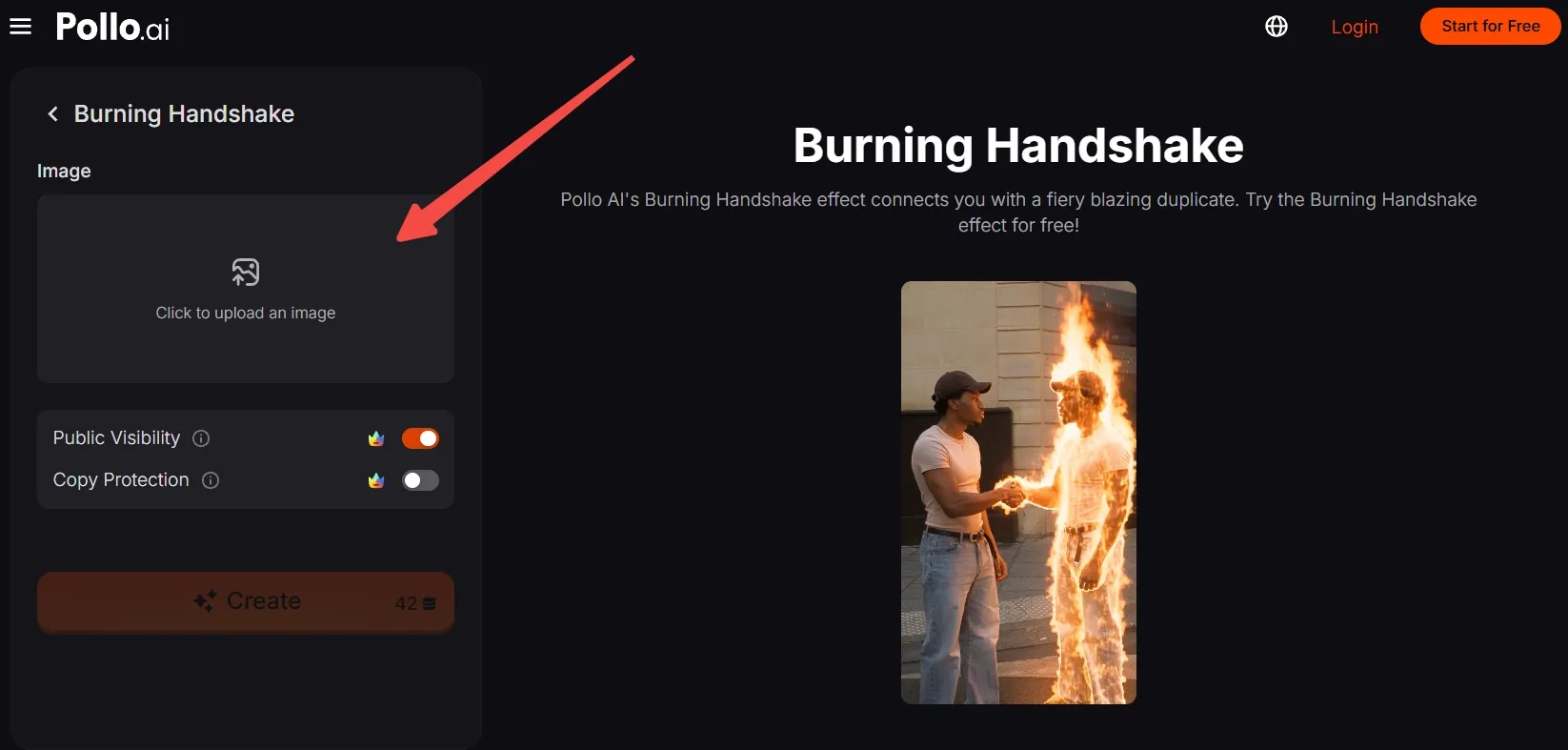
No photo feels right? Generate an AI image featuring a distinctive person or character, then upload it here.
Step 3: Frame the subject
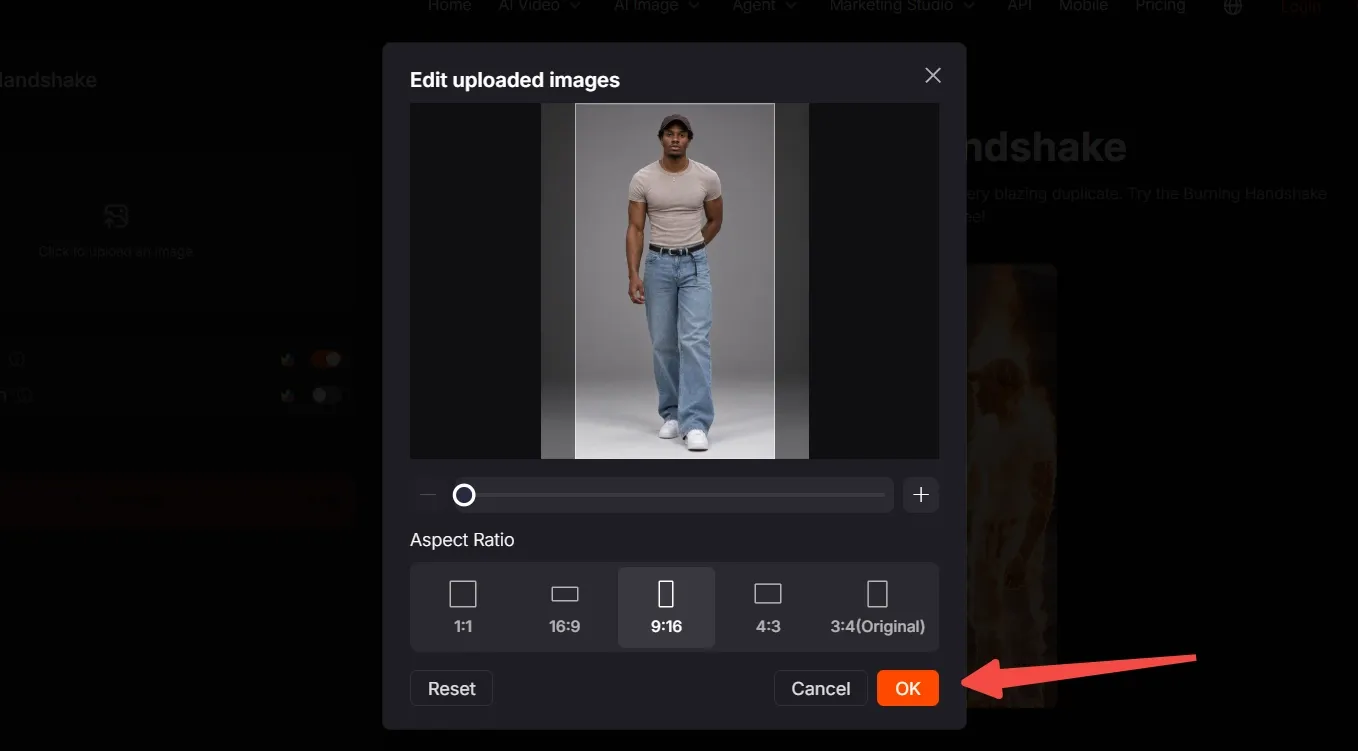
Move, scale, and crop the image until the subject feels balanced in the frame. Leave room beside them for the burning double, choose the ratio that fits your platform, and click OK.
Step 4: Create and export
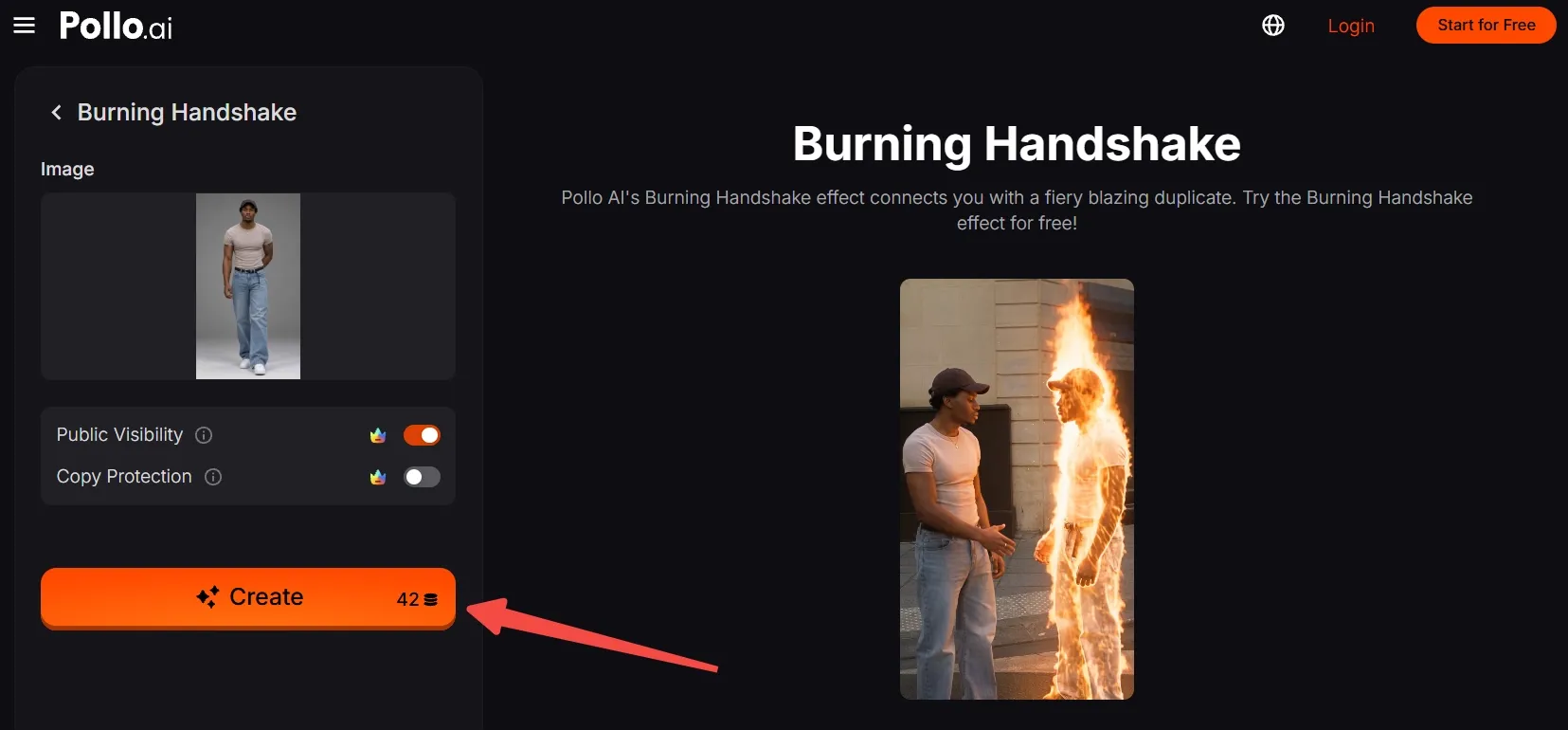
Take one last look at the framing and check your available credits. Click Create, wait for the burning handshake video to generate, then export and share the result.
Create Viral Videos with Pollo AI
Turn a single photo into a viral video people will replay.
Start Creating Free
Best Practices
- Use a full-body photo with both hands visible so the handshake has room to read clearly.
- Leave open space on one side of the subject for the burning double to appear.
- Pick a simple background that separates the person from the flames.
- Keep the subject’s head, feet, and ground contact inside the crop.
- Use a vertical 9:16 frame for TikTok, Reels, or Shorts.
- Avoid dark clothing against a dark background, where the duplicate’s shape may disappear.
Why Pollo AI: Better Motion, Stronger Consistency
Burning Handshake video effect is a quick way to turn a still image into a surprise moment. For more control over moving visuals, Pollo AI’s image to video animates one or more images into social clips and story scenes with natural motion and sound.
If you want the same person or character to stay recognizable across different shots, reference to video AI keeps selected character, object, or scene details consistent as the footage changes.
Conclusion
The fun starts with a familiar gesture and ends with a flaming double reaching for your hand. Pick a subject and let Burning Handshake deliver the surprise. When you’re ready to try another visual trick, browse more Pollo AI effects and keep remixing.