



How to Clone the Gravity Tilt Viral Video
The street looks normal. The person is sliding across it like gravity stopped working? Less so. That’s the fun. Something is clearly off, but the scene still looks real. You only need one photo. Here’s how to make your own.
Viral Video Example
How to Clone This Viral Video
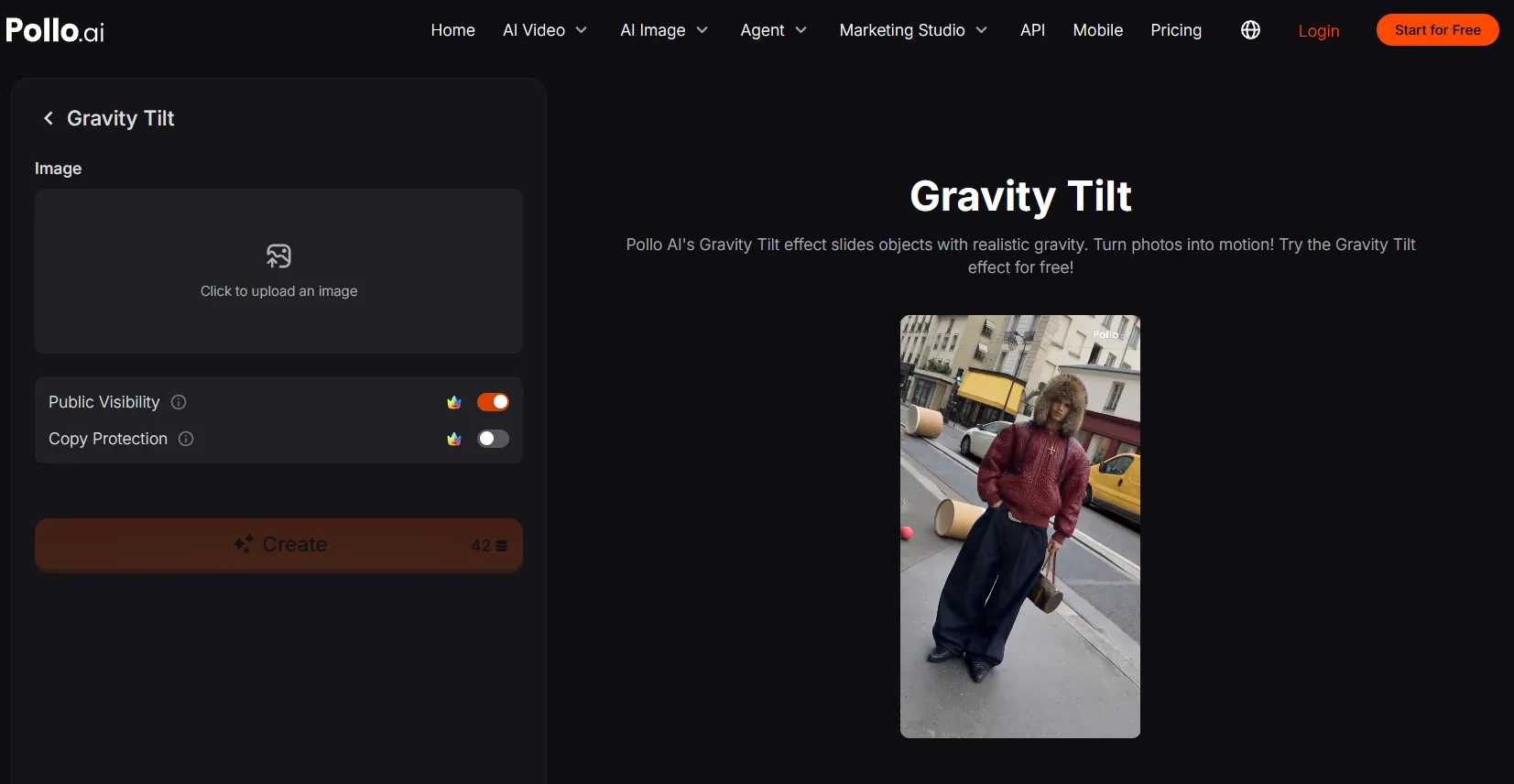
Step 1: Open the Gravity Tilt effect
Go to Pollo AI’s Gravity Tilt video effect. This effect makes a still image slide with a playful gravity-bending motion, so one strong subject photo can become the entire visual hook.
Step 2: Upload your main subject
Upload an image, then add the person, character, pet, or product you want to feature.
Choose a sharp image with the subject clearly separated from the background. A full-body portrait works especially well for the same street-style movement as the example.
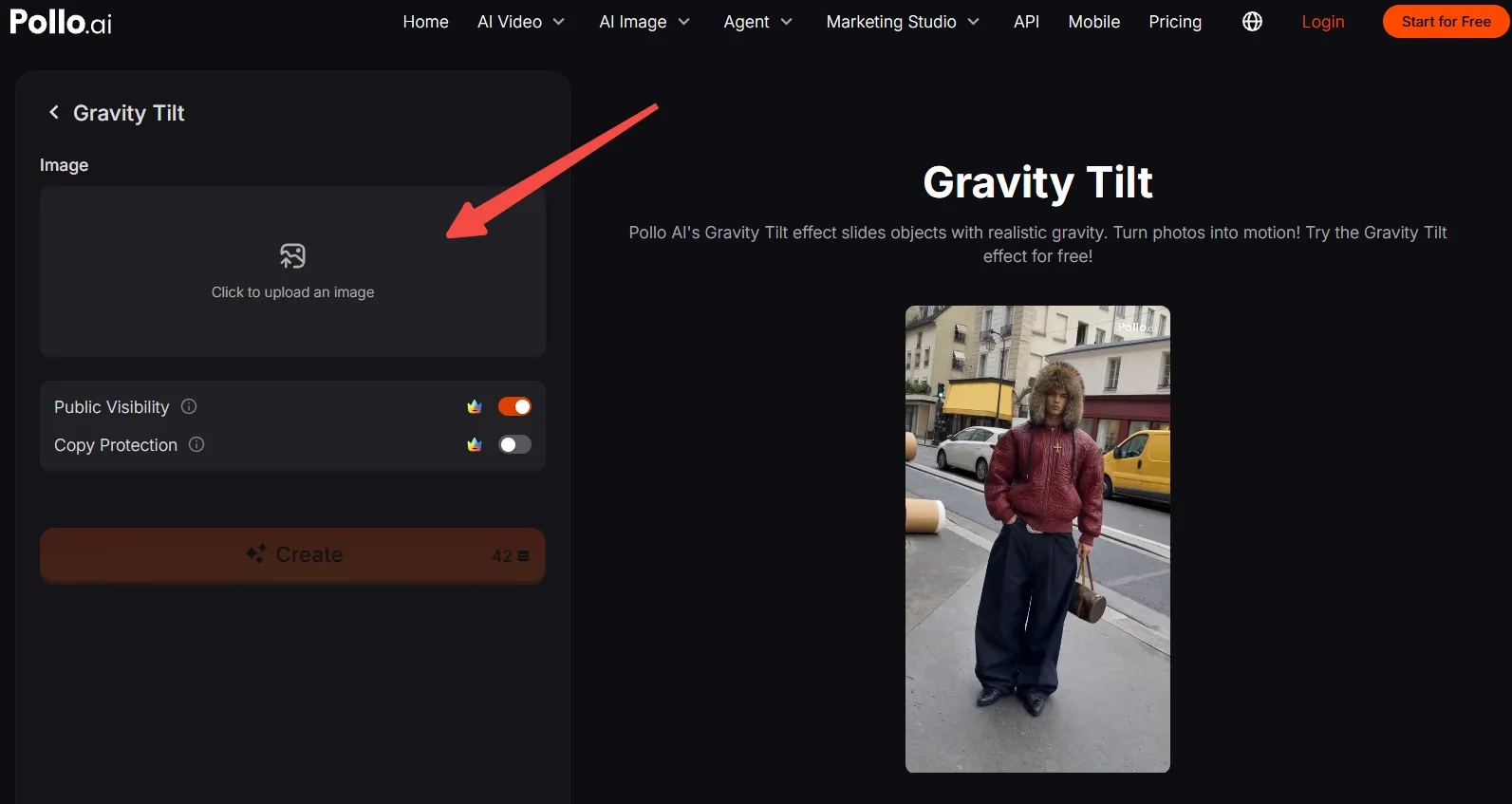
No suitable photo? Generate an AI image featuring a unique person or character, then upload it here.
Step 3: Frame the subject for the effect
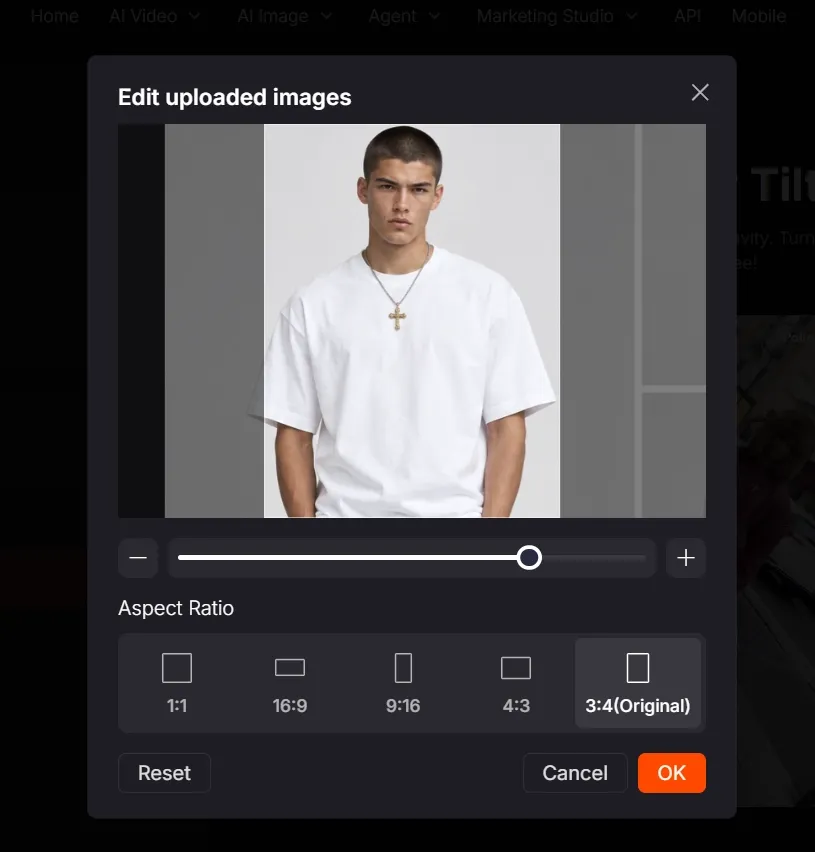
After the image loads, move it into position and drag to resize it. Keep the subject complete, centered, and instantly readable.
Choose the ratio that fits your channel, such as 9:16 for TikTok, Reels, and Shorts or 1:1 for a square post. Click OK when the frame feels right.
Step 4: Create, download, and post
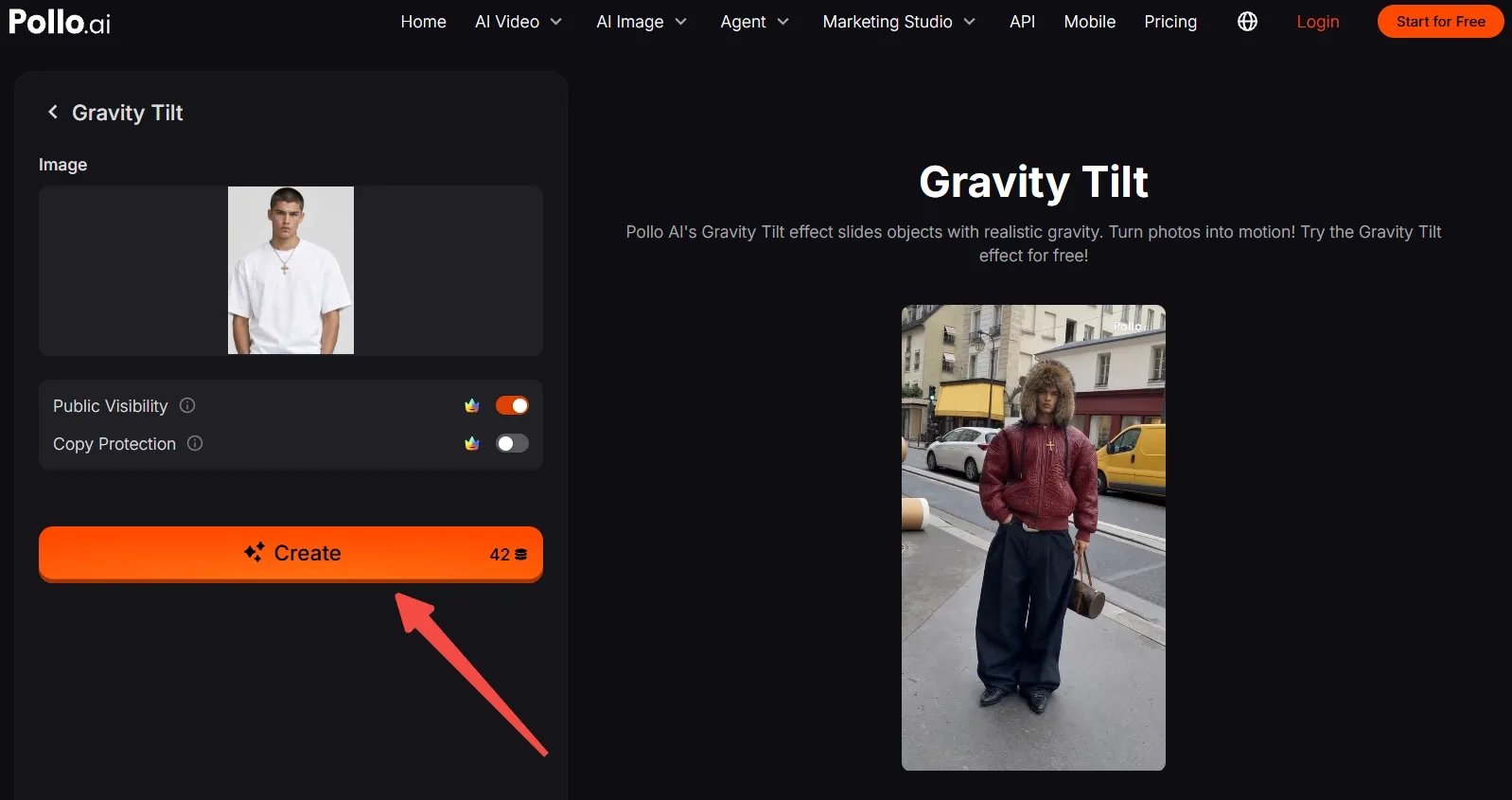
Make sure your account has enough credits, then click Create. Watch the still snap into motion, export the result, and send it straight to your social channel.
Keep the opening frame clean. The first movement should hit instantly and make viewers wonder how you pulled it off.
Create Viral Videos with Pollo AI
Turn one photo into a scroll-stopping motion effect in a few clicks.
Start Creating Free
Best Practices
- Use a high-resolution image with the subject’s full silhouette visible; cropped hands or feet can weaken the sliding illusion.
- Keep the subject’s face and key product details near the visual center so they stay readable during motion.
- Match the aspect ratio to the platform before creating. Vertical framing is the natural fit for short-form feeds.
- Use a simple or lightly textured background. Strong edges help the Gravity Tilt movement feel cleaner.
- Test two or three subject images with different poses. A relaxed, slightly angled pose usually creates more visual rhythm than a stiff front-facing pose.
- Add your caption or sound in the social app after export so the movement remains the visual hook.
Why Pollo AI Makes Creative Ideas Move
Pollo AI is the ultimate creative suite for creators, marketers, and sellers. Gravity Tilt is just one way to turn a still image into a scroll-stopping clip.
Pollo Agent can also turn a rough idea, link, image, or reference into a complete post-ready video, with no stitching or editing required.
Marketing Studio adds ads, social content, product demos, and on-brand designs in one workspace. Chase a trend, shape a campaign, and build the visuals without jumping between tools.
Conclusion
You now have the trick: one clear subject, one smart crop, and Gravity Tilt doing the impossible-looking slide.
Try the reference first, then swap in a friend, product, pet, or character and see what gets the replay. When you’re ready for the next surprise, explore more viral effects on Pollo AI and keep making the feed stop.