



How to Clone Hand with Me Viral Video
An ordinary street scene suddenly feels impossible when a tiny copy of the subject appears in an outstretched palm. The scale shift makes viewers stop and replay. Here’s how to recreate it.
Viral Video Example
How to Clone This Viral Video
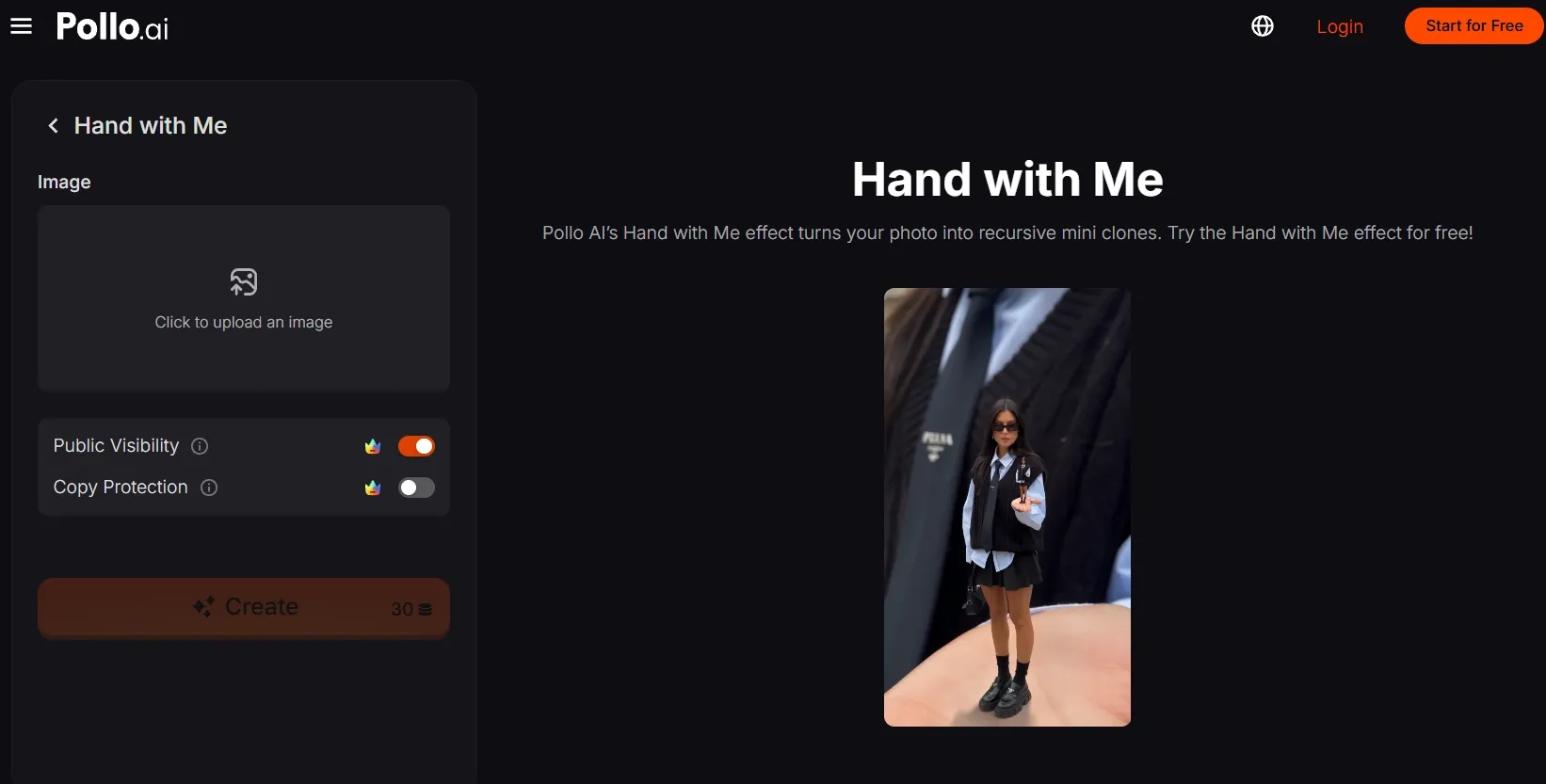
Step 1: Open the Hand with Me effect
Go to the Hand with Me video effect by Pollo AI. It turns a single image into a scene with miniature versions of the subject standing on an open palm.
Step 2: Upload your main subject
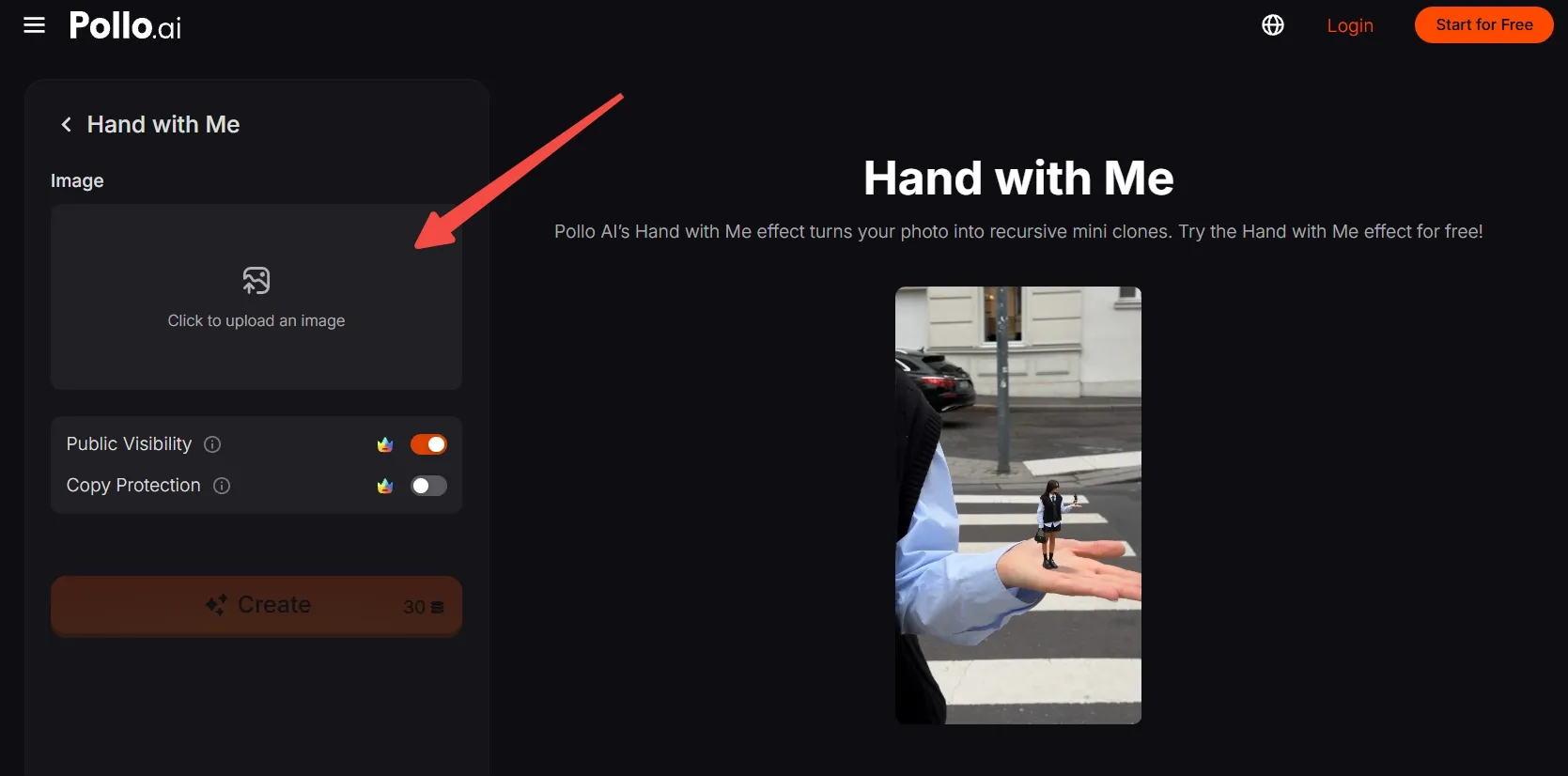
Upload an image, then add a clear photo of the main person, character, pet, or product you want to feature.
Choose a sharp image with the subject’s face, silhouette, clothing, and key details easy to recognize. A visible arm or open hand can support the palm-based composition.
No photos? Generate an AI image now, then upload it here.
Step 3: Frame the subject
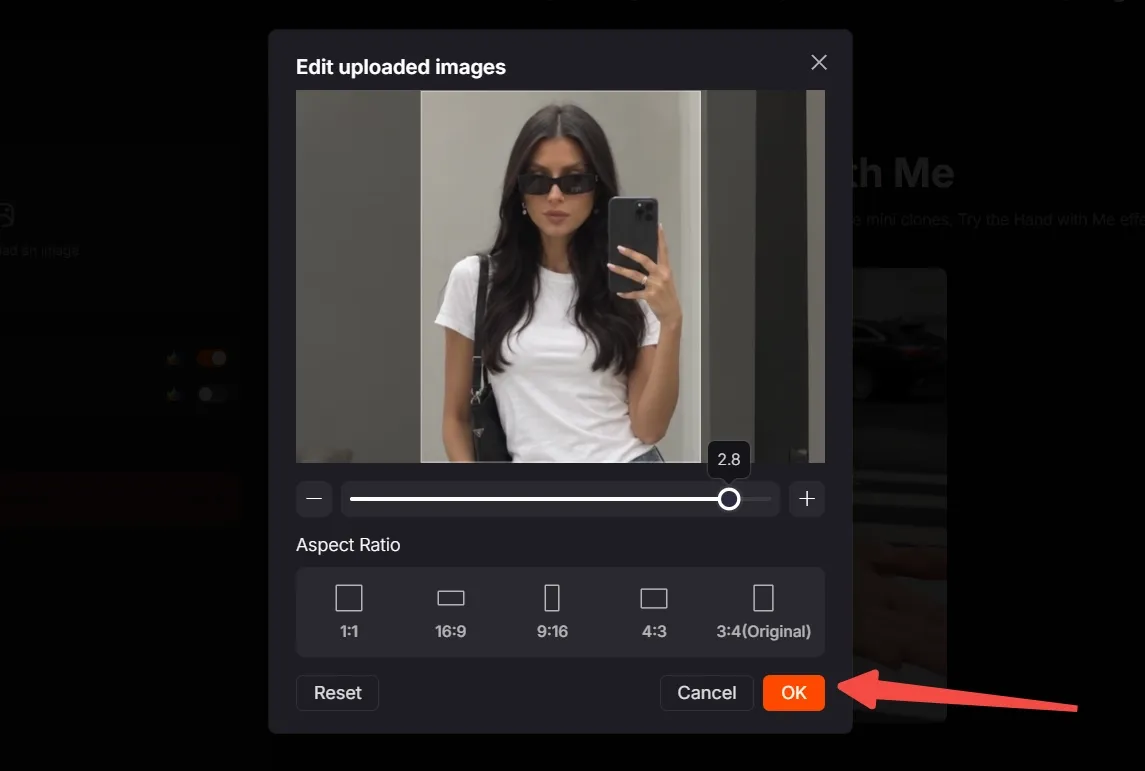
Move, scale, and crop the image so the subject remains clear and well positioned.
Choose the aspect ratio that matches your destination. Use 9:16 for TikTok, Reels, and Shorts, then click OK.
Step 4: Create and export
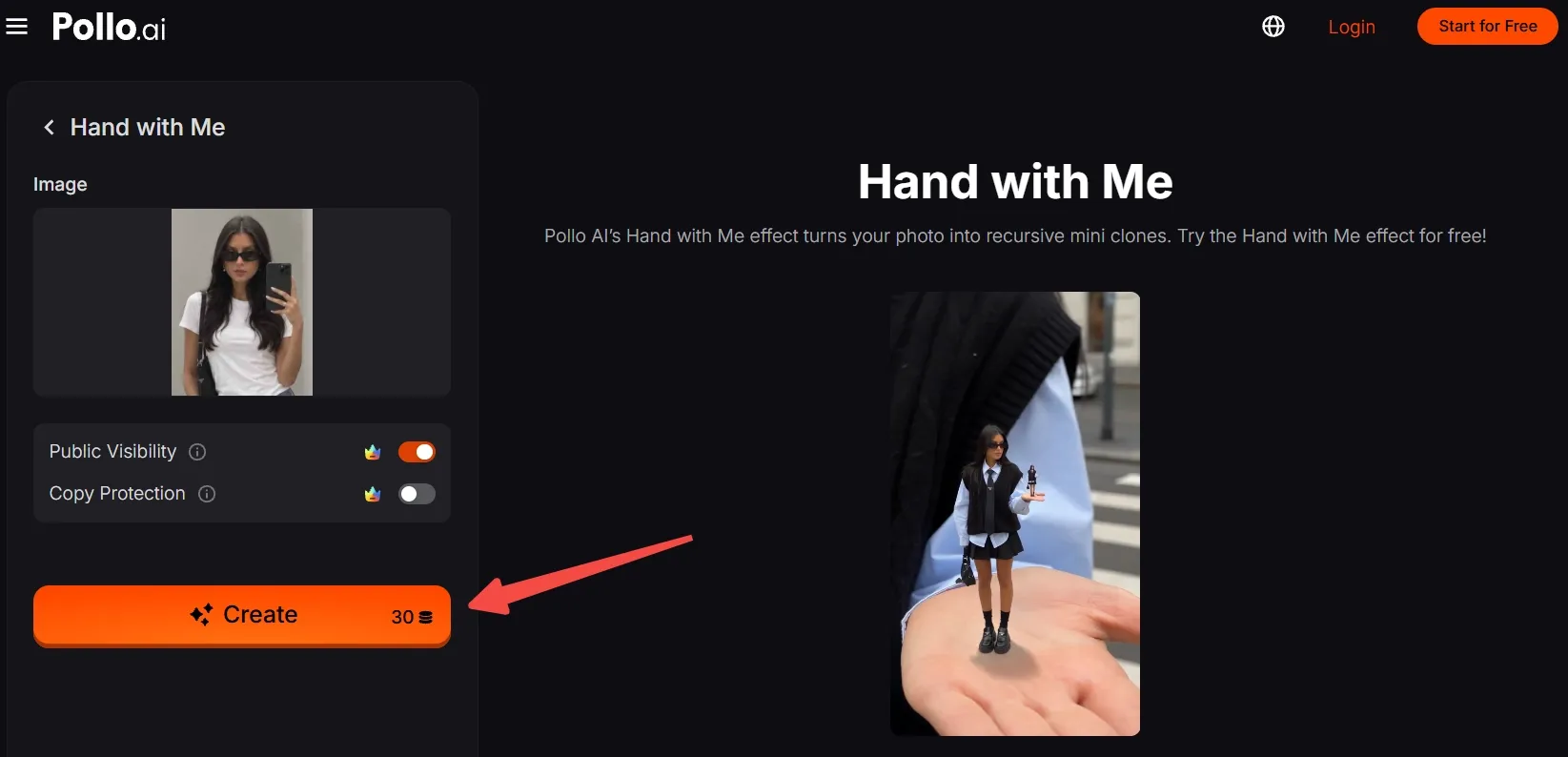
Check that you have enough credits, then click Create. Wait for the result to finish, export the generated video, and post it.
Clone Viral Videos with Pollo AI
Animate miniature figures on an open palm in a few clicks.
Start Creating Free
Best Practices
- Use a sharp source image with clean separation between the subject and background.
- Keep the face, silhouette, clothing, and recognizable details visible.
- Choose an image with a visible arm or open hand when possible.
- Use clear contrast so the miniature subject remains easy to read.
- Avoid busy backgrounds that distract from the main subject.
- Match the crop to a vertical platform frame when creating for short-form feeds.
Why Pollo AI Helps You Create More Video Content
Hand with Me is one quick entry point into Pollo AI’s creative suite. Beyond effects, Pollo Agent can turn an idea, image, link, or reference into a complete post-ready video through a connected workflow.
For creators, marketers, and brands, Marketing Studio brings ads, UGC videos, product visuals, and social designs into one workspace, helping turn creative ideas into campaign-ready content.
Conclusion
Hand with Me video works because a familiar scene suddenly breaks its own scale rules. Start with one clear subject, frame it carefully, and let the template create the palm-sized surprise.
Try this effect with a person, pet, product, or original character, then explore more Pollo AI video effects for your next remix.