



How to Create a GTA 6 Video Without Recording Gameplay
Got a wild GTA 6-style scene stuck in your head? Start with a stolen car, a bad deal, or a mission that falls apart at the worst moment. With Pollo AI, you can turn it into a cinematic short without recording gameplay. Let’s see how.
TL;DR
This guide shows how to turn a mission idea, script, or optional selfie into a GTA 6-inspired short in Pollo AI.
You’ll learn how to plan the scenes, write a prompt with dialogue, choose a format, and use the GTA 6 AI video generator to keep your character recognizable from shot to shot before sharing the finished video.
GTA 6 Video Example
What Makes This GTA 6 Video Feel Like Gameplay?
GTA 6 videos combine polished 3D game art with the pacing of a crime film. Warm coastal light, saturated Miami colors, reflective cars, palm-lined streets, realistic faces, and cinematic depth of field create the visual style.
Mission objectives, alert indicators, open-world locations, and smooth shifts from wide shots to close-ups add the feeling of gameplay. You only need one clear objective, one problem, and one strong payoff to keep the story moving.
- A clear mission objective
- A memorable location and lighting style
- Consistent characters and outfits
- Wide shots, action shots, and close-ups
- A final twist, escape, or failed objective
What You Need Before You Start Creating a GTA 6 Video
Prepare a one-sentence mission, a location, one or two characters, and a clear ending. Your idea could be a warehouse break-in, a stolen supercar, a bank robbery, or a deal at a neon marina.
You can also prepare a selfie or character image if you want the same person to appear consistently throughout the AI video. Add a visual direction such as “sunset coastal city,” “neon nightlife,” or “rainy industrial district” to make the world easier to picture.
For TikTok, Instagram Reels, and YouTube Shorts, choose a vertical 9:16 format. A short video usually works best when every shot moves the mission forward.
How to Create a GTA 6 Style Video with Pollo AI
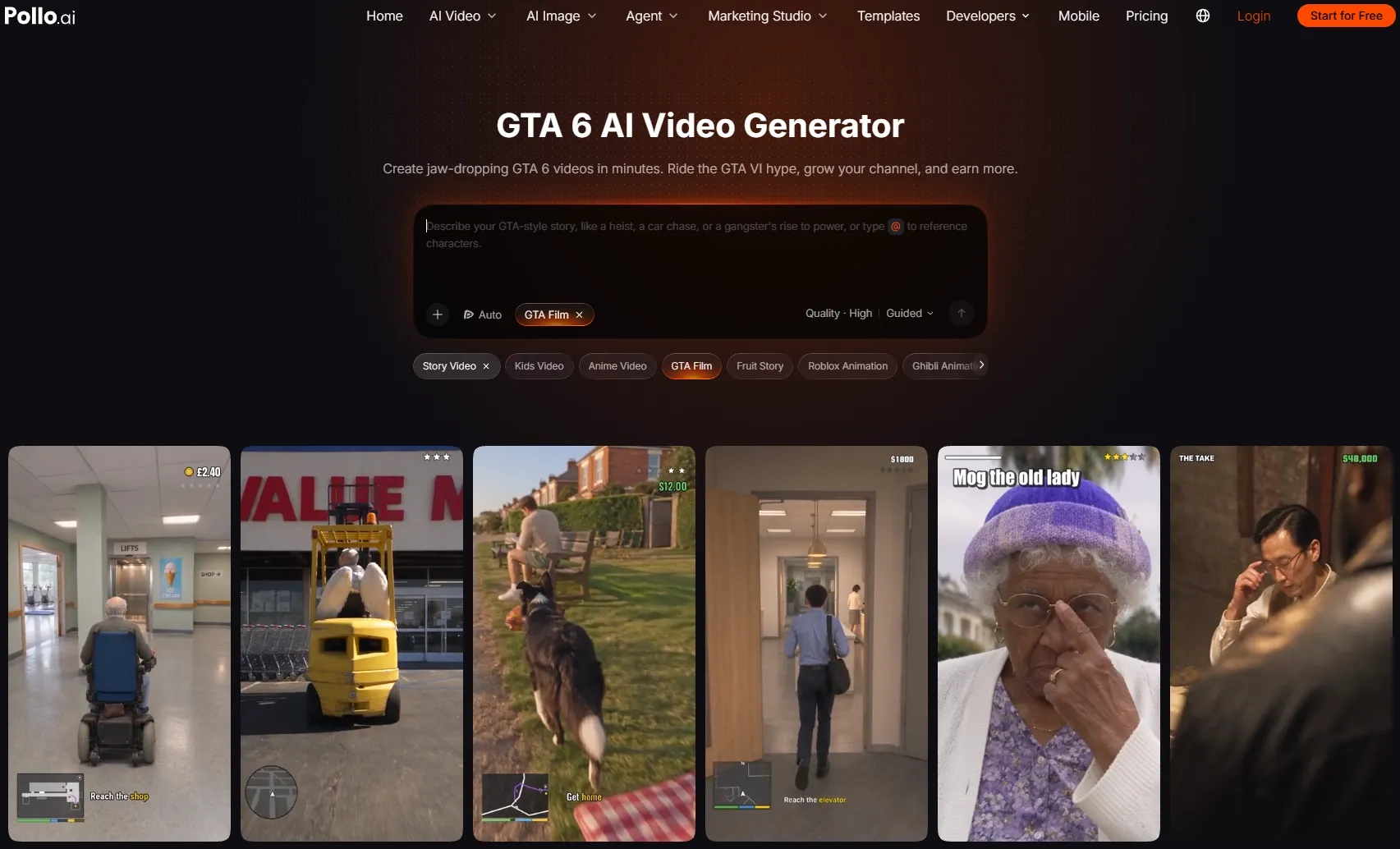
Step 1: Open the GTA 6 AI Video Generator
Open the GTA 6 AI video generator and enter the creation panel.
This tool turns a story idea, brief, and images, including selfies, into a cinematic GTA 6-inspired video with connected scenes and a clear visual direction.
Step 2: Describe Your Mission and Story in the GTA 6 World
Describe the location, characters, action, camera direction, dialogue, sound, and ending. Keep the story focused on one mission so the tension has room to build.
Let’s look at the prompt used to create the GTA 6 video above:
- Create a 30-second vertical GTA 6-inspired crime mission in polished 3D game art. Set it outside a luxury hotel at sunset, with warm coastal light, saturated colors, detailed faces, reflective police cars, palm trees, and cinematic depth of field.
- Shot 1, 0–5 seconds: Open with a wide shot of the hotel and several police cars blocking the street. Show a mission overlay that reads “Save the hostage.” A negotiator stands behind a police car with a megaphone.
- Shot 2, 5–10 seconds: Move closer to the negotiator and the woman on the hotel steps. Use the following dialogue in a tense, natural exchange: “Please help me!” “Let the lady go, and nobody gets hurt.”
- Shot 3, 10–16 seconds: Cut between the negotiator, the woman, and the police cars. Continue the dialogue: “Look at her. She’s scared. She’s got nothing to do with this.”
- Shot 4, 16–23 seconds: Show the woman in a tight close-up as she looks toward the police. She answers, “Nothing to do with this?” Then reveal her calm expression as she says, “I planned it.”
- Shot 5, 23–30 seconds: Cut to shocked reactions from the police and the negotiator, then show the woman raising a bright pink pistol toward the camera. End with the on-screen message, “Objective failed: Hostage was not a hostage.” Add the final line, “Was that in the file?”
- Use tense music, natural dialogue, smooth camera transitions, consistent faces and outfits, and a dramatic game-style atmosphere.
Step 3: Add a Character Image and Choose Your Format
Upload a clear selfie if you want the same person to appear throughout the story. A well-lit image with a visible face gives the generator a stronger reference.
If you need a custom character, vehicle, or location, use the AI image generator to create it or the AI photo editor to refine an existing image.
Specify the video format and language that match your publishing platform. A vertical 9:16 format works well for most short-form videos.
Step 4: Create, Review, and Download
Click ‘Send’ to start the video creation and let Pollo AI build the scenes, pacing, music, and story progression.
When the video is ready, check the character’s appearance, the setting, the dialogue, and the final twist. Make sure the opening explains the mission quickly, and the ending feels easy to understand.
If the result feels right, download the video and share it on your chosen platform.
Create Free GTA 6 Videos with Pollo AI
Turn a mission idea, selfie, or character image into a cinematic GTA 6 video that can be monetized.
Create Your GTA 6 Video
Example Story Direction
Once you understand the structure, you can move beyond hostage missions. Try a bank robbery, car theft, warehouse break-in, marina smuggling run, or art gallery heist.
Use the template below when you want to build your own GTA 6-inspired scenario:
Create a 30-second vertical GTA 6-inspired video in polished 3D game art.
Mission: [Describe the main objective]
Location: [Describe the city, building, street, or environment]
Characters: [Describe the main characters]
Action: [Explain what happens in order]
Dialogue: [Add one or two short lines]
Ending: [Add a twist, escape, failure, or surprise]
Use cinematic lighting, realistic character details, smooth camera movement, and [music style].
Prompt 1: Neon Bank Robbery
Create a 30-second vertical GTA 6-inspired bank robbery video in polished 3D game art. At night, a stylish crew enters a neon-lit bank, disables the cameras, grabs the cash, and escapes through a back alley in a black muscle car. Include flashing alarms, police arriving, tense radio dialogue, and a fast coastal-city getaway. Use cinematic lighting, dynamic camera movement, tense music, and consistent characters.
Prompt 2: Luxury Car Theft
Create a 30-second vertical GTA 6-inspired car theft video in polished 3D game art. At a luxury hotel valet stand, a thief steals a bright yellow supercar with a cloned key and speeds through palm-lined streets. Police follow the car into a crowded car wash, where the thief switches into a delivery scooter and disappears. Use realistic lighting, fast tracking shots, sirens, and a stylish crime-film mood.
Prompt 3: Warehouse Heist
Create a 30-second vertical GTA 6-inspired warehouse heist in polished 3D game art. At night, a crew cuts the power to an industrial warehouse, uses a forklift to move locked crates, and loads expensive electronics into a delivery van. Security lights suddenly turn on, forcing the crew to escape through a loading dock. Use moody shadows, industrial sound design, handheld camera movement, and tense action pacing.
Prompt 4: Marina Smuggling Run
Create a 30-second vertical GTA 6-inspired coastal crime video in polished 3D game art. At golden hour, a woman receives a mysterious package at a neon marina, jumps onto a speedboat, and races through the harbor while police boats follow. She reaches a hidden dock and opens the package to reveal a rare diamond necklace. Use ocean reflections, smooth tracking shots, warm sunlight, and cinematic chase music.
Prompt 5: Art Gallery Heist
Create a 30-second vertical GTA 6-inspired art gallery heist in polished 3D game art. During a private evening party, a disguised crew replaces a valuable painting, escapes through the rooftop, and drives away in a classic sports car while police flood the building. End with the reveal that the stolen painting is actually a fake. Use elegant night lighting, suspenseful pacing, polished camera work, and consistent character details.
Best Practices
- Give the video one main mission instead of several unrelated goals.
- Describe the action in chronological order so every scene has a clear purpose.
- Keep the same character image, outfit, and visual identity across the story.
- Add a strong setting, such as a hotel, warehouse, marina, bank, or nightclub.
- Mention the game art style, lighting, color palette, and camera mood in your prompt.
- Use dialogue to reveal character intentions or create a surprise.
- End with a twist, escape, failure, or reveal that changes the situation.
- Choose a vertical format when creating content for short-form platforms.
Why Pollo AI Makes This Workflow Easier
Start with Pollo AI’s GTA 6 AI video generator to turn a selfie, script, or game video idea into a full GTA 6 game story video. It can build connected scenes with pacing and music while keeping characters’ faces and outfits, car models and colors, and street layouts consistent across shots.
This GTA 6 game video generator also supports flexible export formats, localized narration, and subtitles for different platforms. If you need a custom character or setting first, use the AI image generator to create the visuals you want to bring into your story.
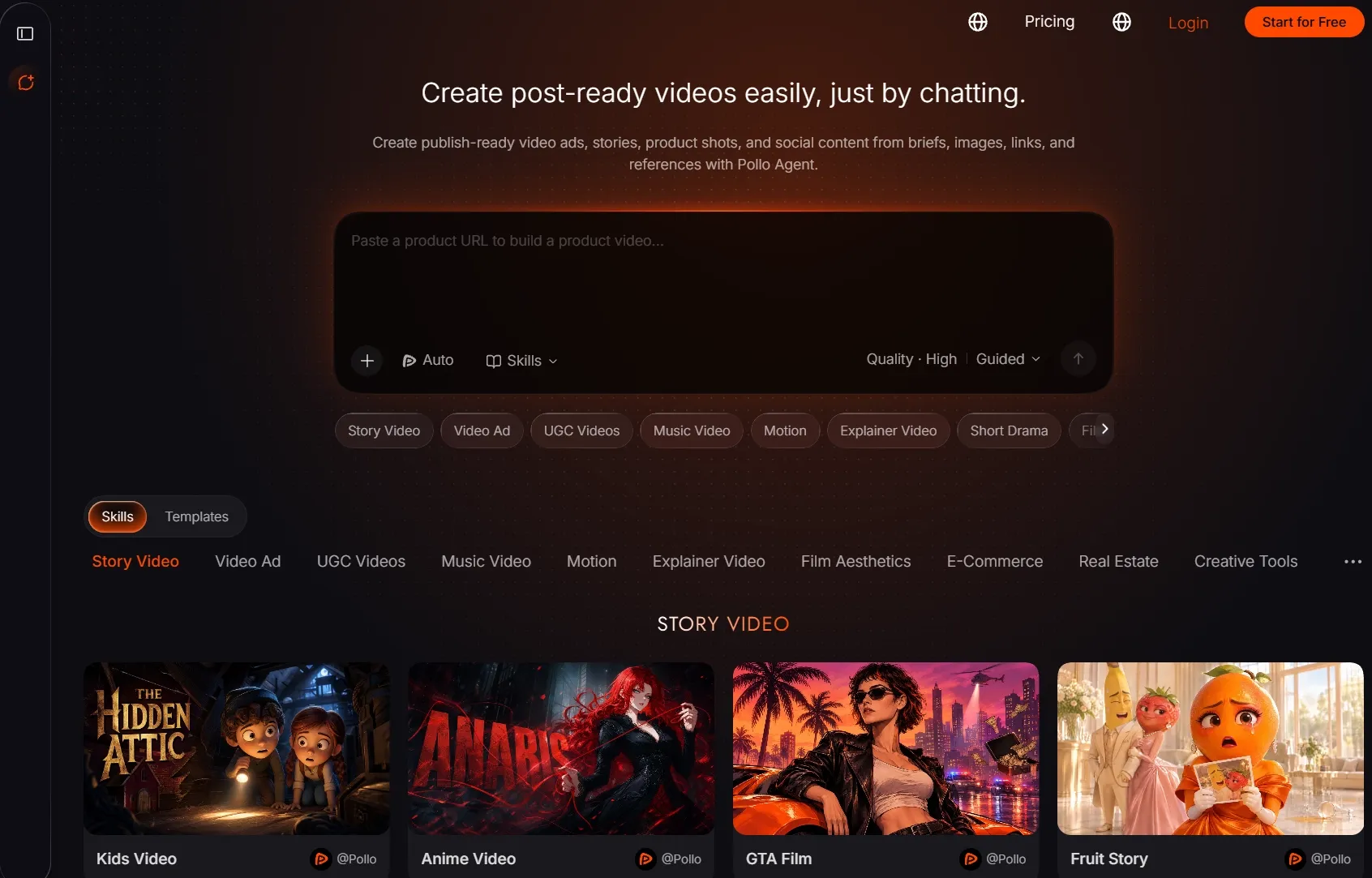
For projects beyond GTA 6 videos, Pollo Agent can create story videos, UGC ads, explainers, and social content through a simple conversation. Start with a goal, script, image, link, or reference, then refine the scenes and creative direction as Pollo Agent turns the idea into a polished video with leading models such as Wan 3.0, Seedance 2.5, Kling 3.0, Vidu Q4, and Kling 4.0.
Conclusion
A GTA 6 video can begin with one simple idea: a robbery, a chase, a warehouse break-in, or a mission that goes completely wrong.
Add a character reference, describe the scenes and dialogue, then let Pollo AI turn your concept into a cinematic short. Try one of the prompts above or create your own mission with this free GTA 6 AI video generator.
FAQs:
What is the GTA 6 AI video generator?
The GTA 6 AI video generator turns selfies, scripts, and story ideas into cinematic GTA 6-inspired videos. It builds connected scenes with pacing and music while keeping characters’ faces and outfits recognizable across shots, along with important details such as cars and locations.
How do I create a GTA 6 video?
Describe your story, setting, characters, action, camera style, and music preferences. You can also upload a selfie or character image, specify the export format and language, then click ‘Send’ to generate your GTA 6 video.
Do I need video editing experience to use this GTA 6 video generator?
No. Pollo AI’s GTA 6 video generator can automatically create the scenes, pacing, music, and story structure for you, so you can produce a complete short without advanced editing skills.
Can I use this GTA 6 video generator for free?
Yes! Sign up for Pollo AI to get 20 free credits, then earn more through daily check-ins. Use your free credits to create GTA 6 videos, or upgrade to a paid plan if you need more.