



How to Make AI Product Explainer Videos That Drive Sales
Before customers can decide to purchase your products, they need to know how they work.
But creating product explainer videos doesn’t have to take forever. What if you could automate the visuals, actors, voice-overs, animations, etc, to get a publish-ready video in minutes?
With Pollo AI’s product explainer video maker, you can pull this off with zero manual editing. So, be sure to keep reading our tutorial for a clear, step-by-step guide!
TL;DR
To create product explainer videos with AI, Pollo AI is your best bet. With its product explainer video maker, it only takes a few clicks to turn a raw idea into a publish-ready video.
Just upload your product image and subject image, then input your prompt for the scene. Within minutes, you can give your customers the product explainer video they need with zero manual editing!
Tips on How To Make Your Product Explainer Videos Sell Better
Want to make a product explainer video that not only shows your product in action, but also compels audiences to make a purchase? Then always keep these key principles in mind:
- Have an Impactful Opening: To nail a high-converting product explainer video, you need to stop audiences from scrolling within the first few seconds; it helps to start by addressing the customer’s pain point or even posing a dramatic question.
- Benefits > Features: Don’t make the mistake of focusing too much on the product features. Instead, try to show audiences the type of problem that your product will help solve for them and the more relatable the scenario, the better.
- Have One Clear CTA: Don’t try to convey multiple instructions in one product explainer. By the end, you should be directing audiences to a single action, be it to start a free trial, make a purchase, etc. Pick one and stick to it alone.
- Try to Add Captions: Most online viewers browse with no sound on; it helps to include clear on-screen text that conveys the message well enough to compel those on mute to stop scrolling and pay closer attention.
- Place It on the Landing Page: Your product explainer should be one of the first things that audiences see, so place it at the top of your landing page. If they see how the product works right away, they have fewer questions and doubts about its value.
Making Product Explainer Videos with Pollo AI: Step-by-Step
With Pollo AI, it only takes a few simple steps to turn a raw idea into a professional-looking product explainer video. So, let’s break down how you can use this tool in detail:
Open the Product Explainer Video Maker
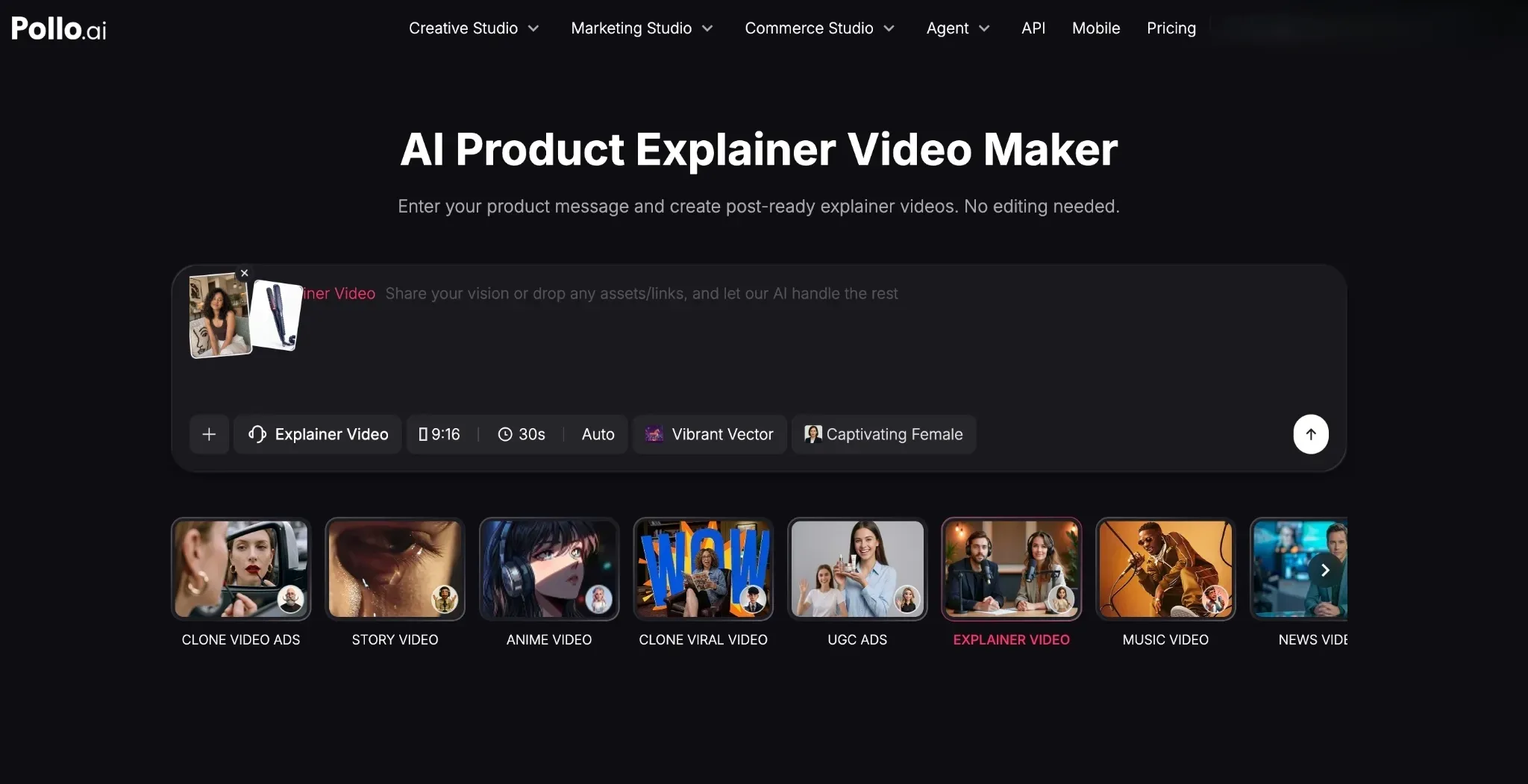
Head to Pollo AI’s product explainer video maker. From there, you can start by uploading the reference images of the product and the subject you want to be the presenter. Here, we sought to create a simple product explainer of a hair straightening brush.
Enter Your Descriptive Prompt
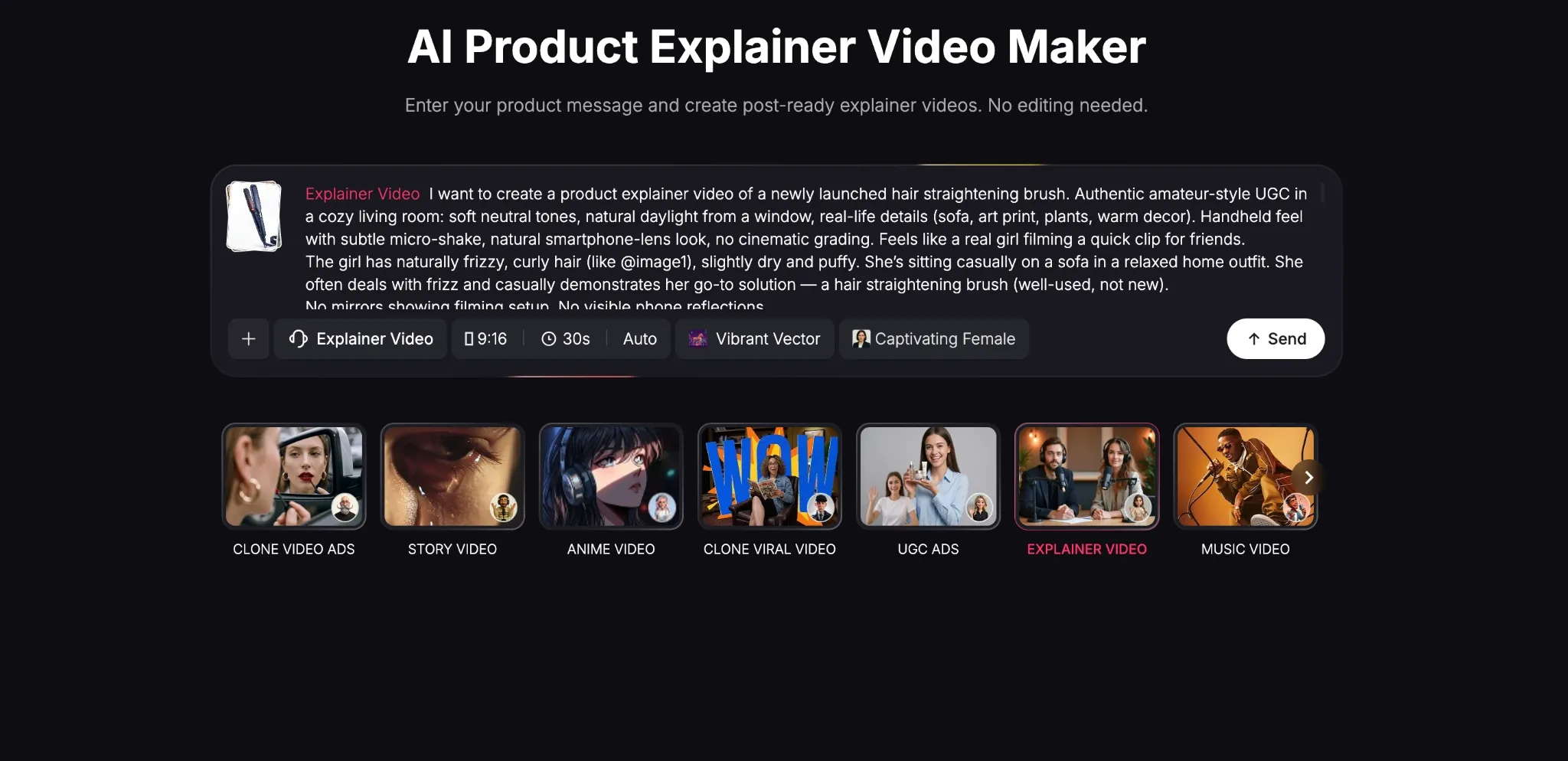
After that, you need to input a detailed prompt describing how you want the product explainer video to unfold. This means providing a detailed script or a scene-by-scene breakdown. In fact, here are some useful tips that you should always consider to craft the ideal prompt:
- Always touch on who the subject is, their look/vibe, and what they’re doing.
- Include the camera perspective for the scene, like a pan, dolly zoom, tracking shot, etc.
- Set the mood/lighting with cues such as natural daylight, golden hour, rainy evening, etc.
- Mention the lens type to set the depth of field, eg. ‘35mm film’, smartphone lens, etc.
- Specify your desired style/look of the footage, eg. documentary, UGC-style, etc.
- When refining your prompts, only change elements one at a time to review each result.
Review the Creative Brief
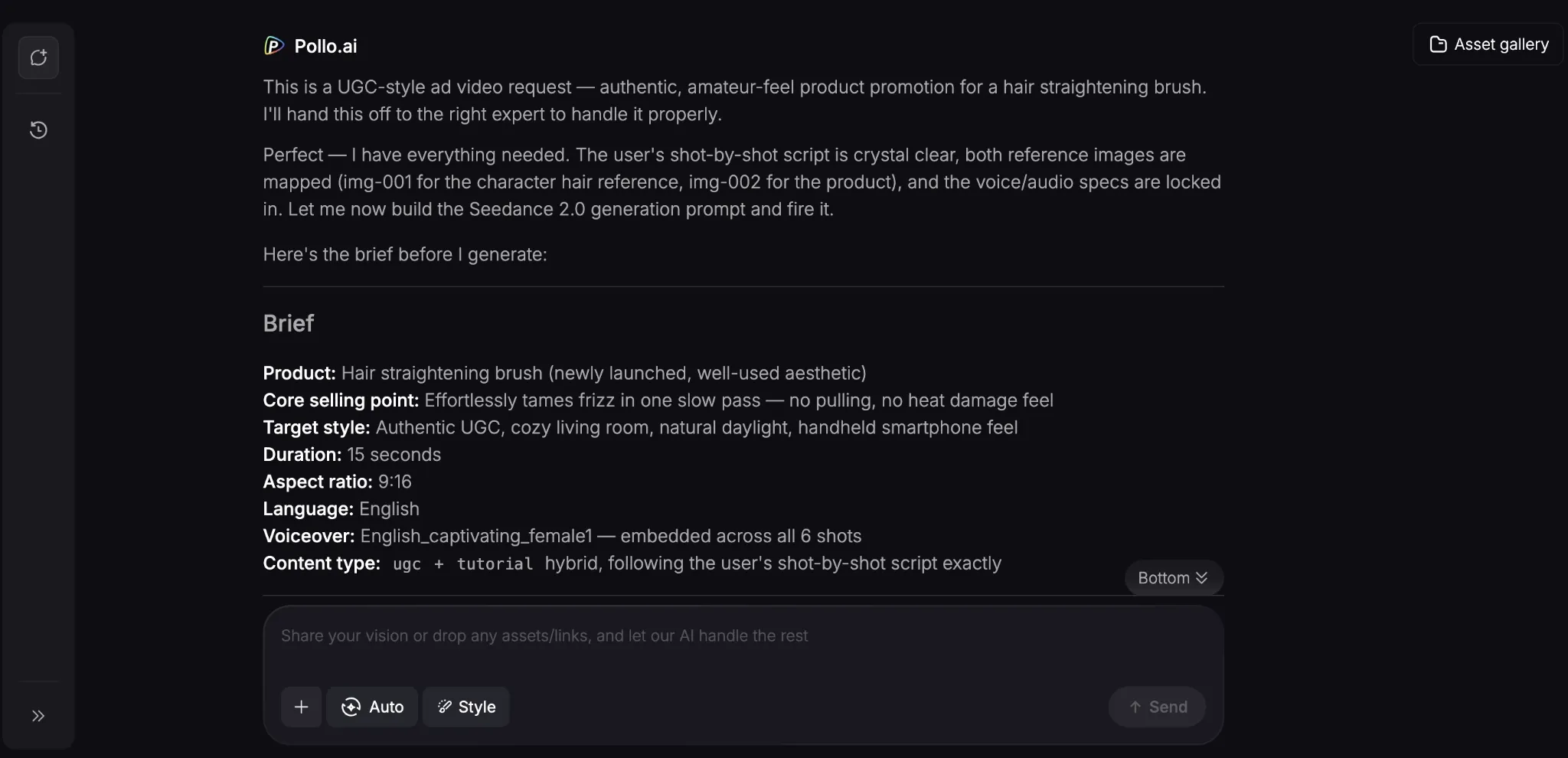
Once you hit ‘Send’, the AI agent will begin analyze your prompt and sum up your generation request in a creative brief that you can review. It will only take a few minutes for the tool to start rendering your product explainer video.
Download Your Product Explainer Video
Once the video is ready, you can preview it. If there are any changes you want to make to the product explainer video, just describe them via chat until you’re satisfied with the output. Here’s how our sample test turned out:
It would be hard to think that this product explainer video wasn’t recorded live, right? The tool did a phenomenal job with AI avatar; it was quite natural and believable.
But most importantly, it felt authentic. How she used the hairstyling brush, it went according to plan, and the dialogue was accurate. Overall, it’s a great teaser to what Pollo AI is capable of.
Create Professional Product Explainers In Minutes
Use Pollo AI to generate product explainer videos that compel audiences to make purchases!
Create Product Explainer Videos
Popular Use Cases for Creating Product Explainers with AI
With AI, it's easier than ever to roll out product explainer videos to keep pace with new product launches and features. So, let’s quickly touch on how this can be put into action:
- Rapid Feature Announcements: You can create product explainer videos in minutes, allowing you to showcase new product releases, features, and updates with zero delay.
- Multilingual Localization: Creating product explainer videos in 40+ languages and accents makes it possible to reach and connect with global audiences better.
- Personalized Sales Outreach: Rather than produce generic product explainer videos, you can tailor them to address specific leads and express different points of value.
- Customer Support FAQs: Instead of overly lengthy texts, you can create product explainer videos to provide customers with visual guides to commonly asked questions.
- Internal Corporate Training: You can instantly produce training content for new hires and employees, making it easier for them to adapt to new tools/updates/software.
Start Creating Content via Other Features on Pollo AI
Now you can create product explainer videos, but don’t stop there! Pollo AI is the ultimate AI creative suite for marketers, creators, sellers, and brands, so you can still do so much more.
Powered by top-class AI models like Seedance 2.5, Veo 3.1, you can generate studio-level images and videos via multiple studio workflows.
For marketers, you can head to the Marketing Studio to create ready-to-use ads in minutes. This includes generating product unboxing videos, tutorial videos, demos, and more.
You can even use it to create branded e-commerce content like product showcases and virtual try-ons for Shopify and other online product listings.
On top of that, any users looking for a seamless way to generate images, videos, avatars, and audio, all in one place, can head to Creative Studio to produce the results they seek.
Plus, there’s Pollo Agent, which is a powerful, agent-driven tool that turns any simple idea into a publish-ready video with zero manual editing required. Just one click, and it automates it all.
As for the icing on the cake? There are 200+ specialized workflow apps to choose from for different creative use cases. So, be sure to explore Pollo AI in its entirety today!
Conclusion
Instead of letting content production time hold your business back, you can create product explainer videos that sell in just a few clicks. Head over to Pollo AI and start giving your customers clarity on how your products can add value to them now!