



How To Make Winning Product Demos with AI in One Click
The idea of making product demos in a studio is quickly becoming a prehistoric notion.
From production setups to editing times, it’s tough to hold audience attention if it takes weeks to release a single video. But what if you could make a winning product demo with AI in one click?
In this step-by-step tutorial, we’ll show you how Pollo AI can help you make product demos that sell, and all it will take you is a few minutes to get a publish-ready result. So, let’s jump into it!
TL;DR
If you want to make winning product demos, then use Pollo AI. Its product demo maker lets you create personalized product demos by simply uploading a product image, a subject image for the presenter, and a text prompt describing the full scene and narrative in detail. Within minutes, the tool will deliver a production-ready clip, no manual editing needed.
Tips on How To Make a Winning Product Demo that Sells
Creating a high-converting product demo is all about nailing the value proposition and delivery. In this respect, here are a few aspects to consider if you want your product demos to sell:
- Focus on Value: High-converting product demos have one thing in common; they focus less on features and more on the value offered. Rather than showing audiences what each feature does, you should try to show them how the product solves their pain points.
- Research Your Demographic: Before creating the product demo, you should research your target demographic and tailor it to match their most common pain points. This makes the demo feel far more relatable and relevant to their needs.
- Craft a Relatable Narrative: Never create product demos that just blandly show off the product. Instead, try to craft a compelling and relatable story around it that places the customer at the center and your product as the solution that they need.
- Open with an Impactful Hook: The first few seconds of any product demo need to be attention-grabbing. So, be sure to lead the video by presenting the most appealing and must-have feature/aspect before moving on to the rest.
Making Product Demos with Pollo AI: A Step-by-Step Guide
It only takes a few simple steps to create product demos with Pollo AI. Even as a first-time user, you can start feeding your marketing and ad campaigns in minutes, so let’s get started:
Open the AI Product Demo Video Maker
Head to the product demo video maker page. Here, you can start by uploading subject images of who you want presenting your product and images of the product you’re promoting. In our case, we sought to create a UGC-style product demo of a new blender.
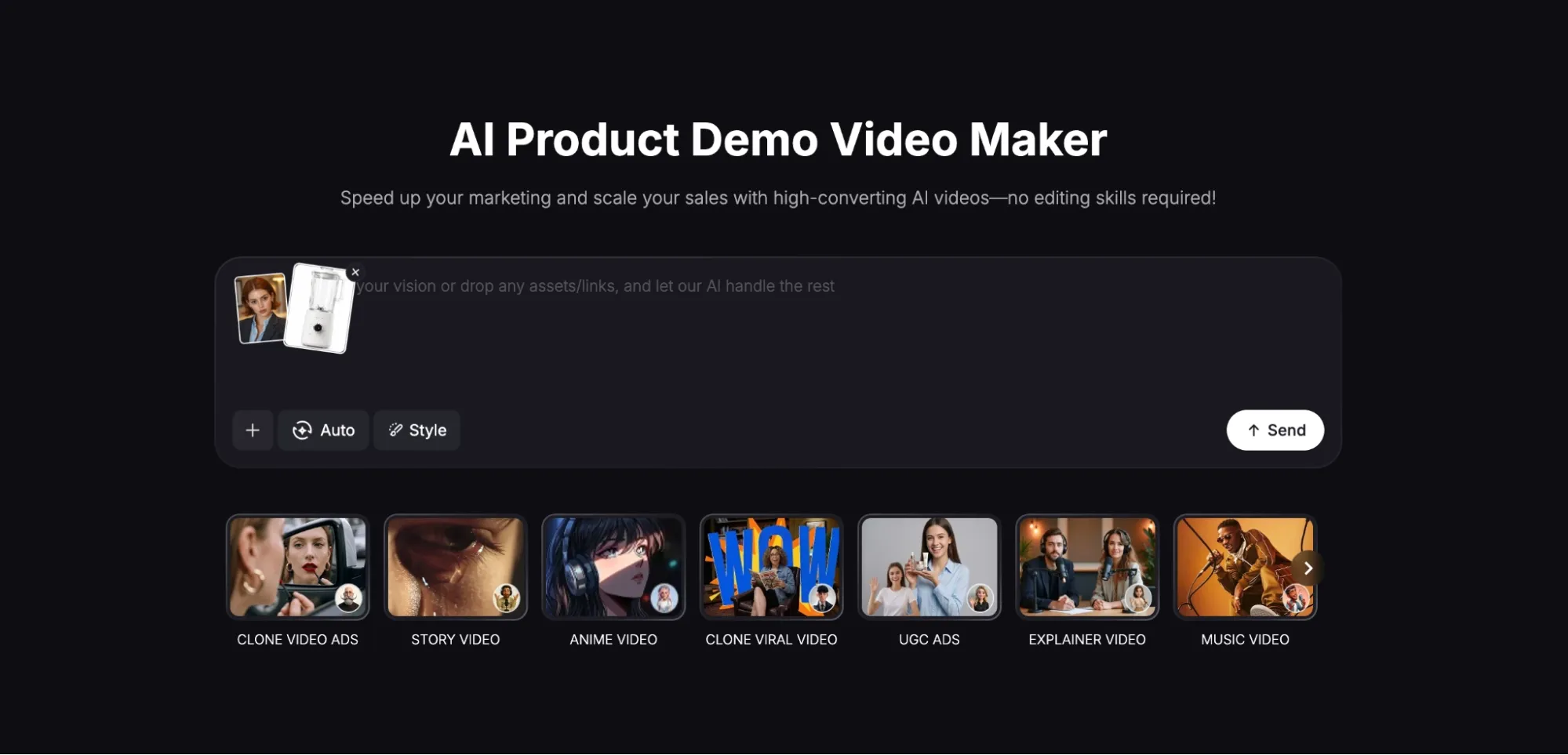
Enter Your Detailed Prompt
At this point, you need to input a prompt describing the product demo you want to create. It’s always best to be as detailed as possible, like a script, so be sure to include everything, like visual style, tone, narrative, character actions, dialogue, etc.
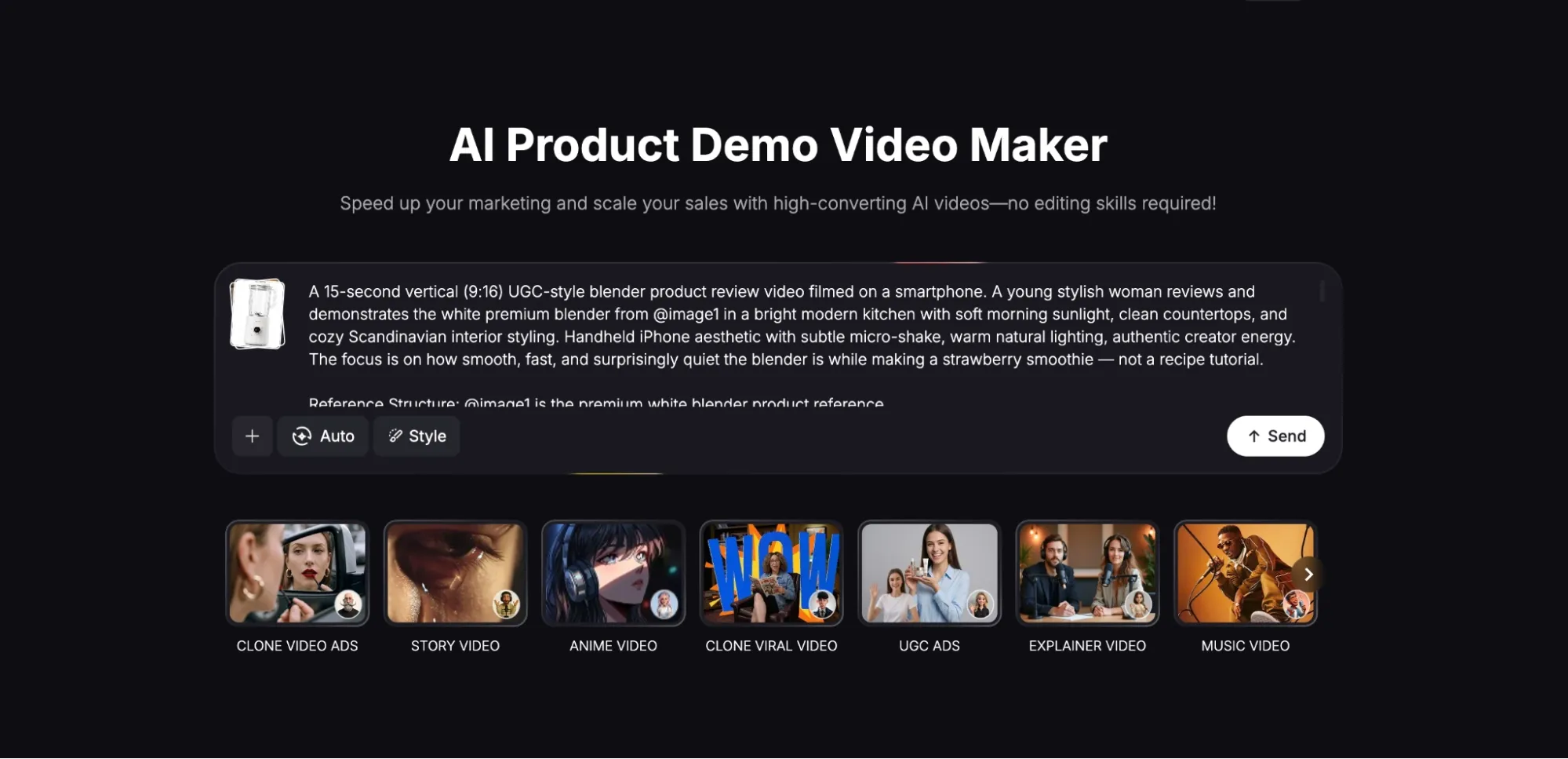
Review the Creative Direction
Once you click ‘Create’, the AI agent will analyze your reference images and prompt details before generating a product demo brief. This only takes a few minutes, and then it will start to render your video, with a natural-sounding voiceover included.
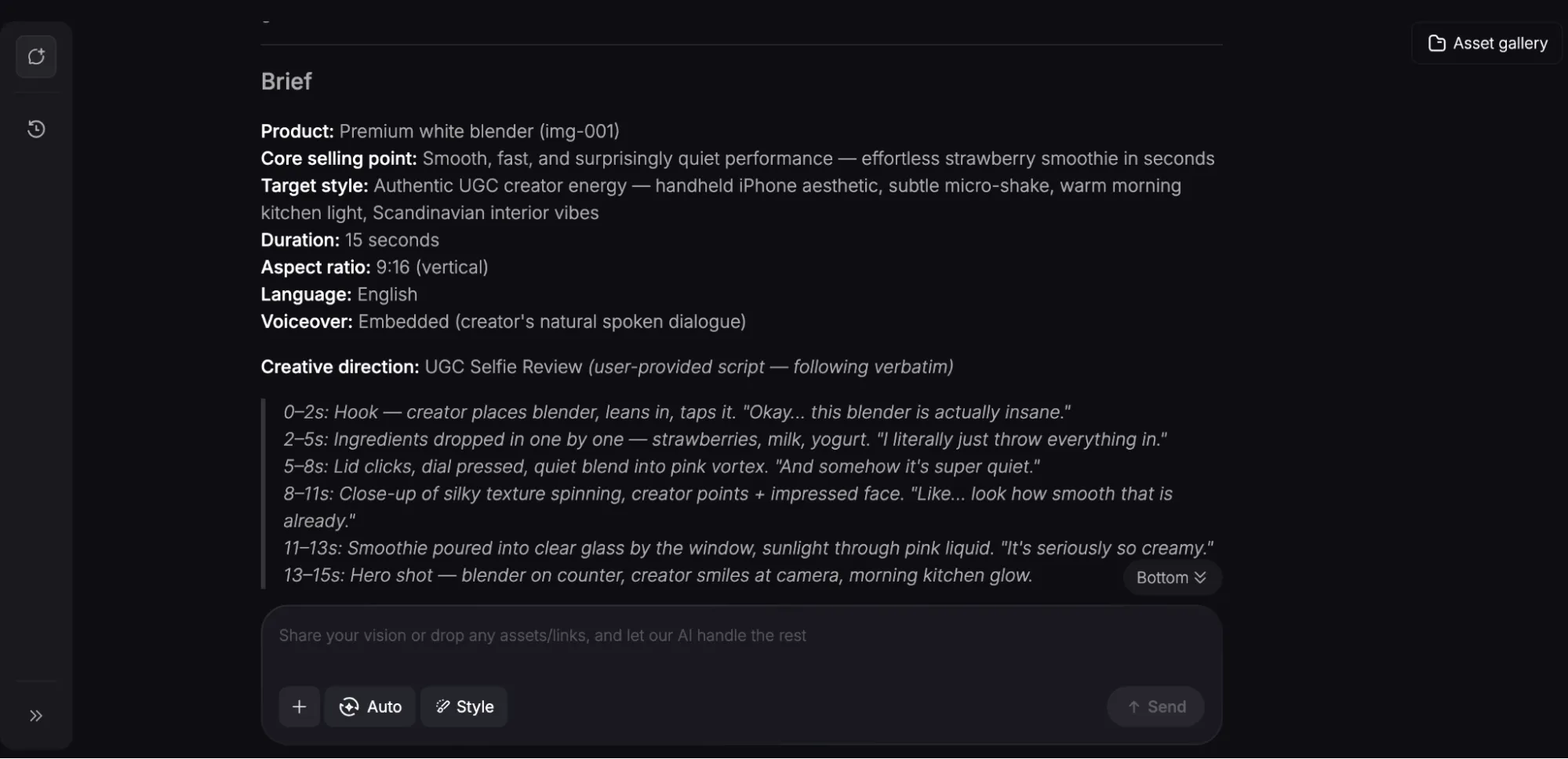
Download Your Product Demo
Once ready, you can preview the generated product demo before downloading it. And if there are any extra changes you want to make, you can do so via the chat interface by simply adding more references, links, details, etc. You can see how our test product demo turned out:
The final result was spectacular. From the product presentation to the avatar's lifelike performance and mannerisms, it would be hard to tell that this was AI-generated, right?
Even the voiceover sounded completely realistic. As for the prompt we input, the tool adhered to the script well, while also ensuring the pacing felt like a genuine, live recording.
Popular Use Cases for Creating Product Demos with AI
Creating product demos with AI allows you to promote your product catalog without committing huge resources to the campaign. Some of the ways you can use them include:
- Multi-Language Localization: You can create product demos presented in native languages to better appeal to local audiences across the globe and boost conversions.
- Personalized Walkthroughs: Rather than a one-size-fits-all approach, you can create tailored product demos for specific demographics/customers, based on their needs.
- Training & Onboarding: Give new hires clear visual guides on how to operate products/solutions currently implemented in your company/organization.
- E-commerce Showcases: Place product showcases alongside your e-commerce listings on Shopify, Wix, etc, highlighting benefits and functionality to lower buyer indecision.
Discover Other Unique Features on Pollo AI for Video Creation
Making product demos with Pollo AI is all well and good, but it would be a mistake to assume this is all the platform has to offer.
If you take some time to explore it, you’ll quickly discover that it is the ultimate AI creative suite for marketers, creators, sellers, and brands.
With access to top-tier AI models like Veo 3.1, Sora 2, Kling, and GPT Image 2, you can use Pollo AI to create studio-grade images and videos across a wide range of visual styles.
But the main highlight is that it supports multiple studio workflows. As a marketer, you can use the Marketing Studio to create ready-to-use ads like unboxing videos, tutorials, etc, in minutes.
You can also access Commerce Studio to produce commercial visuals, product showcases, virtual try-ons, and other branded content for your e-commerce campaigns.
There’s also Creative Studio, which caters to creators looking to generate images, videos, avatars, and audio, all in one place for numerous use cases like animation, music videos, etc.
In addition, you can use Pollo Agent, which is an agent-driven tool that lets you generate publish-ready videos with no manual editing required.
Not to mention, there are 200+ specialized workflow apps on the platform to choose from. All in all, there’s a whole world of creativity that Pollo AI can open up for you!
Conclusion
You don’t need a full production team to create product demos. Use this AI product demo maker to get results in minutes. Try Pollo AI for free!