



How to Remove Sora Watermark: Free Tools & 3-Step Guide
Thousands of creators search for a Sora watermark remover every single day. Whether you're building a faceless YouTube channel, running social media ads, or just want a clean final cut, that watermark has to go.
This guide shows you exactly how to remove Sora watermark — step by step, for free — and introduces a smarter tool, Pollo AI, to avoid it altogether.
TL;DR
To remove Sora watermark, upload your clip to Pollo AI's free watermark remover and download a clean file in seconds. If you want to skip the removal step entirely, generate your Sora 2 videos directly on Pollo AI — the output comes watermark-free from the start.
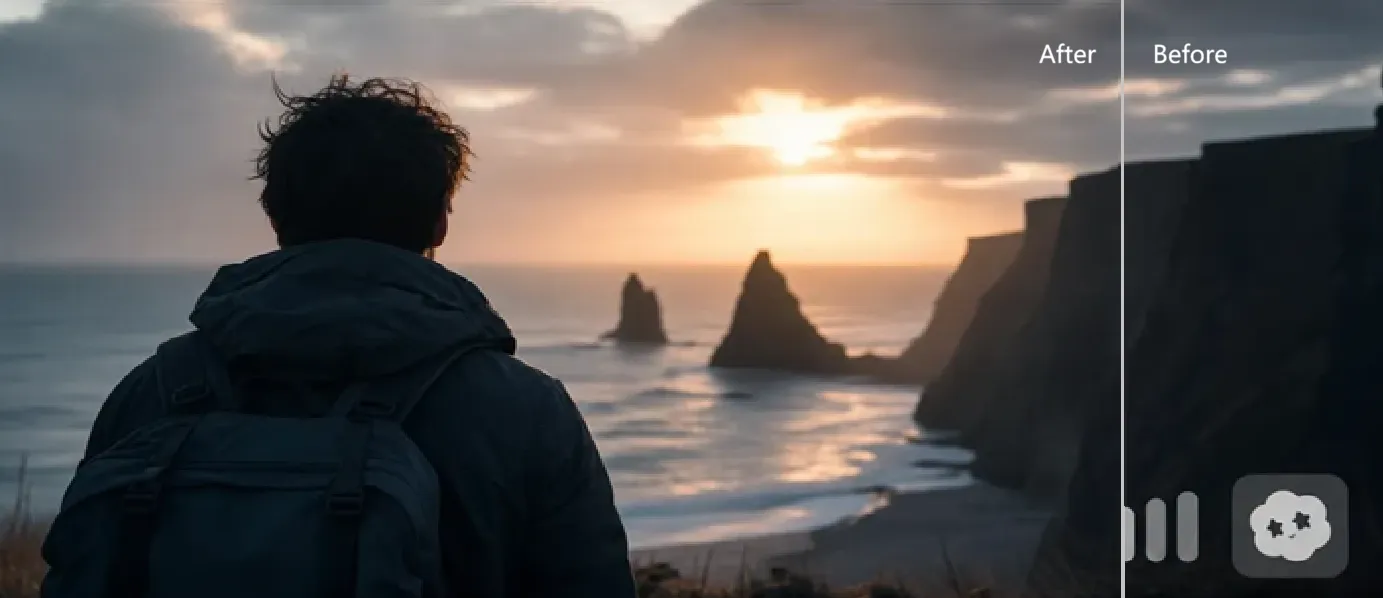
How to Remove Sora Watermark (3 Simple Steps)
Good news — you don't need to download any software or learn complex editing tools. Pollo AI's free online AI watermark remover handles the whole thing right in your browser. Here's how:
Step 1: Upload Your Video
Head to Pollo AI's watermark remover and upload your Sora video. Drag and drop your file into the upload area — no conversion needed.
Step 2: Let the AI Detect the Watermark
Pollo AI's watermark remover automatically detects the Sora mark. No manual selection required. The AI analyzes the surrounding pixels and reconstructs the background cleanly.
Step 3: Download the Cleaned Result
Download the cleaned result in seconds. No blurry patches. No ghosting. Just a clean, publish-ready file.
Why Use Pollo AI for Video Watermark Removal?
There are a lot of tools out there claiming to help you remove Sora watermark for free. Most of them have a catch. Some add their own watermark. Others destroy video quality. A few just don't work at all.
Pollo AI is different. It's built for creators who need real results, not just a quick fix that creates new problems.
| Feature | Pollo AI Watermark Remover | Typical Free Tools |
| Output Quality | High-definition, seamless pixel reconstruction | Often blurry or leaves ghosting artifacts |
| Ease of Use | 100% browser-based, no installation | Often requires software downloads |
| Speed | Processes in seconds | Can take minutes or fail entirely |
| Hidden Catch | Clean output, no secondary watermarks | Frequently adds their own branding |
Use Cases for Watermark-Free AI Videos
Once your video is clean, the possibilities open up fast. Here's how creators are putting watermark-free Sora footage to work:
- UGC Video Ads: Authentic-looking product content that blends right into social feeds. No AI badge means higher trust and better conversion rates.
- Faceless YouTube Shorts: High-quality B-roll that looks like it was shot on a real camera. Viewers stay focused on your content, not a watermark.
- Music Videos: Cinematic background visuals that sync with your track. A watermark would pull eyes away from the art.
- Client Deliverables: Presenting AI-generated footage to a client? A clean file looks professional. A watermarked one does not.
Remove Watermarks Instantly and Flawlessly
Say goodbye to distracting logos, texts, and stamps. Pollo AI uses smart detection to erase unwanted watermarks seamlessly without losing any visual quality.
Remove Watermark Free Now!
Skip the Watermark Entirely: Generate Sora 2 Videos on Pollo AI
Here's an even better idea — what if you never had to remove the Sora watermark in the first place?
Pollo AI is the ultimate AI creative suite for marketers & creators. It integrates top-tier models like Sora 2, Veo 3.1, and Seedance 2.0 into one workspace. When you generate a video through Pollo AI, you get the output with no watermark — no extra steps, no post-processing required.
That's the real point here. Instead of the old "generate → download → edit → remove Sora watermark" loop, Pollo AI settles this matter at one go.
And Pollo AI doesn't stop at watermark-free generation. The Pollo Agent takes things further. You give it an idea, a URL, or an image — and it builds a complete, production-ready video around it. No timeline editing. Just a polished, post-ready video you can publish immediately.
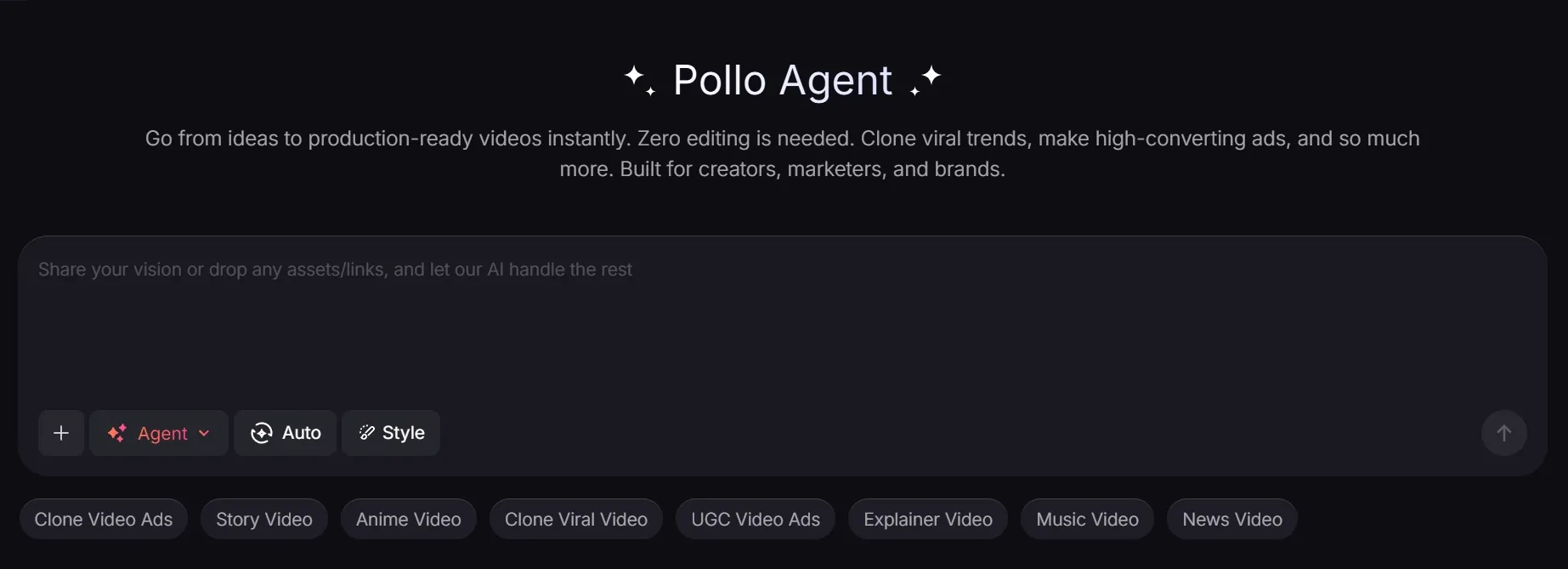
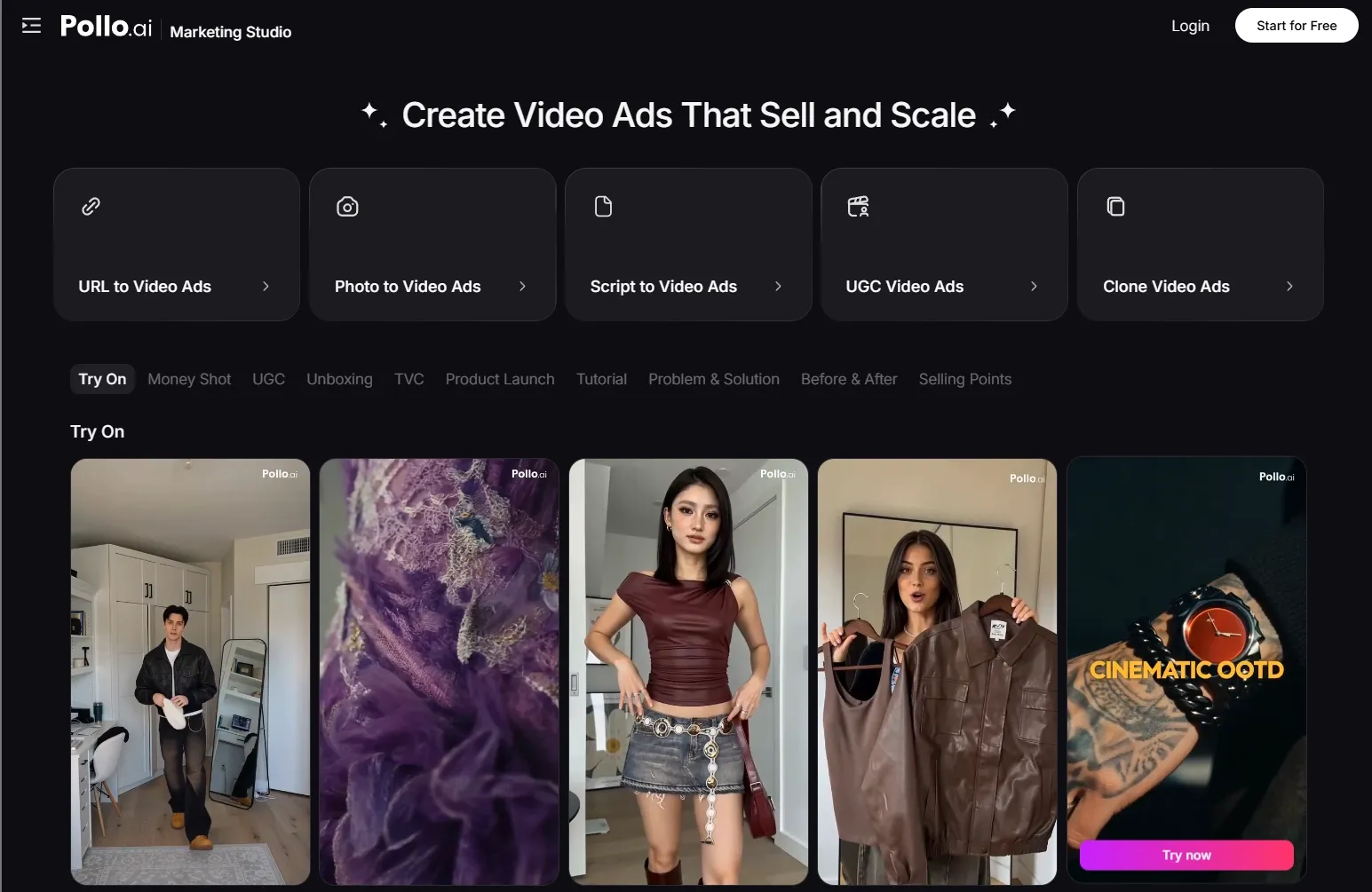
Beyond that, Pollo AI gives you access to 200+ specialized workflow apps built for real content scenarios. If you're focused on ads, the Marketing Studio is built exactly for that. It's a dedicated space for marketers who want to produce high-converting video ads — fast.
Here's what's inside:
- Clone Viral Ads — Recreate high-performing ad formats in minutes.
- Script to Video Ads — Drop in your script and get a polished ad out.
- URL to Video Ads — Paste a product link and let the AI build the ad for you.
- Photo to Video Ads — Turn a single product photo into a scroll-stopping video.
Whether you're a solo creator or a marketing team, Pollo AI is built to take you from raw idea to publish-ready content — with zero editing required.
Conclusion
The Sora watermark is a real problem for creators who care about quality. But it's also a very solvable one.
Use Pollo AI to remove Sora watermark from your existing videos in 3 simple steps. Or go one step further — generate your videos directly on Pollo AI and skip the watermark entirely from the start.
Either way, your content deserves to look its best. Try Pollo AI for free and see what production-ready actually feels like.