



How to Use Kling AI Outside China
Have you heard the news that Kling AI is no longer limited to China? It’s true. This powerful video generation tool is now available worldwide. You can sign in easily using a Google account, an email address, or an Apple account.
Users can also access Kling AI within Pollo AI, where they can experiment with different models of Kling AI for even more creative possibilities. Here, we will show you exactly how to use Kling AI outside China (step by step).
How to Use Kling AI Outside China?
Here’s exactly how you can get started with Kling AI outside China today:
Step 1: Sign In or Sign Up
Directly visit Kling AI official website. If you already have an account, just sign in with Google, Apple or an email. Otherwise you should sign up with a valid email address and verify the address to register completely.
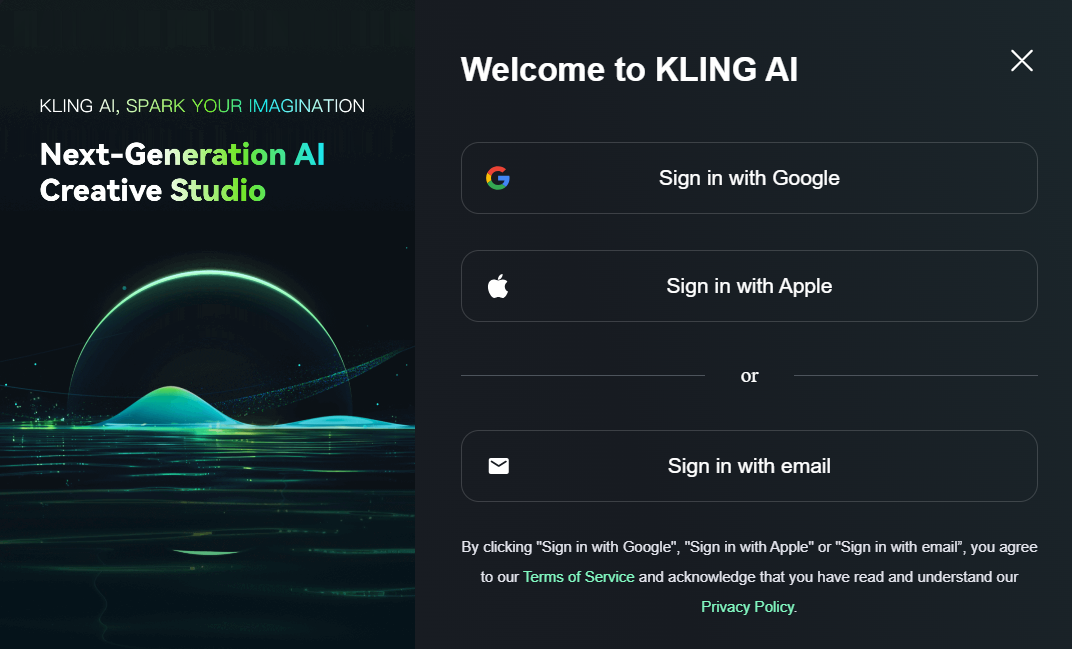
Step 2: Explore and Get Started
Once you access the Kling AI dashboard, you will find a menu on your left featuring functions like effects, image generation & editing, and video creation. This platform’s strength lies in its user-friendly design, with intuitive and straightforward functionality.
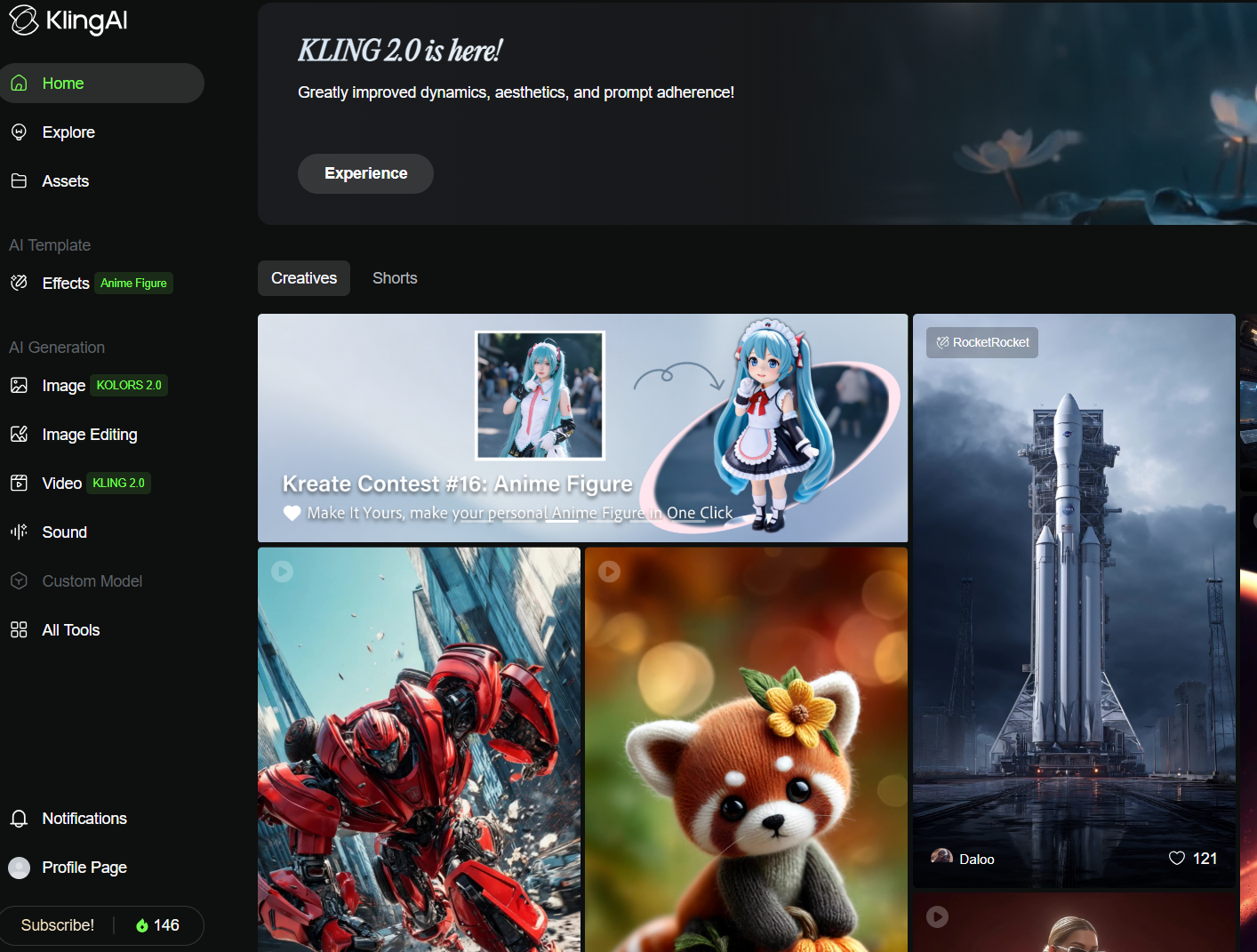
Now you’re all set to explore all of its powerful features.
Enhance Your Kling AI Experience With Pollo AI
If you continue to try video creation on Kling AI’s official website, you may encounter generation issues such as long video generation time or images upload failure. Regarding this, it is recommended to experience Kling AI through Pollo AI.
Pollo AI is an all-in-one AI video generator that brings together the best AI video models, including multiple versions of Kling AI, into one powerful platform.
Kling AI Models Available in Pollo AI
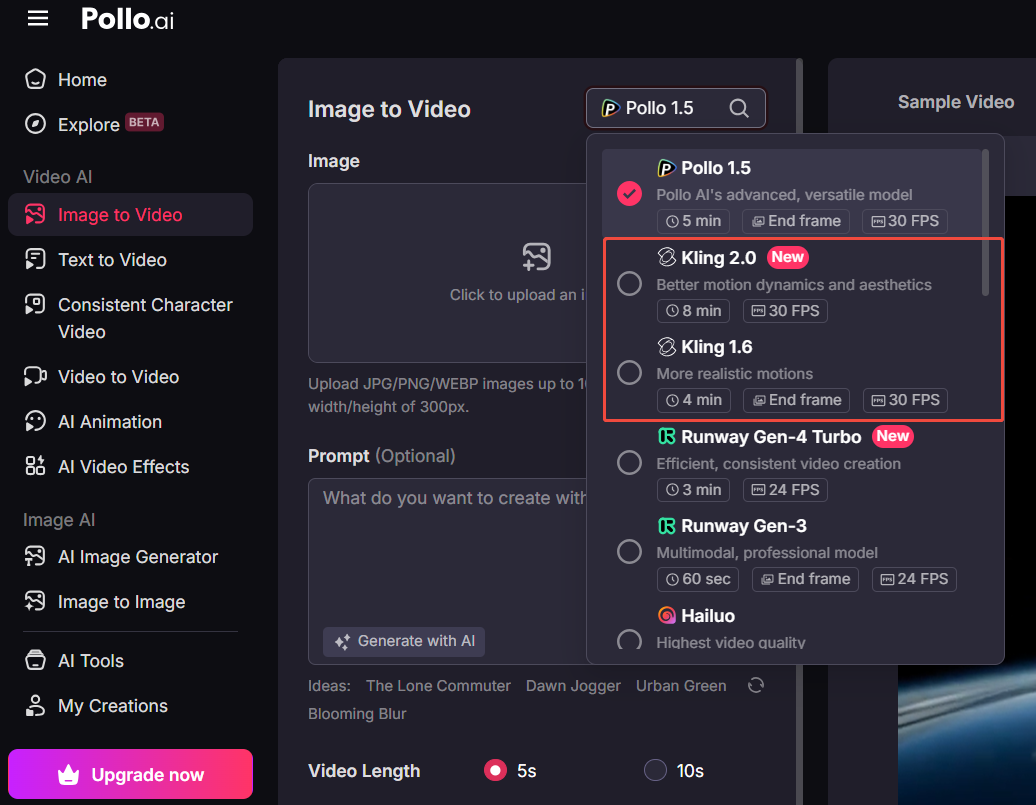
Pollo AI fully integrates different Kling AI models. This allows users to choose the best one based on their specific needs. You’ll find here:
- Kling 1.0 - The original model of Kling AI with solid AI video generation capabilities.
- Kling 1.5 - This version is a big upgrade from 1.0 with smart motion brush features.
- Kling 1.6 - This model boasts a remarkable improvement in image-to-video generation compared to Kling 1.5.
- Kling 2.0 - The latest generation model, with improved prompt comprehension, enhanced motion dynamics and greater output quality.
By having all these different Kling AI models in one place, you can test each one and use the best version for your specific project. But Pollo AI doesn’t stop at Kling AI—it also integrates Runway, Hailuo AI, PixVerse AI, Vidu AI and many more other top models.
Pollo AI Key Features That Take Video Creation to the Next Level
Pollo AI isn’t just about having multiple AI models. It’s also packed with powerful features that make video creation easier and more fun. Here are some of its features:
- Text to Video AI Generator: Just type a text prompt, and Pollo AI turns it into a full video with lifelike animations.
- Image to Video AI: Upload an image, and Pollo AI will animate it into a video according to your requirements.
- Video Effects: You can use them to create any interesting effect videos with your images uploaded.
In short, Pollo AI is just like a complete AI video toolkit.
Conclusion
Kling AI is now available worldwide, and now you can simply follow the steps we have discussed above to use it outside China.
But if you want a more creative experience, Pollo AI is your perfect choice. It brings together all the models of Kling AI along with others. This ultimately gives you endless creative possibilities in one place. Try Kling AI in Pollo AI today!