



How to Use Pollo AI Influencer: Create a Consistent AI Influencer in 3 Simple Steps
Creating a consistent virtual persona across social media used to require either complex 3D rendering, training difficult LoRA models on 20+ photos, or battling unpredictable AI text prompts. Pollo AI Influencer changes the game. With an intuitive, menu-driven studio and deep integration into Pollo Recast, you can design a unique, reusable character sheet and bring them to life in viral motion videos in three frictionless steps—no prompt required.
How to Create a Consistent AI Influencer in 3 Simple Steps
With Pollo AI Influencer, you can design a recognizable digital avatar, maintain locked visual consistency across multiple outfits, and animate them in dynamic video clips through a simple, three-step workflow.
Design or Recreate Your Character
Choose your starting path on the Pollo AI Influencer page:
- Path A (Build from Scratch): Pick a character type (Human or Animal) and customize up to 18 visual parameters like ethnicity, age, and facial geometry. (Optional: Upload a photo to preserve specific features).
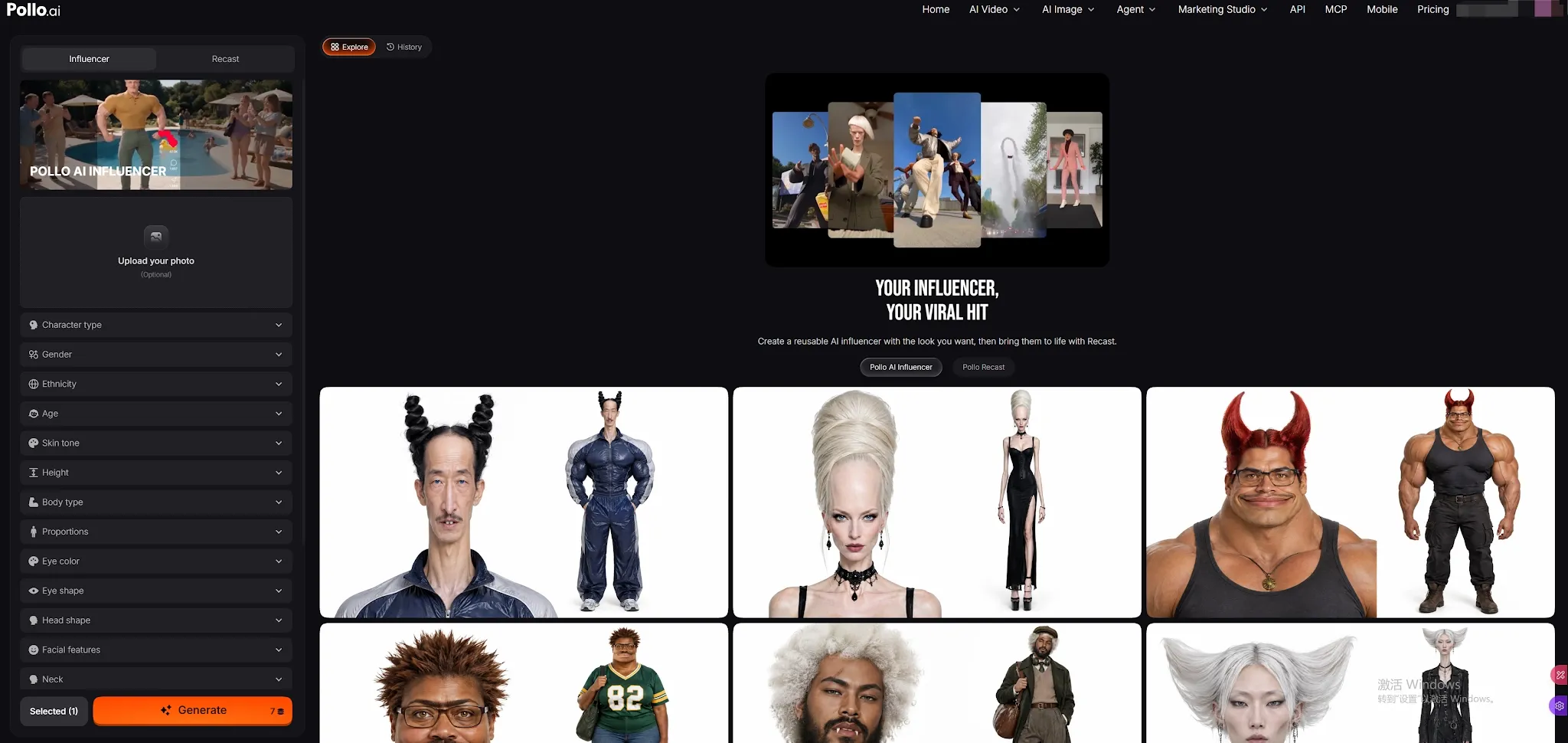
- Path B (Use a Template): Go to Explore, find a community character you like, and click Recreate to load their settings instantly.
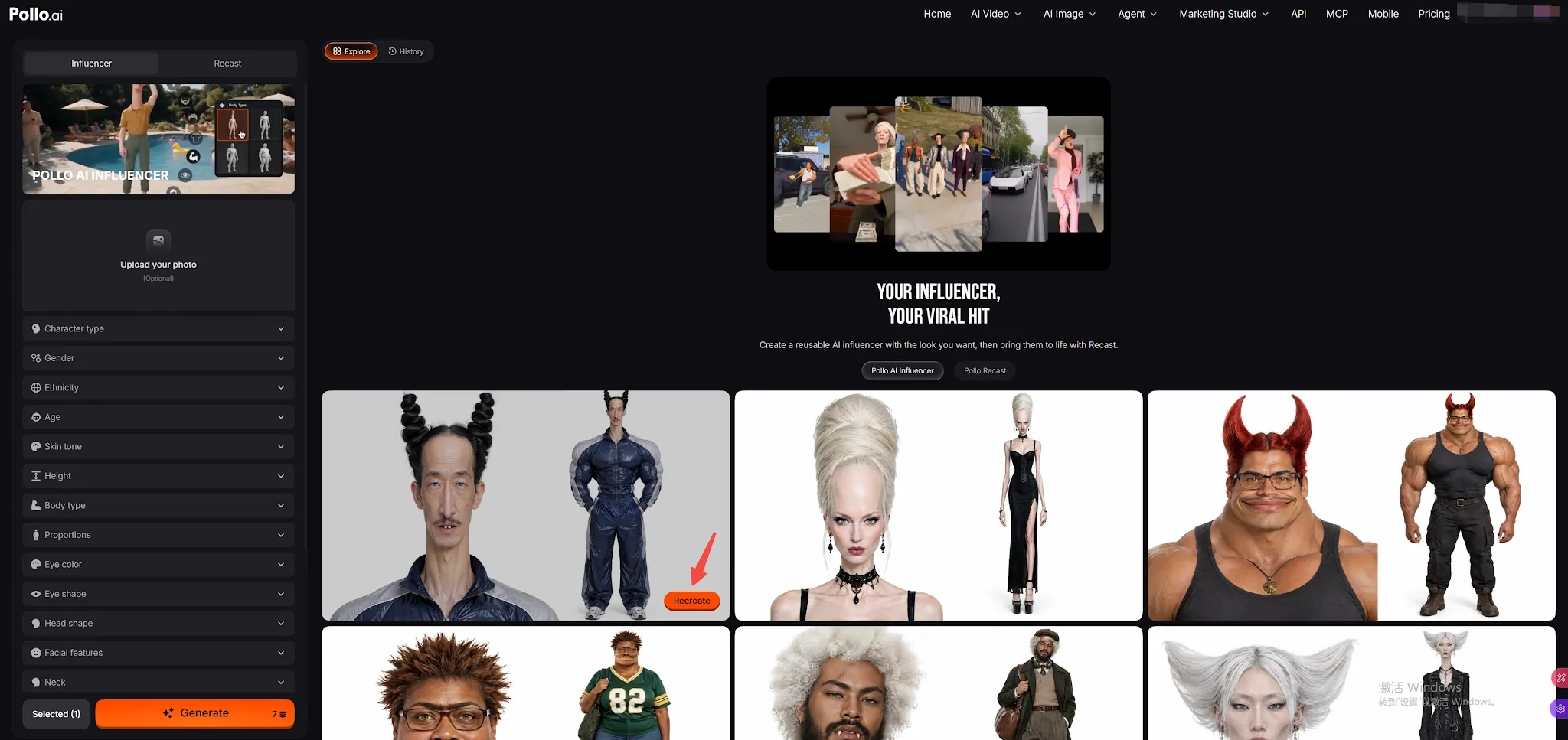
Generate Your AI Influencers
Click Generate to receive a studio-grade 2K character sheet. Your generated influencers and variations automatically save to your History feed.
At this point, your AI Influencer is fully created and ready for static image generation. But if you want to bring them to life and make them move, simply proceed to the final step.
Animate with Pollo Recast
Turn your static influencer into dynamic short-form video.
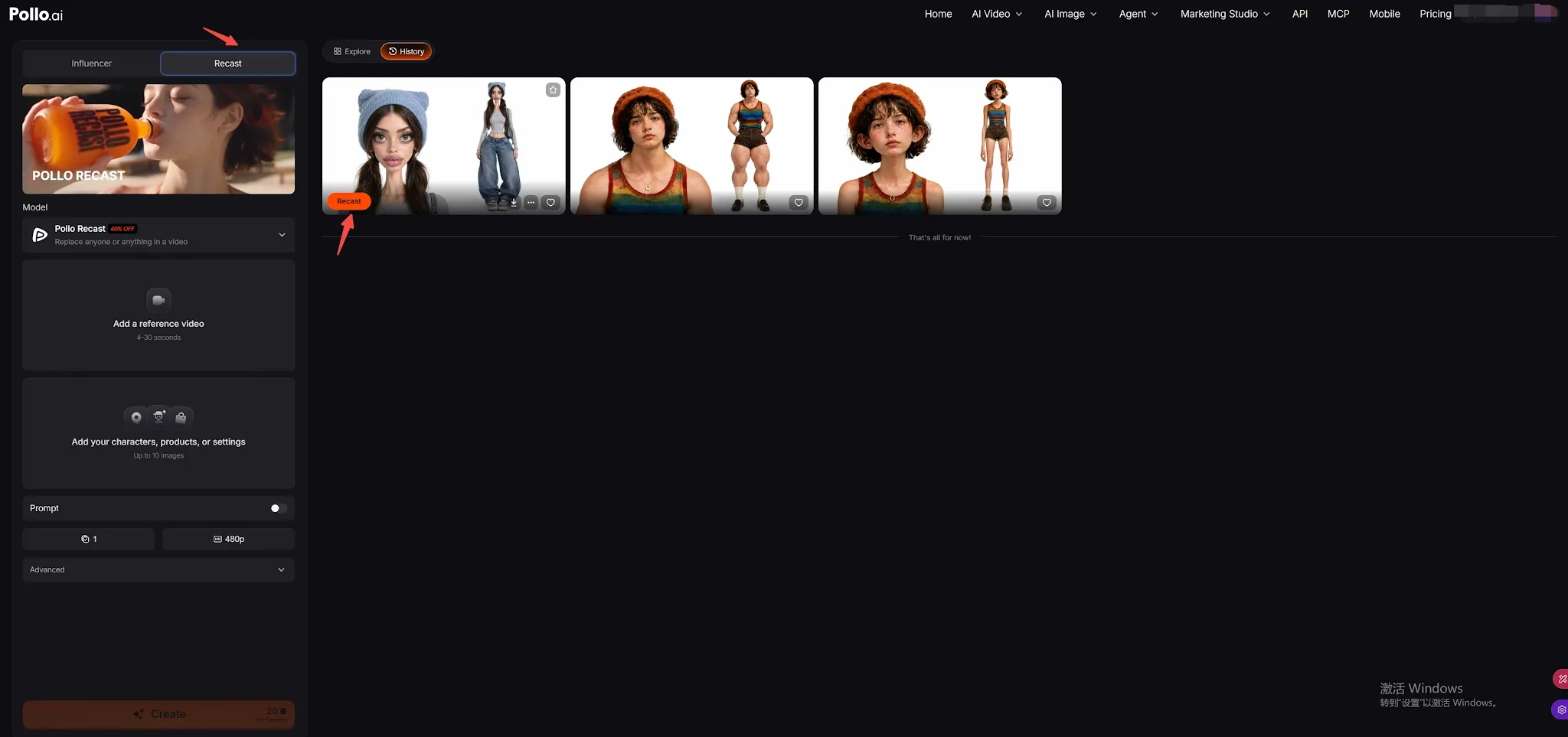
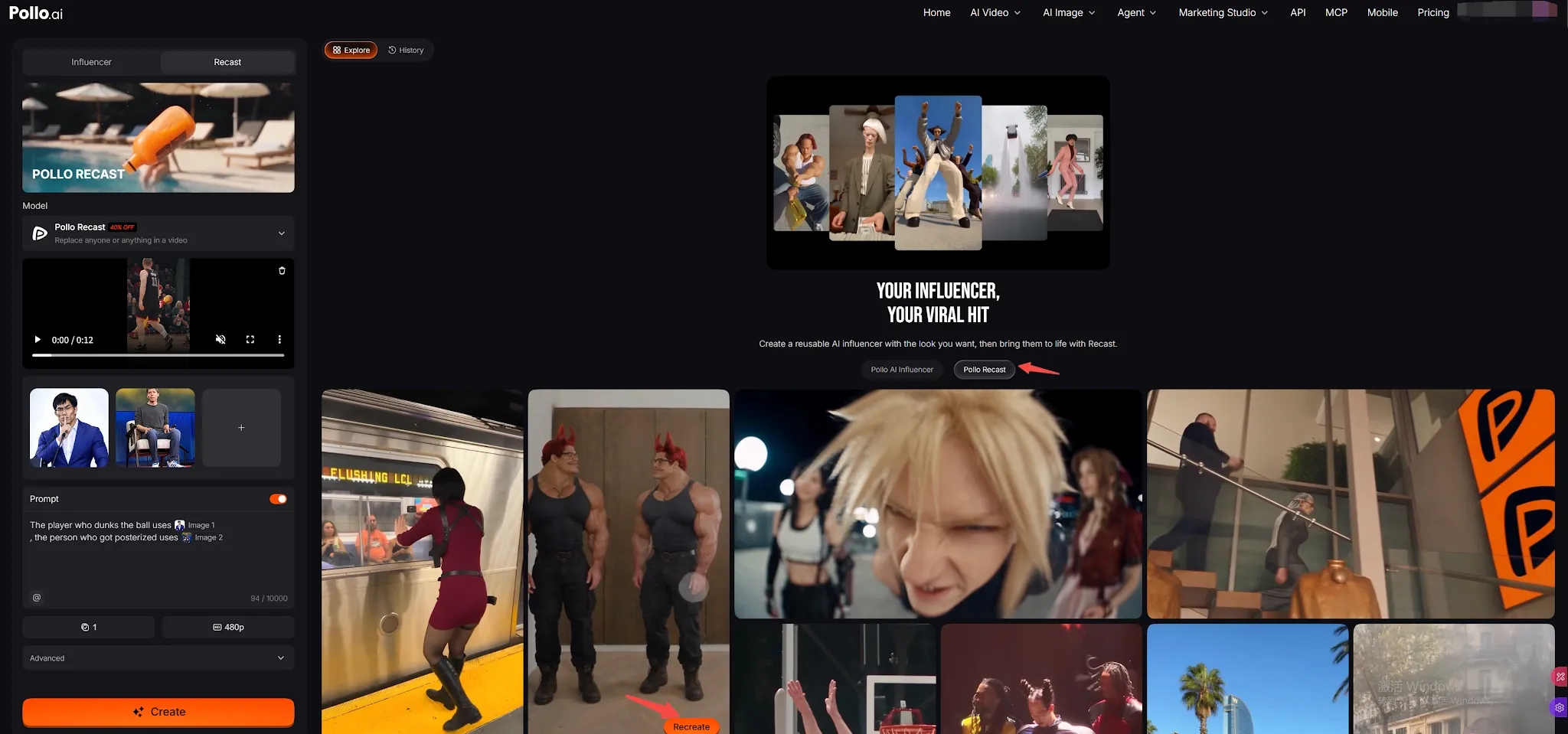
Switch to Recast:
Click the Recast tab at the top or hit the Recast button directly on your character card. Then upload your own 4–30 second reference clip.
Trending Motions:
Select from viral dances and popular social media movements.
Generate Video:
Hit generate to export your animated influencer, ready for TikTok and Reels.
What Makes Pollo AI Influencer Worth Trying?
what Pollo AI Influencer is for the first time, its 19-parameter architecture offers several distinct advantages over traditional image generators:
- Zero Prompt Fatigue: Say goodbye to endless negative prompts and prompt syntax errors. The 19-parameter visual sliders give you predictable, professional results on your first attempt.
- No Tedious Model Training: Unlike competing platforms that require you to upload 20+ images and wait for LoRA or identity model training, Pollo AI builds production-ready consistency instantly from menu selections or a single reference photo.
- Beyond Realistic Humans: From polished corporate brand ambassadors to viral meme characters (like talking frogs, cybernetic robots, or stylish capybaras), Pollo AI supports 14 distinct character archetypes.
- Closed-Loop Creation Ecosystem: Characters are not isolated image files. They automatically sync with Elements, can be called into new projects using @ in the Create studio, and transfer into Pollo Recast with one click.
- Fail-Safe Credit Protection: If a generation ever fails, your credits are refunded automatically without leaving broken drafts in your assets.
Build Your AI Influencer Without Prompts
Create a reusable virtual persona, maintain the same identity across new looks, and animate the character with Pollo Recast.
Try Pollo AI Influencer for Free
What Can You Create With Pollo AI Influencer?
| Content Type | Creation Setup in Pollo AI | Best Platforms |
| Faceless Social Media Personas | Build an Average or Bold human persona; use New Look for daily outfits and Recast for trending audio dances. Create repeatable UGC videos around the same character. | TikTok, Instagram Reels, YouTube Shorts |
| Viral Meme & Comedy Skits | Select creature archetypes (Frog, Cat, Capybara) and pair them with expressive video references in Recast. | TikTok, X (Twitter), Reddit, Instagram |
| Digital Doubles & Personal Avatars | Upload one personal portrait, refine aesthetic styling, and generate a photorealistic digital twin. | LinkedIn, YouTube tutorials, personal branding |
| E-Commerce & Virtual Lookbooks | Design a brand model and use New Look with clothing reference images to display product lines through virtual try-on. | Brand websites, Pinterest, Shopify lookbooks |
| Episodic Narrative Series | Create multiple distinct characters (hero, villain, sidekick) and manage them in Elements for multi-scene projects. | Web series, concept trailers, digital storytelling |
Simple Tips for Better Pollo AI Influencer Results
- Use High-Quality Face References: If you upload a reference photo, choose an evenly lit, high-resolution portrait where the eyes and facial contours are clearly visible. Avoid photos with heavy filters, extreme angles, or dark sunglasses.
- Maintain Consistency with New Look: When changing your character's wardrobe, use the New Look panel rather than starting a fresh generation. This ensures the underlying facial mesh and identity remain identical.
- Match Movement to Character Proportions: When selecting motions in Recast, choose reference clips that match your influencer's silhouette and body type for the most natural, fluid movement transfer.
- Leverage Influencer Templates: If you are unsure where to start, browse the Templates tab on the AI Influencer landing page to load pre-configured aesthetic recipes with a single click.
Summary
Pollo AI Influencer removes the complexity from virtual character creation. By pairing an intuitive 19-parameter visual builder with the motion-transfer power of Pollo Recast, anyone can design, manage, and animate consistent AI creators in three simple steps. Ready to launch your virtual influencer? Try Pollo AI Influencer today and bring your ideas into motion!
FAQs About Pollo AI Influencer
Do I need to write complex prompts to create an AI influencer?
No. Pollo AI Influencer is completely prompt-free. You can customize your character entirely through the 19 parameter categories. You can also add brief supplementary styling notes if you want extra customization, but it is entirely optional.
Can I change the character after generating it?
Yes. Rename it, use Re-create to reopen the original settings and adjust, or add New Looks to change outfit and styling while keeping the same person.
Can I turn my AI influencer into a video?
Yes. Open Recast from the character’s result or details, then choose a motion template or upload a reference video between 4 and 30 seconds. The character is added as the reference for the workflow.
Where are my generated influencers stored?
All successful generations are automatically saved under Assets › Elements › Characters with an orange AI Influencer badge. You can view, edit, download, or recall them into new projects anytime.