



Kling 2.0 - Is it Still The Best AI Generator or Has it Been Dethroned?
Kling 2.0 has launched, meaning the currently best-rated AI video generator has gotten even better. We’re going to dive in today to see just how much it’s improved, what’s lacking, and what you can expect from this new, superior version.
Kling is keeping the heat on with its new 2.0 era. We can see the 1.6 model holding its top spot on the leaderboard for best image-to-video model, while the 1.5 text-to-video model came in second, only to Google’s Veo 2. So, let’s see how Kling’s 2.0 version fares.
A First Look at Kling 2.0 - Fidelity & Coherence Boost
In terms of overall fidelity and prompt coherence, I must admit the new Kling 2.0 model is leaps ahead, particularly on the image-to-video side. No matter your input image, things remain consistent, with solid overall character acting.
Evaluating Kling 2.0's Text-to-Video
Let’s begin with this text-to-video example, starting with a Game of Thrones-inspired direwolf prompt, largely inspired by the real-life news story of Colossal Bioscience bringing back three direwolves from extinction.
The video prompt comes out looking pretty solid, particularly for text-to-video. While there are a few issues with perspective and the scale of the direwolf compared to the dark wizard, Jon Snow, this is also in keeping with the initial prompt. With that in mind, this really is a very impressive text-to-video output.
Evaluating Kling 2.0's Image-to-Video
Example 1
Looking at our first example, we have 10 seconds of solid walking. What impressed me is that despite a little bit of decoherence, the focus of the shot is the feet walking and shows a very solid walking cycle. There is minimal stutter step, and the feet appear to be reacting to things like puddles in the mud.
Occasionally, you may run into backwards flying spacecraft, but backwards walking people isn’t something I’ve encountered. Although if you run into this, a quick fix is just to run it in reverse.
Example 2
Another example of seamless generation comes in the form of this ‘60s Vogue-inspired shot. While the model is the focus, despite being too cool to actually look into the camera, she sits passively. But it is the other characters in the scene that caught my attention. The men walking in the scene aren’t really part of it, but contextually, they look like they belong there.
Upgraded Features of Kling 2.0
Coherent Fast Motion
A major strength of Kling 2.0 is that it is exceptional at coherent, fast motion.
If we look at the Kung-fu fight via text-to-video. Is it completely perfect? No, but it is pretty impressive, especially taking the rotating camera into account, which counters some of the decoherence.
The fact that both guys are staying on the ground and neither of them is flying away, and the background isn't turning into explosions, shows an impressive output.
Another output from the same prompt was a little more awkward in terms of the movements of the characters, but overall, there wasn’t a lot of decoherence, with the characters fusing into one another or some of the other aspects we often expect. If you were to use some savvy editing skills, you could probably get a solid portion of the 10-second clip.
Generation Specs & Camera Control
Using Kling 2.0, we can generate in five or 10-second intervals, and use aspect ratios of 16:9, 9:16, and 1:1. Additionally, if you choose the Premier Plan, you can generate more than one output at a time. Currently, video outputs are at 720p, although I have been told that 1080p is on its way.
Lens and Camera Motion Callouts
Currently, there are no camera control options within the prompting, but I must say the model is very responsive, not only to camera movement callouts, but even lens choices. For example, here, we call out for an 85 mm lens, with a shallow depth of field and an orbiting-type motion.
Notably, I can see the table is slightly wonky with the pole not quite connecting where it should, but it is interesting to note that it has remained consistently wonky throughout. Overall, the prompt followed the instructions on camera movement and lens type.
Then, swapping the 85mm lens to a 20mm, we get a much wider shot using the same movement, with great attention to detail paid to the callout of the wider angle lens. While it is inevitable that someone will point out it is not precisely a 20mm or 85 mm lens, the focus here is that you get a pretty good ballpark of what you’re looking for.
New Tools Launching - The Multi-Elements Feature
One aspect I don’t want to overlook is the new multi-elements feature that is also launching. I haven’t had much time to play with it, but I do think it is important to give you an idea of what it does, because it has the potential to become a pretty powerful tool.
Opening a video, you can hit the “Add Selection” option, and it will instantly mask your character.
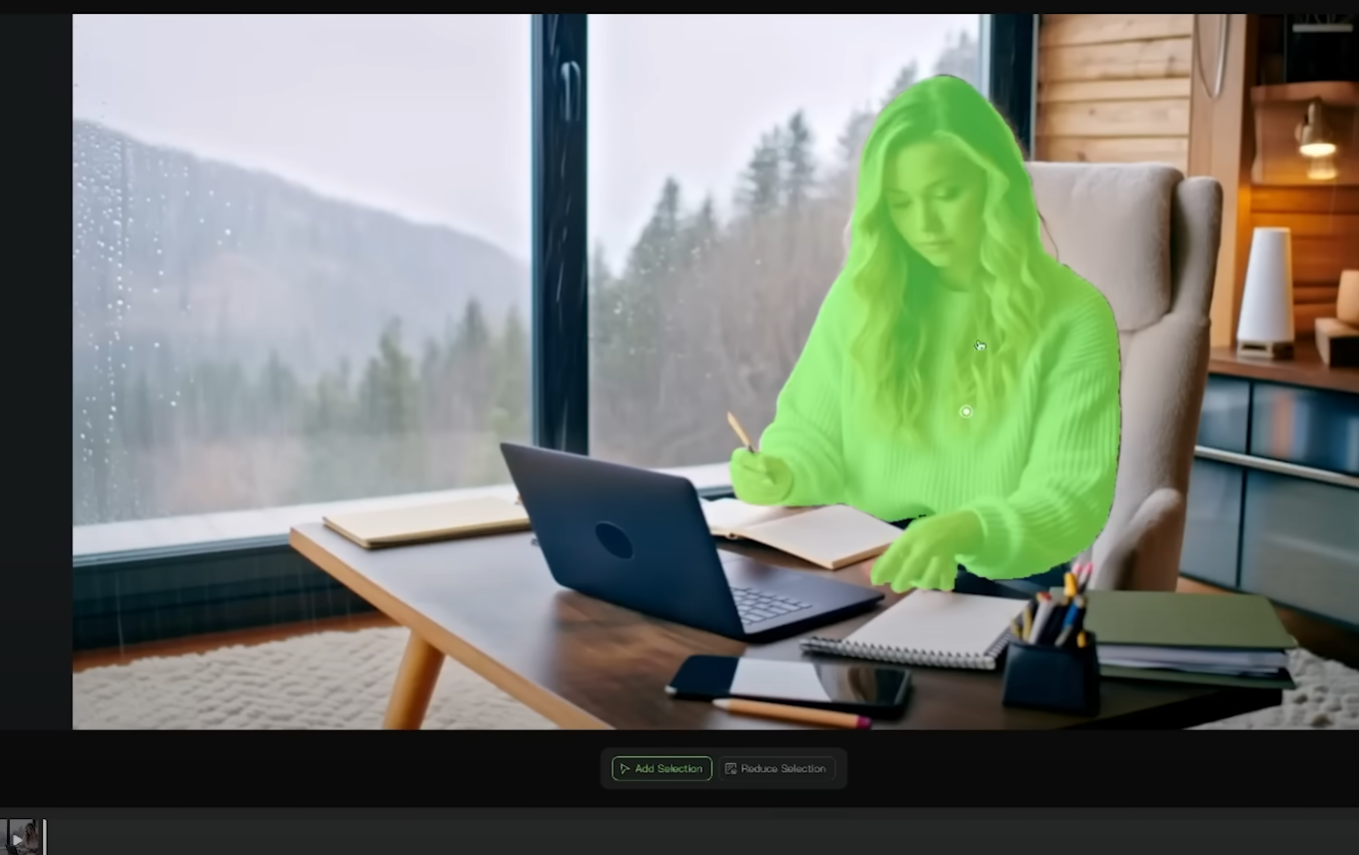
When you’re happy, you can “Confirm” and then upload an image of another character.
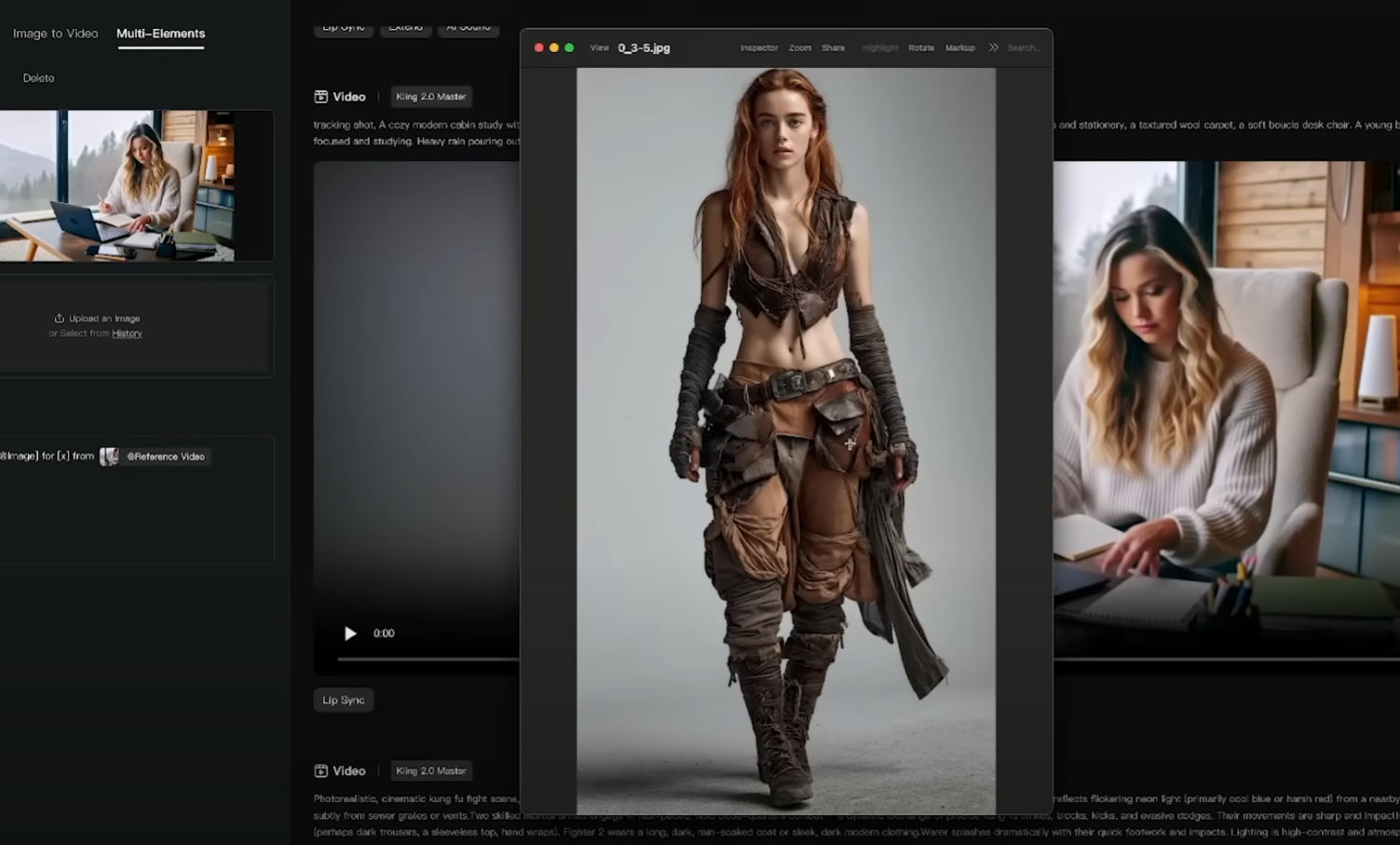
The prompt populates with “Swap X from (thumbnail of your image) for X from (thumbnail of your video). You’ll need to fill in the “X” values, in this example, girl and girl, and then hit “Generate.”
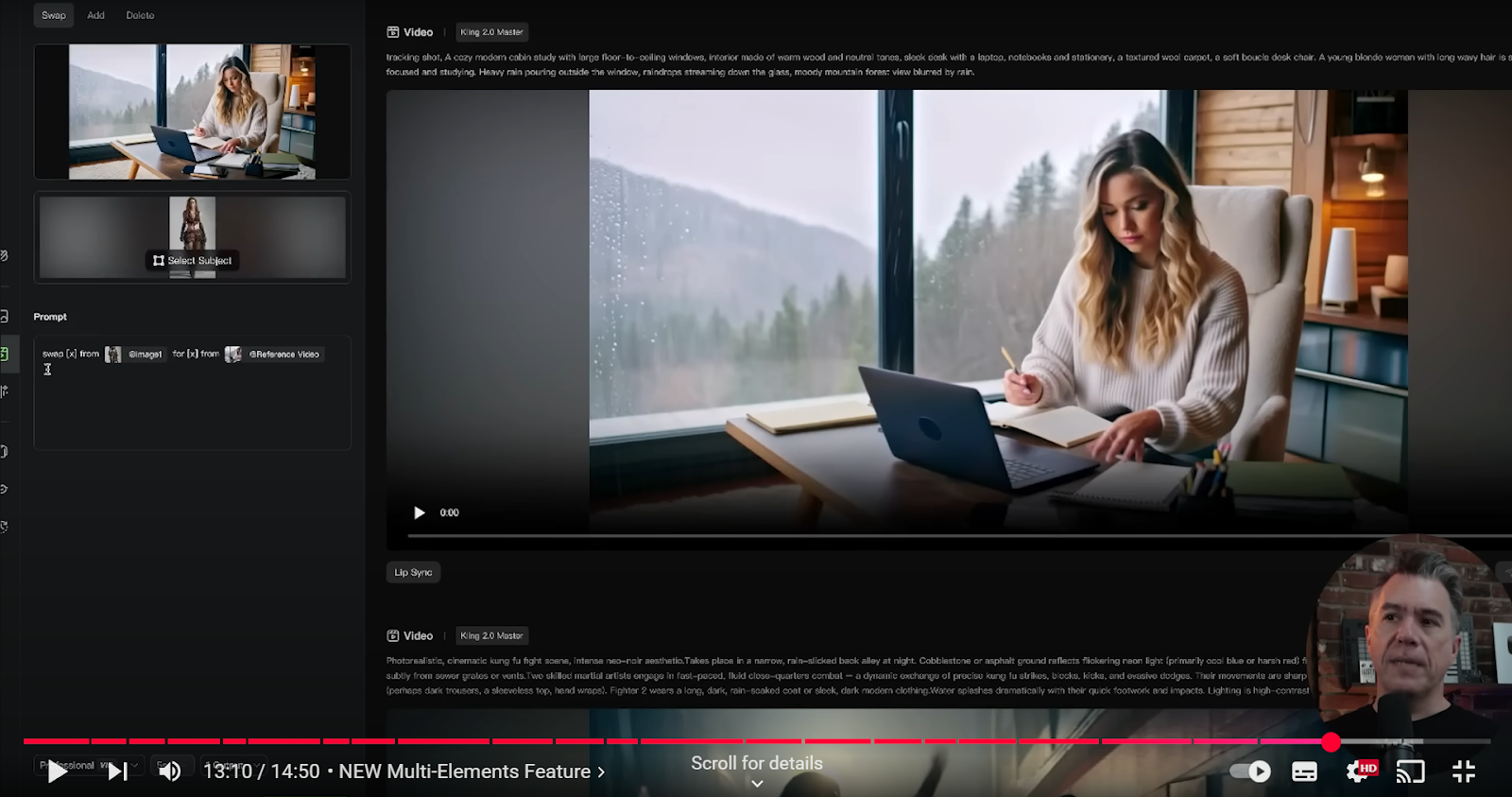
The tool swaps out one character for another, and while the input in this example isn’t perfect, it gives a good indication of what the multi-elements feature does.
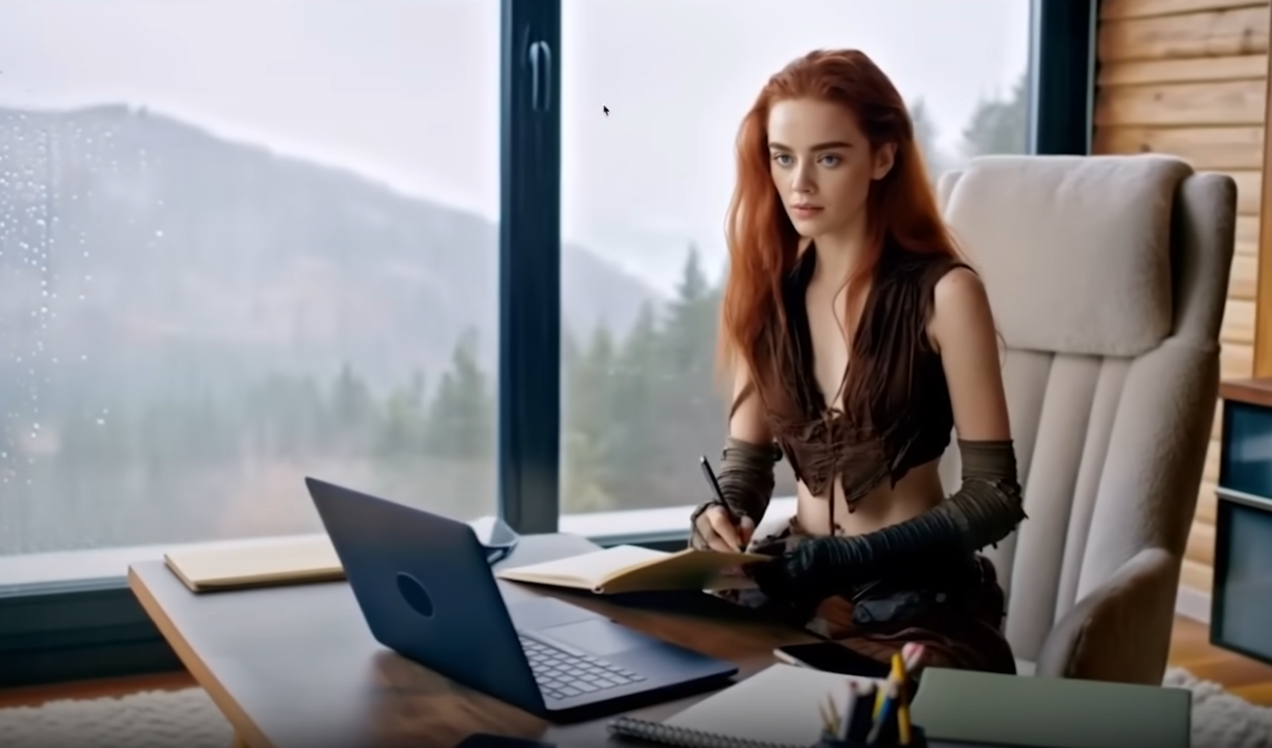
With some experimentation and perhaps more tonally aligned options, you could end up with some spectacular results, particularly once the Kling 2.0 model arrives.
Final Verdict: Is Kling AI Still the King?
In terms of text-to-video, I feel it more or less sits on equal ground to Veo 2, with Veo 2 edging ahead, but only slightly.
But again, you have to factor in the higher running cost of Veo 2. With that said, I have been told that several other 2.0 models are on the way, so we’ll see if Kilng stays king or if another model sweeps in to take its place.
Note: The article was written based on the following YouTube video.