



MagicLight AI Review: I Tested MagicLight AI's AI Video Generator for a Week
MagicLight AI is worth trying if you want to turn a script or story into a long-form animated video with recurring characters, voices, and scenes. I spent a week evaluating its public guided workflow and found it unusually easy to start, but credit use, visual drift, and limited shot-level control still matter when you need polished, brand-safe output.
MagicLight AI Review: TL;DR
MagicLight AI is worth trying for storytellers, educators, and faceless YouTube creators who need long-form animated videos from scripts. For broader AI video creation, Pollo AI is a better MagicLight AI alternative when you need multi-model flexibility, marketing workflows, product videos, or a more direct path to publish-ready content.
| Review Criteria | Verdict |
| Story-to-video workflow | The clearest reason to use MagicLight AI. It turns a script into a scene-based project quickly. |
| Character consistency | Better than generating every clip from scratch, but faces, clothing, and props still need checking. |
| Ease of use | Beginner-friendly. The guided steps reduce the intimidation of traditional animation tools. |
| Long-form production | Useful for narrated stories and lessons, although quality and credit costs become harder to predict as projects grow. |
| Best alternative | Pollo AI is a stronger fit for marketers and creators who need multiple video formats and production-ready workflows. |
Go Beyond Story-Only Video Creation
Transform ideas into story videos, high-converting ads, and realistic social content with top-tier AI models in one unified workspace.
Try Pollo AI for Free
What Is MagicLight AI?
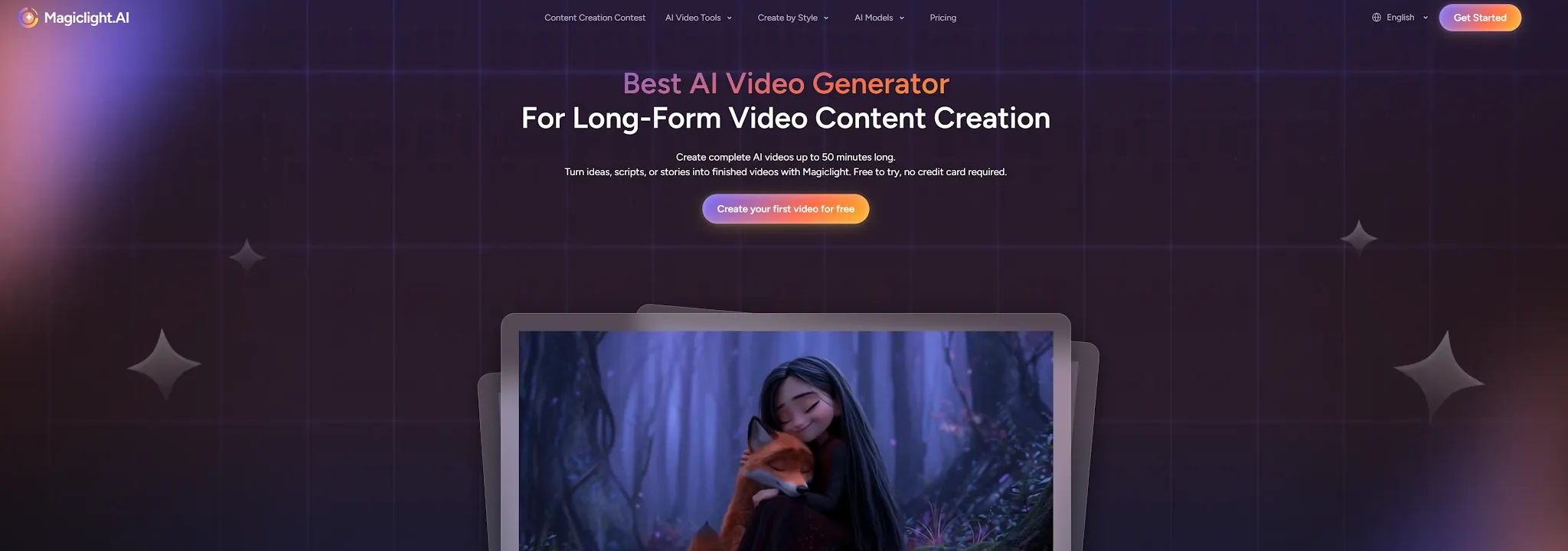
MagicLight AI is a cloud-based AI video generator focused on story-led and long-form video creation. Instead of producing one short clip from a prompt, it builds a project with a script, storyboard, characters, scenes, voice, music, captions, and animation.
The platform is designed for people who want to publish regularly but do not have a full animation team. Its official workflow supports text-to-video, story-to-video, script-to-video, image-to-video, music-to-video, and video-to-video projects. MagicLight also promotes videos of up to 50 minutes, although the practical result depends on the plan, model, script, and number of revisions.
That positioning makes MagicLight different from short-clip generators such as Sora or Kling used for isolated shots. It is closer to a guided production system for narrated stories, explainers, lessons, children's content, and faceless channels. The benefit is less setup. The cost is less control over every individual frame.
How I Tested MagicLight AI
I evaluated MagicLight AI around four workflows that match its main search intent: a short animated story, a lesson-style explainer, a vertical social video, and a simple product story. I looked at the complete path from idea or script to storyboard, character setup, animation, audio, captions, and export.
I focused on the questions that matter after the first impressive demo. Could I understand what the tool was doing? Could I keep a character recognizable across scenes? How much did I need to rewrite or regenerate? And would the result be close to publish-ready, or would it send me back to a separate AI video editor?
I also compared MagicLight's current public documentation with independent user feedback. That matters because AI video tools often look excellent in a single showcase clip while becoming less predictable across a full episode.
What Are MagicLight AI's Best Features?
1. Story-to-Video With an Automatic Storyboard
MagicLight's best idea is turning a plain-language concept into a structured video project. You can start with a short idea or paste a longer script, then let Magiclight Agent recommend a format and generation level before you confirm the story.
The storyboard is useful because it gives you a place to review scenes before spending time on full animation. The official workflow supports a script box of up to 12,000 characters, scene review, camera and pose adjustments, and scene-level changes before final generation.
This is a strong fit for a teacher converting a lesson into an explainer video or a YouTube creator building a narrated episode. It is less useful when you already know the exact shot list and need frame-by-frame control from the beginning.
2. Recurring Characters and Visual Continuity
Character consistency is the feature most likely to make someone search for a Magic Light AI review. MagicLight lets you create a character from a prompt or image, save that character, and reuse the cast in later scenes or projects.
The saved cast is designed to reduce the biggest problem with ordinary text-to-video tools: the protagonist changing face, clothes, or age whenever the scene changes. It gives the story a better visual anchor, especially for children's stories, serialized episodes, and training videos.
It is not a guarantee of perfect continuity. Small details can still drift, including hands, clothing patterns, props, and facial expressions. I would treat the character library as a useful starting point, then review every important scene before publishing.
3. Multiple Video Models Inside One Project
MagicLight currently advertises access to multiple video and animation models, including options such as Seedance, Kling, Veo, and Sora. The official AI video tool page describes 20 video models for image-to-video work and 16 animation models for scene motion.
This model choice is valuable when one model handles a scene better than another. A creator may prefer a stylized animation model for a children's story, then choose a more cinematic model for a dramatic transition. Keeping the models inside one project also reduces the need to download assets and rebuild context across different sites.
The limitation is decision overload. New users may not know which model is best for a specific scene, and the credit cost can vary. MagicLight is easier when you trust the guided workflow. It becomes more demanding when you want to optimize every shot for cost and quality.
4. Voices, Lip Sync, Captions, and Music in the Same Workflow
MagicLight does more than animate images. Its workflow includes AI voices, lip sync, background music, subtitles, and export settings, so a story can move from script to a watchable draft without a separate audio tool.
The official tool page lists 37 voices, 40 music options, and 16 subtitle settings. The App Store listing also describes character profiles, voice alignment, captions, camera controls, transitions, and an integrated editor. These details make MagicLight practical for lessons, narrated social clips, and channels that publish without showing a real presenter.
For more control over narration and sound design, creators can also explore voice over video creation and AI sound effects.
The result still needs an audio pass. A voice can sound natural in one scene and feel mismatched in another. Timing, pronunciation, music volume, and lip movement are small details, but viewers notice them quickly in a long video.
What Are MagicLight AI's Pros and Cons?
| Pros | Cons |
| Strong story-to-video workflow | Less precise than a shot-level editor |
| Supports long-form projects | Long projects can make credit use harder to predict |
| Reusable characters and styles | Character and prop details may still drift |
| Voices, captions, music, and lip sync are built in | Audio timing and pronunciation need review |
| Works for beginners without animation software | Best results still require a human review pass |
| Multiple models in one workspace | Choosing the right model can be confusing for new users |
Where Does MagicLight AI Fall Short?
Character Consistency Still Needs Review
MagicLight addresses character drift better than a basic one-prompt generator, but it does not remove the problem. A recurring character can keep the same broad identity while losing a small but important detail, such as a jacket, hairstyle, prop, or facial expression.
That matters most in educational series, children's stories, and branded videos. A viewer may forgive a strange background. They are less forgiving when the main character changes between two connected scenes. Generate a short test episode before committing to a long series.
Credit Costs Make Experimentation Less Comfortable
MagicLight uses credits, and a full story involves more than one generation. Script rewrites, image regeneration, animation changes, and failed scenes can all increase the cost of reaching a usable final cut.
The official pricing page lists a free entry point and several credit-based plans. Public reviews are mixed: the official site shows a high aggregate rating, while Trustpilot currently shows a much lower score and repeated complaints about subscriptions, support, or credit use. The safest approach is to test one complete workflow before buying a large plan.
Creative Control Stops at the Scene Level
MagicLight gives you a storyboard and lets you adjust scenes, poses, and camera direction. That is a meaningful improvement over a blank prompt box, but it is not the same as directing every shot on a professional timeline.
You may still want more control over exact camera movement, product placement, transitions, or the timing of a visual beat. Pollo AI offers more targeted tools for controlling camera angles, adding video transitions, and refining individual clips.
It Is Not a Complete Marketing Production System
MagicLight can create promotional stories and explainers, but its core experience is still story generation. It does not start with campaign variants, product-link inputs, UGC ad formats, or a structured path for testing multiple hooks.
If you are producing paid social ads every week, the key question is not whether MagicLight can make a video. It can. The question is whether it can help you make the right variations quickly and move them into a repeatable marketing workflow.
Is MagicLight AI Right for You?
MagicLight AI is a good fit if you:
- Create narrated stories, children's videos, lessons, explainers, or faceless YouTube content.
- Want recurring characters without learning traditional animation software.
- Prefer a guided storyboard workflow over a blank timeline.
- Need voices, captions, music, and scene generation in one project.
- Can review outputs and accept some iteration before publishing.
It may not be the right choice if you:
- Need frame-by-frame editing or exact shot control.
- Produce product ads that require accurate packaging, logos, and product proportions.
- Need predictable cost before every regeneration.
- Want 4K delivery or a professional finishing timeline.
- Need many campaign variants rather than one connected story.
How Does MagicLight AI Perform Across Real Use Cases?
| Use Case | My Take |
| Faceless YouTube stories | One of its strongest use cases. The script, cast, narrator, and scene workflow fit this format well. |
| Children's animation | Promising for prototypes and short episodes, but character details and audio should be checked scene by scene. |
| Educational explainers | A practical option for lessons, especially when the same presenter or character appears throughout. |
| TikTok and Reels | Useful for turning a story idea into a vertical draft, although short-form hooks may need manual rewriting. |
| Product explainers | Fine for concept videos, but product details and brand accuracy need more control than MagicLight usually provides. |
| Paid social ads | Not my first choice. Campaign testing, UGC formats, and rapid creative variations are not its main strength. |
Why Is Pollo AI a Better MagicLight AI Alternative?
MagicLight AI makes the most sense when the job is a connected story. Pollo AI becomes best MagicLight AI alternative when the job changes from telling one story to producing many types of content for real channels.
A More Convenient AI Video Workflow
The difference starts with workflow design. MagicLight guides you from a script to scenes, characters, voices, and a long-form export. Pollo AI gives you a broader set of paths, including text-to-video, image-to-video, video-to-video, reference-based video, avatars, effects, and editing.
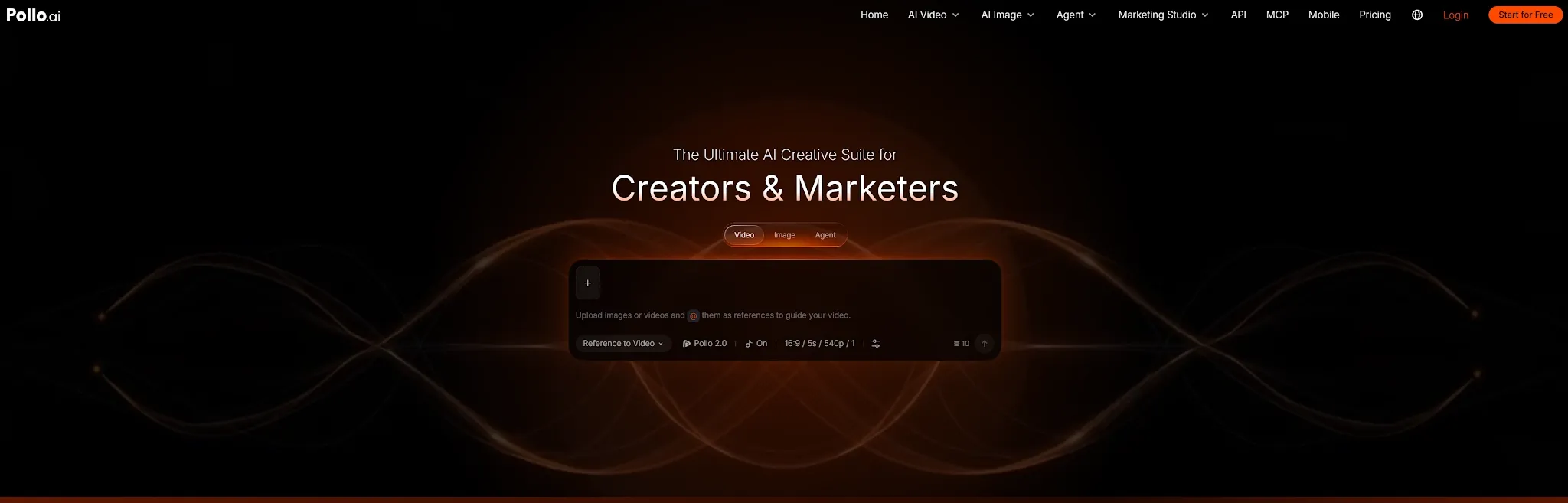
With Pollo Agent, the platform can also help structure scenes, pacing, visuals, and sound toward a production-ready video with no editing required for the first complete version.
Advanced Video Models in One Place
Pollo AI also lets creators switch between advanced video models based on the job. Depending on the project, you can use MiniMax H3 Max, Seedance 2.5, or Wan 3.0 in the same broader creative ecosystem.
The model choice matters because cinematic scenes, character-led stories, product visuals, and social ads do not need the same generation behavior.
Marketing Studio for Campaign-Ready Video Ads
For marketers, Marketing Studio by Pollo AI is more directly aligned with campaign work than a story-first generator. It can help teams turn product images, campaign ideas, or scripts into product advertising videos, UGC-style content, and campaign variations.
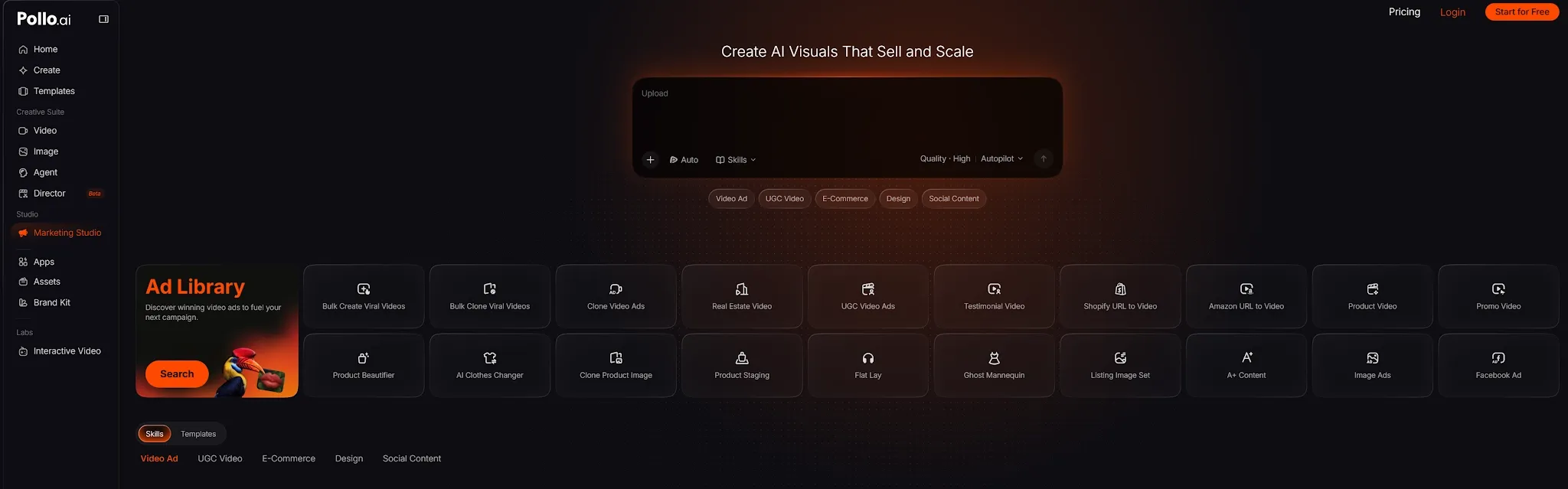
This is useful when the real bottleneck is not making one video, but testing several hooks and formats before a campaign goes live. A marketer can turn a product idea, script, URL, or product image into multiple campaign-ready creative directions, then refine the strongest version inside the same platform. MagicLight can support a product story, but Pollo AI is more purpose-built for repeatable ad production and social variations.
My Personal Take on MagicLight AI
I like MagicLight AI because it addresses a real frustration: most AI video tools give you disconnected clips, while a story needs characters, voices, and scenes that belong together. The storyboard and reusable cast make the first complete draft feel much more achievable for beginners.
But I hit the limits when I treated the tool like a full production editor. Character drift, audio fixes, credit usage, and scene-level control become more important as the project becomes longer or more commercial. A good first draft is not the same as a finished video.
My recommendation is to use MagicLight for story-driven production, education, and faceless content. Before paying for a larger plan, generate one representative episode and check the scenes, voice, captions, and credit consumption. If your priority is marketing output or multiple video formats, start with Pollo AI instead.
Final Verdict: Is MagicLight AI Worth It?
MagicLight AI is worth trying if you need a beginner-friendly AI video generator for long-form stories, animated explainers, recurring characters, and narrated social content. Its biggest advantage is the complete story workflow, not any single animation model.
It is less convincing for users who need precise shot direction, dependable brand accuracy, unlimited experimentation, or production-ready ad variations. Test a short project first, review every important scene, and choose a broader alternative such as Pollo AI when your workflow extends beyond story videos.