



Funy AI Review: I Took 2 Weeks to Look at Its AI Video Workflow
AI video tools can look similar at first: type something, upload an image, and wait for a short clip. Funy AI caught my attention because it focuses heavily on quick, effect-driven videos.
I reviewed it for 2 weeks to see how its video workflow feels in real use, especially for short clips, motion effects, and casual creative ideas.
Funy AI Review: TL;DR
| Review Point | My Take |
| Best for | Short AI effect videos and casual social clips |
| Main appeal | A simple workflow for quick video generation |
| Strongest area | Hug, kissing, dance, fight, and old photo style effects |
| Less ideal for | Ads, product videos, multi-scene stories, and branded content |
| Better alternative | Pollo AI for fuller video generation, editing, and post-ready workflows |
What Is Funy AI?
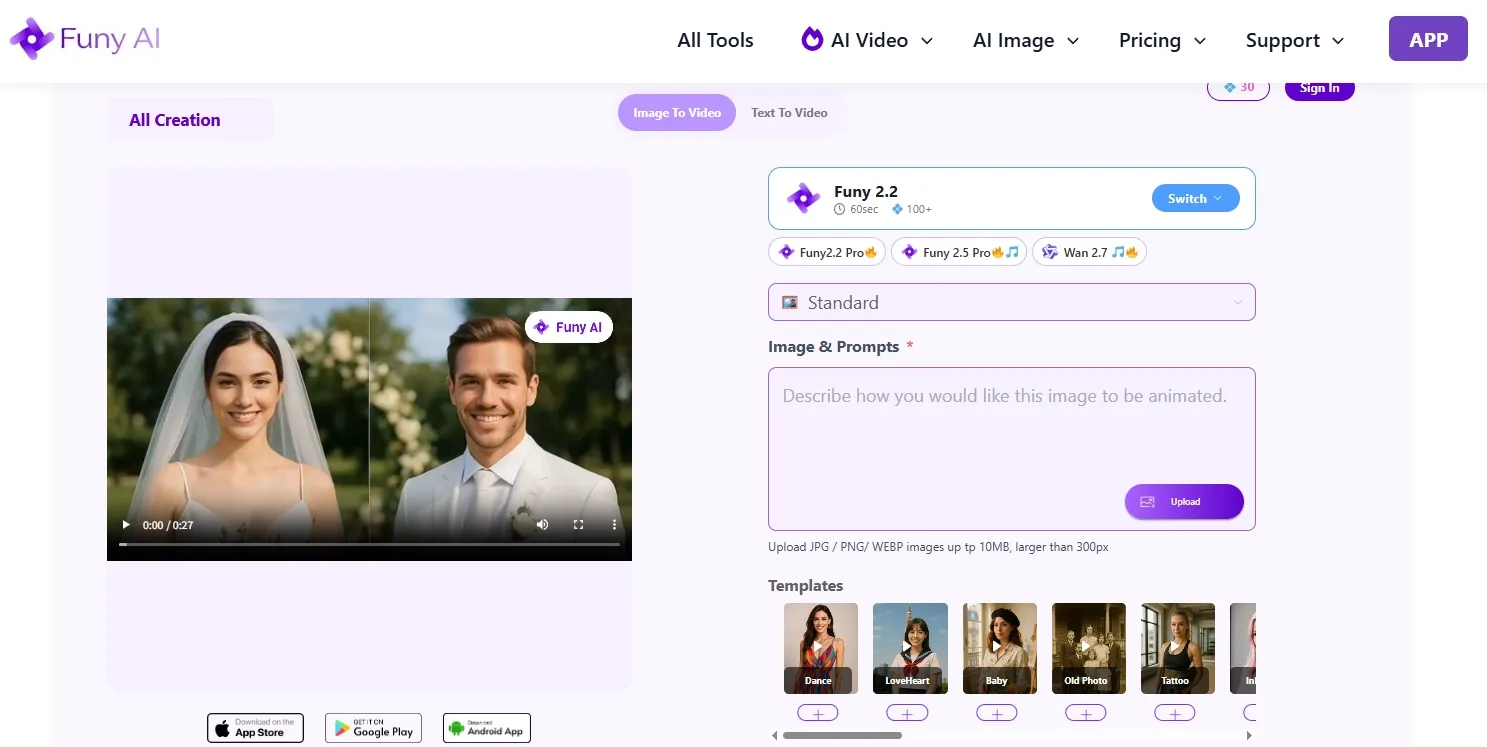
Funy AI is an AI video generator focused on short, easy to create clips. Its main video features include text/image to video, AI kissing videos, AI hug videos, AI dance videos, AI fight videos, and old photo animation.
I would place it in the casual AI video category. It is built more around fast clip creation and recognizable effect formats than complex video production.
Key Features of Funy AI I Tested
Text to Video
Funy AI’s text to video feature turns a written idea into a short generated clip. The workflow is direct and fundamental, which makes it approachable for users who want to test a simple visual concept without filming first.
This works best for clear scene ideas. For example, a creator could use it to sketch out a dreamy travel moment, a playful character action, or a story video concept.
I found it most useful for quick visual exploration. It helps me move from an idea to a short moving clip without needing a full editing setup.
Image to Video
Funy AI’s image to video feature is useful when the user already has a still visual and wants to add motion. A clear starting image gives the tool more visual direction than text alone.
I used it to turn a portrait, character visual, and an old family photo into a short moving clip. It can fit personal memory videos, simple creator inserts, or a light music video moment.
For casual social content, this workflow is easy to understand. It fits users who want movement from an existing visual without building a video from scratch.
AI Effect Videos
Funy AI’s effect videos are one of its clearest feature areas. The platform includes formats such as AI kissing videos, AI hug videos, AI dance videos, AI fight videos, and old photo animation.
These effects fit emotional, funny, nostalgic, or exaggerated short clips. I used a hug effect for a personal message, you can also try its dance effect for a playful post, or a funny AI style clip for light entertainment.
This is where Funy AI feels most focused. It gives users recognizable formats instead of making them build every video idea from scratch.
Short Video Creation Workflow
Funy AI’s workflow is built around quick generation. Users select a video feature, add the required input, and generate a short clip without managing a complicated timeline.
That makes it suitable for simple creator ideas, personal clips, and quick entertainment videos. For more structured visual storytelling, such as an AI movie, users usually need more planning around pacing, scene order, and final polish.
The workflow is light, which is part of its appeal. It works best when the intended output is short, simple, and self-contained.
Real Use Cases for Funy AI
| Use Case | How Funy AI Fits |
| Social entertainment videos | Fits funny, emotional, or exaggerated short clips for casual social posts. |
| Personal memory videos | Old photo animation and image based motion can support simple family or tribute style clips. |
| Creator casual video clips | Useful for quick visual inserts, reaction style clips, or simple motion effects. |
| Product concept rough cuts | Can test a simple visual idea, but polished product videos need more structure. |
| Ad idea exploration | Help with early motion tests of generative ads, while stylized ads like a full UGC video ads need hooks, scripts, and conversion flow. |
Funy AI Pros and Cons
Pros:
- Simple short video workflow
- Clear effect-style video tools
- Supports text-to-video and image-to-video
- Fits casual social and entertainment use cases
Cons:
- Limited depth for finished video production
- Less suitable for structured campaign videos
- Follow-up editing options are limited
- Output consistency needs review for serious use
Where Funy AI Falls Short
Funy AI works best when the goal is one short generated clip. The limitation appears when that clip needs to become a finished video with structure, pacing, captions, music, and a clear beginning and ending.
This is especially important for product videos, ads, creator series, and social campaigns. Those videos are not just about generating motion. They need a message, scene order, visual consistency, and a final format that is ready to publish.
Full Video Creation Starts Here
Join 10M+ creators using Pollo AI to generate immersive videos with every top model.
Create Videos with Pollo AI Free
That is where Pollo AI becomes a stronger alternative. Its AI video generator supports broader video creation across text, image, video, and reference-based workflows. For videos that need more than one quick effect, that flexibility matters.
Pollo AI also covers production work that Funy AI does not focus on. Pollo Agent can turn an idea, URL, text, image, or asset into a ready-to-publish video with structure, pacing, music, captions, and hooks. For business content, Marketing Studio is built around ad and campaign video workflows.
Funy AI vs Pollo AI: Which AI Video Workflow is Stronger
| Factor | Funy AI | Pollo AI |
| Main focus | Short AI clips and effect videos | Complete AI video creation workflows |
| Best for | Casual entertainment and simple motion clips | Creators, marketers, sellers, and brands |
| Generation types | Text to video, image to video, effect videos | Text/image/video to video, reference based generation, avatar videos generation and video agent workflows |
| Editing depth | Limited after generation | Stronger AI video editing and refinement with an AI video editor |
| Business use | Better for early visual ideas | Better for complete ads, product videos, UGC, and campaign assets production |
| Final output | Often needs outside editing | Built around ready to publish video creation |
Why I’d Use Pollo AI Instead
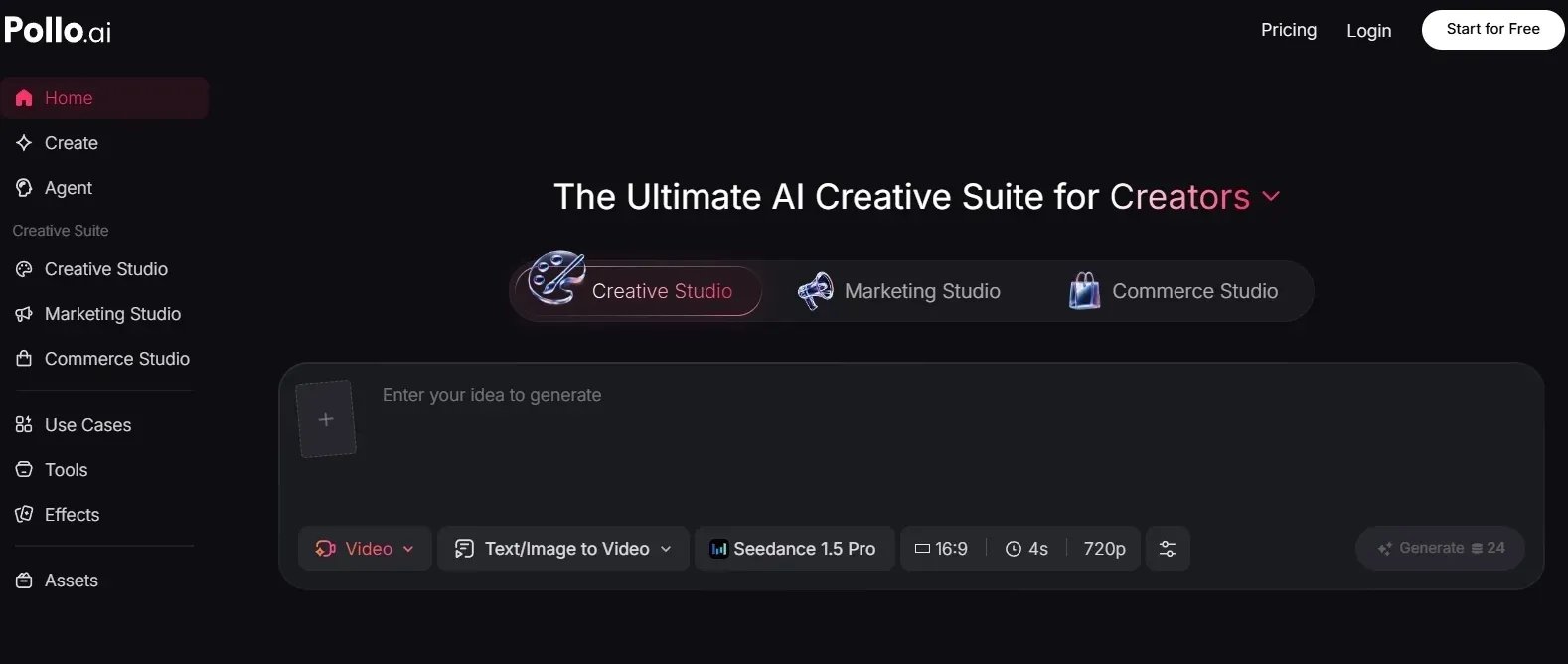
1. A stronger full video generation workflow
Pollo AI gives me more ways to start when I create videos. Supported by multiple leading AI video models such as Kling 3.0, I can turn a prompt into a clip with text to video AI, animate a still visual with image to video AI, or restyle existing footage with a video to video tool.
That matters when the project is more than a one off effect. If I am building a product teaser, a creator series, or a stylized campaign asset, I want multiple input options instead of one narrow generation path.
2. Pollo Agent for ready to publish videos
Pollo Agent is the biggest difference for finished content. It can take an idea, URL, text, image, or asset and turn it into a structured video with pacing, music, captions, and opening hooks without editing.
That changes the workflow from generating a clip and then editing it somewhere else to creating a complete video from the beginning. For users who need social posts, campaign videos, or creator content regularly, that saves a lot of manual assembly.
3. Marketing Studio for ads and business videos
Pollo AI’s Marketing Studio is better suited for commercial video needs. It supports turning URLs, creative ideas, or product photos into types of ads like unboxing video ads and outfit try-on ads.
This makes Pollo AI more useful for sellers, brands, agencies, and marketers. Instead of only creating a visual effect, users can create post-ready marketing videos around products, offers, scripts, and ad formats.
4. AI avatar videos for talking head content
Pollo AI also gives users an AI avatar workflow for creating talking head videos, presenter style clips, and avatar based content without filming a real person.
This is useful when the video needs a spokesperson, narrator, explainer, or product presenter. Funy AI is more focused on short effects, while Pollo AI can support more practical video formats for educational content, marketing ads, tutorial videos, and brand communication.
5. AI video editing after generation
The AI video editor gives Pollo AI an important advantage after the first generation. A generated video is rarely final on the first try, so editing and refinement matter.
With Pollo AI, users can continue improving the clip, adjust visual details, clean up backgrounds, change elements, and refine the final result inside a broader video workflow. That makes it more practical for videos that need to be published, not just previewed.
How I Tested Funy AI
I reviewed Funy AI by going through its main video creation paths and judging each one on the same set of criteria: input clarity, generation flow, motion quality, result consistency, and how much post-generation work the clip would need.
I paid particular attention to whether the tool handled simple prompts and image based inputs smoothly, whether its effect videos produced usable short clips, and whether the final outputs felt suitable for casual use, creator content, or more polished video needs.
Final Verdict
After reviewing Funy AI, I’d place it in the quick clip category. It covers basic short effect videos and simple animated clips, but I do not see it as a full video production workflow.
Where it falls short for me is the step after generation. If I need a polished ad, product video, creator series, or branded asset, I want more control over structure, editing, scene continuity, captions, hooks, and the final publishable version.
That is why I’d choose Pollo AI as the stronger Funy AI alternative.
It feels more useful once the goal moves beyond a quick effect, because I can generate the video, shape it with stronger model options, turn rough ideas into ready to publish content with Pollo Agent, and still refine the result inside the same workflow.
For ads, presenter style videos, and branded content, that makes the process feel much more complete.
So my take is simple: Funy AI can cover a narrow quick effect need, but Pollo AI is the better choice when I want to turn an idea into a complete video.
Funy AI Review FAQs
What is Funy AI used for?
Funy AI is used for generating short AI videos, including text to video clips, image to video clips, kissing videos, hug videos, dance videos, fight videos, and old photo animations.
Is Funy AI good?
Funy AI is useful for casual short videos and simple AI effects. It works best for lightweight entertainment content rather than polished video production.
Is Funy AI strong enough for professional video production?
Funy AI can help with rough visual ideas, but professional videos usually need stronger control over pacing, editing, captions, scene structure, and final output quality.
What are Funy AI’s limitations?
Its main limitations are workflow depth, editing flexibility, and production structure. It can generate short clips, but it is less suited for complete ads, product videos, or multi scene content.
What is the best Funy AI alternative?
Pollo AI is the stronger alternative if you want AI video generation, AI video editing, ad workflows, agent based video creation, and ready to publish output in one platform.