



GoEnhance AI Review: I Tested GoEnhance AI Video Generator, and It Could Create AI Animated Short Videos in Minutes
Recently, I have tried the GoEnhance AI video generator for a few days. This cutting-edge AI tool transforms the way I create and enhance short videos.
GoEnhance's interface is dynamic and intuitive, making it easy for both beginners and experienced users to navigate.
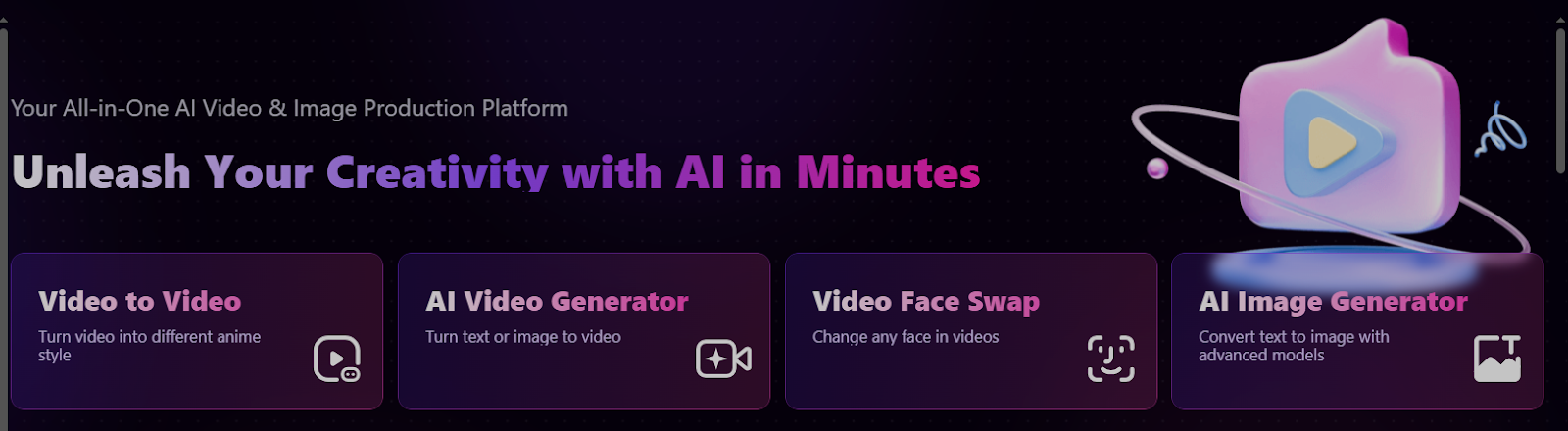
Generally, I can use GoEnhance AI video generator to create creative animations and short videos, or transform videos into various anime styles.
Upon testing its video generation features, I found the quality of video output was unsatisfactory. Although it could generate video quickly, most of them were shaky, which made the audience a little dizzy.
Also, the elements in the video could be blurry in some cases. Besides, the video style and video duration were not sufficient. This may limit my creation possibilities.
In the following parts, I’m excited to share my firsthand experience with this groundbreaking tool. I’ll demonstrate how it has simplified my process of video creation.
Text to Video
I started my first video by converting text to video. I chose the GoEnhance AI model, the aspect ratio, and entered the text prompt:
The traveler walks through a vibrant local market. Stalls are filled with colorful fruits, spices, and handmade crafts. People are chatting and bartering.
For about 10 seconds, I got the video:
Actually, it covered the elements I mentioned in the prompt, but they didn’t have good quality.
Both people and goods were vague; I couldn’t see their faces clearly, and I failed to see what kind of fruits, spices, and handmade crafts were appearing in the video.
I was also curious about how it could generate background audio by entering an audio prompt. Then I entered the audio prompt to add sound:
Lively market sounds—vendors calling out, the rustling of bags, and cheerful chatter.
The sound well matches the market scene. It was bustling, and I could hear people speaking in cheerful chatter.
However, it was weird that it decreased the picture quality after adding the background sound.
Image to Video
Then I decided to transform static images into dynamic videos. I uploaded a cartoon character, Labubu’s photo from my computer, selected GoEnhance’s own AI model, and input the text prompt:
As the train starts moving, the camera focuses on the plush toy, giving the impression that Labubu is excited about the journey. Then the camera pans to the window, showing the cityscape gradually giving way to the countryside, with the sky transitioning from blue to a warm sunset hue. Afterwards, the camera returns to Labubu, who appears to be gazing out of the window, captivated by the passing scenery.
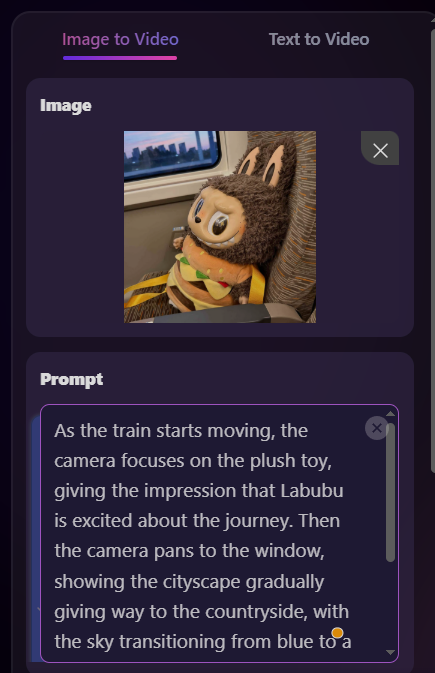
It costs 15 tokens to generate the video, and for a free trial version, I got 30 tokens. It took about 10 seconds to generate a 5-second short video.
The video covered all the scenes of my prompt. It was amazing that it could cover so many scenes in a short time frame, but the scenes switched very fast.
On the other hand, the video seemed like a scene shot by a mobile phone. Although it had a sense of the camera shooting, the picture was shaking all the time.
Both problems could affect the audience’s viewing experience and may even cause a feeling of dizziness.
Another major drawback was in the last shot - who appears to be gazing out of the window. This scene failed to appear in the video. Or we say, the character Labubu itself didn’t have major actions like turning its head.
Video to Video
Another core feature of GoEnhance is to transfer my video into an anime video style. This innovative function supports more than 30 unique animation styles, including Japanese anime, Pixar animation, and Pop Art.
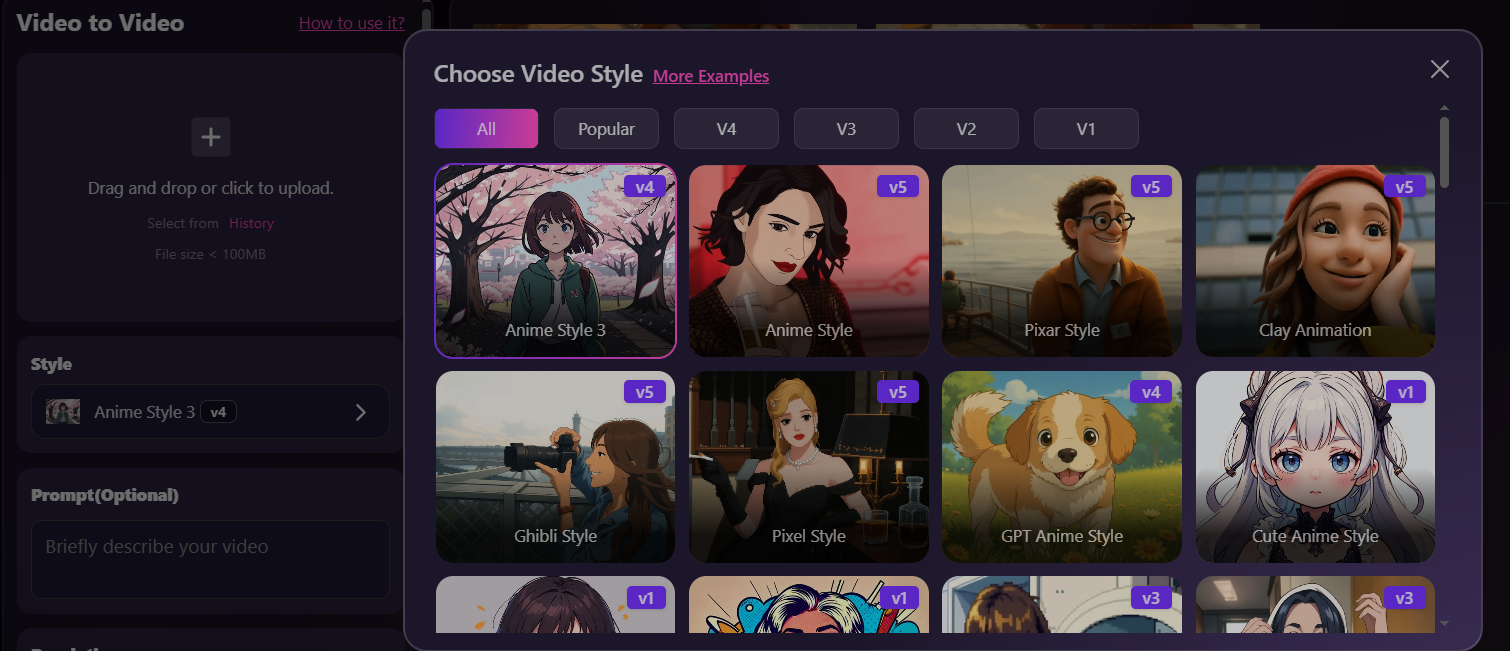
I can effortlessly transform home videos into Pixar-style animations or turn vlogs into vibrant Pop Art pieces.
Then I can apply these virtual characters to various cases, such as live streaming, customer service, or even virtual presentations.
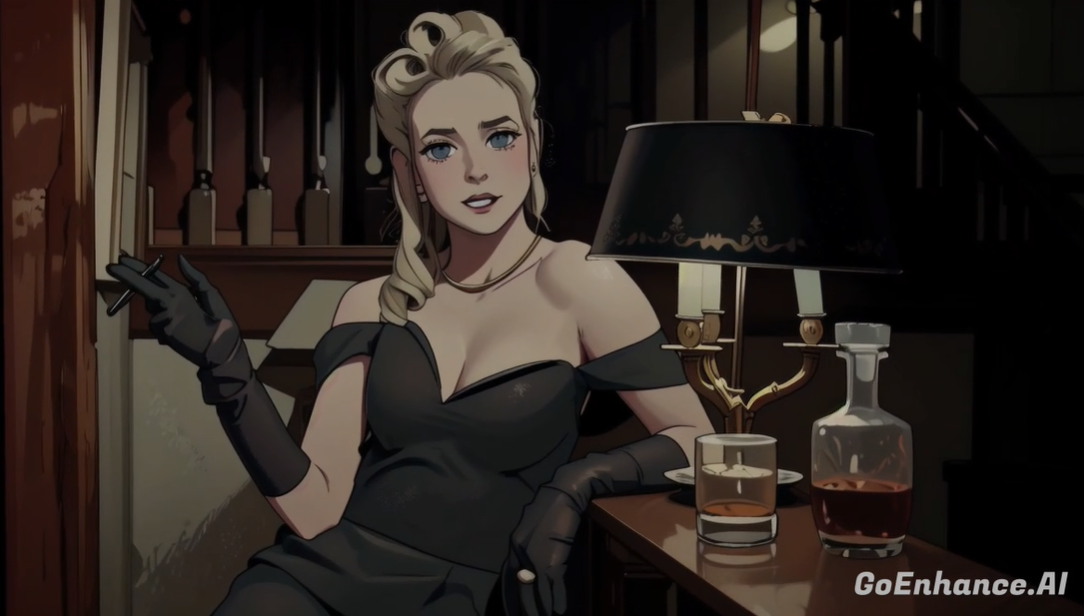
I uploaded a video, chose the Anime Style 3, and entered the prompt: change to the Disney style:
For this feature, how many tokens you might spend depends on the video duration.
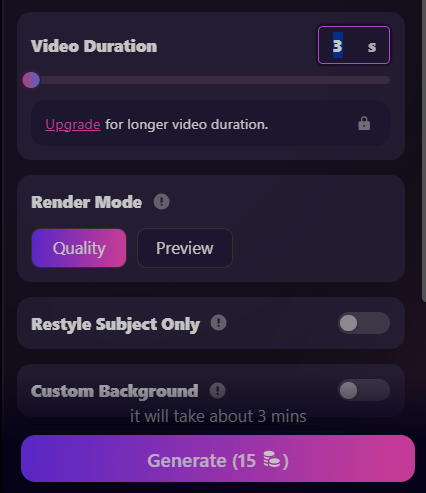
It took more time to transfer the video to video, but it was worth waiting! The output surprised me again!
The characters and most of the elements in the background have been well animated. Especially, I could see the scratches added to the left door frame.
But the desk lamp on the right didn’t change much. The main problem was that the picture shook quite severely, and even the female’s face and the decorations on the lights were shaking. The entire scene was just like being shot on a ship, which was a little dizzying.
My Thoughts About GoEnhance AI Video Generator
In general, it’s effective to use the GoEnhance AI video generator to create and animate videos. Its excellent AI algorithms and various video styles can bring many surprises to your final video output.
It’s suitable to post these generated short videos on social media, which will bring you a lot of likes and shares.
On the other hand, it also has some drawbacks. Although the overall picture quality is good, you’ll see that the picture is obviously shaking in the video. If the generated video is too long, it will make the audience feel dizzy.
Besides, it doesn’t provide common video editing tools, so I fail to trim, combine, crop, split, or stabilize the output.
If there are some minor errors in the video, I cannot adjust it using the built-in editors. I can only export it and edit it with other tools, or use several stokens to regenerate the video.
Furthermore, although GoEnhance provides many AI video models, not every model can generate high-quality videos.
For example, if you use the “GoEnhance” AI video model to generate videos from text, the output could be poor.
Although almost all the elements I indicated in the prompt were represented in the final works, many of them were vague.
Why I Use Pollo AI as an Alternative to GoEnhance AI?
Pollo AI is an all-in-one AI video and image generator that I tried in recent days.
Compared with GoEnhance AI, I could always experience the latest AI video models, such as Sora 2, Kling 2.1, Veo 3, Seedance 2.0, Runway, and more. Therefore, I can try different AI models on the same platform.
I have easy access to and can use not only video models, but also powerful image models like Google Nano Banana, Flux, Recraft, and Ideogram.
Besides, Pollo AI video generator allows me to generate a video from text, images, and videos. The generated videos have higher quality and won’t shake as GoEnhance AI’s generated videos do.
It also provides tools like upgraders, enhancers, lip-syncing, and face-swapping. Therefore, I could generate more interesting videos than animated ones.
On top of these, Pollo AI offers some really unique creation tools. I can build personalized digital personas with the AI avatar feature. I can also quickly produce music and story videos with Pollo agent. It even enables me to promote my brand by creating UGC video ads.
Conclusion
In summary, it’s quick to create and animate videos with GoEnhance AI. However, after several rounds of tests, I found the quality of the output wasn’t good.
The video could be shaky, and the background and some elements in the video could also be unstable.
As a content marketer, I prefer to use Pollo AI to generate various stylish videos and deliver them on social media.
With Pollo AI, I can experience more AI video models in one place and enjoy various video effects.