



Pyksel Review: I Tested Its AI Ad Workflow
Pyksel is the platform that absorbed Pykaso and turned its character technology toward AI UGC, AI actors, and short product ads.
That rebrand caught my attention because it changes what users should expect from the old Pykaso workflow, so I wanted to see whether Pyksel now helps build an ad or mainly helps make a character-led concept visible.
My Verdict:Pyksel is useful for making an actor-and-product idea visible quickly, but teams that need source-backed copy, deliberate scene order, and precise revisions will reach its limit early.
Pyksel Review: TL;DR
| Area | My Take |
|---|---|
| Category | AI actor and UGC ad generator |
| Core input | Library or trained character, plus an image or prompt |
| Key mechanics | Character training, one-image animation, prompt controls, asynchronous generations |
| Output shape | Short actor-led clips for concept review |
| Better alternative | Pollo AI for URL/script-led ad structure and multi-scene production |
What Is Pyksel?
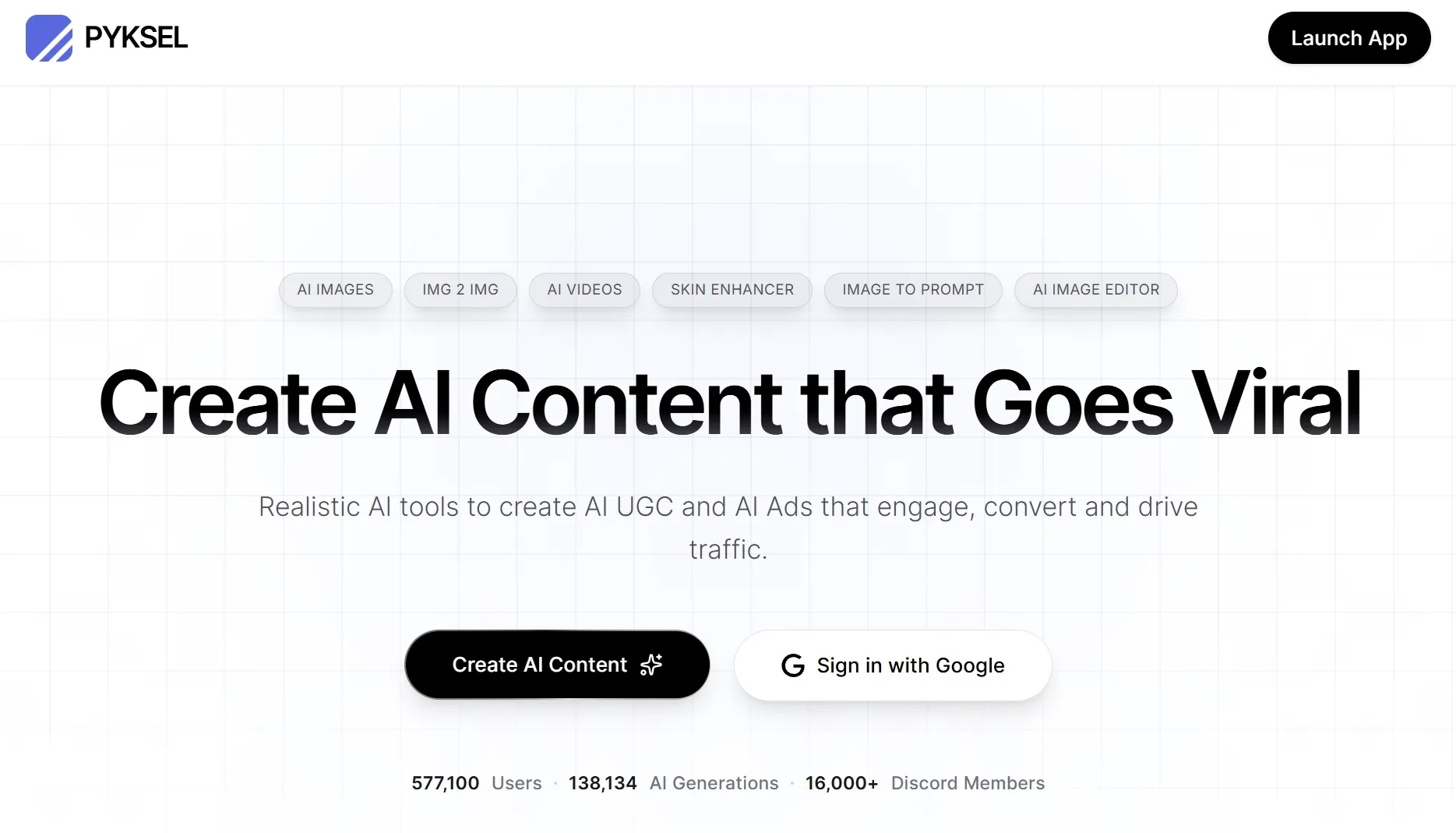
Pyksel is an AI content platform built around realistic characters, repeatable brand ambassadors, and ad-oriented video tools. Its homepage also states that Pykaso was acquired by Pyksel, which is why the older character-training identity still matters to the current product.
Pyksel's video workflow sits inside a broader AI video generator, but it is easier to understand in smaller pieces. A user can select or train a character, create a source visual, animate one image with a motion prompt, and launch several generations while earlier jobs render.
Pyksel therefore combines two related jobs: keeping a presenter recognizable and producing enough short visual directions to compare. Its unit of work is the actor-led clip, with shared character and source assets carrying consistency across generations.
How I Evaluated Pyksel
I followed the product as an early ad-concept workflow rather than judging it as a general character generator. I checked whether the actor, product framing, motion controls, and generation queue make a rough idea specific enough for a marketer to review.
I used the same lens I would apply to UGC video ads: the presenter must be recognizable, the product must survive the motion step, and the clip must leave the team with a clearer hook to develop.
Key Feature Review
AI actors and character training
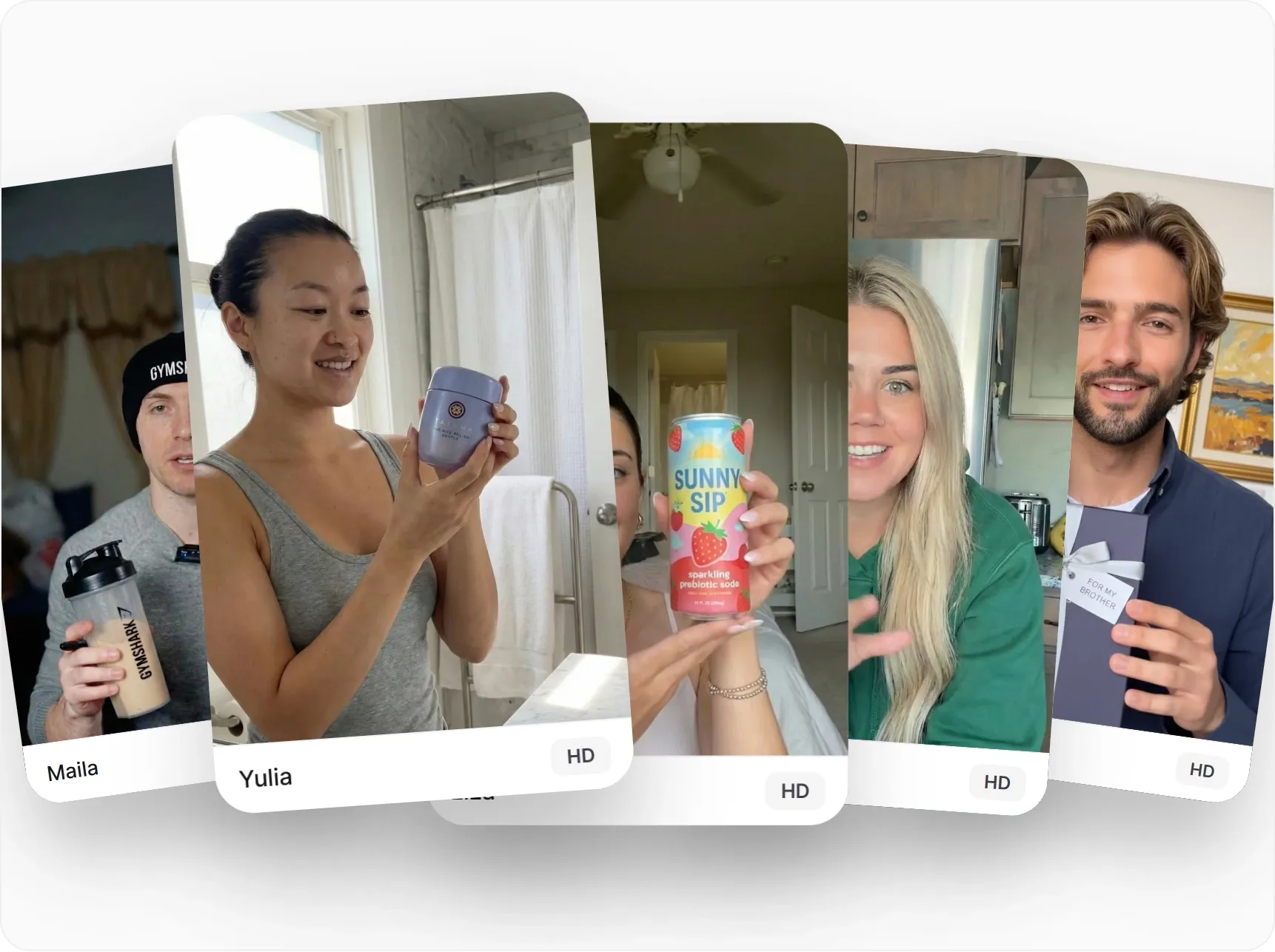
Pyksel's character system gives the ad workflow a stable on-camera identity. The homepage says users can choose a character from its library or train an AI influencer, while the training guide asks for varied face, waist-up, and full-body images of the same person.
What I like about this setup is that several concepts can feel as if they came from the same spokesperson rather than a new avatar every time. I would still watch the performance closely: the face may stay stable while the delivery feels stiff, the product is handled awkwardly, or the clip feels more like it came from an AI talking avatar than a credible recommendation.
One-image video generation
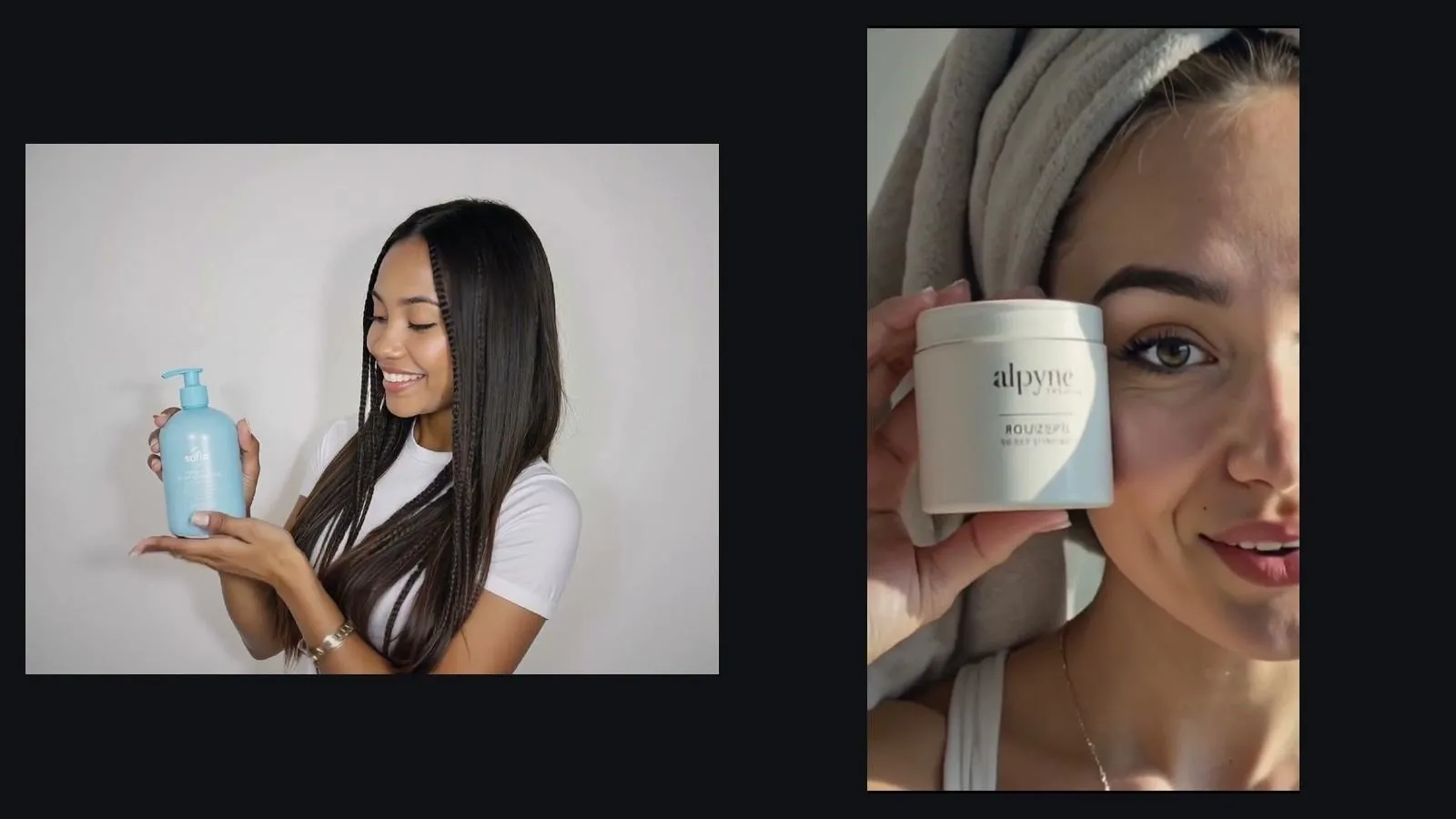
Pyksel's documented AI Video Generator requires one uploaded image, then asks for a motion prompt, optional negative prompt, and output settings. That makes the source frame unusually important because it defines the product, pose, crop, and visual hierarchy before movement begins.
For a clean product shot or presenter portrait, image to video is a fast way to test motion. If the source hides a label, bends a hand around the product, or uses the wrong scale, the generator may animate the mistake instead of repairing it.
Prompt and output controls
The video interface documents negative prompts, a freedom setting, aspect ratio, 720p or 1080p quality, 5- or 10-second duration, and model choice. These controls are enough to compare a restrained product movement with a more expressive social treatment without changing the whole setup.
They are still generation controls rather than an editing timeline. When one gesture needs to land on a spoken phrase or one label must remain readable through the shot, a social media video workflow needs timing and layout decisions that a freedom slider cannot supply.
Asynchronous generations
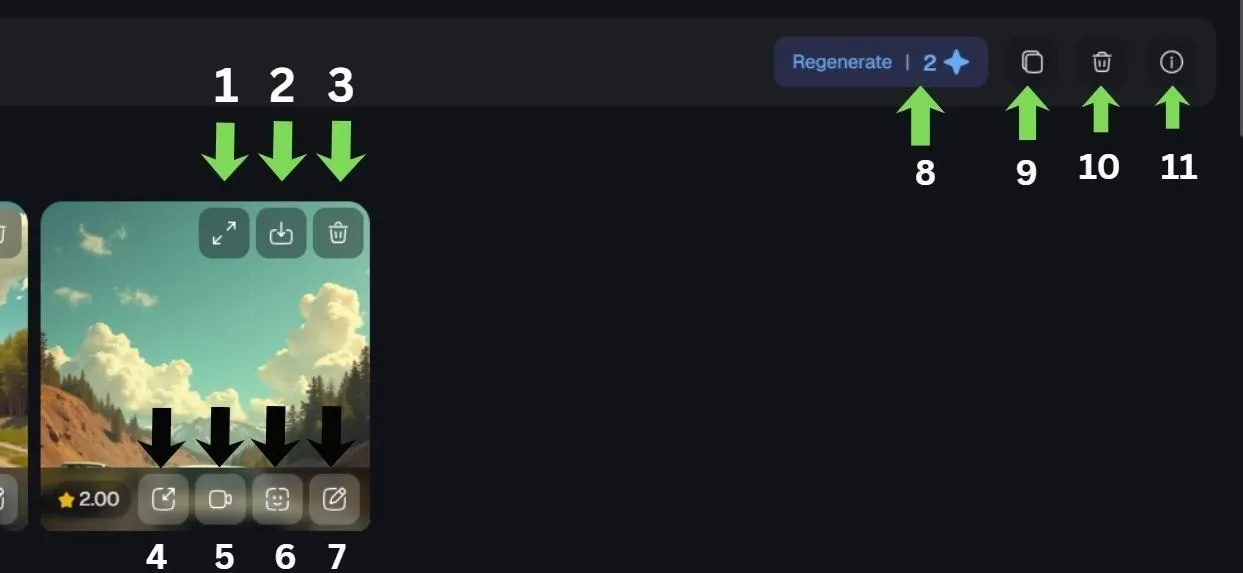
Pyksel promotes asynchronous generation so users can launch many jobs without waiting for each result to finish. For a team comparing presenters, poses, or opening visuals, that queue design is more useful than a strictly sequential generator.
Volume only helps when the comparison question is clear. If the team has not defined the offer, proof point, or audience, a large batch becomes a gallery of alternatives rather than a useful decision from an AI ad generator.
Pyksel Use Cases: Who Should Use It?
Pyksel fits short, actor-led concept work where visual identity matters before production detail.
- Recurring spokesperson tests: for brands comparing several messages with one recognizable AI presenter.
- UGC hook mockups: for marketers turning scripts into UGC ads to compare several creator-style directions before writing a creator brief.
- Product-image motion tests: for teams checking whether an existing hero image can support a short product video ad.
- Agency concept boards: for presenting actor and visual directions before a client approves production.
What I Liked
The clearest positive is the product's mental model: choose or train the person first, then reuse that identity. That order is easier to review than a batch where every concept introduces a different face.
I also found the documentation refreshingly specific about source-image quality and simple motion prompts. Those guardrails tell users where to spend effort before generating avoidable variations.
Where Pyksel Falls Short
The moment I would slow down is when the source image looks polished but gets the product wrong. A softened cosmetic label or a gadget held at the wrong angle can survive a quick visual review, so this is one place where I would check commercial accuracy before judging the clip on style.
- Corrections often restart generation: when one beat is wrong, users may need another render instead of a targeted online video editing.
- The ad argument remains manual: the tool can stage a presenter and product, but it does not decide which objection, proof point, or CTA should carry the ad.
- Batch review needs a scorecard: asynchronous output saves waiting time only when the team knows which visual and message criteria determine a winner.
Pros and Cons
Pros:
- Library and trainable AI actors
- Clear one-image animation path
- Useful prompt and output controls
- Asynchronous generation supports comparison
Cons:
- Acting quality still needs close review
- Source-frame errors can carry into motion
- No documented scene-level campaign builder
- High output volume can create review debt
Beyond Pyksel
I would keep using Pyksel while the question is, 'Does this presenter and product angle look worth developing?' Once the answer is yes, the work changes. Now the team has to decide which real product claim opens the ad, how several scenes support it, where captions sit, and what the viewer should do next.
At that point, I would move the job into Pollo AI, a broader AI creative suite. The part that matters here is Marketing Studio: it can start with the product page or approved script, pull those facts into scenes, and give the marketer a draft whose message, pacing, and CTA can be reviewed together.
- Product page as source: Pollo AI's URL to video ads extracts page material so the first draft can reflect real product copy instead of a manually retyped summary.
- Written message as source: Pollo AI's script to video ads maps the script to visuals, voiceover, and transitions, giving the team a scene sequence to revise.
- Rough brief as source: Pollo Agent returns a multi-scene direction that can be refined through conversation instead of assembling isolated generations by hand.
Build Structured Video Ads with Pollo AI
Turn product pages and scripts into reviewable ad drafts.
Try Pollo AI for Video Ads
Final Verdict
What stood out to me was how much Pyksel depends on the quality of the first visual decision. A strong source image and a well-prepared character make the workflow feel coherent; a weak source simply gets multiplied faster.
Use Pyksel when the immediate question is whether one AI presenter and product angle deserves further development. Choose Pollo AI when the angle is already approved and the next deliverable needs product-page facts, a written script, multiple scenes, and revisions that follow an ad structure.