



Shutterstock Review: I Tested Shutterstock's AI Image Generator, Not as Powerful as It Describes
Shutterstock is well-known as a go-to platform for stock images, videos, music, and more.
Recently, I discovered they offer an AI Image Generator, so out of curiosity, I decided to give it a try.
Like many AI image tools, it lets you create images from text prompts. I found it to be a decent option for quick, automatic image generation.
However, honestly, it didn’t quite live up to the hype I saw on their official website.
Plus, it’s a paid feature and lacks some capabilities like image-to-image generation, which feels a bit limiting.
After testing it through several rounds, I’ve formed an objective view of its strengths and weaknesses.
If you’re thinking about trying Shutterstock’s AI Image Generator yourself, I recommend reading about my real-world experience and honest opinions first.
My First Glance at Shutterstock's AI Image Generator
To be honest, I didn’t expect much at first, as there are countless AI image creation tools on the market, and all of them boast they are the best AI image generator.
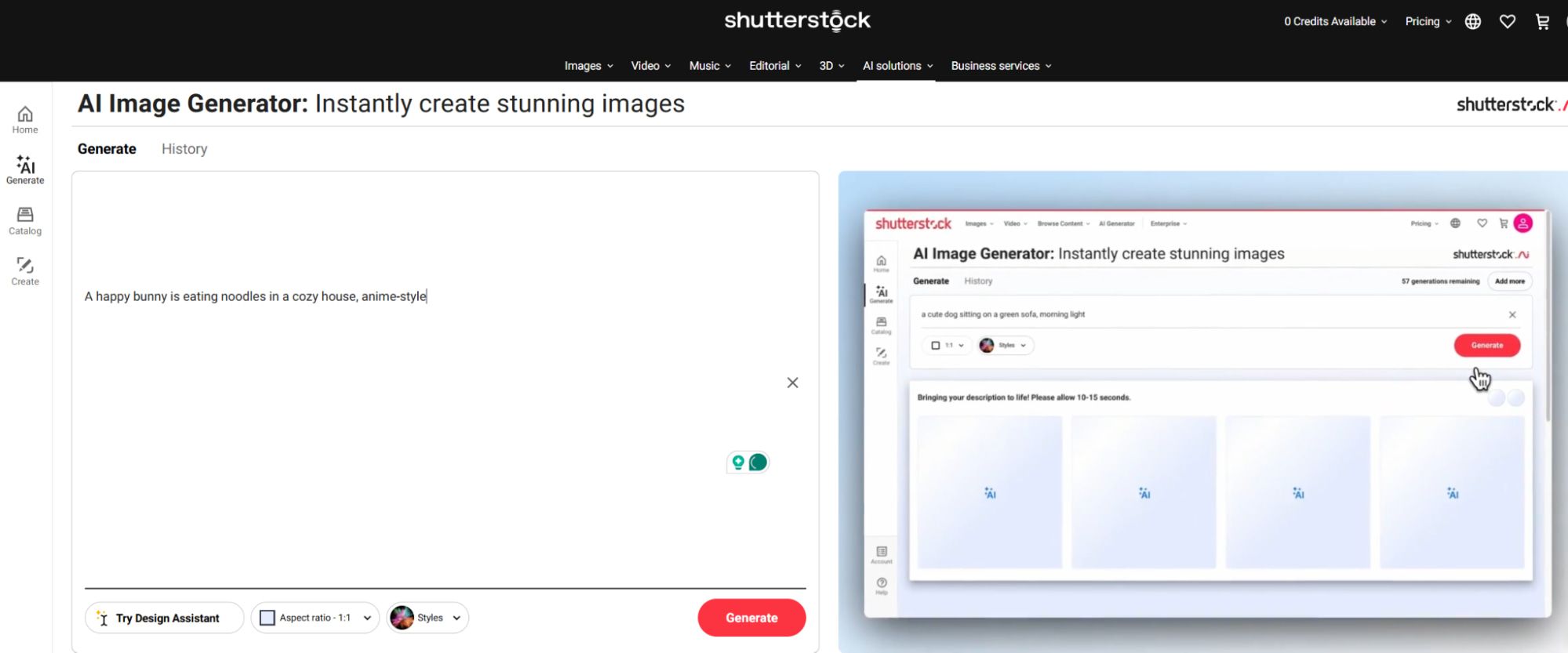
However, after I opened the image generator, the first impression of the interface attracted me. I see a clean and simple editing interface. No ads, no those fancy things.
For users like me who are using it for the first time, it gave me some on-screen instructions on the right side, making the job simpler.
It is merely an AI text to image generator, so it doesn't allow me to upload an image for reference, which is way less versatile than other competitors.
How I Tested Shutterstock's AI Image Generator?
In order to verify whether Shutterstock's AI Image Generator is such a powerful tool, I decided to test it. I created several types of images, including anime, landscape, portrait, and fantasy, to see how well it handled different scenes and styles.
Test 1: Anime Image Creation
I started with a lighthearted one - anime image. I entered such text description - "A happy bunny is eating noodles in a cozy house, anime-style" into the dialogue box, and chose 1:1 aspect ratio.
I let Shutterstock's AI Image Generator generated four variations. And below are two of them:
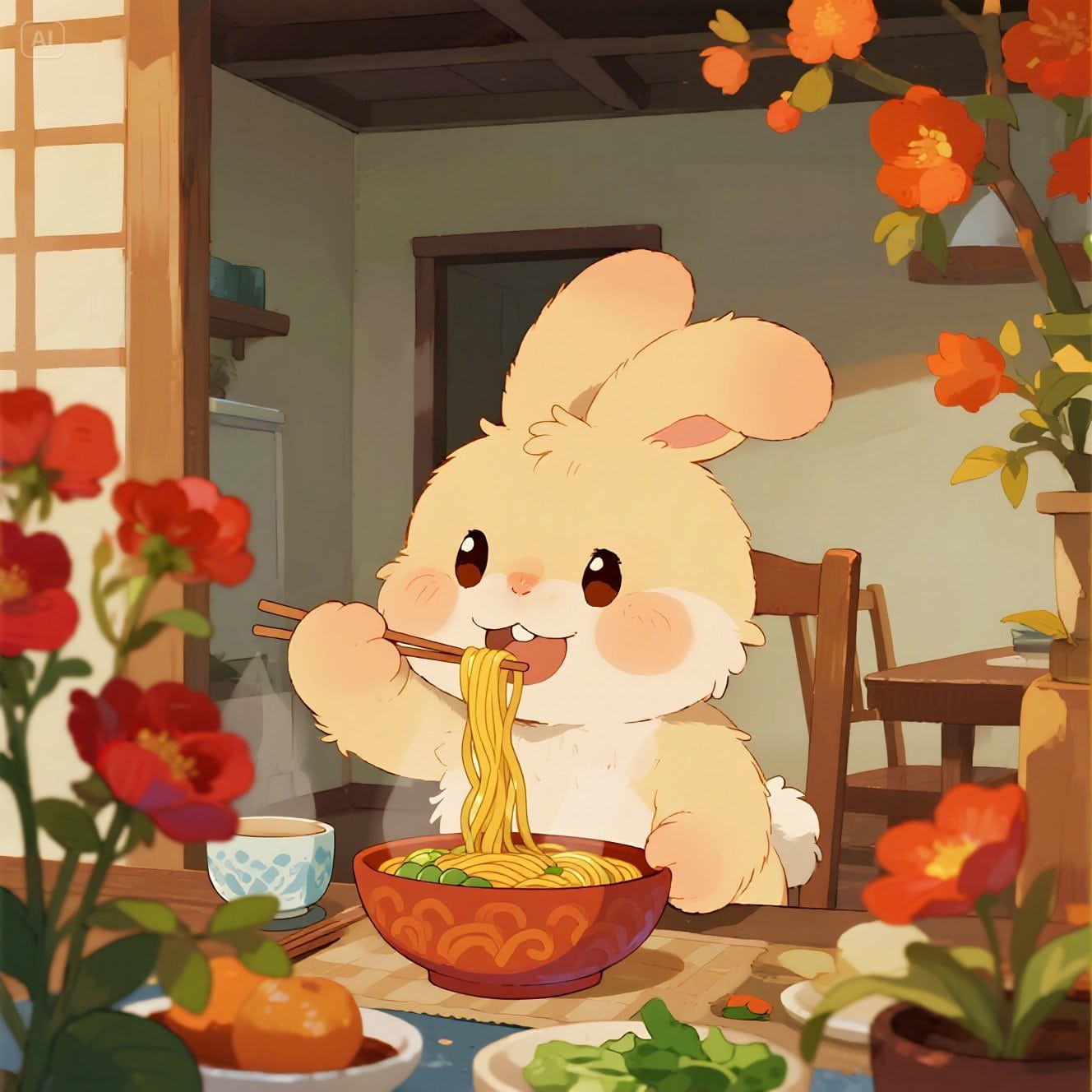
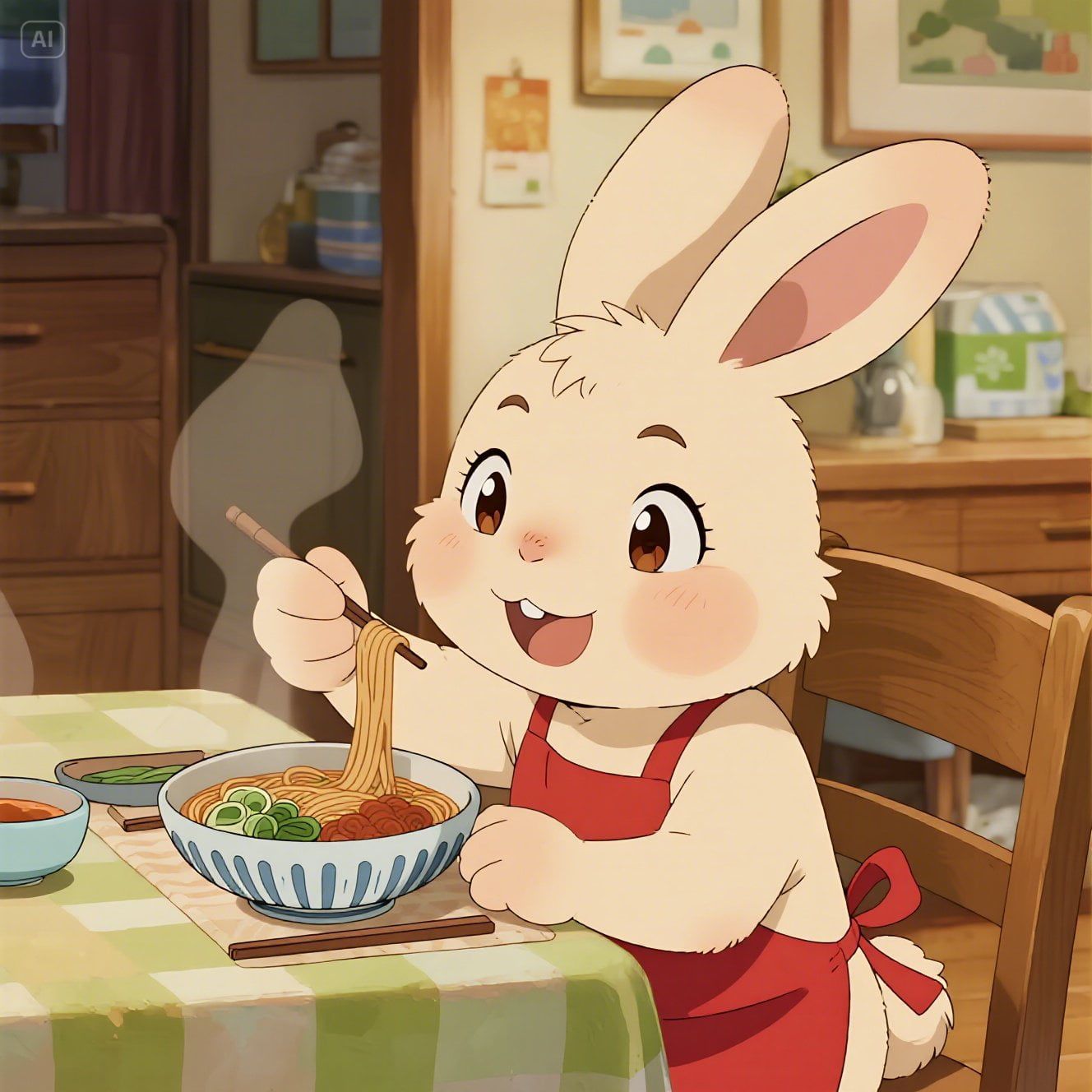
The expressions of the rabbits in each picture are slightly different, and the background decorations of each image are also different.
Generally speaking, the tones of the four images are warm, with a Chinese touch, full of dreamy and gentle feelings.
However, the backgrounds of the three images give me a dim feeling. I think the pictures it outputs should be bright because I gave the modifier "happy".
This should not only refer to the expression of the rabbit, but also apply to the entire scene. Right?
Anyway, this AI art tool almost understood my thoughts. I began to be impressed by it.
Test 2: Landscape Image Generation
Next, I continued to test the creation effects of another style of image, a landscape image.
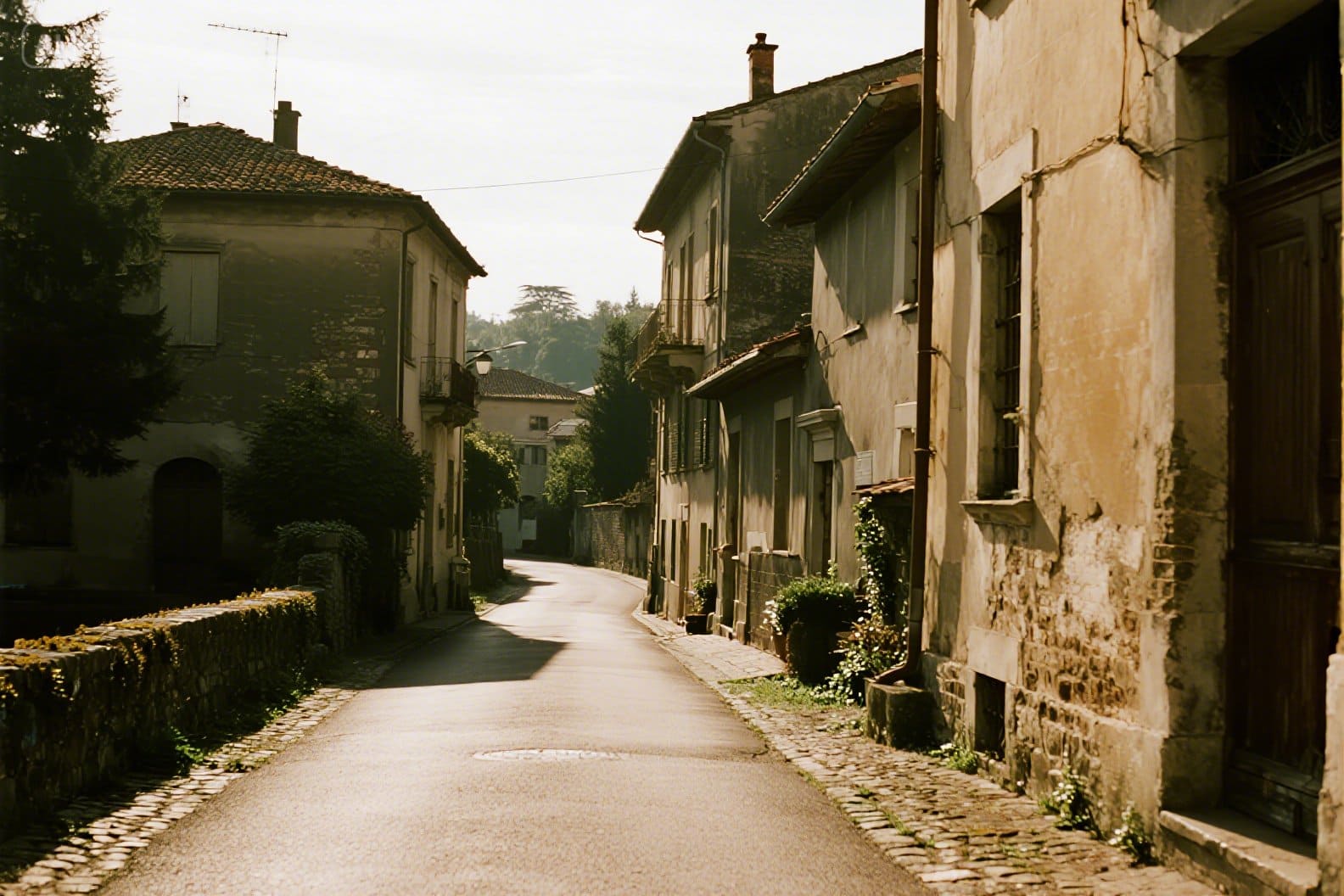
My text description is “The scenery of an Italian town, with sunshine and natural tones.”
The generated image reflected the "sunlight" I described, but the overall light effect was rather dim.
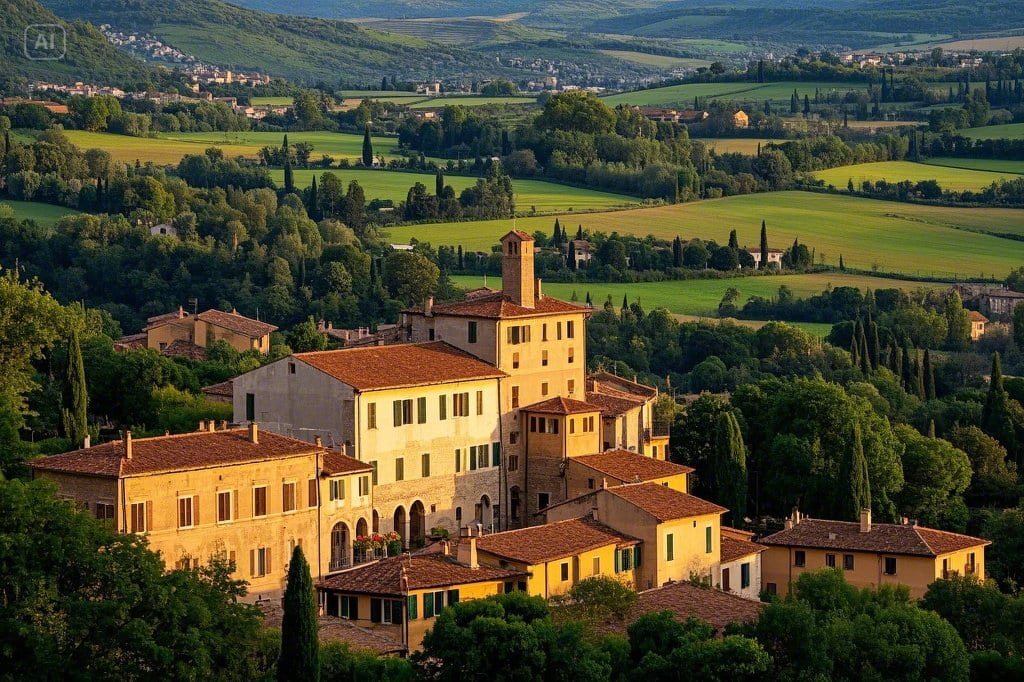
I decided to give it another try. So, I generate a new image with my original prompt. And oh no, it's even worse.
Test 3: Fantasy Image Creation
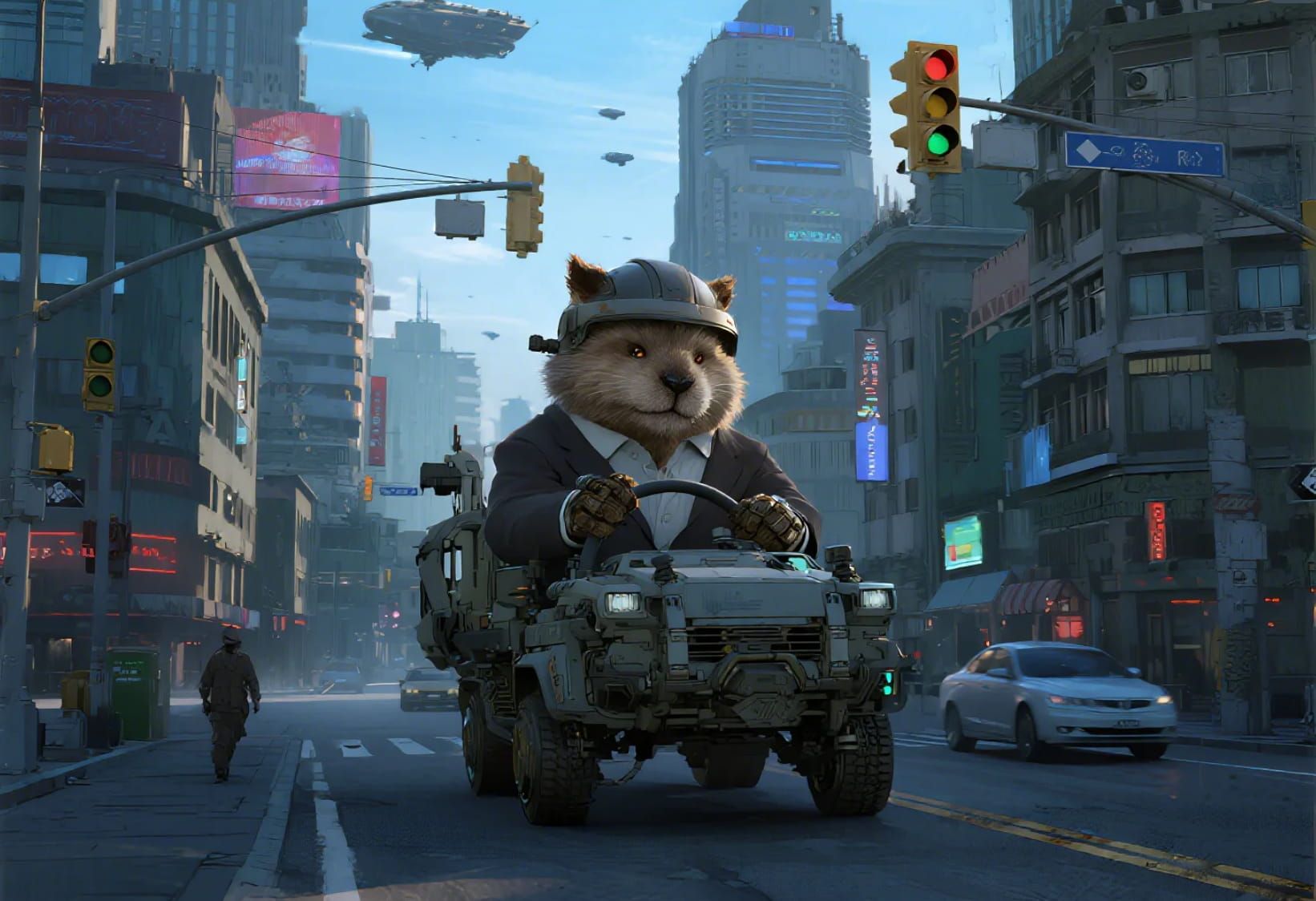
Last, I tried using it to create four fantasy images. I typed this text - In the city, animals have become like humans, driving and shopping. Small aircraft are everywhere above the city, and have a 4:3 aspect ratio with default size.
The image it generates is exaggerated and rich in color. One shows an animal driving in a car (but just one animal) with aircraft flying in the sky. One shows a big leopard reading a book (but its legs seem to be stuck in the soil. It is a bit out of place.
The remaining two draw animals are walking on the street. It's really interesting.
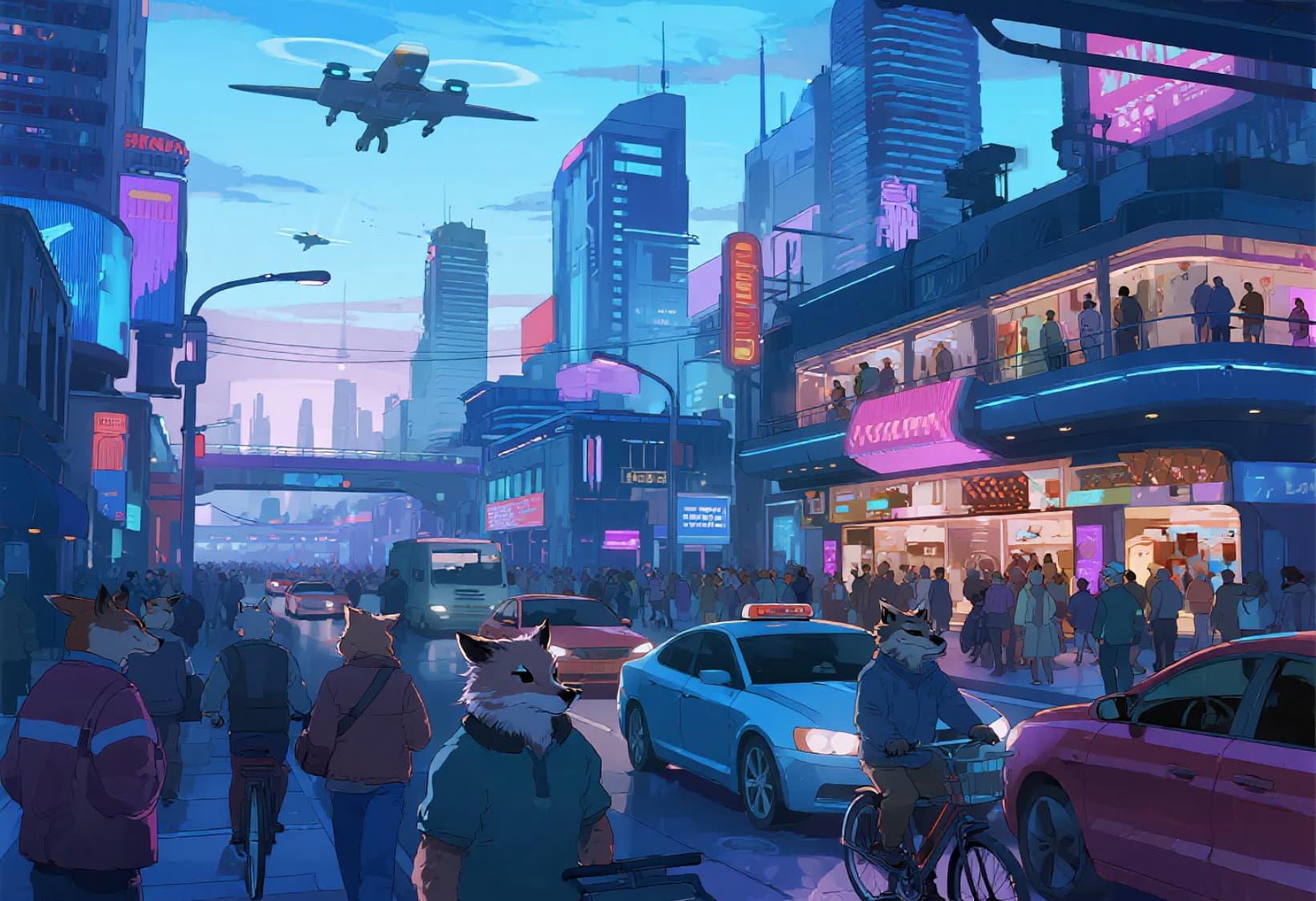
All of them are in an animated style and show in different tones, including warm, neutral, and cool tones. It is very much in line with the characteristics that fantasy images should have.
My Overall Usage Review of Shutterstock's AI Image Generator
All in all, Shutterstock's AI Image Generator is a nice tool, but not particularly stunning.
It is outstanding in fantasy and animation image generation. However, in terms of natural landscape generation, there is still room for improvement.
The images generated by this tool indicate an overall impression of being rather dim. This might be because it wants the images to appear to have traces of photographic techniques, but the algorithm goes a bit too far in actually adjusting the light sensitivity.
Moreover, its understanding of the text is not particularly in-depth and remains at a relatively shallow level.
For instance, when it comes to a cheerful atmosphere, it can only be understood at a superficial level - the person in the picture is smiling, and that's all.
And a significant point for me is that it lacks an image-to-image feature. This means I can't upload an existing image and use it as a base or reference for generating a new one, which, in my opinion, makes it quite a bit less versatile compared to some other tools out there.
Any Alternative to Shutterstock's AI Image Generator? Try Pollo AI!
Shutterstock's AI Image Generator didn’t bring me too many surprises. Its shortcomings drive me to explore better tools.
Luckily, I found one - Pollo AI image generator. In my eyes, it is the best alternative to Shutterstock's AI Image Generator.
Compared with Shutterstock, Pollo AI’s AI image generator covers over 10 image models, such as GPT-4o and Dall-E, etc.
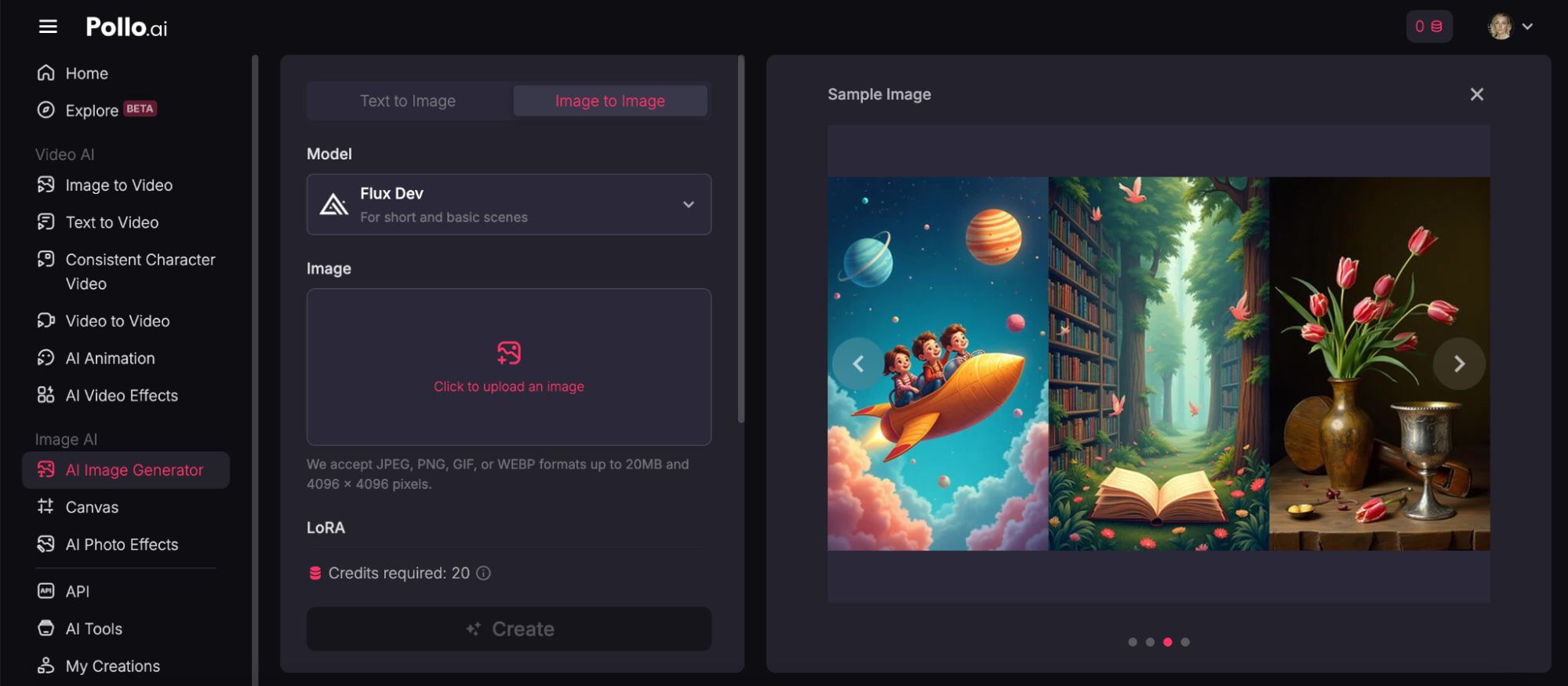
For non-designers or non-photographers who are not familiar with image styles, it provides specific image examples.
This allows you to have a profound understanding of different styles of images before creating them.
This free AI tool for image generation not only supports text-to-image creation but also image to image generation. Besides, it supports converting your generated images to short videos.
If you are an advertising designer, social media operator, photographer, or amateur art lover, it is worth trying Pollo AI image generator.
try