



What Is Higgsfield Clone? A Complete Guide to Its Cloning Ability
Higgsfield offers several ways to recreate faces, movements, and voices. In this article, I'll explain how they work and introduce more flexible cloning options offered by Pollo AI.
TL;DR
Higgsfield offers AI cloning capabilities for recreating faces, characters, movements, and voices through features like Soul ID, Genjutsu, and AI voice cloning. These features support digital avatars, motion transfer, video recreation, and consistent character creation, but each has its limitations.
For more flexible cloning options, Pollo AI provides specialized tools to recreate video movements, characters, voices, viral content, and advertisements.
What Cloning Capabilities Does Higgsfield Provide?
Higgsfield offers several AI tools that can recreate faces, characters, video movements, and voices using reference materials. Each focuses on a different aspect of cloning, from maintaining a recognizable identity to reproducing movements in new videos.
For example, you can recreate your appearance in AI-generated images, transfer movements from a reference video to another character, or generate narration using a cloned voice.
Here are the main Higgsfield tools that support these capabilities:
| Higgsfield Feature | What It Can Clone or Recreate |
|---|---|
| Soul ID | A person's facial identity for consistent AI-generated characters |
| AI Influencer | A reusable virtual character with customizable visual characteristics |
| Genjutsu | Movements, timing, and camera motion through Motion Transfer, plus characters, outfits, products, and other visual elements through Object Swap |
| AI Voice Cloning | A person's voice for new speech and narration |
These tools approach cloning in different ways. Soul ID and AI Influencer focus on character identity and consistency, while Genjutsu recreates motion and transforms existing footage. AI voice cloning extends these capabilities to speech.
Together, they provide different ways to recreate visual and audio content, depending on what you want to preserve or change in your creative projects.
What Can You Clone With Higgsfield?
Higgsfield supports several approaches to AI cloning, depending on whether you want to reproduce a person's appearance, movements, voice, or existing video content.
Here are the main capabilities I found worth understanding.
Clone Your Appearance With Soul ID
Soul ID is Higgsfield's character identity feature. It learns a person's appearance from reference photos and applies that identity to new AI-generated images.
You can provide at least 20 reference photos, with support for up to 80, to capture recognizable facial characteristics across different poses, outfits, and environments. Instead of describing the same face in every prompt, you can reuse a trained identity across multiple generations.
This makes Soul ID useful for creating consistent portraits of yourself in different locations, styles, and visual settings without arranging separate photoshoots.
For example, you can generate multiple portraits featuring your own face while changing the setting, outfit, or overall visual direction.
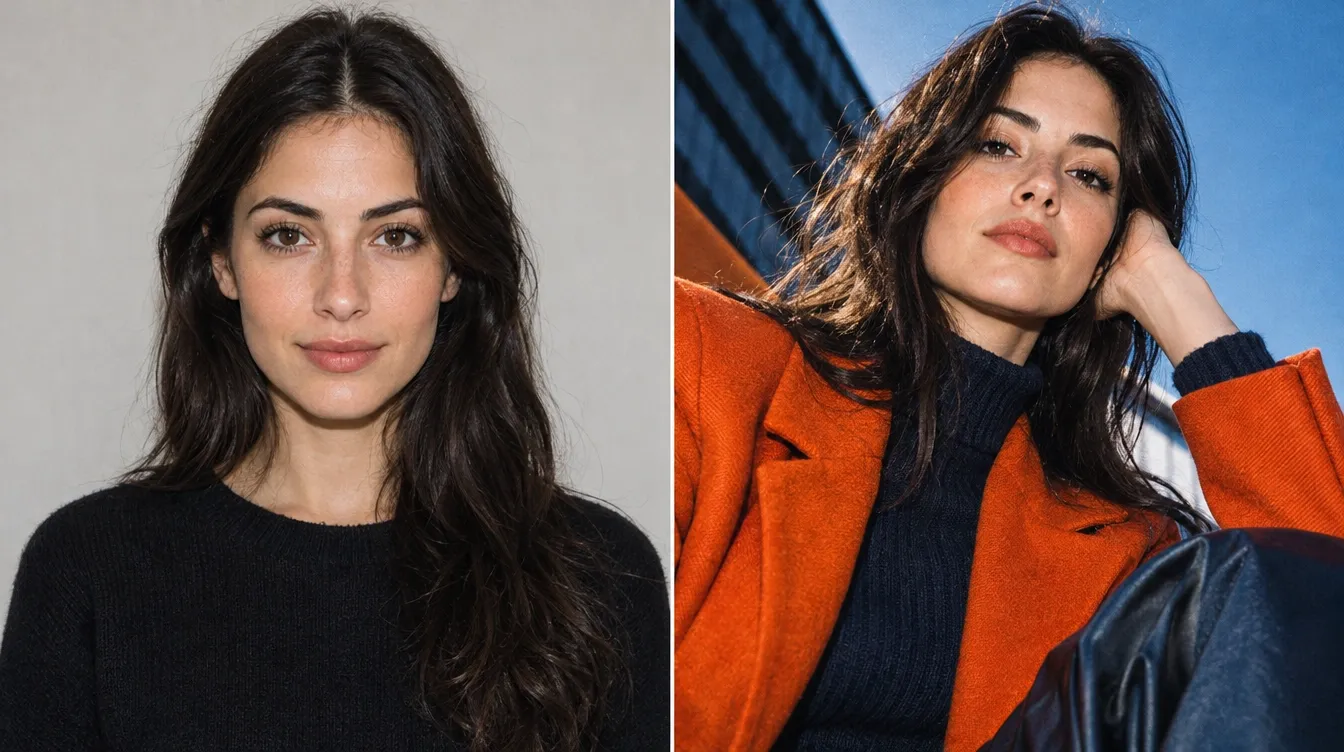
However, identity cloning is different from full video recreation. Soul ID primarily establishes a recognizable character identity, while additional video generation features are needed to bring that character into animated scenes.
Create Reusable Digital Characters With AI Influencer
Higgsfield's AI Influencer combines customizable character creation with reference-based identity recreation. You can design virtual personalities by adjusting predefined appearance settings or use your own photos to guide the generated character's facial likeness.
The character builder includes controls for physical characteristics and styling. Once created, characters can be saved and reused for social media content, promotional visuals, and AI videos.
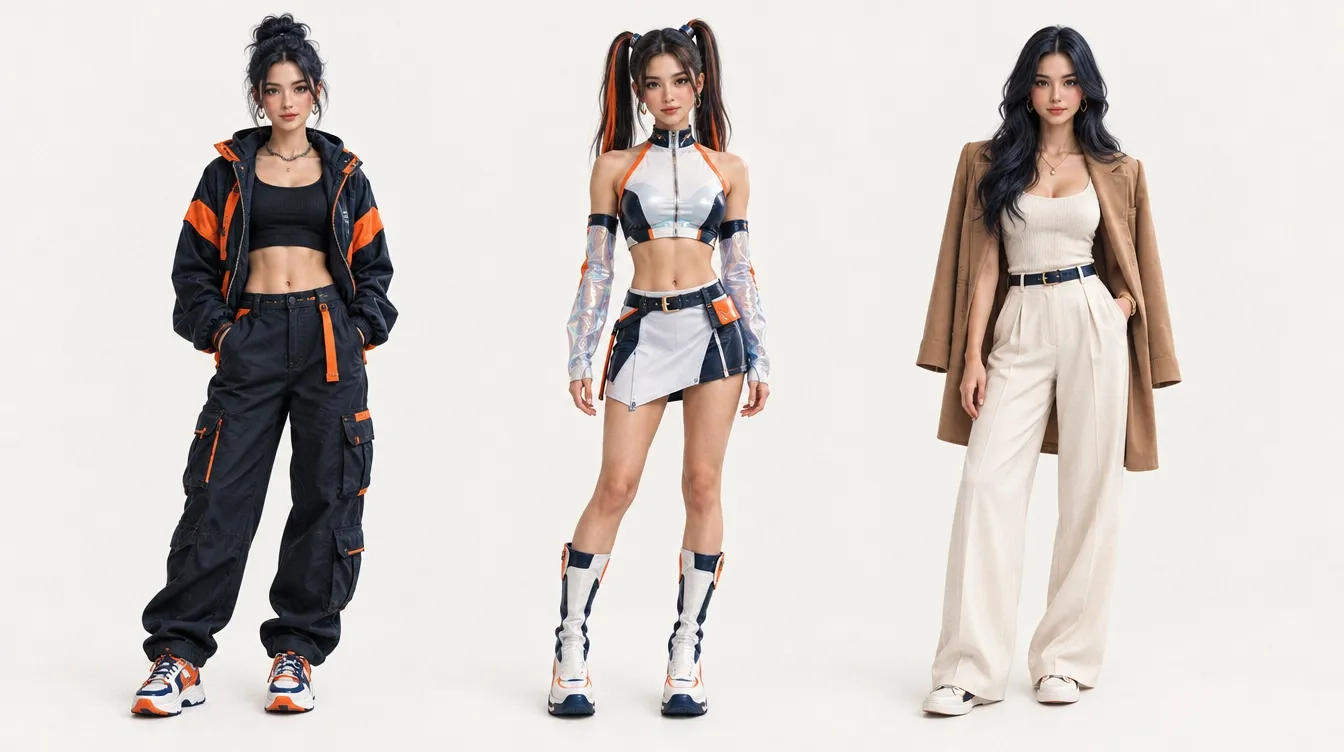
AI Influencer also connects with Genjutsu, allowing you to place generated characters into existing videos using Motion Transfer or Object Swap.
From my perspective, the main difference between AI Influencer and Soul ID lies in how they approach character identity. AI Influencer focuses on creating and customizing reusable virtual characters, while Soul ID is designed to learn and preserve a specific person's identity across generations.
Recreate Video Motion With Higgsfield Genjutsu
Higgsfield Genjutsu transforms existing footage by transferring motion or replacing selected visual elements. It offers two main techniques for adapting reference videos to different creative needs.
Motion Transfer
Motion Transfer captures movement, timing, and camera motion from a reference video and uses them to generate a new scene with different characters, environments, or visual styles.
This reference to video generation lets you recreate performances while changing who appears in the scene. The generated video can follow the original choreography, gestures, pacing, and camera movements even when the performer or environment changes.
For example, you can mimic motion shown in a dance video and apply the same choreography to a different character. This makes Motion Transfer useful for social media challenges, character animations, fashion videos, and creative storytelling.
Object Swap
Object Swap focuses on making targeted changes to existing footage rather than rebuilding the entire scene. You can replace specific characters, outfits, products, locations, or other visual elements while keeping the surrounding content largely unchanged.
Unlike Motion Transfer, which uses original movement to generate a new scene, Object Swap modifies selected parts of the existing video. This helps preserve the original composition, actions, and camera movement while introducing new visual details.
For example, a brand could replace a product in a promo video without changing the original presentation or filming setup. You can also test different outfits, characters, or product images for social media campaigns, fashion content, and marketing videos.
Clone Voices for New Speech and Narration
Higgsfield also offers AI voice cloning, which focuses on reproducing the sound of a person's voice. The feature analyzes an audio sample to capture characteristics such as tone, pitch, and speaking style. That voice can then be used to generate speech from text.
For example, you could use a voice clone for repeated video narration instead of recording every script manually. This capability is particularly relevant for voiceovers, multilingual videos, and recurring digital personalities.
Give Every New Project Your Signature Voice!
Turn a voice sample into reusable speech and bring more content to life without repeated recordings.
Try Free AI Voice Cloning
What Is Higgsfield Clone Best Used For?
After exploring Higgsfield's cloning capabilities, I see several practical use cases where recreating identities, movements, and voices can simplify content creation and reduce repetitive production work.
| Use Case | Why It's Useful |
| Personal AI Avatars and Digital Doubles | Recreate your appearance across different settings, outfits, and visual styles without arranging multiple photoshoots. This is useful for profile pictures, personal branding, and virtual portraits. |
| Dance and Performance Recreation | Transfer choreography, gestures, and timing from reference videos to different characters. This makes it easier to create dance videos, character animations, and short-form entertainment without manually planning every movement. |
| Variations of Existing Videos | Replace products, characters, outfits, or other visual elements while preserving the original scene's composition and camera movement. This helps create promotional variations and adapt existing footage without re-filming everything. |
| Consistent Brand Characters | Maintain recognizable virtual characters across advertisements, social media posts, and promotional visuals. You can change their clothing, backgrounds, and creative settings while keeping their identity consistent. |
| Voiceovers and Narration | Recreate a recognizable voice for new scripts without recording every line separately. This is useful for video narration, podcasts, online courses, and other content that needs a consistent speaking identity. |
What Are the Limitations of Higgsfield Cloning?
Although Higgsfield offers several ways to recreate characters, movements, and voices, I think the quality and consistency of the generated results are worth considering. Here are some potential limitations:
- Inconsistent Visual Results: Facial features may vary across generations, while clothing, backgrounds, and other visual details can change unexpectedly between video frames.
- Unnatural Motion Transfer: Complex choreography or fast movements may produce awkward poses, distorted limbs, or noticeable differences from the original reference video.
- Imperfect Object Replacement: Swapped elements may not blend naturally with the original footage, especially when lighting, shadows, reflections, or object movements are complex.
- Limited Voice Expressiveness: Cloned voices may sound recognizable but lack natural intonation, emotional depth, or consistent pauses, making some generated speech less convincing.
From my perspective, these limitations make it important to review generated results carefully, especially when facial identity, natural movement, or visual consistency matters to the final content.
Want More Ways to Clone Content? Try Pollo AI!
Higgsfield demonstrates how AI can recreate characters, movements, and voices, but different cloning tasks call for different approaches.
Pollo AI brings together specialized tools and apps for cloning videos, images, and voices. I find this flexibility especially useful when I want to recreate specific elements or adapt successful creative ideas without starting from scratch.
Create More Videos Without Starting From Scratch
Recreating movements from existing footage is easier with mimic motion. Simply upload a character image and reference video to bring static characters to life with matching choreography. It's useful for dance recreations, character performances, and engaging short-form content.
Beyond motion, you can also swap faces in existing footage while preserving the original performance and scene. This opens up more possibilities for personalized videos and creative character transformations.
Popular video trends can inspire fresh social media content. You can clone viral videos by adapting trending formats with your own avatars and creative ideas. This allows you to put a unique spin on popular trends and create more engaging, shareable content.
For product marketing, clone video ads by adapting the structure and visual style of reference advertisements to your own product materials. You can launch campaigns faster, attract more potential customers, and create more opportunities to drive sales.
I find these options especially valuable when I want to build on existing video content while exploring new characters, formats, and creative directions.
Create More From the Content You Already Love!
Clone video concepts, adapt visual styles, and recreate voices to produce more content for social media, storytelling, and marketing.
Try Pollo AI for FreeRecreate Images for Endless Creative Possibilities
Creating fresh product visuals doesn't always require a new photoshoot. You can clone product images by combining reference designs with your own product photos to recreate appealing layouts, compositions, and visual styles. This makes it easier to refresh product listings, explore campaign ideas, and attract more potential customers.
For portraits and creative projects, you can swap faces in photos using reference images while preserving the original composition. It's a fun way to create personalized portraits, unique character concepts, and eye-catching social media content.
For me, the real advantage is having more control over what stays the same and what changes, making it easier to achieve the look I want.
Reach More Audiences With Your Own Voice
Recording new voiceovers for every project can be time-consuming. With Pollo AI, you can clone your voice from an audio sample and generate new speech that preserves your recognizable vocal characteristics.
Whether you're creating video narration, podcasts, product explanations, or online courses, this lets you produce more audio content without repeatedly recording scripts. You can maintain a familiar voice across different projects, strengthen your content identity, and connect with audiences through consistent narration.
What I appreciate most about Pollo AI is the freedom to choose how I recreate content. Instead of limiting myself to one cloning method, I can adapt different creative elements to achieve the results I want.
My Final Take on Higgsfield Clone
After exploring Higgsfield's cloning capabilities, I found that recreating faces, movements, and voices requires different tools and approaches. Features like Soul ID, Genjutsu, and AI Voice Cloning offer useful possibilities, although the generated results may vary in consistency and quality.
For more flexible content creation, Pollo AI offers specialized tools to recreate videos, images, and voices. Whether you're producing social media content, personalizing visuals, or developing marketing campaigns, you can choose the approach that best fits your goals.
Ready to bring your creative ideas to life? Try Pollo AI for free and explore more ways to clone and recreate content!