



How to Master YouTube Studio for Channel Growth
Whether you are a seasoned pro or just starting out, knowing what is YouTube studio is the foundation of channel growth. It is the mission control center where you upload, analyze, and optimize your content.
To fill this studio with high-quality content that actually converts, many creators are now leveraging Pollo AI to generate production-ready videos that stand out in the competitive algorithm.
What is YouTube Studio
Before diving into the technical details, you must understand the primary role of the YouTube creator studio. This platform is designed to give creators a backend view of their channel, providing tools for video editing, comment management, and monetization. It is not just a storage space; it is a data-driven environment meant to help you understand your audience's behavior.
Where is YouTube Studio and How to Access It
Finding the YouTube studio is the first step toward professional management. On a desktop browser, you can access it by clicking your profile picture in the top right corner of YouTube and selecting "YouTube Studio." Alternatively, you can go directly to studio.youtube.com.

For creators on the go, the "YouTube Studio" app is available for both iOS and Android. This mobile version allows you to monitor analytics, respond to comments, and make quick metadata changes. However, for deep customization and advanced video editing, the desktop version remains the most powerful choice.
How to Use YouTube Studio to Manage Your Channel
The YouTube creator studio is divided into several key sections, each serving a unique purpose in your content strategy. Navigating these tabs efficiently is the secret to maintaining a consistent upload schedule.
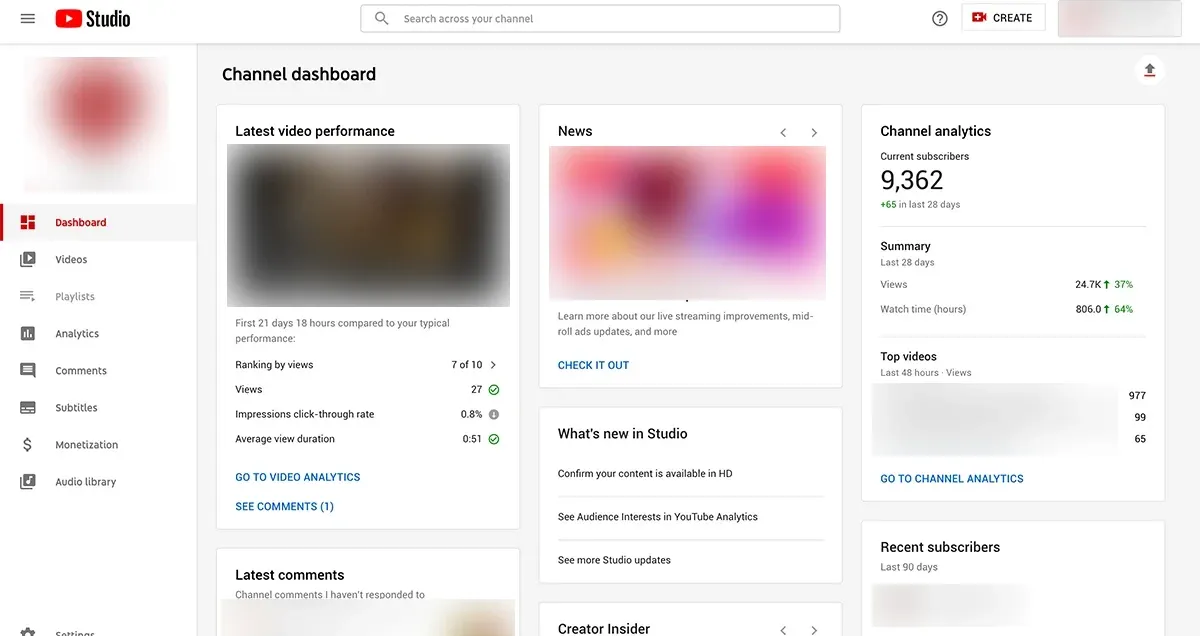
The dashboard for daily snapshots
The dashboard provides a high-level view of your channel's recent performance. It acts as a performance mirror, showing you your latest upload's views compared to your typical reach.
If you notice a dip in engagement, it might be time to use a viral video maker to refresh your content style and regain your audience's attention.
Managing visibility and the unlisted meaning
In the content tab, you manage privacy settings. A frequent question among beginners is: what does unlisted mean on YouTube? When you set a video to "unlisted," it is hidden from search and your channel page, but accessible via a direct link.
How to Edit a Video in YouTube Studio
YouTube provides a built-in editor that allows you to trim sections of your video, add blur to sensitive information, and insert end screens. While these tools are great for quick fixes, they can be limiting for creators who want high-impact visuals.
To bypass the limitations of basic editing, many creators use Pollo AI's video editor to transform their raw footage with text prompts before uploading. This allows you to add cinematic transitions and professional-grade effects that the standard studio editor cannot provide, ensuring your yotube studio content tab is always filled with high-retention videos.
How to Track Your Channel Performance in YouTube Studio
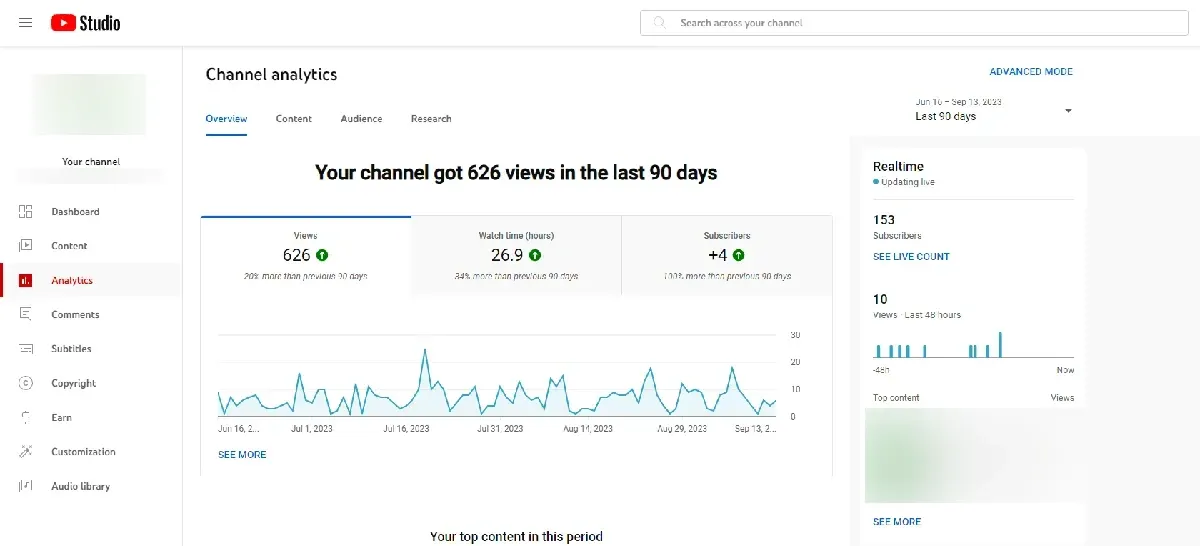
Data is the lifeblood of growth. The analytics tab in the YouTube creator studio offers deep insights into who is watching. By monitoring metrics like average view duration and audience retention, you can pinpoint exactly when viewers click away. The "research" tab is another goldmine. It shows you what your audience is searching for.
Customize Your Channel to Boost Your Views
The customization tab is your digital storefront. Here, you can set a channel trailer for non-subscribers and a featured video for returning fans. A professional-looking channel page can increase your subscriber conversion rate by ensuring your brand identity is clear and consistent.
Furthermore, you can find free music in the audio library. Using copyrighted music can lead to strikes on your YouTube creator studio account. Always use the library or create unique visuals with music video generator to keep your production quality high.
Reach More People by Adding Subtitles
Accessibility is a key ranking factor. By adding subtitles in the "subtitles" tab, you make your content available to a global audience and those who watch with the sound off. YouTube’s auto-captioning is a start, but manual review ensures your message isn't lost in translation. Expanding your reach globally is one of the fastest ways to scale your analytics in the YouTube creator studio.
Scaling Production with Pollo AI
The biggest challenge in the YouTube creator studio is maintaining consistency. This is where most creators burn out. Pollo AI solves this by offering a video agent for marketing that creates publication-ready, full-length videos.
To keep your studio active without spending 24 hours a day editing, leverage these specialized tools:
- AI Clip Maker: Turn your best ideas into viral vertical shorts.
- AI B-Roll Generator: Add cinematic footage to fill visual gaps.
- AI News Video Generator: Create professional news segments with one click.
Final Checklist for YouTube Studio Success
To make the most of your yotube studio management, follow this checklist for every upload:
- Optimize Metadata: Use relevant keywords in your title and the first two lines of your description.
- Check Visibility: Double-check what does unlisted mean YouTube vs public before hitting publish.
- Add End Screens: Direct viewers to another relevant video to increase session time.
- Review Subtitles: Ensure your captions are accurate to reach a global audience.
- Analyze and Iterate: Check your analytics 48 hours after posting to see where to improve.
Conclusion
Mastering the YouTube creator studio is essential for any creator aiming for long-term success. From knowing where is YouTube studio to tracking complex analytics, these tools empower you to steer your channel toward growth. By combining these technical insights with the production power of Pollo AI, you can transform your creative vision into a thriving digital business. Start optimizing your studio today and watch your channel reach new heights.